

BTS INSTALLATION GUIDE · DIODE DYNAMICS
Can-Am Maverick X3 A-pillar light installation guide
Fit the SS3 or SS5 two-pod kit to a 2017–2025 Maverick X3 or X3 Max with the specified factory cage. Windshield and aftermarket-cage clearance must be checked before starting.
Before starting
Confirm the vehicle year, cage and windshield clearance. These kits include two selected pods, DD7863P vehicle mounts, a DD4093 dual-output four-pin harness and mounting hardware. Other lights shown on the vehicle and the optional rectangular rocker switch are separate.
Have a 5 mm Allen key, 10 mm and 13 mm tools, an 18 mm socket, a T30 Torx bit, trim tool, level and fish tape available. Work on a safely parked vehicle and follow its electrical service procedure. Keep removed factory hardware for reassembly.
1. Fit the roller mounts
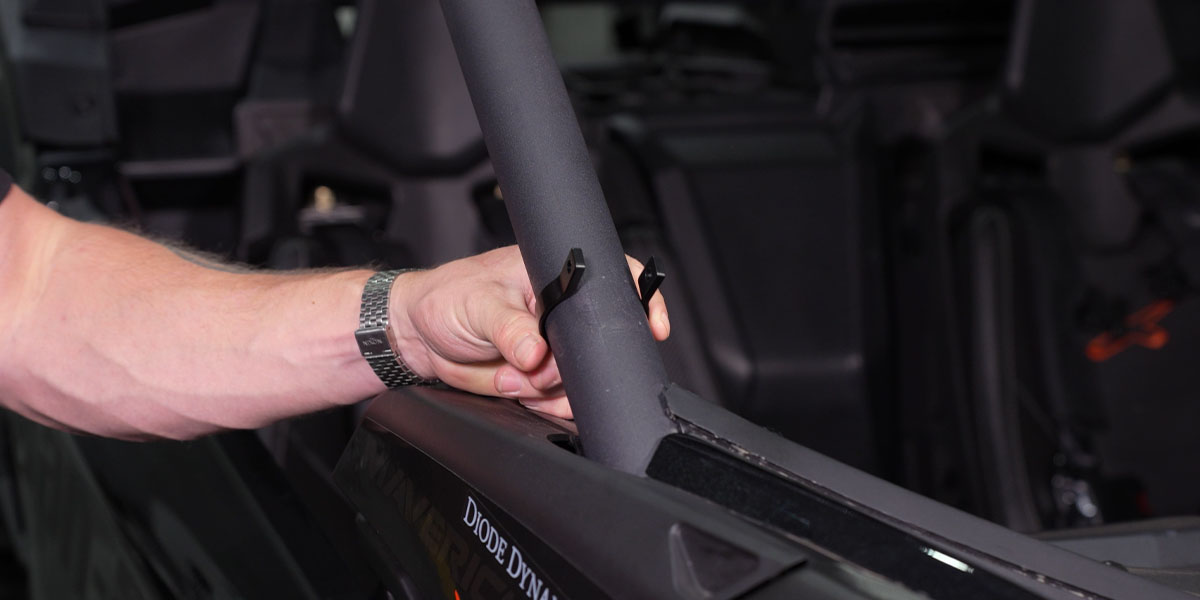
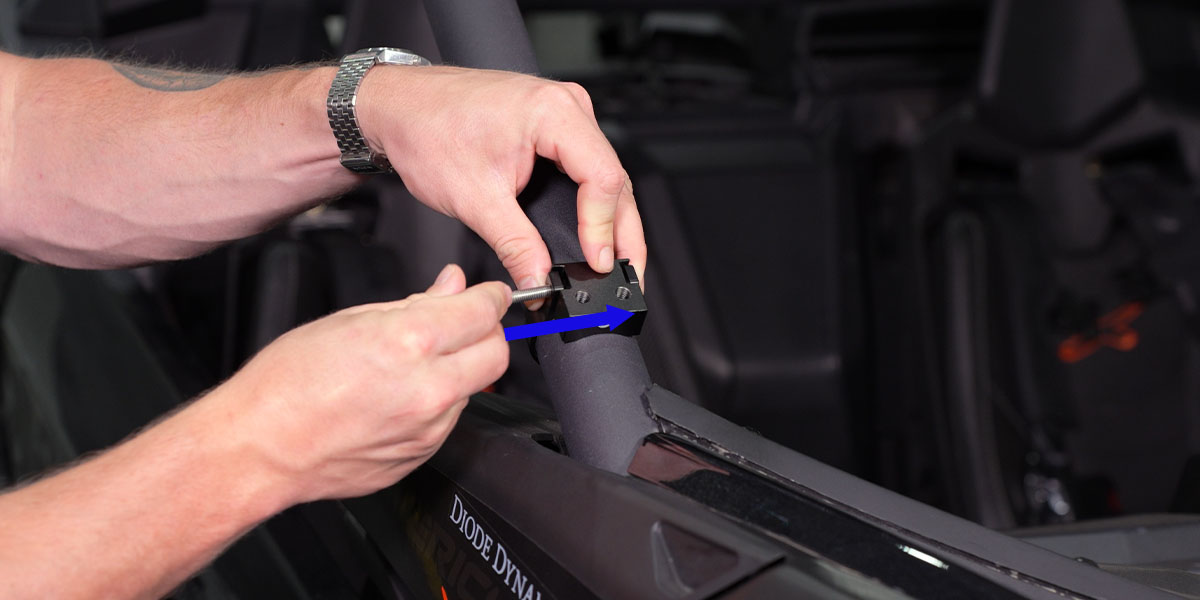
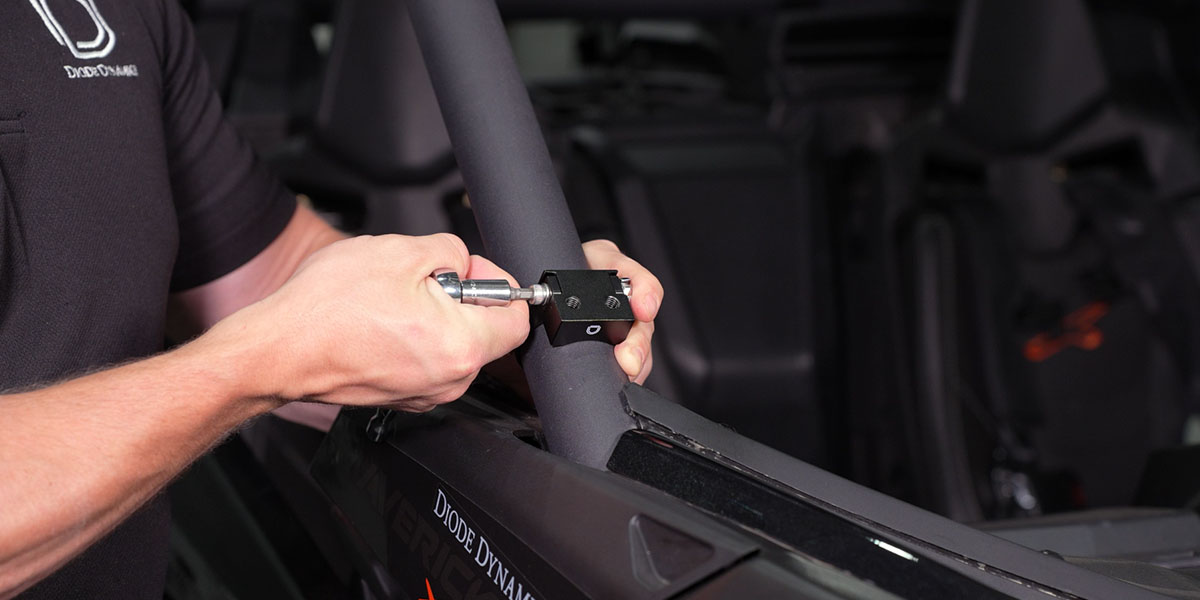
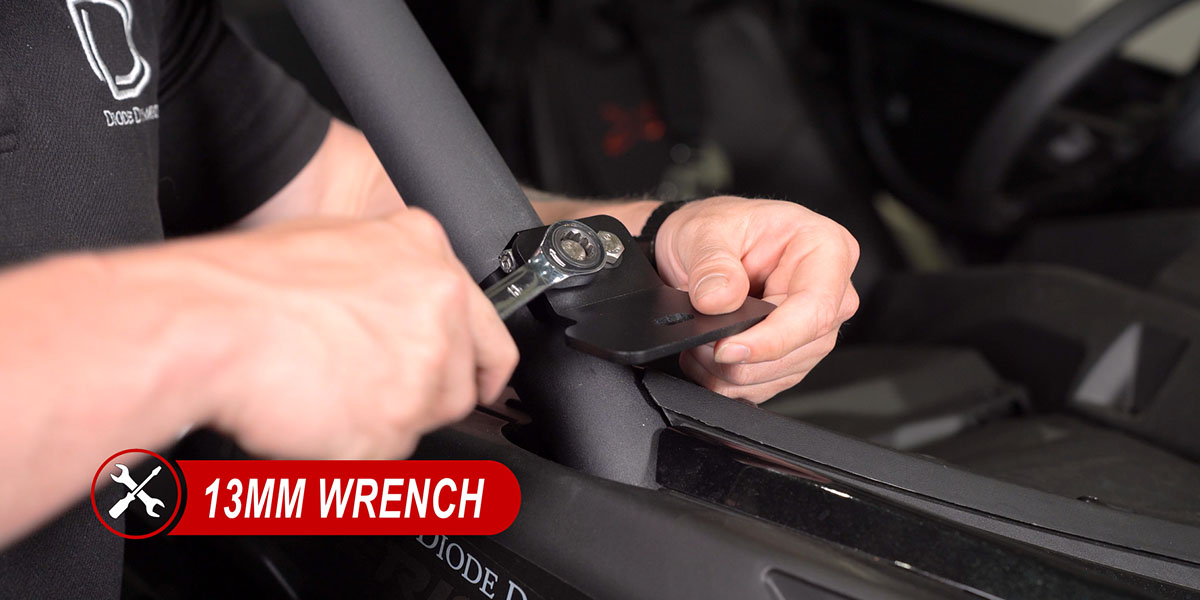
Slide each roller ring over the factory cage. Pinch the ring around the mounting block and pass the supplied bolt and washer through both sides. Add the washer and locknut, centre the block, then secure it using a 5 mm Allen key and 10 mm wrench. Fit the ditch-light platform with its supplied 13 mm bolts and washers. Level the mount before repeating on the opposite side.
2. Assemble and mount the pods
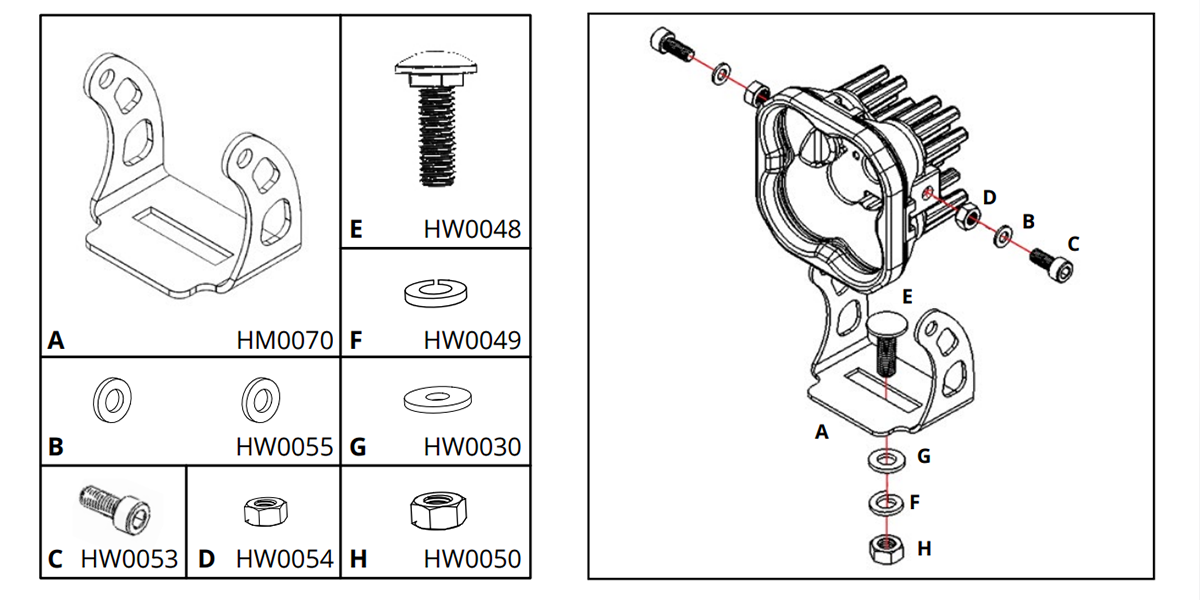
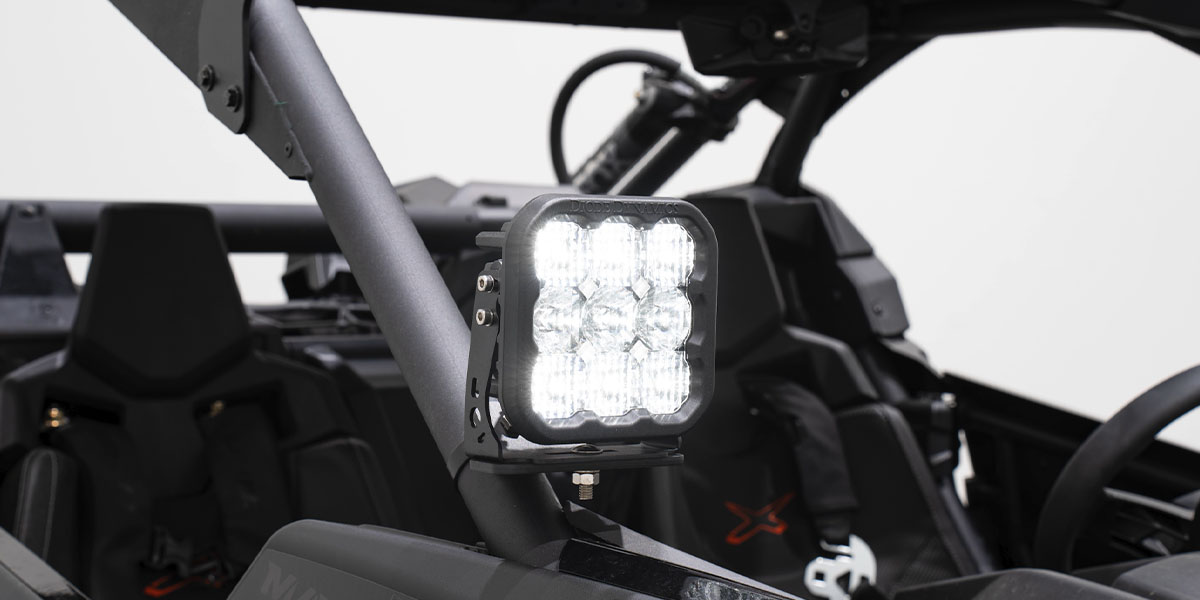
Assemble the selected SS3 or SS5 pod and its universal U-bracket using the supplied hardware. Keep the aiming hardware hand-tight until aiming. Fasten the bracket to the A-pillar platform using the supplied hardware and a 13 mm wrench. Repeat on the other side. Use the matching assembly diagram below; do not substitute one pod family’s hardware instructions for the other.
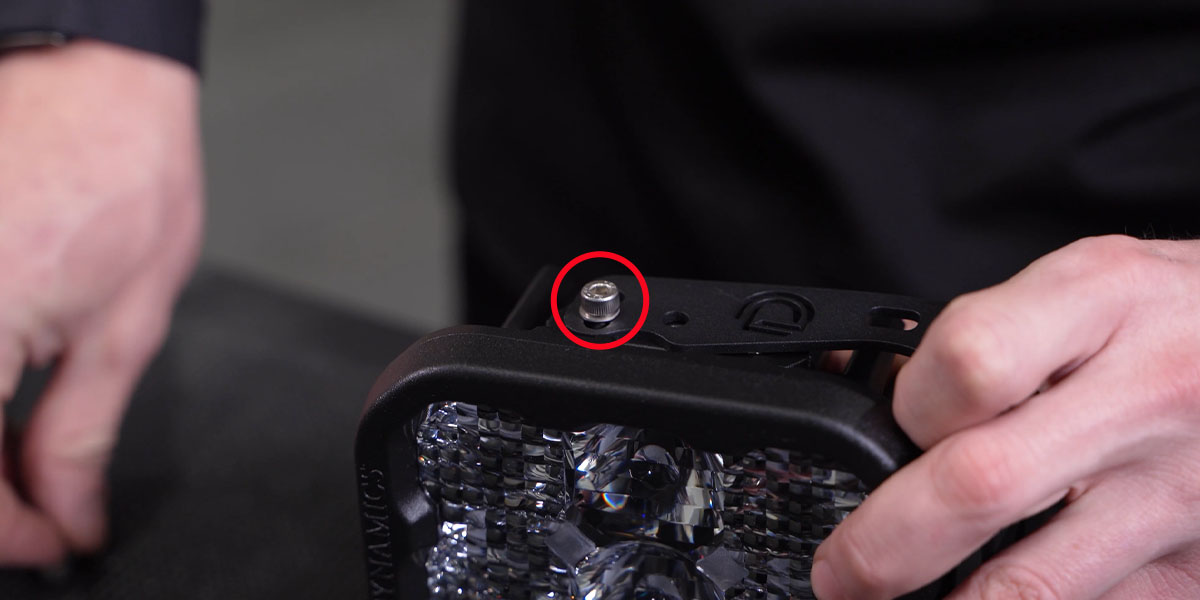
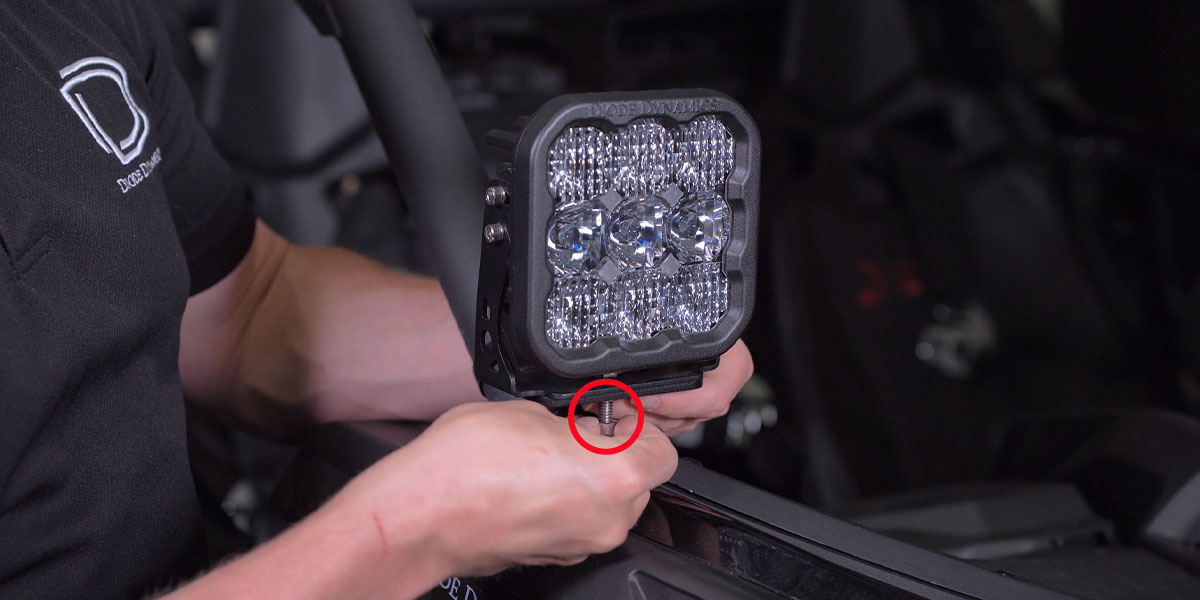
Use the assembly diagram for your pod
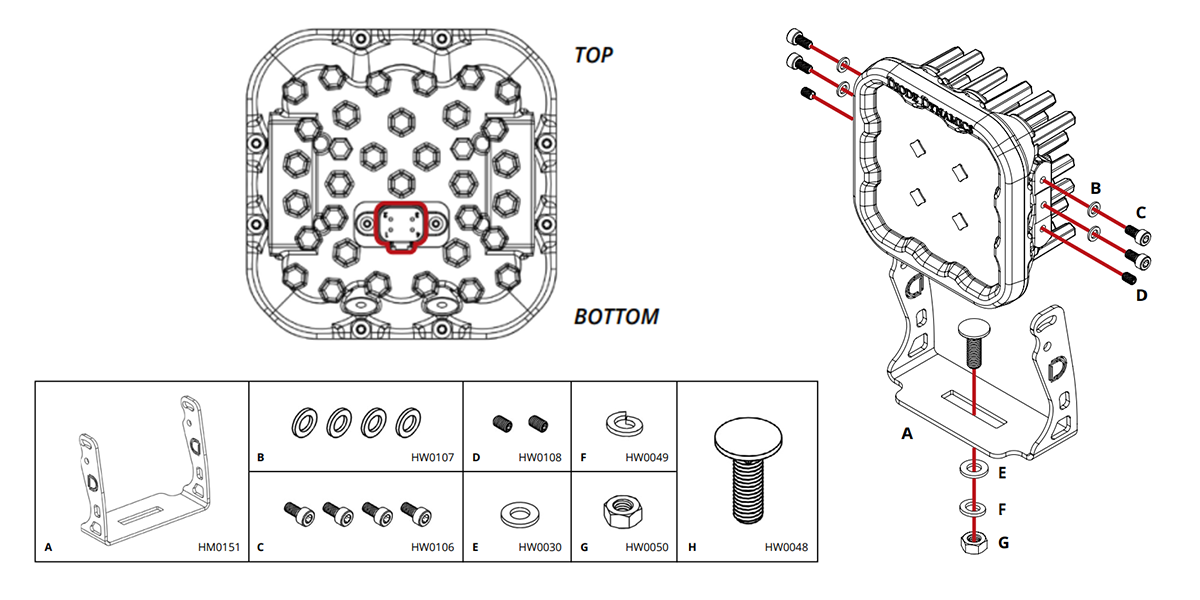
Mount the SS5 upright as marked in its diagram. Its adjustable hardware remains accessible for final aiming.
3. Remove the passenger seat and access panels
Release the passenger seat-belt loop. Slide the seat forward and remove the two rear gold locknuts with an 18 mm socket. Slide the seat back, remove the front bolts with a 13 mm wrench and ratchet, and lift the seat out. Release the passenger-side console access panel from its tabs, starting at the left corner. Release the forward panel in the same way to reach the battery.
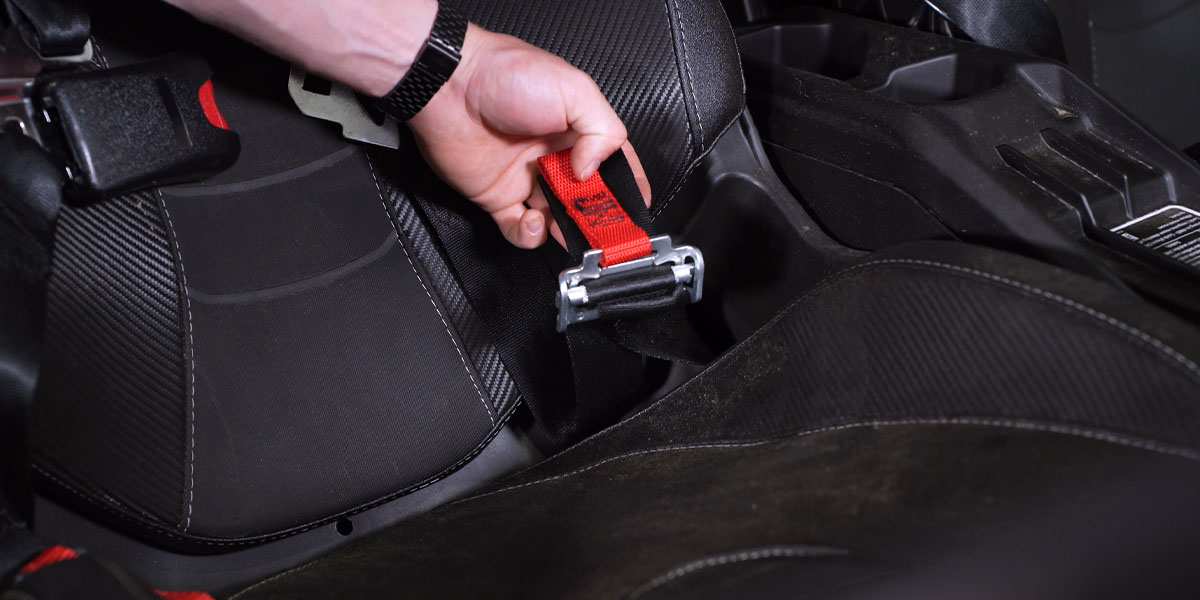
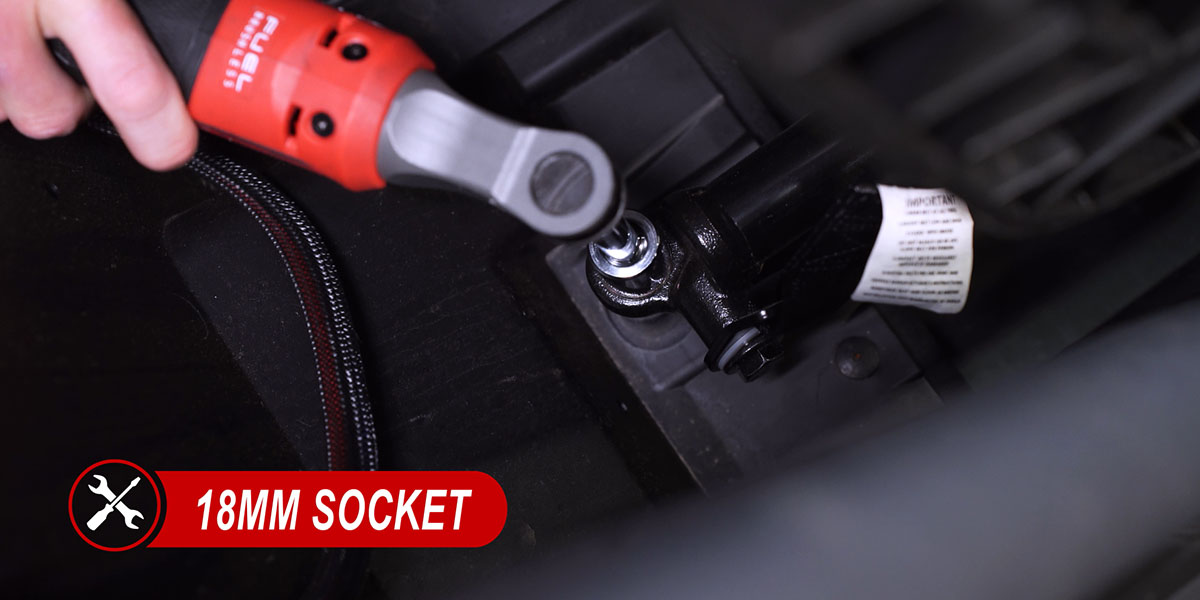
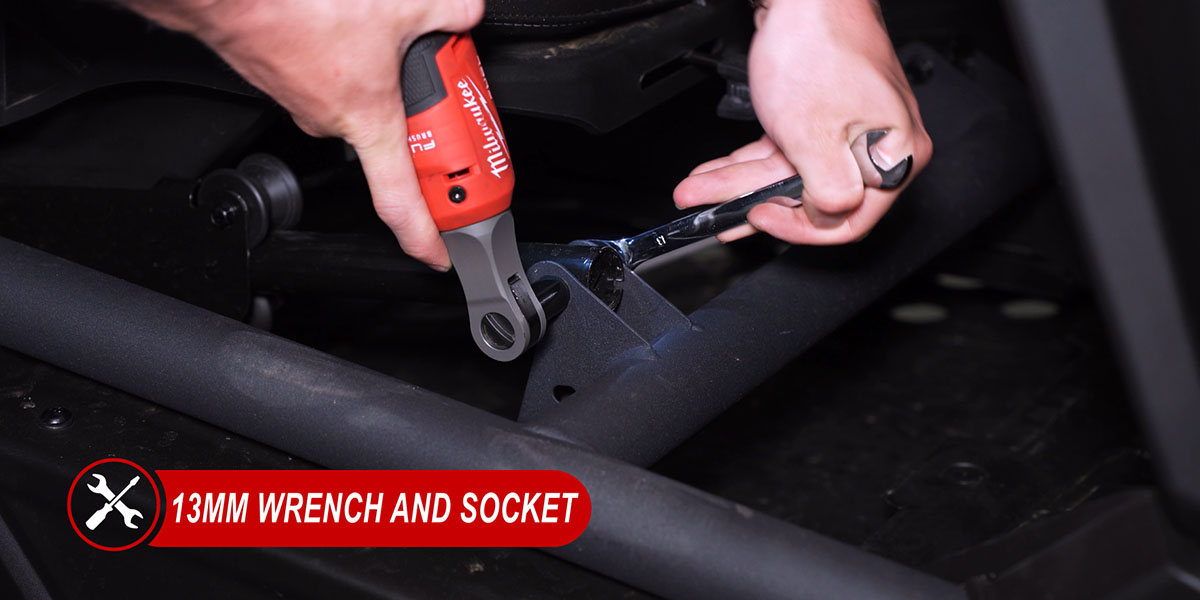
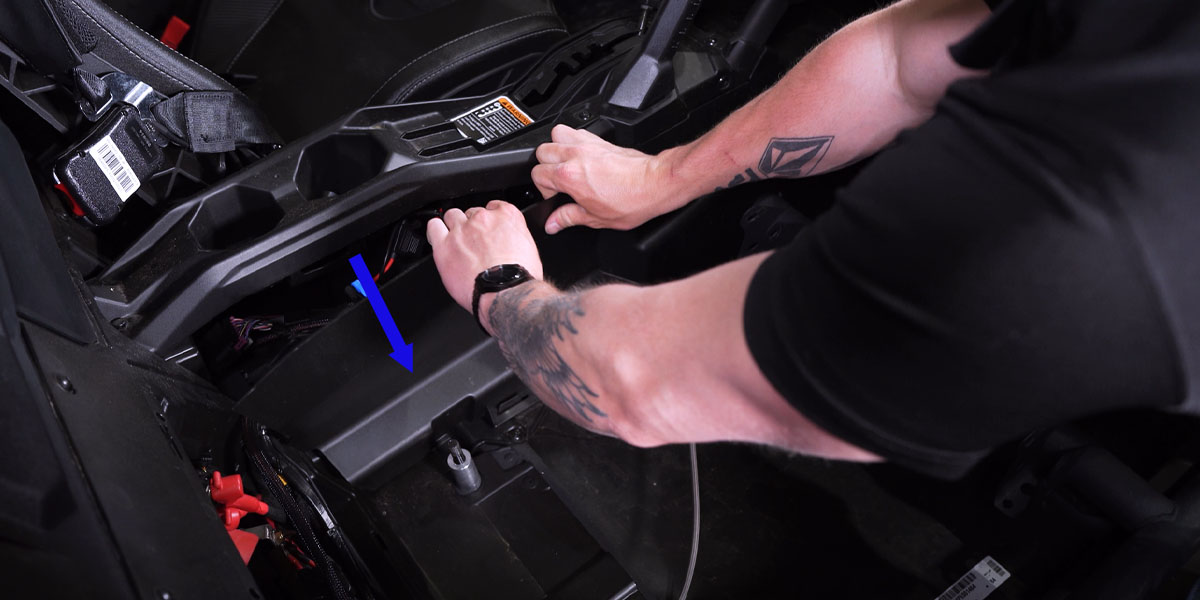
4. Connect the harness at the bus bar
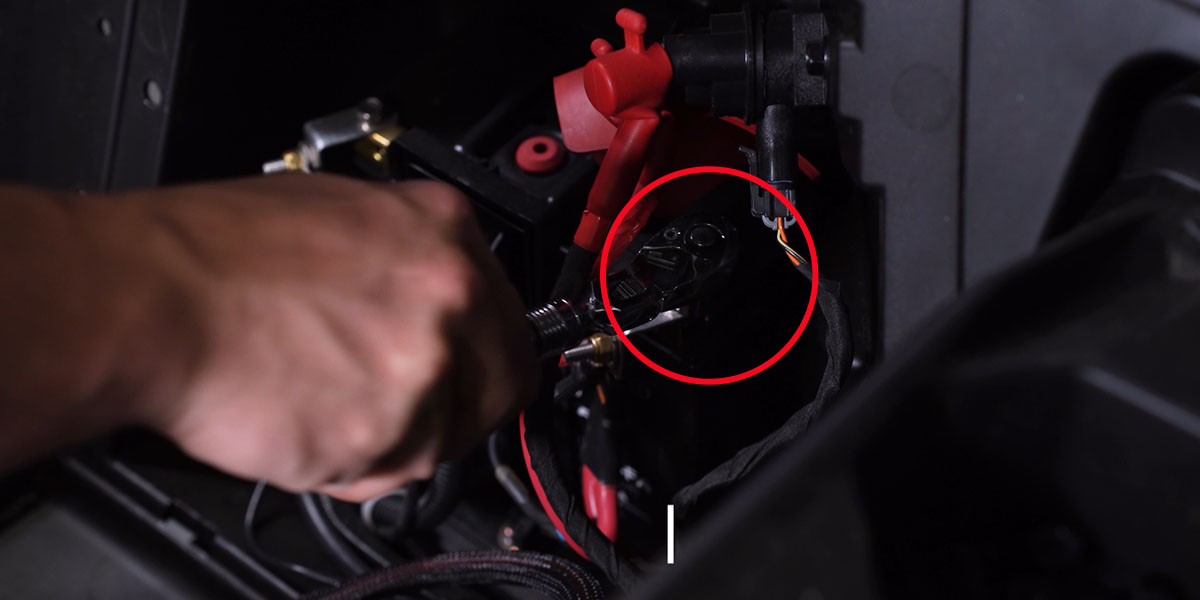
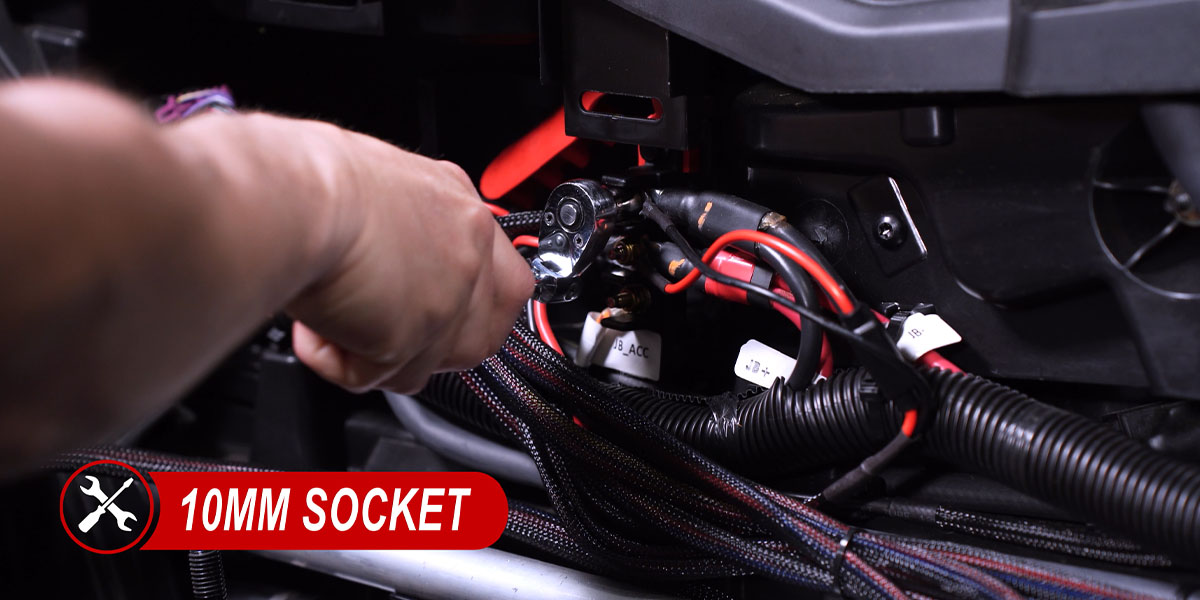
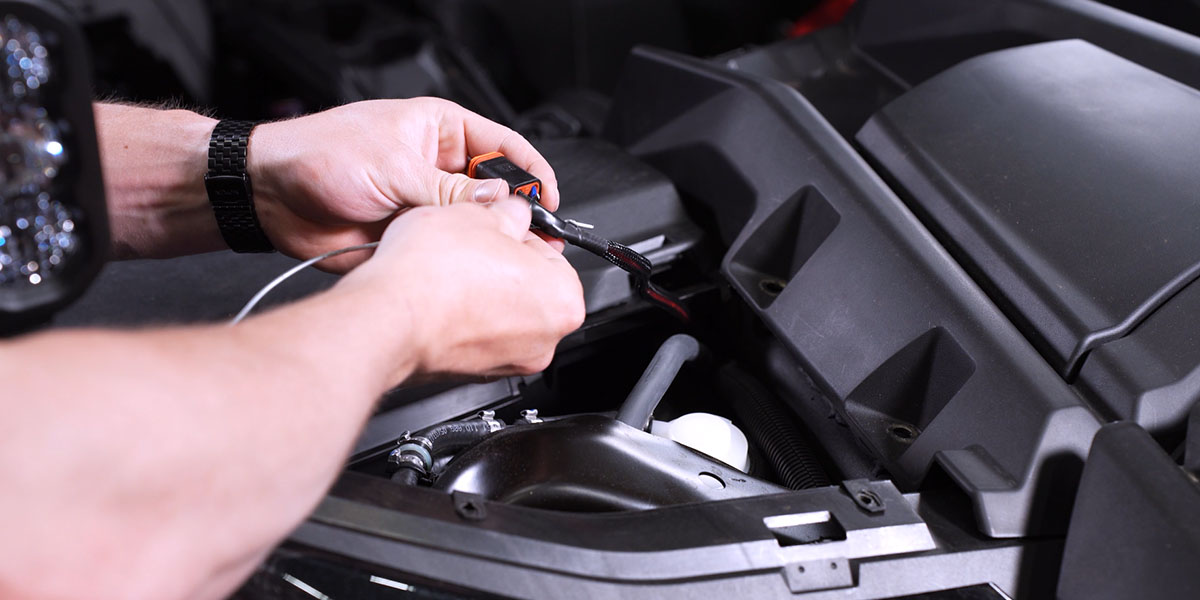
Follow the vehicle service procedure to isolate electrical power before making connections. The manufacturer’s illustrated procedure uses a 10 mm socket to disconnect and secure the positive battery lead away from its terminal. Peel back the bus-bar cover and loosen the identified positive and negative connections with a 10 mm tool. Connect the harness positive and negative leads to their corresponding terminals, secure them, and restore the protective cover. Route the switch and DT leads away from the driveshaft, other moving parts, heat and sharp edges.
Optional rectangular rocker switch
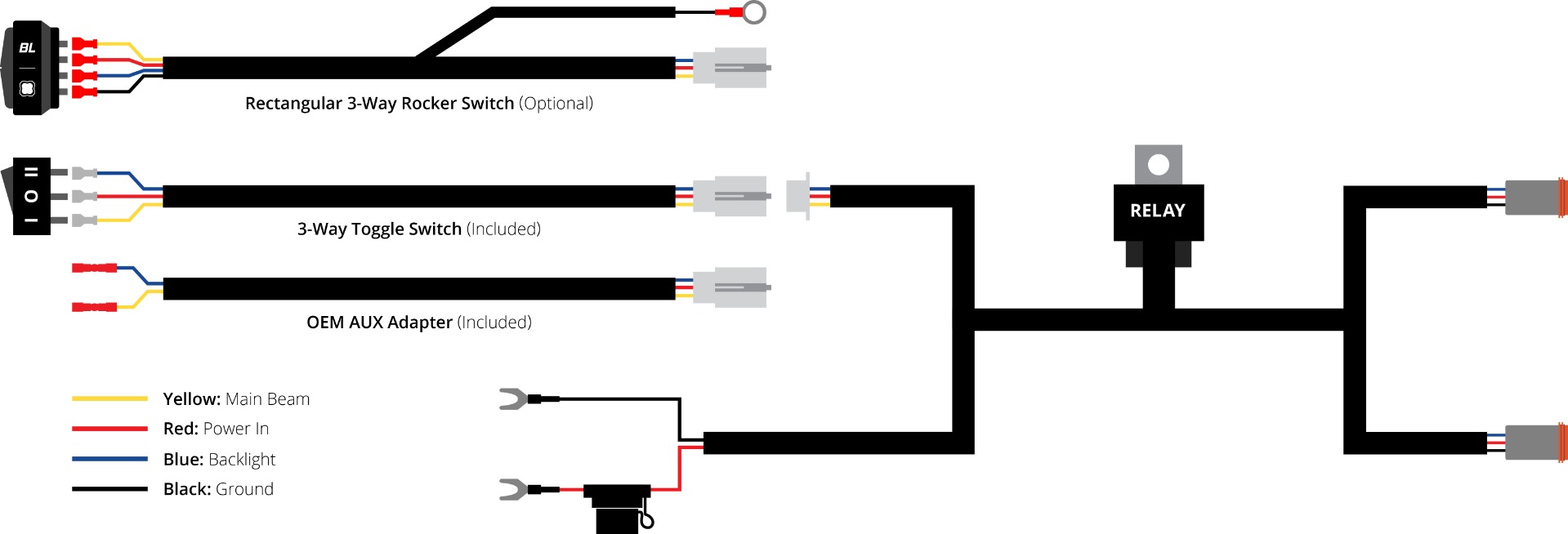
Unplug the included switch at the white connector on its lead and connect the compatible optional rectangular rocker. Route it to a suitable factory switch blank and seat it fully after checking clearance behind the panel. Connect the black ring terminal to a suitable chassis ground for the rocker’s backlight. The diagram describes the switch harness, not a substitute pod pinout.
5. Route the driver-side and passenger-side leads
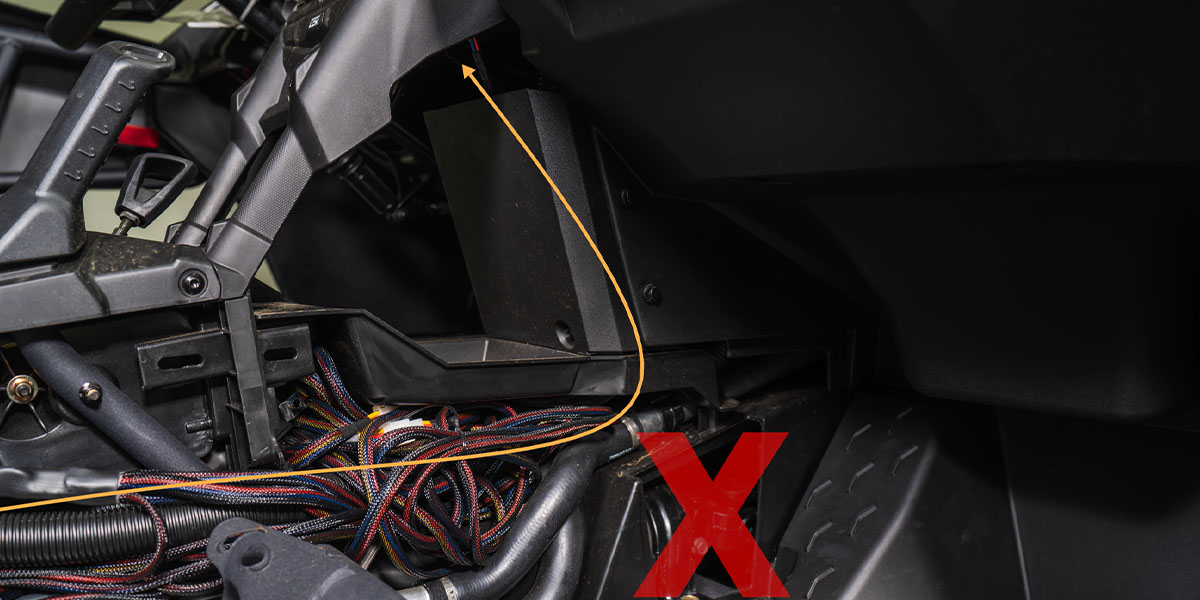
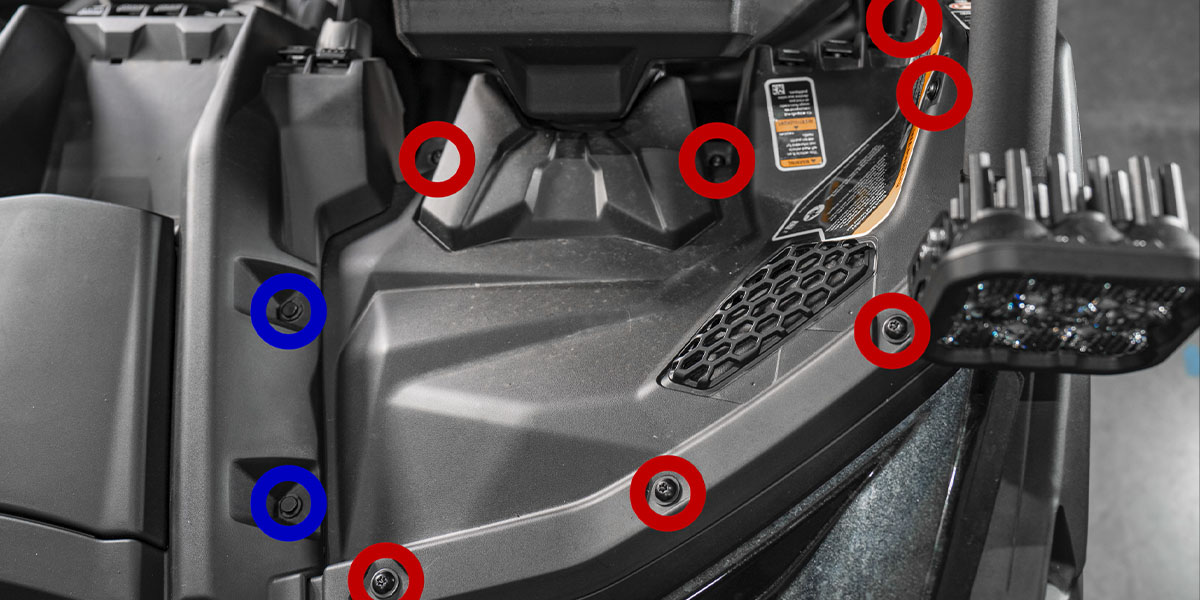
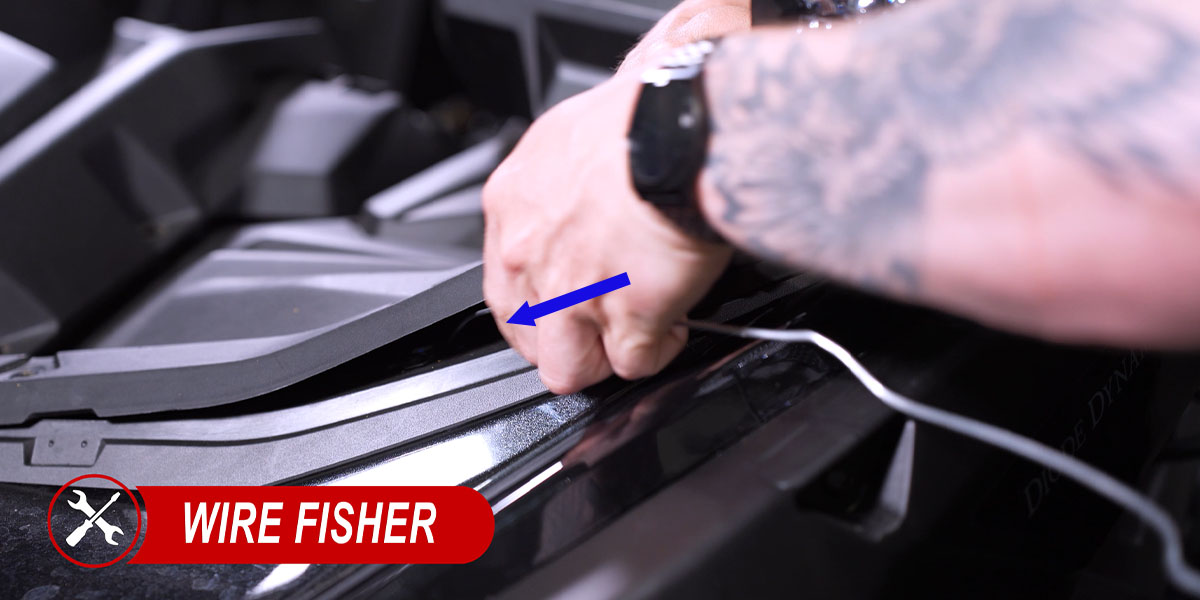
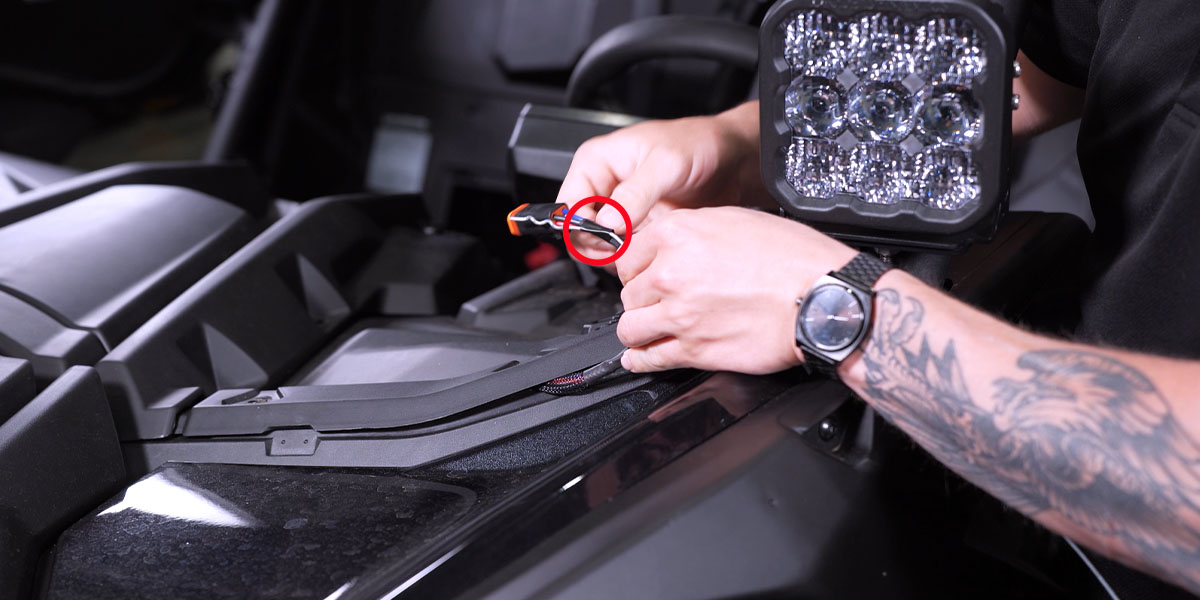
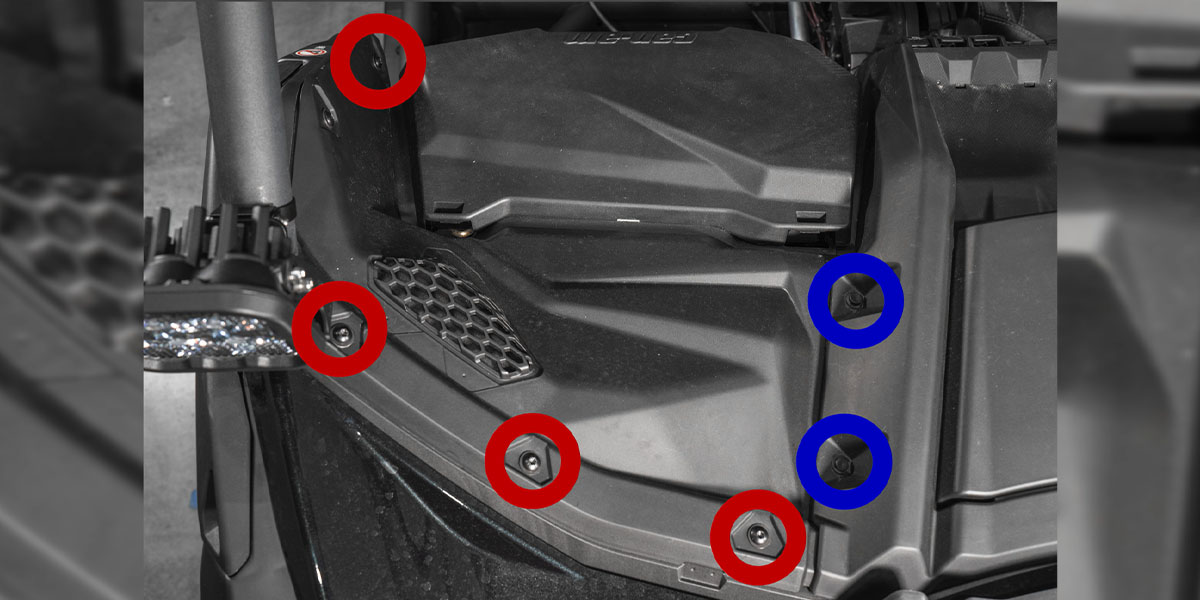
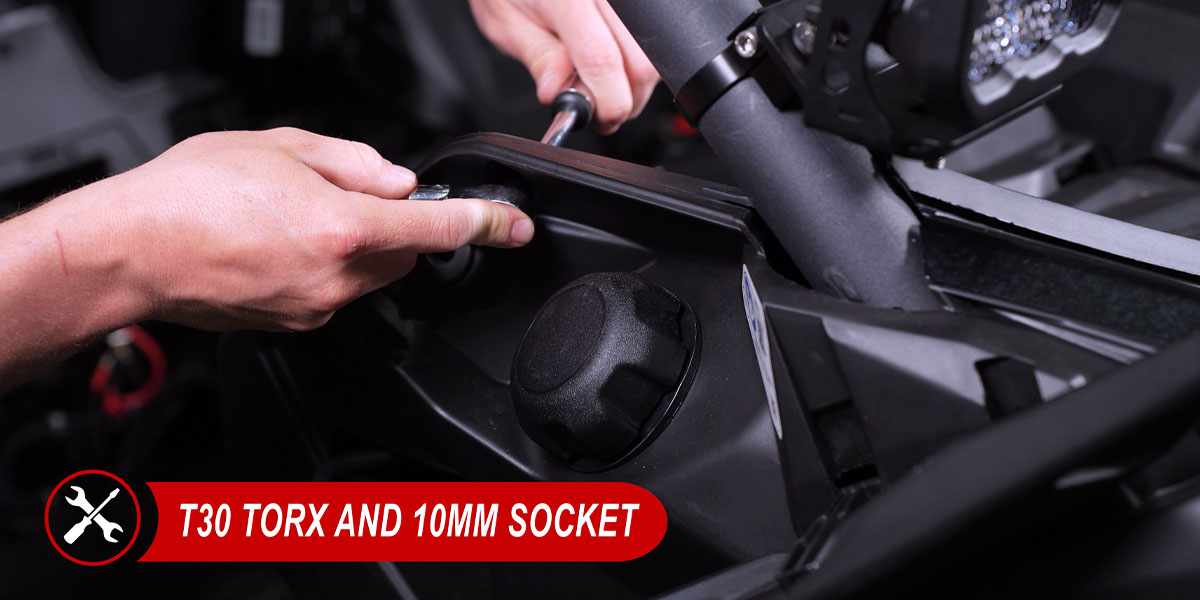
On the driver side, remove two push clips and seven T30 Torx screws. Lift the panel and use fish tape to bring the DT lead through the floorboard to the top of the dash. Route it behind the dash and connect the driver-side pod. On the passenger side, remove two push clips and four T30 screws. Lift the gas-tank access panel and remove the remaining fastener with a T30 bit and 10 mm socket. Fish the DT lead toward the passenger A-pillar, connect the pod and secure the panel.
6. Test, aim and reassemble
Restore the battery connection in accordance with the vehicle service procedure. Check the main beams and backlights separately with the harness switch. Adjust both pod angles, then secure the aiming hardware. No tightening torque is specified in the vehicle guide. Tie up loose wiring clear of heat, moving parts and pinch points, then reinstall the panels and passenger seat in reverse order.
Program the White SS5 backlight
This procedure applies to the White SS5 configurations in this range. Their backlight offers White, Red, Blue, Green, Purple, Yellow, Amber and Teal. Yellow SS5 and both SS3 main-beam colours use a fixed Amber backlight. Programming does not change the main-beam colour.
- Start with backlight power off.
- Cycle it on and off three times within three seconds, with each on action about one second apart.
- After entry, continue cycling at the same pace to select a backlight colour.
- Leave the desired colour on for five seconds to save it automatically, then switch it off.
Reset unsynchronised White SS5 pods
Enter programming mode with the same three cycles. Cycle through every colour twice, at least sixteen total cycles. The pods reset to White. Leave them on for five seconds to save the reset, then choose another colour if required.
Original references and video
Original generic SS3 assembly PDF: use it for the SS3 mounting hardware illustration; its older electrical figures are not complete-kit specifications. Original SS5 pod assembly instructions.
Original vehicle-specific manufacturer instructions. The relevant installation photographs appear above; repeated photographs are shown once.
The video complements the written instructions. Other lighting and accessories visible on the vehicle are separate products.