

1. Release the seat harness
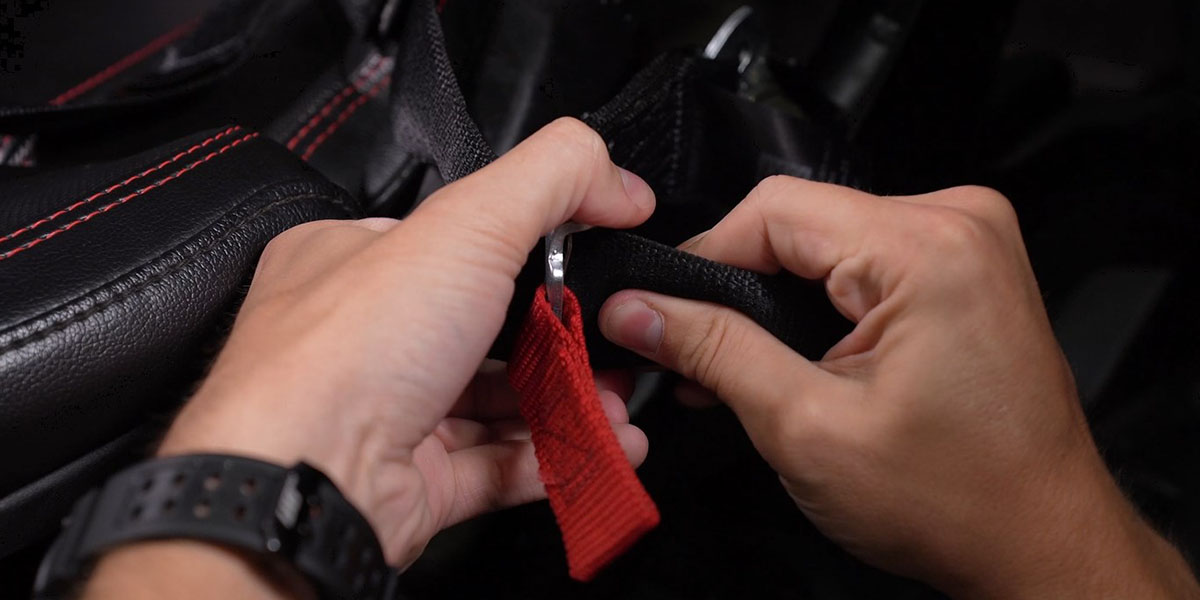
Pull the red adjustment tabs to release the driver-seat harness.
POLARIS RZR PRO · SS3 AND SS5
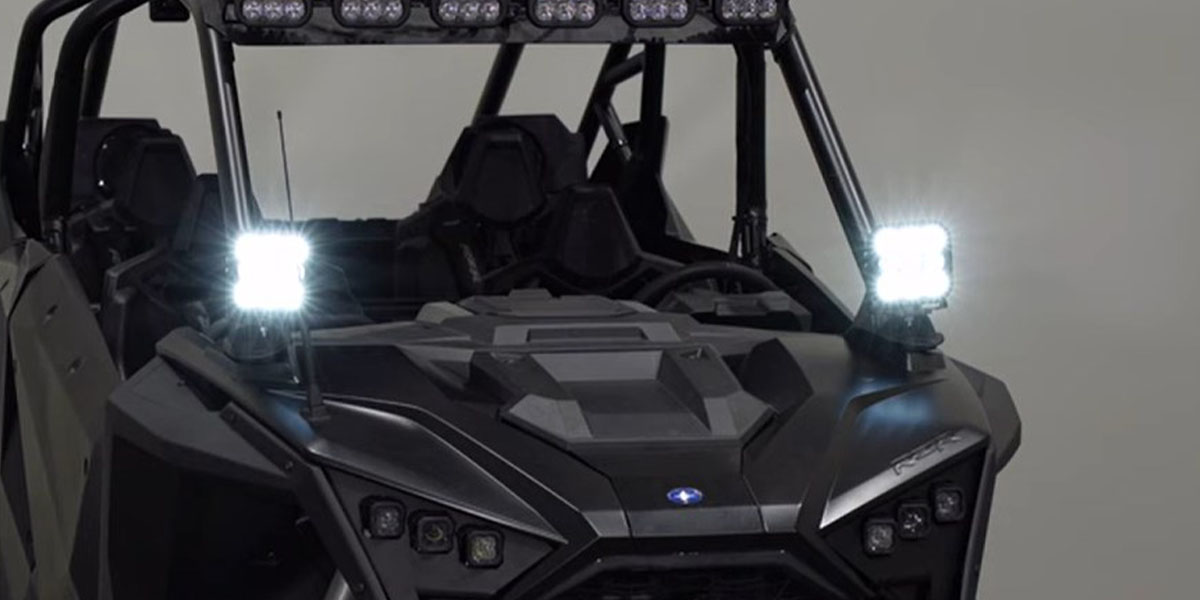
Mount two pods at the factory A-pillar points, route the supplied harness and finish the installation with clear SS3 and SS5 branches. Read the vehicle fitment and windshield restriction before starting.
Not compatible with windshield kits. Installation requires slots in the rubber A-pillar boots; fitting the supplied round toggle can require drilling a removed switch blank. Other lights and vehicle accessories in the photographs are separate.
SS3 kits DD7635–DD7638 contain two SS3 pods with amber backlights. SS5 kits DD7639–DD7642 contain two SS5 pods: White-lens versions offer eight accent colours; Yellow-lens versions use amber only. Main-beam colour is fixed by the ordered SKU.
Have a ratchet and extension, 10 mm and 18 mm sockets, 18 mm wrench, 13 mm wrench, T40 driver, trim/pick tools, utility knife, tape measure, level, flush cutters, drill with 1/8-inch pilot and step bits, masking tape and cable ties available. The 10 mm and 13 mm tools appear in the manufacturer’s steps even though its introductory tool list omits them.
Read the whole procedure before working. Follow the vehicle service instructions for battery work, seat and restraint reassembly, and structural fasteners. The lighting article gives no vehicle-fastener torque specification.
Pull the red adjustment tabs to release the driver-seat harness.
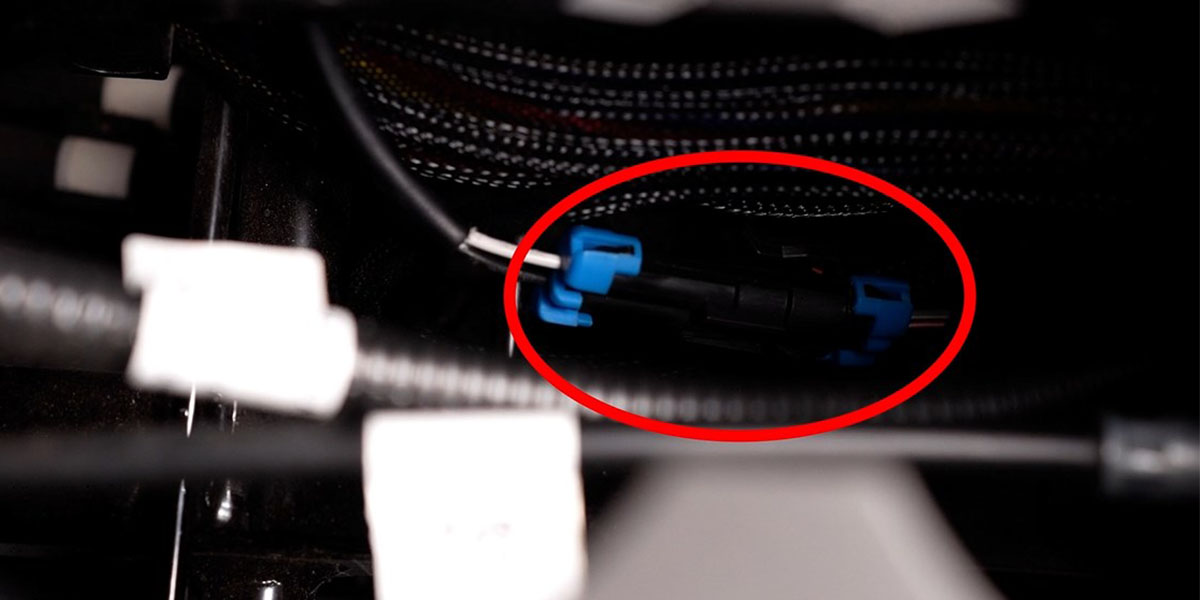
Lift the cup holder from its front edge with a trim tool. Disconnect the blue-tab connector shown, then feed the seat-harness end toward the driver seat.
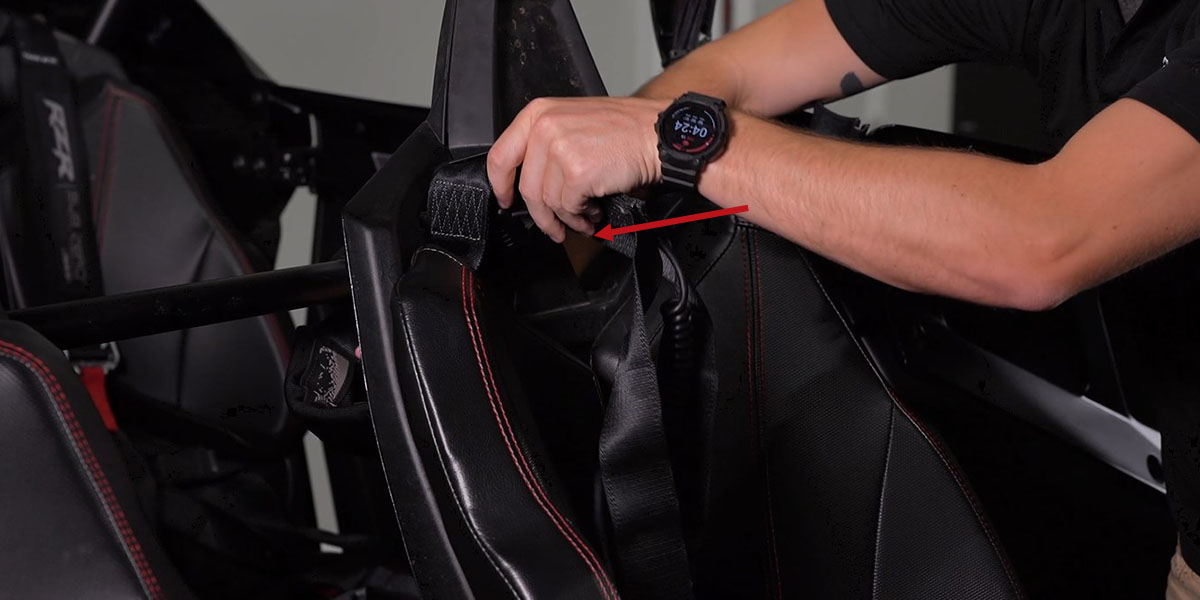
Feed the safety harness through the opening in the seat back so it does not hold the seat in place.
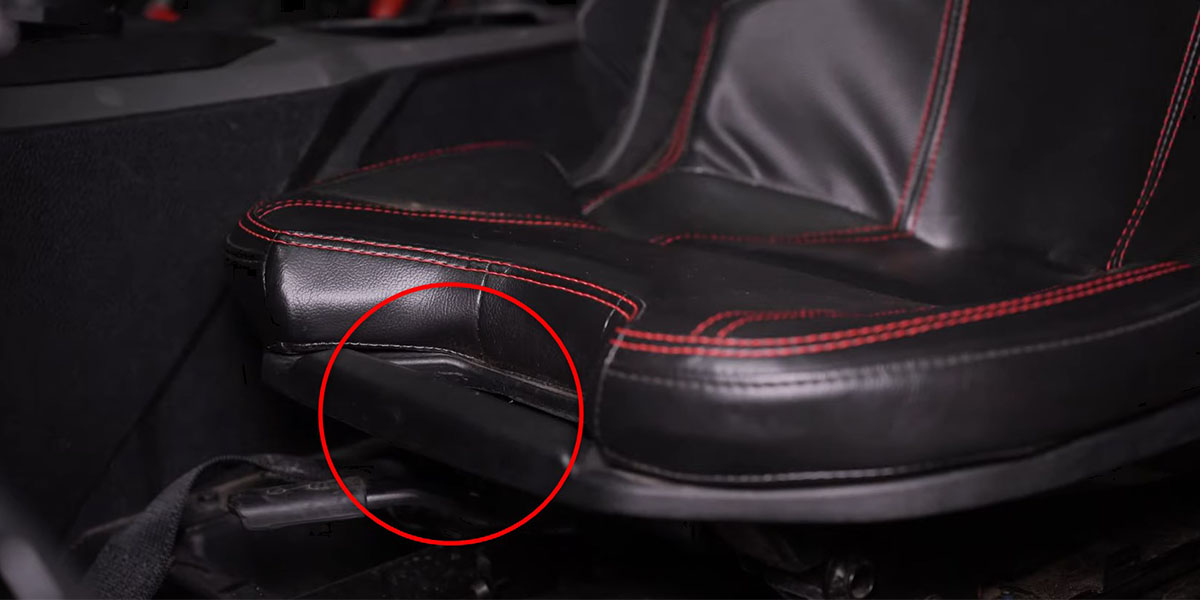
Pull the release handle, tilt the seat forward and lift it out.
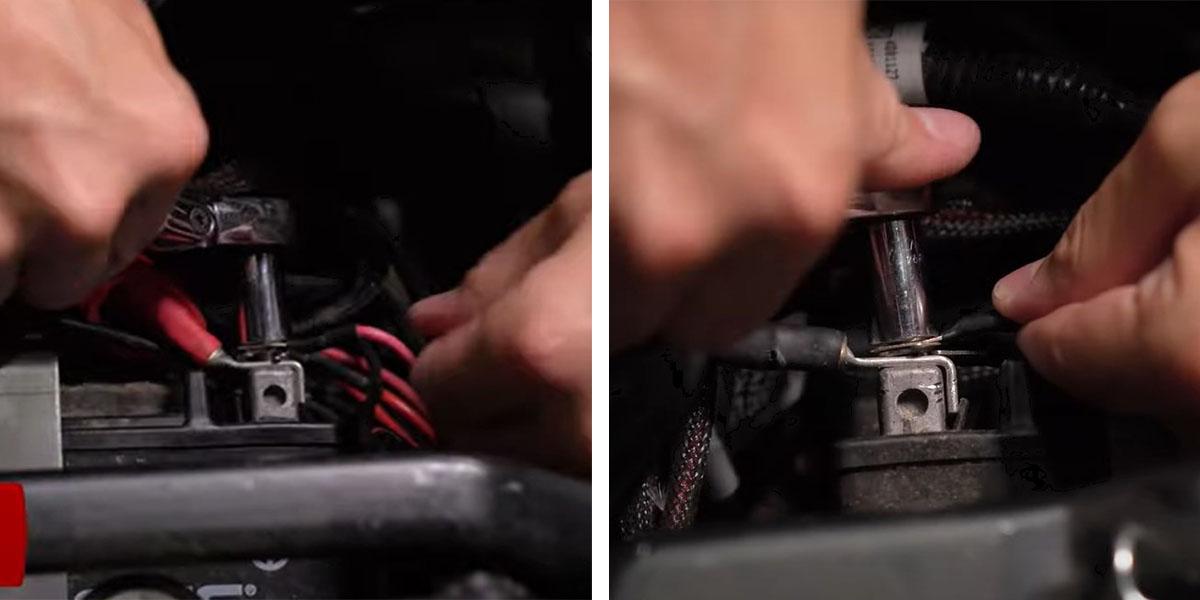
The manufacturer connects the red harness ring terminal to battery positive and the black ring terminal to negative with a 10 mm socket, then locates the relay beside the battery. Keep the switch off and follow the vehicle service procedure for battery work.
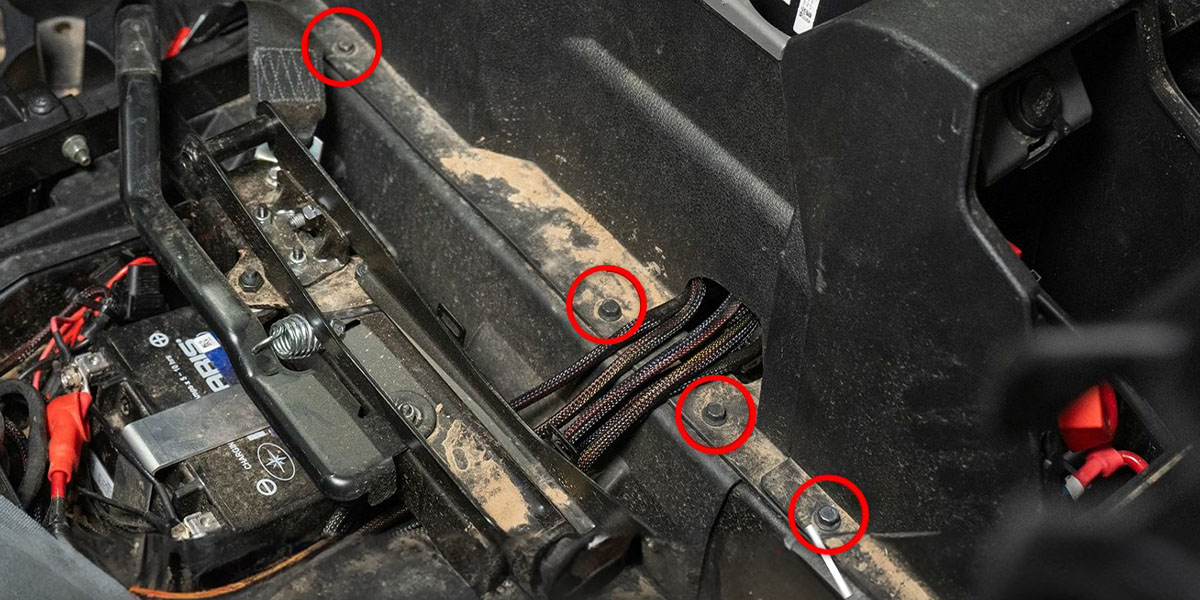
Remove the four 10 mm fasteners along the driver-side centre console, identified in red.
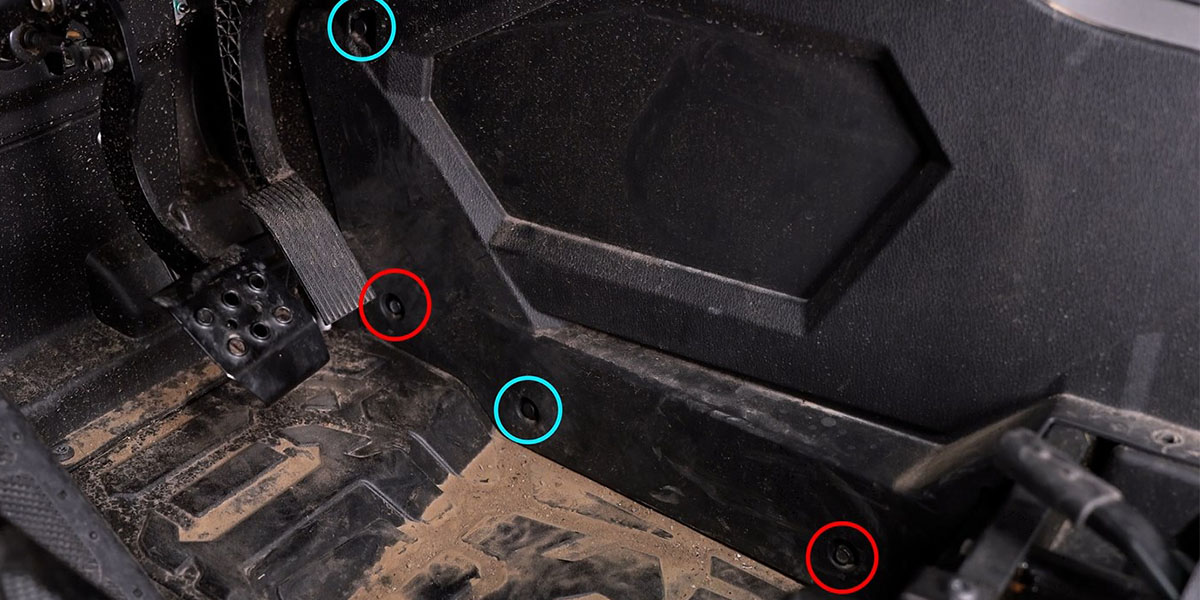
Remove the two 10 mm fasteners marked in red and the two retaining clips marked in blue.
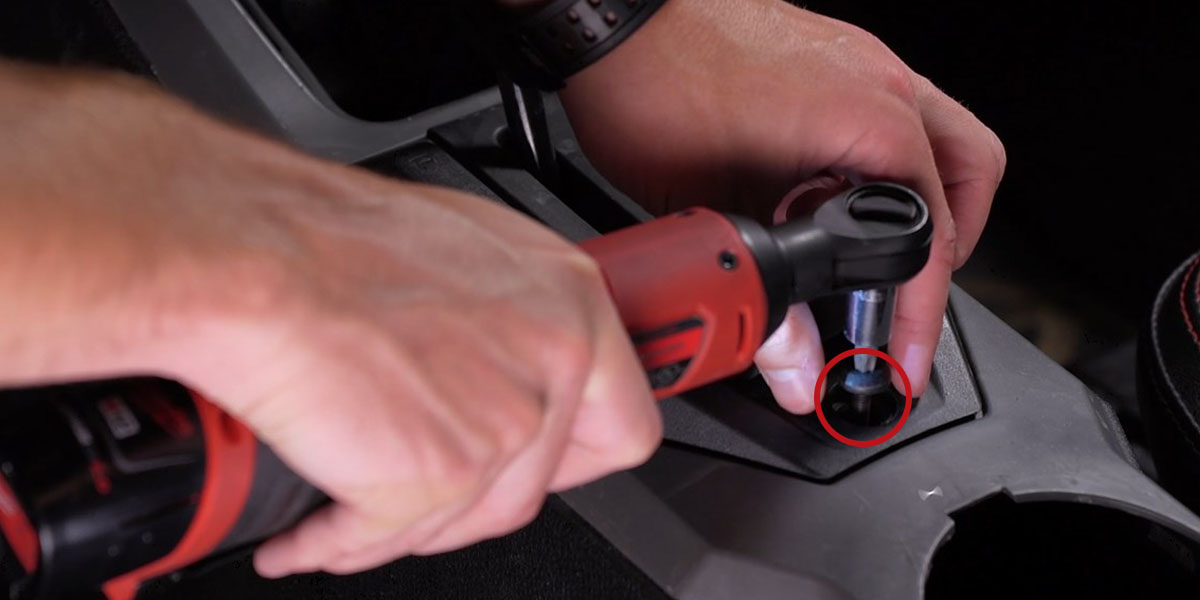
Lift the rubber shift cover, remove the T40 fastener and take off the trim to expose the routing area.
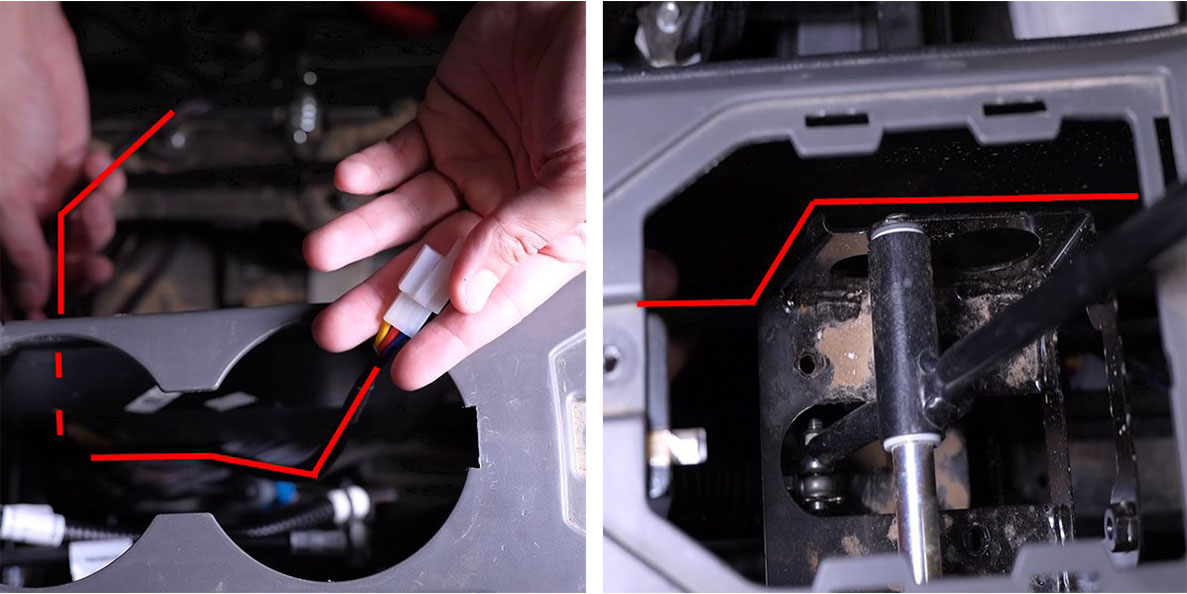
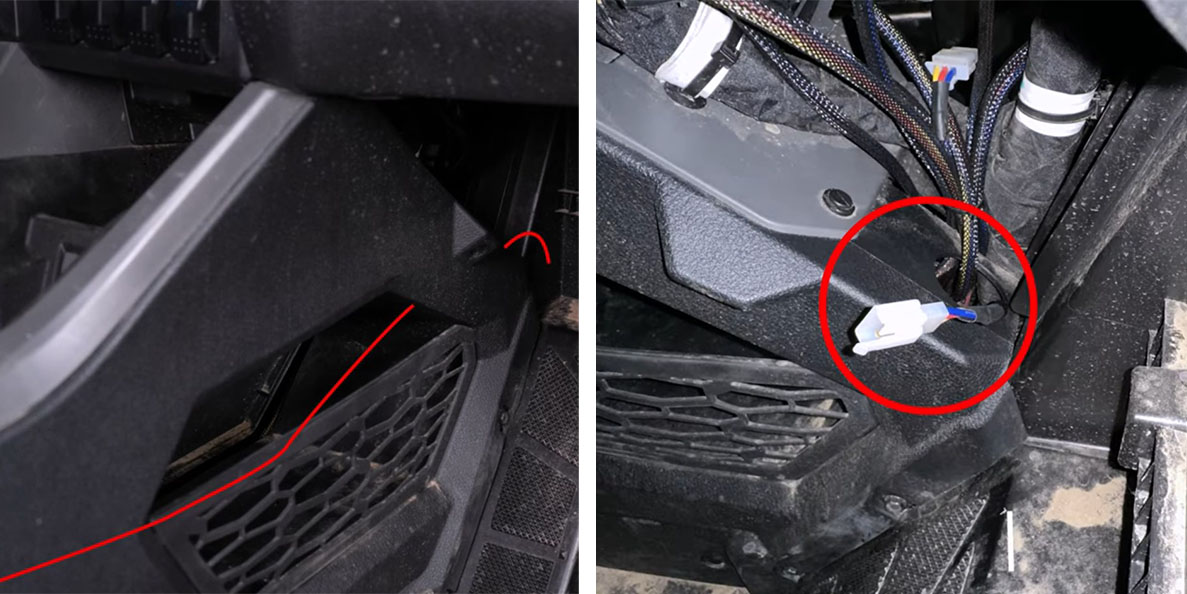
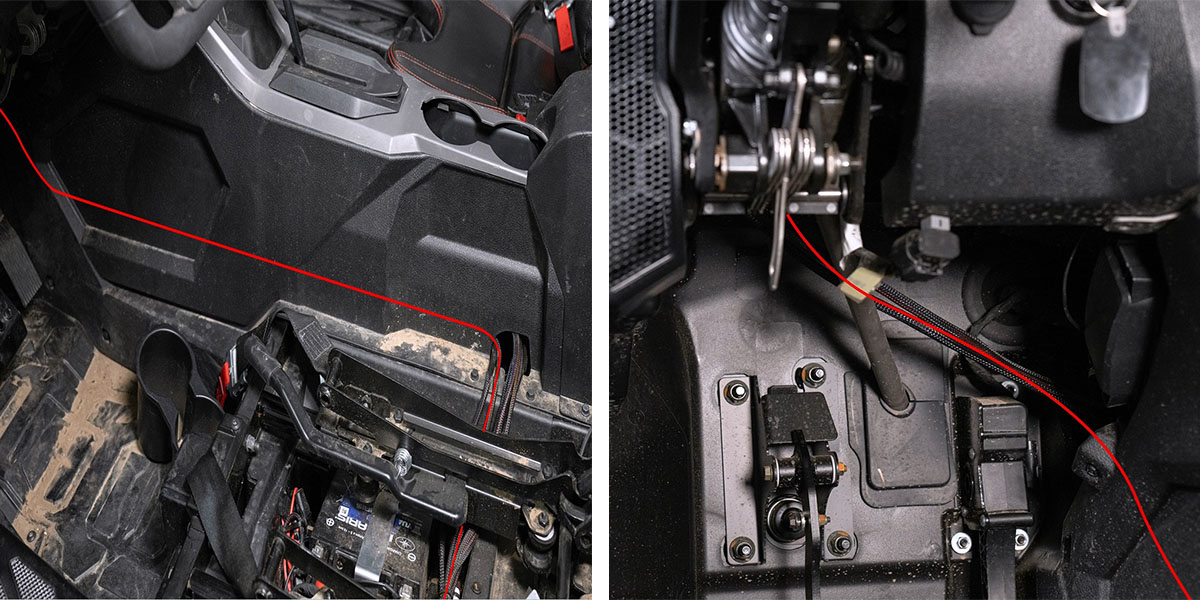
Disconnect the switch from its lead. Feed the white connector under the centre console into the cup-holder opening, around the shifter and toward the firewall. Keep the lead outside the moving shifter bracket. Continue through the passenger-side kick-panel opening shown.
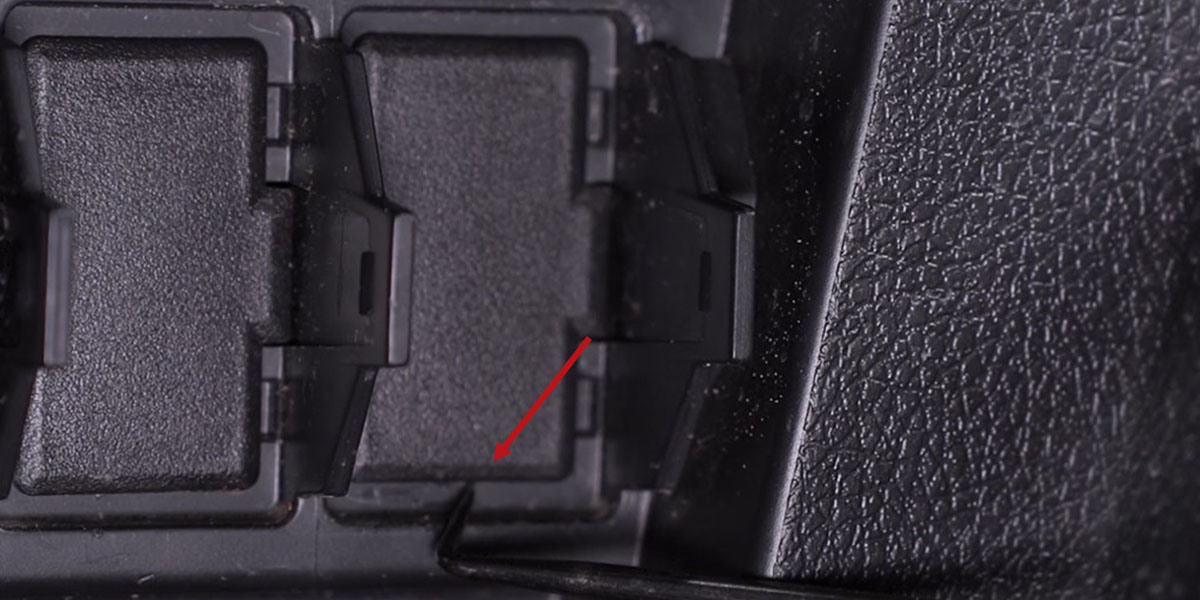
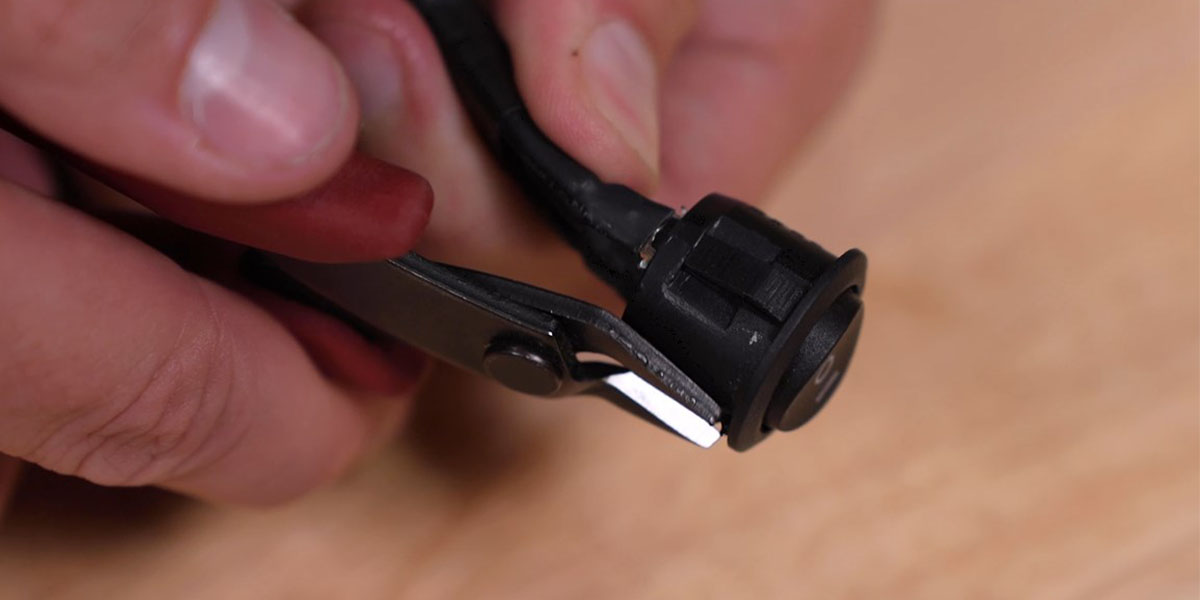
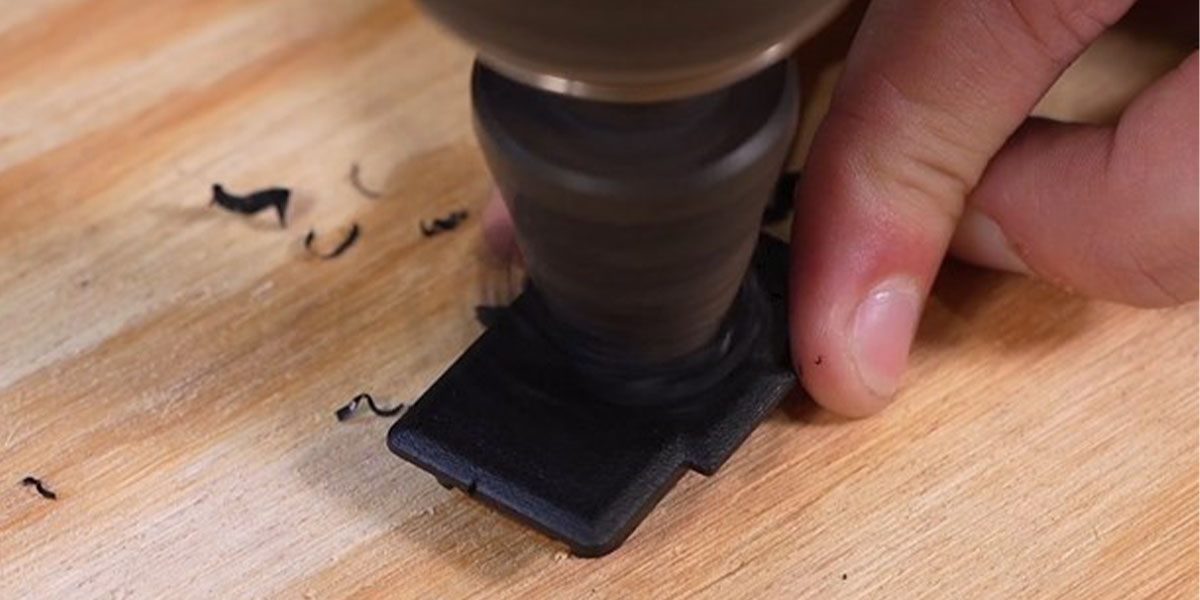
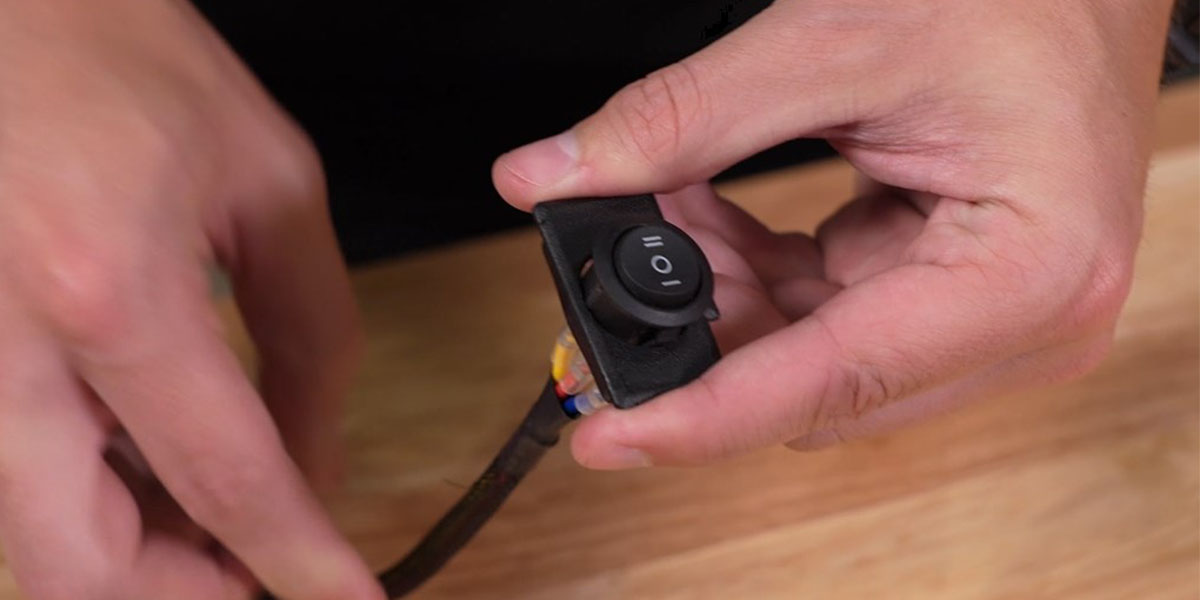
Release a factory switch blank. Trim the round toggle’s locating key as shown. Drill a pilot hole in the removed blank, then enlarge it with a step bit to approximately 20.5 mm, checking the switch fit. Pass the switch connector through and seat the switch with the double-line mark at the top.
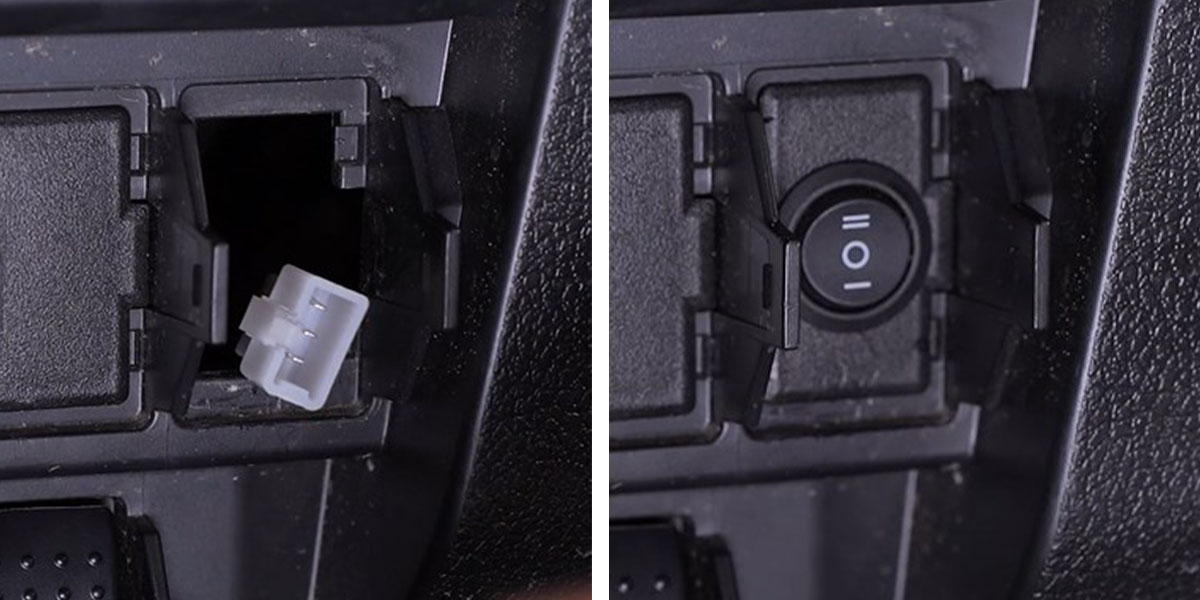
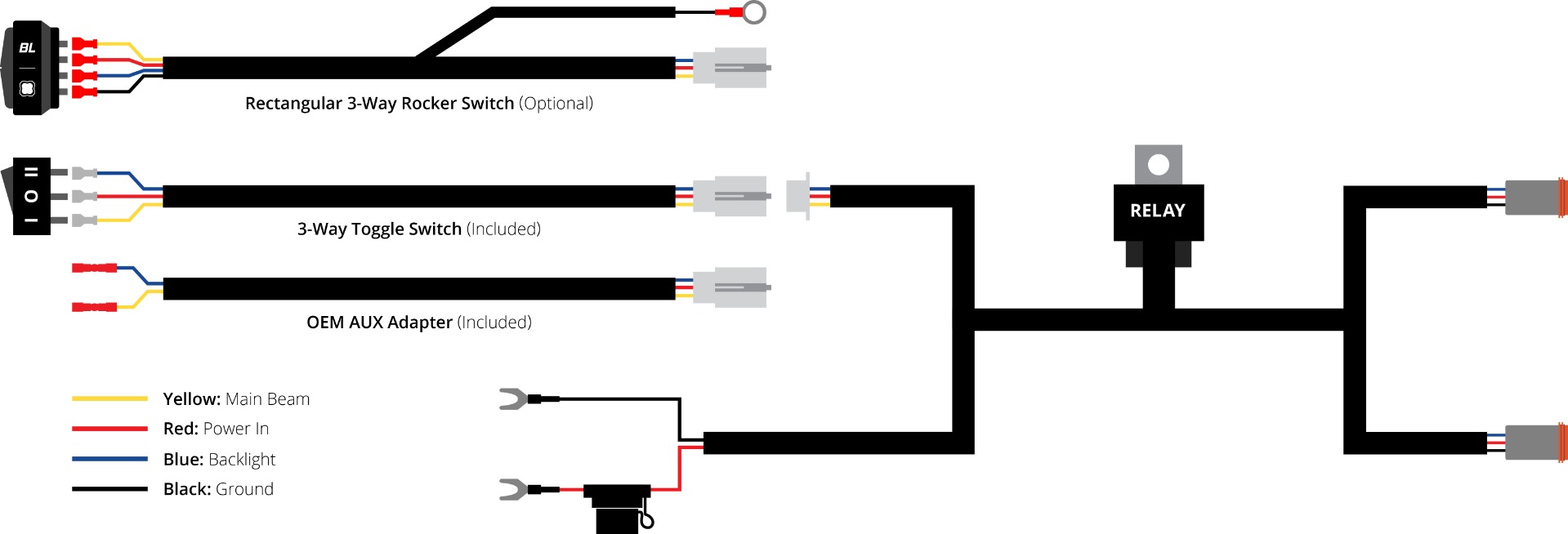
Bring the routed switch lead through the dash opening, connect the switch and press the blank into place. The optional rectangular rocker uses its matching white switch connector and a chassis ground for illumination. The original diagram below is a switch-harness illustration; it is not a lamp pinout.
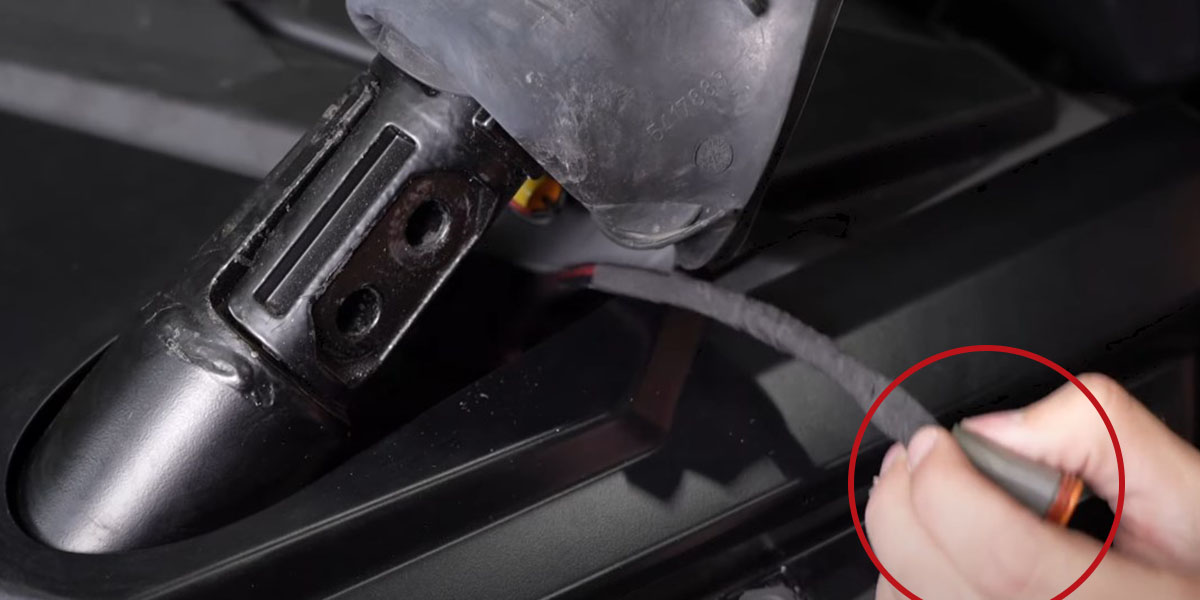
Follow the console route toward the driver kick panel, then run the first lamp lead behind the steering column and up to the A-pillar. Bring it out beneath the rubber boot and secure it clear of the footwell and moving parts. Route the second lead toward the passenger kick panel, behind the dash and up to the passenger A-pillar.
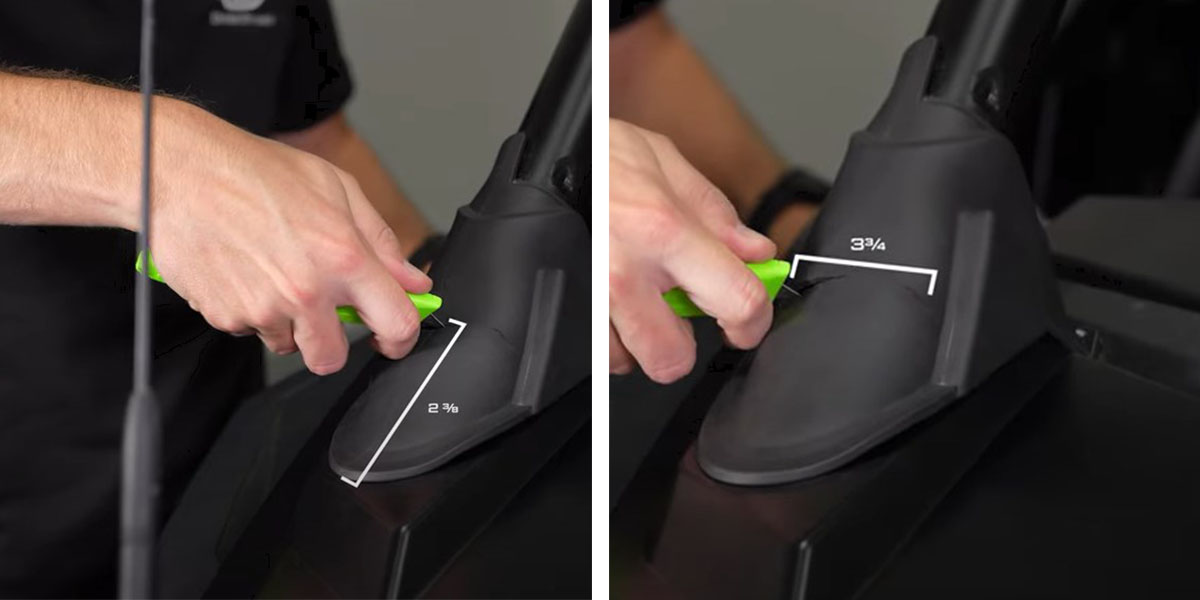
Use the manufacturer’s original dimensions: start 2⅜ inches from the bottom of the rubber boot and cut a slot approximately 3¾ inches long. Peel the boot back to expose the two mounting bolts. Repeat the required boot preparation on the opposite side.
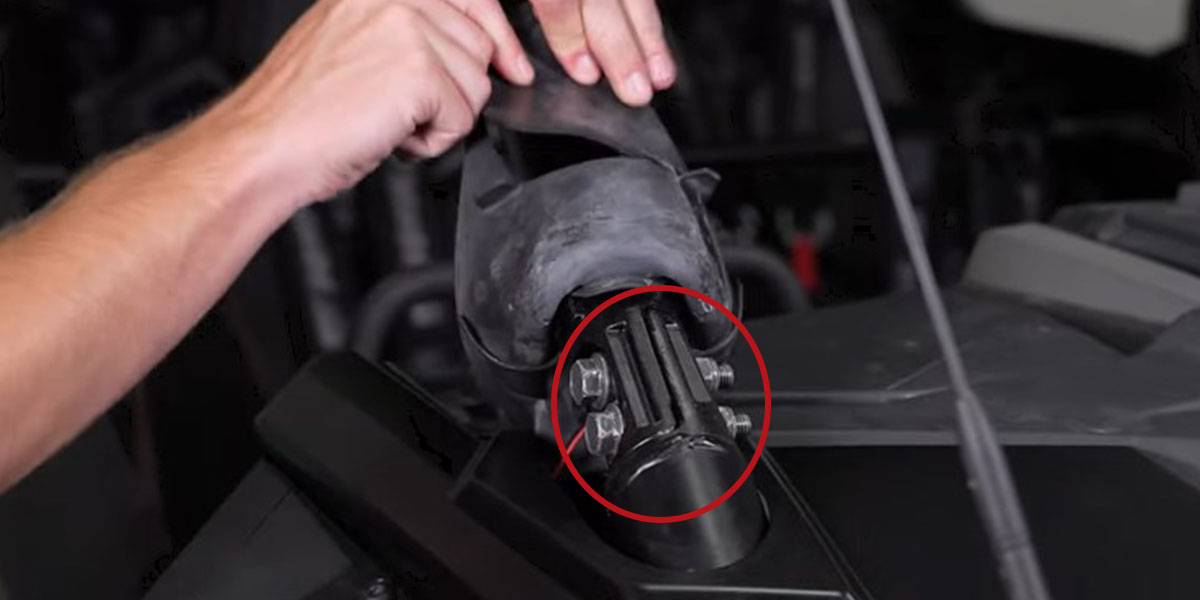
Remove both 18 mm A-pillar bolts. Retain them for the application bracket; follow vehicle service requirements for this structural mounting point.
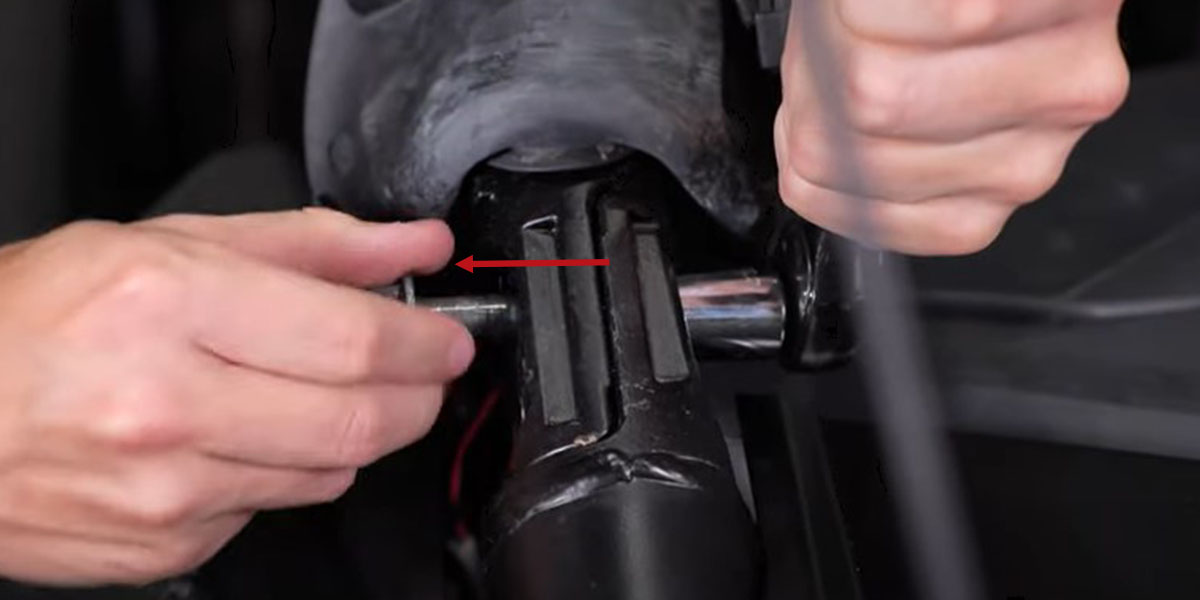
Pull out the passenger-side lamp lead routed earlier and feed its connector through the new boot slot.
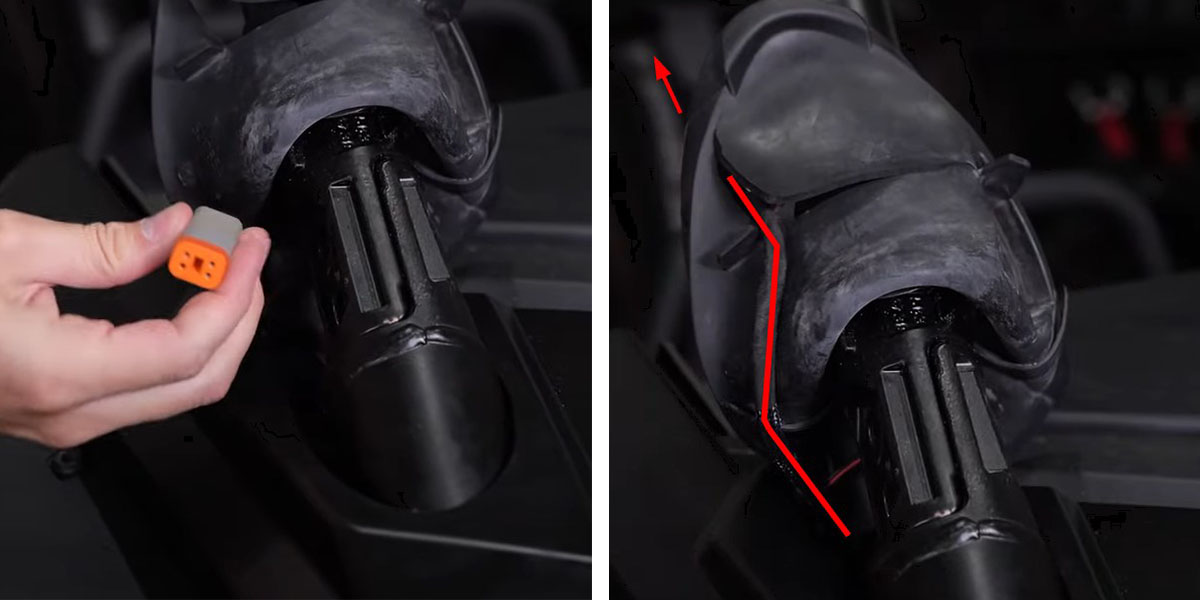
The supplied washers sit between the A-pillar and the application bracket. A small piece of masking tape can hold each washer inside the bracket while the factory bolt is inserted.
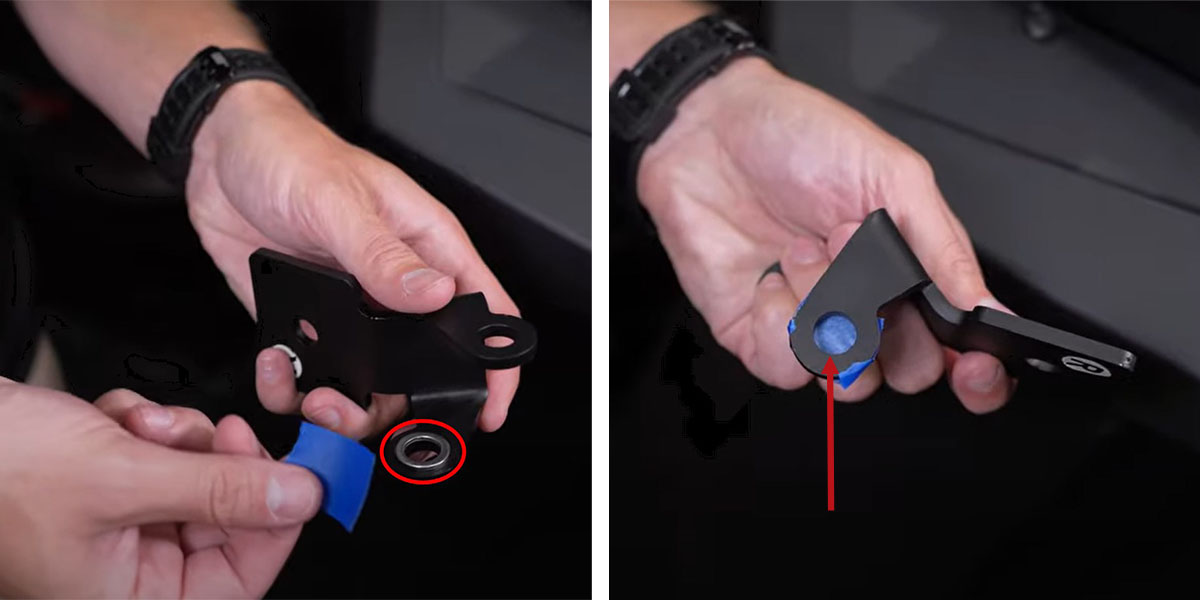
With the R orientation label facing up, slide the bracket through the boot slot. Lower the bracket and boot until the mounting holes align.
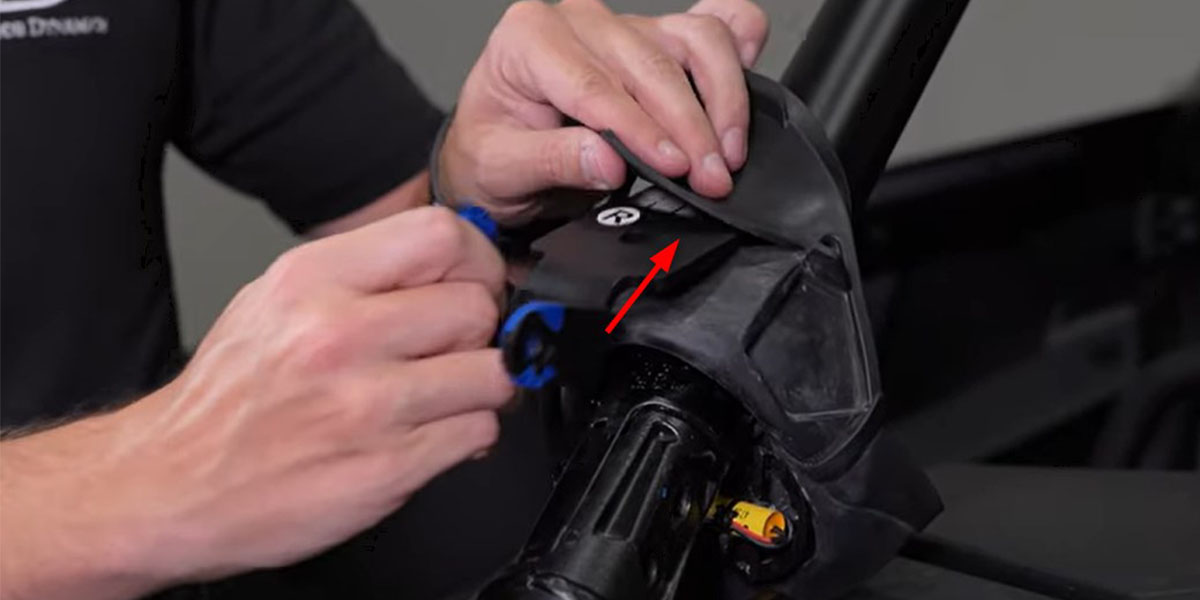
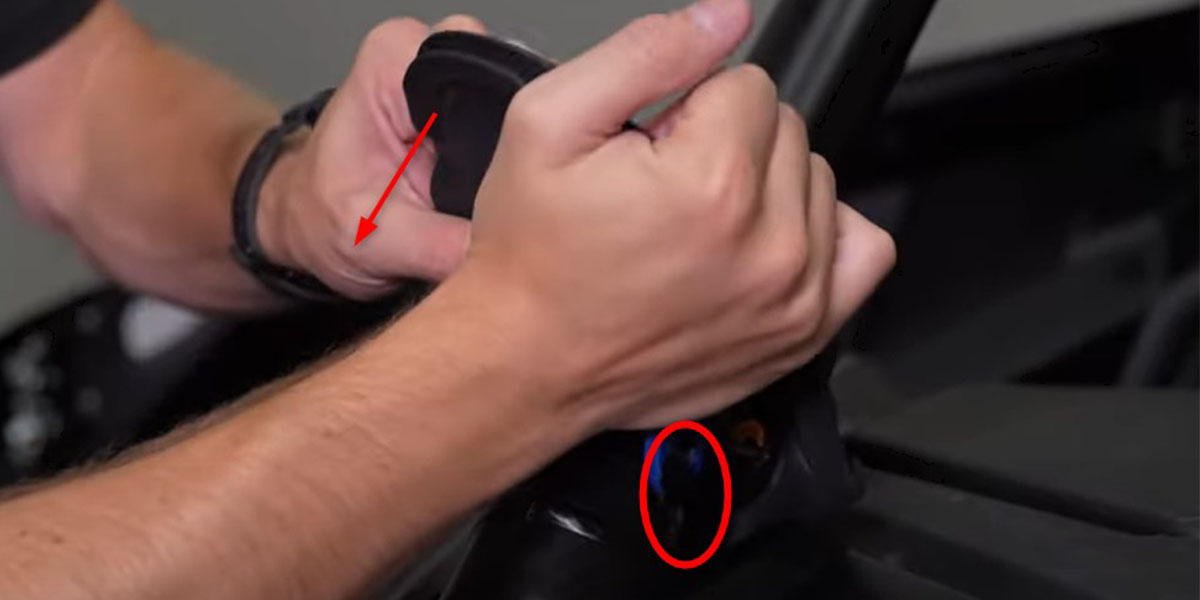
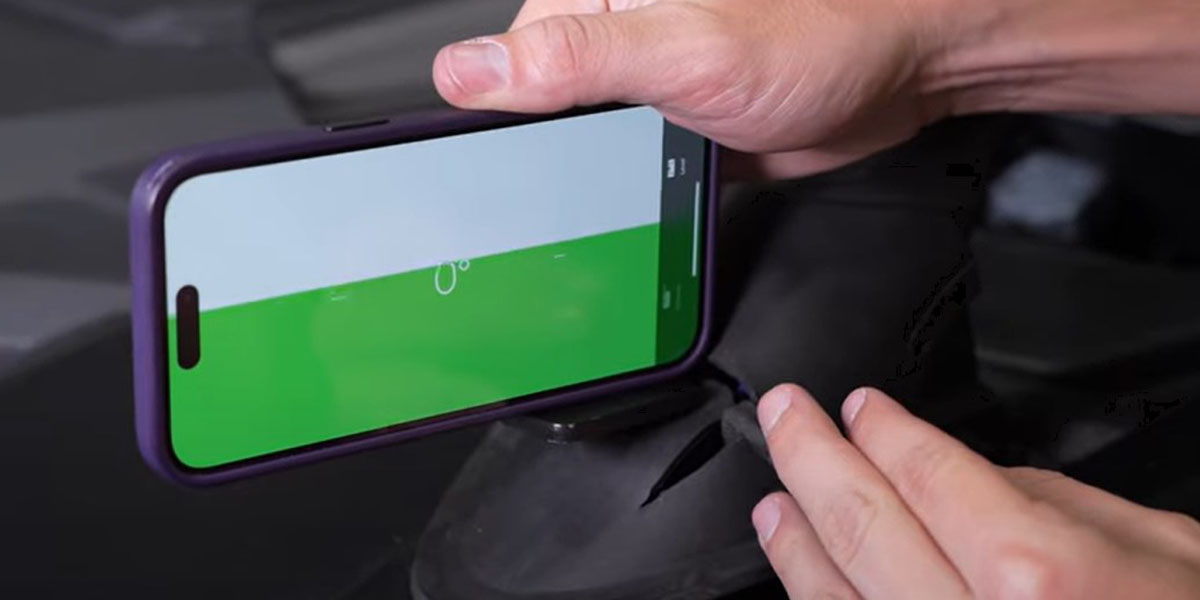
Refit the original 18 mm bolts and check that the bracket is level. Install the opposite bracket in the corresponding position. The lighting article does not specify a fastener torque; use the vehicle service requirements.
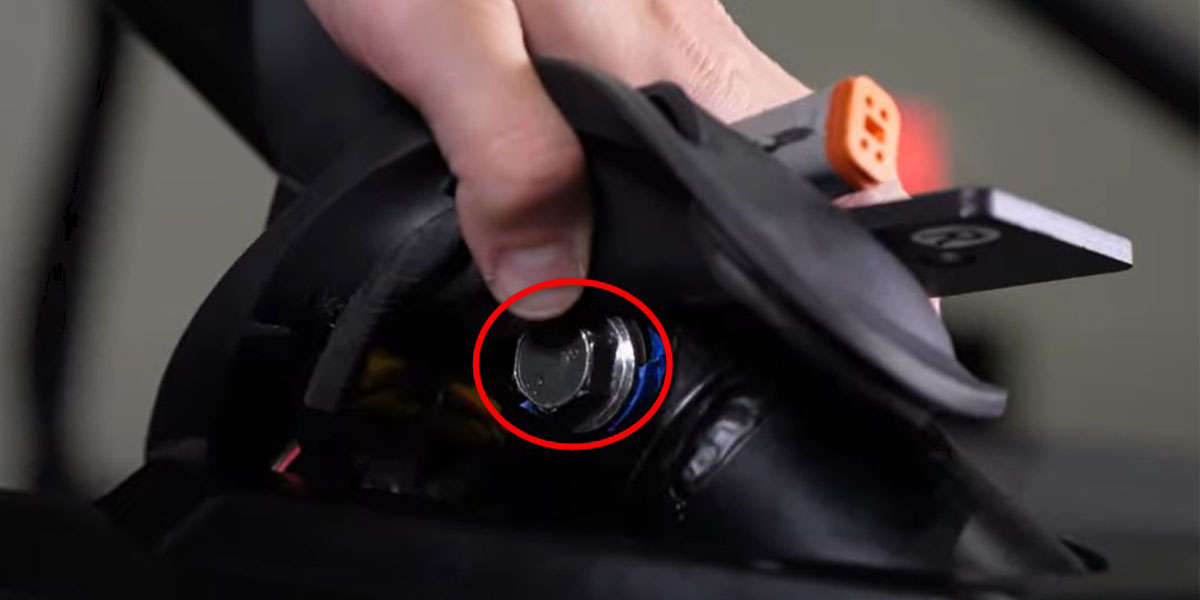
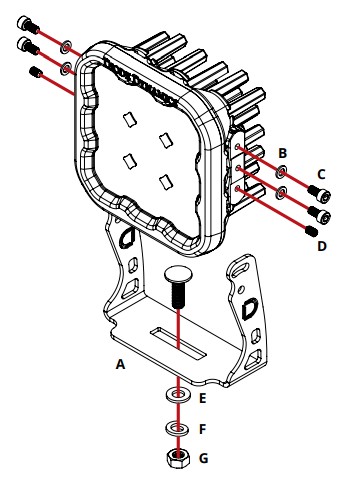
SS3: fit each pod into its supplied SS3 universal bracket using its matching hardware. SS5: use the supplied SS5 U-bracket and the original assembly drawing below. The vehicle article’s photographs at this step show SS5, so they do not identify SS3 fasteners. Leave aiming adjustment available until the lamps are mounted.
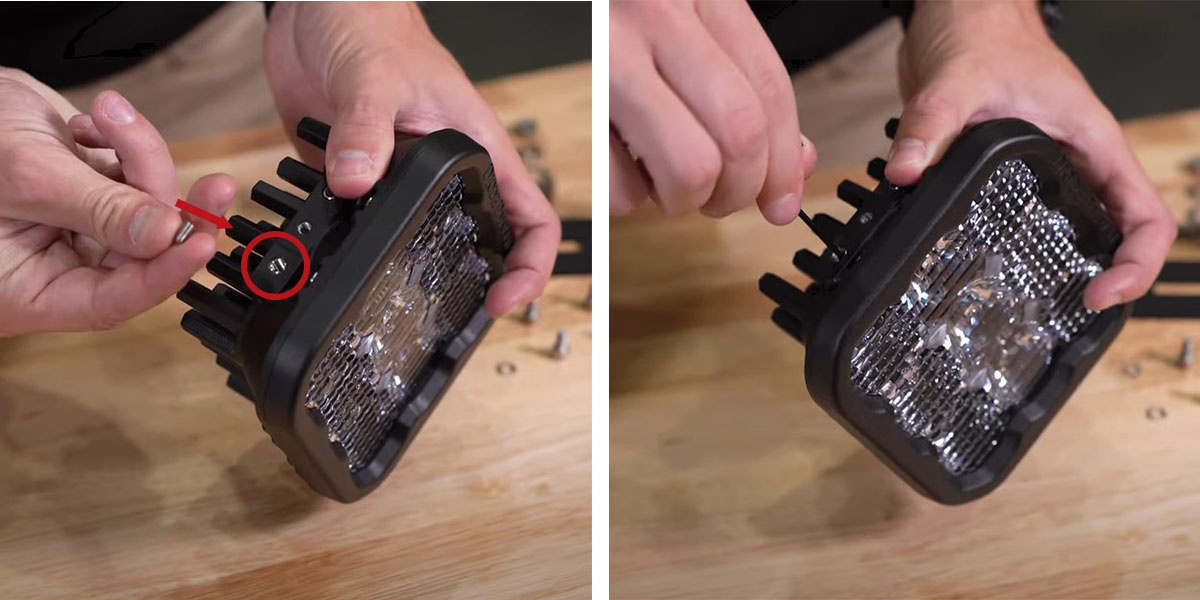
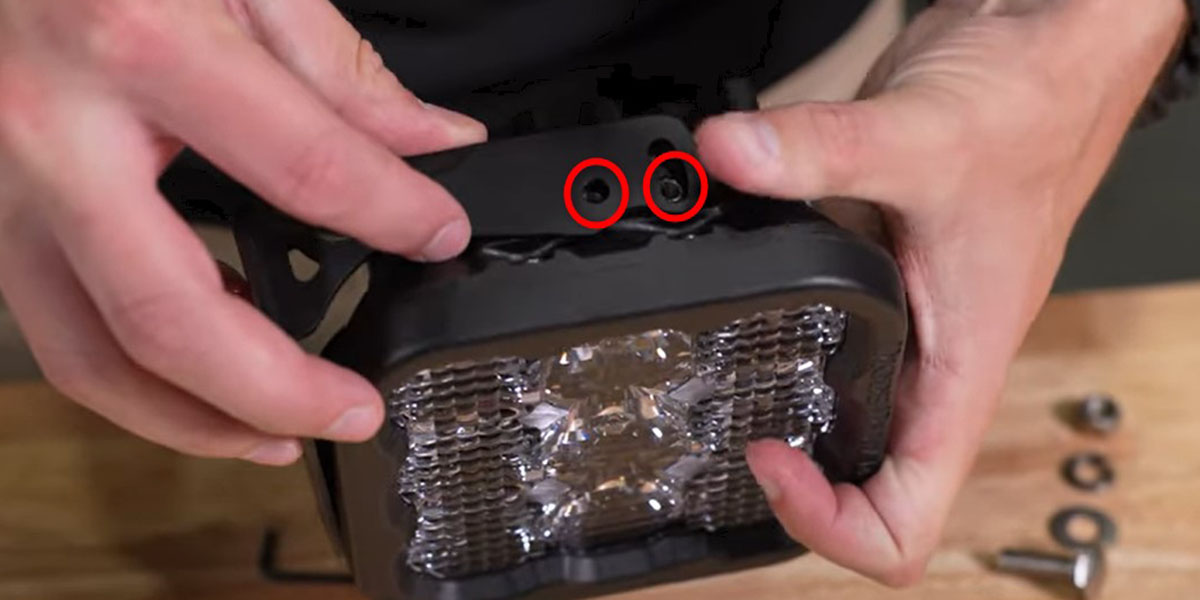
Fasten each assembled pod bracket to the vehicle bracket with its matching supplied hardware. Leave it adjustable for final aim. The example photograph shows SS5; the SS3 kit uses the same vehicle-bracket location with its own pod bracket.
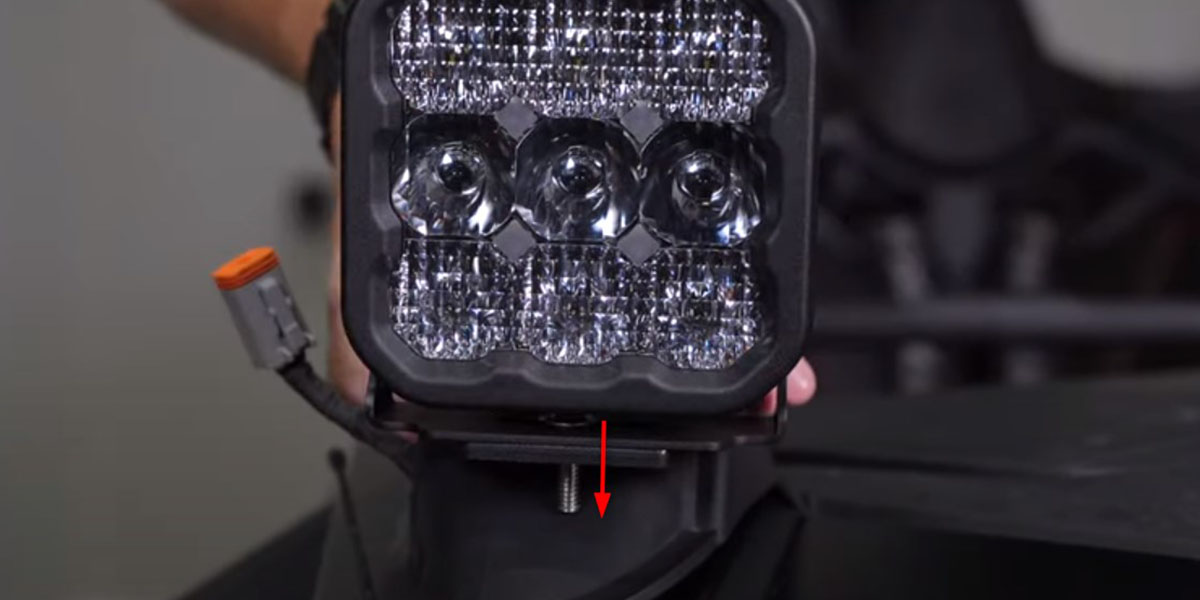
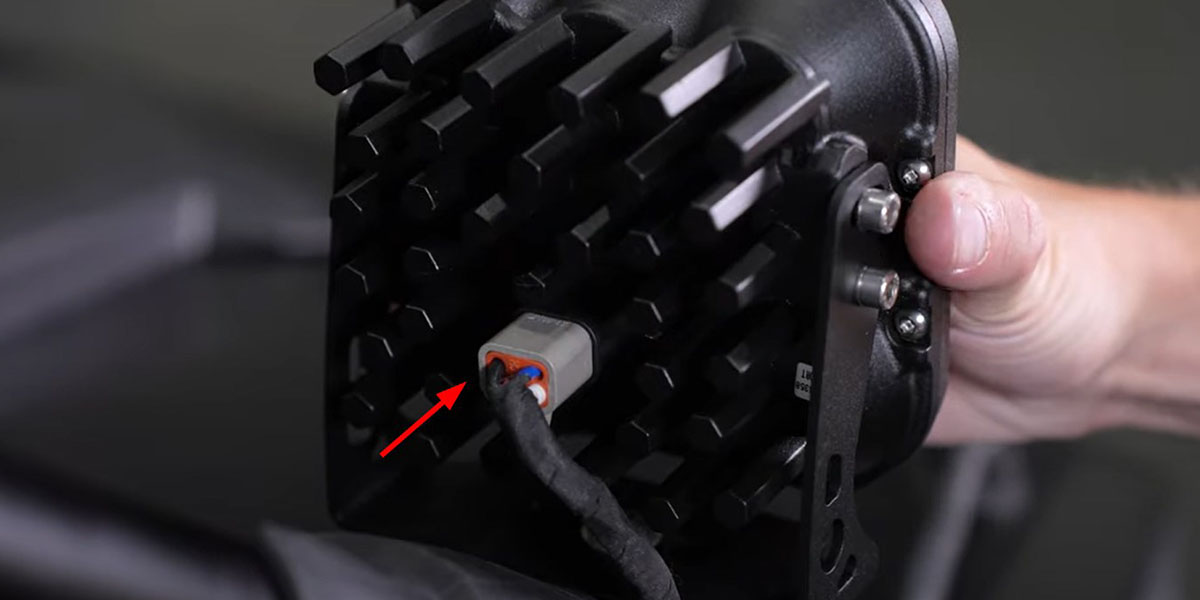
Join each lamp to its matching supplied harness connector and test the main beam and backlight before closing the trim. These complete kits specify a heavy-duty dual-output 4-pin harness. Keep it intact: older connector photographs or generic 3-pin pod diagrams are not repinning instructions for this kit.
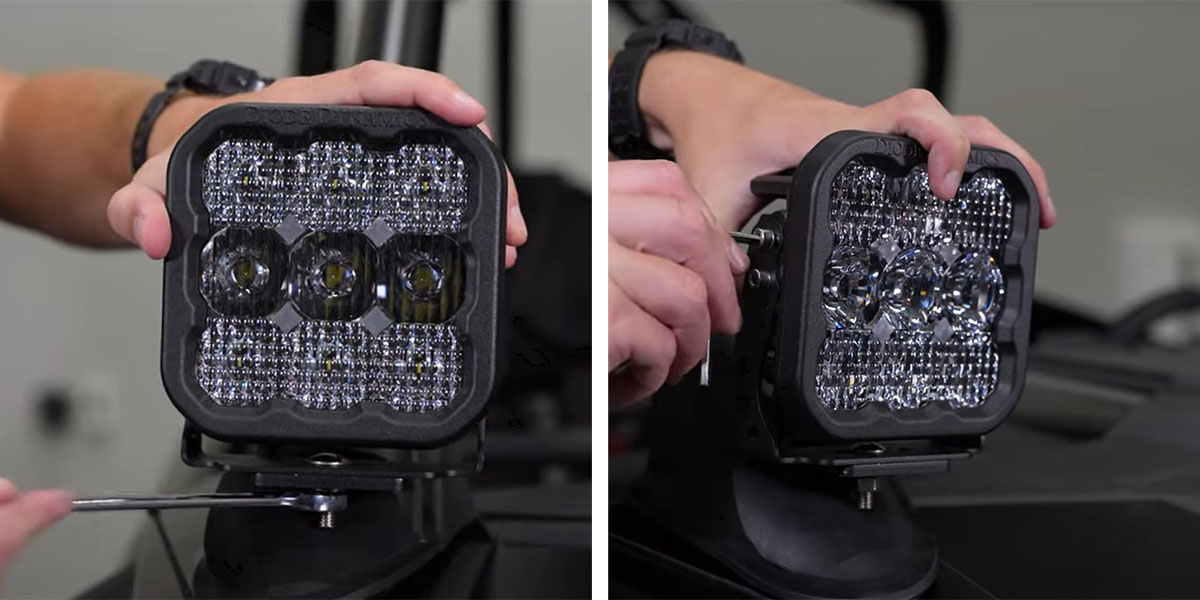
Rotate each pod horizontally, then secure the lower mount with a 13 mm wrench as directed in the article. Tilt it vertically and tighten the corresponding pod-bracket hardware. Check both lights together for your intended off-road use.
Reverse the interior removal sequence. Secure loose wiring away from heat, sharp edges and moving components. Confirm that the seat, safety harness, pedals and shifter operate freely and that no wiring is pinched.
These three drawings apply to the SS5 pods. Match the labelled hardware to the parts supplied with your SS5 kit. They do not replace the SS3 bracket instructions or the vehicle mounting procedure above.

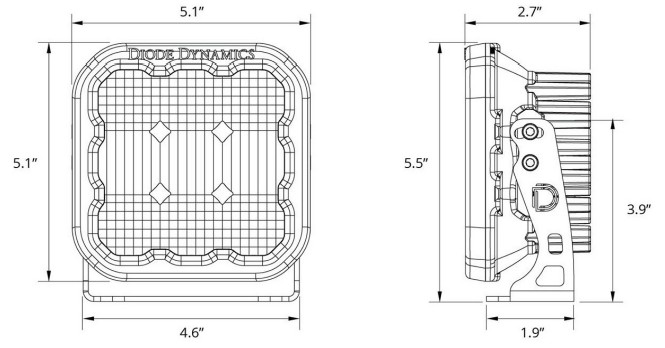
Read the original SS5 installation article for the pod reference. Its generic connector illustration is not authority to repin the supplied 4-pin RZR harness.
SS3: amber accent lighting only. SS5 Yellow: amber accent lighting only. SS5 White: the following programming sequence selects the accent colour; it does not change the main beam.
Enter programming mode with the same three cycles. Continue through all eight colours twice, at least sixteen total cycles. When White returns, leave the backlight on for five seconds to save the reset. Program the desired colour again if needed.
The video illustrates the vehicle procedure. Use the selected pod branch and current harness supplied with your kit.
Vehicle installation article · Exact vehicle kit and fitment · SS5 pod instructions
The current sources provide illustrated web instructions; they do not link a downloadable PDF for this installation.