

POLARIS RZR PRO XP / TURBO R
SS5 CrossLink roof lightbar installation guide
Mount, wire and aim the six-pod kits DD7630, DD7631, DD7632 and DD7633.
For 2020–2023 Pro XP and 2022–2023 Turbo R Sport, Premium and Ultimate with factory aluminum roof 2883743-458 (two-seat) or 2883990-458 (four-seat). This guide does not establish Pro R or aftermarket-roof fitment.
Before you begin
Have a 3/8-inch ratchet, 10 mm and 13 mm sockets, T40 bit, 10 mm wrench, tape measure, 4 mm and 5 mm Allen keys, drill with a 1/8-inch pilot bit and step bit, and flush cutters. Confirm your roof part number and clearance around any aftermarket cage, windshield or accessories before starting.
The roof brackets use existing mounting points. The drilling shown here is for the removable dash switch blank, not the roof. Keep supplied harnesses intact and protect wiring from abrasion and moving parts.
STEP 1 OF 20
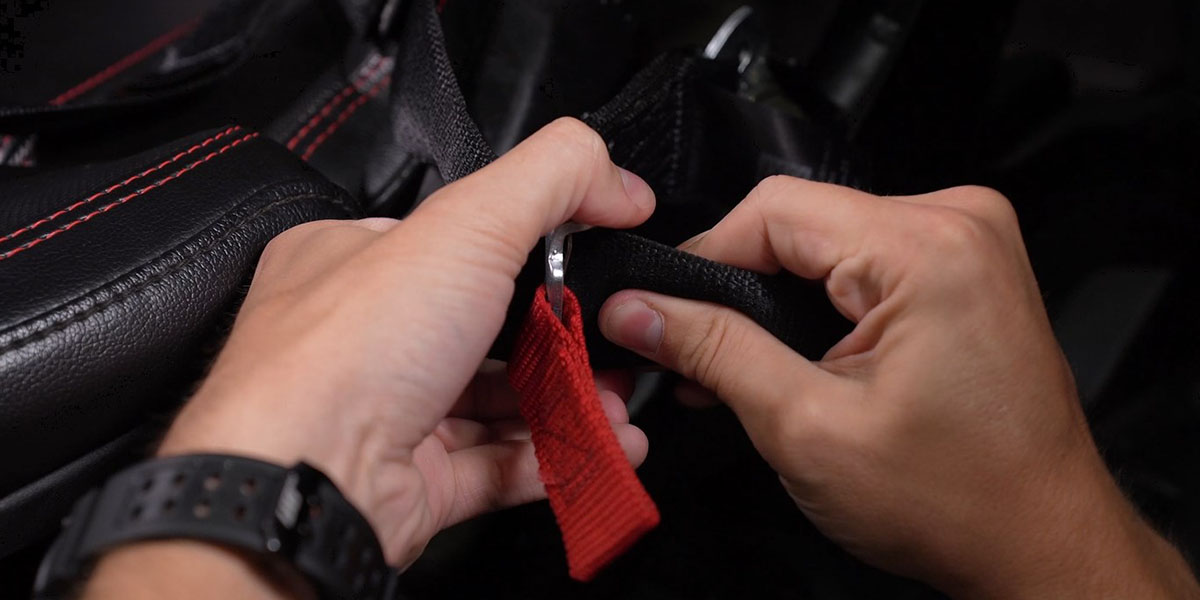
Release the seat harness
Pull the red adjustment buckles to release the driver seat harness.
STEP 2 OF 20
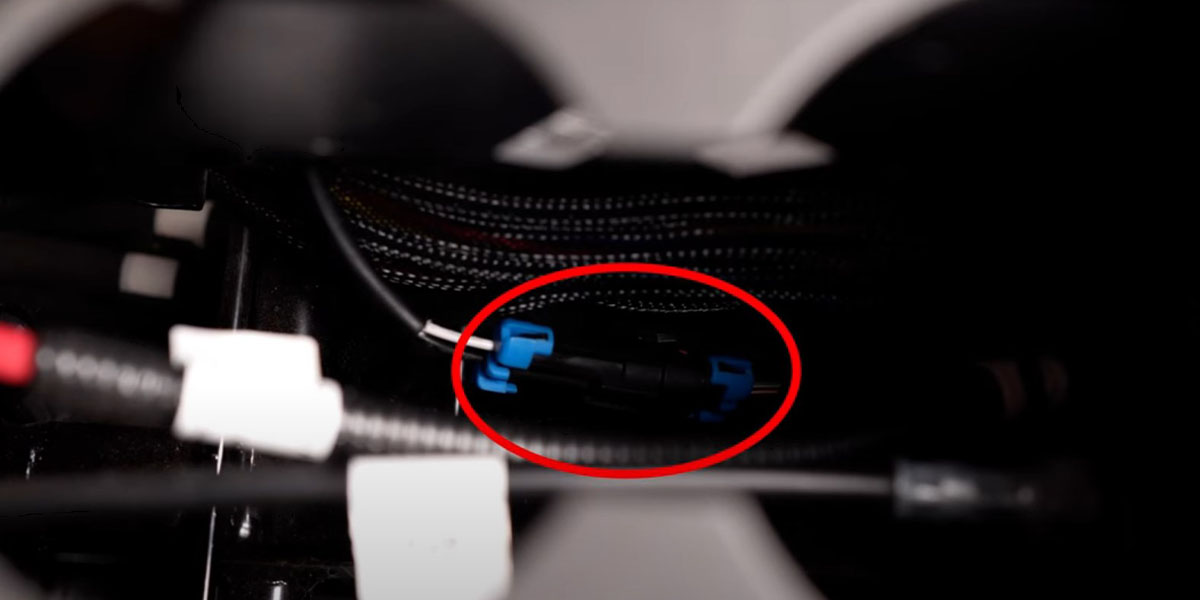
Disconnect beneath the cup holder
Lift the cup holder from its front edge. Disconnect the connector with blue locking tabs shown in the photograph, then feed the seat-harness end out through the opening.
STEP 3 OF 20
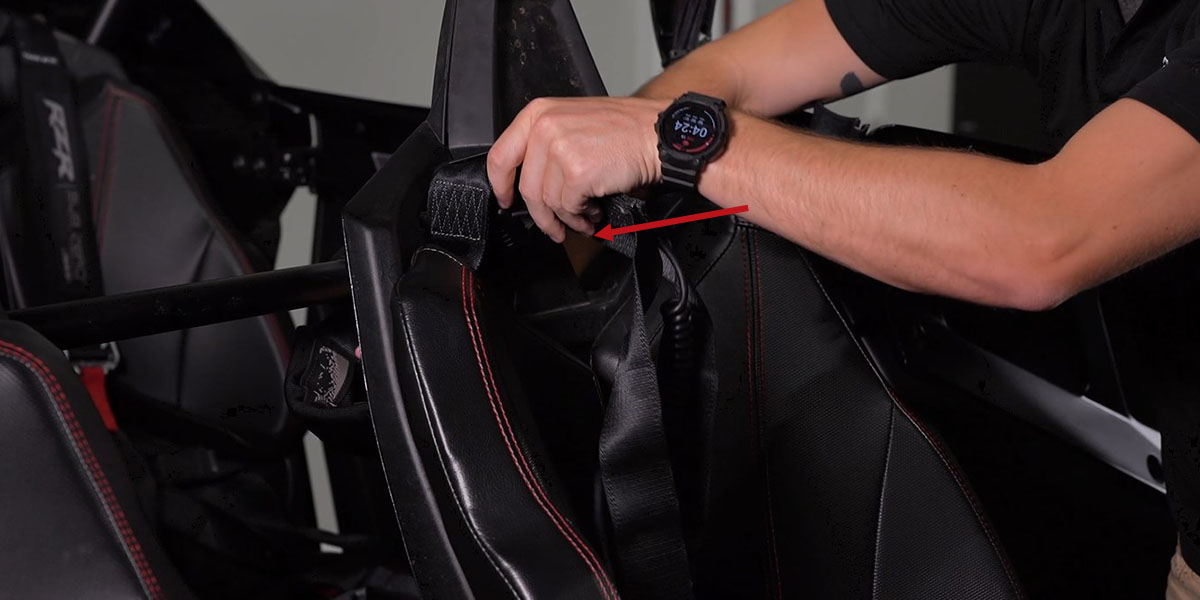
Free the seat-back strap
Feed the harness through the opening in the seat back so it will not hold the seat in place.
STEP 4 OF 20
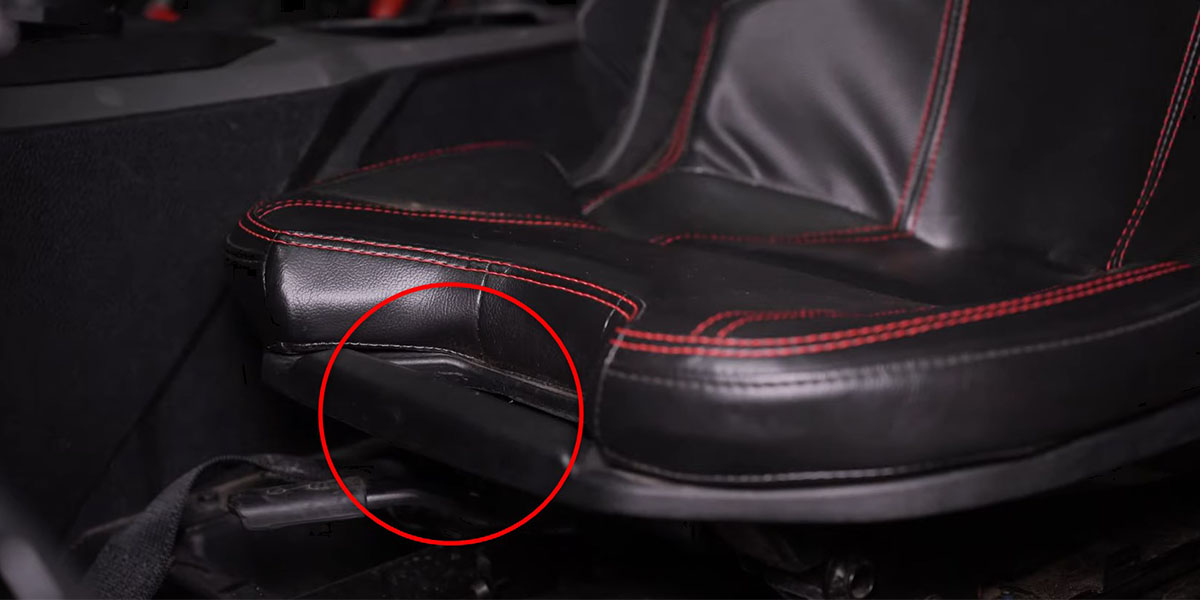
Remove the driver seat
Release the handle beneath the front of the seat. Tilt the seat forward, lift it and remove it from the vehicle.
STEP 5 OF 20
Position the battery harness
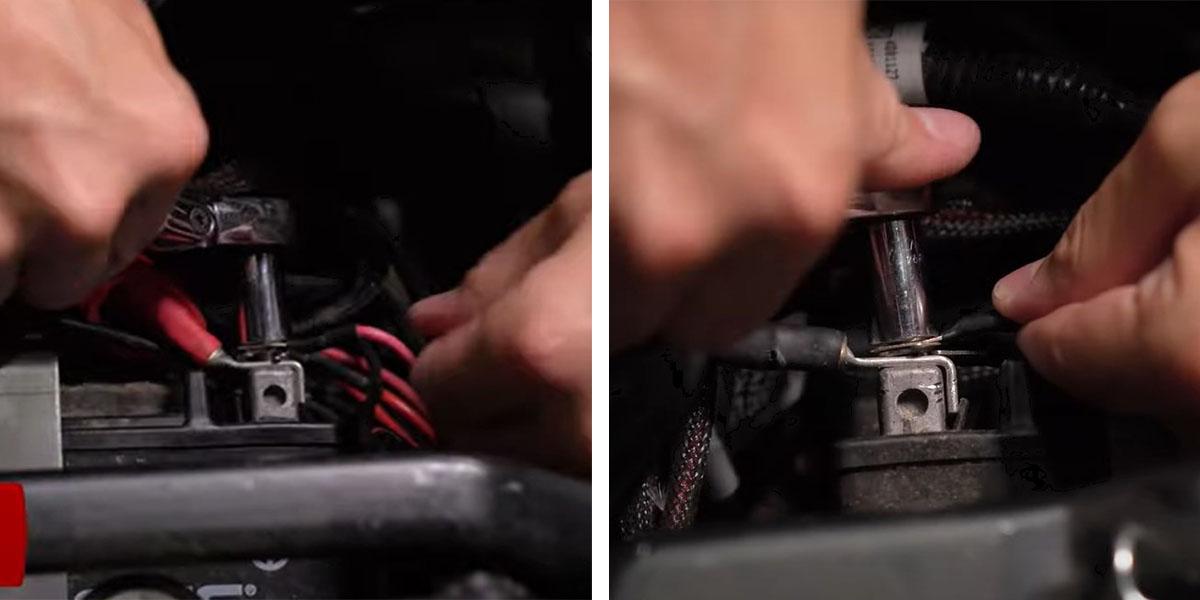
The supplier locates the harness at the battery beneath the seat: red ring terminal to positive, black to negative, using a 10 mm socket. Secure the relay beside the battery. Keep the switch off and follow the vehicle service procedure when working at the battery.
STEP 6 OF 20
Release the console edge
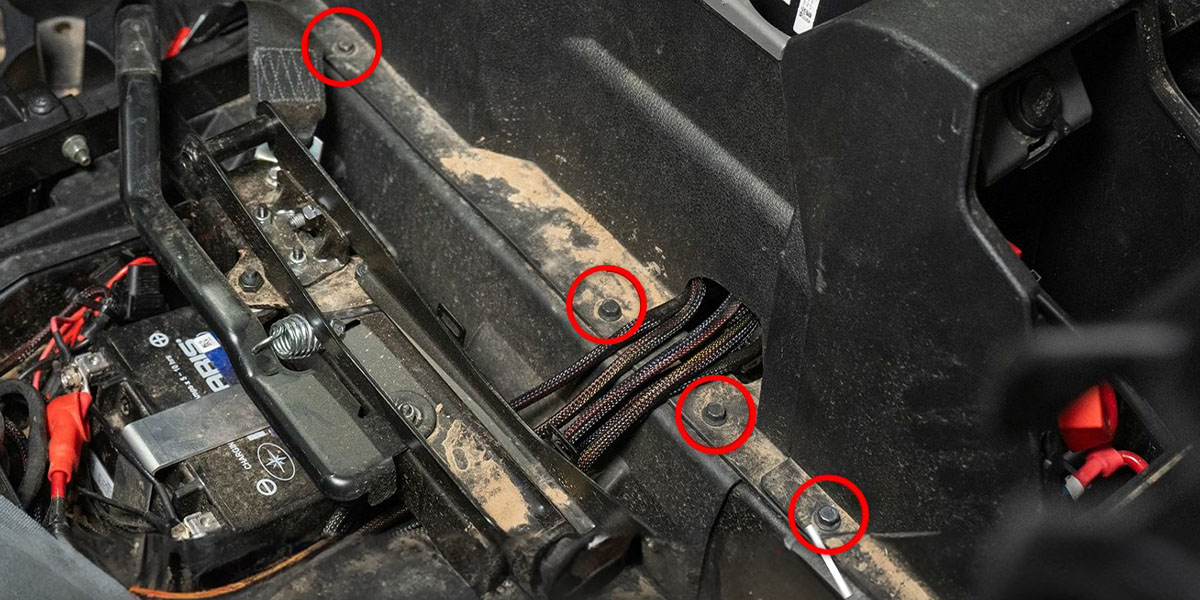
Remove the four 10 mm bolts along the driver-side centre console, marked in red.
STEP 7 OF 20
Remove the kick panel
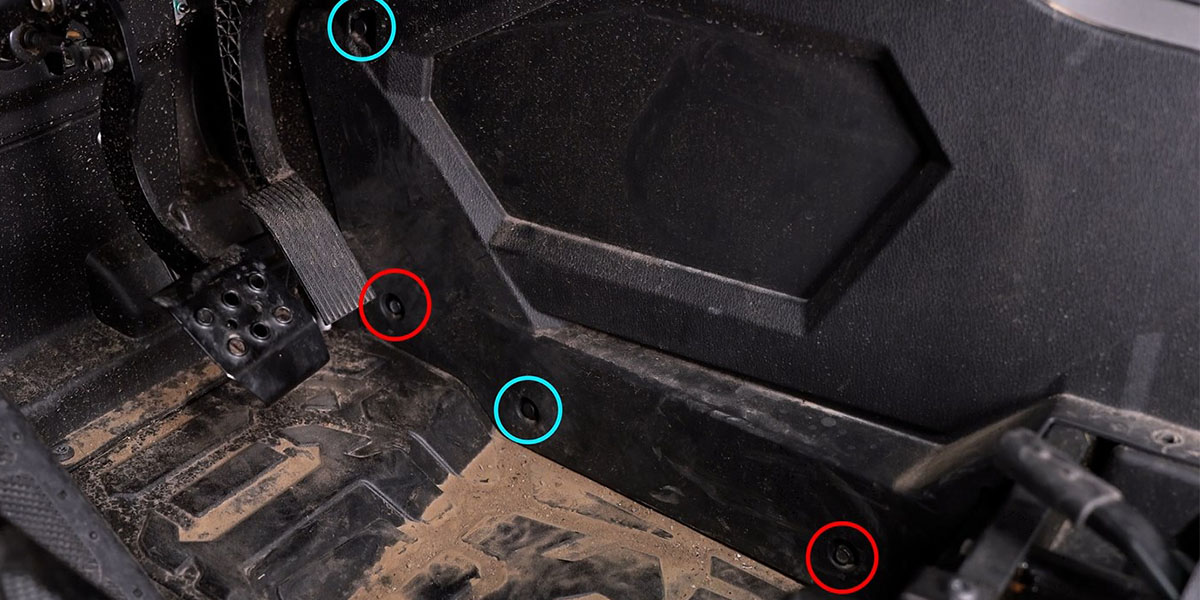
Remove the two 10 mm bolts marked in red and the two retaining clips marked in blue, then remove the driver-side kick panel.
STEP 8 OF 20
Remove the shift trim
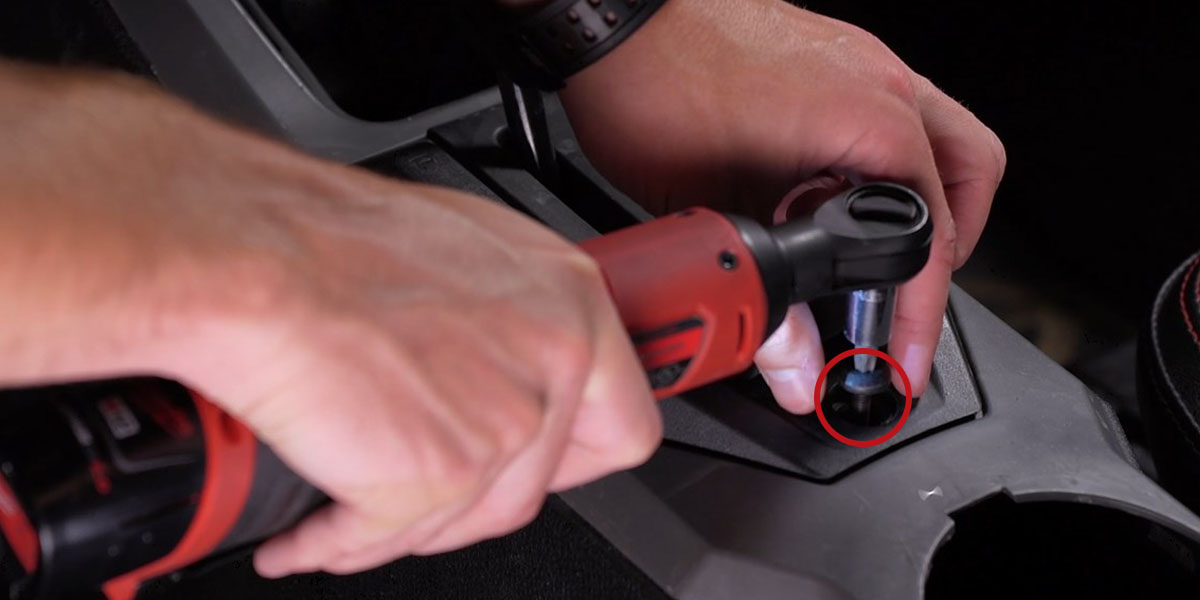
Lift the rubber shift cover. Remove the T40 bolt securing the shift lever and lift the trim away to expose the wire-routing area.
STEP 9 OF 20
Route the switch lead
Unplug the switch from its lead. Feed the white connector from the battery area under the console and cup holder, around the shift assembly and toward the firewall. Keep it outside the moving shifter bracket. Bring it through the opening on the passenger side.
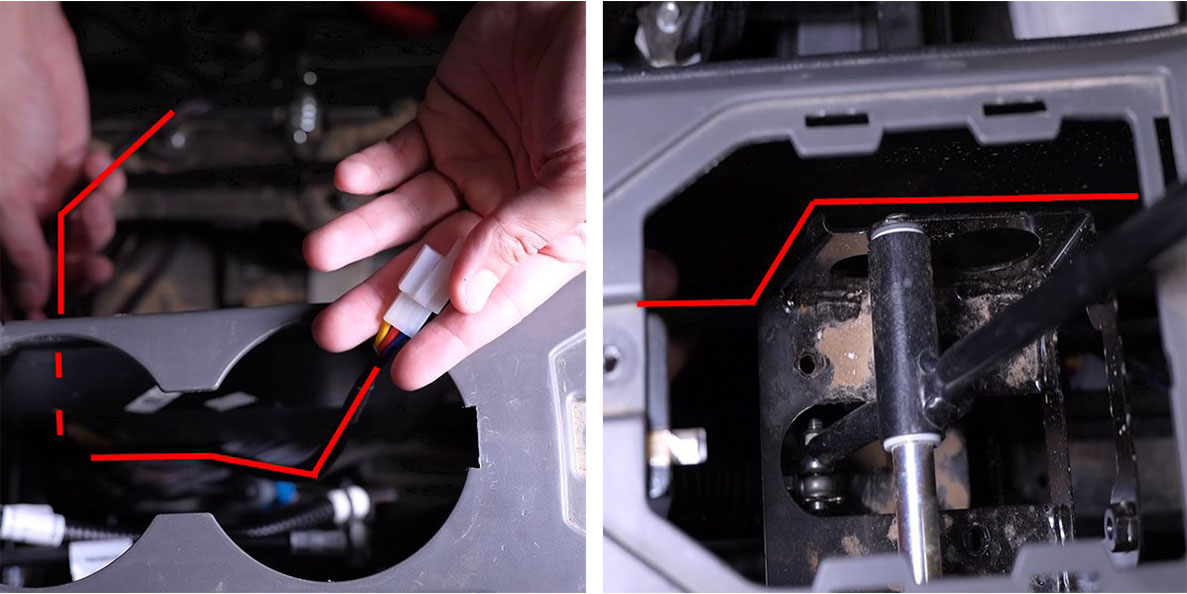
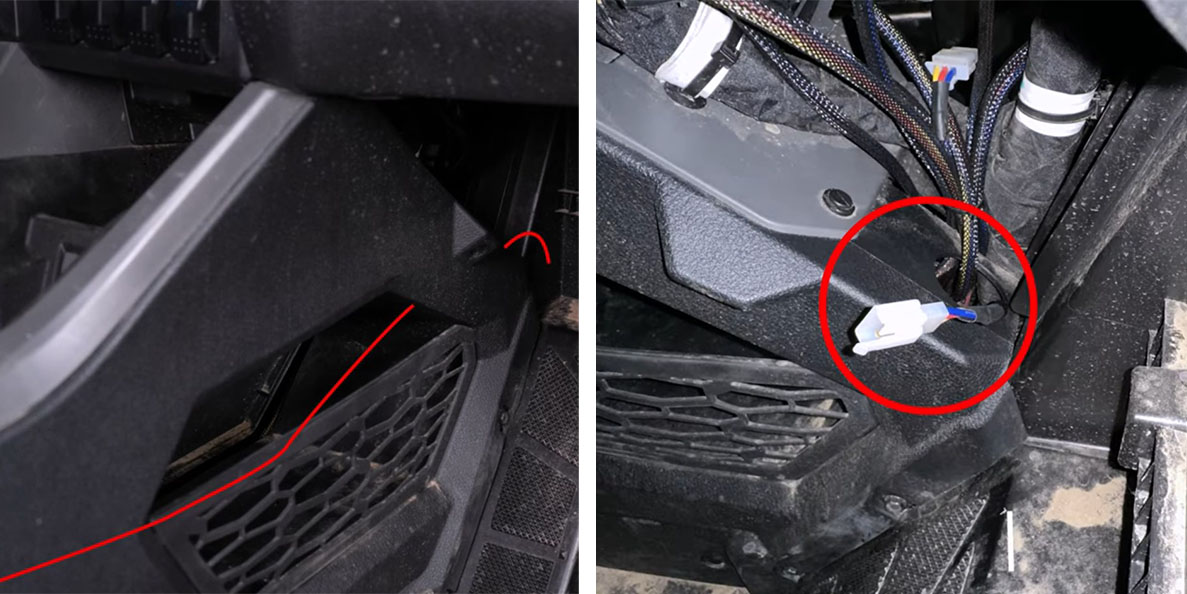
STEP 10 OF 20
Prepare the switch blank
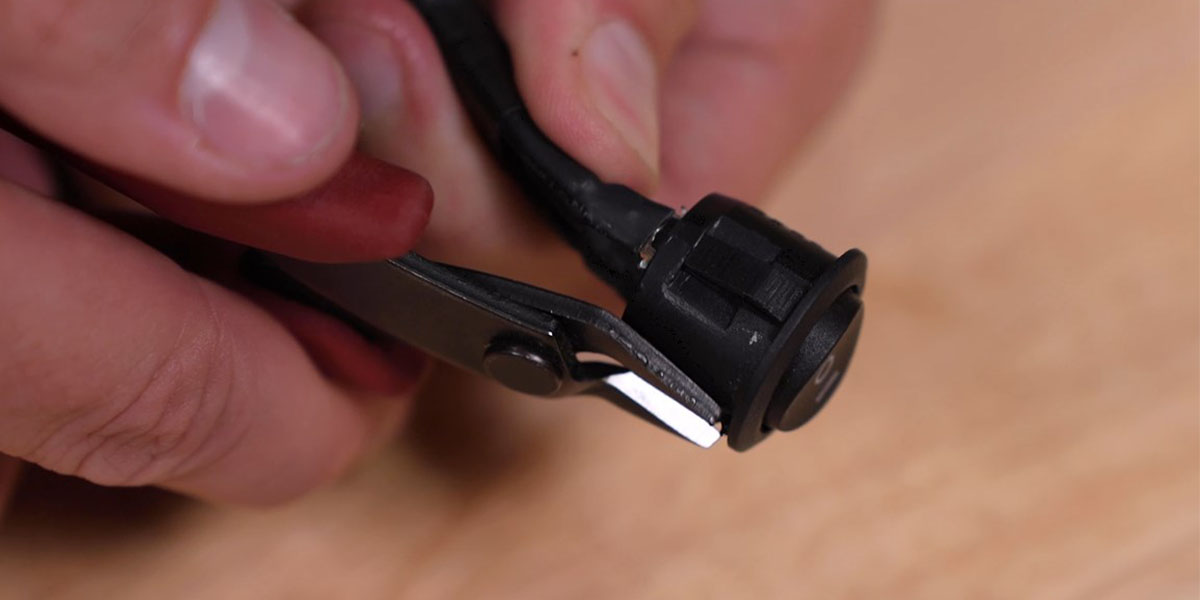
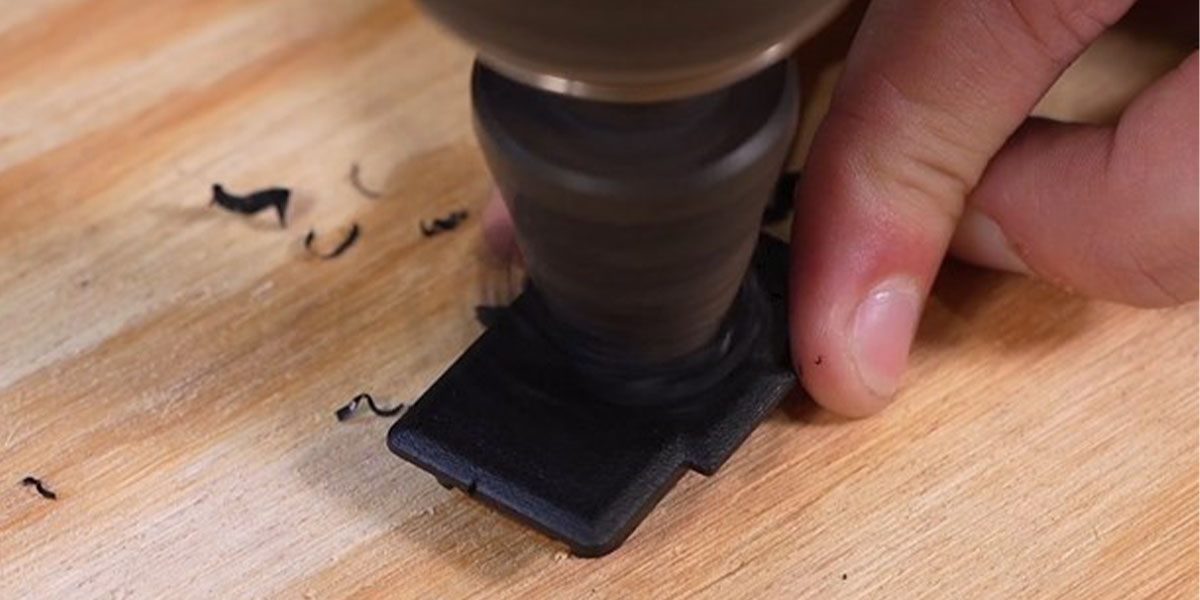
Remove a factory switch blank. Trim the round switch locating key with flush cutters as shown. Drill a pilot hole in the removed blank, then enlarge it with a step bit to approximately 20.5 mm. Feed the connector through and seat the switch with the double-line marking at the top.
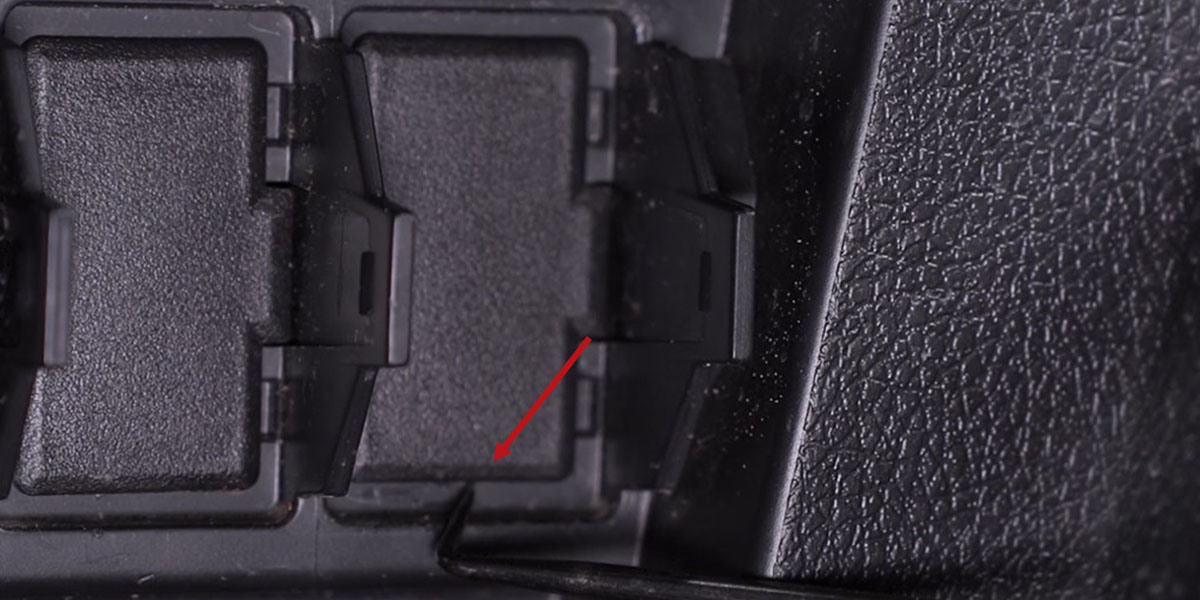
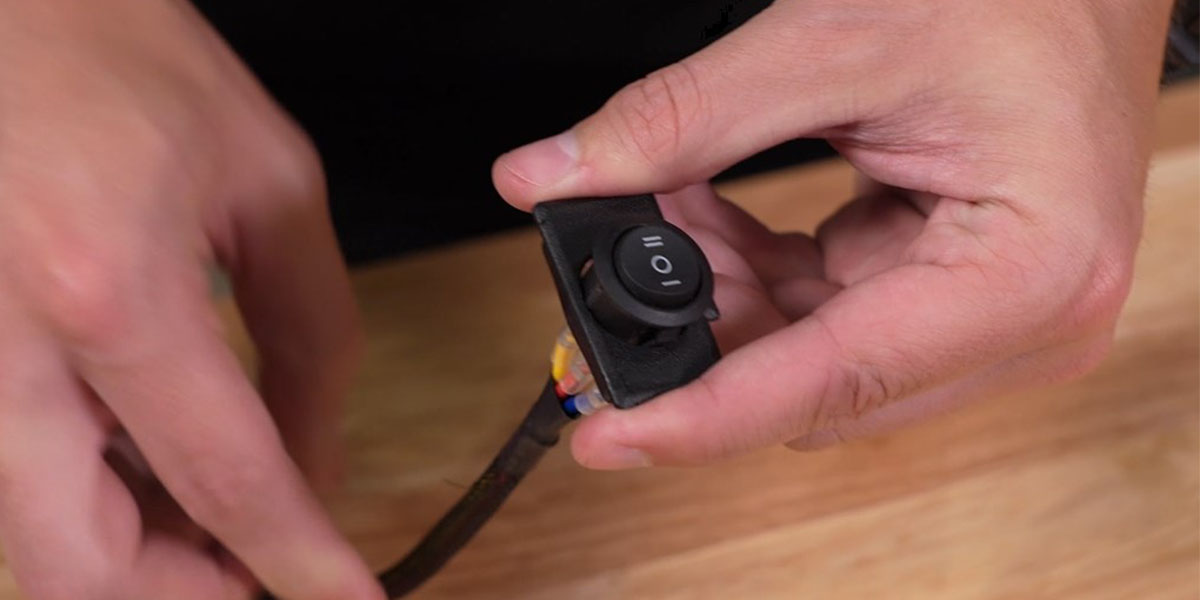
STEP 11 OF 20
Connect and refit the switch
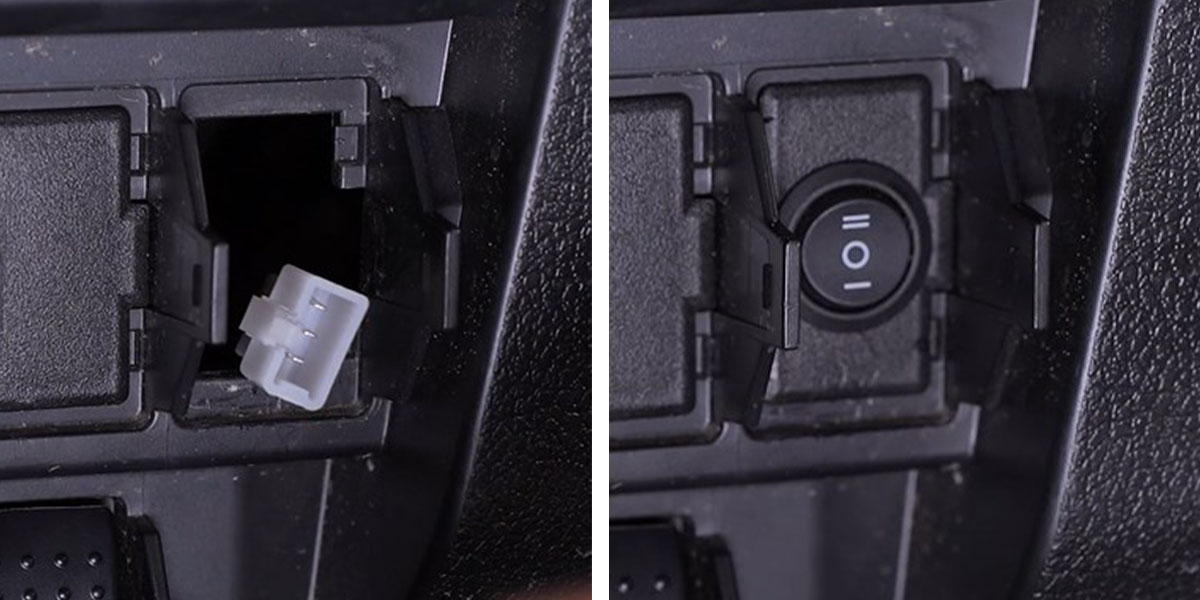
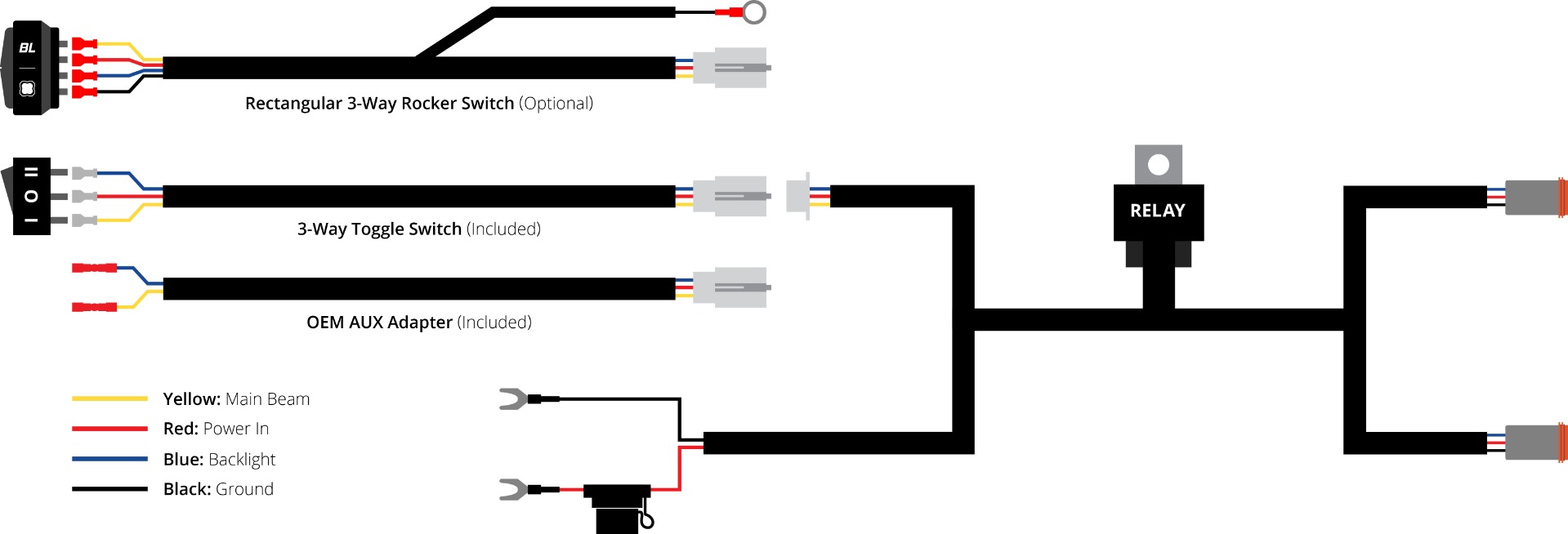
Connect the switch to its lead and press the blank back into the dash. If using the separately sold rectangular rocker, follow its matching switch-harness arrangement below; do not use the illustration to repin a lamp connector.
STEP 12 OF 20
Route the lamp supply to the roof
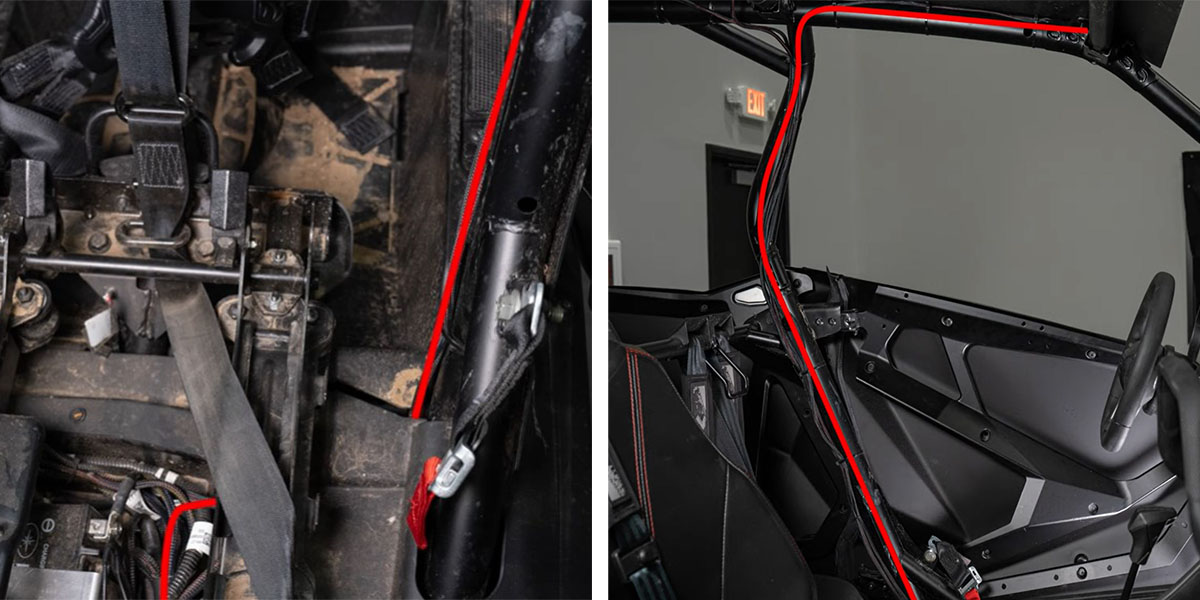
Run the lamp supply from the battery beneath the plastic trim, up the driver-side B-pillar and forward along the roof. Secure it with cable ties and keep it clear of sharp edges, heat, moving parts and seat travel.
STEP 13 OF 20
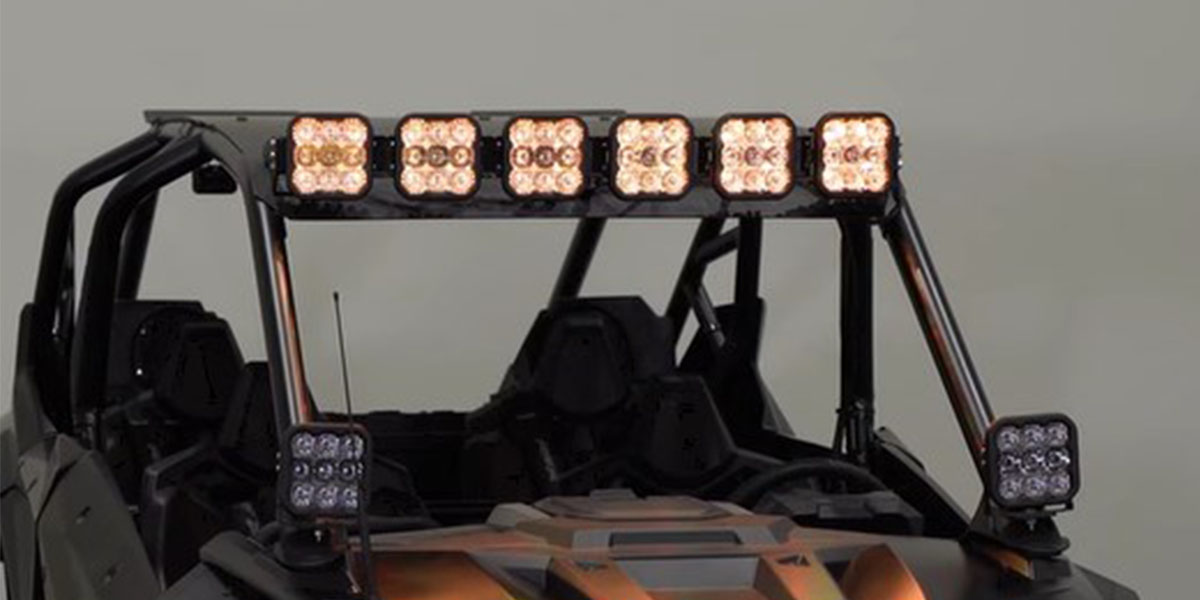
Assemble six SS5 pods
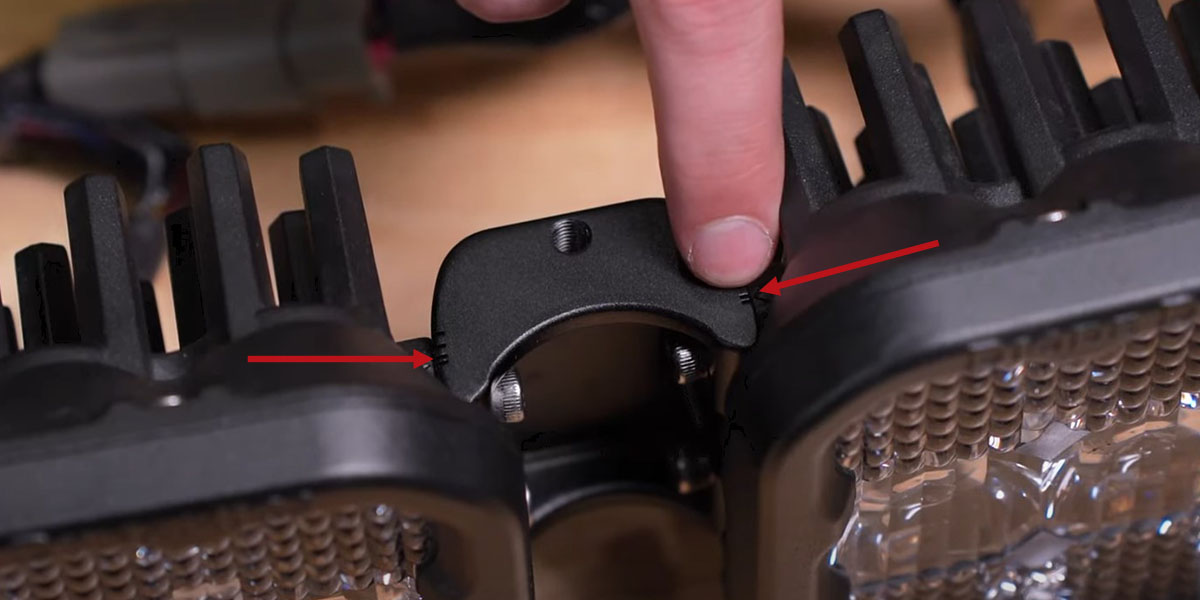
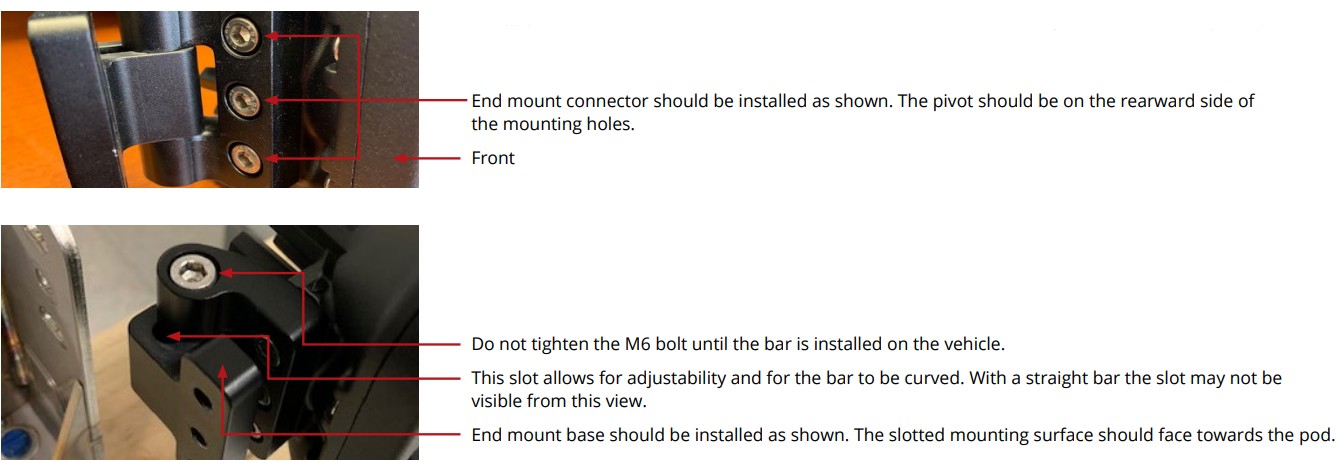
Join the six pods with five CrossLinks and the supplied support. For this RZR roof installation, align the links to the second indicator notch shown to produce the required curve. Use the original assembly details below and leave the end-mount adjustment loose until the bar is positioned.
STEP 14 OF 20
Remove the roof bolts
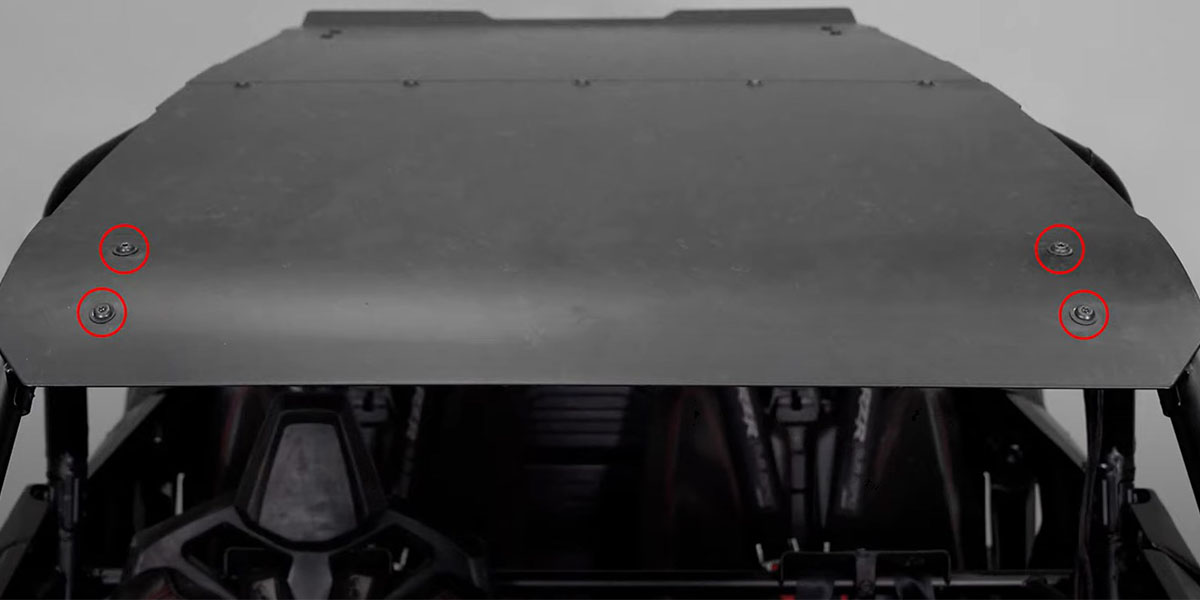
Use a T40 bit to remove the four roof bolts shown. Retain the original hardware for the vehicle brackets.
STEP 15 OF 20
Fit the two roof brackets
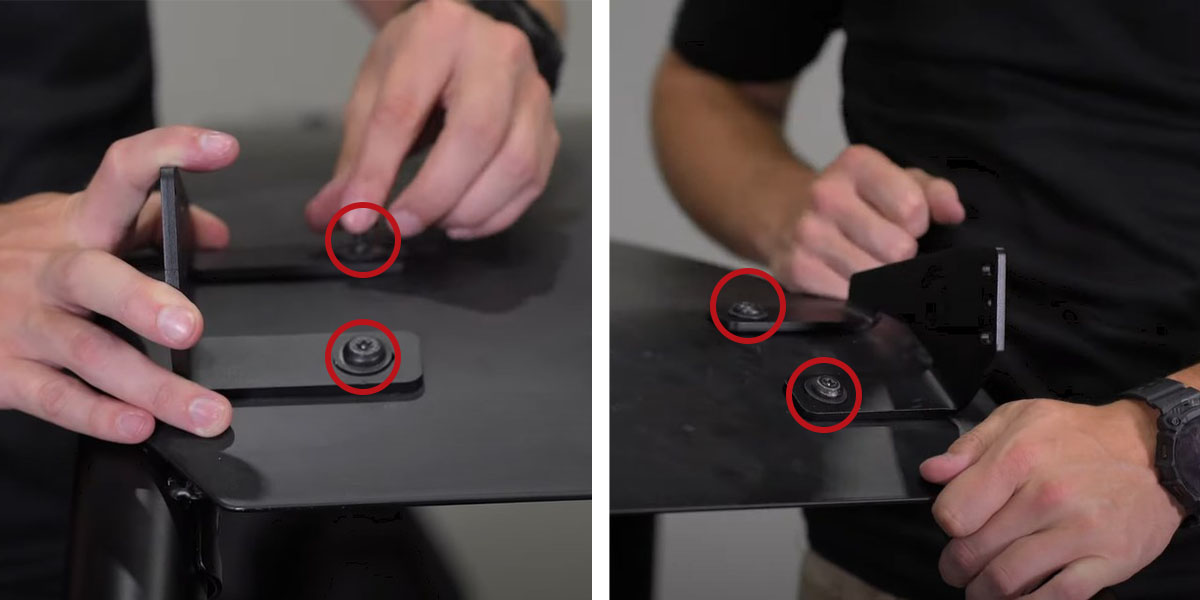
Start at the passenger side. Position the bracket with its feet facing inward, then refit the factory bolts finger-tight. Repeat on the driver side.
STEP 16 OF 20
Set the bracket spacing
Position the outer edge of each bracket approximately one inch from its adjacent roof edge. Tighten the roof fasteners with the T40 bit, following the vehicle service requirements; the lighting article does not publish a torque value.
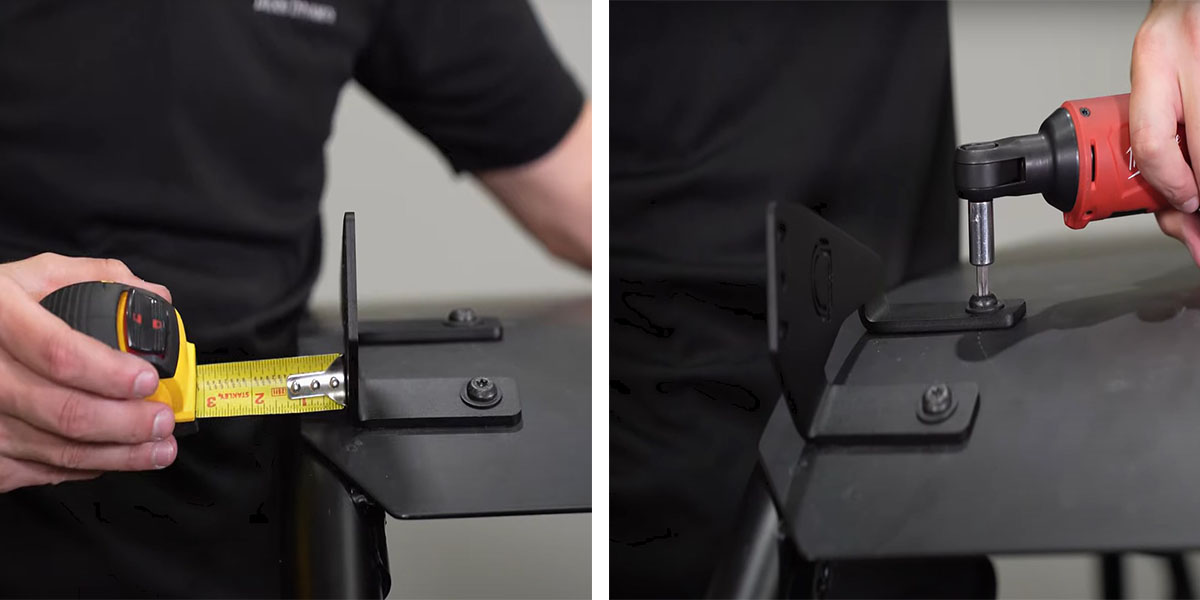
STEP 17 OF 20
Lift the lightbar into place
Have another person support the assembled bar while you fit the supplied 10 mm fasteners to the roof brackets. Leave the adjustment loose enough for final aiming.
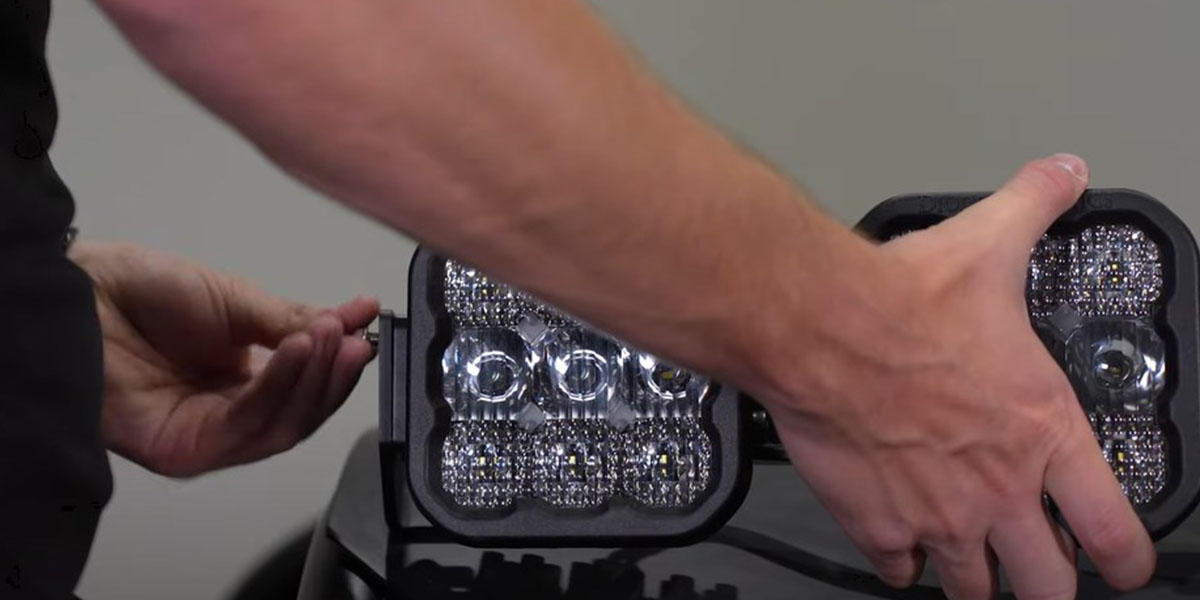
STEP 18 OF 20
Connect and test
Join the supply connector to the supplied six-pod harness and connect the lamps with the matching factory connectors. Test the main beams and accent backlights before closing the trim. Use the included Sport HD or Pro UHD harness intact; no repinning is required by these instructions.
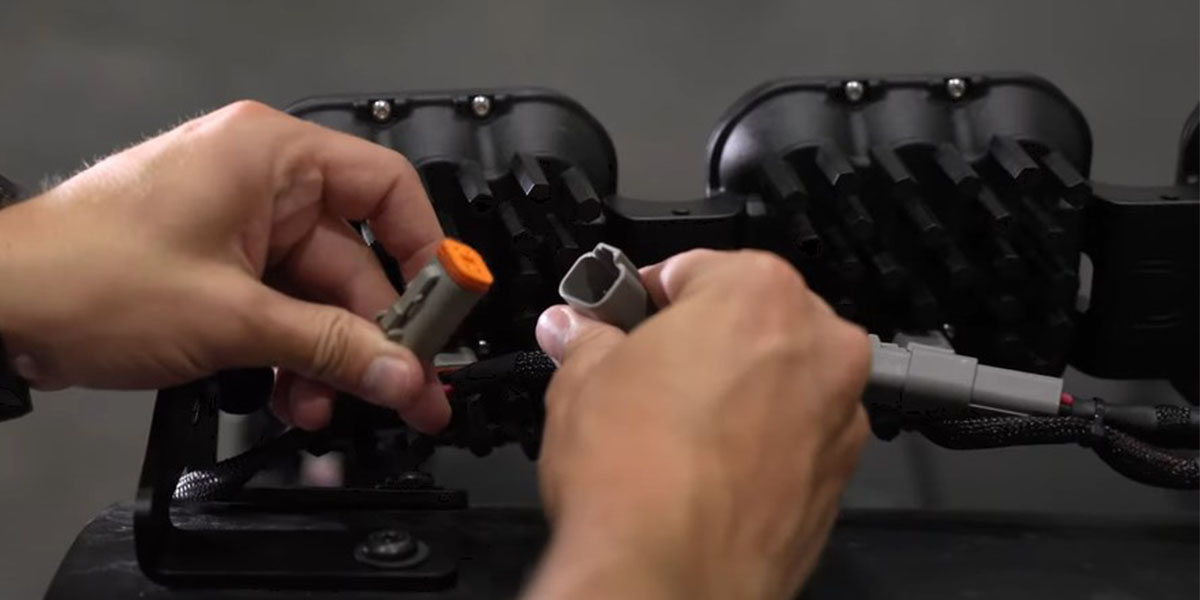
STEP 19 OF 20
Aim and tighten
Tilt the bar to the required aim, then tighten the six 10 mm fasteners identified by the supplier. Recheck the mount and wiring clearance. These lamps are for off-road auxiliary use.
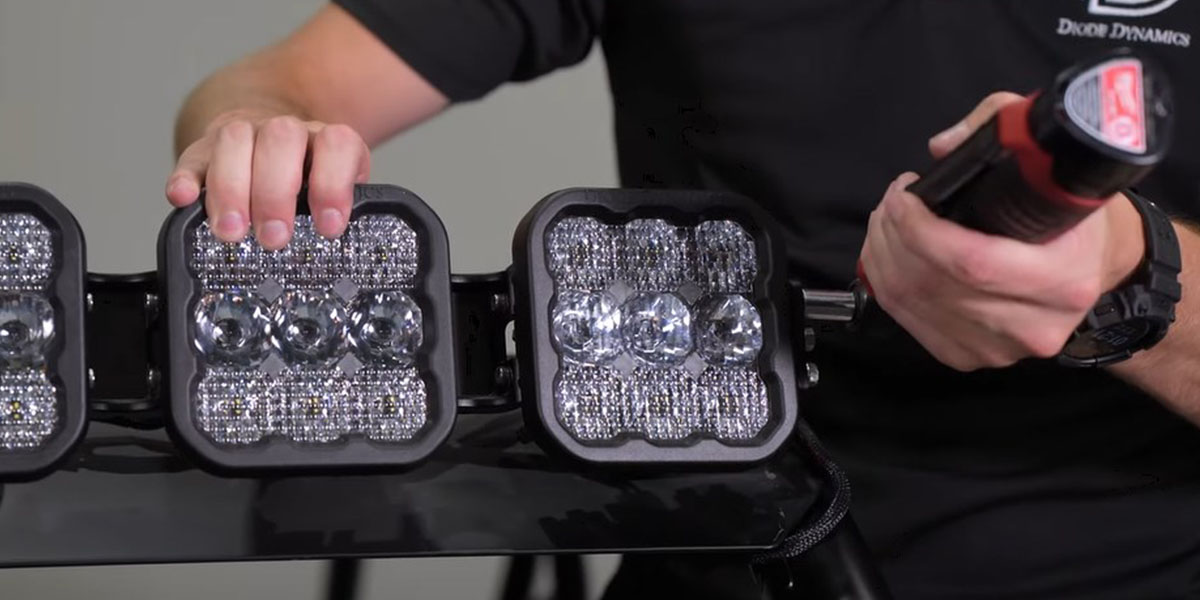
STEP 20 OF 20
Reassemble and check
Reverse the interior removal sequence. Secure loose wiring, reinstall the seat and confirm that the seat, harness and shifter operate without contacting or pinching the wiring. Check all connections and mounting hardware before use.
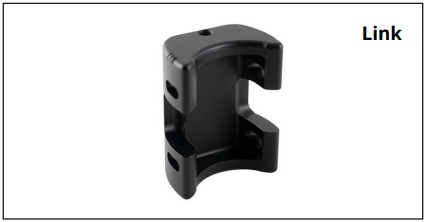
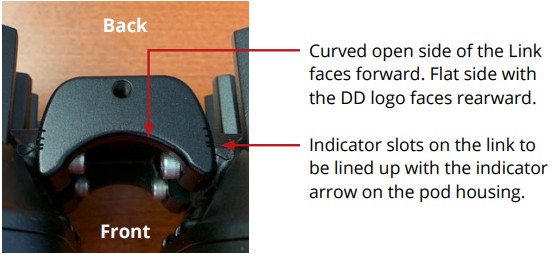
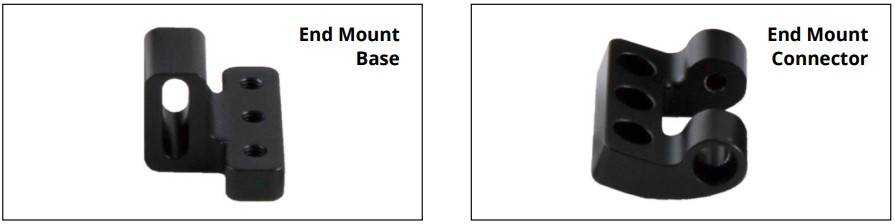
Original CrossLink assembly details
Fit a CrossLink between adjacent pods with the curved open side facing forward and the flat logo side toward the rear. Align the indicator slots with the pod arrow; the RZR roof article specifies the second notch. Assemble the end-mount base and connector in the orientation shown. Leave the M6 end-mount hardware adjustable until the bar is on the vehicle. The supplied bar contains six pods and five links.
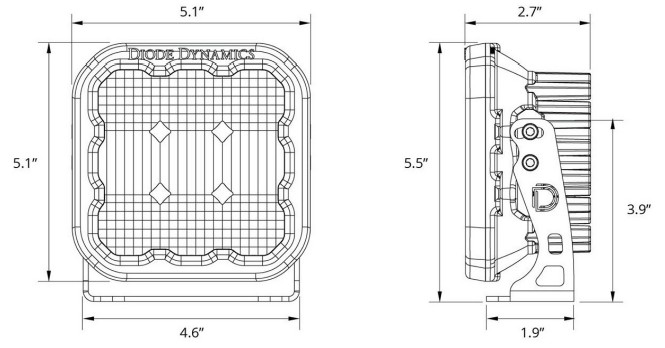
Individual pod dimensions
Set the accent backlight
White-lens kits have eight selectable accent colours. Yellow-lens kits have amber backlighting only. Changing an accent colour does not change the main-beam colour.
For a White-lens kit, start with the backlight off. Cycle it on and off three times within three seconds at a steady pace, then keep cycling to reach the desired colour. Leave the backlight on for at least five seconds to save the selection, then switch it off.
To resynchronise White-lens pods, cycle the backlight through all eight colours at least twice (at least 16 cycles). When all pods return to White, leave them on for five seconds to save. Use the backlight function rather than switching the main beam for programming.
Watch the manufacturer demonstrations
RZR roof-kit installation
SS5 CrossLink assembly
Original manufacturer instructions
The manufacturer supplies online articles for this kit and its CrossLink assembly. These original links provide the source instructions and updates.