

BTS application guide · LMX2-498
Apply clear film to F-150 Evo headlights
Confirm Morimoto LF2-498 or LF2-498Y headlights, then follow the supplied film instructions. The manufacturer video below shows the general precut method on an Audi Q7.
Check the cut and prepare
Verify LMX2-498 and the headlight part number before peeling the backing. Work in a clean, shaded area. Clean the lens thoroughly with a suitable automotive cleaner and a clean microfiber cloth, remove residues, and keep dust away from the adhesive.
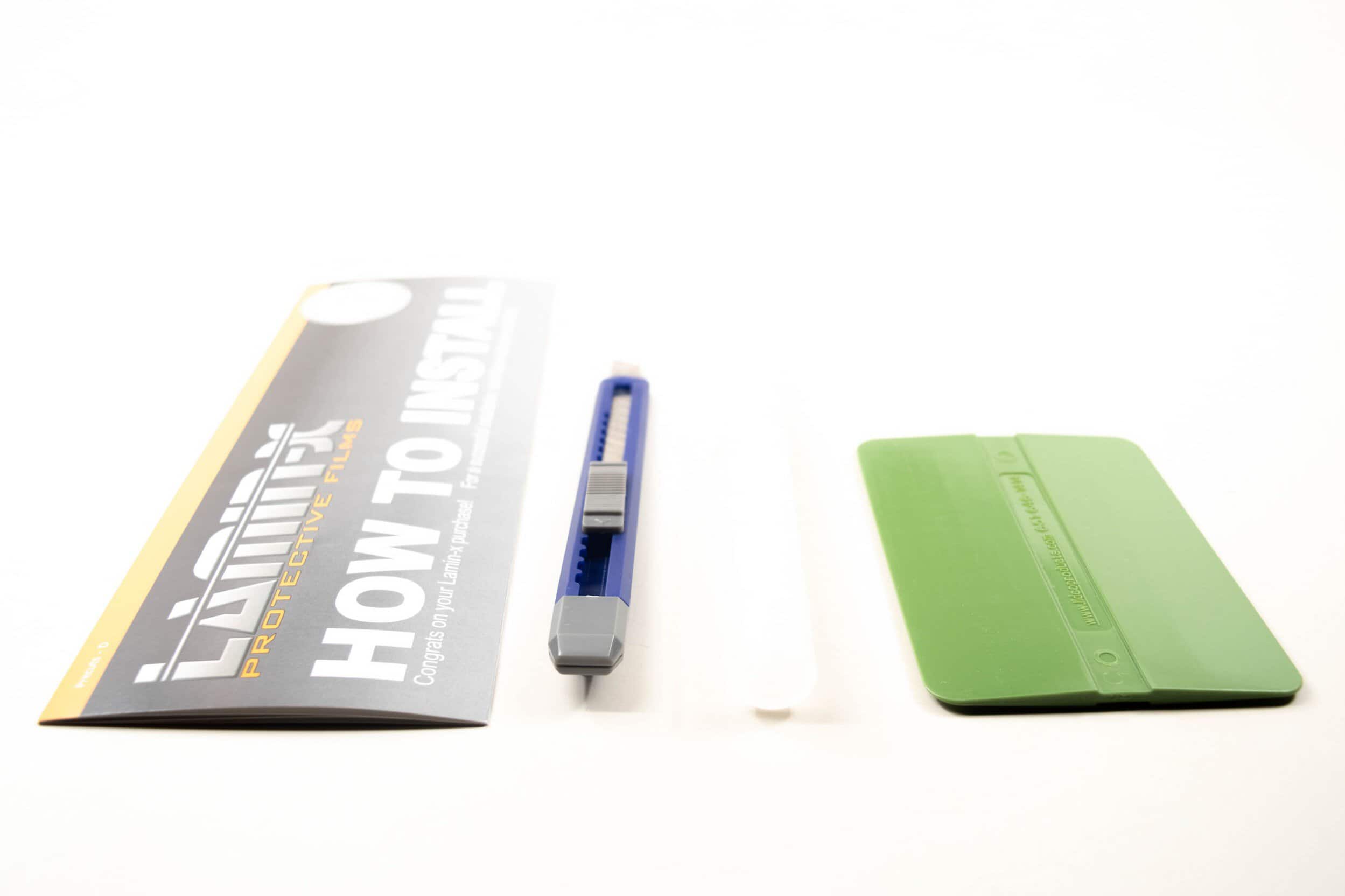
Six steps for a careful application
The three original diagrams below illustrate general application on a round fog lamp, not the shape or cut of the F-150 headlight film. Use them alongside the headlight-specific steps and the supplied instructions.
- Test the alignment. Hold the backed film against the correct lens and understand how its edges and handling tabs line up.
- Lightly mist the lens. Follow the supplied instructions for the application solution. Avoid soaking the work area.
- Peel and position. Remove the backing without contaminating the adhesive. Start at a corner and align the cut without pulling it out of shape.

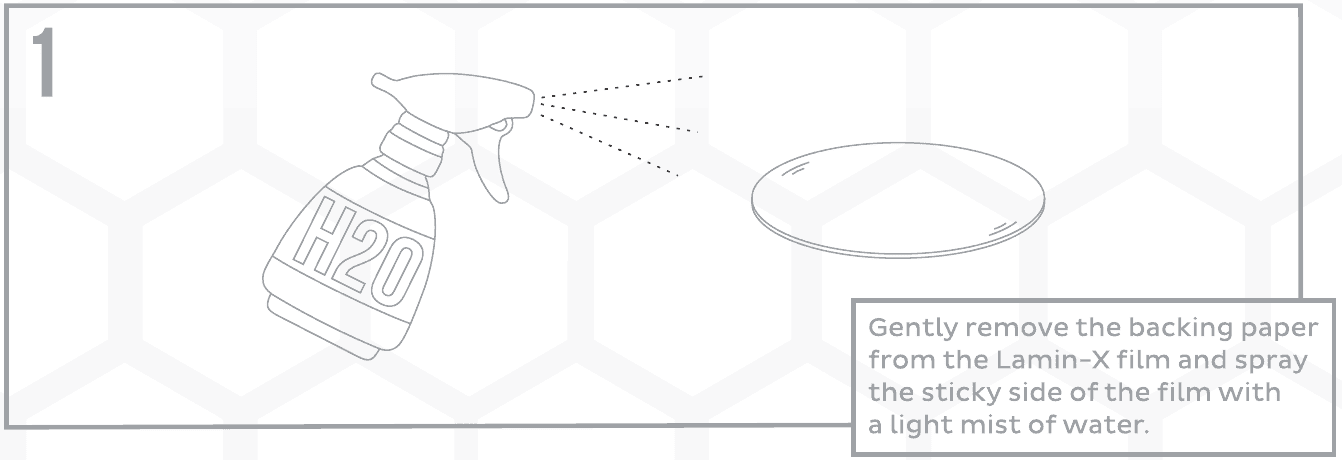
Original diagram 1: remove the backing and lightly mist the adhesive. Generic round-lens technique; this illustration does not show the F-150 film cut. Open the original figure full size. - Squeegee the film. Use even, moderate-to-firm pressure to move the water toward the edges. Work patiently around curves and correct alignment as you go.

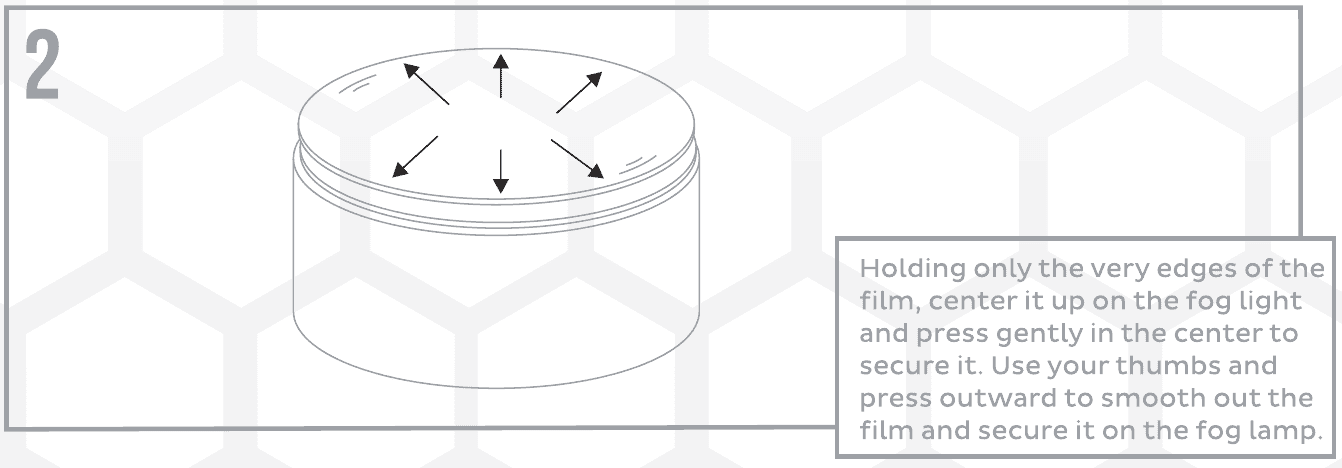
Original diagram 2: handle the film by its edges and smooth outward. Generic round fog-lamp illustration; follow the supplied instructions for your headlight shape. Open the original figure full size. - Finish the handling tabs. Trim only as directed by the supplied instructions, taking care not to mark the lens. Check the edges and remaining bubbles.

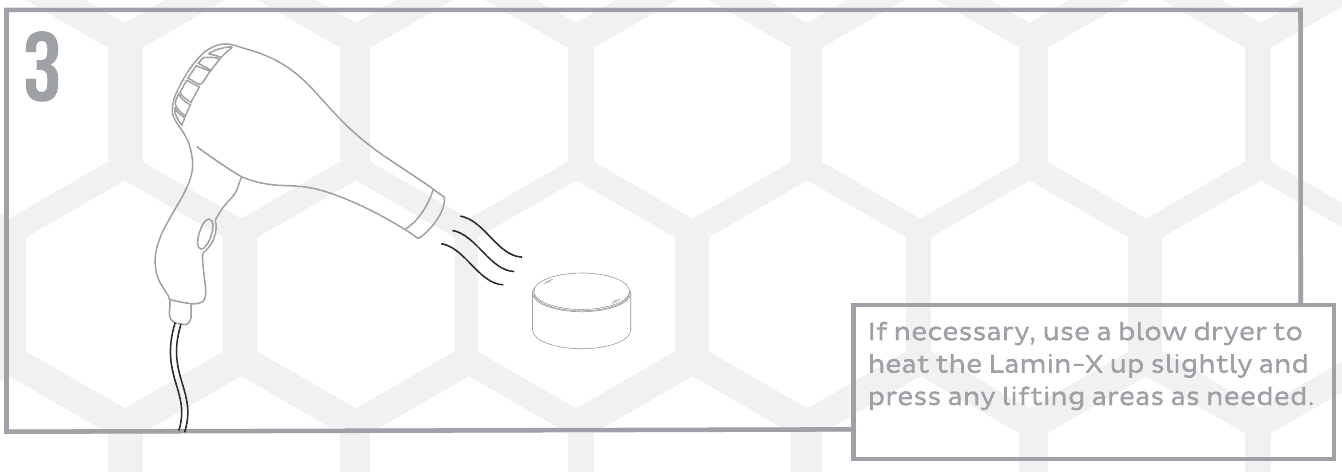
Original diagram 3: the supplied guide shows gentle blow-dryer heat only if needed for lifting areas. Generic round-lens example; avoid overheating the film or lens. Open the original figure full size. - Let the film settle. Follow the supplied cure instructions before washing or exposure. If installation is going poorly, put the film back on its liner and contact BTS or Lamin-X rather than discarding it.
Manufacturer demonstration: precut headlight film
General technique on an Audi Q7; no claim that its headlight shape or cut matches the F-150 Evo.
Keep the source instructions close
Download the original two-page Lamin-X installation PDF (generic round-lens examples). The original document includes its installation precautions.
Lamin-X precut application walkthrough · Manufacturer installation help
Explore 2021–2023 F-150 lighting · Plan your lighting upgrades