

The BTS build guide · 2021, 2022 and 2023 F-150
A good lighting build starts with the part of your drive you want to improve. Headlights, fog lights, a bumper light bar and reverse lights each do a different job. Choosing them together helps you avoid buying the wrong connection, duplicating a beam pattern or discovering too late that a camera or factory sensor changes the fit.
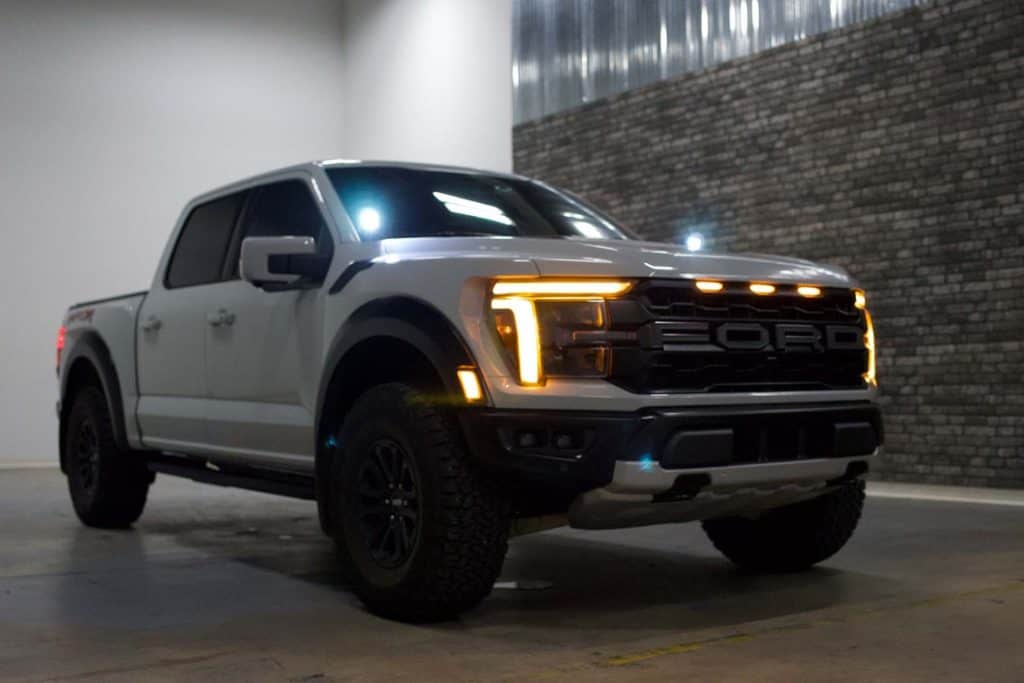
We have run a variety of lighting combinations on the BTS Lighting F-150. The photographs here show our truck at different stages of that build. Use them for installation ideas; use the exact product options and fitment notes to choose the equipment for your own truck.
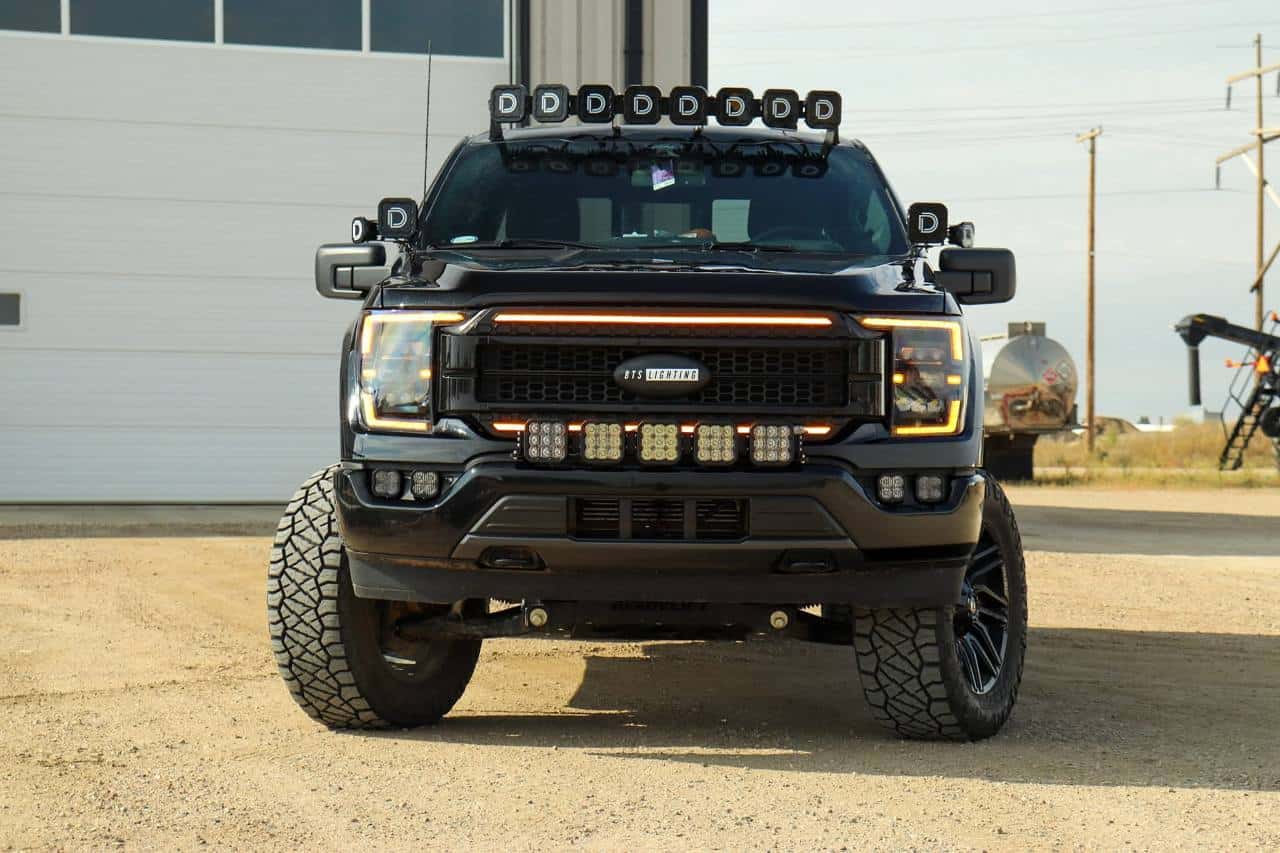
Start with the truck you have
Three checks before choosing a kit
1. Identify the original headlights
The 2021–2023 F-150 was offered with halogen, LED reflector and LED projector headlights. The truck’s trim badge alone is not a dependable way to choose a replacement. Look at the original lamps and use our photographic factory-headlight identification guide. If a previous owner changed the headlights, confirm the original equipment before ordering an adapter-dependent kit.
For Diode Dynamics Elite headlights, halogen and LED reflector trucks use the non-projector kit branch; original LED projector trucks use the projector branch. Morimoto’s current XB Evo and Evo Hybrid packages cover the listed factory lamp types with their supplied adapters or modules. Those are product-specific arrangements, not a rule that every F-150 headlight fits every connection.
2. Check the bumper, fog lamps and cameras
A kit for the standard F-150 factory bumper should not be assumed to fit a Raptor bumper or an aftermarket bumper. For a Morimoto 4Banger fog kit, the original fog-light equipment determines the wiring option. Choosing LED headlights does not tell you which fog-light wiring to order. If you have a front camera, review the installed-view photographs before choosing a bumper or grille light setup.
3. Record the rear equipment
For taillights, note whether the original assemblies are incandescent or LED, whether the truck has BLIS blind-spot monitoring and whether it has the onboard-scale/load-level indicator system. For a third brake light, check the camera arrangement. These details can change the supported replacement even when the model year is identical.
Build around your driving
Which F-150 lighting upgrade should come first?
| Your main need | Start here | Check before buying |
|---|---|---|
| Everyday low- and high-beam lighting | Complete headlight assemblies | Original lamp type, desired features and correct aiming |
| Controlled light close to the road | A fog-light kit with the intended fog optics | Factory bumper, original fog wiring and output colour |
| Additional light on a trail or work site | Bumper, CrossLink or ditch-light options | Beam pattern, mounting position, wiring and intended use |
| Backing up or loading after dark | Reverse-light and rear-lighting options | Harness connection, receiver use and factory sensors |
For a road-focused truck, start by getting the headlight fitment and aim right. Add a fog kit if its pattern addresses the part of the road you want to illuminate. A high-output off-road pod or light bar serves a different purpose; it does not replace a properly controlled road beam. For a truck used on trails, plan the auxiliary-light positions and controls together so each addition has a useful role.
Choose the features you will use
Elite, Elite Max, XB Evo or Evo Hybrid?
The decision is more useful when it starts with functions rather than a single brightness number. Compare the beam features, cold-weather design, appearance controls and original-equipment connection.
Diode Dynamics Elite and Elite Max
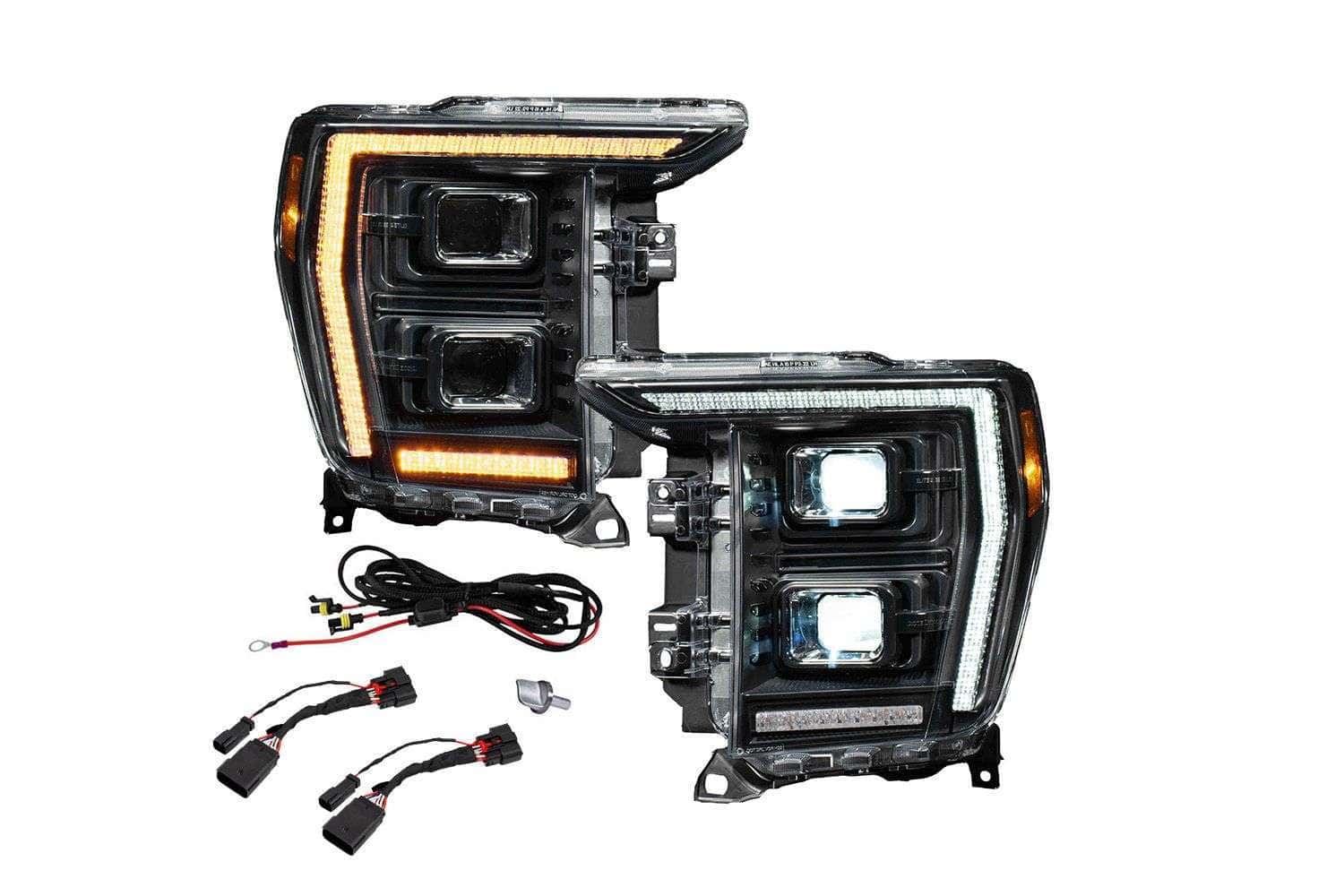
The F-150 Elite headlight family combines two performance levels with two original-headlight connection branches. Both Elite and Elite Max offer selectable appearance functions. Elite Max adds the listed Low Beam Assist, High Beam Boost and independent Trail Light/Show Mode functions. The additional Max wiring is part of planning the installation, not just a different box label.
Choose the original lamp type first, then compare Elite with Elite Max. Our Elite installation guide shows the access, clips, harnesses and aiming steps, while the separate programming guide explains the mode settings. Use the guides for their distinct jobs rather than trying to infer the wiring from a product photograph.
Morimoto XB Evo
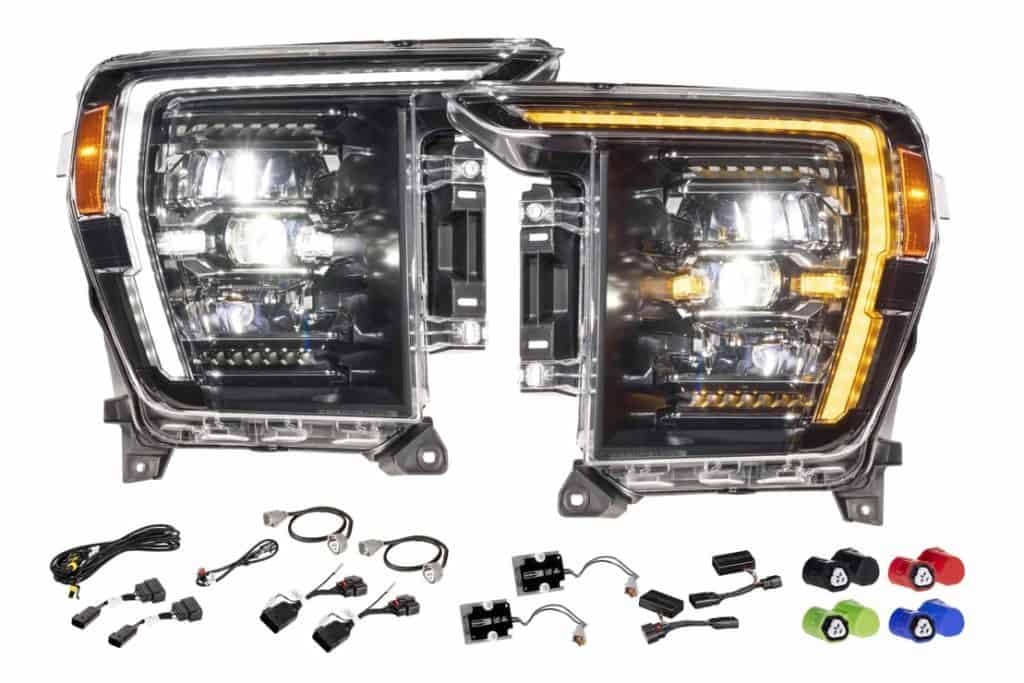
XB Evo headlights are the option to examine if lens heating and selectable appearance features are priorities. The current F-150 package has a heated lens, selectable white or amber DRL, selectable turn-signal modes, a welcome sequence and Tri-Beam operation. Review the full page for the exact supplied equipment and factory-headlight support.
Morimoto XB Evo Hybrid
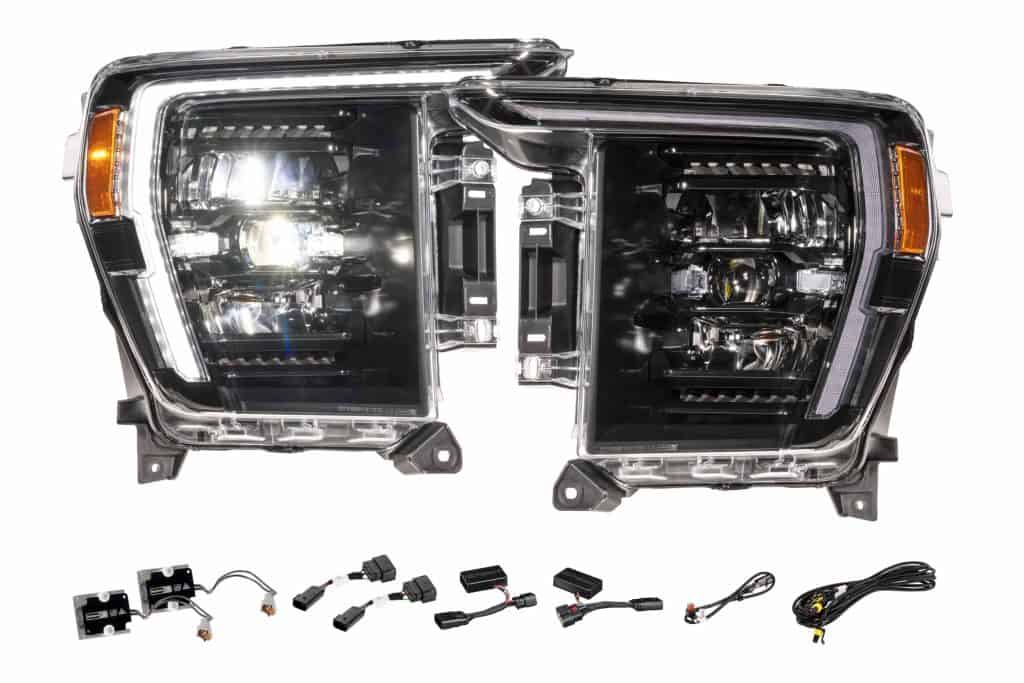
XB Evo Hybrid headlights retain the Tri-Beam arrangement with a simpler feature package: white DRL and a fade-off turn signal, without the Evo lens heaters or mode selectors. The standard Hybrid package does not include the Evo welcome function. If those extra features are not part of your build, compare the Hybrid on its own merits instead of treating the word “Hybrid” as a different factory connection.
A selectable white/amber DRL is an appearance setting. It does not mean the headlight’s main low- and high-beam output changes between white and amber. Likewise, an optional driver upgrade has its own compatibility and intended-use restrictions; it is not automatically part of every headlight package.
Protect and configure the exact headlights
If you selected Morimoto LF2-498 XB Evo or LF2-498Y Evo Hybrid headlights, LMX2-498 clear protective film is cut for those lenses. It is not an OEM-headlight film. Read the Lamin-X preparation and fitting guide before applying the pair.
The LF2-DRVSC18 Supercharged drivers are for LF2-498 / LF2-498Y only and are off-road-only. Reinstall the standard drivers for the road configuration. The LF498H.2 adapter is an existing-owner part for older LF498/LF498-A headlights on factory LED-reflector trucks; it is not an Evo adapter.
Coordinate the grille and daytime running lights
The Morimoto XBG Chrome grille with White DRLs is an appearance upgrade for a supported 2021–2023 F-150. Check the hood profile on a 2023 truck and exclude Raptor. Factory LED projector headlights need the XBG21H adapter; the grille includes the halogen and LED-reflector connection. The illustrated installation guide covers camera and shutter transfer, wiring and final trim.
Output colour is a separate choice
White, yellow and dual-colour fog kits explained
For fog lights, separate three questions: what colour is the main beam, what optics produce that beam, and what accent or backlight functions are present? A small amber backlight does not make a white-output pod a yellow-output fog light.
Elite fog lights: an integrated assembly
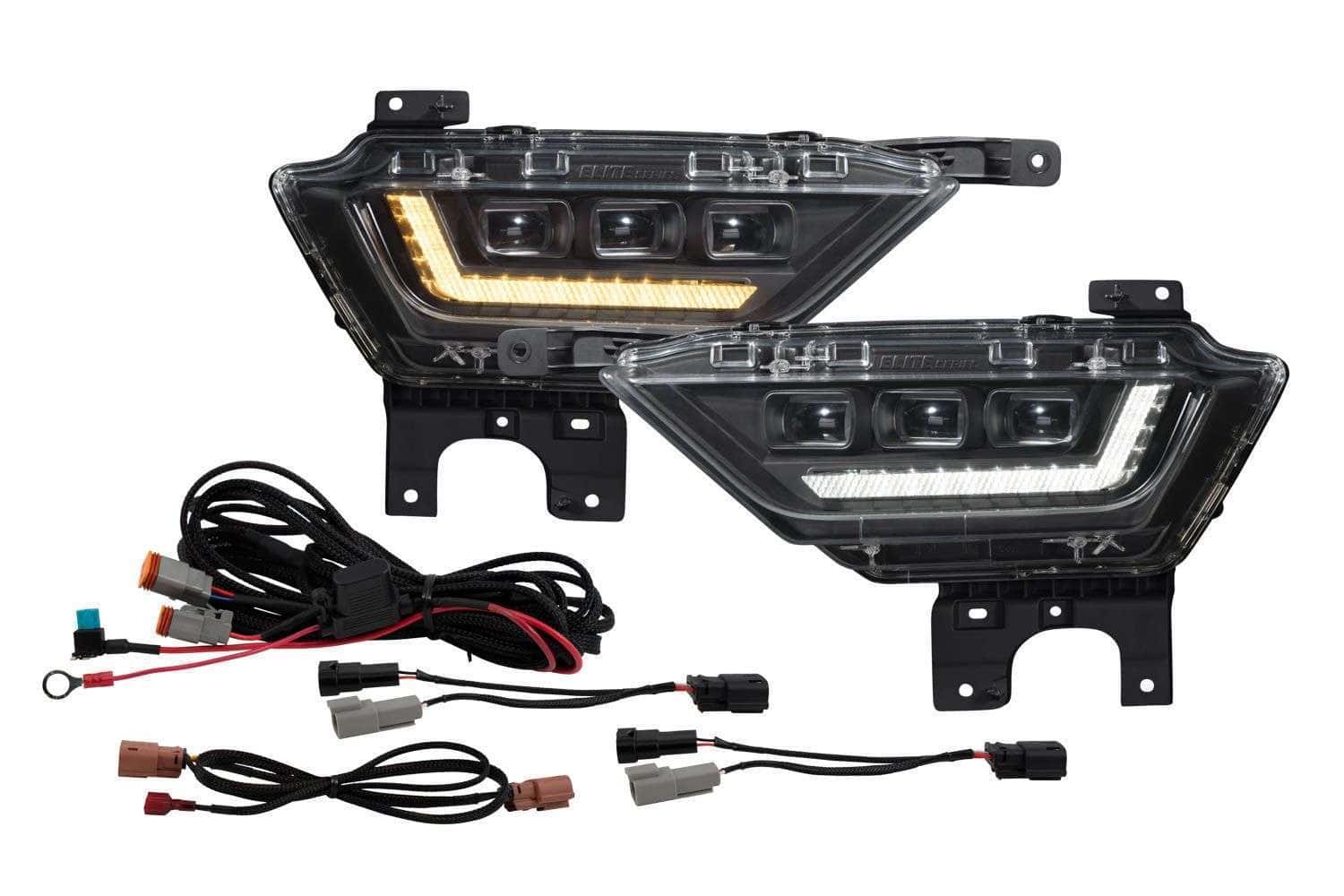
Diode Dynamics Elite fog lights offer white main output or selective-yellow main output. Their selectable white/amber DRL is a different feature. Choose the beam colour on the product page, then use the Elite fog installation guide and programming guide for wiring and settings.
SS3 fog-pocket kit: a pod-based system
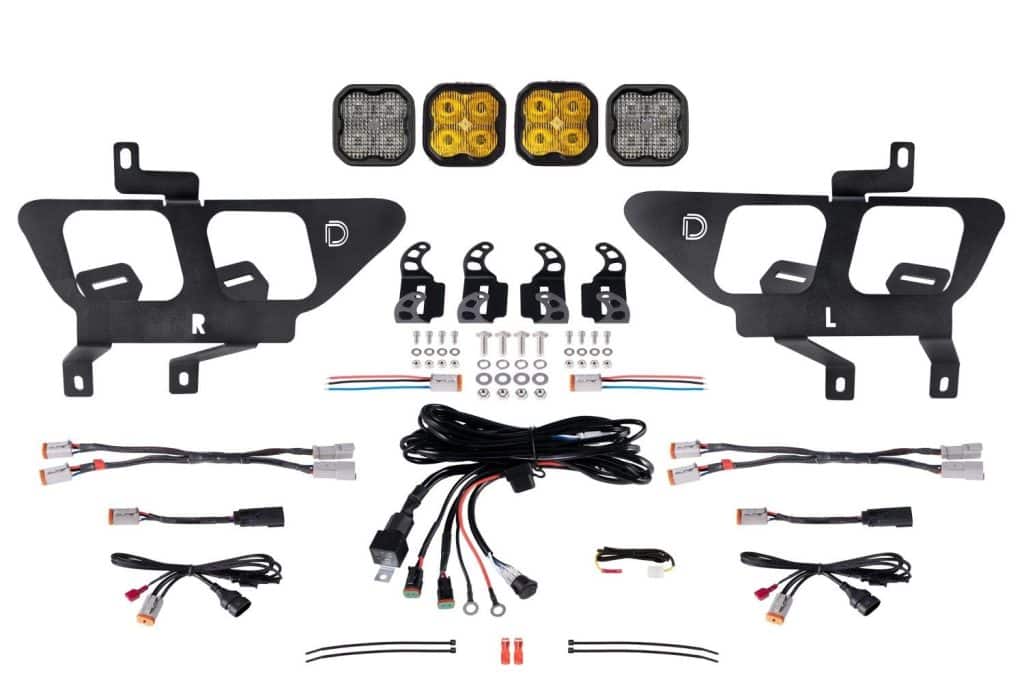
The Stage Series SS3 fog-pocket kit uses pods and vehicle-specific brackets in the factory fog pockets. The complete kit has a fog pair and a separate fixed-white Combo pair. Compare Sport, Pro and Max using the exact options shown on the page; White or Yellow selects the fog-pair output. A bracket-only choice is intended for an existing-light build; it does not include the same equipment as a complete kit. The BTS SS3 installation guide covers the pictured mounting and wiring sequence.
Morimoto 4Banger: four pods and two wiring routes
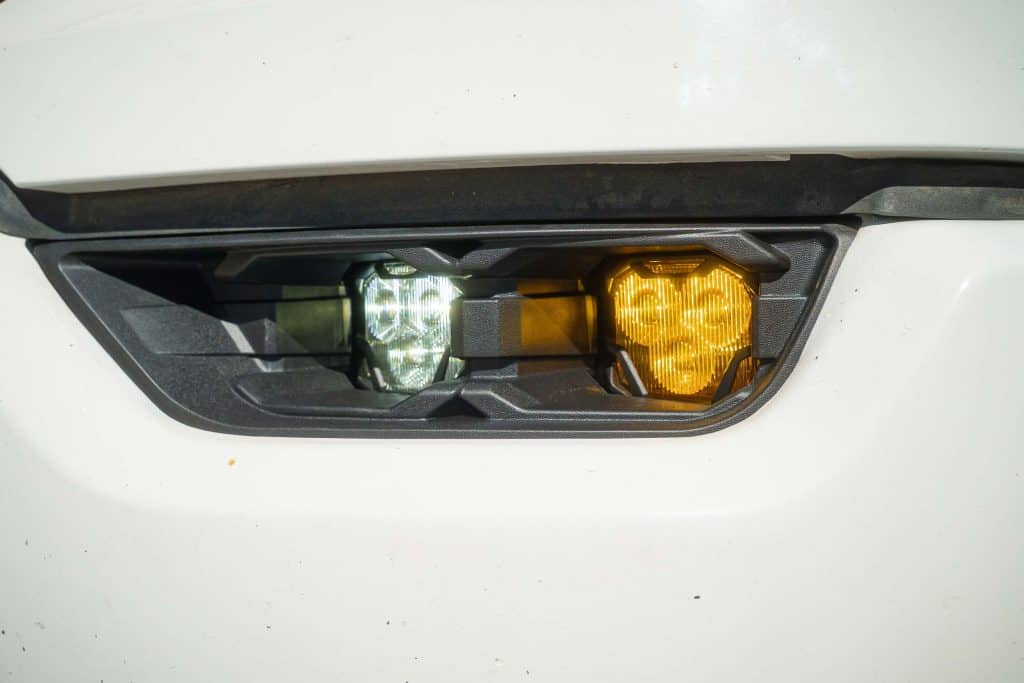
The F-150 4Banger fog kit uses four pods, two per side, with NCS or HXB choices. White and Yellow are output options. “Dual Color” in this package means two white pods plus two yellow pods; it does not mean each pod switches between those colours. Choose the factory-LED or factory-halogen fog-light version to match the wiring in your truck. The factory-LED version uses the specified two-relay arrangement and retains the documented cornering operation; the halogen version uses its specified single-relay route.
If you prefer switching the colour of the same pod, look specifically for a product documented as a switchable dual-colour light. Do not assume “dual,” an amber lens, a backlight photograph or a mixed four-pod kit means the same thing.
Related choices
Match the position to the job
Two-pod SS5 bumper kit or five-pod CrossLink?
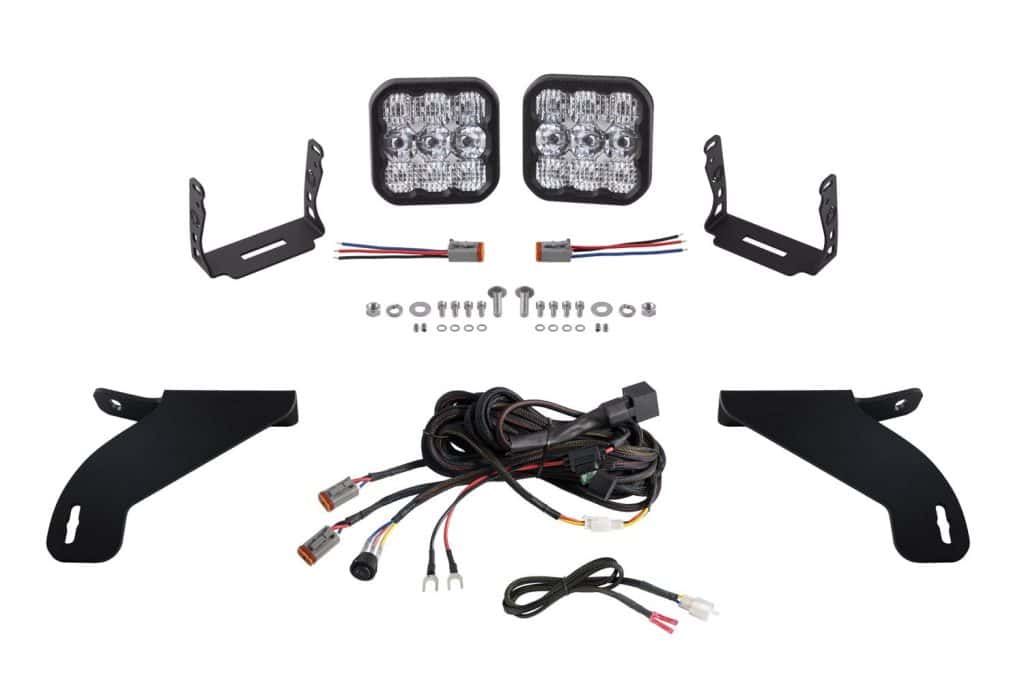
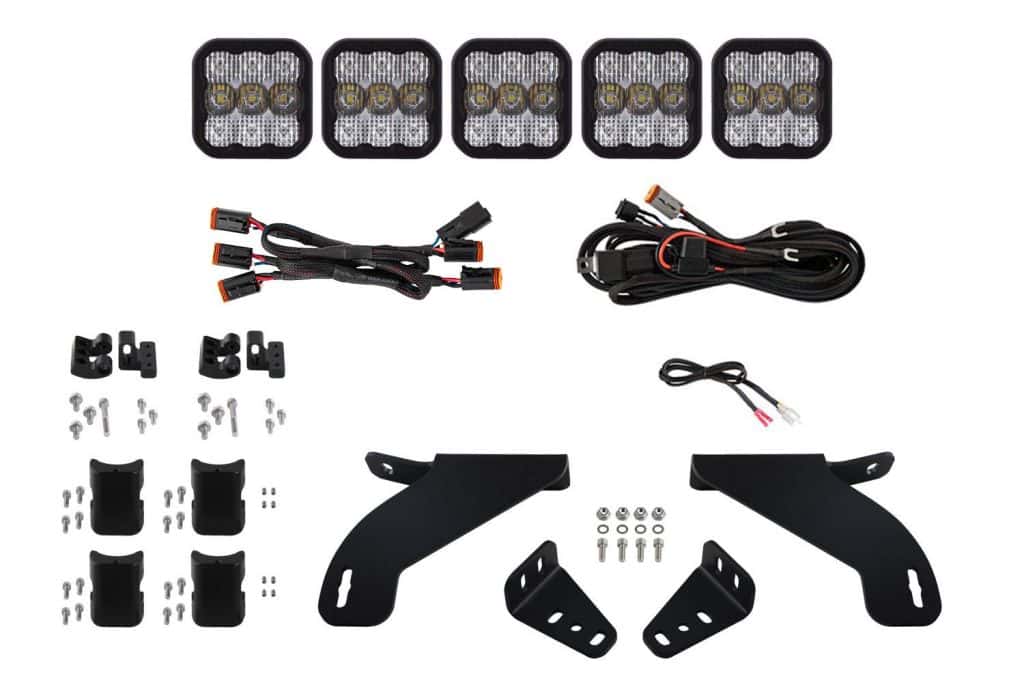
These are separate F-150 kits. The two-pod SS5 bumper kit places a pair of SS5 lights on vehicle-specific bumper mounts. The SS5 grille CrossLink kit builds a five-pod linked bar. Choose the mounting arrangement first, then the power level, colour and available optics for that package.
A Driving pattern and a Combo pattern are not interchangeable descriptions. Examine the manufacturer’s pattern images alongside the available configuration; a supplier’s representative product photograph may be reused between power levels or optics. The printed selection and exact SKU identify the kit being ordered.
The CrossLink installation can obscure part of the view on trucks with the 360-degree camera package, although the manufacturer states the camera remains usable. Review the actual camera-view information and the CrossLink installation guide before deciding that location suits your truck. Standard-bumper fitment does not establish Raptor fitment.
Vehicle-specific ditch-light mounts and kits provide another position to consider. Plan the beam direction, hood clearance and wiring with the actual bracket instructions. More lights are not a substitute for selecting an appropriate pattern and aiming each light for its intended use.
Flood or Spot ditch-light kits
The ProComp Gen3 F-150 ditch-light kit includes two pods, BAF067 brackets and a switched relay harness. Choose Flood for broader nearby coverage or Spot for a narrower beam; both are off-road lights. The illustrated ProComp guide separates F-150 bracket mounting from the correct ProComp pod and wiring instructions.
Related choices
Remember the back of the truck
Taillights, reverse lighting and sensors
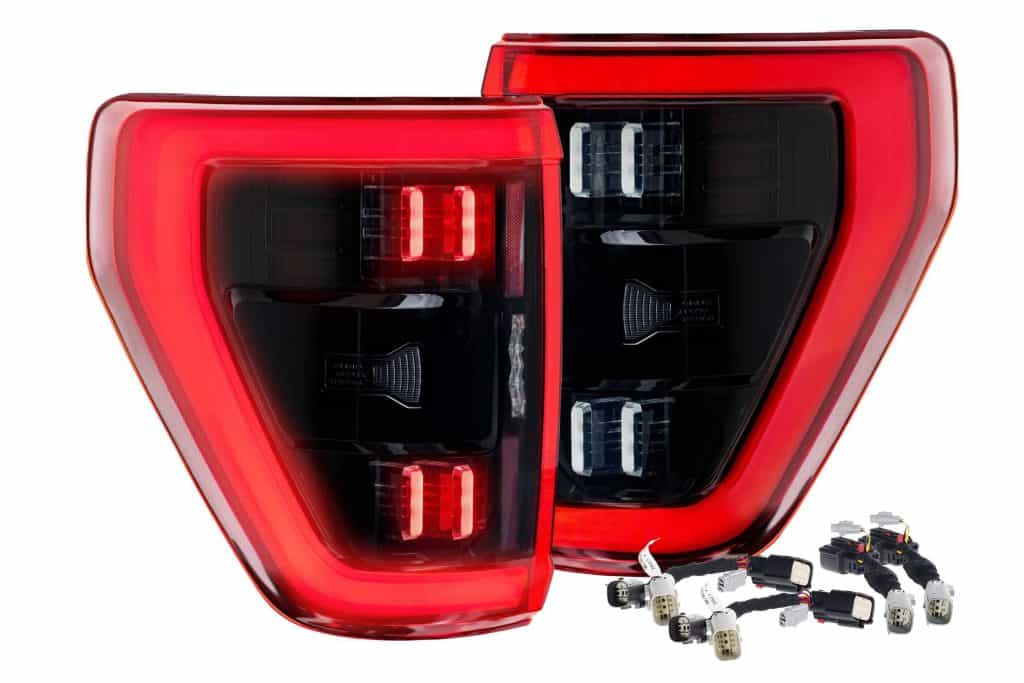
Morimoto XB taillights offer red and smoked appearance choices, but factory equipment is the first decision. The documented F-150 fitment includes incandescent originals with or without BLIS, and original LED taillights with BLIS. It excludes original LED taillights without BLIS and trucks with onboard-scale/load-level indicators. Where the installation calls for transferring a factory BLIS module, the replacement does not add blind-spot monitoring to a truck that did not have it.
For additional reverse light, compare a vehicle-specific C1 reverse kit, the C2 2.0 reverse kit and the F-150 C1R HitchMount package. A HitchMount occupies the receiver, which matters if you regularly tow or use a receiver-mounted accessory. A mounting kit or separate harness is a component for an existing setup, not automatically a complete light kit. Read the illustrated F-150 reverse-light installation guide before choosing the mounting and wiring route.
If changing the third brake light, choose the version for the truck’s camera equipment and check any Raptor-specific function differences. Rear-lighting photos can look very similar while the included camera provision or sensor support differs.
Complete the rear lighting details

The Morimoto X3B third brake light combines red brake optics and white bed lighting. Select the housing for the camera already in your original third brake light; it does not add a camera. The illustrated X3B guide shows the correct connection behind the headliner and the camera transfer.
For the plate, choose Morimoto XB LF7914 lamps for the 2015–2023 F-150 housing. Their lenses are smoked and their output is white. Use the license-plate fitment and installation notes before fitting the pair.
Related choices
Match replacement bulbs to the original socket
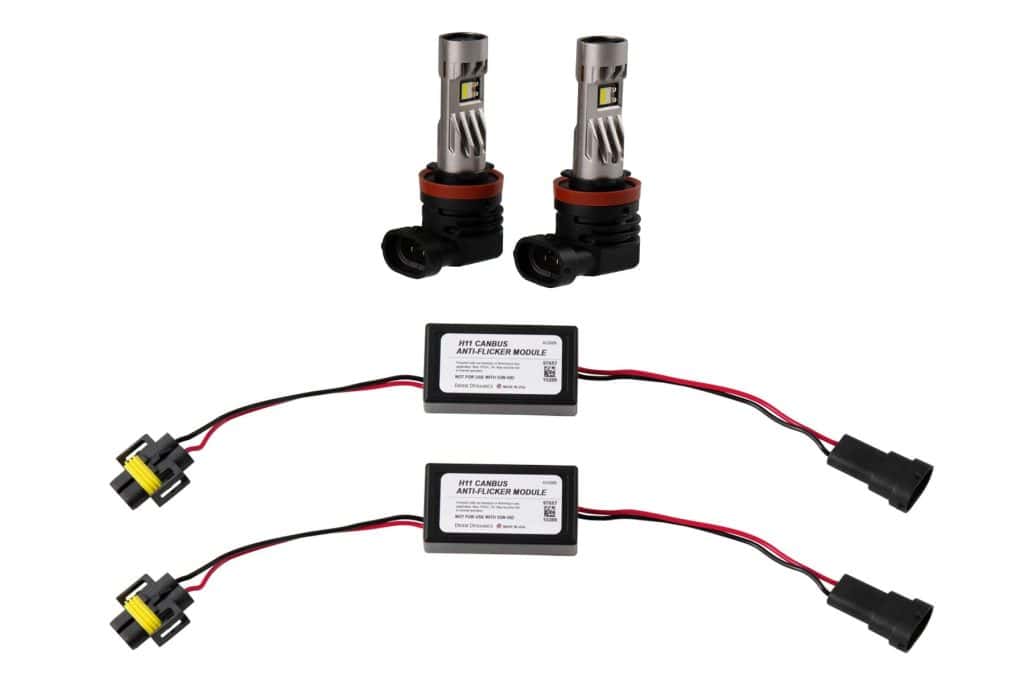
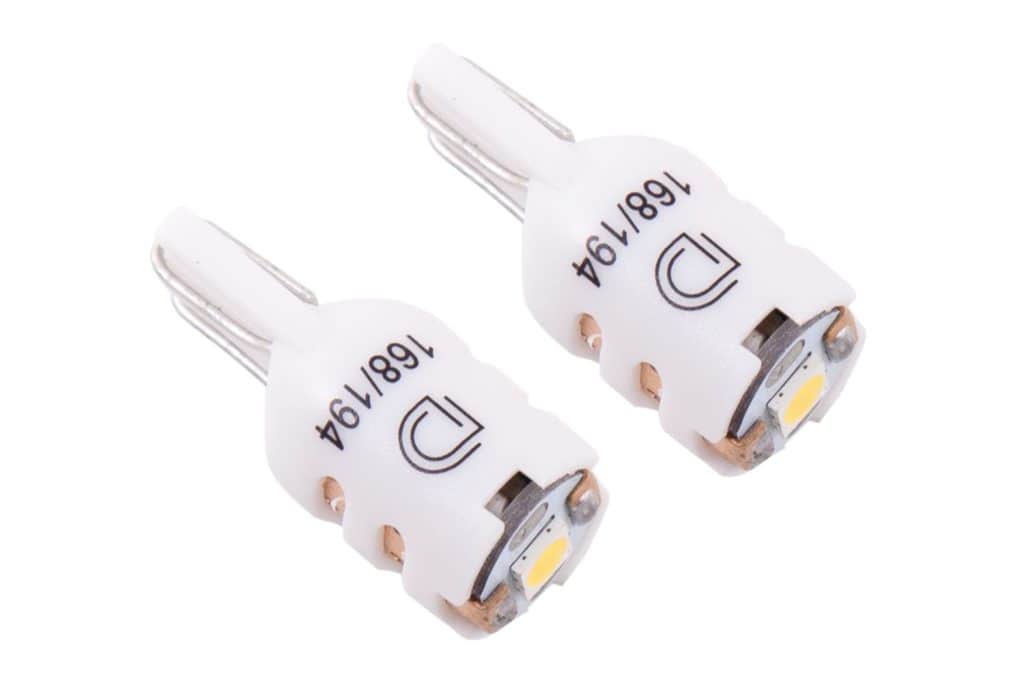
Keep serviceable original housings when a bulb replacement meets the goal. Identify the actual socket and factory equipment first; do not choose from model year alone.
- H11 low-beam bulb kits — Factory halogen only. 2023 may require modification. Not for US public-road headlamp use.
- 9005 high-beam bulb kits — Factory halogen only. Includes the supplier-specified 9006 anti-flicker module pair.
- Red 3157 rear turn / tail bulbs — Replaceable 3157 sockets; excludes 401A Tremor. XLT tab modification and separate resistors apply.
- 3157 reverse-light bulbs — Match the original 3157 connector. 4257 requires the documented tab modification.
- 7443 reverse-light bulbs — Match the original 7443 connector. Not a factory-LED reverse conversion.
- Red 921 third-brake bulb — One bulb; confirm the original replaceable 921 brake socket and quantity.
- Short 194 plate bulbs — Short 194 bulb pair for compatible original replaceable-bulb housings.
- Red / Amber 194 marker bulbs — Match the original socket and required colour for the lamp position.
Use the BTS miniature-bulb installation guide for connector, polarity and turn-signal checks, or the SL2 / SL2 Pro guide for the halogen-headlamp packages, collar alignment and anti-flicker modules.
Existing generic bulb options
These pairs also serve other vehicles. Match the exact socket and factory equipment; their sales are not evidence of an F-150 installation.
- 9005 / 9011 / H10 SL2 — White or Yellow — Compatible original H10 fog socket only; not a factory-LED conversion. Pair, bulbs only.
- H10 HP48 — Cool White (6000K) — Compatible original H10 fog socket only; not a factory-LED conversion. Pair, bulbs only.
- H10 XP80 — Cool White (6000K) — Compatible original H10 fog socket only; not a factory-LED conversion. Pair, bulbs only.
- 921 HP36 — Cool White (6000K) — Compatible original replaceable 921 cargo-light sockets; white output, pair. Not a complete lamp.
- 194 HP5 — Cool White (6000K) — Compatible original replaceable 194 marker socket; match required colour and clearance. Pair, bulbs only.
- 194 HP3 — Cool White (6000K) — Compatible original replaceable 194 marker socket; match required colour and clearance. Pair, bulbs only.
- 194 SMD2 — Cool White (6000K) — Compatible original replaceable 194 marker socket; match required colour and clearance. Pair, bulbs only.
- 194 SMD2 — Warm White (3000K) — Compatible original replaceable 194 marker socket; match required colour and clearance. Pair, bulbs only.
- 194 HP3 — Warm White (3000K) — Compatible original replaceable 194 marker socket; match required colour and clearance. Pair, bulbs only.
- 194 HP5 — Warm White (3000K) — Compatible original replaceable 194 marker socket; match required colour and clearance. Pair, bulbs only.
Make the install part of the purchase
Read the guide before opening the boxes
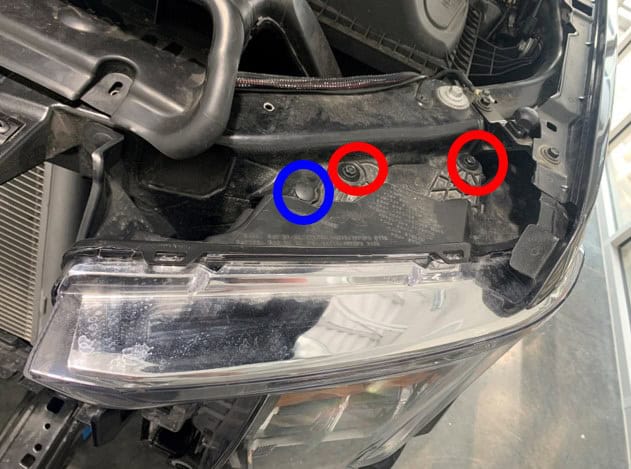
Use the F-150 installation-guide directory to review the job for your exact product. Look for the original-equipment branch, removal photos, mounting hardware, wiring path and aiming or programming steps. Our product-specific guides keep the relevant manufacturer pictures with the corresponding BTS instructions and link back to the product for kit selection.
- Confirm the kit. Match the original lamps, bumper, sensors and selected SKU before removing parts.
- Plan the wiring. Check the specified fuse, relay, ground, trigger and connector route in that kit’s instructions. A separate switch system does not erase the light manufacturer’s wiring requirements.
- Check function before final assembly. Follow the guide’s sequence for testing the supported low beam, high beam, turn, DRL, reverse or accessory functions.
- Aim the lights. Use the product’s documented aiming method. For example, the 4Banger fog instructions specify a four-inch drop at 25 feet; do not copy that measurement to a different product without checking its guide.
- Program only the functions your product includes. Similar-looking lights can have different controls, defaults and available modes.
For several auxiliary circuits, the vehicle-specific D-Switch kit is one control option to compare. A D-Switch hub mounting kit is the mounting accessory, so confirm what you already own and what the complete package includes before adding both. Our D-Switch installation guide covers the F-150 mount and wiring; the programming guide covers app pairing and controls.
Complete the remaining lighting details
For rear visibility, the FORM license-plate light pair replaces the original housings. If you retain H11 bulbs, the H11 anti-flicker module pair is an application-dependent electrical accessory, not a substitute for choosing compatible bulbs.
- Ditch-light installation — Mount the F-150 fender brackets, route wiring clear of the hinges and check pod-to-hood clearance using all five original technical photos.
- SS3 Dual-Color programming — Set the DD9010 fog-light colour and memory with SmartSelect. Follow the separate illustrated F-150 guide for mechanical installation.
- C1R HitchMount installation — Select the factory-tail-light adapter and install the F-150 C1R HitchMount kit with all eighteen original technical images.
- FORM license-plate light installation — Replace both FL0046 license-plate light housings using the original clip, connector and polarity-check photographs.
Install your Morimoto lighting
Use the illustrated Evo and Evo Hybrid headlight guide for your original headlight equipment. For the rear lamps, the XB tail-light guide covers BLIS transfer, connectors and the supported configuration steps.
Additional installation guides
Putting your F-150 build together
Start with your truck’s equipment and the driving task, select one product family at a time, and read its installation guide. Our 2021–2023 F-150 lighting collection brings the supported headlights, fog kits, off-road lights and rear-lighting options together, with direct links to the exact product pages and available configuration images.
The BTS truck is a useful real-world reference, but your build does not have to copy it. A well-chosen headlight and fog-light combination may be all a daily driver needs; a trail or work truck may benefit from dedicated auxiliary and reverse lighting. Choose the equipment you will use, and keep room in the plan for correct installation and aiming.
Technical references
Product details checked against current manufacturer pages and installation documents in October 2026. See the individual BTS product and guide pages for the source documents, exact kit contents and equipment restrictions.
Diode Dynamics 2021–2023 F-150 range · Morimoto XB Evo · Morimoto XB Evo Hybrid · Morimoto 4Banger F-150 kit