

Install the F-150 two-pod SS5 bumper kit
BTS installation guide · 2021–2023 Ford F-150
This guide follows the two-pod mounting route for DD7326–DD7333 and the DD7325P vehicle brackets. Bracket-only purchases need compatible pods and wiring supplied separately.
Return to the two-pod SS5 bumper kit →
Diode’s installation video covers both the two-pod and five-pod layouts. The instructions below retain the shared vehicle-access procedure and the two-pod-specific diagrams.
Diode Dynamics demonstrates vehicle access and mounting for its F-150 SS5 kits. Follow the two-pod route in this guide; the five-pod CrossLink assembly is a separate option.
Before you start
Plan for approximately 1–2 hours. Have a trim-removal tool, ratchet, 7mm, 8mm, 10mm and 13mm sockets, suitable SS5 bracket wrenches/Allen keys, wire strippers and appropriate connectors ready. Identify each fastener against the supplied pod hardware diagram.
Check the factory bumper and mounting points before disassembly. The generic pod guide also describes drilling for universal installations; the supported F-150 bracket installation uses existing holes. Keep all power sources fused and verify wiring before applying power.
Remove the trim and fit the brackets
1. Release the fender-liner edges
Use a 7mm socket to remove the screws joining the fender liner to the upper bumper valance. Gently pull each side loose.
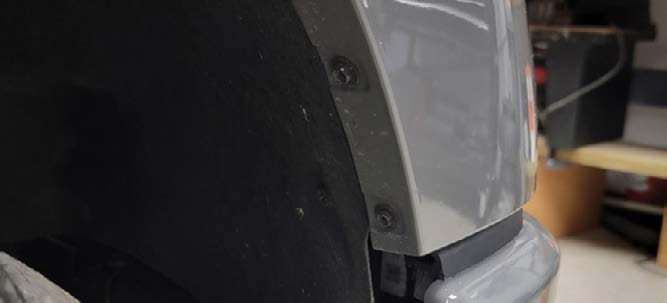
2. Remove the upper bumper valance
Work from each outside edge toward the centre to release the valance. Keep the trim and clips together for refitting.
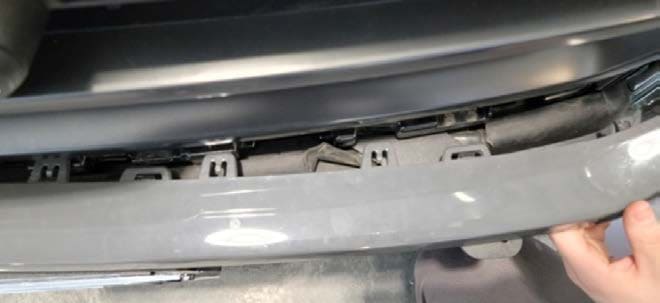
3. Remove the radiator-support trim
Lift out the tree clips and remove the trim panel over the radiator core support.
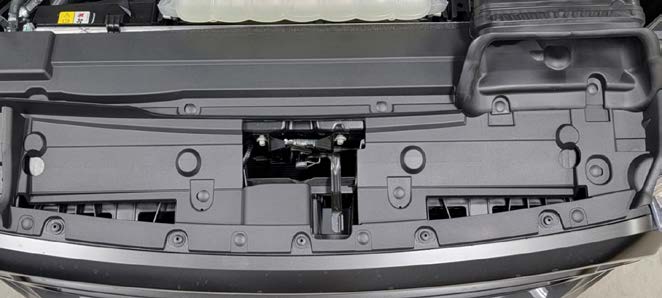
4. Disconnect the grille-area harnesses
Disconnect the harnesses near the hood latch, then release the clip attaching the harness to the grille.
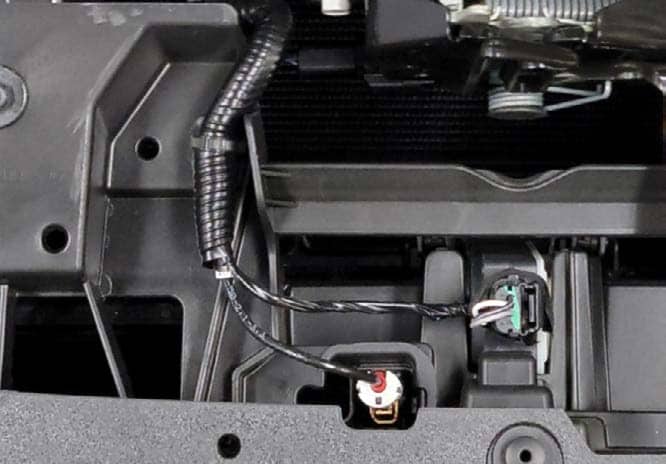
5. Remove the grille fasteners
Use a 10mm socket for the upper grille bolts and an 8mm socket for the lower bolts.
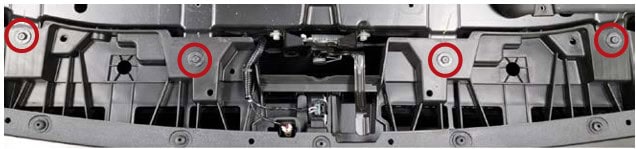
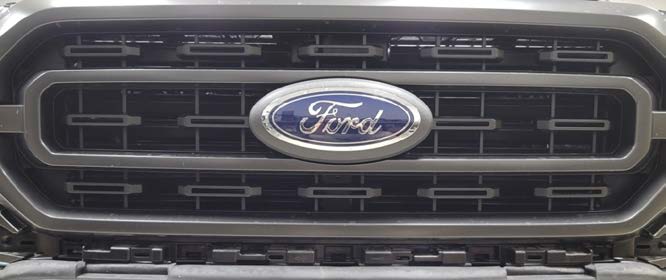
6. Remove the grille
Pull the grille firmly away from the radiator. Place it somewhere protected while fitting the brackets.
7. Fit the vehicle-specific base brackets
Remove the two 13mm bolts behind the bumper and use those mounting holes for the new brackets. Return each factory bolt to its original position for correct thread engagement.
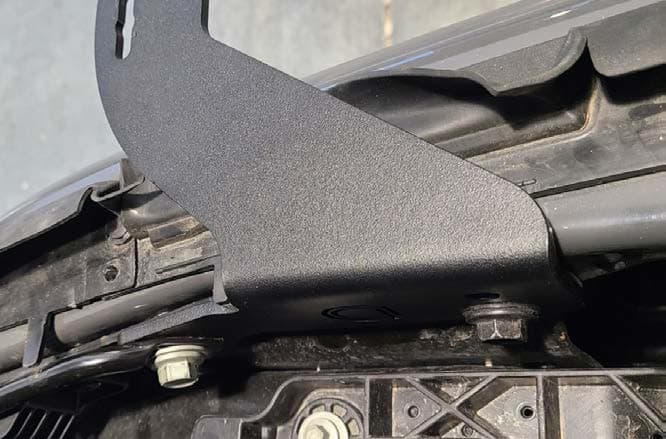

8. Route the wiring before replacing trim
Pass the harness through the opening beside the bracket before reinstalling the valance. Keep it clear of sharp edges and moving or hot components.
9. Refit the grille and valance
Reverse the removal sequence, reconnect the original harnesses and reinstall the clips and fasteners.
10. Install the two pods
Use the supplied universal pod brackets and hardware to mount each SS5 directly to its vehicle-specific base bracket. Leave the aiming fasteners loose enough for adjustment. These two independent pods do not use the five-pod CrossLink assembly.
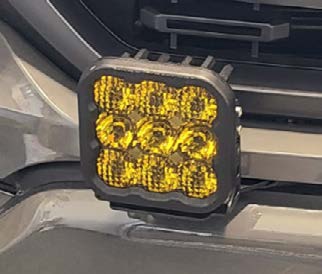
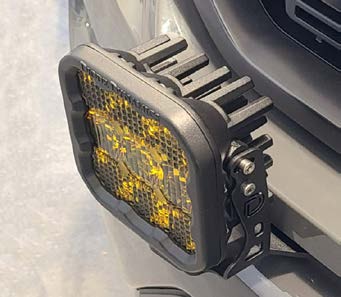
Pod hardware, clearance and aim

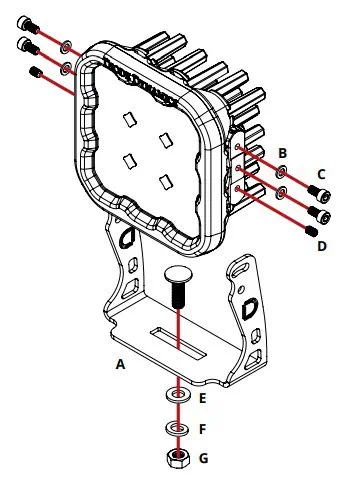
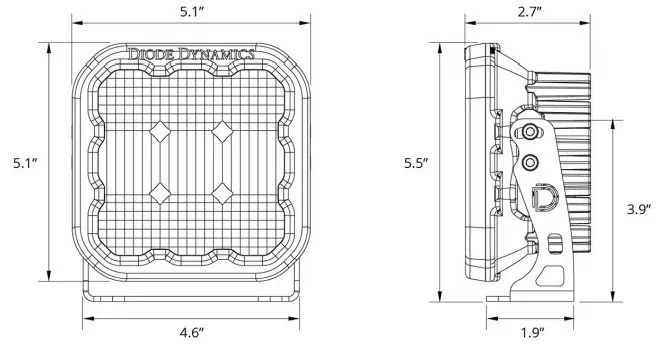
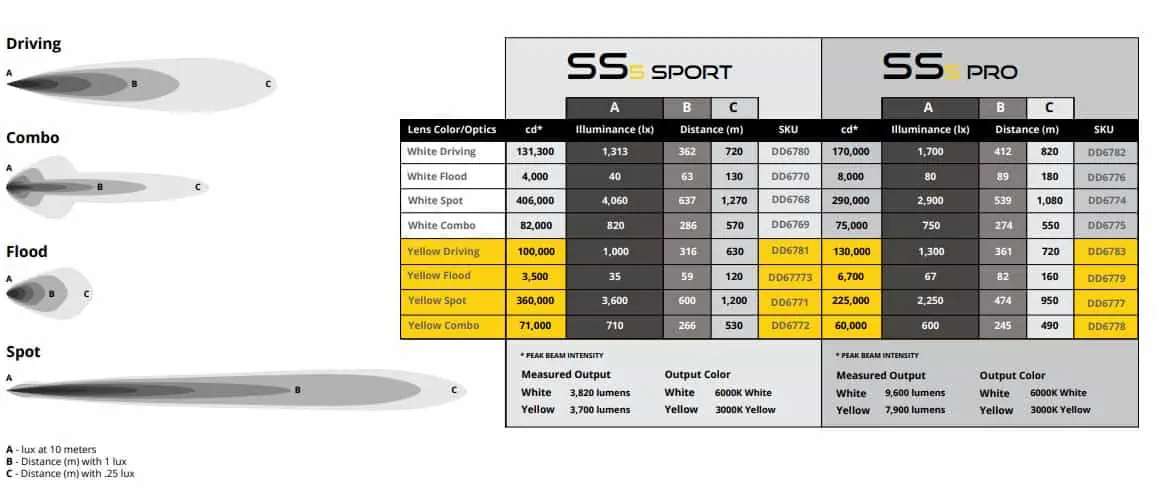
Adjust each pod to the intended off-road beam angle, then secure all mounting fasteners. Recheck the mounting after adjustment. The manufacturer’s reference below shows the different SS5 optics; this bumper listing offers Combo and Driving.
Wire main beams and backlights separately
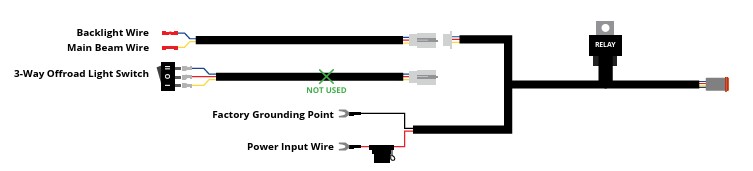
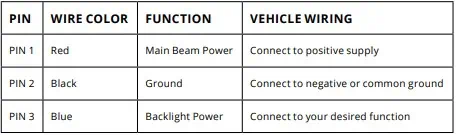
- Main beam: with a factory auxiliary switch bank, connect the harness’s yellow main-beam control wire to the chosen auxiliary-switch wire using an appropriate butt connector.
- Backlight: connect the blue backlight control wire to a separate auxiliary switch or an existing compatible Stage Series backlight circuit.
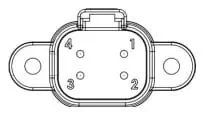
- Main power: connect the harness’s positive and negative battery leads to the battery or the vehicle’s main power terminals, following the supplied harness instructions.
- No factory auxiliary bank: use the included toggle-switch adapter to route the switch. This does not remove the need for fused main power.
- Secure the wiring, inspect connections, test both functions and tighten the mounting hardware.
Keep control wires separate from the harness’s high-current supply. All power sources must be fused. The generic pod guide specifies 16 AWG or larger if making custom wiring; use the supplied DD4093 harness for the complete kit.
Set the White-lens backlight colour
These steps apply to the White-lens SS5 pods. Yellow-lens pods have a fixed Amber backlight.
- Start with backlight power off.
- Switch the backlights on and off three times within three seconds, with the on presses about one second apart.
- Continue toggling at the same steady pace to cycle through White, Red, Blue, Green, Purple, Yellow, Amber and Teal.
- When your chosen colour appears, leave the backlight on for five seconds to save it.
- Turn it off; the saved colour returns during normal operation.
Synchronise two White-lens pods
Enter programming mode with the same three-cycle sequence, then cycle through all colours twice—at least sixteen power cycles. The lights reset to White. Leave them on for five seconds to save, then select a different colour if desired.
Final checks
- Both pods are secure and aimed for the intended off-road use.
- Original grille-area harnesses and all trim fasteners are reconnected.
- Wiring is fused, supported and clear of heat, sharp edges and moving parts.
- Main beams and backlights operate independently as intended.
- The installed lights do not interfere with other accessories or required vehicle functions.
Keep the auxiliary main beams off on public roads. For help choosing another part of the build, see the F-150 lighting hub or BTS lighting upgrade guide.