

BTS installation guide · 2021–2023 Ford F-150
Install your SS5 CrossLink grille lightbar
A practical guide to the five-pod kit: vehicle access, brackets, curved-bar assembly, controls and backlight setup.
For DD7317, DD7318, DD7321 and DD7322 on a 2021–2023 F-150 with the original grille and bumper, excluding Raptor. This guide follows the five-pod installation; the separate two-pod bumper-kit branch is not used.
Before starting
Diode Dynamics estimates approximately 1–2 hours for the vehicle installation. Read through the wiring route and identify your exact harness before beginning. Work with the vehicle and lighting power off, and follow the included harness instructions for safe electrical connections.
Tools for the F-150 work
- Plastic trim-removal tool and ratchet
- 7mm, 8mm, 10mm and 13mm sockets
- 5mm Allen wrench
- Wire strippers and suitable crimping tool
- The tools and hardware specified with your CrossLink assembly
Check the kit and controls
Use the matching Sport or Pro harnesses supplied with the kit. Factory aux control uses separate circuits for the main beam and backlight. Trucks without factory aux switches use the included toggle-switch adapter.
The lightbar can partially obstruct the front camera. Check the manufacturer’s camera-view example before fitting.
Official Diode Dynamics installation video. Follow the five-pod CrossLink route for this kit.
Install the five-pod kit
Step 1
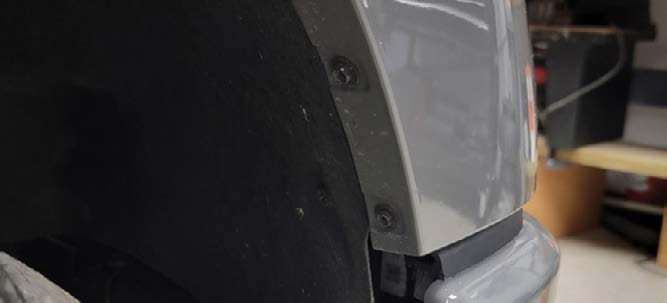
Release the fender-liner edges
With a 7mm socket, remove the two screws joining the fender liner to the upper bumper valance. Pull the sides of the valance free at the wheel opening.
Step 2
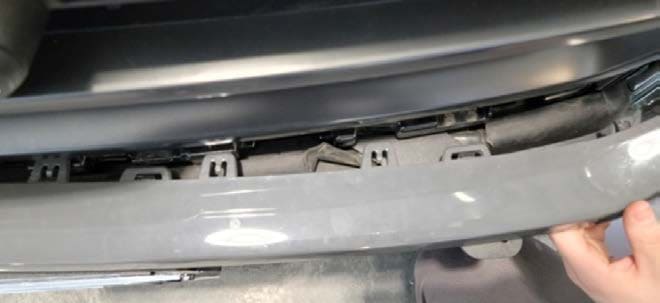
Remove the upper bumper valance
Repeat on the other side. Release the valance tabs from the outer ends toward the centre, then lift the valance away.
Step 3
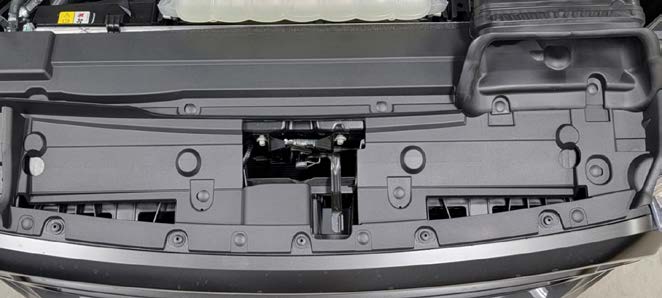
Lift off the radiator-support trim
Remove the thirteen tree clips holding the radiator-support trim panel, then remove the panel.
Step 4
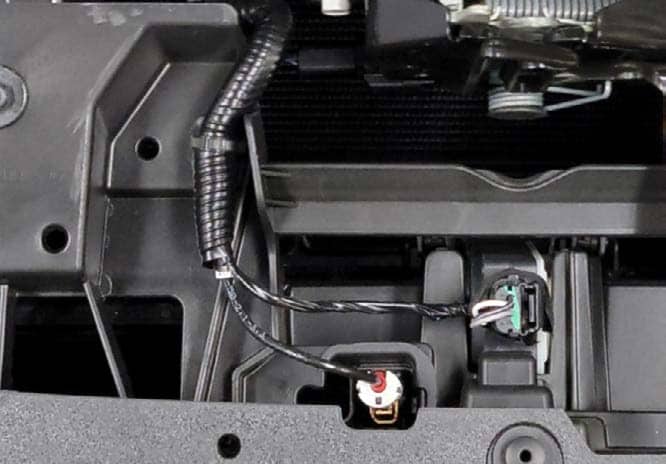
Disconnect the grille-area harnesses
Unplug the harness connectors near the hood latch. Release the clip that holds the harness to the grille.
Step 5
Remove the grille fasteners
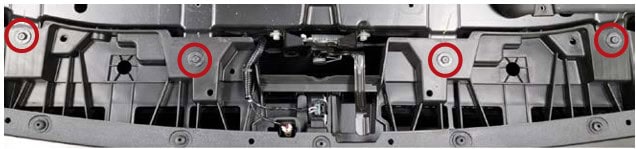
Remove the four upper grille screws with a 10mm socket. Remove the two lower screws beside the headlamp screws with an 8mm socket.
Step 6
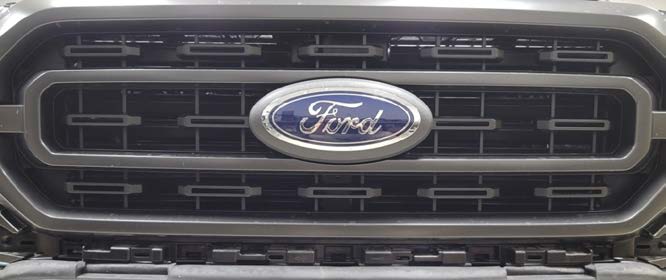
Remove the grille
Pull the grille firmly forward, away from the radiator, to release and remove it.
Step 7
Install the vehicle brackets
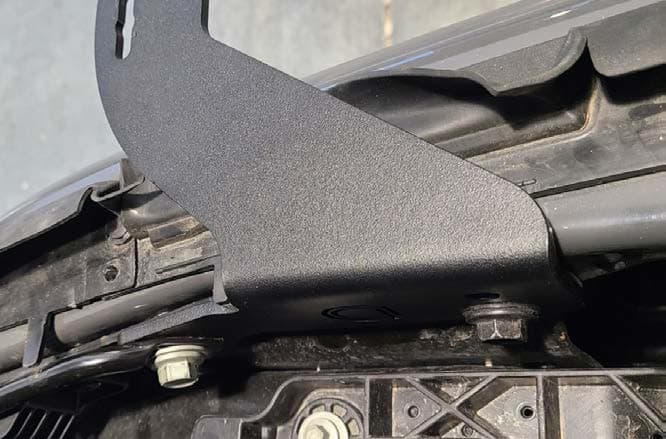
Remove the two 13mm bolts behind the bumper at each mounting location and fit the new grille brackets using those holes.
Keep each factory bolt in its original position. The outer silver bolt secures the strut and is longer; exchanging it with the shorter black-head bolt can prevent correct thread engagement.
Leave the bolts slightly loose so the bracket can pivot around the outer bolt. Pull the inner side of the bracket downward, then tighten the inner bolt followed by the outer bolt to set its alignment.

Step 8
Route the harness before refitting the valance
Feed the included harness through the opening in the rubber seal beside the bracket. Do this now: the connector will not pass through with the plastic valance installed.
Step 9
Refit the grille and trim
With the brackets installed and harness routed, reverse steps 1–6 to reinstall the grille, trim panel and valance. Reconnect the harnesses and secure their retaining clips.
Step 10
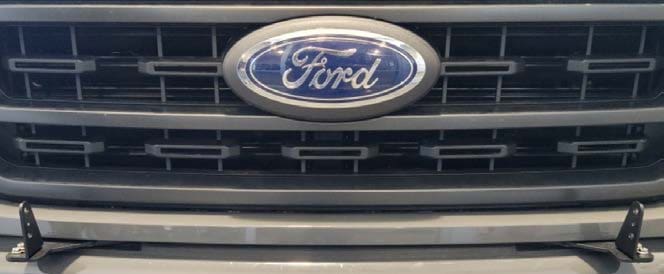
Attach the CrossLink low mounts
For this five-pod kit, fasten the SS5 low-mount brackets to the vehicle brackets with the supplied M6 hardware.
Step 11
Link the five pods into the curved bar
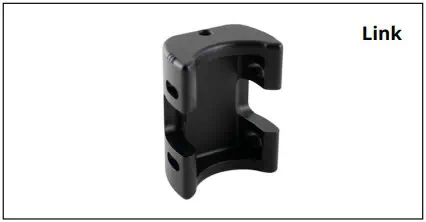
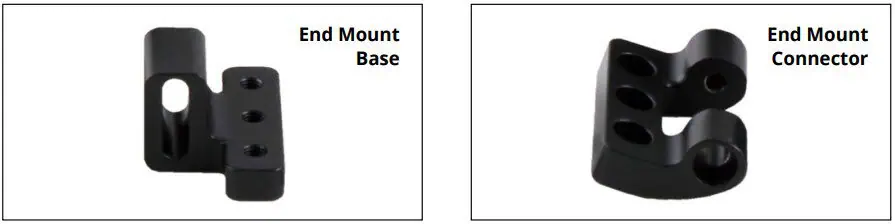
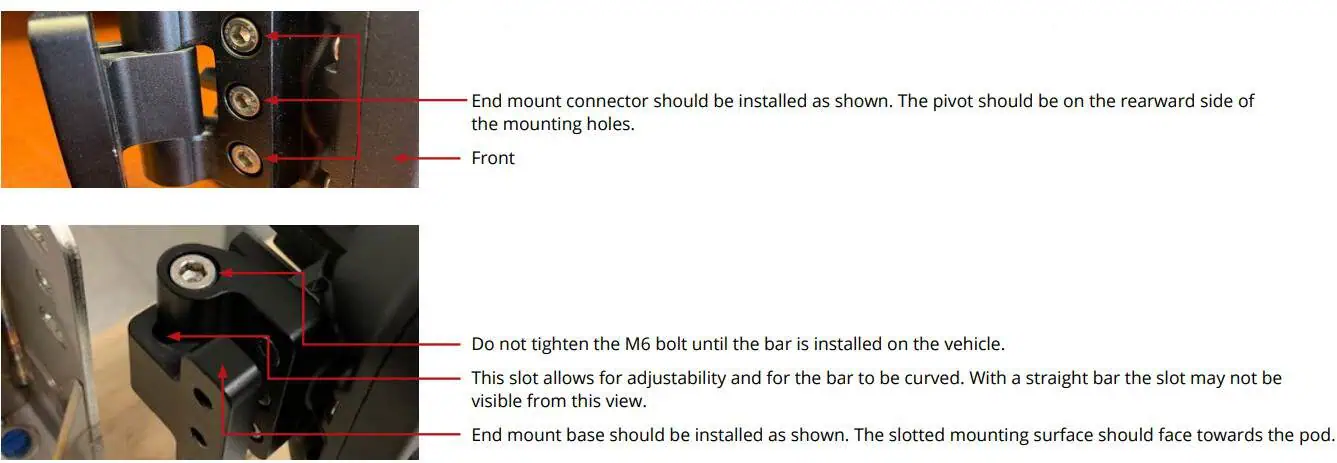
Assemble the five SS5 pods with the supplied CrossLinks and end mounts using the diagrams below and the instructions included with your kit.
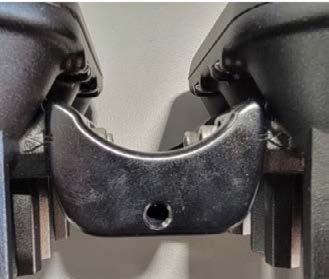
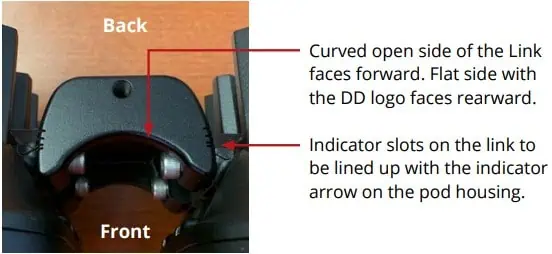
- Face each link’s curved, open side toward the front. Its flat DD-logo side faces the rear.
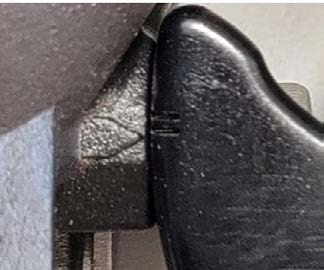
- Line up the link’s indicator slots with the arrow on the pod housing. For this F-150, set each connection at the bottom of the second notch to form the correct curve.
- At each end, position the connector’s pivot behind its mounting holes. Face the base’s slotted mounting surface toward the pod.
- Leave the end-mount M6 bolt loose until the bar is installed on the truck. The slot provides the adjustment needed for the curved assembly.
Diode Dynamics recommends threadlocker on the long end bolts to help prevent loosening.
Step 12
Fit the assembled bar to the mounts
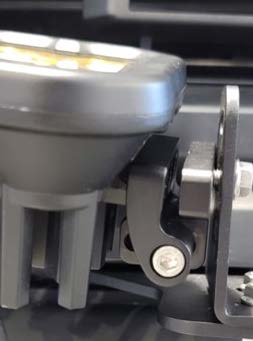
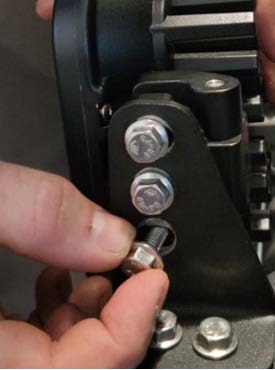
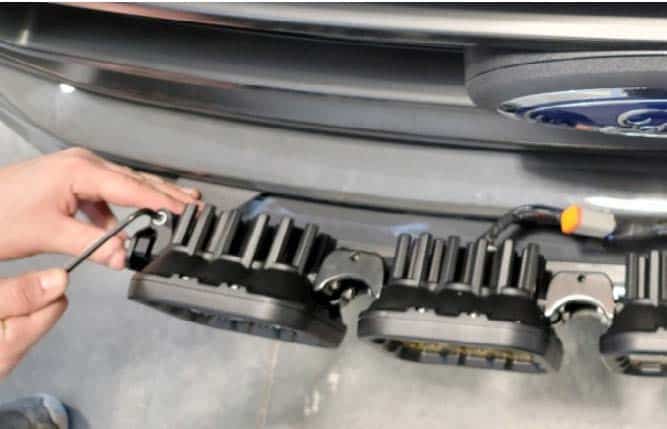
Attach the bar to the low mounts with one 10mm bolt on each side. Rotate the bar upward to expose the end bolt in the pivot mount. Tighten that pivot bolt with a 5mm Allen wrench, then rotate the bar down and install the other two 10mm bolts.
Step 13
Set the opposite pivot and secure the bar
After tightening all three 10mm bolts, adjust the gap at the opposite pivot mount and secure it with the 5mm Allen wrench. Set the beam angle and confirm all mounting hardware is tight.
Step 14
Connect the main-beam control
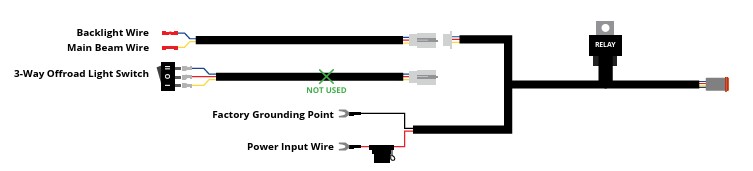
Factory auxiliary-switch route: locate the aux wiring near the battery. Use your truck’s owner’s manual to identify the wire and switch with the appropriate rating. Join the harness’s yellow main-beam control wire to the chosen aux wire with a properly crimped butt connector.
No factory aux bank: use the toggle-switch adapter supplied with the harness instead. Follow the harness instructions for its switch routing. All power sources must be properly fused.
Step 15
Connect the backlight control
Connect the harness’s blue backlight wire to a separate auxiliary-switch circuit. The manufacturer also permits connection to an existing Stage Series backlight circuit. Keep main-beam and backlight control distinct.
Step 16
Connect the battery leads
Connect the harness’s positive and negative leads to the corresponding battery or main power terminals near the fuse box. Use the harness supplied for your Sport or Pro kit, including its fuse and relay arrangements.
Step 17
Secure and test the installation
Secure the wiring, check the connections and test both the main beam and backlight. Confirm the grille and trim are secure, all mounting hardware is tight, and the bar is aimed as intended before use.
Read the harness and lamp connections separately
The F-150 aux instructions above identify the harness’s yellow main-beam control and blue backlight control wires. The diagram shows the factory-aux arrangement; its separate toggle-switch branch is unused on that route. Trucks without factory aux switches use the supplied toggle-switch adapter.
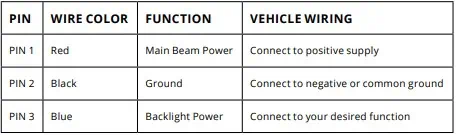
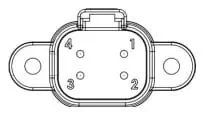
The following reference describes the lamp connector; its red power lead and the harness’s yellow aux control lead are different connections.
- Pin 1 · Red
- Main-beam power: positive supply.
- Pin 2 · Black
- Ground: negative supply or common ground.
- Pin 3 · Blue
- Backlight power: the chosen backlight circuit.
Keep the supplied fuse protection in place. For an alternate wiring arrangement, have the circuit sizing and protection checked for the complete five-pod load.
Set the backlight colour
This colour-selection procedure is for the White-lens kits. Yellow-lens kits have an Amber-only backlight. The backlight setting does not change the main-beam colour.
- Start with backlight power off.
- Switch the backlight on and off three times within three seconds, with each on action about one second apart.
- After the third cycle, continue cycling at the same steady pace to move through the available colours.
- When the colour you want appears, leave the backlight on for five seconds. It saves automatically and exits programming.
- Turn it off. Your selected colour will return the next time backlight power is applied.
Available colours: White (default), Red, Blue, Green, Purple, Yellow, Amber and Teal.
Synchronise the backlights
If the White-lens pods no longer show the same backlight colour, use the manufacturer’s reset:
- Enter programming with three on/off cycles at the same one-second pace.
- Continue through all eight colours twice—at least sixteen total power cycles.
- Once every colour has displayed twice, the connected lights reset to White.
- Leave the backlights on for five seconds to save. Then use the colour-selection steps above if you want a different colour.
Ready for the next step?
Original BTS guide based on Diode Dynamics’ current F-150 SS5 installation instructions and CrossLink/SS5 assembly references, checked October 23, 2026. Vehicle-specific article published August 12, 2026; the product-linked April 5, 2024 article supplies the retained fastener and harness-routing details. Diagrams and installation video © Diode Dynamics. Follow the instructions supplied with your exact kit where revisions differ.