

BTS Lighting · Installation
Install Elite & Elite Max headlights on your 2021–2023 F-150
Match the adapter harness to your original Ford headlights, install the assemblies, then aim the beams before the truck goes back on the road.
Start with the right kit
These instructions cover the qualified 2021–2023 F-150 application; the product also lists 2022–2023 Raptor configurations. Diode Dynamics confirms fitment on USDM vehicles. Canadian-spec and right-hand-drive trucks need confirmation before ordering or installing. Identify the lamps fitted by Ford originally, even if the truck has aftermarket headlights now.
| Original Ford headlights | Choose on the product page | Elite kit | Elite Max kit |
|---|---|---|---|
| Halogen | Non-Projector | DD5168 | DD5167 |
| LED reflector | Non-Projector | DD5168 | DD5167 |
| LED projector | Projector | DD5178 | DD5177 |
Halogen and LED reflector both use the Non-Projector kit. LED projector uses the Projector kit. Elite versus Elite Max is a separate choice.
Before removal, park on level ground facing a wall with 25 feet between the wall and the outer headlight lenses. Leave room to aim the new lamps at the end.
Tools listed by Diode: ratchet; 4, 7, 8, 10, 13 and 21 mm sockets; T30 Torx driver; pliers; plastic trim tools; tape. Have a tape measure for aiming.
Check the box: left and right lamps, the adapters for your selected factory configuration, sealing plugs and aiming tool. Factory-halogen installations use the included AMP power harness. Elite Max also includes the heavy-duty dual-output auxiliary harness. Matching Elite fog lights are optional and separate.
Remove the factory lamps
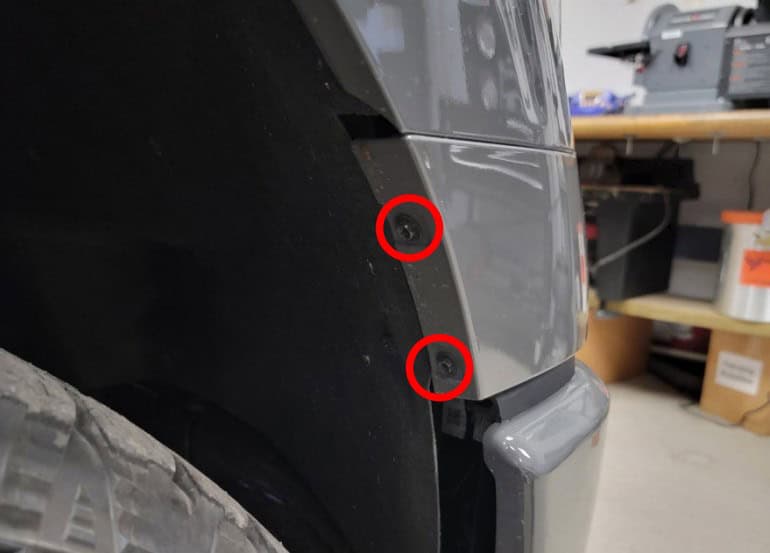
1 Release the fender liners
Remove the two 7 mm fasteners at the passenger-side fender liner. Do the same on the driver’s side.
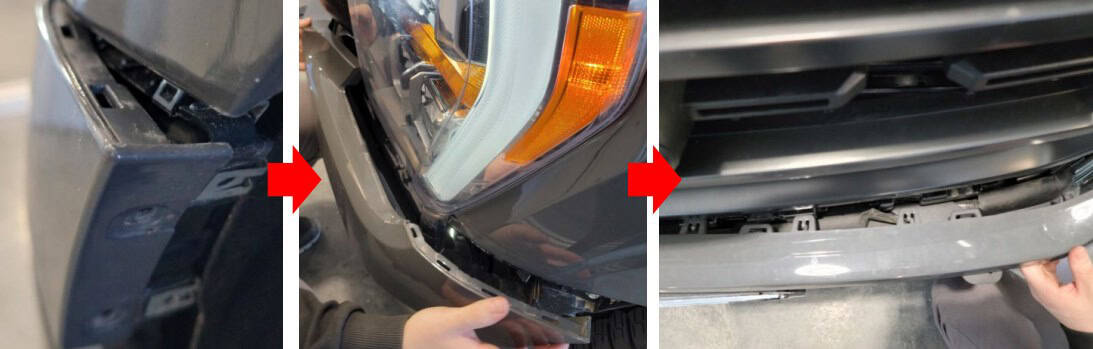
2 Unclip the bumper trim
Begin at the wheel wells and release the mid-bumper trim clips, working inward. Set the panel aside.
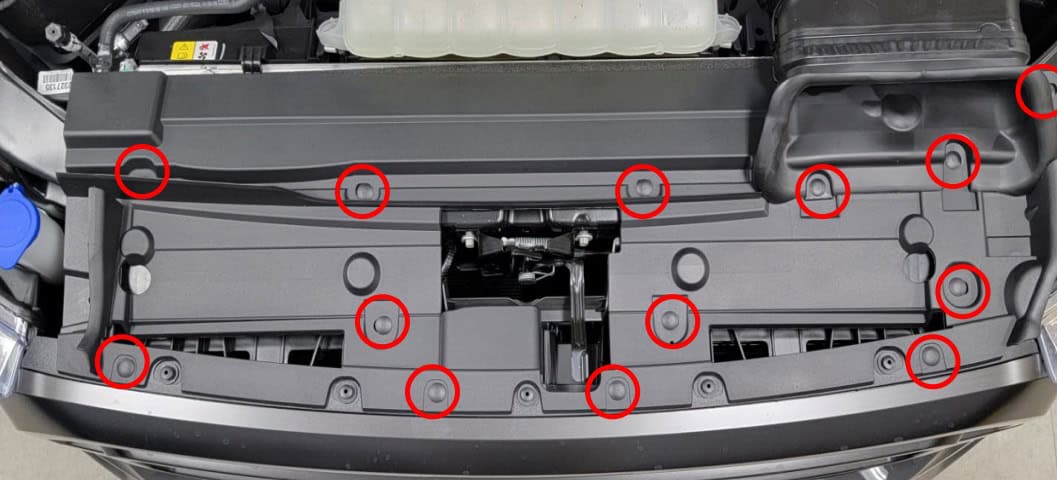
3 Lift off the radiator cover
Open the hood, remove the 13 plastic retainers from the black radiator core-support cover, and lift the cover off.
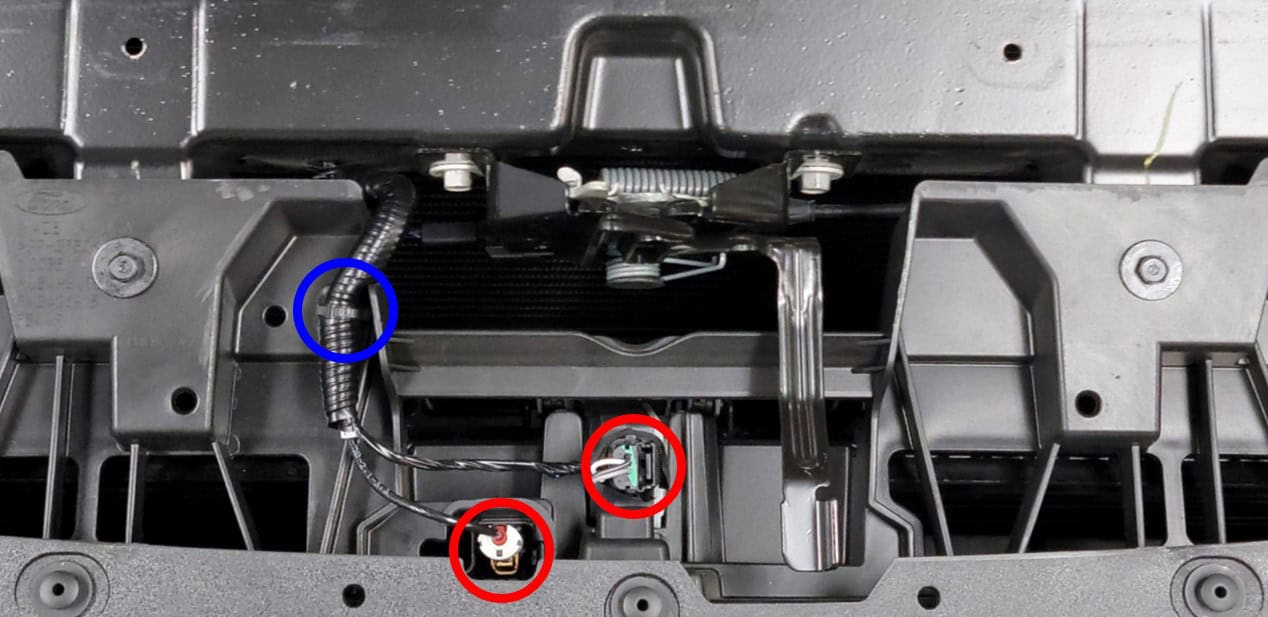
4 Unplug the grille wiring
Disconnect the harness connectors beside the hood latch and release their retaining clip.
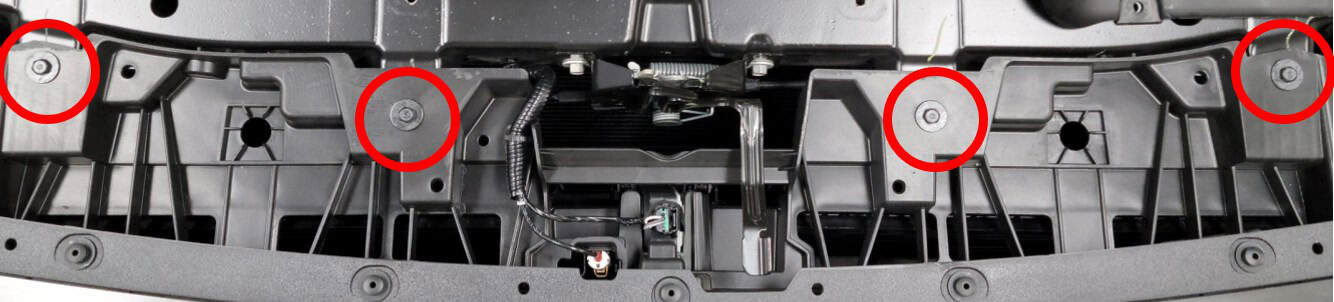
5 Undo the upper grille fasteners
Remove the four 10 mm bolts across the top of the grille.
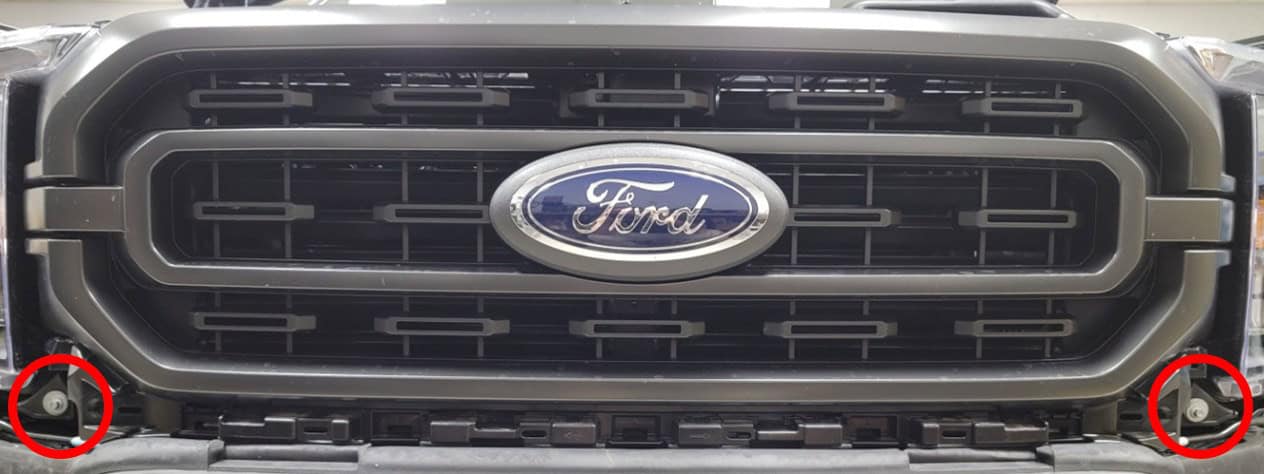
6 Undo the lower grille fasteners
Remove the two 8 mm bolts at the lower grille corners beside the headlights.
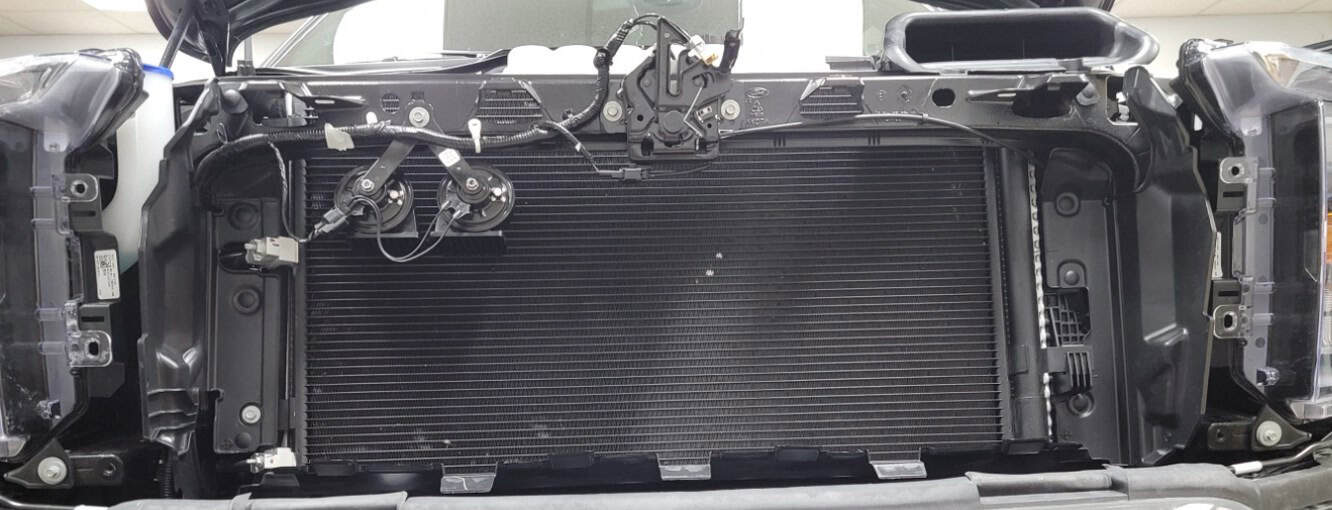
7 Set the grille aside
Pull the grille forward carefully to release it.
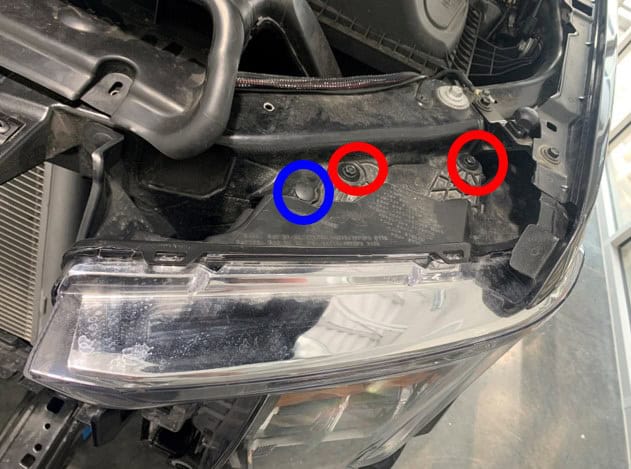
8 Undo the driver-side headlight fasteners
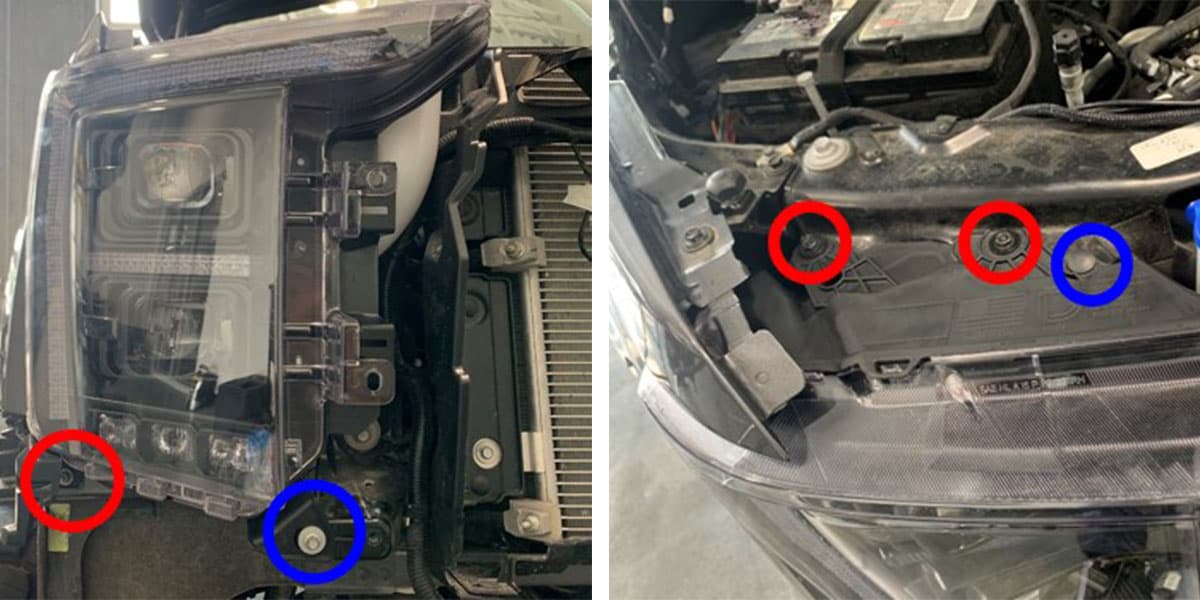
At the top, remove the plastic clip and two 10 mm bolts. At the bottom, remove the outer 8 mm bolt and inner 10 mm nut.
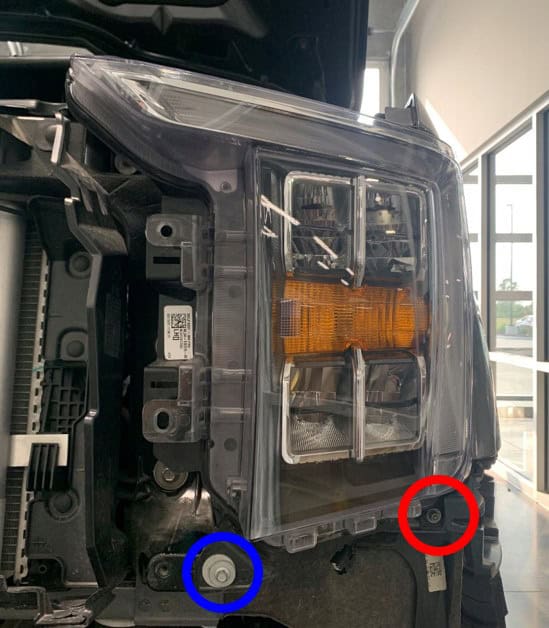
9 Disconnect the driver-side lamp
Pull the lamp forward to release its ball-pin retainer. Support it while disconnecting the factory plugs, then remove it. Plug style and count depend on the original lamp type.
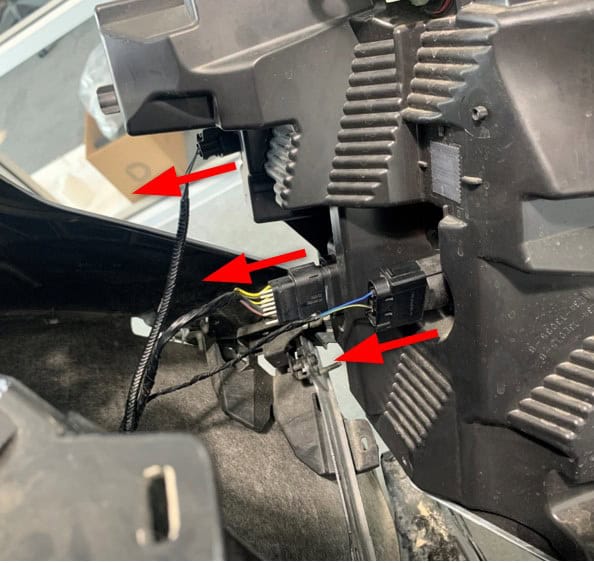
10 Remove the passenger-side lamp
Repeat the headlight fastener and connector removal on the passenger side.
Connect your kit
11 Factory halogen only: route the AMP power harness
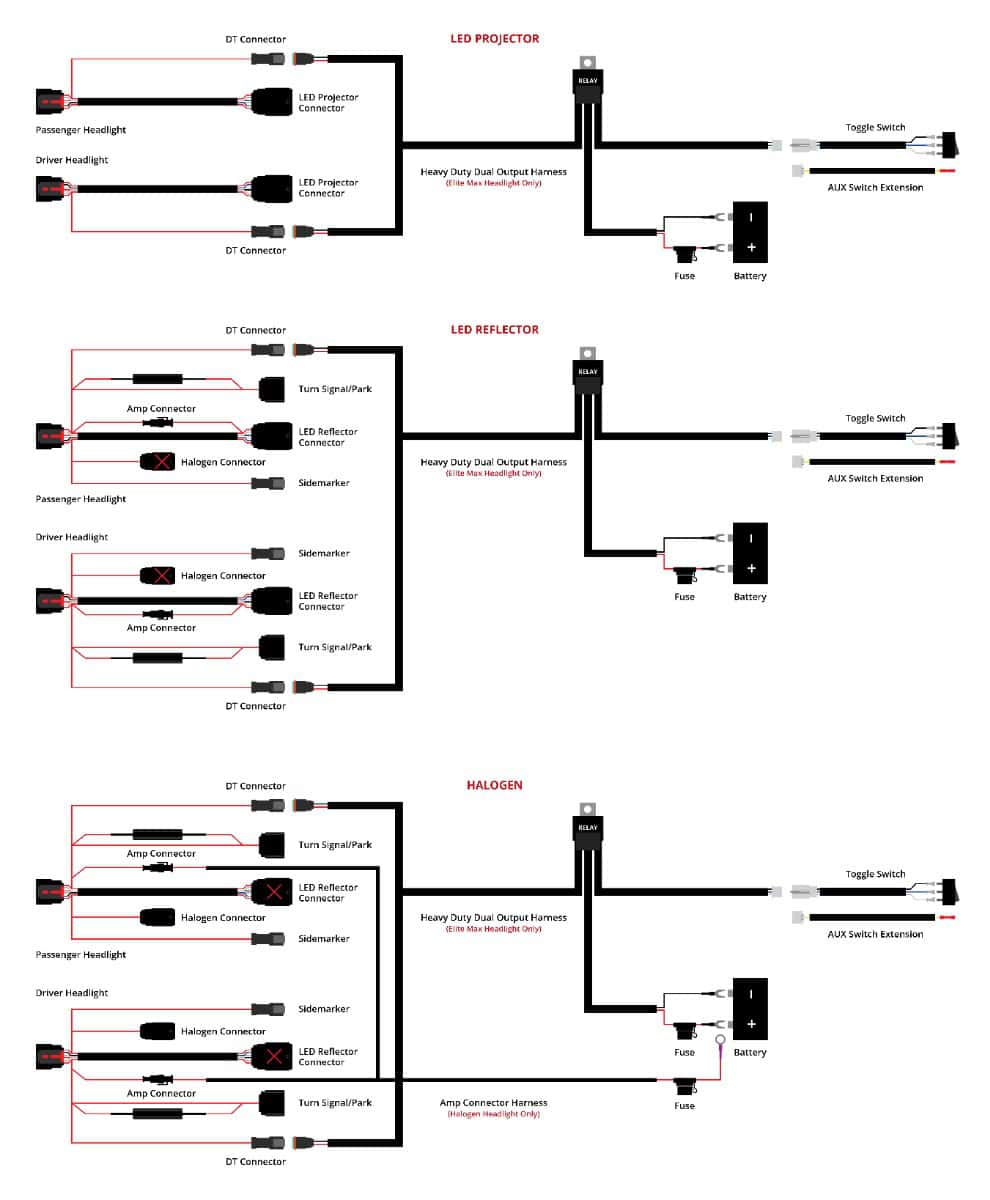
Follow the factory wiring loom across the engine bay. Connect this harness’s ring terminal to battery positive and bring one AMP connector to each headlight opening. Each will connect to adapter connector 6 in Step 13. Factory LED reflector and LED projector trucks skip this step.
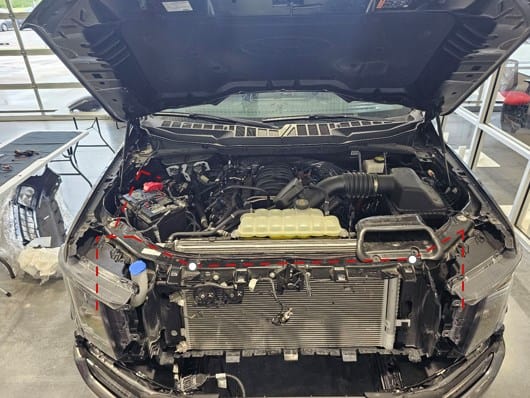
12 Elite Max only: route the auxiliary harness
Follow the factory loom with the heavy-duty dual-output harness. Connect its positive and negative ring terminals to the corresponding battery terminals, and bring one DT output to each headlight opening.
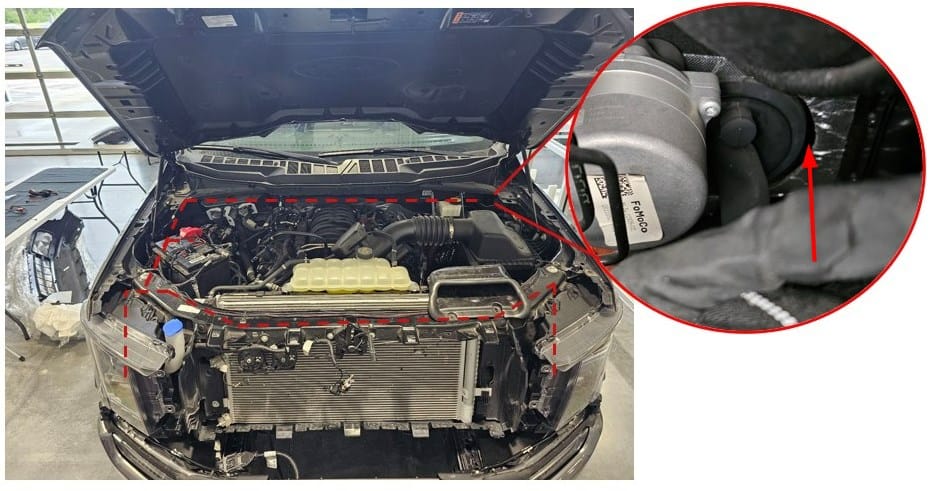
Route the auxiliary-switch wire into the cabin through the firewall; Diode shows the grommet beside the brake booster. Use the supplied toggle switch or an appropriate factory auxiliary-switch connection. On Projector kits the DT outputs connect to the projector adapters’ DT inputs. On Non-Projector kits they connect to connector 2. Standard Elite skips this step.
13 Connect the adapters for your original lamps
Factory LED projector · DD5178 / DD5177
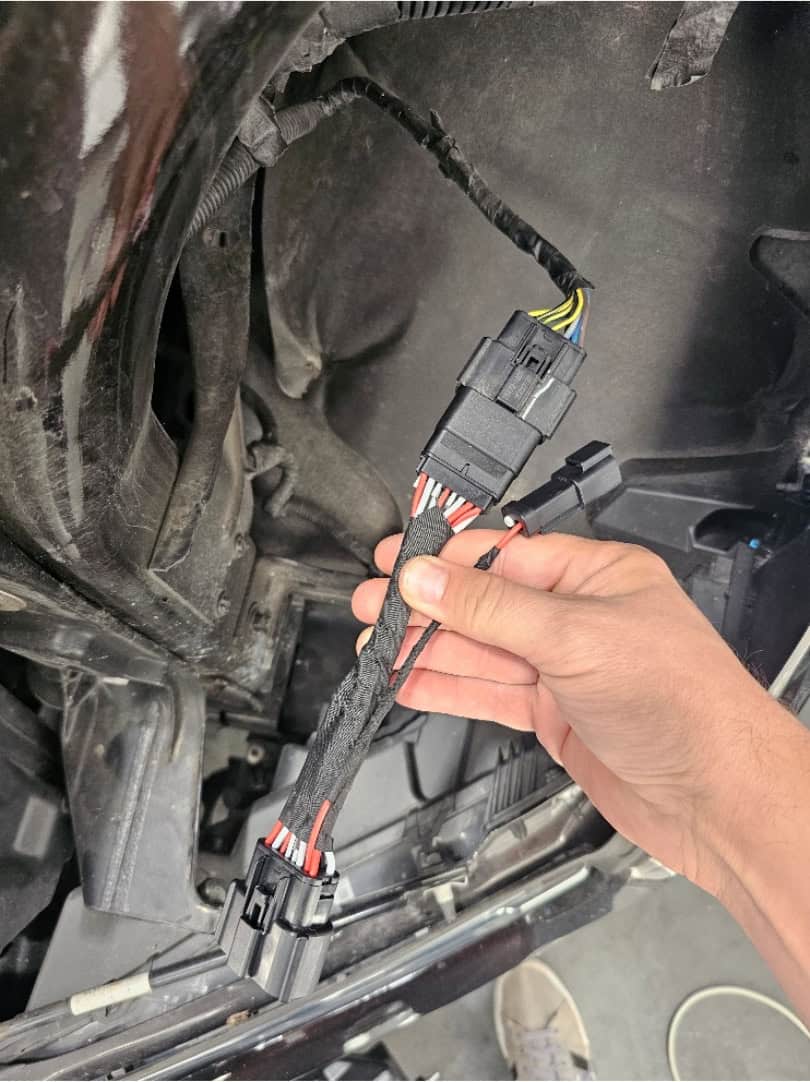
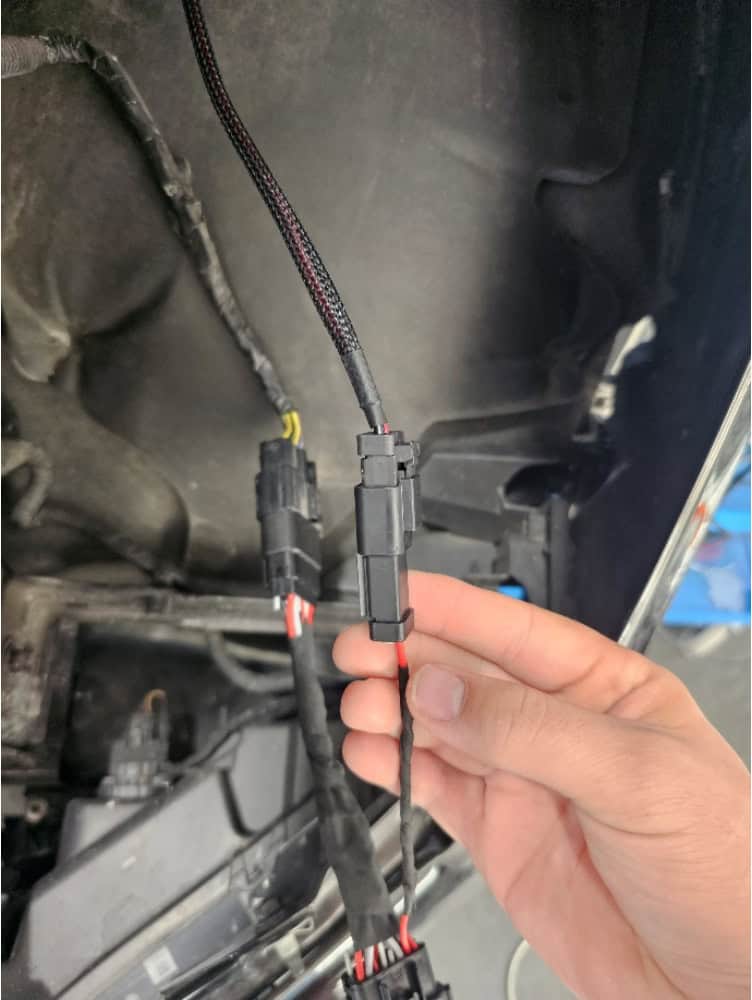
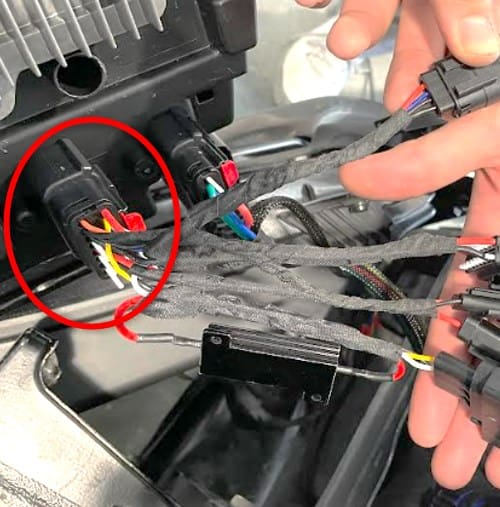
Connect each projector adapter to the original 16-pin Ford plug. For Elite Max, also connect the auxiliary harness’s DT output to the adapter’s DT input. Position the large connector ready for the new lamp.
Factory halogen or LED reflector · DD5168 / DD5167
Match each keyed adapter plug to its corresponding factory connector. Halogen trucks also connect the AMP harness to connector 6. Elite Max also connects the auxiliary DT output to connector 2. Cap unused connections with the supplied sealing plugs.
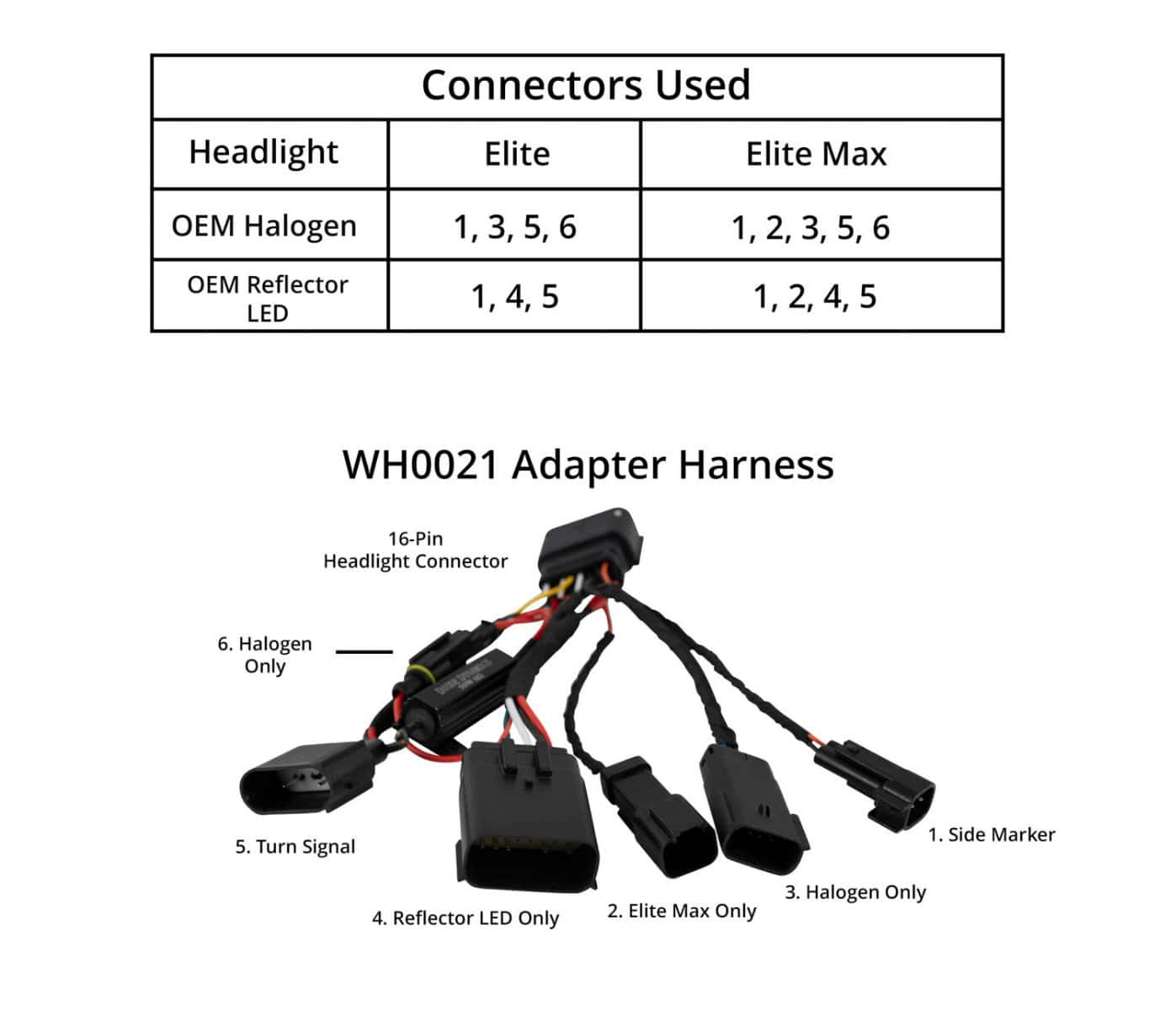
| Factory lamps | Elite connectors | Elite Max connectors |
|---|---|---|
| Halogen | 1, 3, 5, 6 | 1, 2, 3, 5, 6 |
| LED reflector | 1, 4, 5 | 1, 2, 4, 5 |
14 Optional Elite fog lights: connect communication leads
Skip this step if you are not fitting compatible Elite fog lights. Remove the cap from each headlight communication port, connect a communication lead, and route it down to the corresponding fog light’s communication port.
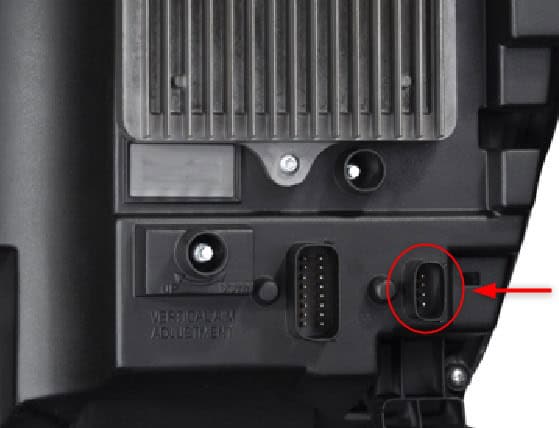
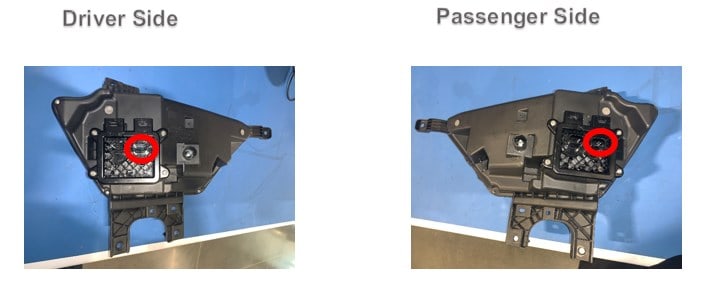
15 Connect and secure the new headlights
Starting on the passenger side, plug the adapter’s large connector into the new lamp. On projector adapters, push the retention clip forward to lock it. Position the lamp and reinstall its original fasteners. Repeat on the driver’s side.
Test, refit and aim
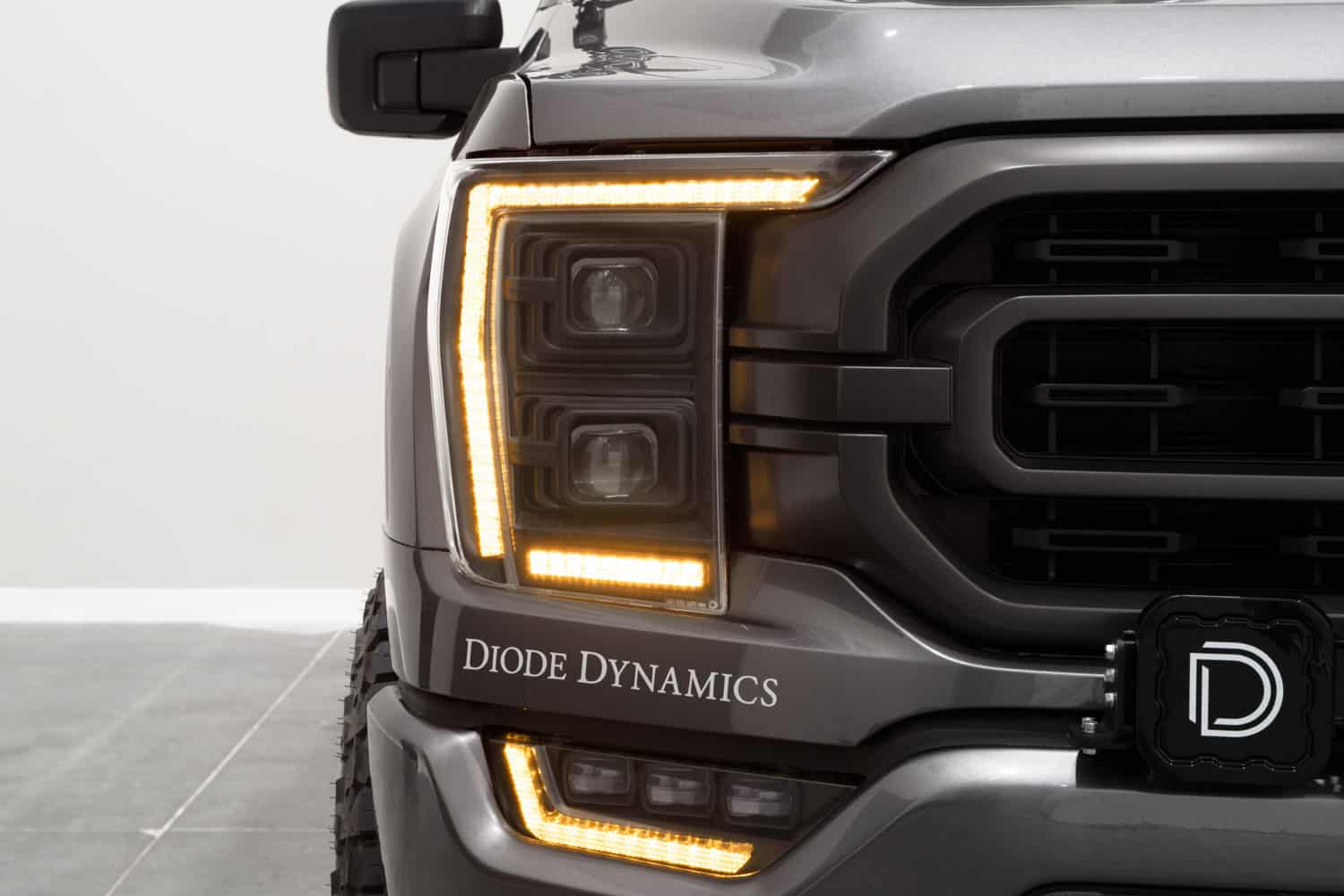
16 Test before refitting the grille
Check low beams, high beams, DRLs, parking lights, turn signals, the welcome sequence and any Elite Max functions. If a sleeping truck does not play the welcome sequence on Unlock, press Lock and then Unlock. Once awake, it should respond to Unlock.
Keep Trail Light for off-road use and Show Mode for stationary display. The BTS programming guide covers the selectable settings.
17 Refit the grille
Press the grille into position and reinstall the two lower 8 mm bolts.
18 Secure the top of the grille
Reinstall the four upper 10 mm bolts.
19 Reconnect the grille wiring
Reconnect the harnesses beside the hood latch and refit their retaining clip.
20 Refit the radiator cover
Reinstall the cover with its 13 original plastic retainers.
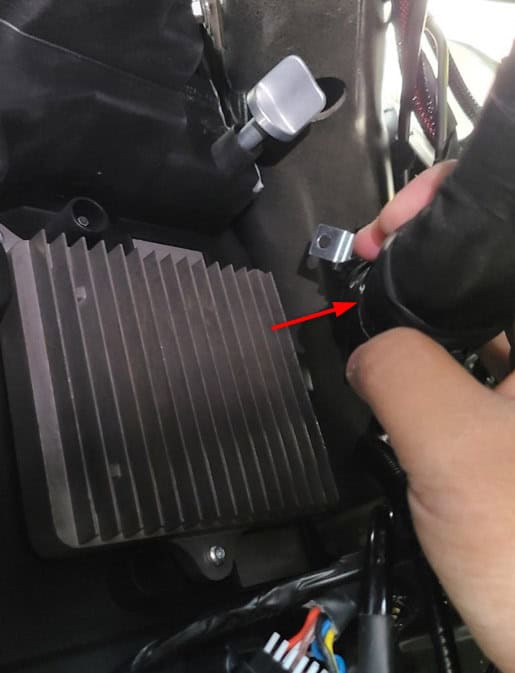
21 Reach the vertical adjusters
From each wheel well, unclip the harness shown in Diode’s access image to reach the upper vertical adjuster.
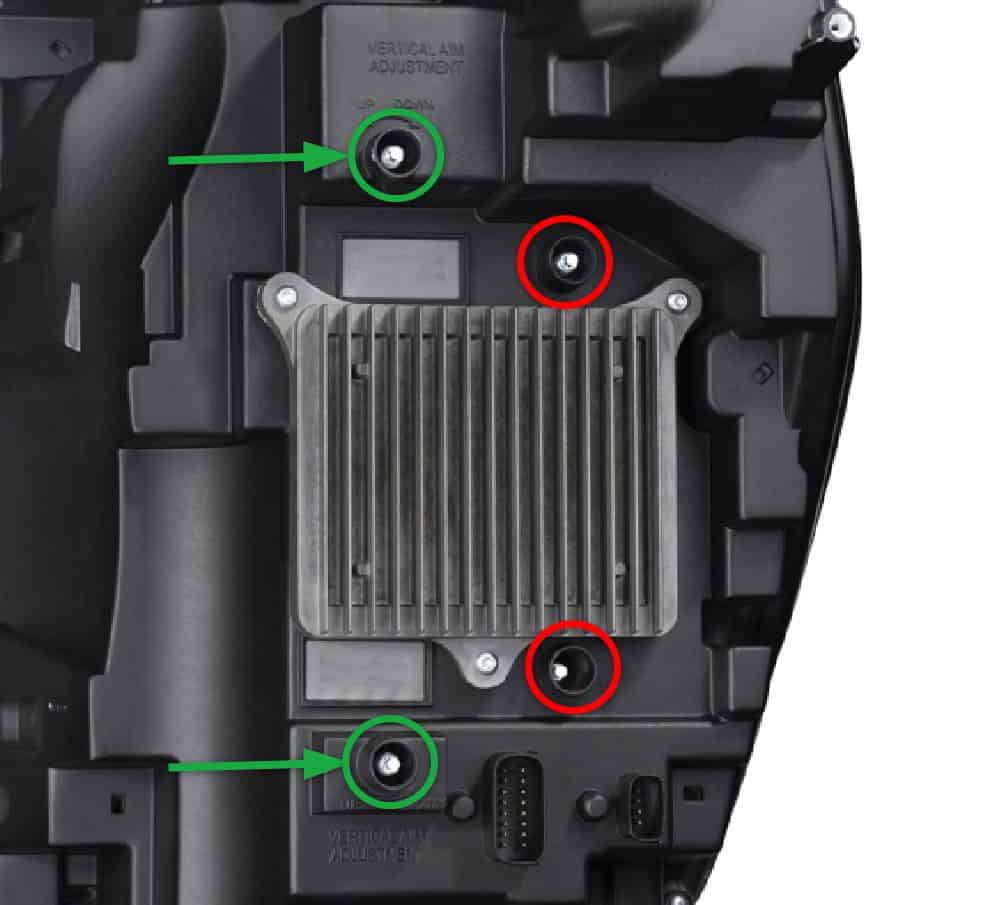
22 Aim both headlights
With the truck still level and the lenses 25 feet from the wall, measure the height of the aiming dots on both exterior lenses. The heights should match. Put a long horizontal tape line on the wall at that height, then a second line exactly 3 inches lower. Turn the headlights on.
Diode specifies that the upper beam gradients align with the upper tape line and the lower gradients align with the lower line. Use the supplied tool or a 4 mm socket on the vertical screws: counterclockwise raises the beam; clockwise lowers it.
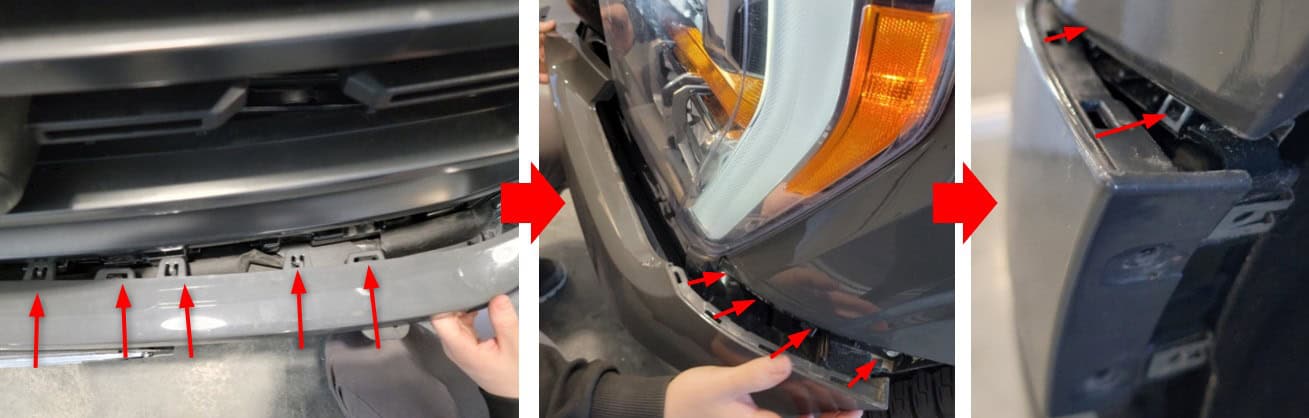
23 Refit the bumper trim
Align the panel and snap the clips back in, starting at the centre and moving outward.
24 Secure both fender liners
Reinstall the 7 mm fasteners on both sides.