

1. Remove the mounting fasteners
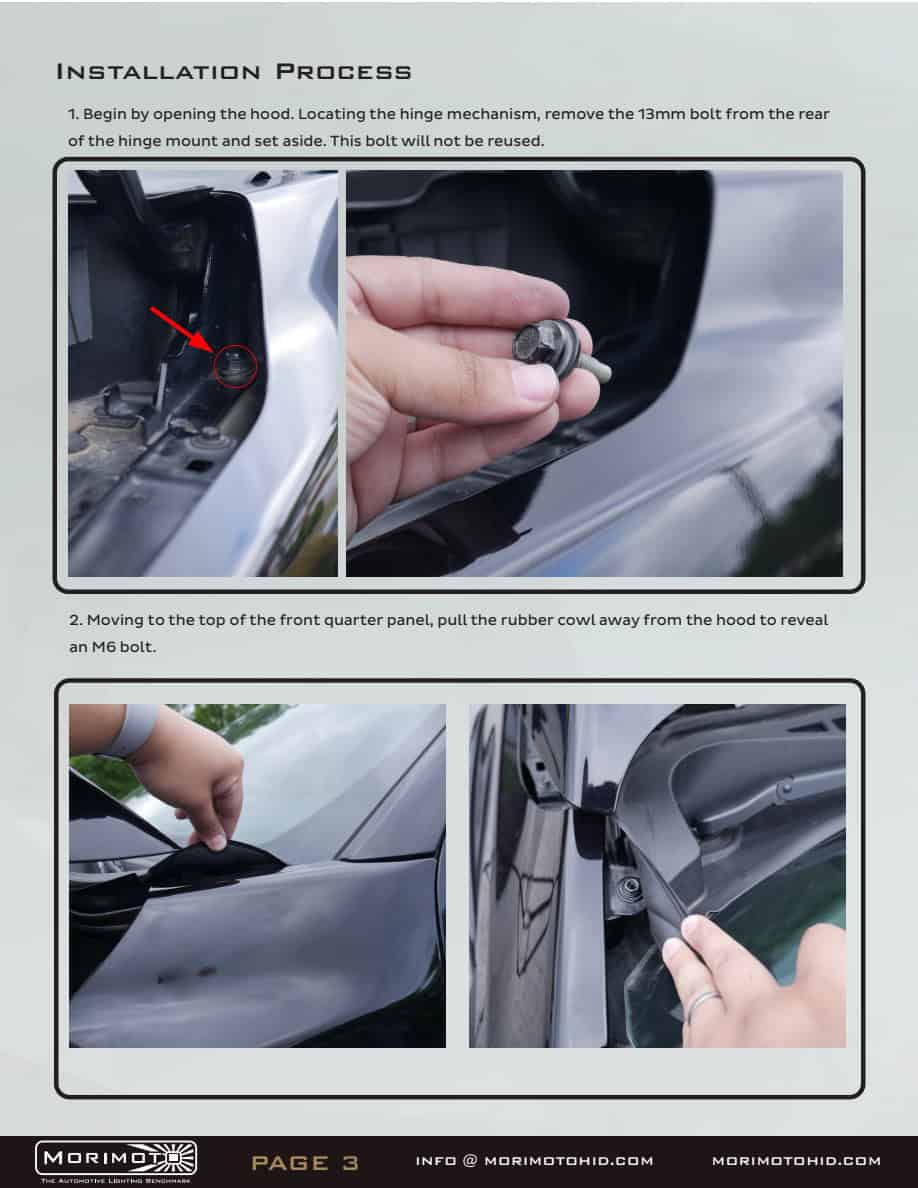
Open the hood. Remove the rear 13mm hinge-mount bolt. Pull back the rubber cowl and locate the M6 quarter-panel fastener. The removed bolts are replaced with the supplied hardware.
BTS illustrated installation guide
Use the BAF067 instructions for the vehicle brackets and the ProComp 76413P/76414P instructions for the pods and harness.
This guide covers the complete ProComp kit on 2021–2023 F-150 and Raptor. Disconnect the battery ground before electrical work. Protect the paint, keep the truck secure and use an installer if the supplied instructions or connections are unclear.
Bracket work uses 10mm and 13mm sockets plus Torx tools; the bracket manual lists T20 in its tool list but calls for T30 in step 11. Match the supplied Torx fasteners. Pod mounting uses the hardware and tools specified in the ProComp manual. No fastener torque is invented here.
Open the complete BAF067 manual · Open the complete ProComp manual
The BAF067 PDF later illustrates 4Banger pods. Those later pod-assembly pages do not describe this ProComp kit; use the ProComp section below.
Open the hood. Remove the rear 13mm hinge-mount bolt. Pull back the rubber cowl and locate the M6 quarter-panel fastener. The removed bolts are replaced with the supplied hardware.
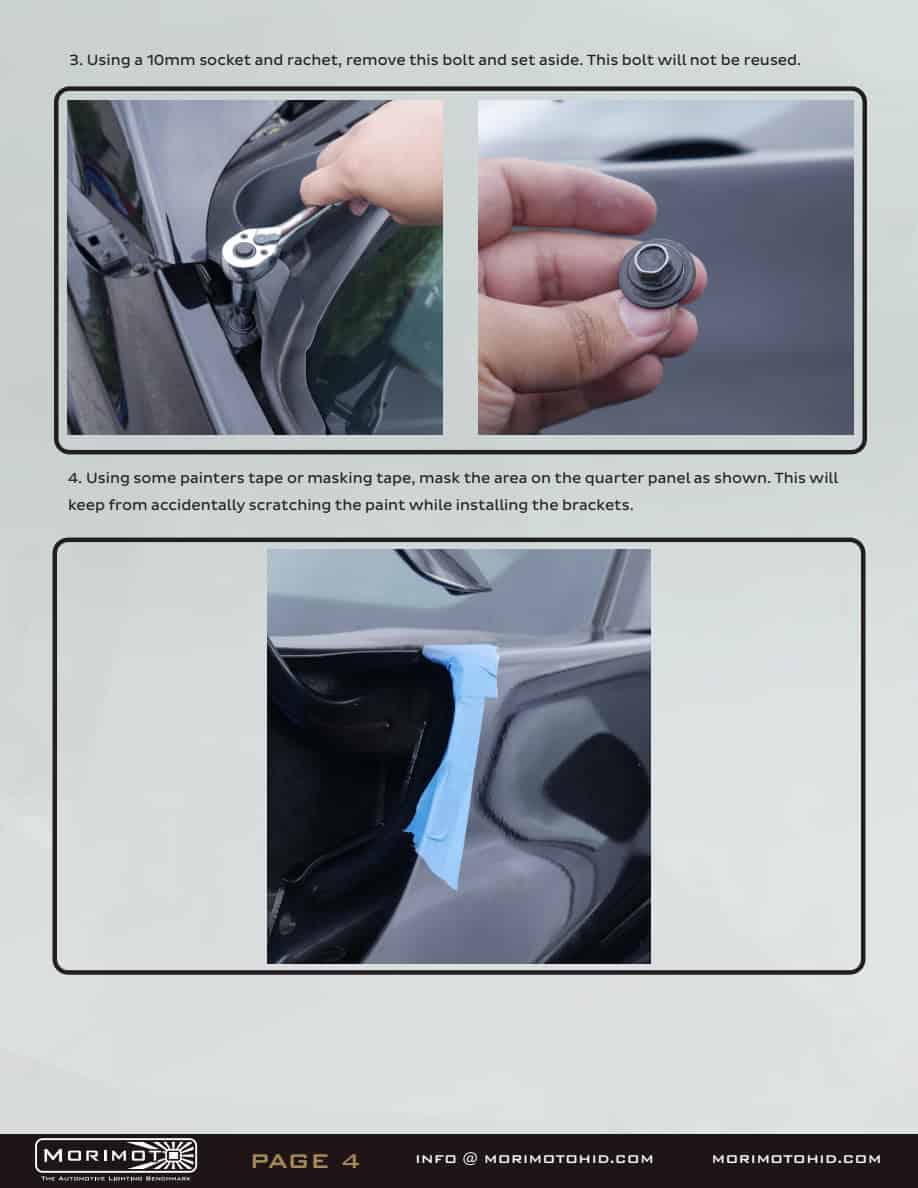
Remove the M6 fastener with a 10mm socket. Apply masking tape where the bracket passes behind the quarter panel.
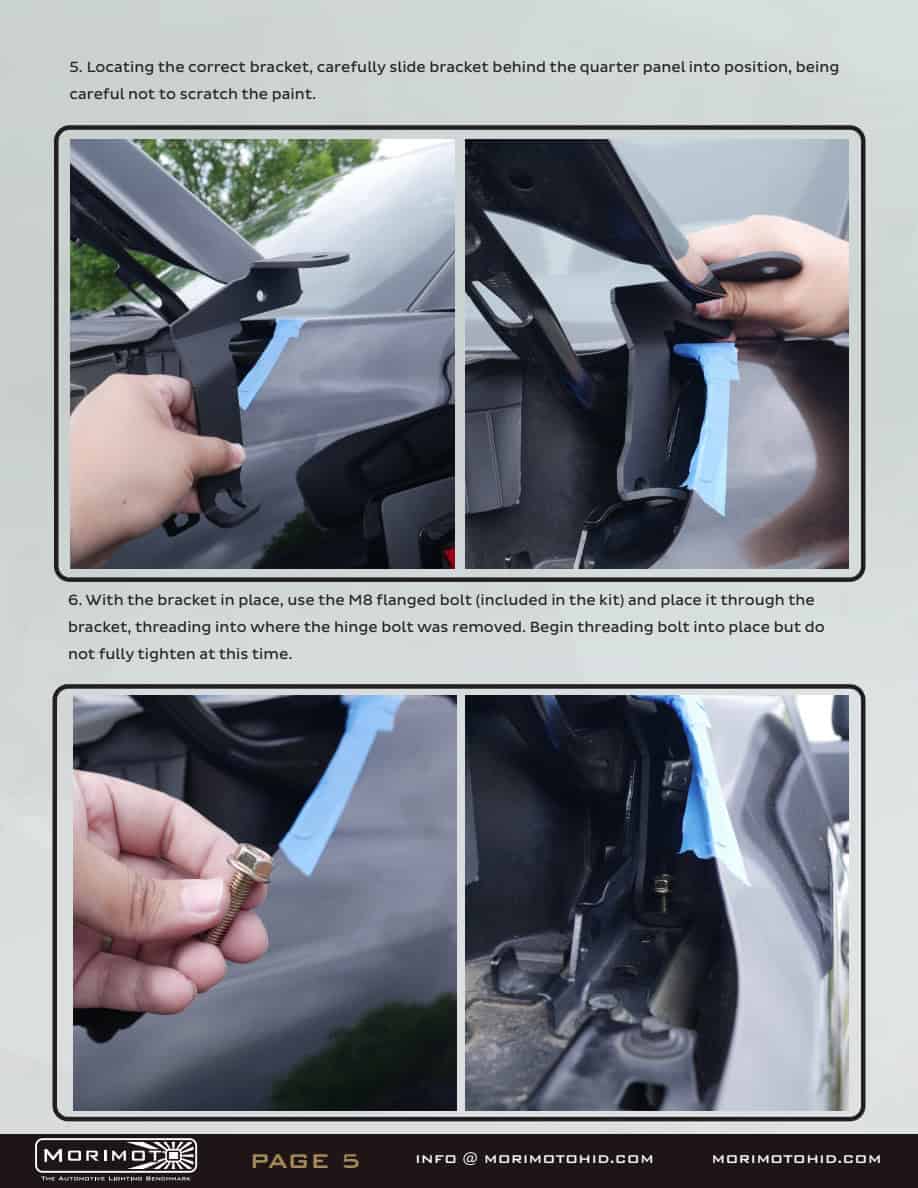
Slide the correct bracket into position without scratching the paint. Start the supplied M8 flanged bolt loosely in the former hinge-bolt location.
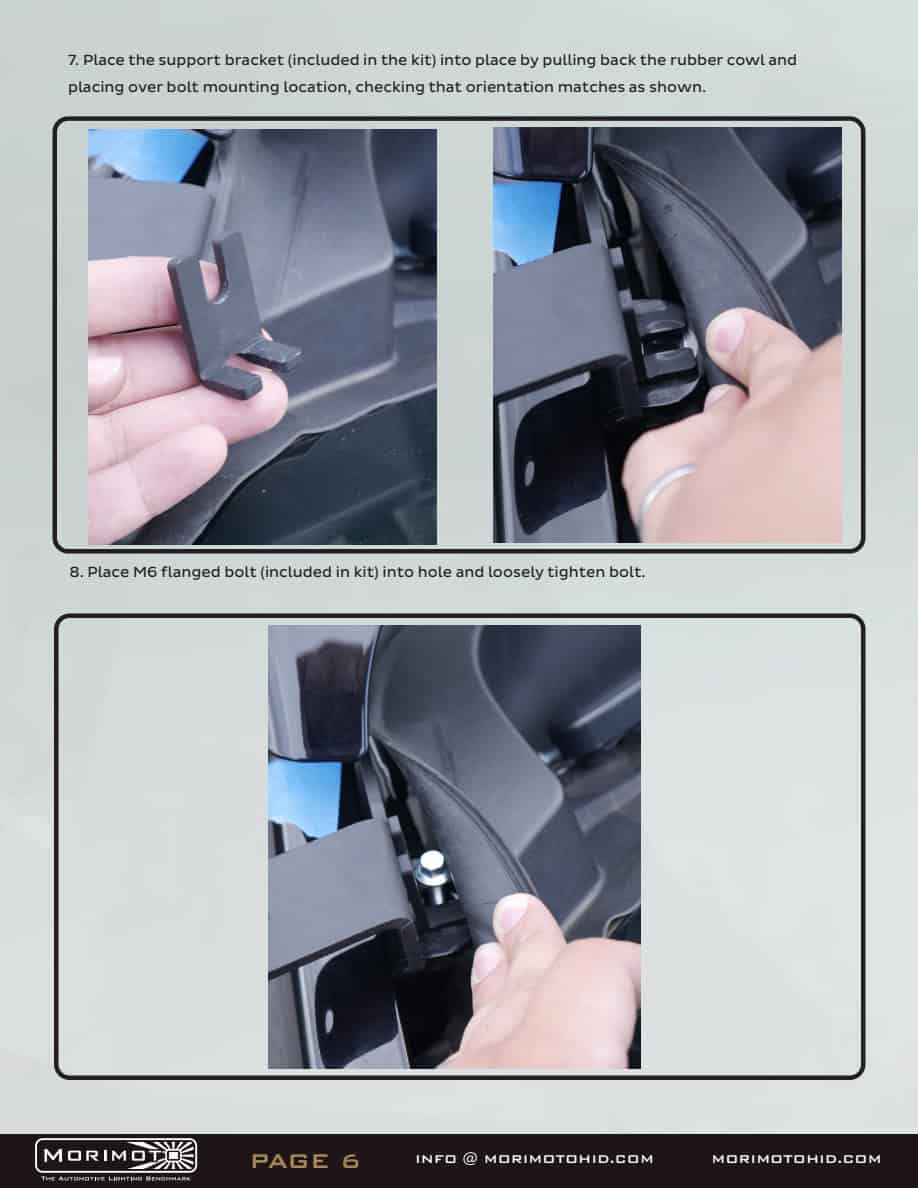
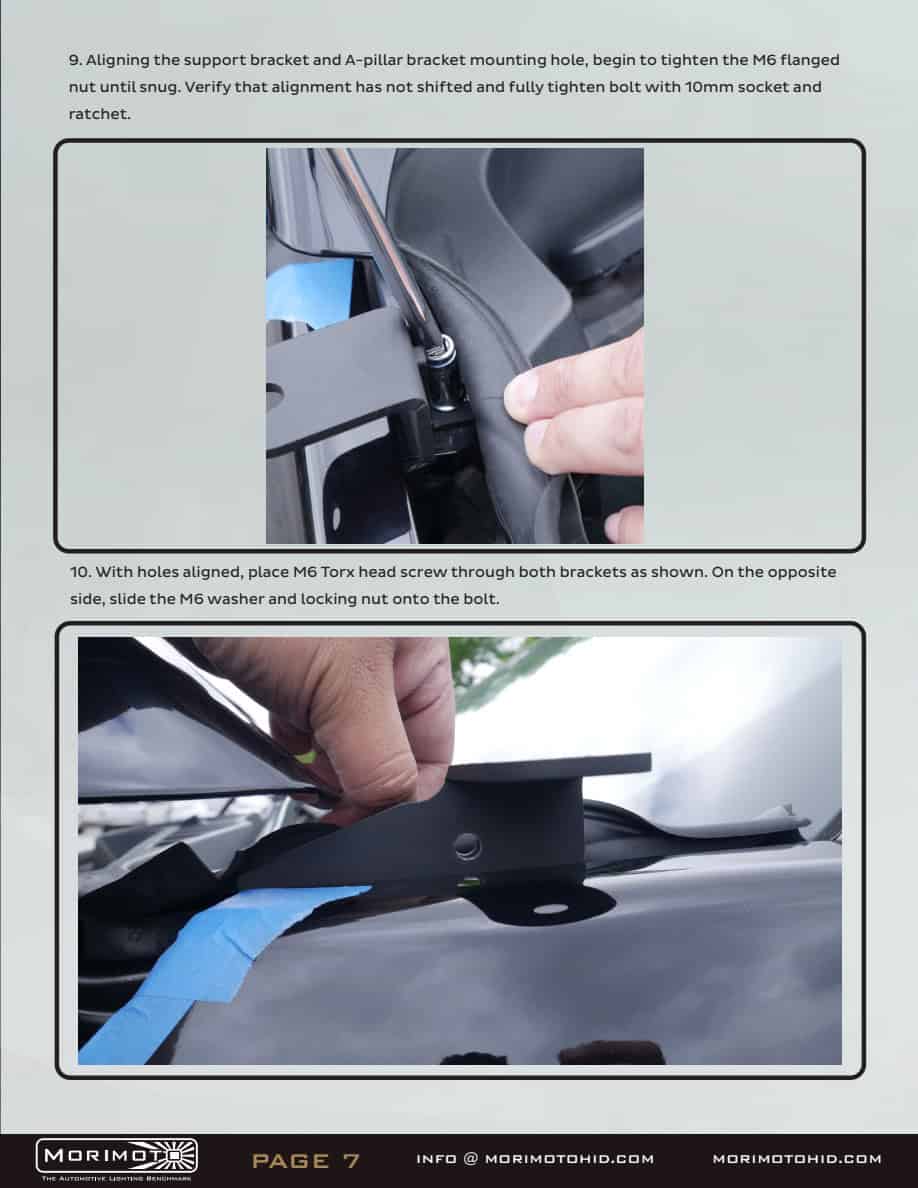
Position the support bracket beneath the cowl as shown. Start the supplied M6 flanged bolt loosely.
Check the alignment and snug the support fastener. Pass the M6 Torx screw through the aligned bracket holes, then fit the washer and locking nut.
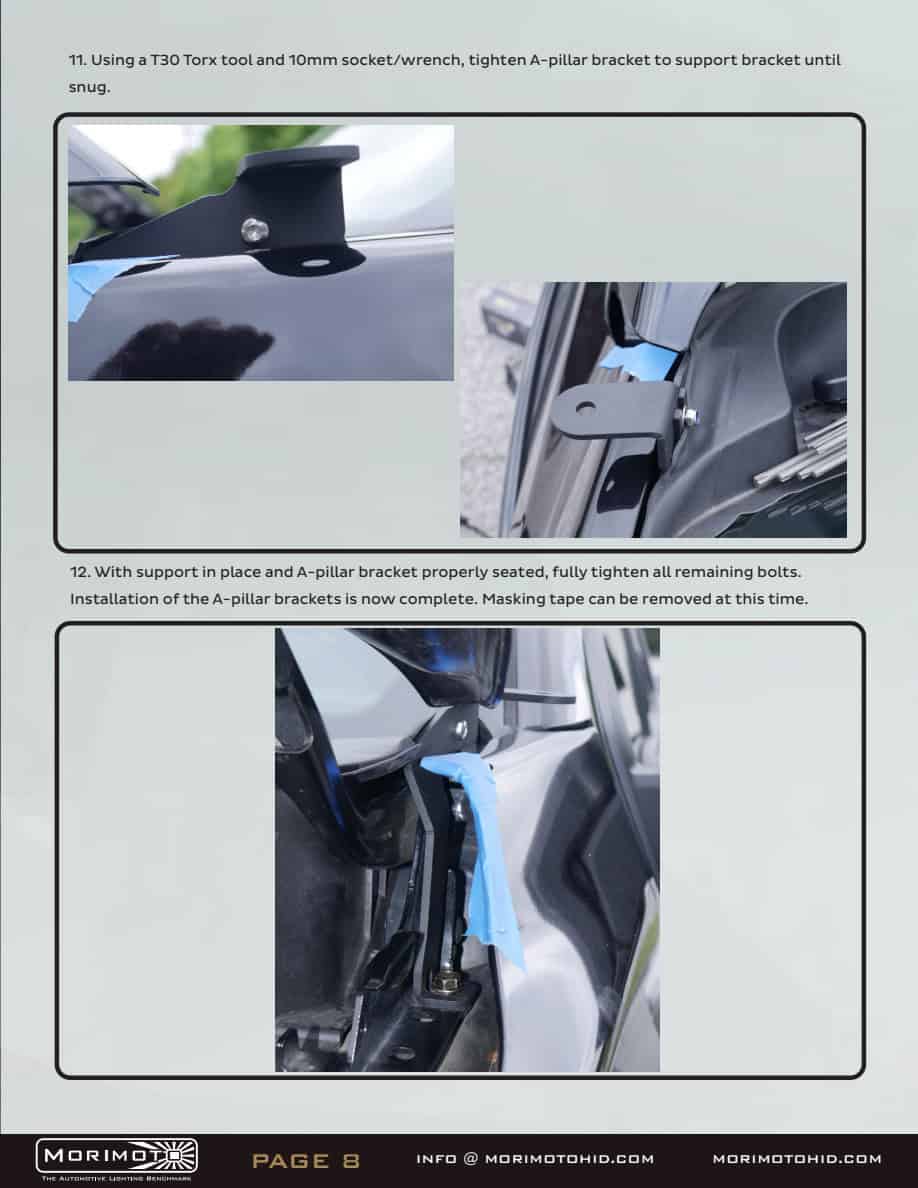
Tighten the support joint with the matching Torx tool and 10mm wrench. Check alignment, then secure the remaining mounting fasteners and remove the protective tape. Repeat on the opposite side.
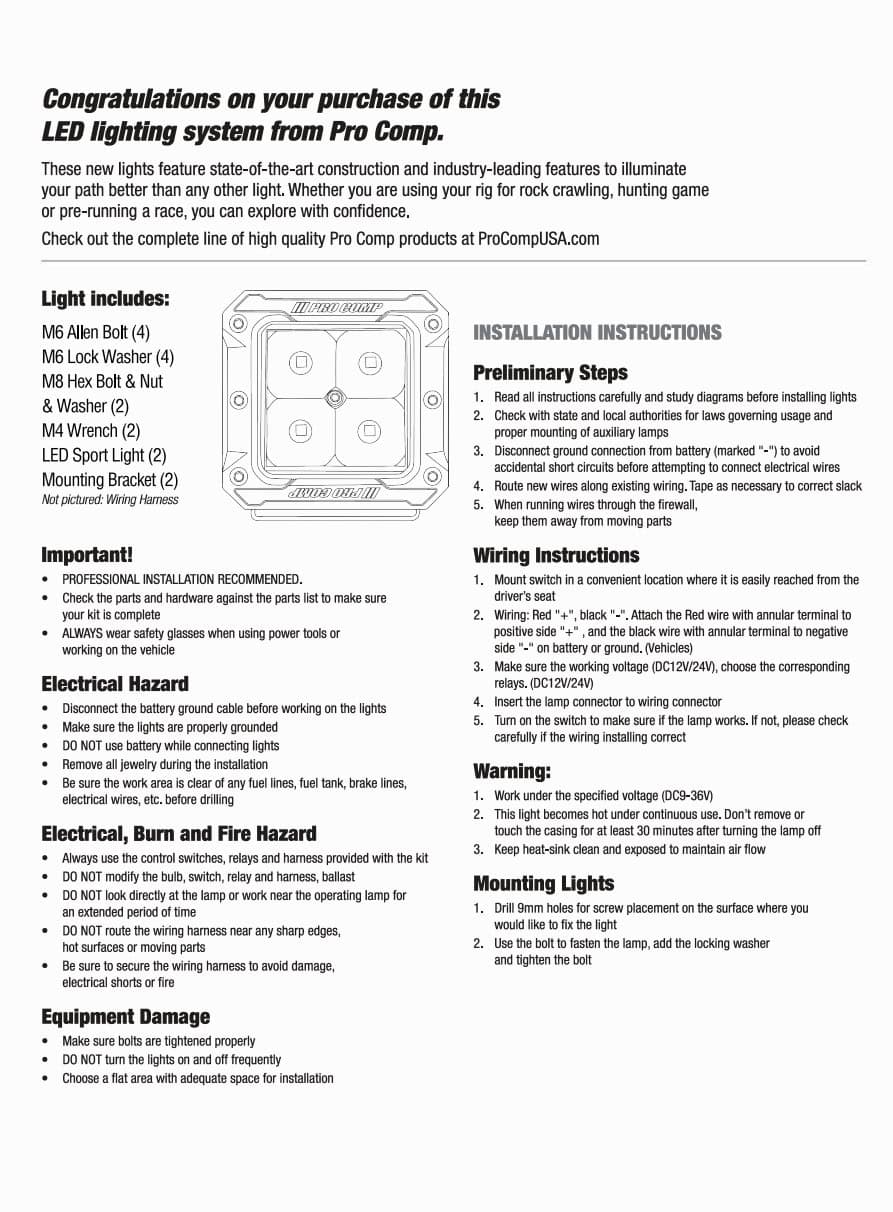
Use the supplied ProComp mounting brackets, bolts and lock washers to mount the pods on the vehicle brackets. The manual’s generic “drill 9mm holes” instruction is for a new universal mounting surface; this vehicle kit already supplies mounting holes. Do not drill the truck merely to follow that generic step.
Mount the switch where the driver can reach it without interfering with controls. Route the harness clear of heat, moving parts and sharp edges. Use a protected existing pass-through where suitable and retain cable slack without leaving wires loose.
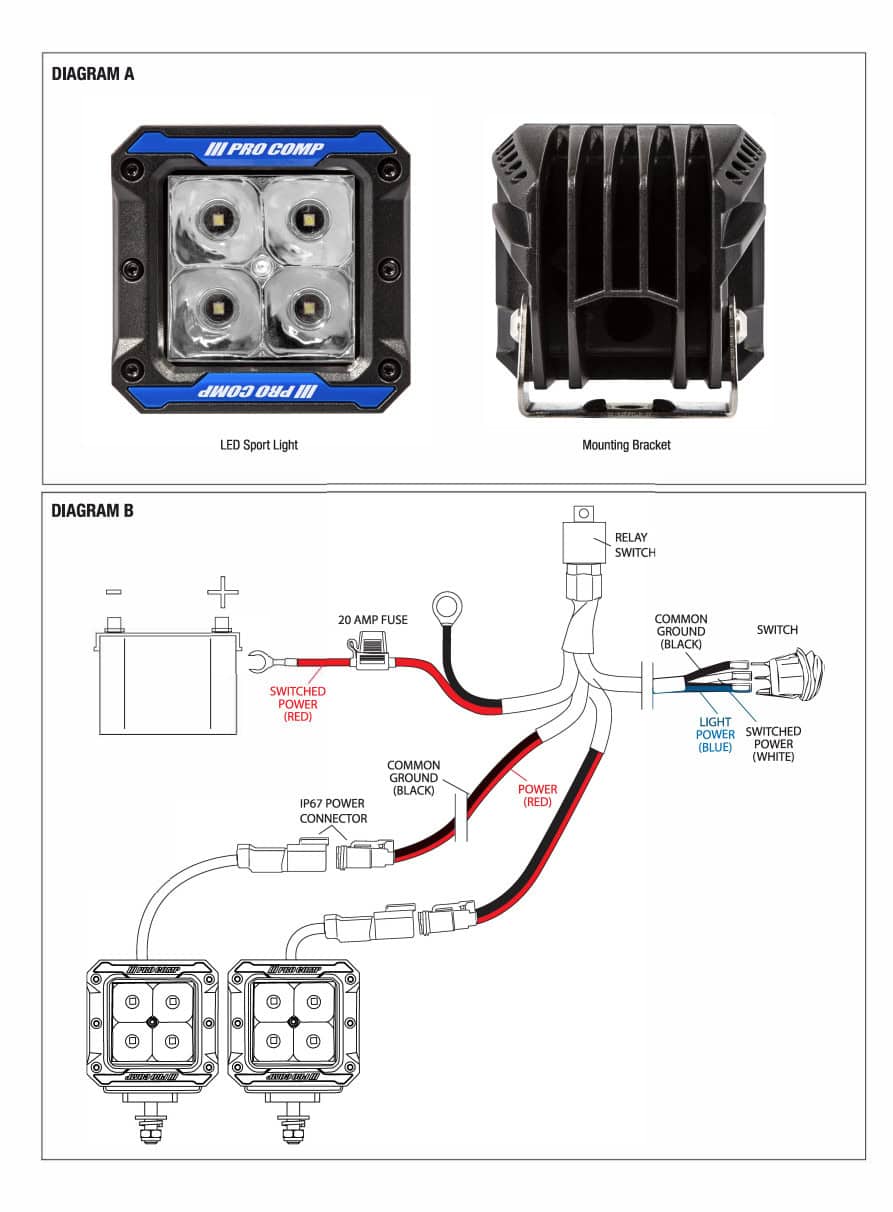
Follow the supplied relay-harness diagram: red battery lead to positive, black ground lead to negative or the specified ground point. Use the harness connectors for the two pods and retain its fuse/relay arrangement. Do not substitute a direct battery connection for the harness or change its protection. Reconnect and test only after all connections are secure.
Confirm both lamps respond to the switch, cables stay clear through full hood movement, and every mounting fastener is secure. Aim the lamps for the intended off-road coverage without directing light toward other drivers. The supplier gives no F-150-specific aim height or torque figure for these auxiliary pods.
If a lamp does not illuminate, switch off and recheck the harness connections against the diagram. Do not bypass the fuse or relay. Recheck the mounting hardware and cable routing after initial use.
Return to the complete ProComp kit
Explore 2021–2023 F-150 lighting · Plan your lighting upgrades