

BTS installation guide · LF734 / LF735.2
2021–2023 F-150 Morimoto XB tail-light installation
Identify the original lamps, transfer BLIS where fitted, connect the correct adapters and test the finished installation.
Before you begin
This guide covers Morimoto LF734 Red and LF735.2 Smoked tail lights for supported 2021–2023 F-150 applications. It does not cover trucks with onboard scales/load-level indicators or factory LED tail lights without BLIS.
Have a ratchet, 8mm socket, T20 Torx bit, Phillips screwdriver and a trim tool or flat screwdriver ready. Support the lamp while disconnecting it and protect the painted surfaces. Tighten the holder screws by hand; do not use an impact driver.
The optional Boost Bar also needs a drill with a ¼-inch bit, wire cutters and zip ties. For factory LED non-Raptor trucks, plan for the FORScan configuration step below; a qualified installer can handle it if needed.
Identify the original lamps
Choose by original tail-light equipment, not by trim badge alone. BLIS-equipped lamps have a “Blind Spot Radar” marking on the side.
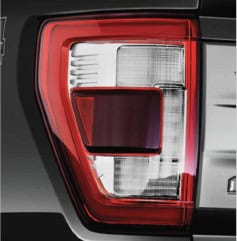
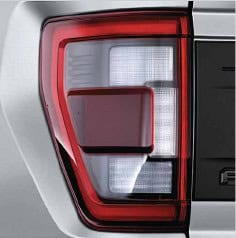
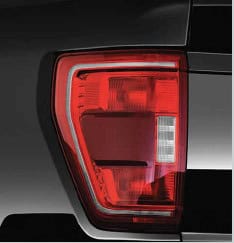
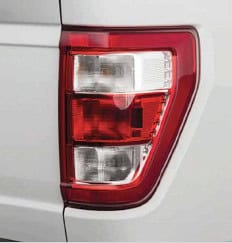
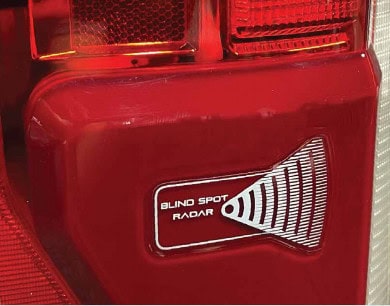
- LED with BLIS / Raptor LED: transfer the BLIS modules, use the direct LED connection and remove the supplied resistor as shown. Non-Raptor LED trucks also follow the configuration step.
- Incandescent with BLIS: transfer the modules and use the Type 2 adapter with its resistor connection.
- Incandescent without BLIS: skip the module transfer and use the Type 1 adapter with its resistor connection.
Remove the original tail lights
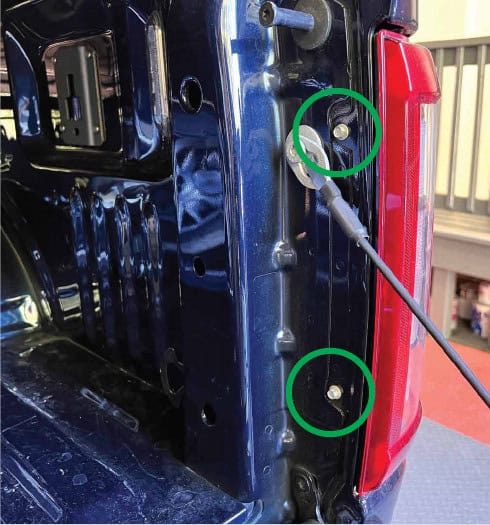
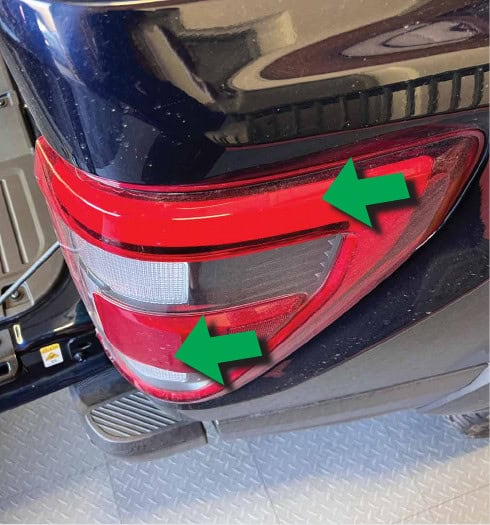
- Lower the tailgate and remove the two 8mm screws retaining the first tail light.
- Pull the lamp straight away from the truck to release it, supporting it as it comes free.
Disconnect the matching harness
Press each connector’s release tab and separate the connector without pulling on its wires.
Factory LED with BLIS
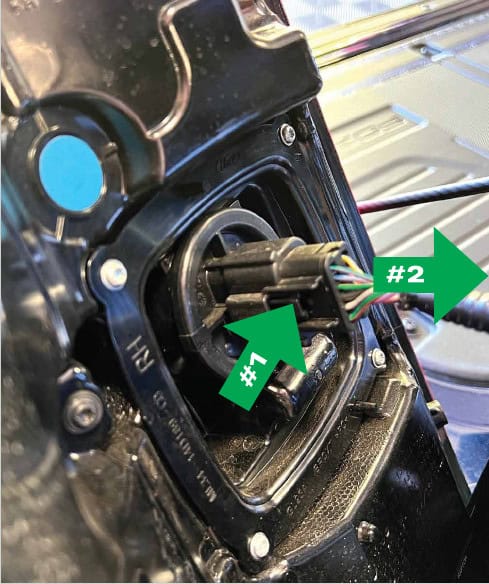
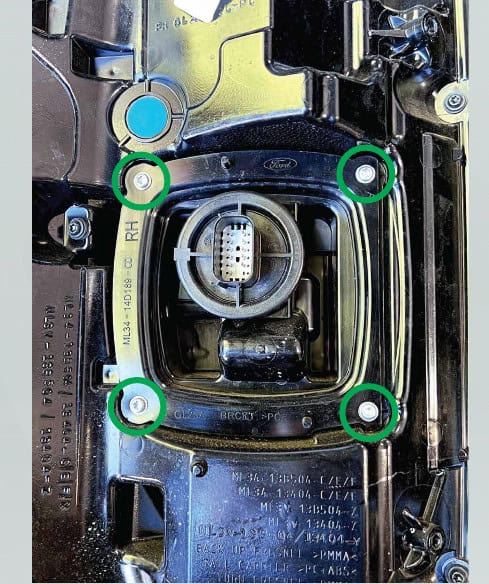
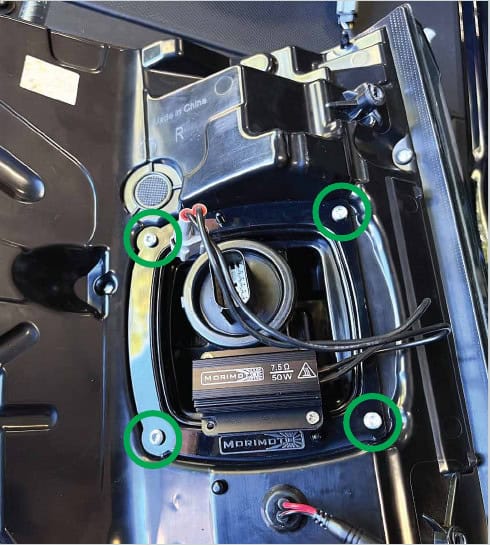
Disconnect the main plug. Remove the four T20 screws securing the original BLIS holder, then pull the holder away from the lamp.
Incandescent with BLIS
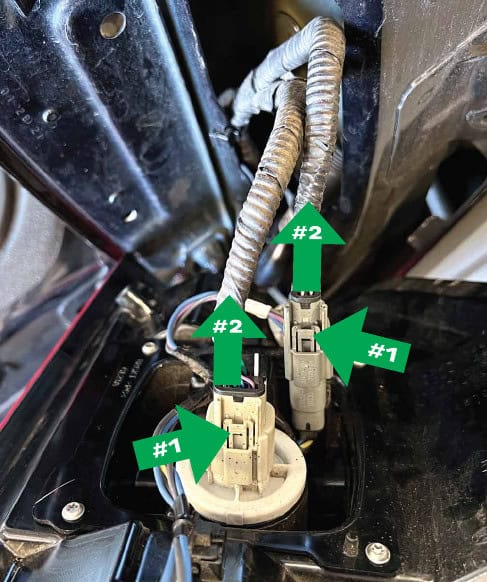
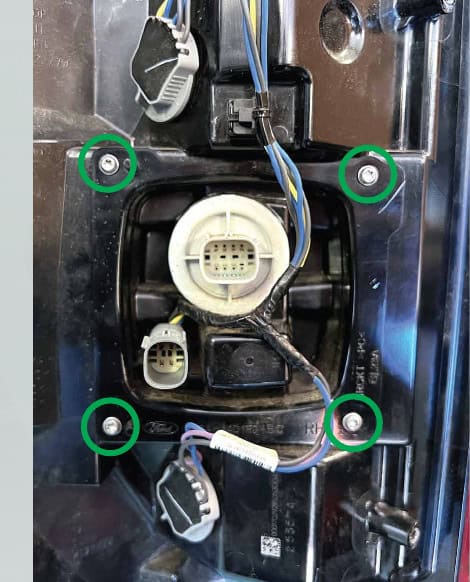
Disconnect the factory plugs. Remove the four T20 holder screws and pull the holder away from the lamp.
Incandescent without BLIS
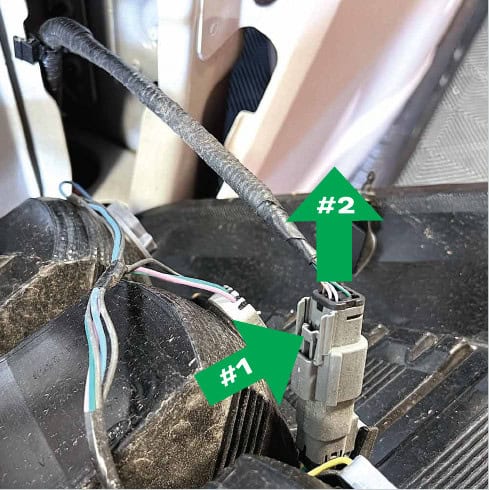
Disconnect the single factory plug. There is no BLIS module to transfer; continue to the Type 1 wiring path below.
Transfer the original BLIS module
Follow this section only if your original lights have BLIS. Keep each original module with the same side of the truck.
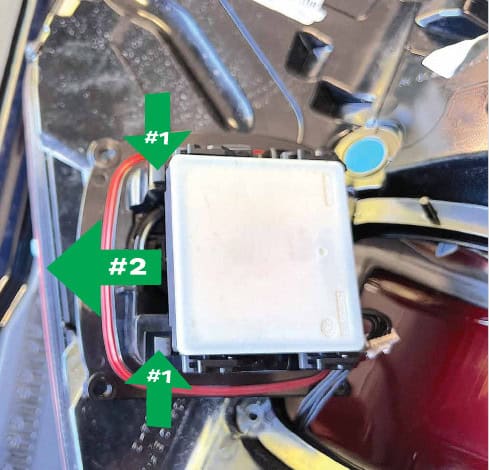
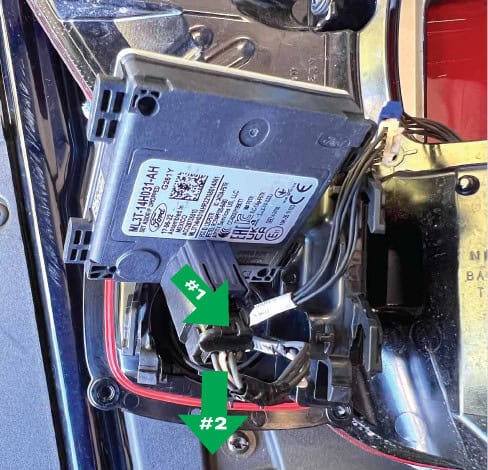
- Release the two retaining tabs and slide the module out of its original holder. Press the connector release and unplug the module.
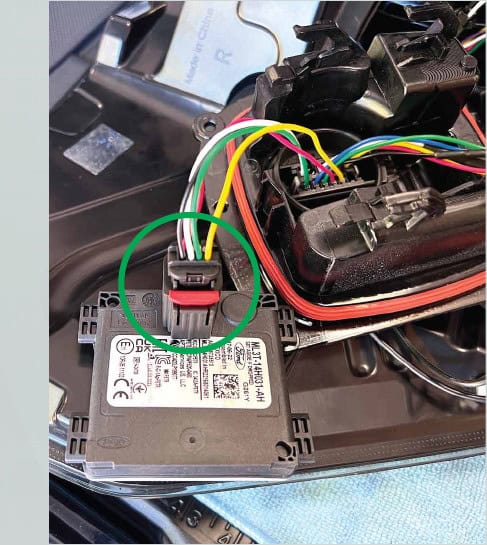
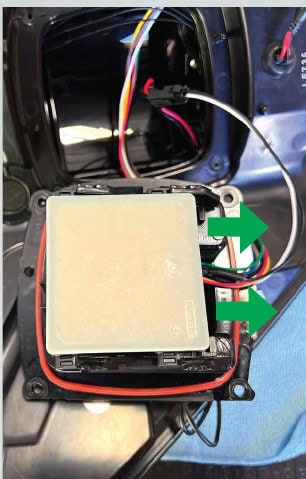
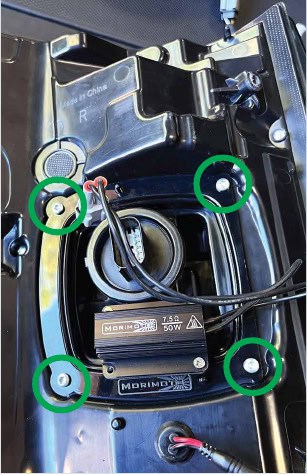
- Remove the four T20 screws and BLIS holder from the new Morimoto lamp. Plug its module connector into your original BLIS module.
- Align the module with the holder’s plastic hooks and slide it into place until it locks.
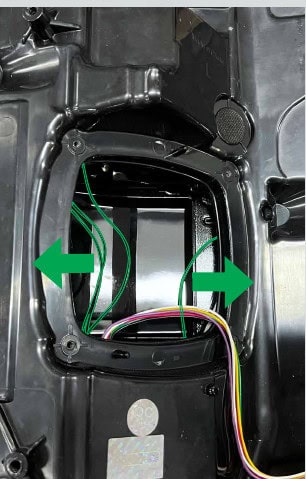
- Move the black wires to the sides so the holder cannot pinch them. Refit the holder with the rubber seal lying flat and un-kinked. Hand-tighten the four T20 screws.
Connect the correct wiring path
Factory LED with BLIS, including supported Raptor LED
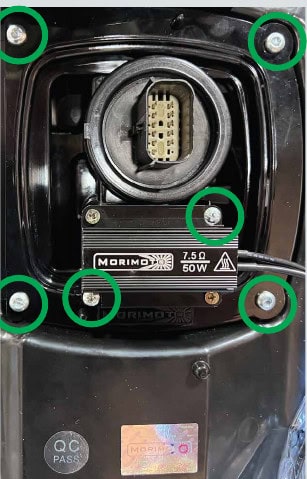
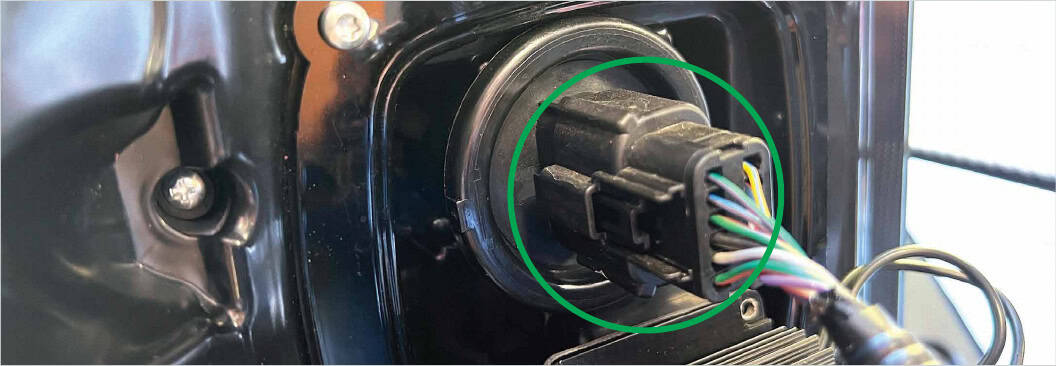
After securing the holder, remove the two Phillips screws holding the supplied resistor and remove the resistor, as directed for this path. Plug the truck’s original harness directly into the Morimoto tail light.
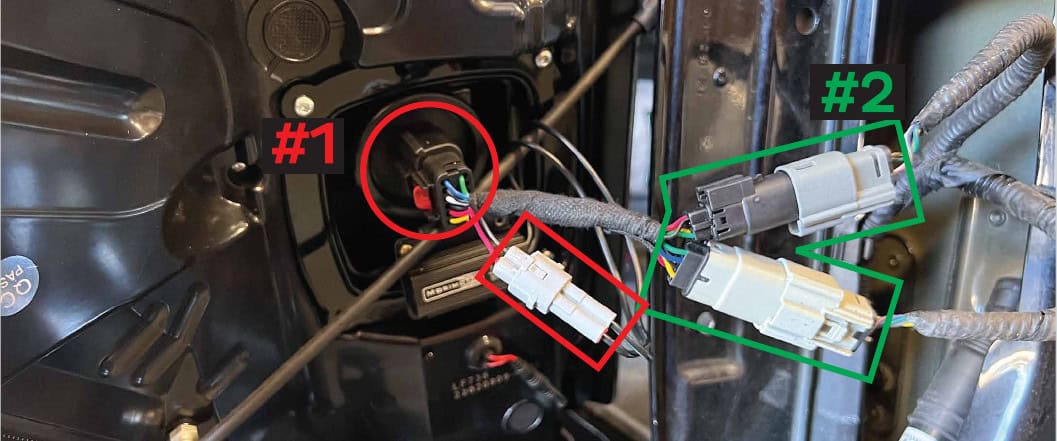
Factory incandescent with BLIS · Type 2
Retain the resistor. Plug the Type 2 adapter into the back of the tail light, connect the resistor to the Type 2 adapter, then connect the adapter’s plugs to the truck harness.
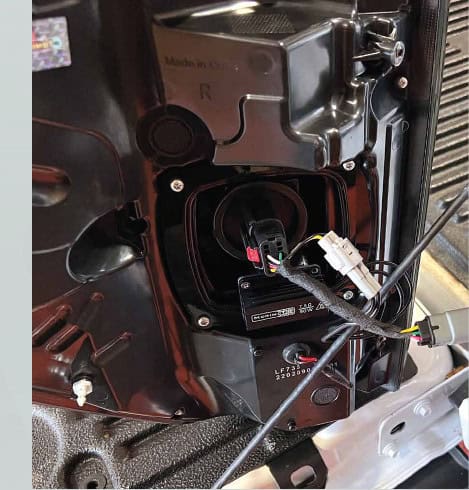
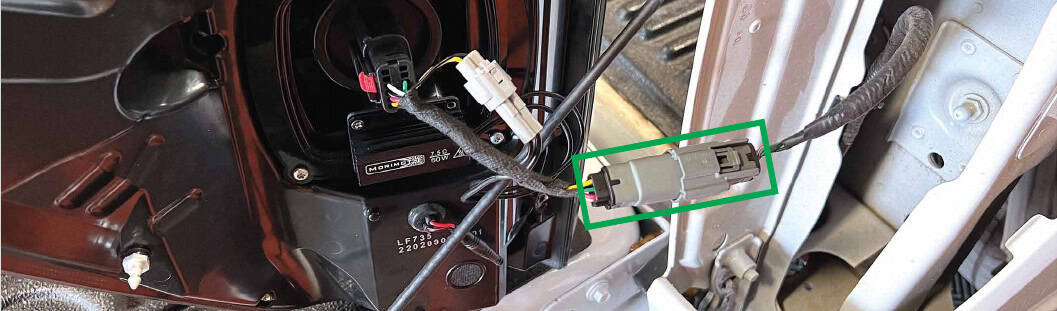
Factory incandescent without BLIS · Type 1
Plug the Type 1 adapter into the back of the tail light. Connect the resistor to that adapter, then connect the adapter to the truck harness.
Refit both lamps and check the functions
- Seat the lamp in the truck and secure it with the two original 8mm screws.
- Repeat the matching procedure on the opposite side. If adding the optional Boost Bar, follow that section before the final check.
- Operate the lights and check parking lights, brake lights, both turn signals and reverse lights. Confirm the original BLIS system has no fault indication where fitted.
- For factory LED non-Raptor trucks, complete the manufacturer’s configuration procedure below.
If a connector, adapter or function does not match your truck, stop and contact BTS with photos before making further changes.
Factory LED non-Raptor: turn-signal configuration
Morimoto’s manual specifies this change for factory LED non-Raptor trucks to address a turn-signal error. Its Raptor and incandescent installation paths do not call for this step. It changes the rear LED turn-signal outage-monitor setting; it is not a BLIS setting.
- Connect a suitable FORScan cable between the truck and laptop, then open FORScan.
- Open Configuration and Programming and choose BdyCM Module configuration as shown.
- Find Rear LED Turn Outage and select 0 – Disabled.
- Click the check mark to confirm the selection, then click Write. Follow the software prompts and recheck the lamp functions.
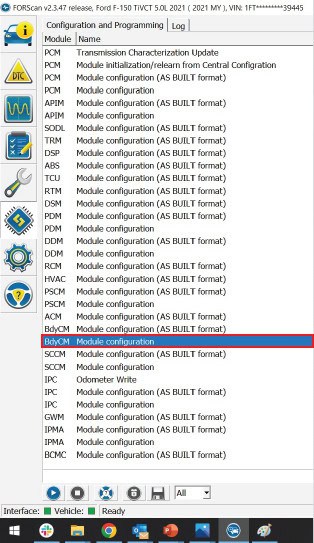
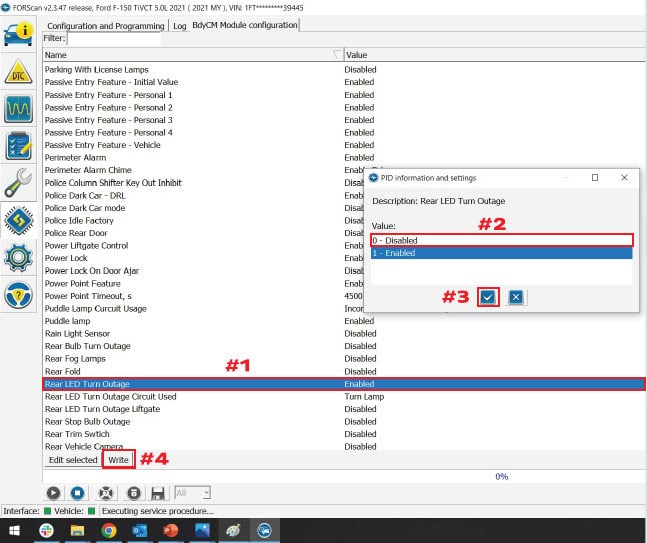
Use only the named setting for this exact application. If your screen or equipment differs, ask a qualified installer before writing changes.
Optional Backup Boost Bar
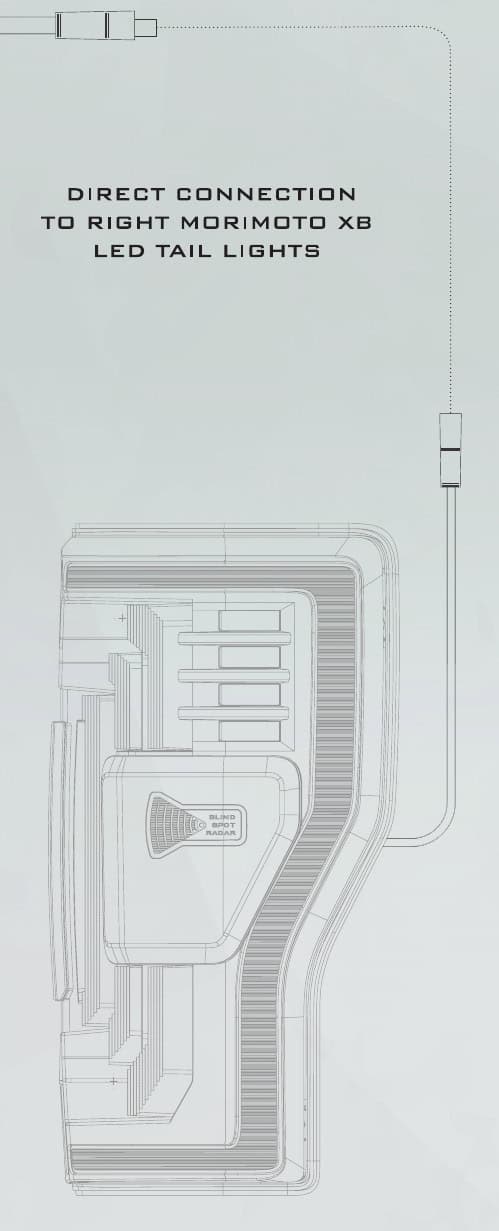
The bar is sold separately. With these Morimoto XB tail lights, the manufacturer uses the bar’s direct connection to the right tail light; the general-purpose input pigtail and double-wire T-tap are not used.
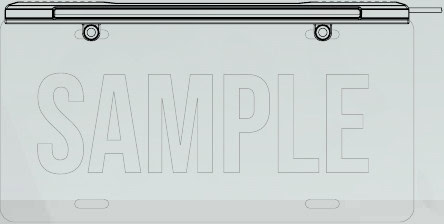
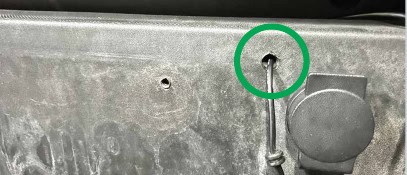
- Remove the license plate, position the Boost Bar and mark where its wire must pass through the bumper. Check the space behind the drilling point first.
- Drill the ¼-inch pass-through, feed the wire through, and reinstall the plate with the bar.
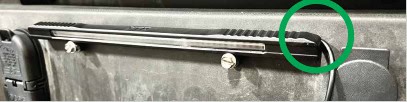
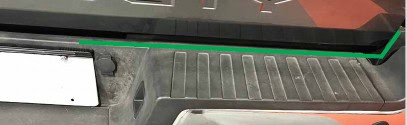
- Route the wire behind the top of the bumper and secure it with zip ties.
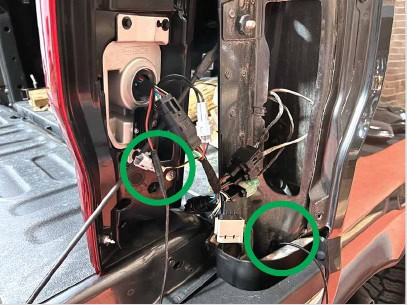
- Run it up through the right tail-light opening and connect it to the right Morimoto XB tail light. Secure the remaining wiring, then test reverse operation.
Choose your tail-light finish
Shop Morimoto XB tail lights · Explore the F-150 lighting hub
Original BTS instructions based on Morimoto’s F-150 tail-light manual and current LF734 / LF735.2 compatibility information, reviewed October 23, 2026. Photographs and diagrams: Morimoto. The manual’s general “2021+” heading does not expand the current 2021–2023 product fitment. Open the manufacturer manual.