

BTS installation guide · LF2-498 / LF2-498Y
2021–2023 F-150 Morimoto XB Evo & Evo Hybrid installation
Follow the correct wiring path for your original headlights, set up your new lamps and finish with aiming and a full function check.
Before you start
This guide covers LF2-498 XB Evo and LF2-498Y XB Evo Hybrid for the supported 2021–2023 F-150 and Raptor applications. Both use the shared installation steps below. Mode keys and lens-heater steps apply to the Evo only.
Have a ratchet with 7mm, 8mm and 10mm sockets, a trim-removal tool and a #2 Phillips screwdriver ready. The DRL harness requires a small notch in the fuse-box lid; the manual specifies a 5.5mm / 7/32-inch bit or a small cutting tool. Protect painted panels and support each lamp while disconnecting it.
The illustrated truck is a 2023 F-150 STX with halogen headlights. Equipment and trim details can differ; if a connector or mounting point does not match, get installation help before proceeding.
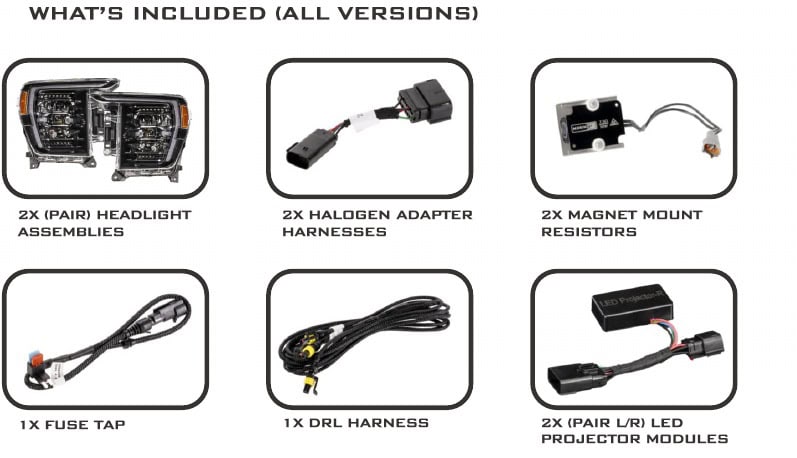
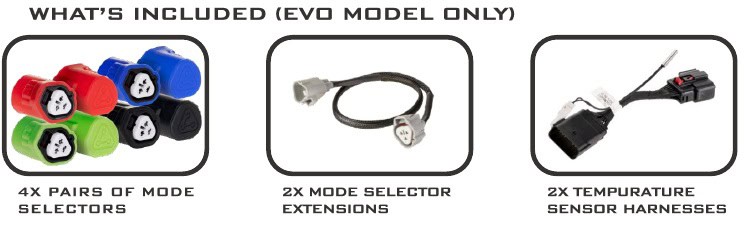
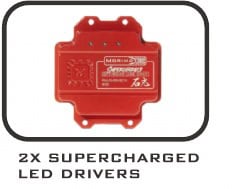
Both versions include the left/right headlights, two halogen adapters, two magnetic resistors, one fuse tap, one DRL harness and a left/right pair of projector modules. Evo also includes four pairs of mode keys, two extensions and two temperature-sensor harnesses.
Supercharged drivers are optional and sold separately. They are for off-road use; the standard driver is the road-use configuration. Other aftermarket tail lights or exterior lighting can affect hyperflash or sequential-signal behavior, so check those components if the signal does not operate correctly.
Identify the factory headlights
Use the lamp design and original connectors to choose the correct path.
Halogen
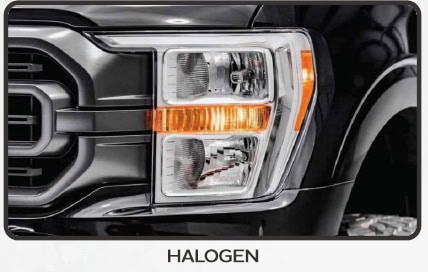
Use the included halogen input adapters and magnet-mount resistors.
LED reflector
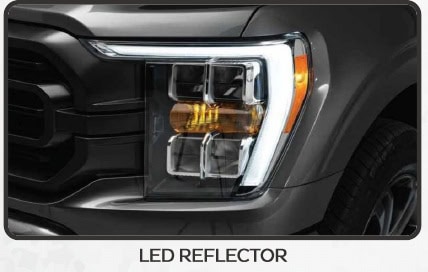
Use the original headlight connectors and magnet-mount resistors.
LED projector
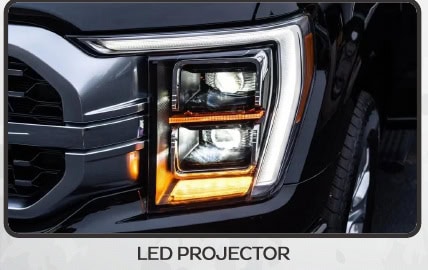
Use the included side-specific projector modules. Skip the halogen adapters and magnet-mount resistors.
Remove the grille and original headlights
- Raise the hood. Remove the fourteen plastic clips holding the upper grille cover, then lift off the cover.
- Remove the four 10mm bolts and, where fitted, two plastic clips along the top of the grille.
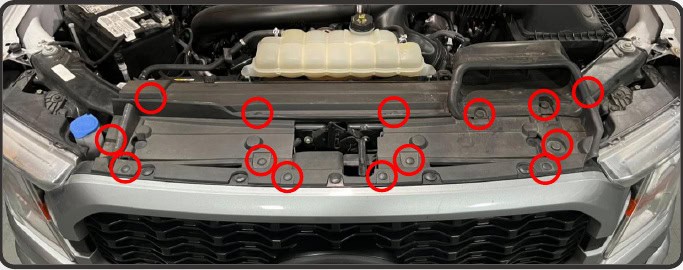
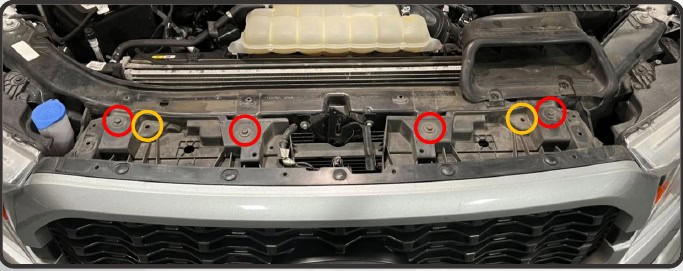
- At the top of the grille, disconnect the active grille motor. Disconnect the camera and washer where fitted, and release the wiring-harness clip.
- Remove the two 7mm screws at the end of the upper-bumper trim. Pull that end away from the fender to release it, then repeat on the other side.
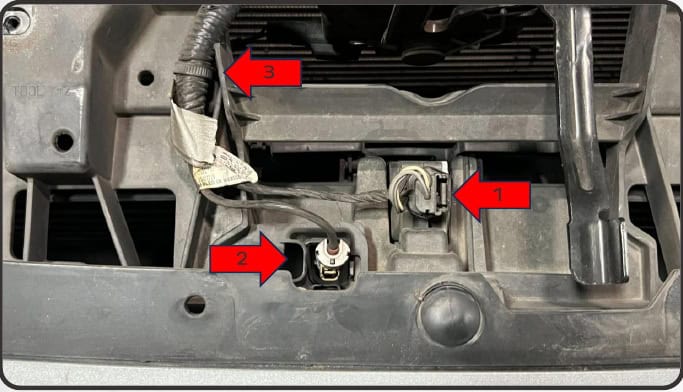
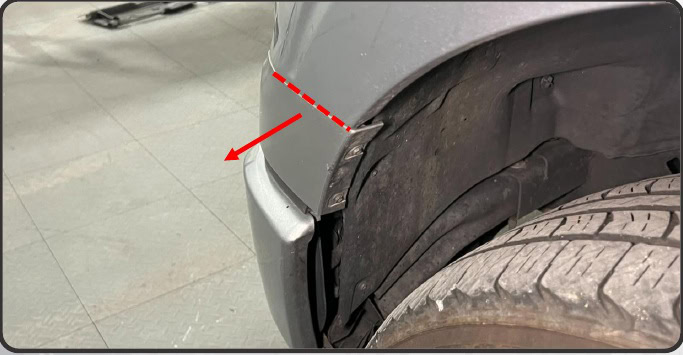
- With both ends free, pull the upper-bumper trim forward to release its six grille tabs. Set the trim aside.
- Remove the two lower grille screws, one 8mm screw on each side.
- Pull the grille assembly forward and set it aside safely.
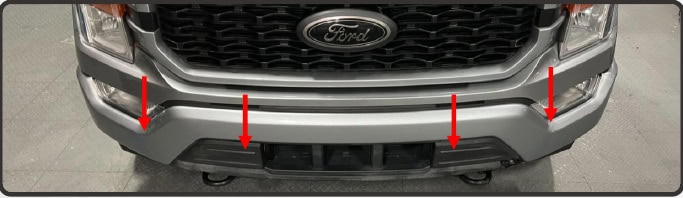
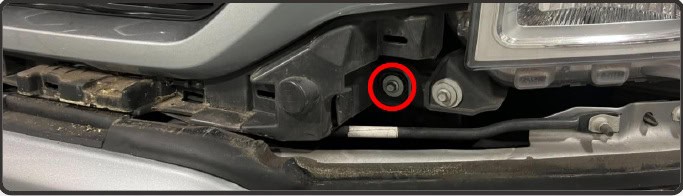
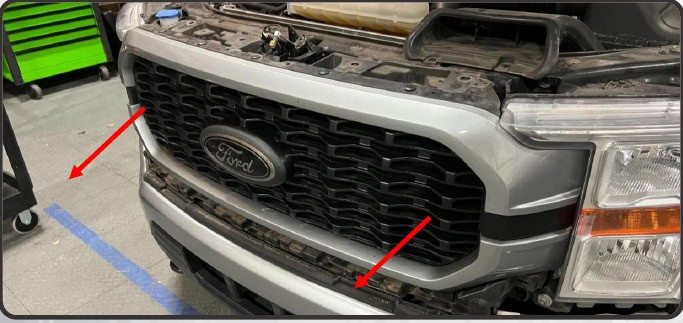
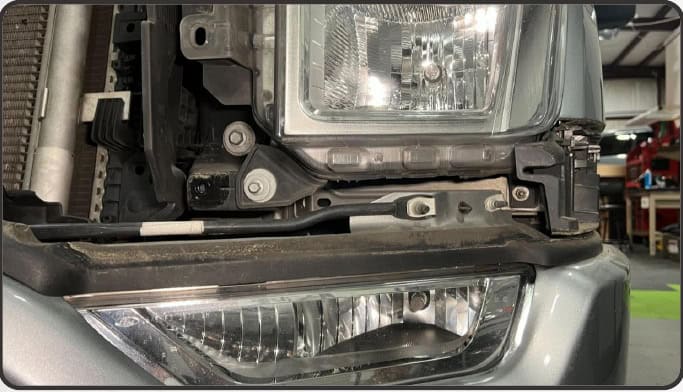
- Remove the 8mm screw and 10mm nut at the bottom of the first headlight.
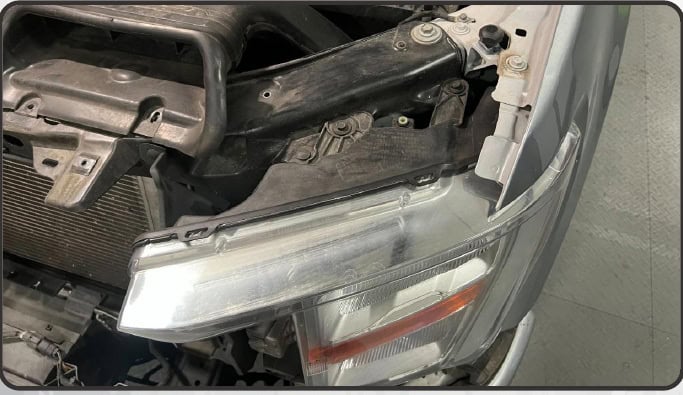
- Remove the two 10mm bolts and the plastic push clip at its top.
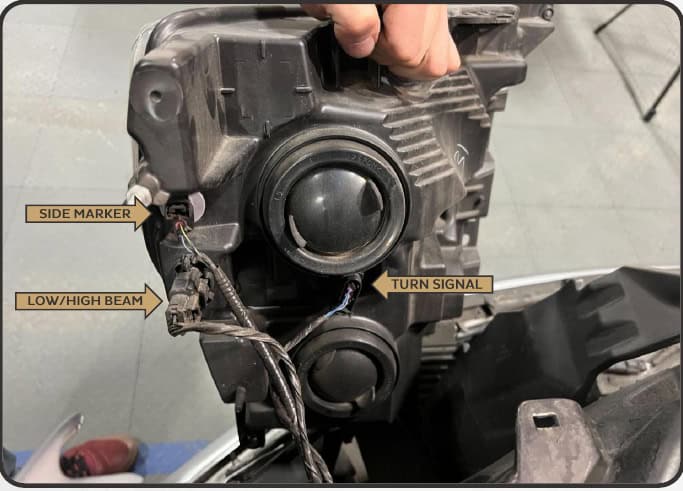
- Disconnect the original wiring, supporting the lamp as you remove it. Repeat the headlight removal on the other side.
Set up the new headlights
Evo only: choose the DRL and turn-signal mode
With the vehicle and lights off, connect the matching mode key to each headlight’s three-pin connector. Use the same intended mode on both sides. Route the connector toward the engine bay if you want easier access later; the included extension can add reach.
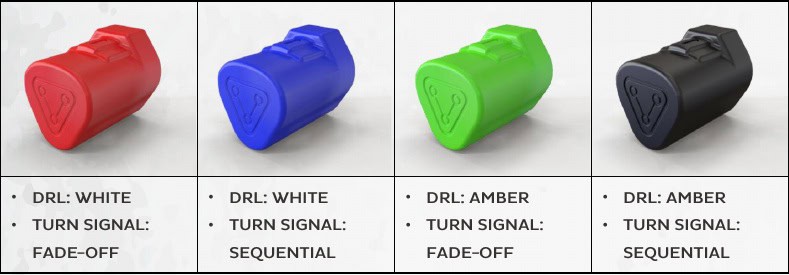
- Red key
- White DRL · fade-off turn signal
- Blue key
- White DRL · sequential turn signal
- Green key
- Amber DRL · fade-off turn signal
- Black key
- Amber DRL · sequential turn signal
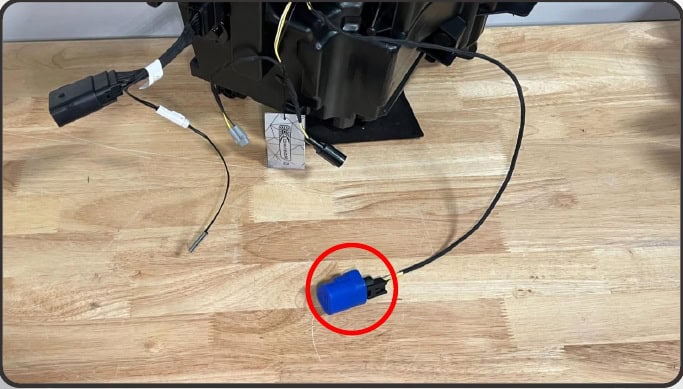
The Evo Hybrid does not use these mode keys.
Optional Supercharged driver installation
Skip this subsection when retaining the standard drivers. Use only the exact compatible LF2-DRVSC18 set, with the lights off.
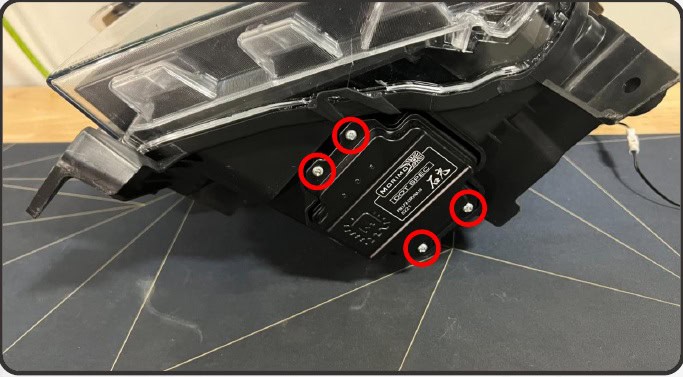
- Remove the four Phillips screws holding the standard driver underneath the headlight.
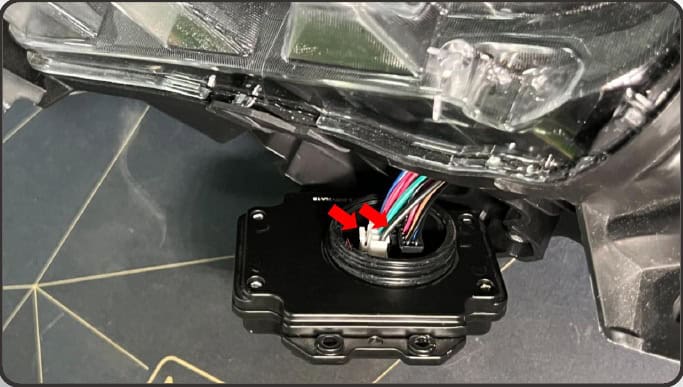
- Lift the driver away. Press the release clip on each internal connector and disconnect it.
- Connect the Supercharged driver, making sure the connector clips lock. Apply a thin layer of the included grease around the outside edge of its seal.
- Press the driver straight into place without pinching or bunching the seal. Refit the four original screws and hand-tighten evenly in the illustrated star pattern.
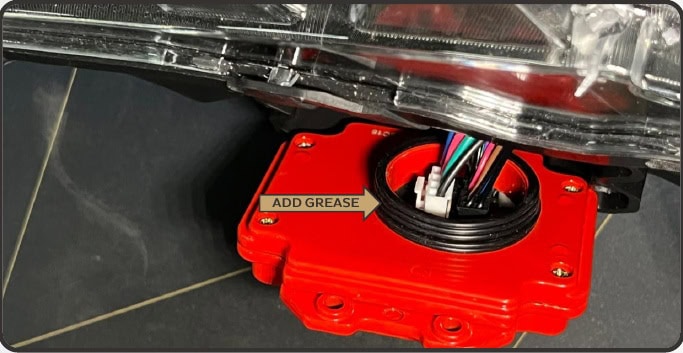
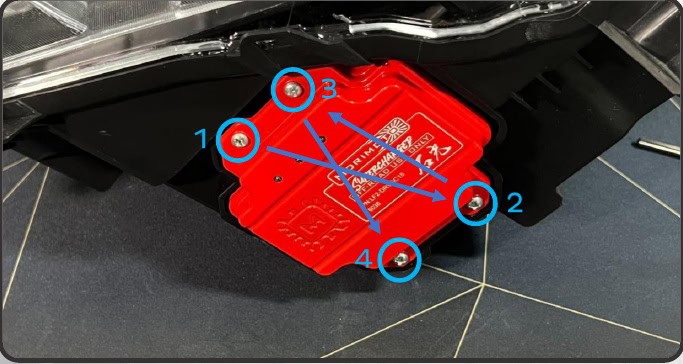
Sensor harnesses and factory projector modules
Evo: connect one supplied temperature-sensor harness to each headlight. Hybrid: skip the sensor harness.
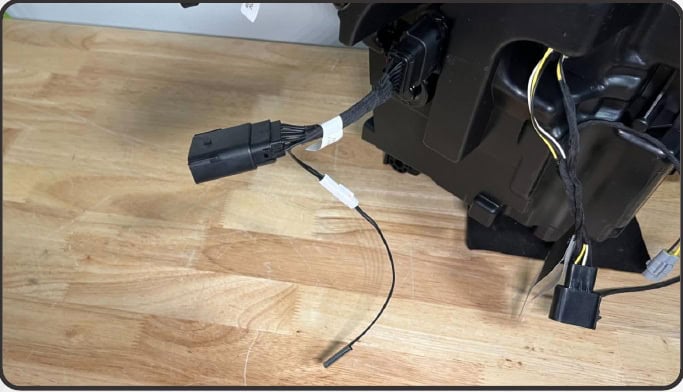
For trucks that originally had LED projector headlights, attach the included projector module to the Evo’s temperature-sensor harness, or directly to the Hybrid housing connector. The modules are side-specific: read the L/R marking before connecting each side.
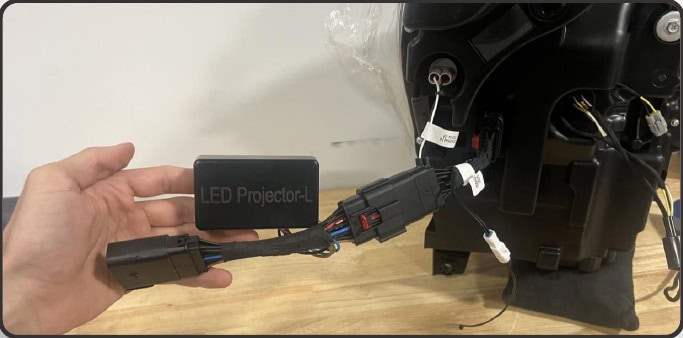
Route the DRL harness and original-light adapters
- Open the passenger-side under-hood fuse box near the firewall. Locate and remove the 10A fuse in slot 25.
- Fit the supplied fuse tap in slot 25. Make the small lid notch shown in the manual so the lid closes around the DRL-wire grommet. Do not pinch the wire under the lid.
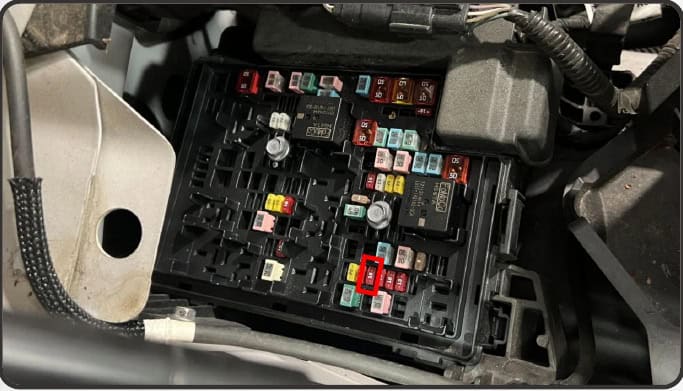
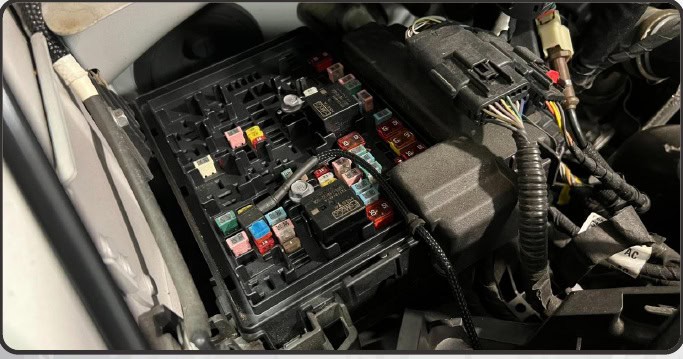
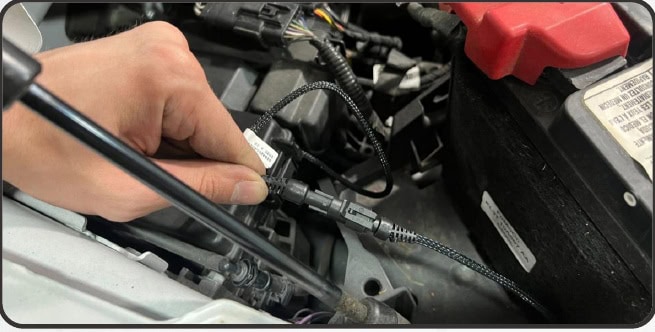
- Connect the second-longest end of the DRL harness to the fuse tap.
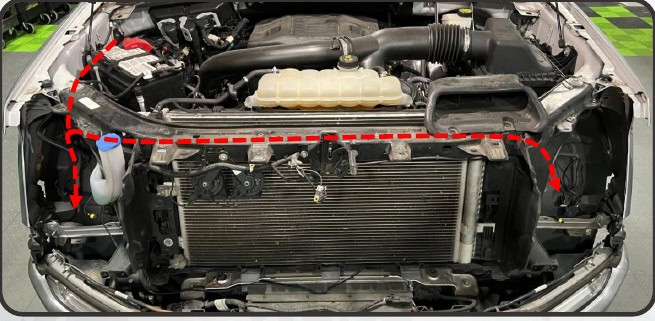
- Route the short end forward to the passenger-side headlight opening. Run the long end across the radiator support to the driver-side opening.
Halogen or LED reflector trucks
Mount one included magnetic resistor to a suitable steel surface in each headlight cavity, clear of the new housing. Factory LED projector trucks skip this resistor step.
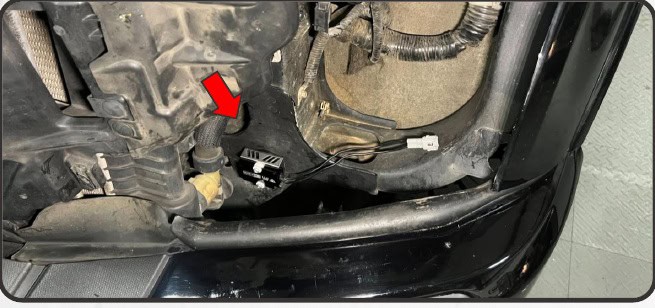
Halogen trucks only
Connect the halogen input adapter to the original low/high-beam connector on each side. LED reflector and LED projector trucks skip this adapter step.
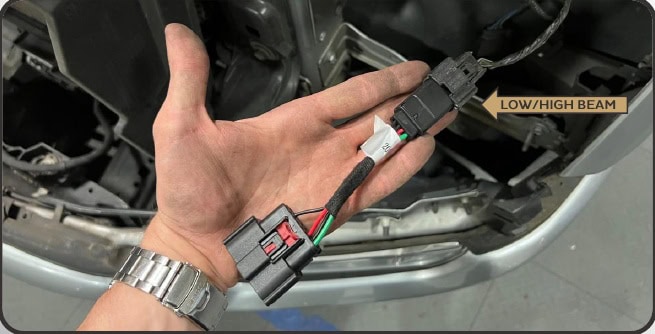
Connect, secure and test both lamps
Halogen / LED reflector
Connect the DRL harness, resistor and side-marker connection to the new housing. Connect either the original LED-reflector headlight plug or the halogen input adapter, as applicable. Follow the labelled connector diagram.
LED projector
Connect the DRL harness to the headlight housing and the truck’s original headlight connector to the correct side-specific projector module.
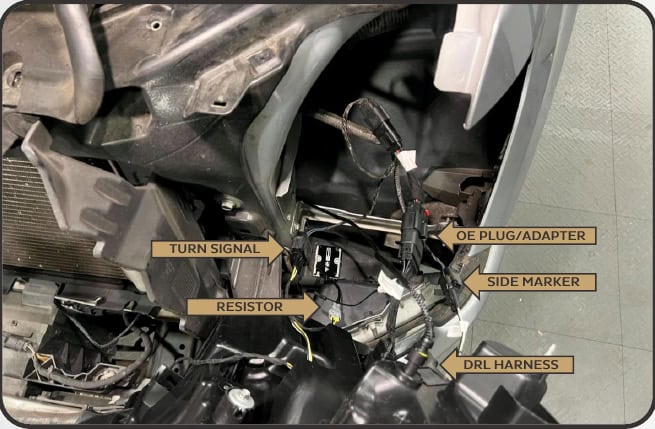
- Slide the headlight into position without trapping any wiring. Secure it with the original hardware.
- Repeat the connections and installation on the other side.
- Check daytime running lights, parking lights, both turn signals, low beams and high beams before closing everything up.
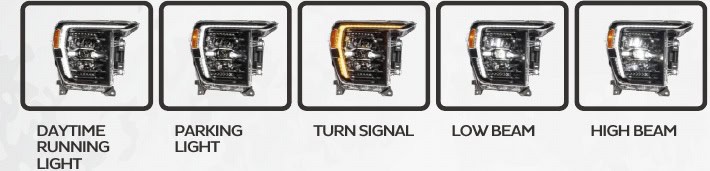
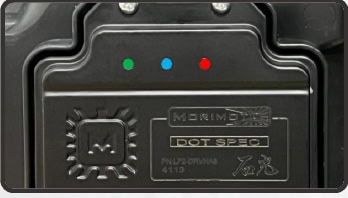
The driver’s three LEDs help diagnose its power inputs: Green = low beam, Blue = high beam, Red = fuse tap. If an indicator stays off when that function should be powered, recheck the relevant connections and fuses.
Secure loose wiring, then refit the front panels and grille in the reverse order of removal. Reconnect the camera, washer and active grille connections where fitted.
Fine-tune the low-beam aim
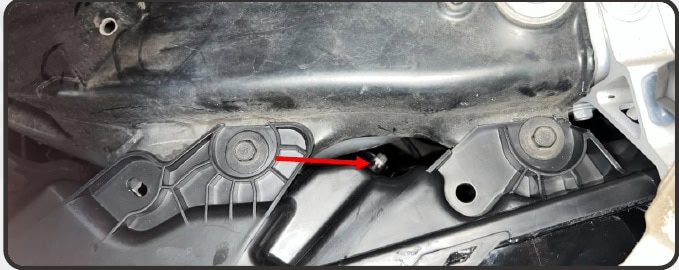
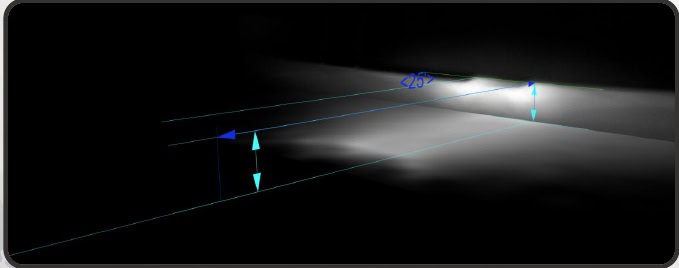
Check the aim even on a stock-height truck. Park on level ground 25 feet from a wall. Measure from the ground to the optical-centre mark on the lens in front of the projector. Use a long Phillips screwdriver at the rear adjuster to set the top horizontal edge of the low-beam cutoff.
Below 34.5in
Set the cutoff on the wall at the measured optical-centre height.
35–39in
Set the cutoff 2in below the measured optical-centre height.
Above 39.5in
Set the cutoff 3in below the measured optical-centre height.
These are the manufacturer’s published ranges. If your measurement falls between them or exactly at an unspecified boundary, confirm the target with your installer. Do not guess a setting.
Do not turn the adjuster more than three full turns in either direction. The manual warns that over-adjustment can damage the mechanism.
Evo only: activate the lens heater
The Evo Hybrid has no lens heater. On the heated Evo, the system helps reduce snow and ice buildup while driving; it is not intended to melt heavy overnight accumulation.
- The ambient sensor must read 5°C /41°F or colder. Start the truck and wait until the welcome sequence has finished.
- Flash the high beams four times within four seconds.
- Two return flashes mean the heater and fans are active. One return flash means the request was received but the system is waiting for its operating conditions.
Once requested, the system monitors ambient, lens and heater temperatures and battery voltage. It cycles as needed. It resets to off at each ignition cycle.
To switch it off manually, repeat four high-beam flashes within four seconds; one return flash acknowledges the request. If automatic high beams interfere with the command, turn that feature off and try again.
Watch the model-specific overview and installation
Morimoto’s official 2021–2023 F-150 XB Evo and Evo Hybrid video. Choose the written wiring path for your factory equipment.

Original BTS guide based on Morimoto’s 21-page LF2-498 /LF2-498Y manual and exact current product sources, reviewed October 23, 2026. Photographs and annotated diagrams: Morimoto. Open the manufacturer manual.