

BTS settings guide · DD5169 / DD5170
Program your F-150 Elite fog lights
Set the DRL colour, turn-signal style and welcome sequence using the truck’s factory controls.
First, check how the fogs are connected
Operating independently
Use the steps below when the fog lights are not linked directly to Elite headlights through the communication wires.
Linked to Elite headlights
The fog lights follow the applicable headlight settings. Use the BTS Elite headlight programming guide instead. Elite Max headlights are required for the extra Show Mode and off-road features.
Start with the vehicle off and the fog-light switch OFF. A reflective wall or window makes the feedback easier to see. If you lose count, switch the fog lights off, wait 10 seconds and start again.
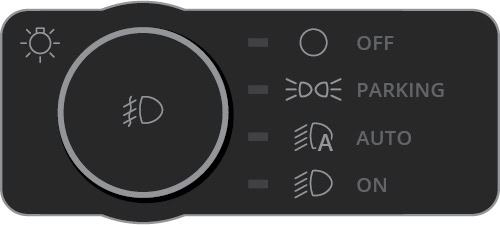
Change the DRL colour
- Switch the hazards on, then off, allowing one flash.
- Immediately switch the fog lights on and back off 3 times.
- Switch the hazards on and off again for one flash.
- The DRL flashes three times in the selected colour and saves it. Repeat the same sequence to change the colour again.
Available settings: White DRL (factory default) or Amber DRL.


This changes the white/amber DRL blade. It does not change the main White or Selective Yellow fog beam.
Change the turn-signal style
- Switch the hazards on, then off, allowing one flash.
- Immediately switch the fog lights on and back off 4 times.
- Switch the hazards on and off again for one flash.
- The DRL flashes four times to confirm and save the selected style. Repeat the sequence to choose the other style.
Available settings: Sequential turn signal (factory default) or Static turn signal.


Change the welcome sequence
- Switch the hazards on, then off, allowing one flash.
- Immediately switch the fog lights on and back off 5 times.
- Switch the hazards on and off again for one flash.
- The DRL flashes five times and saves the new welcome setting. Repeat the sequence to change it again.
Available settings: Welcome sequence ON (factory default) or OFF.

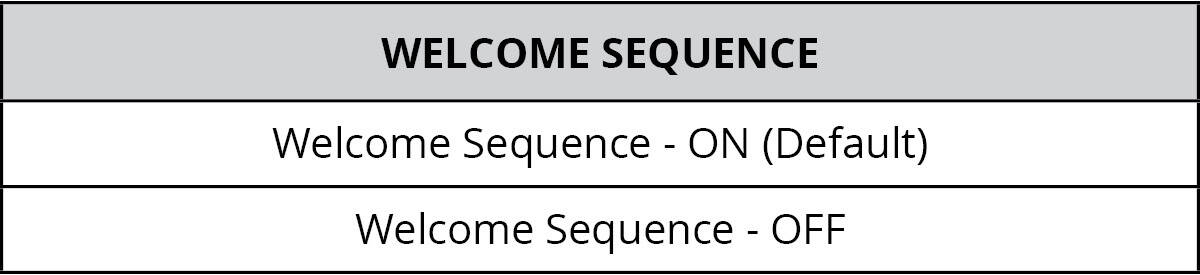
If the truck is asleep: press Lock, then Unlock to wake it and trigger the sequence. Once awake, the sequence activates with each press of Unlock.
Reset the fog-light settings
For unexpected settings or behaviour, reset the lamps and then choose your settings again:
- With the vehicle off and fog switch OFF, pulse the hazards for one flash.
- Immediately switch the fog lights on and back off 15 times.
- Pulse the hazards for one flash again.
- The DRL flashes white, then amber to confirm the reset.