

BTS installation guide · X3B35 / X3B40
F-150 Morimoto X3B third brake-light installation
Follow the original connection route, transfer the camera where fitted, and seat the new lamp with the correct clips and screws.
Before you begin.
This guide applies to X3B35 and X3B40 on the supported F-150 installation. Check the camera choice before opening the truck. You need a T20 Torx driver, a clean working surface and isopropyl alcohol for the mounting surface. Have the original instructions available; use an installer if you cannot confidently identify the wiring or release the trim.
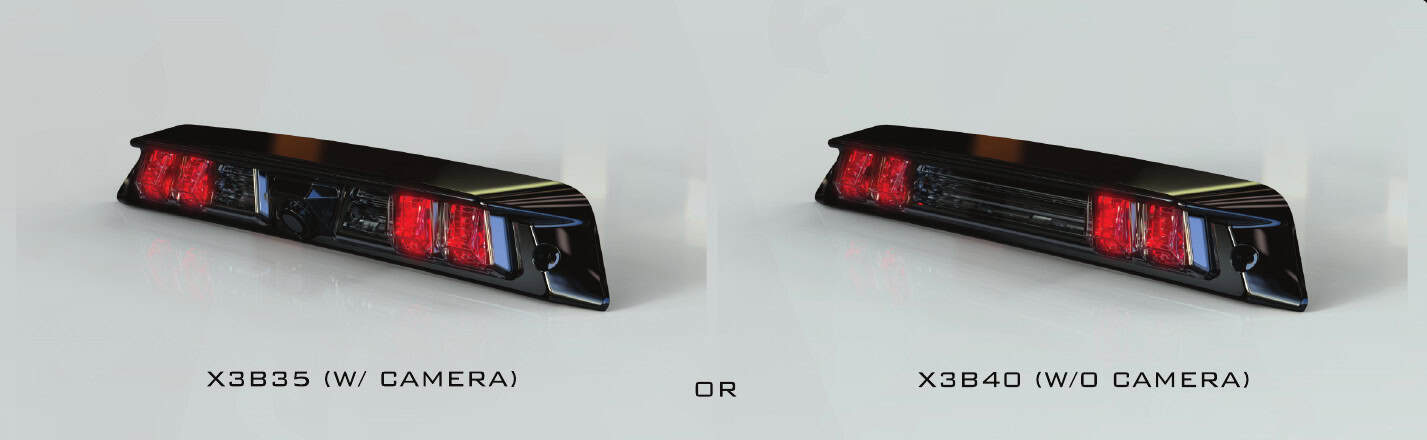
X3B35 reuses the original camera. X3B40 is for trucks without that camera. Raptor owners: the separate factory red parking-light function is not retained.
1–4 · Remove the lamp and free the wiring.
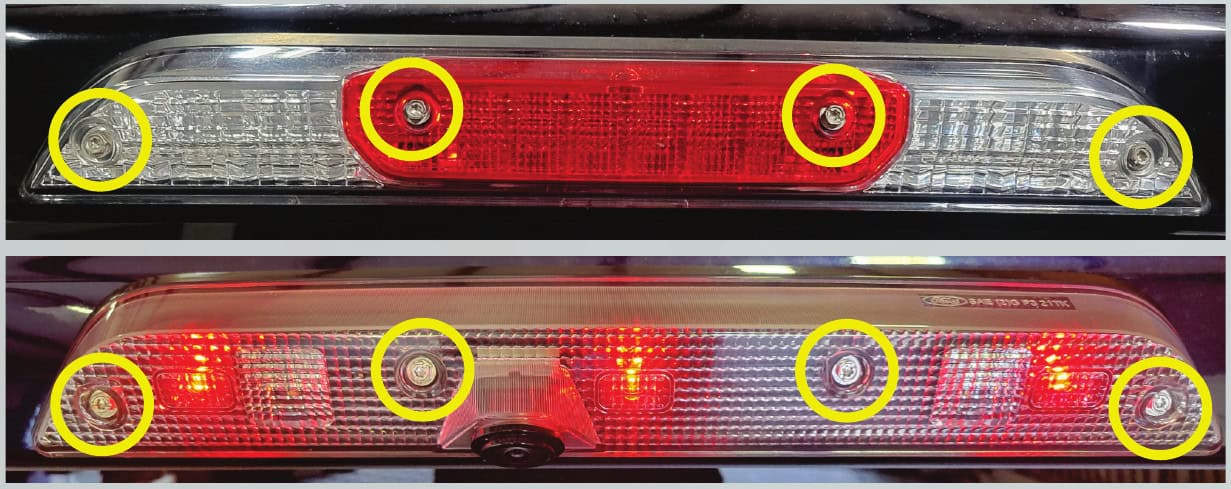
1. Remove the four T20 screws and carefully draw the lamp away from the cab while supporting it.
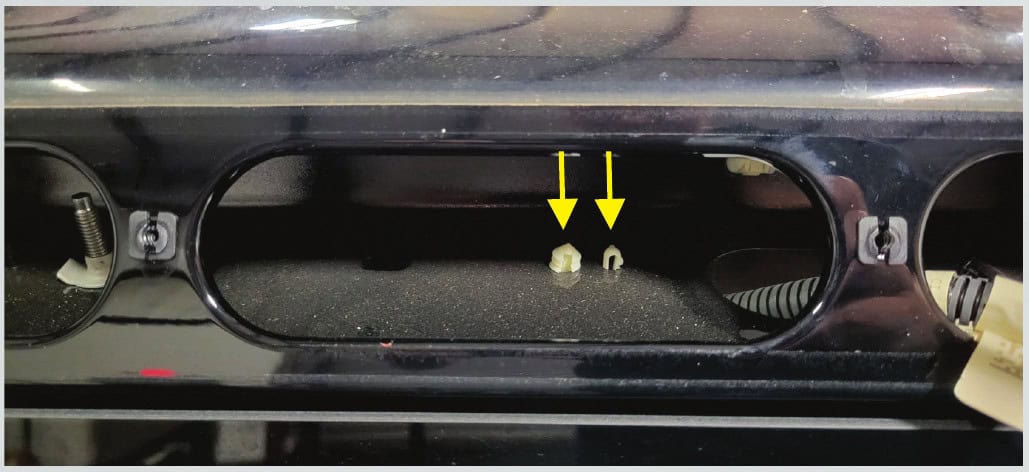
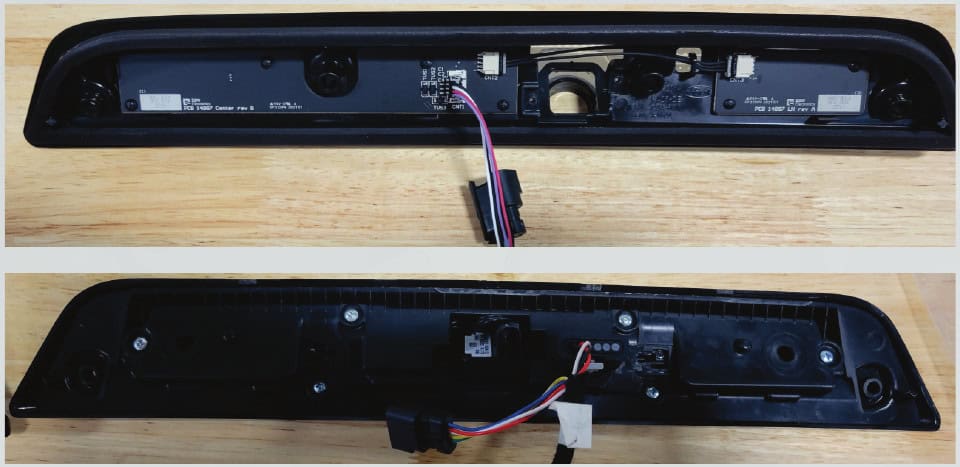
2. Release the plastic retaining clips inside the cab opening by pressing them down as shown.
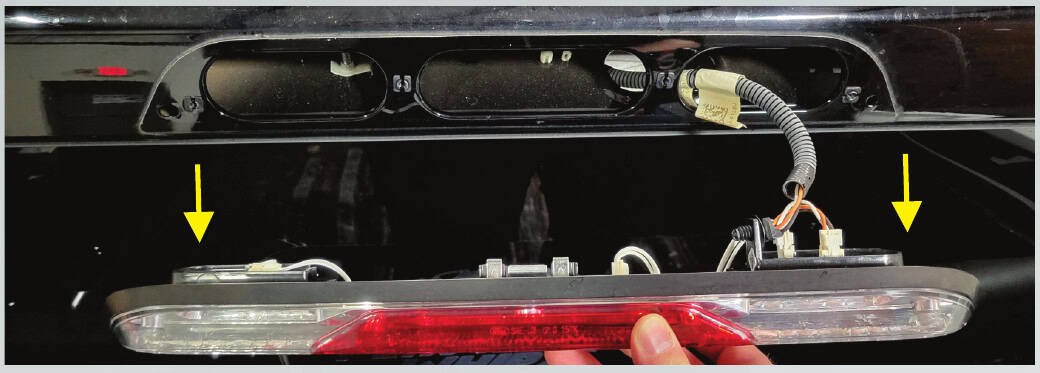
3. Move the connector wiring to the right and through the cab opening. Separate the connection and set the old light aside.
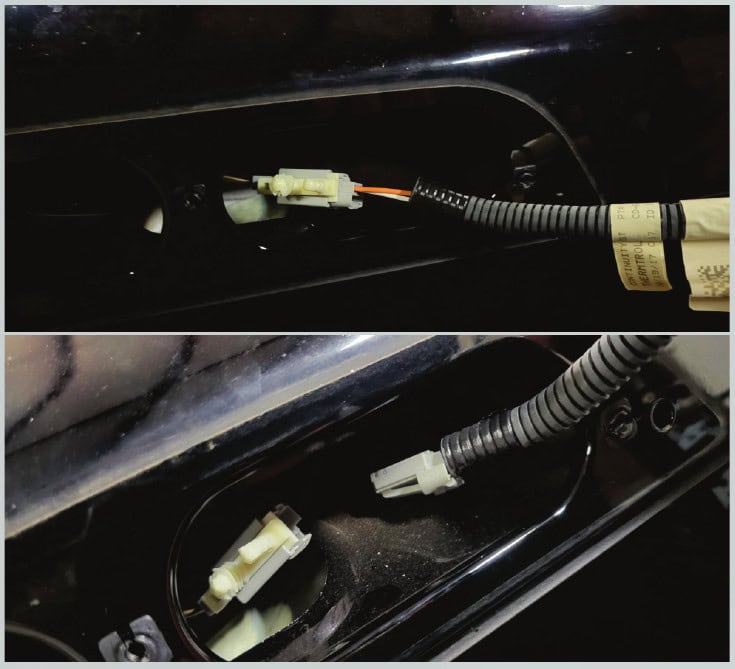
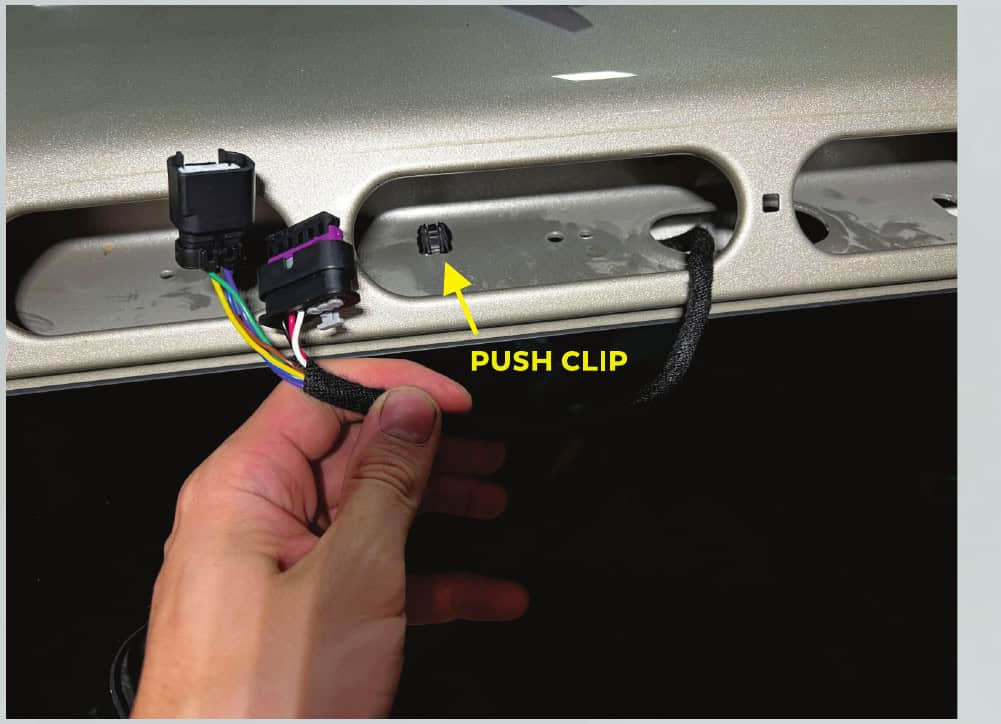
4. The factory connection shown below does not plug directly into the X3B. Return this wiring into the cab; the correct pigtail is reached from inside.
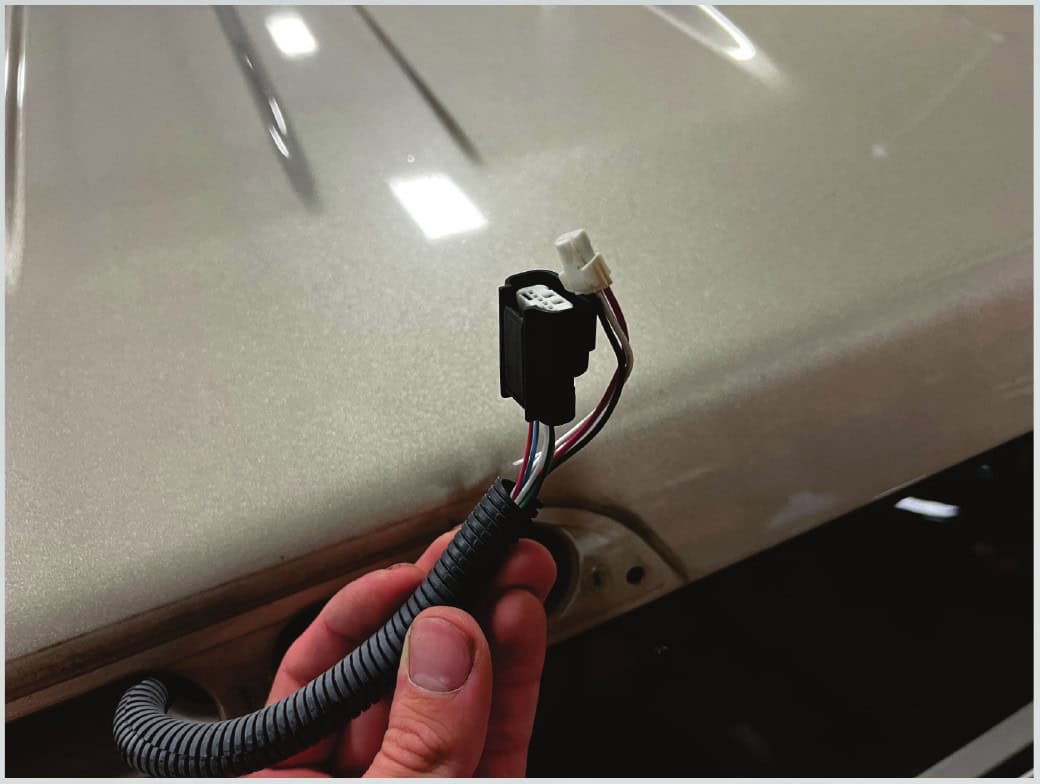
5–9 · Connect the pigtail and fit the mounting clips.
5. Inside the truck, gently ease the headliner down above the rear window.
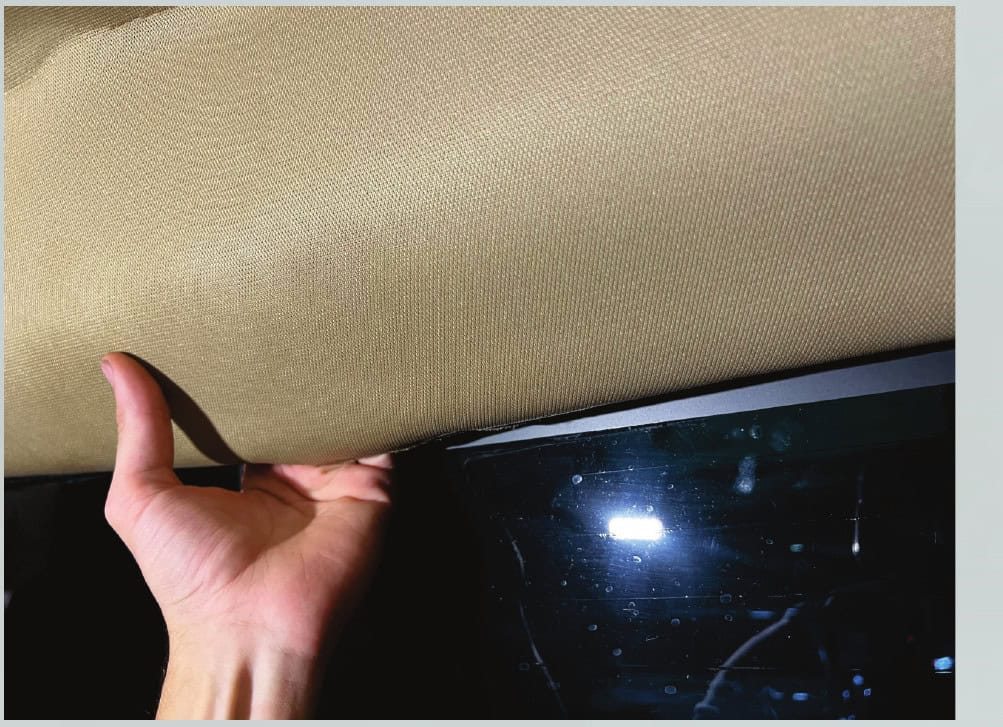
6. Locate and unplug the original third brake-light pigtail behind the headliner.
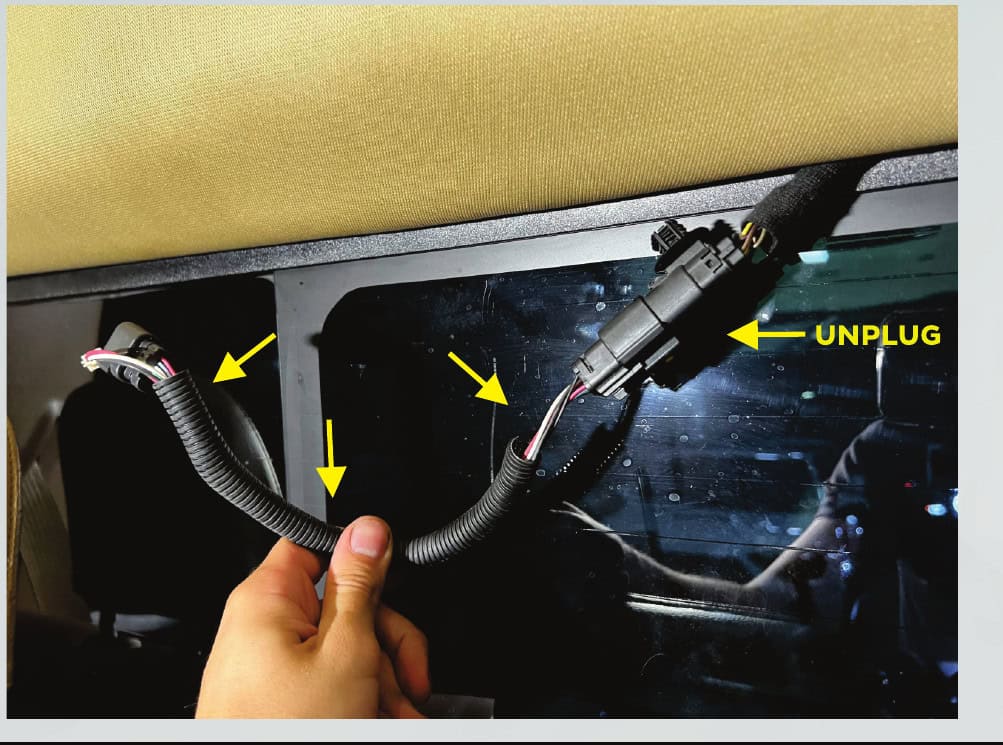
7. Connect the supplied pigtail and seat its push clip. Feed the wiring through the cab hole and centre opening shown. Refit the headliner using its original clips and holes.
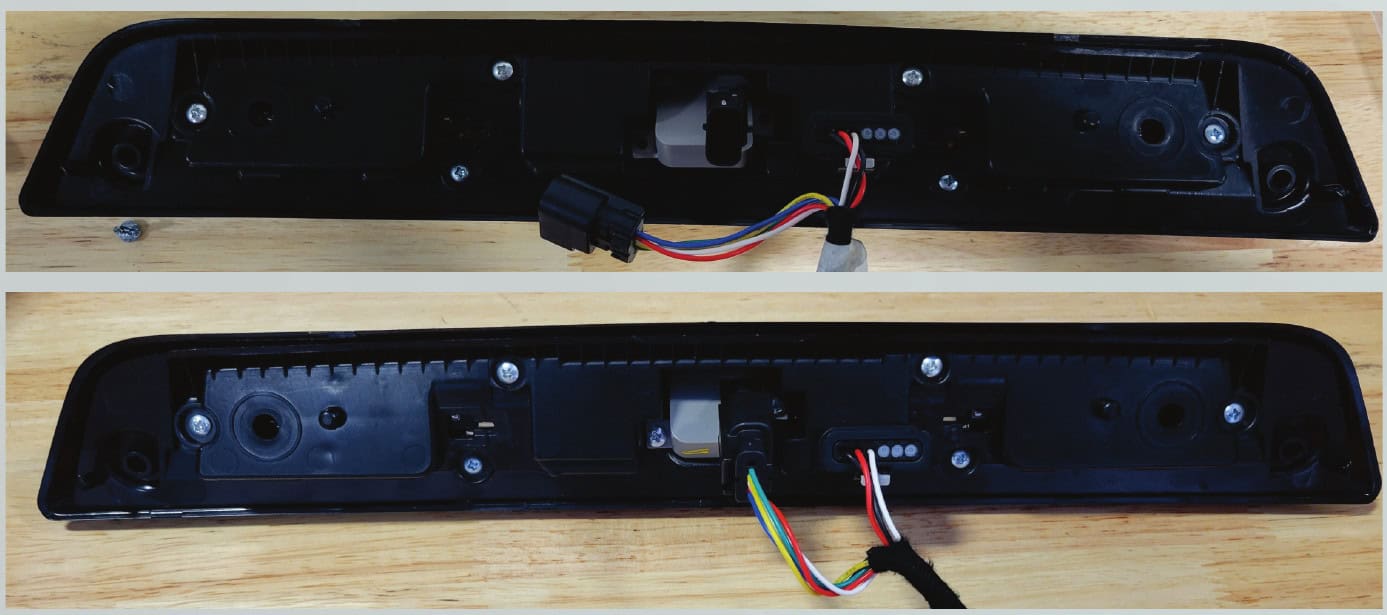
8. Squeeze the two plastic mounting clips in the cab opening and remove them. Keep them aside.
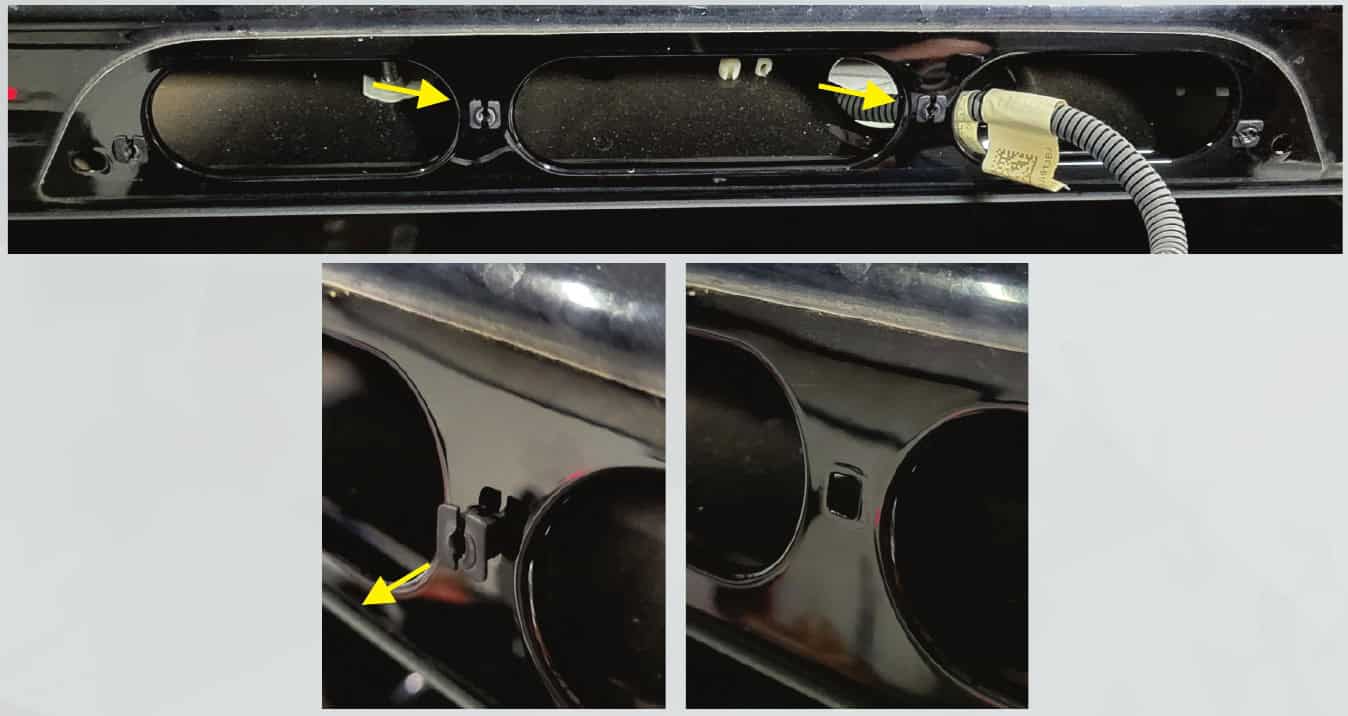
9. Fit the centre clips to the X3B if they are not already installed. Their tangs must face left and right across the lamp, not up and down. These clips are single-use; Morimoto supplies a spare set.
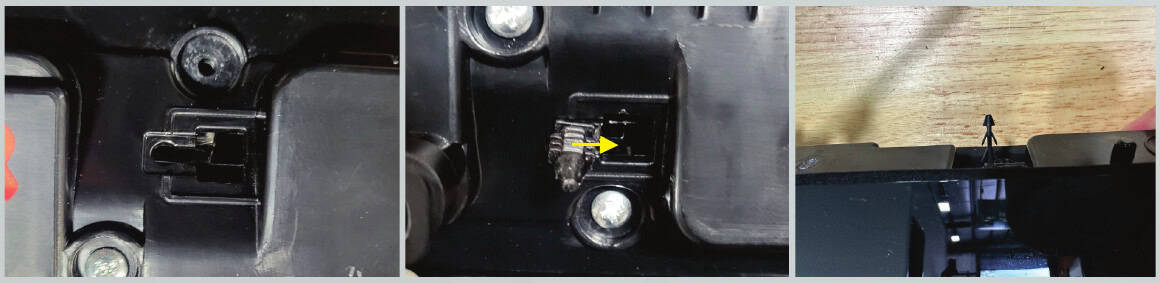
10–12 · Transfer the original camera, if equipped.
Without a camera: skip these three steps and continue with testing and sealing.
10. Unplug the camera at the rear of the original lamp. Remove the two camera-bracket screws and lift off the bracket.
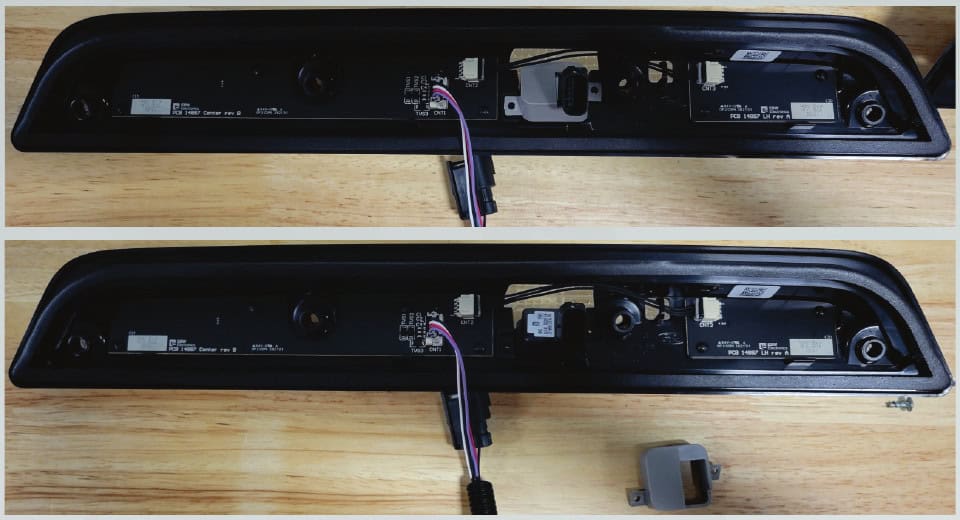
11. Remove the factory camera and place it into the camera opening of the X3B35.
12. Reinstall the camera cover and screws, then reconnect the camera.
13–17 · Test first, then seal and fasten.
- If fitting the separate X3B01 rapid-flash module, complete the optional procedure below before final installation.
- Clean the truck’s mounting surface with isopropyl alcohol and let it dry completely.
- Confirm every connection, switch the truck on and check all lighting functions. Check the transferred camera where fitted. Only the two outer original screws are reused; the centre positions use clips.
- Give the mounting surface a final alcohol wipe. Peel the backing from the gasket only when you are ready to seat the lamp. The adhesive gasket is single-use, so align it carefully.
- Align the centre clips with the square holes, then press the light firmly into position. The clips may engage without an audible click. Reinstall the two outer original screws without overtightening: they thread into plastic.
Optional X3B01 rapid-flash module.
This accessory is sold separately. Its installation is included here because it appears in the manufacturer’s manual; it is not required for the standard lamp.
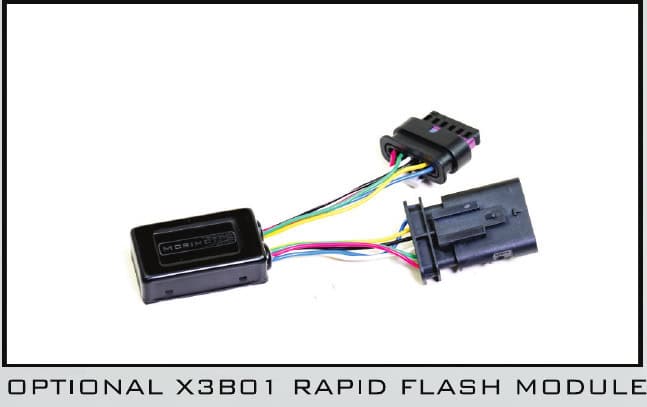
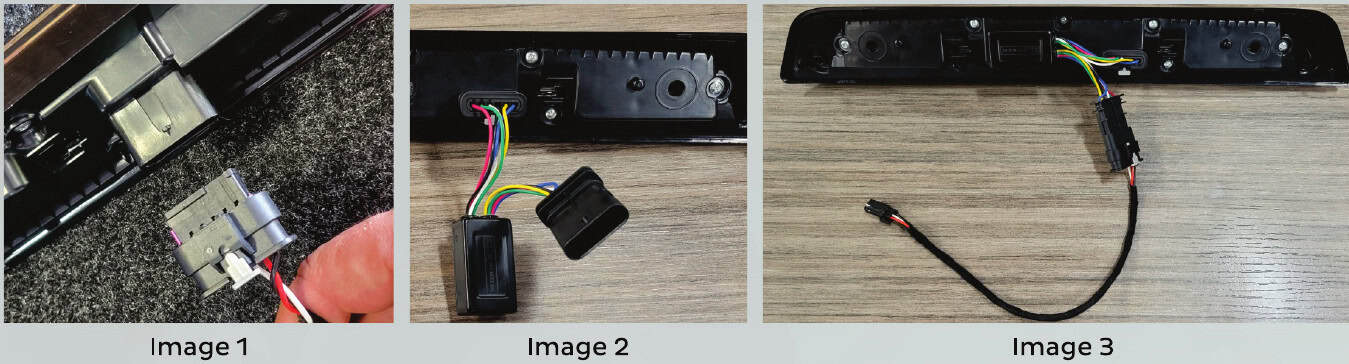
- Unclip the wiring harness from the rear of the X3B.
- Connect the module’s female connector to the light.
- Connect the light’s harness to the module’s male connector.
- Remove the backing from the module’s mounting tape and secure it to the back of the light or inside the lamp cavity.
- Switch on the truck and test all functions before final assembly.
Finish the rear of your F-150
XB tail lights · X3B third brake light · XB license-plate lights · All 2021–2023 F-150 upgrades · F-150 lighting buying guide
Written by BTS from Morimoto’s X3B35/X3B40 manual; all relevant instructional photos and original annotations are retained above. Source checked October 23, 2026. Open the complete manufacturer PDF. The PDF repeats some printed page numbers; the sequence here follows its actual eight pages.