

BTS INSTALLATION GUIDE · DIODE DYNAMICS
Polaris RZR XP LED grille kit installation guide
Install the stainless grille, two SS3 pods and included harness on 2014–2018 RZR XP 1000 / XP4 1000 Non-Turbo models, or the 2016 Turbo model only. Other Turbo years are not covered.
Before starting
This guide follows the original Diode Dynamics vehicle procedure and includes every relevant figure from it. Work with the vehicle safely parked and follow its electrical service instructions. The bumper and front panels must be removed. Use the supplied fasteners and check the wiring route before reassembly.
Have T40 and T20 Torx tools, a 10 mm tool and a 5/32-inch Allen tool available. Factory-bus-bar wiring is conditional on that equipment being fitted. The optional rectangular rocker is a separate accessory; the kit includes its own switch harness.
This mounting and wiring procedure applies to the SS3 Combo and Fog versions of this grille kit. Choose the beam pattern separately; shared installation photographs do not compare their output.
Choose the SS3 Combo grille kit Choose the SS3 Fog grille kit
1. Remove the upper front cover
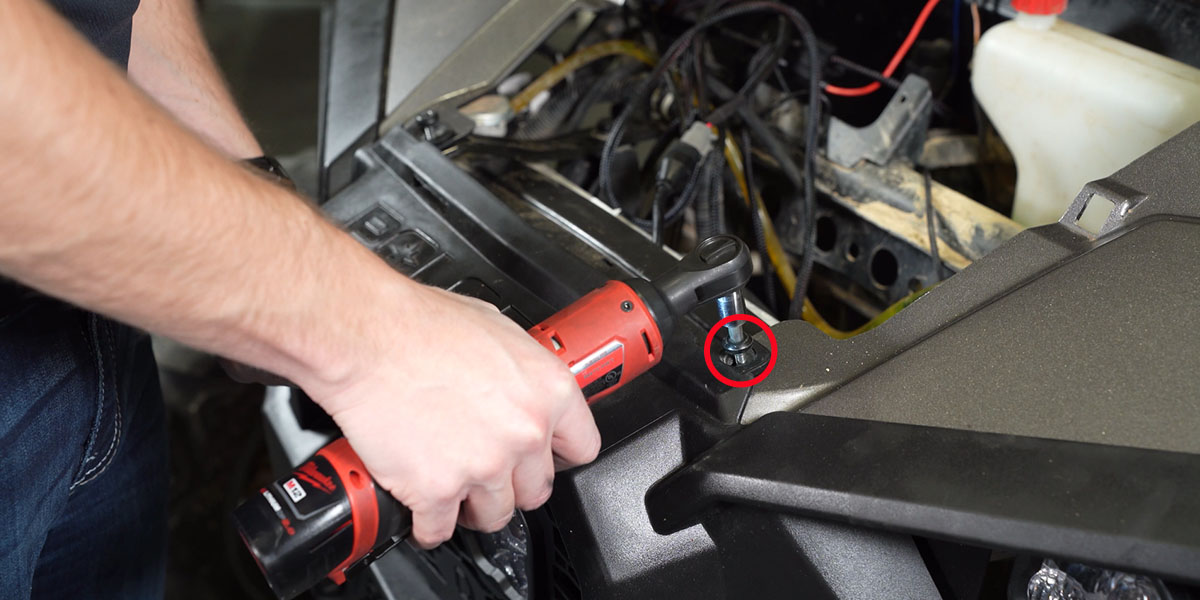
Remove the single bolt holding the panel above the winch cover. Lift the panel upward and toward the windshield.
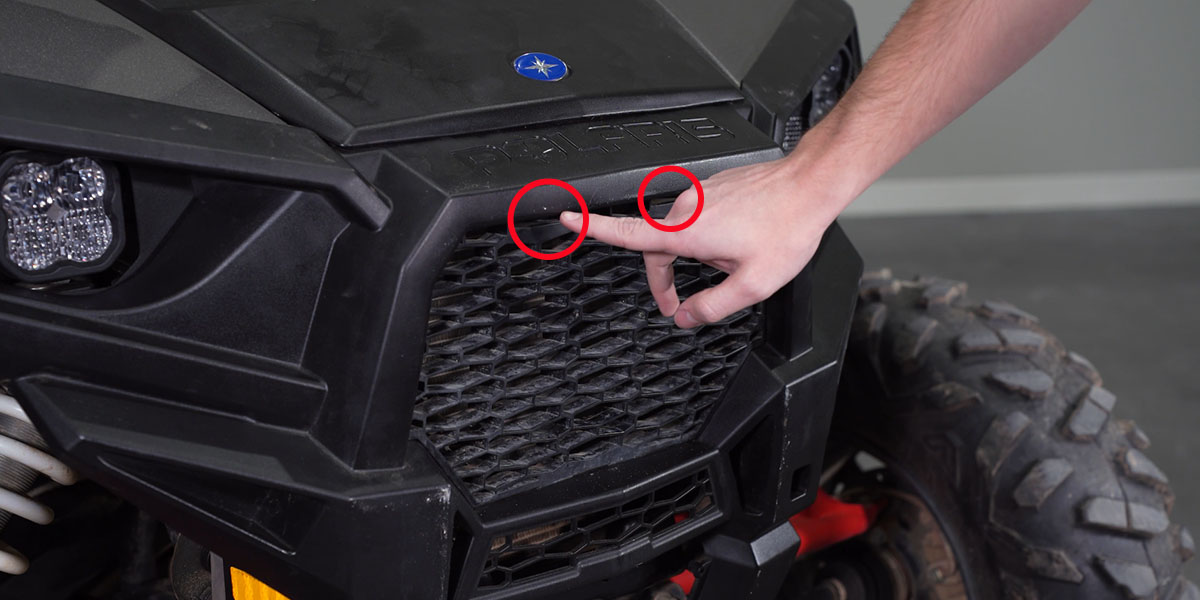
2. Release the factory grille
Release the two grille tabs and remove the factory grille.
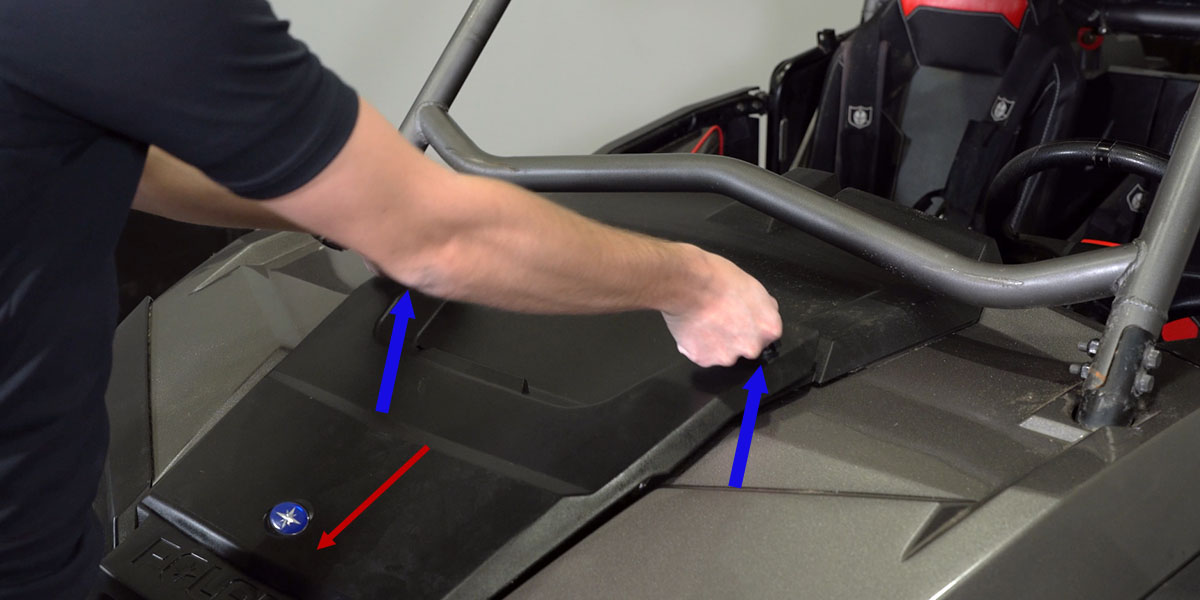
3. Remove the hood
Twist the two hood latches to release them, then slide the hood away.
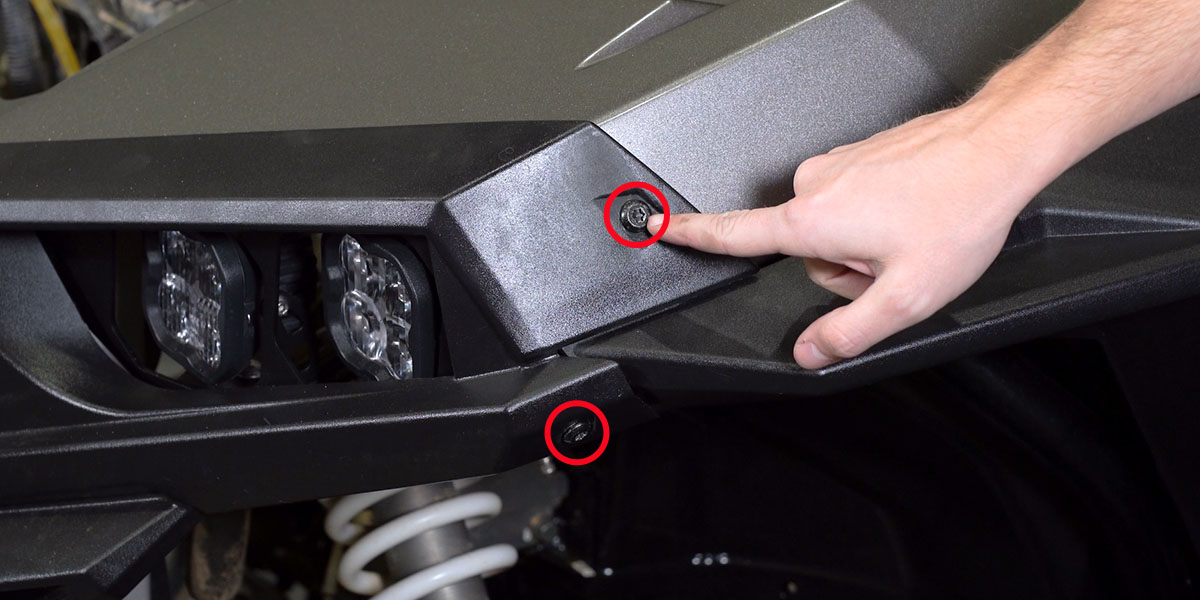
4. Remove the outer fender bolts
Use a T40 Torx bit to remove the two outer fender bolts on each side.
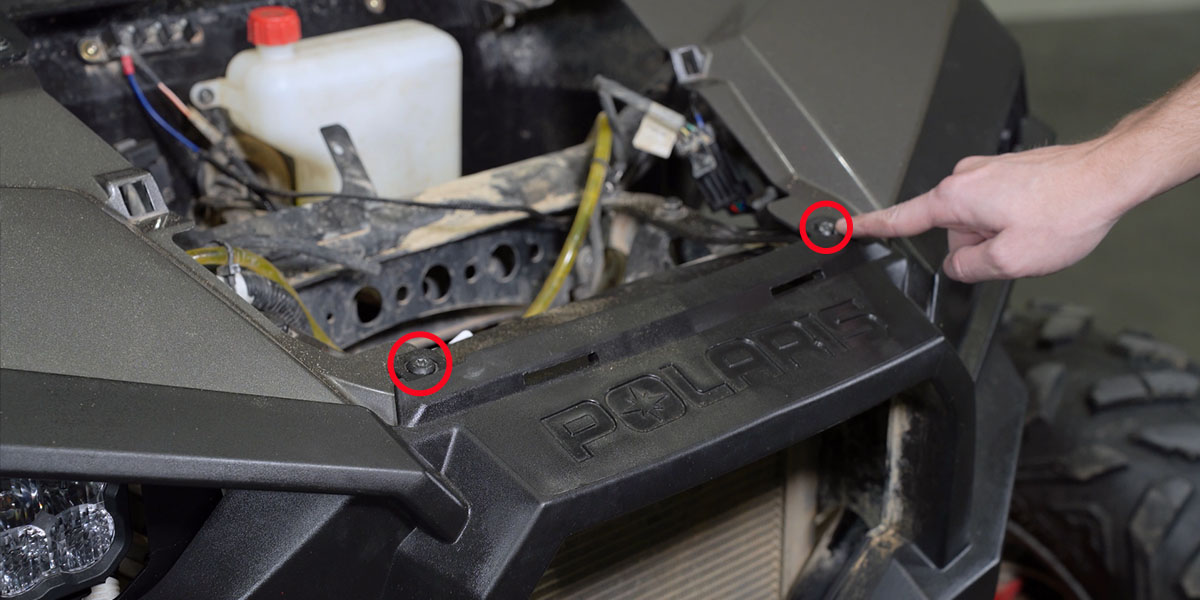
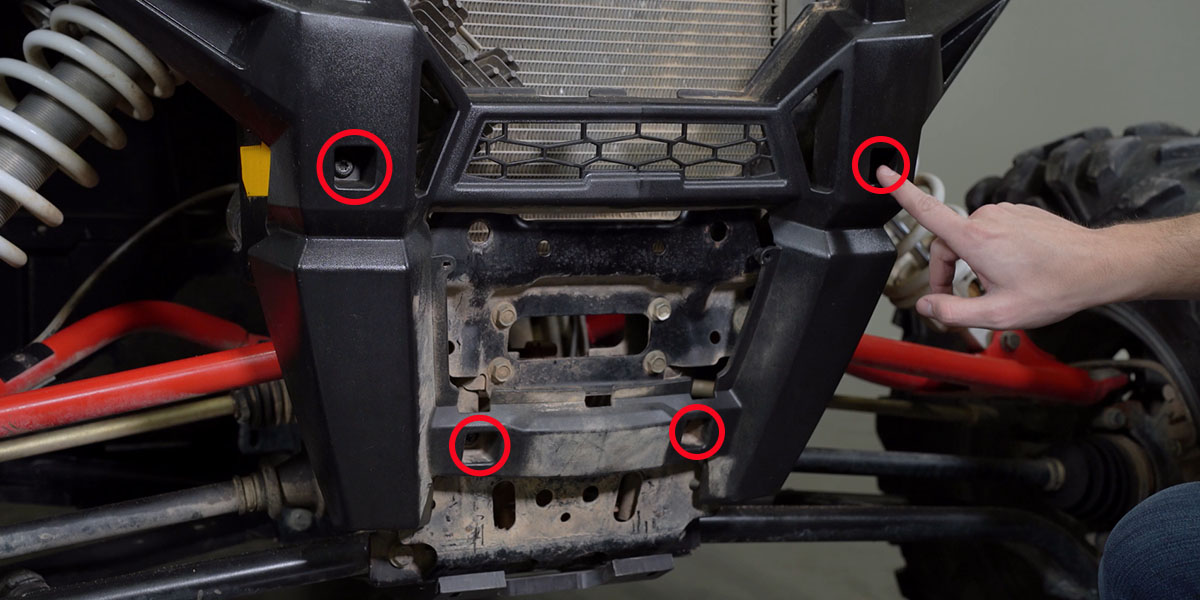
5. Free the front bumper fasteners
Remove the two front T40 bolts, then the four additional bolts shown in the second photograph. Retain the factory fasteners for reassembly.
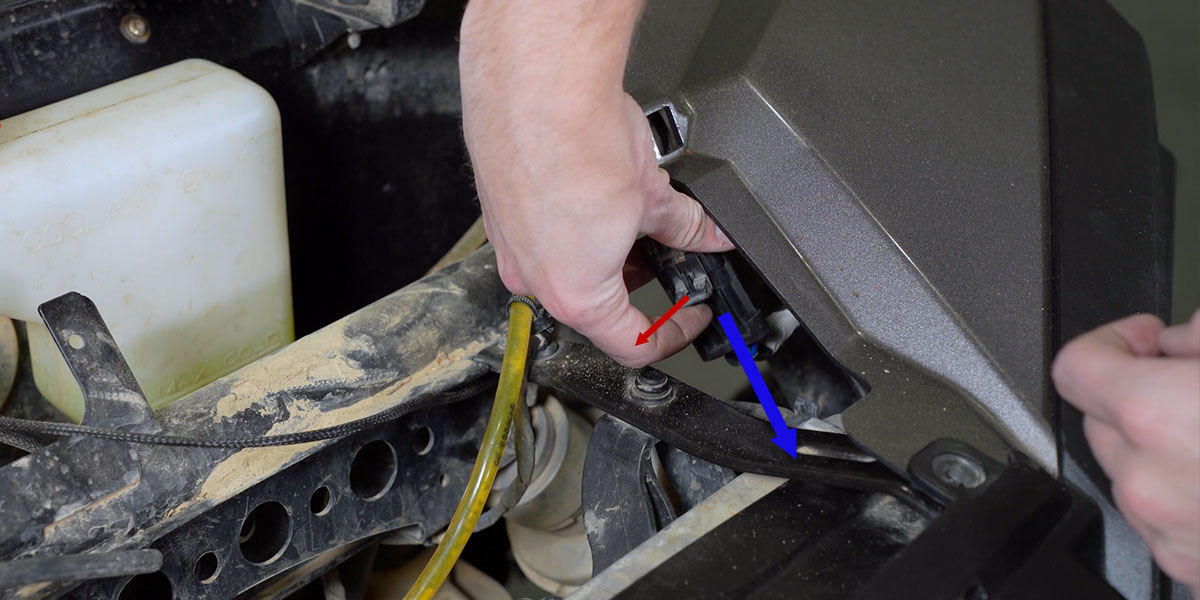
6. Disconnect both headlights
Disconnect the headlight wiring on both sides before moving the bumper.
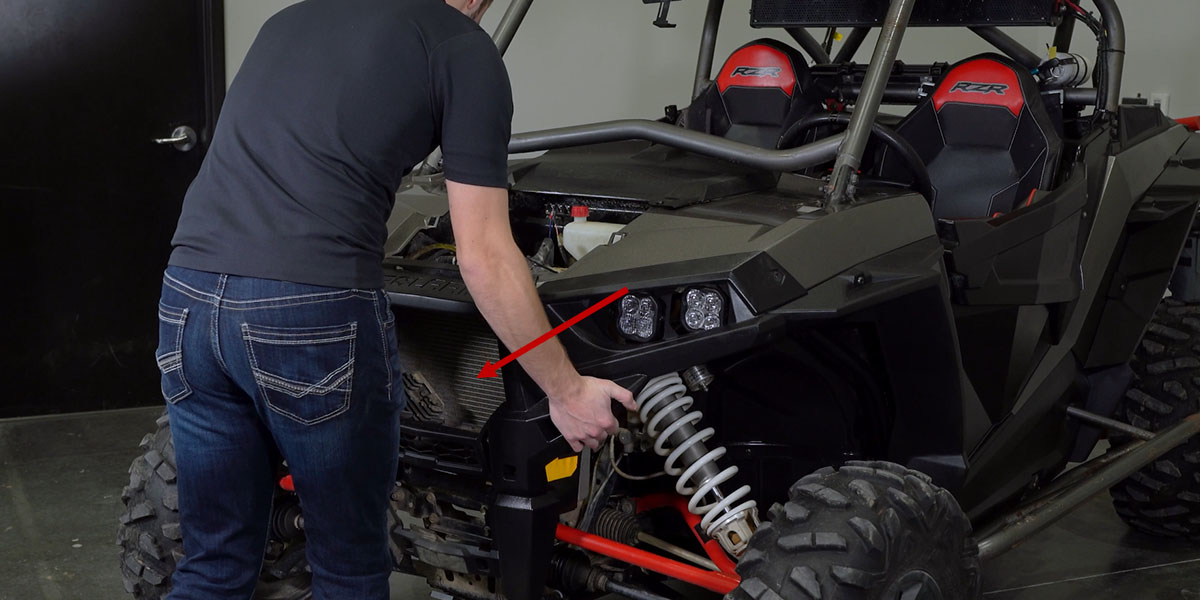
7. Remove the bumper
Carefully pull the bumper straight off and place it on a soft surface.
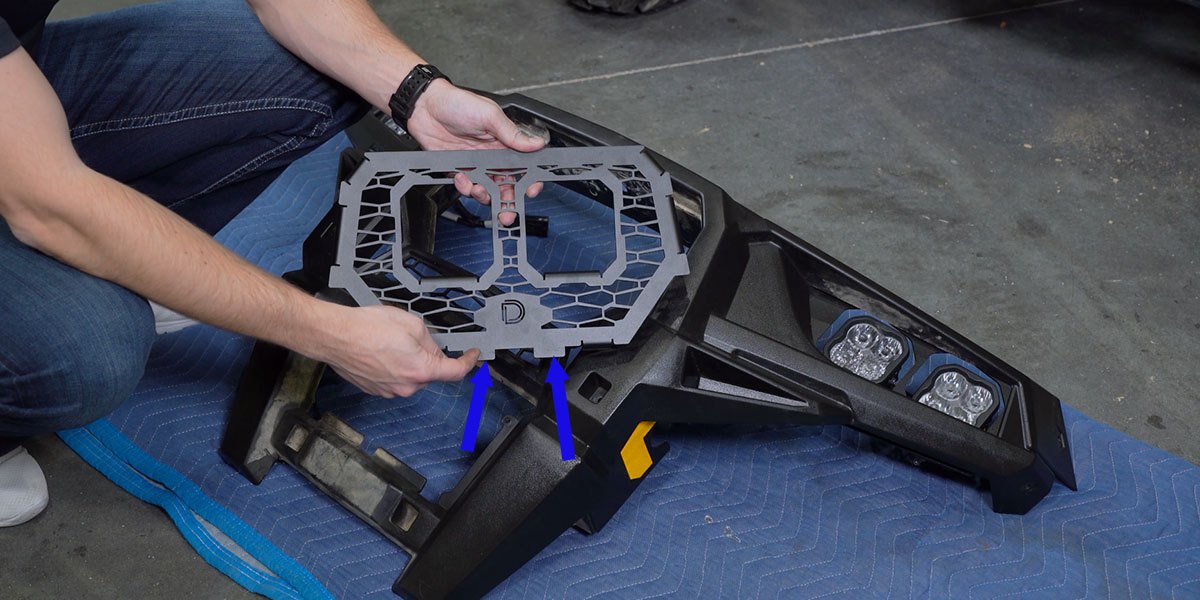
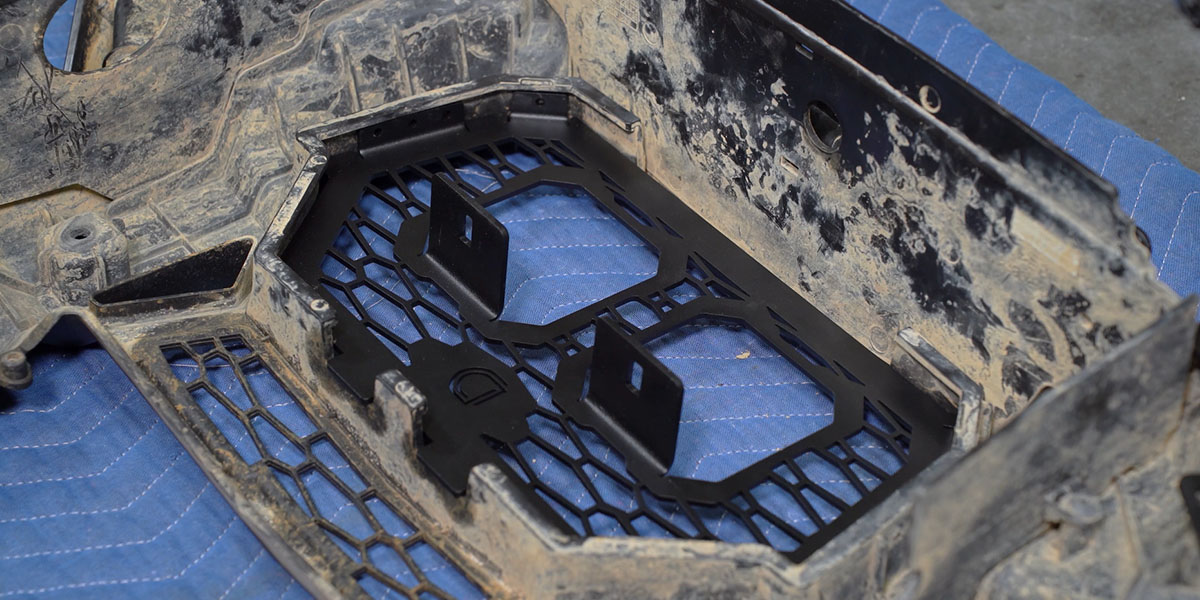
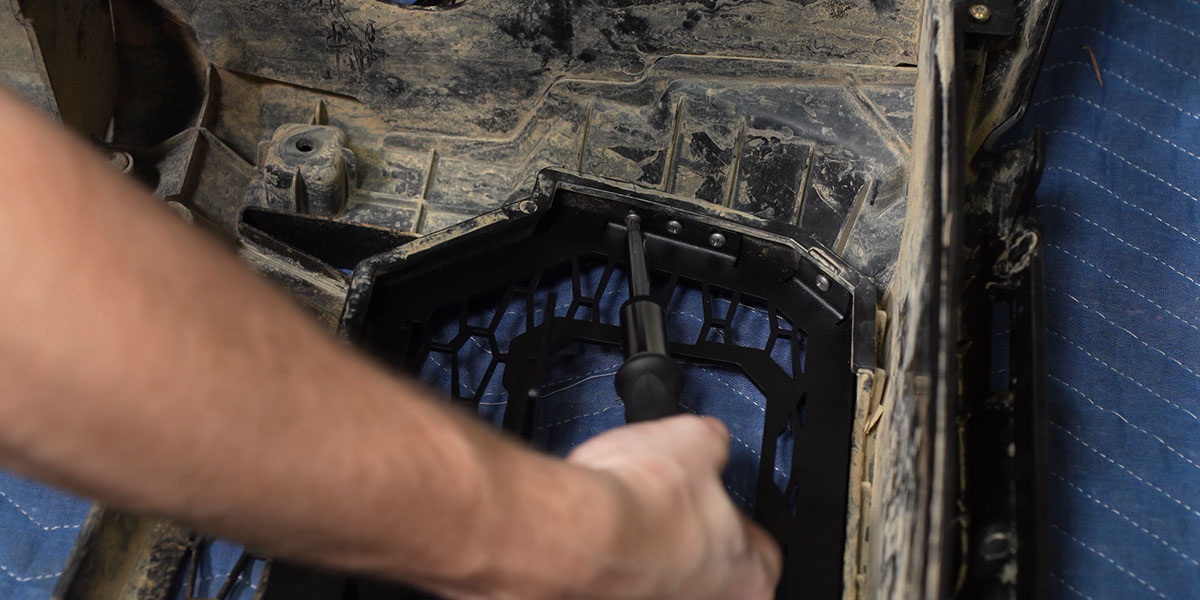
8. Install the stainless grille
Seat the bottom keys of the new grille in the factory bumper. With the bumper face down on a soft surface, install the ten supplied self-tapping screws through the indicated mounting holes. Do not overtighten.
9. Assemble the SS3 mounting brackets
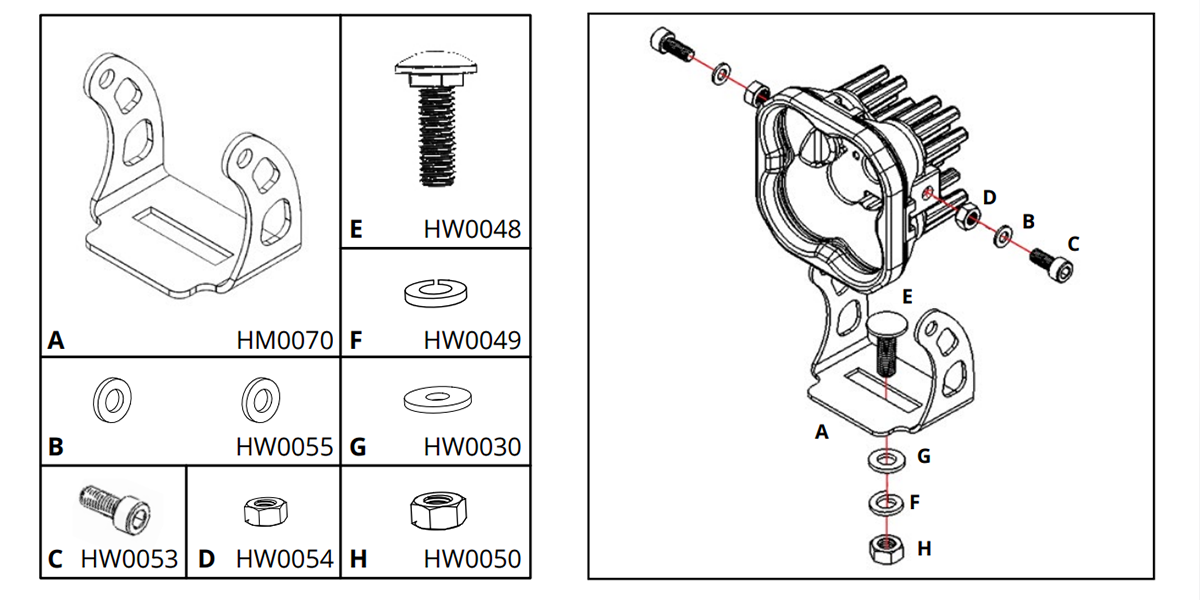
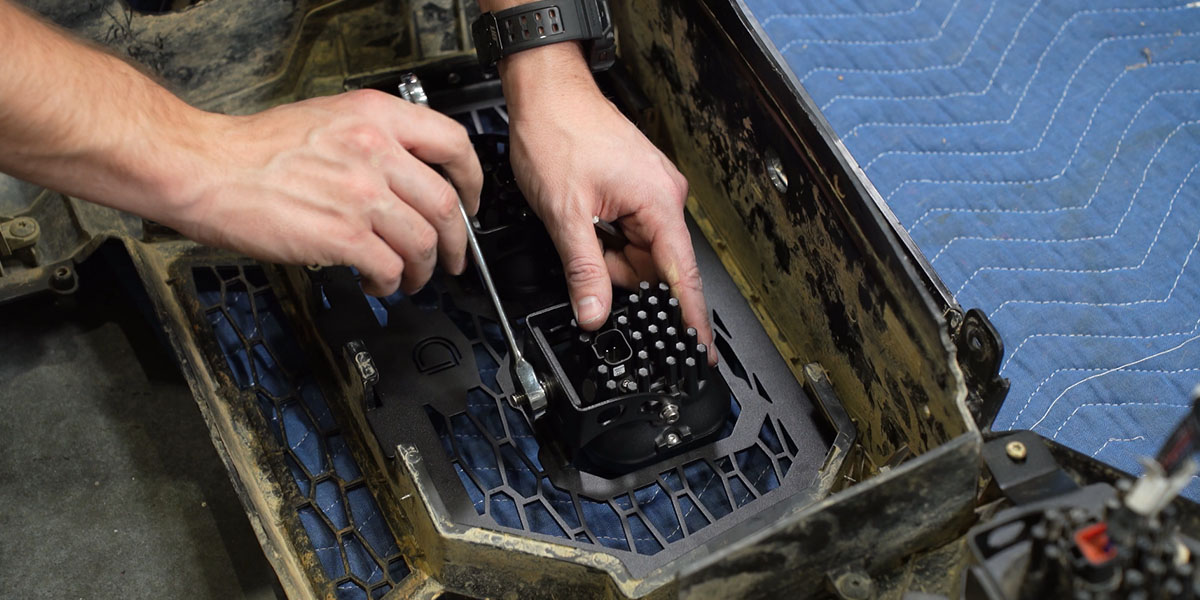
Assemble each SS3 pod and U-bracket using the supplied hardware, following the original diagram. Leave the aiming hardware adjustable until the lights are aimed.
10. Mount the pods below the grille tabs
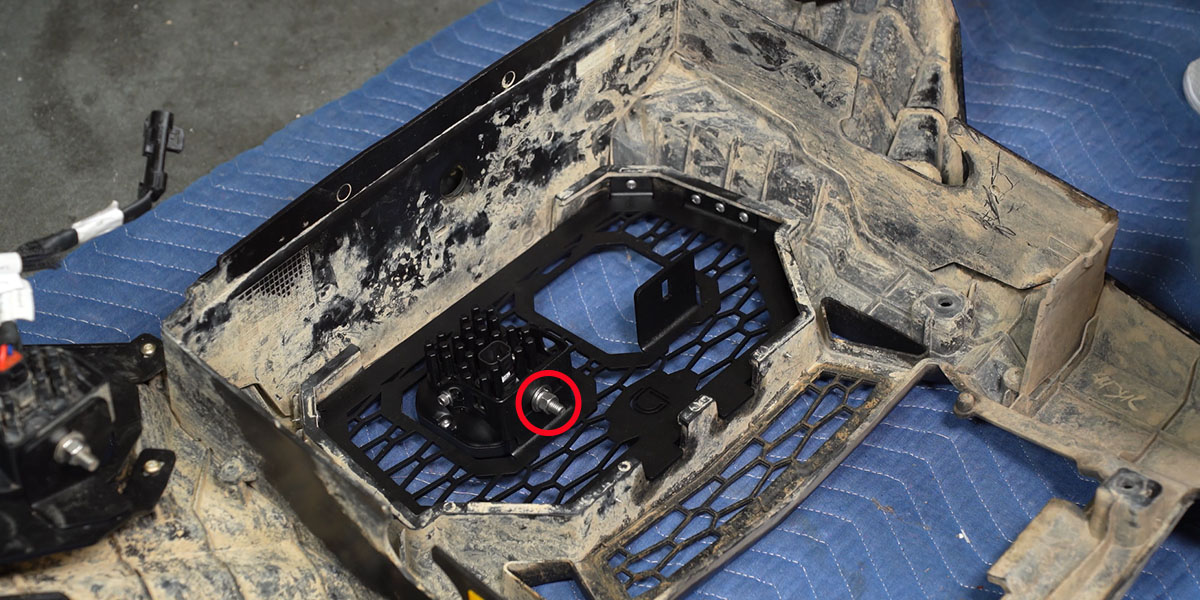
Attach each SS3 bracket underneath its grille mounting tab. The photograph shows the correct side of the tab.
11. Identify the factory bus bar, if equipped
The illustrated power connection uses the factory bus bar on the passenger-side firewall. Confirm that your vehicle has this equipment. If it does not, use the vehicle service information and obtain a suitable power-connection plan before continuing; do not guess which terminal to use.
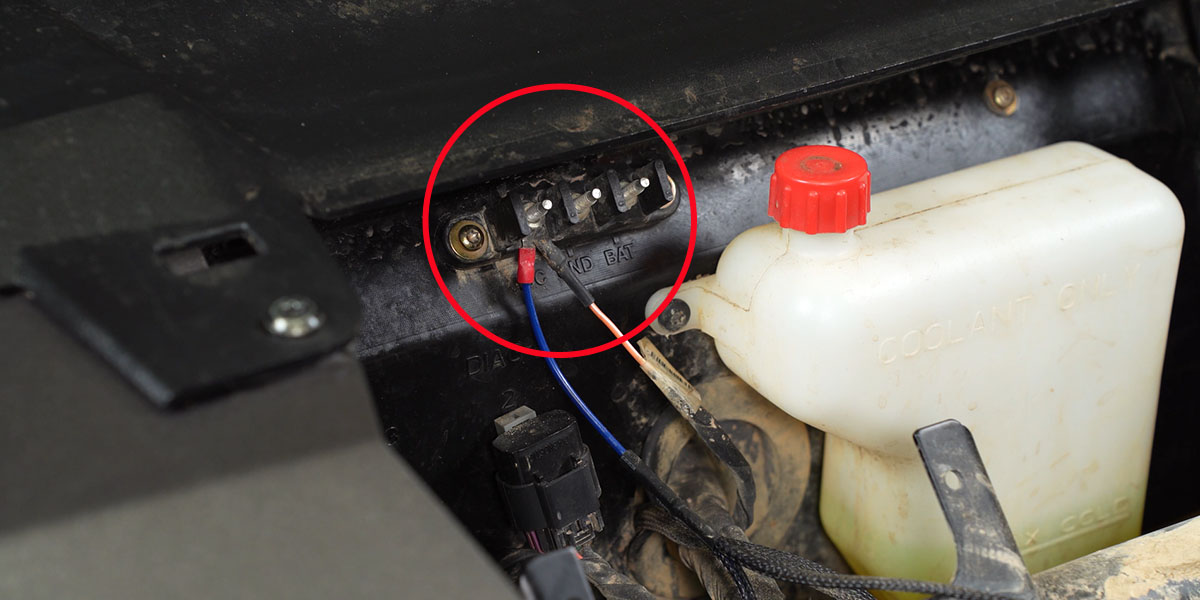
12. Mount the relay and connect power
On the illustrated bus-bar-equipped vehicle, remove the T20 bus-bar bolt and use it to secure the relay. Connect the positive ring terminal to the first bus-bar terminal with a 10 mm tool. Secure the ground ring terminal at the illustrated 10 mm grounding bolt. Follow the vehicle service procedure for safely working on the electrical system.
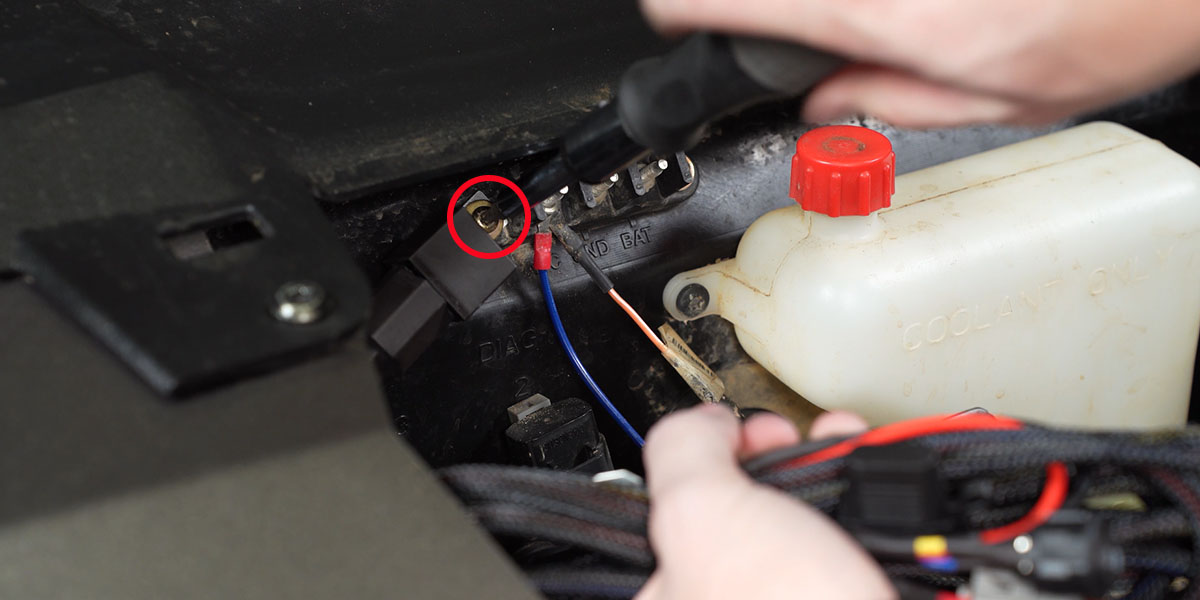
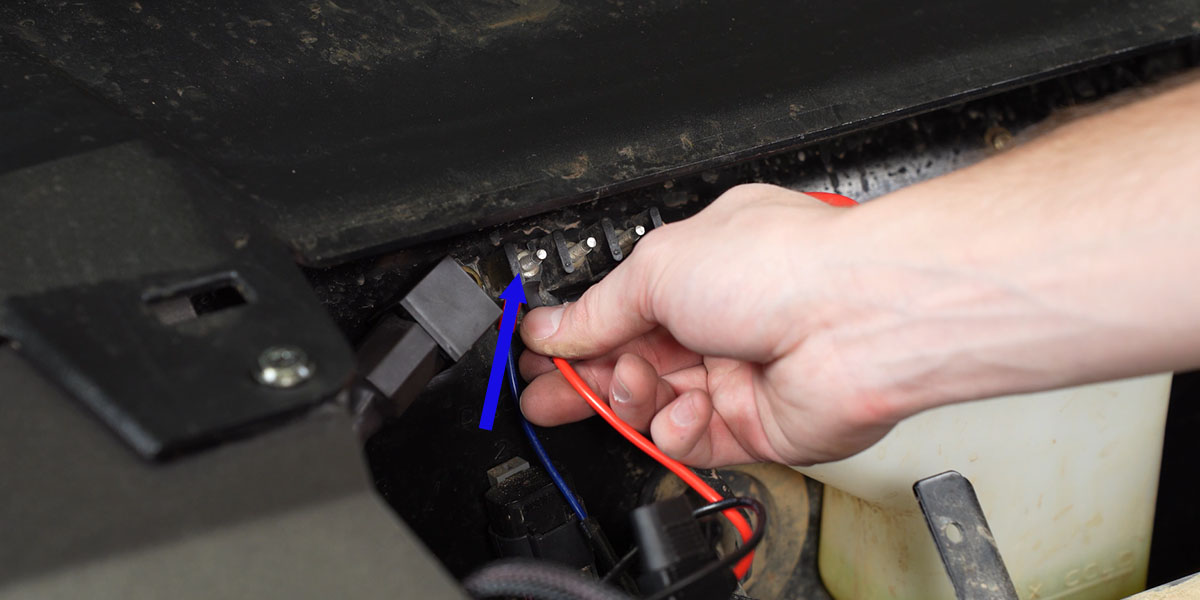
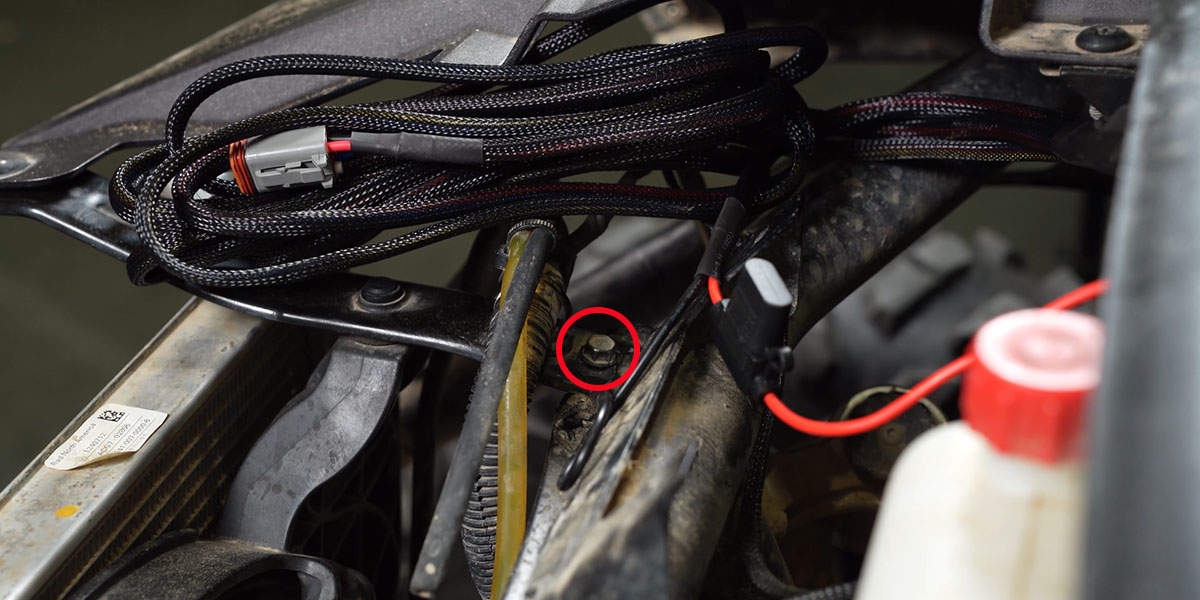
13. Route the switch lead into the cabin
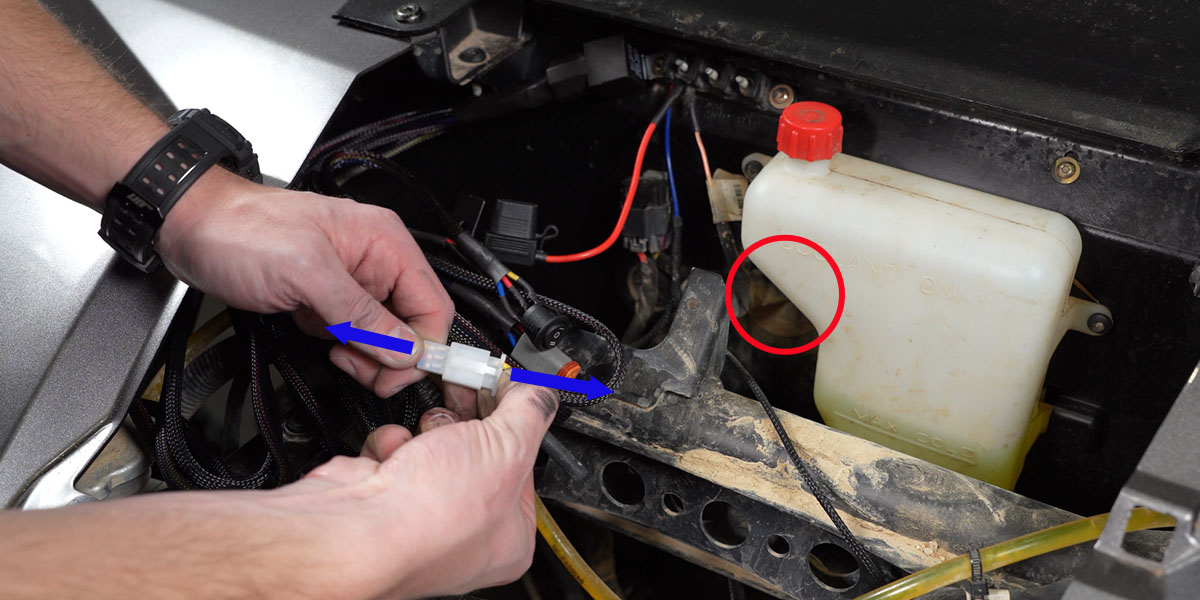
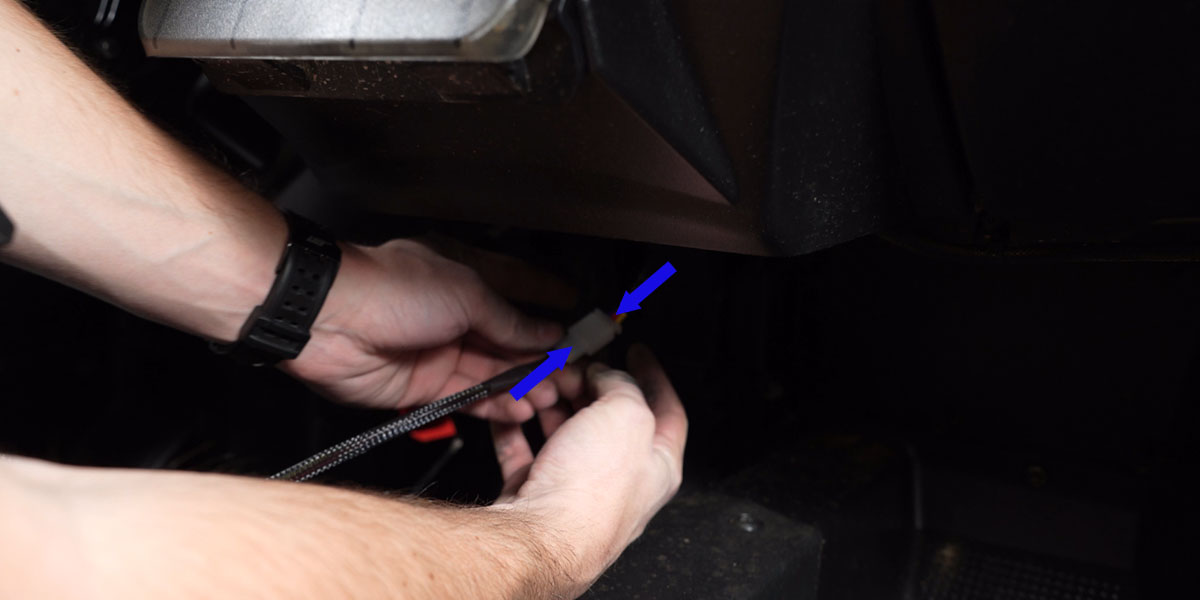
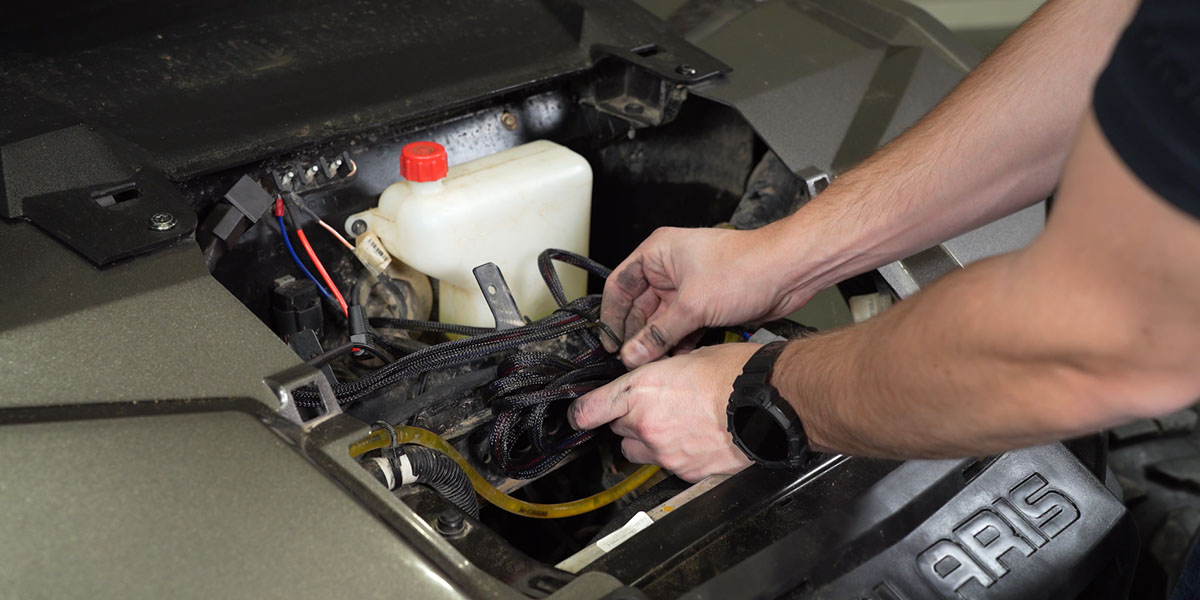
Disconnect the switch portion from the main harness. Feed its main connector through the factory firewall grommet, then reconnect the switch portion inside the cabin. Keep the grommet properly seated and protect the cable from sharp edges.
Optional rectangular rocker-switch branch
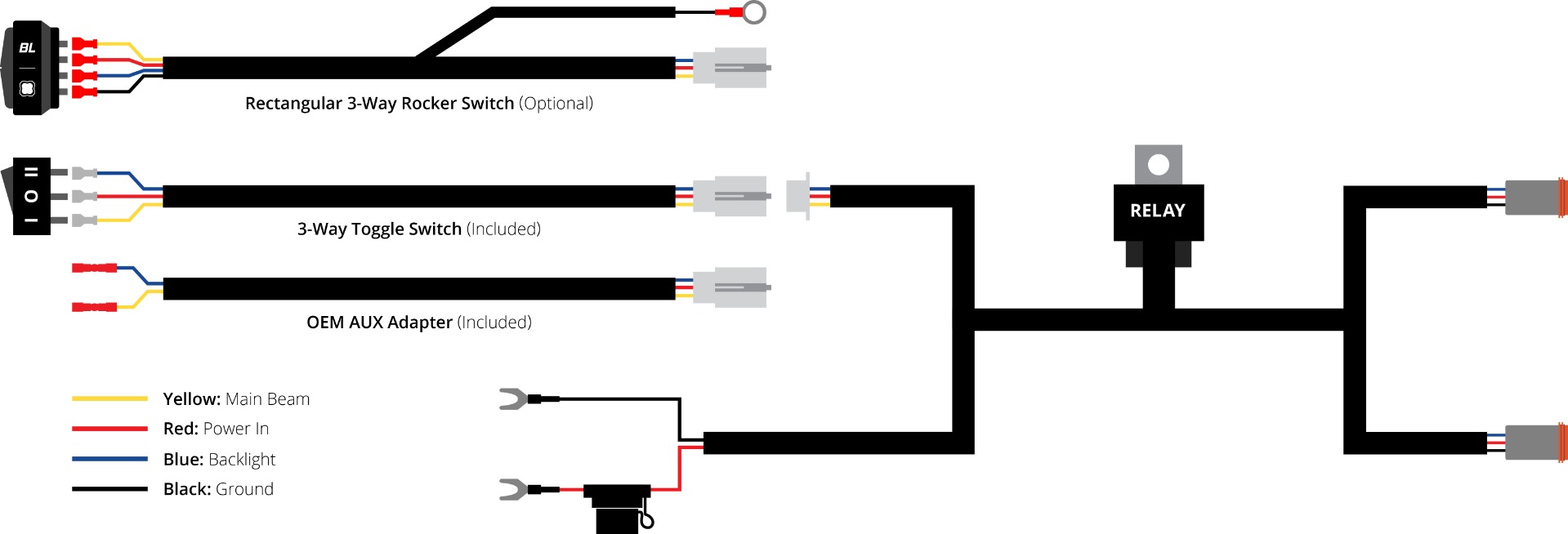
If using a compatible rectangular rocker, unplug the white connector from the original switch and connect it to the appropriate optional rocker. Fit the rocker to a suitable existing blank after checking clearance. Connect the black ring terminal to ground to illuminate the rocker backlight. This diagram describes the switch-harness connections; it is not a substitute for the pod connector pinout.
14. Choose the switch location
Mount the supplied switch in a suitable accessible location. A new switch opening may be needed; check behind the panel before making a hole. If using a compatible optional rectangular rocker, follow the separate rocker-switch instructions.
15. Connect both lights
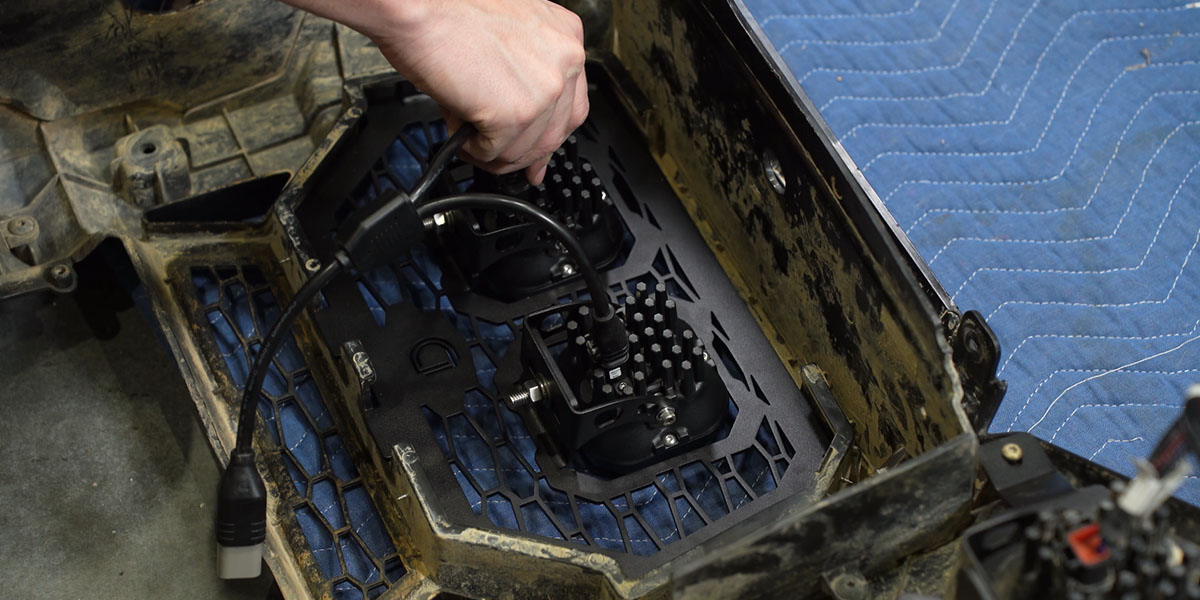
Connect the DT four-pin splitter to both pods, then connect the splitter to the main harness.
16. Temporarily refit the bumper
Install two T40 bumper bolts temporarily so the lights can be tested and aimed in their mounted position.
17. Test and aim the lights
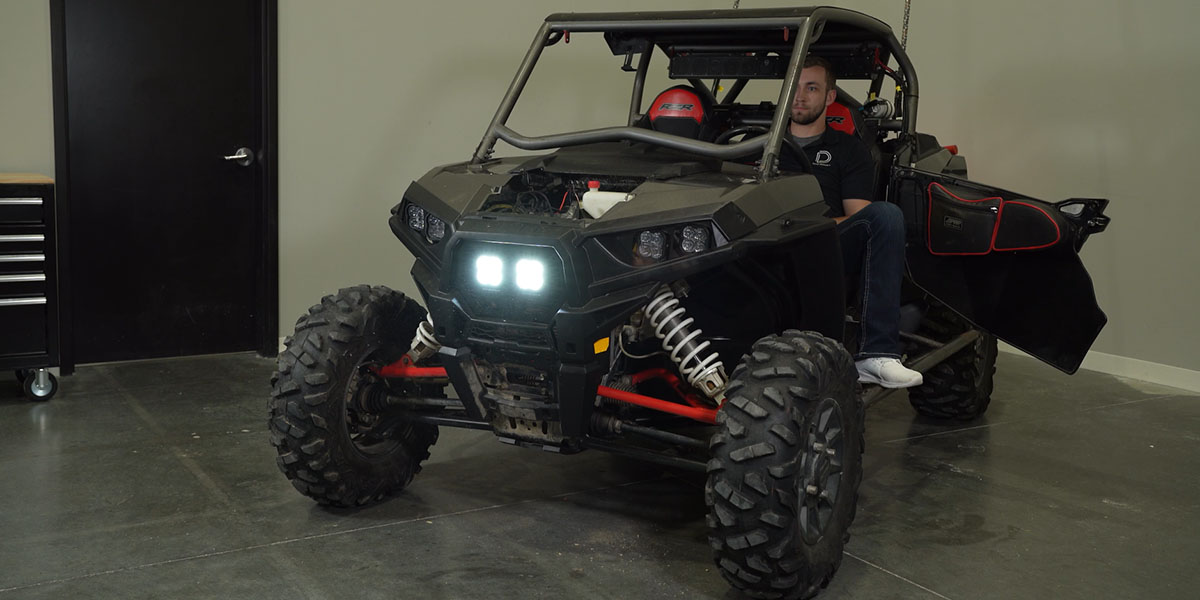
Test the main beams and amber accent backlights. Aim both pods, then tighten the mounting hardware with a 10 mm wrench and 5/32-inch Allen tool. No tightening torque is specified in the manufacturer’s guide.
18. Reinstall the bumper and headlights
Finish reinstalling the bumper in reverse order and reconnect both factory headlight connectors.
19. Secure wiring and finish reassembly
Reinstall the remaining panels and hardware. Secure the wiring with cable ties, keeping it away from heat, moving parts and pinch points. Confirm both factory headlights and the new lights operate correctly.
Original references and installation video
Download the original generic SS3 assembly PDF. This older reference illustrates pod hardware assembly. Its electrical specifications are not the specifications or wiring instructions for the complete grille kit; use the current vehicle guide and the supplied harness instructions.
Read the original vehicle-specific Diode Dynamics instructions.
The video complements the written steps. Other lighting or accessories visible on the vehicle are not supplied with this kit.