

POLARIS RZR XP · SS5 A-PILLAR KIT
2014–2018 Polaris RZR XP SS5 A-pillar installation guide
Mount, wire and aim the two SS5 Combo pods in kits DD7850, DD7851, DD7852 and DD7853.
For 2014–2018 RZR XP1000 and XP4 1000. Check clearance with aftermarket cages, windshields and accessories.
Before you begin
Have 18 mm and 10 mm sockets, a 13 mm wrench and a 5/32-inch Allen key ready, plus wiring ties. Check the fasteners supplied with your pods and use the matching tool. Follow the vehicle service requirements for cage and battery fasteners.
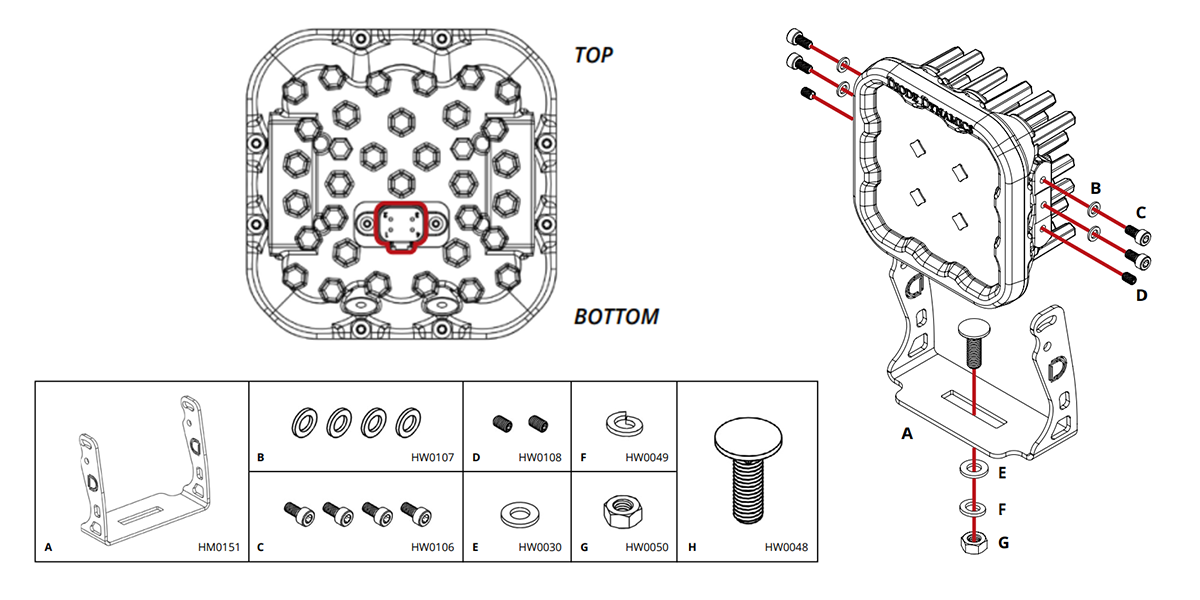
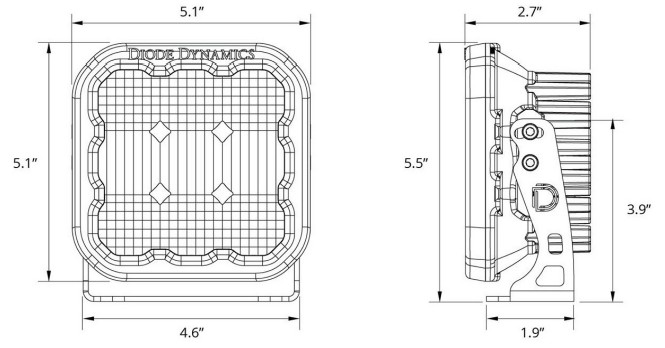
The manufacturer’s shared SS3/SS5 vehicle photographs show smaller SS3 lamps during many steps. Use them for the shared cage bracket, battery access and harness route; use the SS5 assembly diagram below for your pods. Keep the supplied DD4093 four-pin harness intact.
STEP 1 OF 15
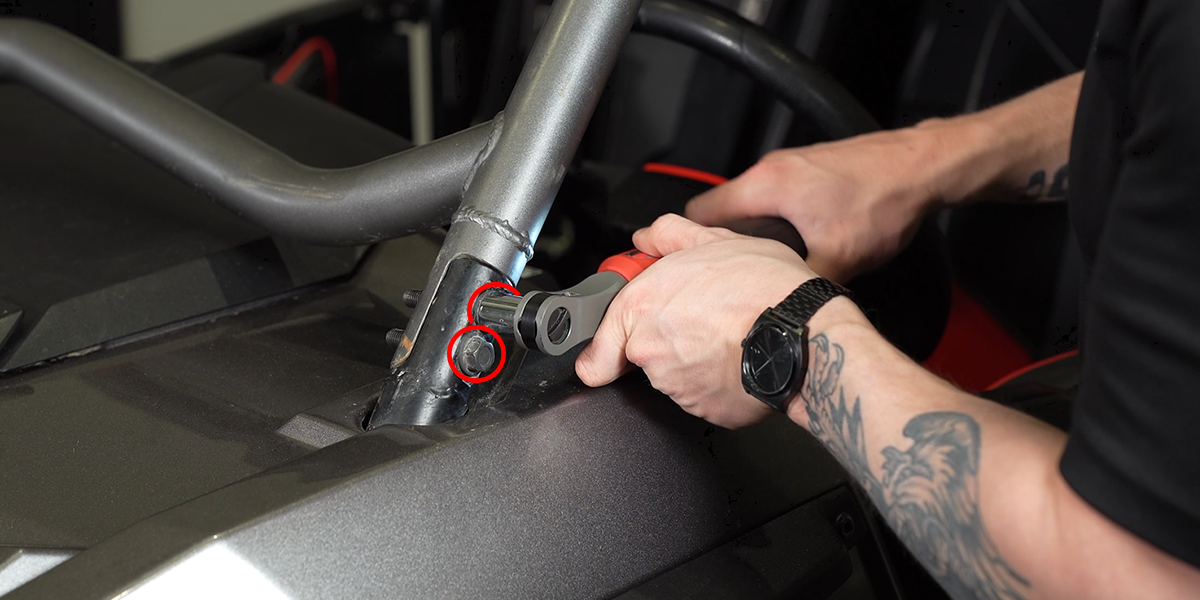
Remove the driver-side cage bolts
Use an 18 mm socket to remove the two factory bolts at the driver-side mounting point shown.
STEP 2 OF 15
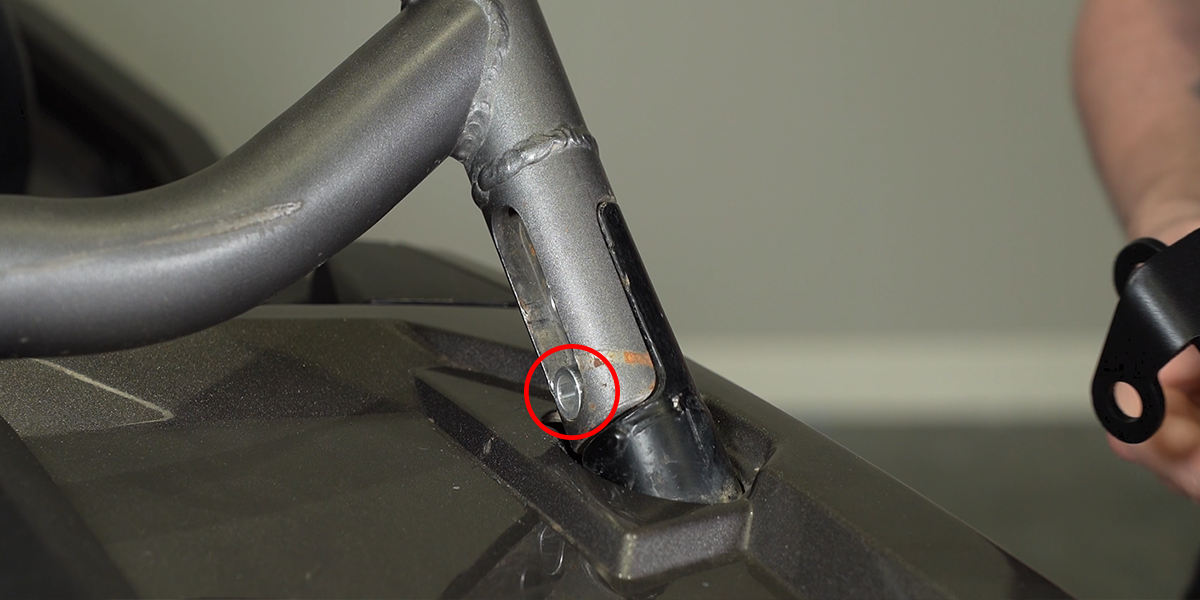
Place the spacer
Insert the supplied spacer into the opening in the frame. Keep it seated while positioning the bracket.
STEP 3 OF 15
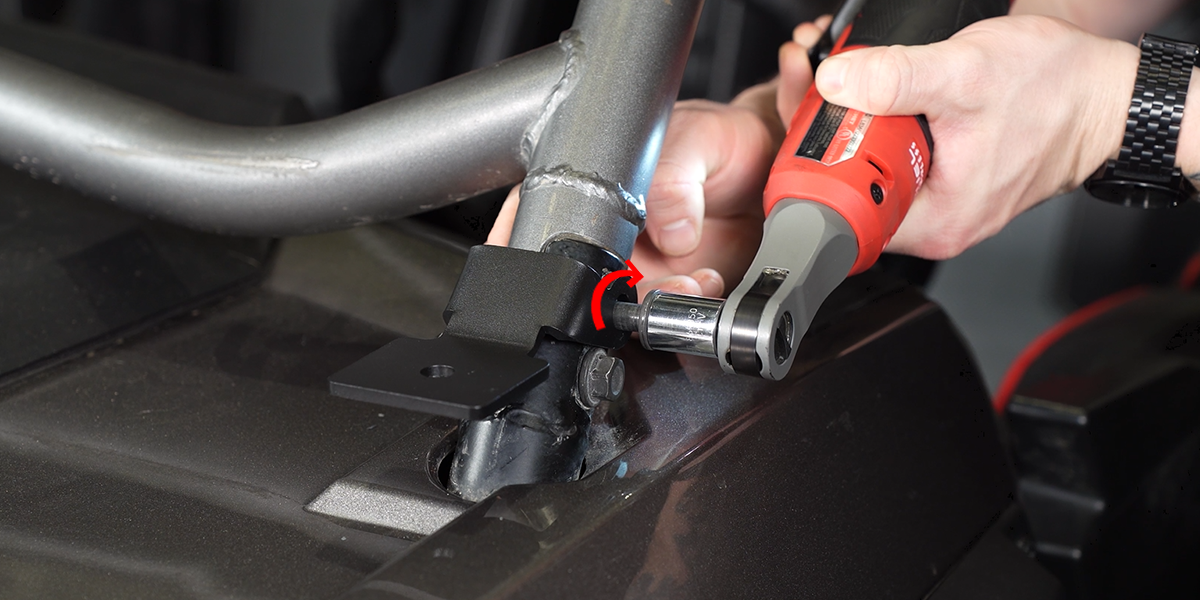
Install the driver-side bracket
Set the bracket over the cage and line up its mounting holes. Reinstall the original cage bolts through the bracket. Follow the vehicle service requirements for these structural fasteners; the lighting article supplies no torque value.
STEP 4 OF 15
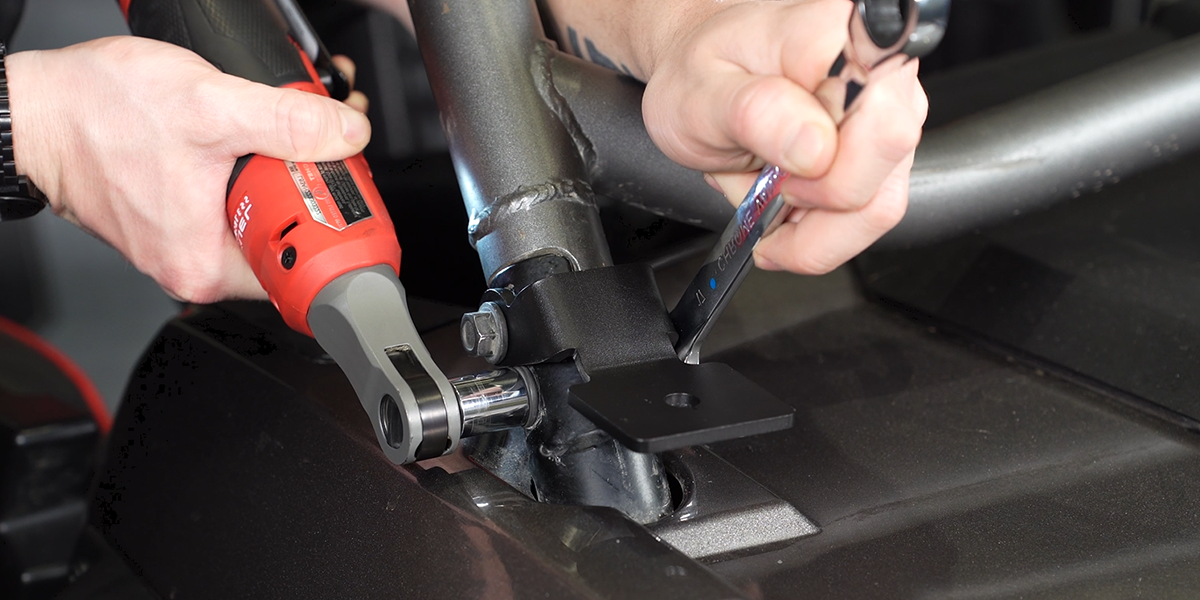
Install the passenger-side bracket
Repeat the same spacer and bracket arrangement on the passenger side.
STEP 5 OF 15
Assemble the SS5 pod brackets
Orient each SS5 as shown, with the connector toward the bottom. Fit the U-bracket, side washers and fasteners. Leave the side hardware adjustable for final aiming.
STEP 6 OF 15
Attach the first pod to the vehicle bracket
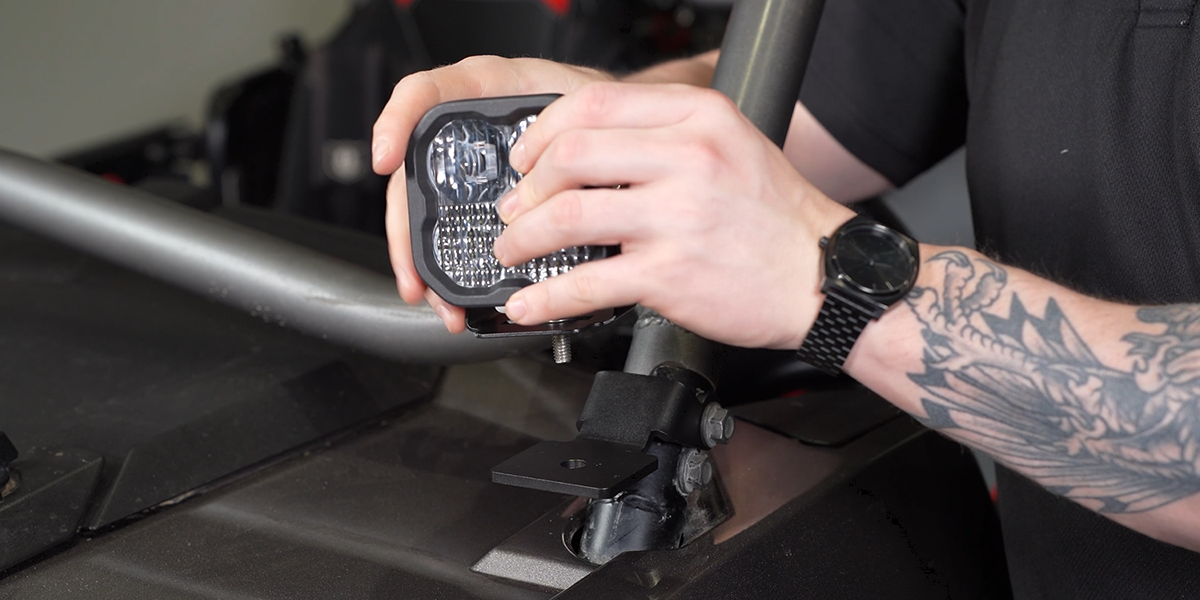
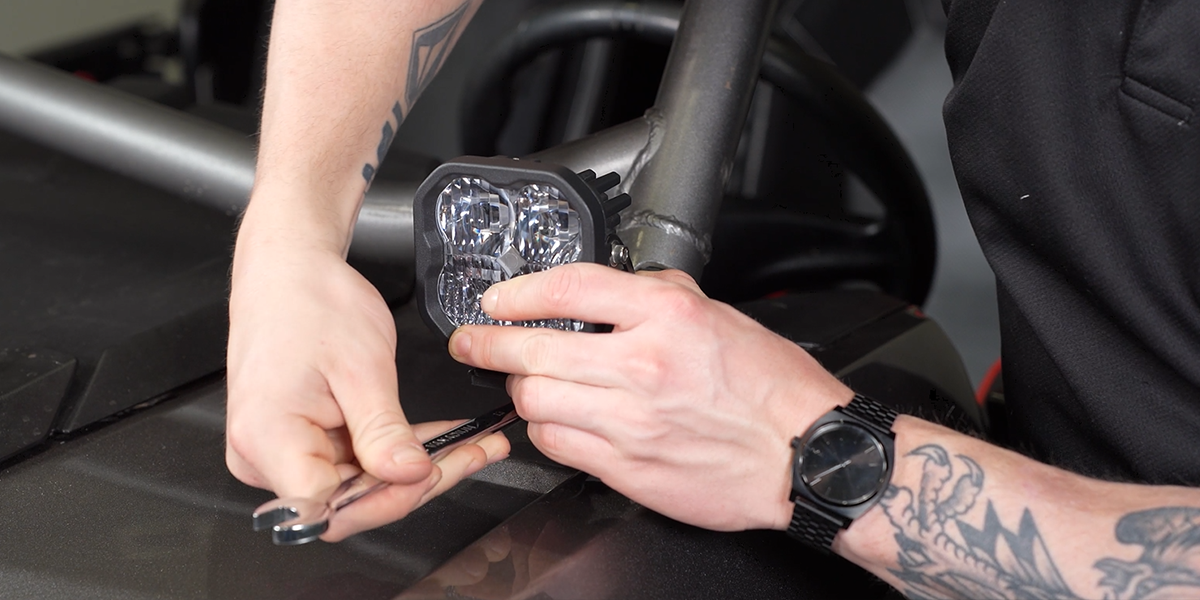
Pass the carriage bolt through the pod U-bracket and vehicle bracket. Fit the washer, lock washer and nut underneath, then use a 13 mm wrench to snug the assembly while retaining adjustment for aiming.
STEP 7 OF 15
Set the initial tilt
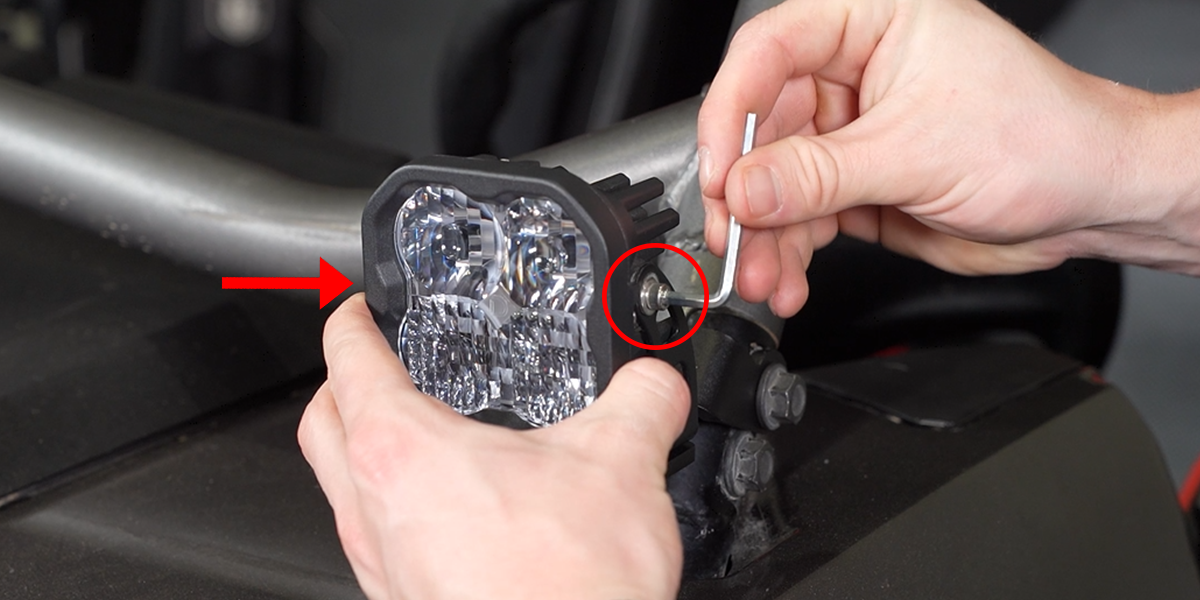
Position the lamp approximately where you want it to aim. Use a 5/32-inch Allen key on the side hardware; final adjustment comes after the lamps are connected and tested.
STEP 8 OF 15
Install the second pod
Repeat the pod mounting sequence on the passenger side. Check clearance around both lights before routing the harness.
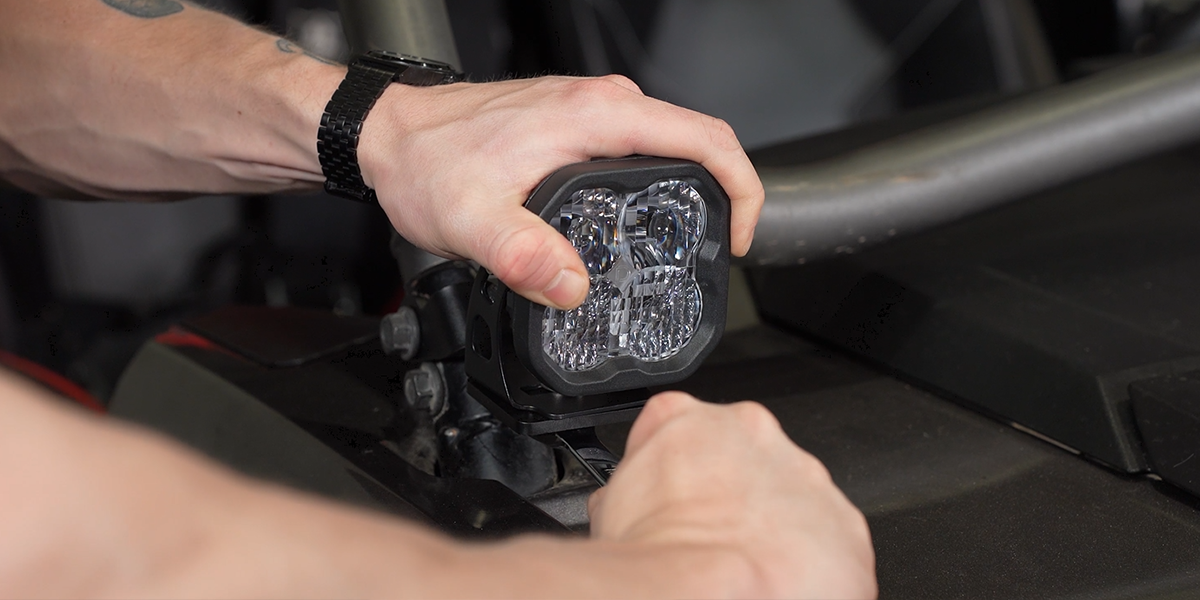
STEP 9 OF 15
Access the battery
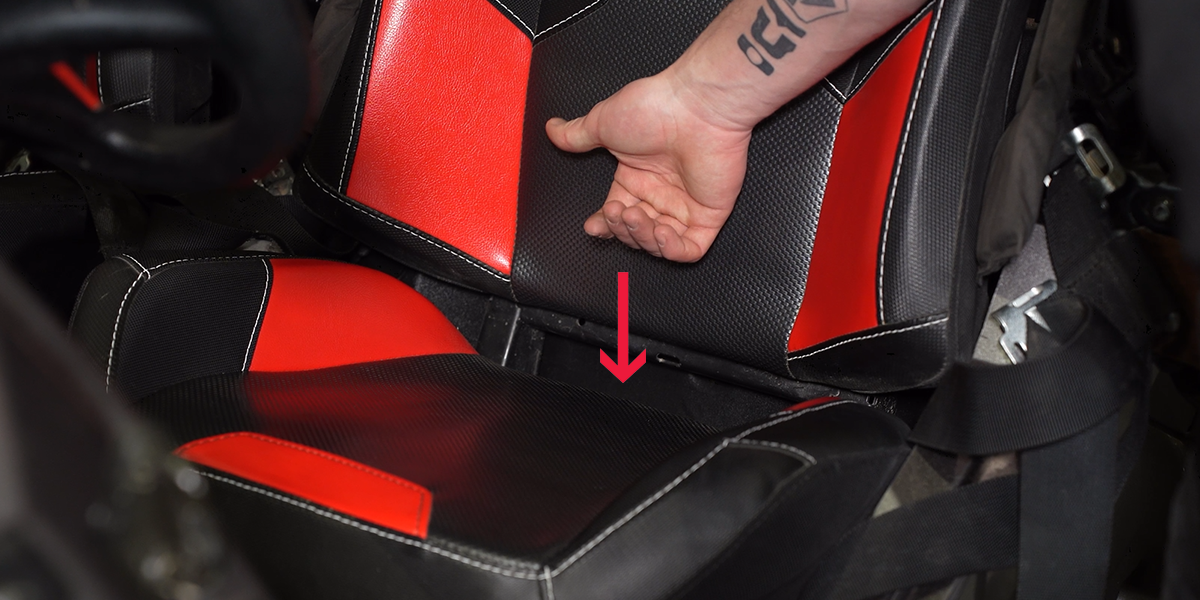
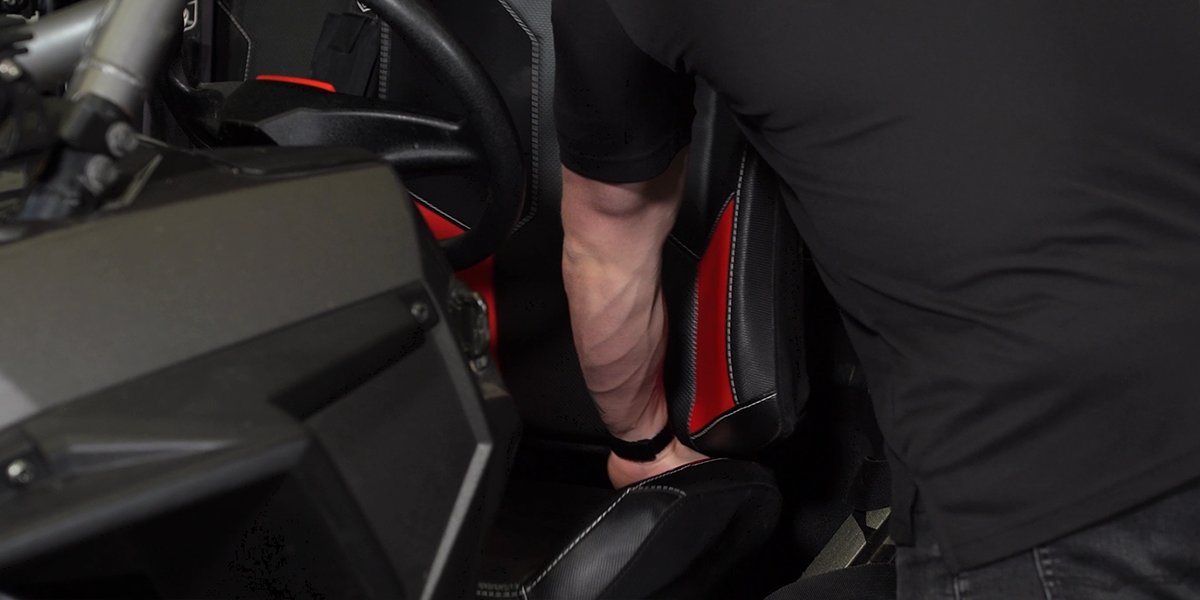
Release the driver seat using the lever shown. Tilt the seat forward and lift it out to reach the battery beneath it.
STEP 10 OF 15
Connect and secure the harness
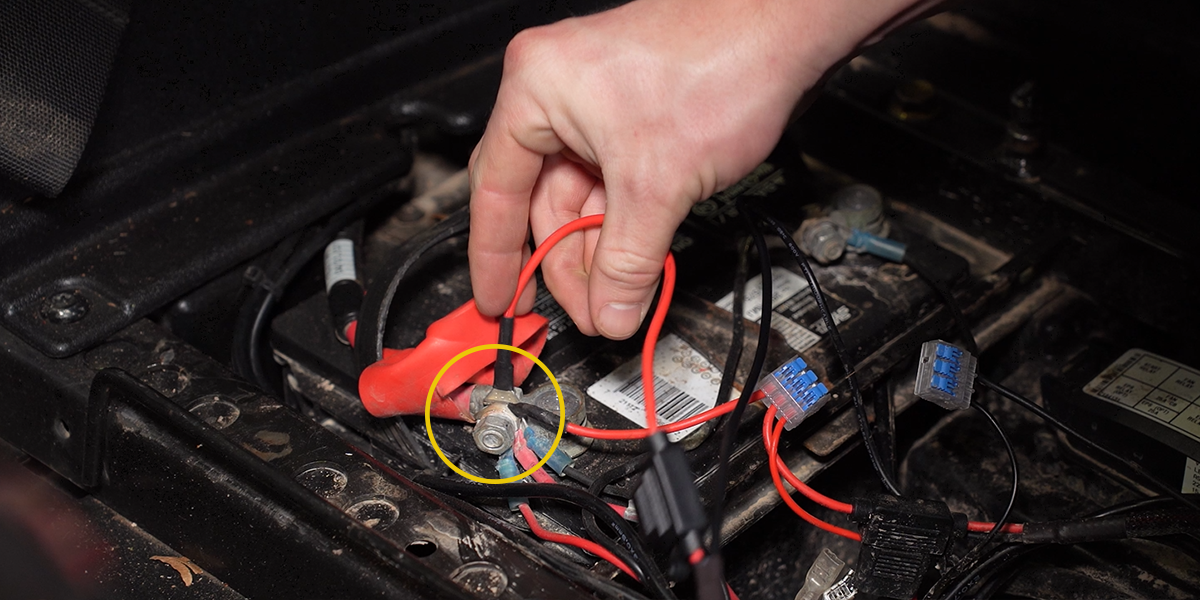
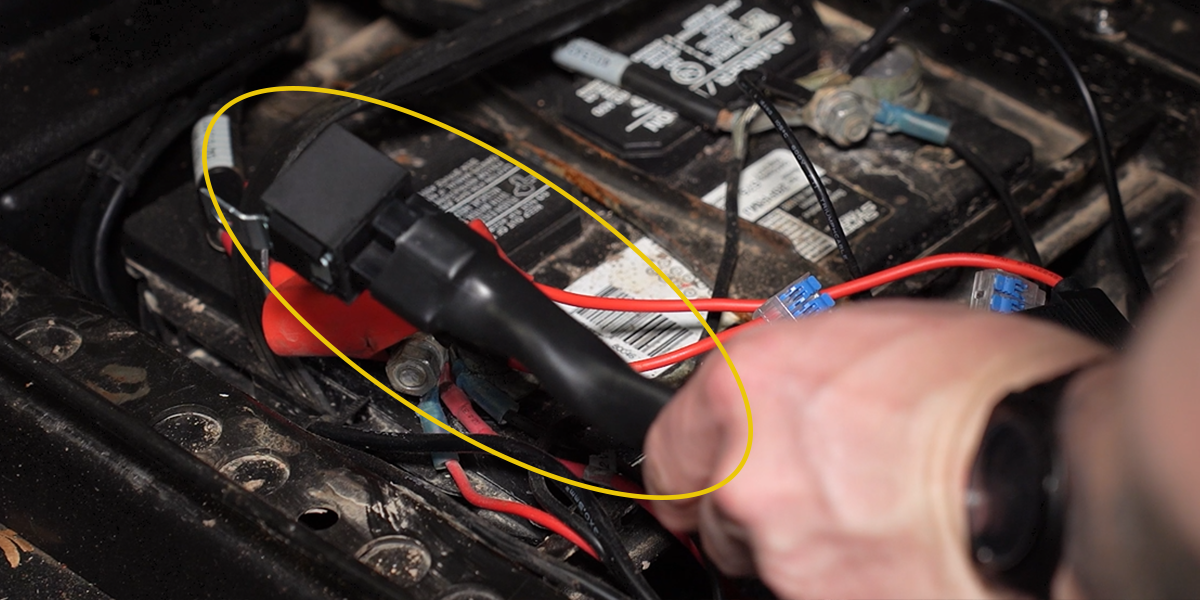
Keep the ignition and light switch off and follow the vehicle battery-service procedure. Use a 10 mm socket for the battery terminal hardware and attach the supplied harness ring terminals to their corresponding positive and negative connections. Secure the relay beneath the seat.
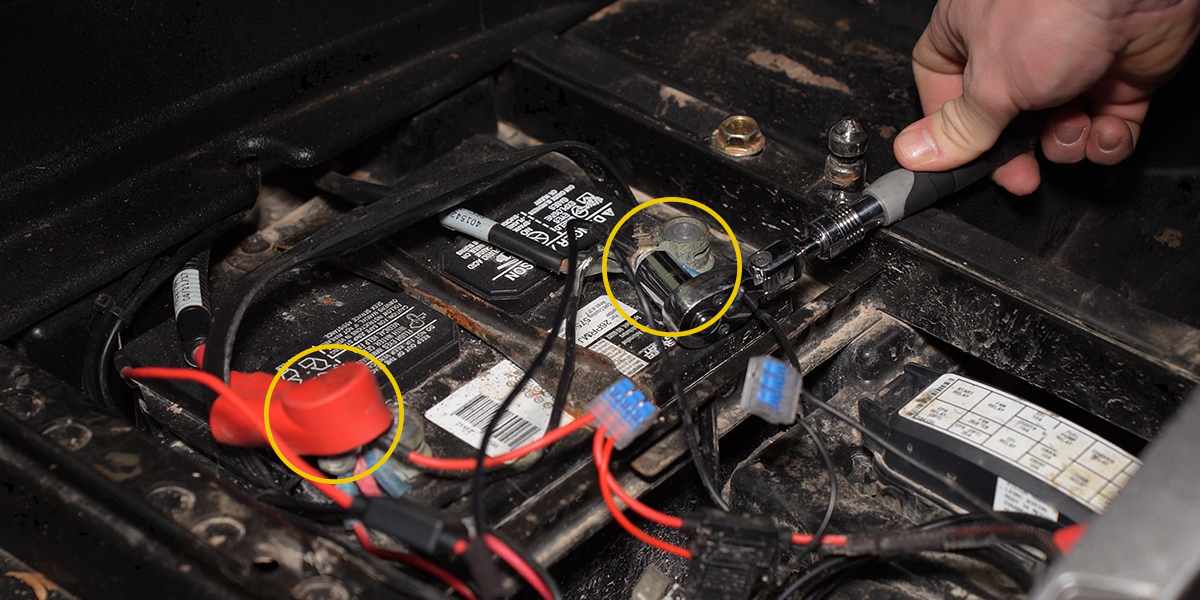
STEP 11 OF 15
Route the two output leads
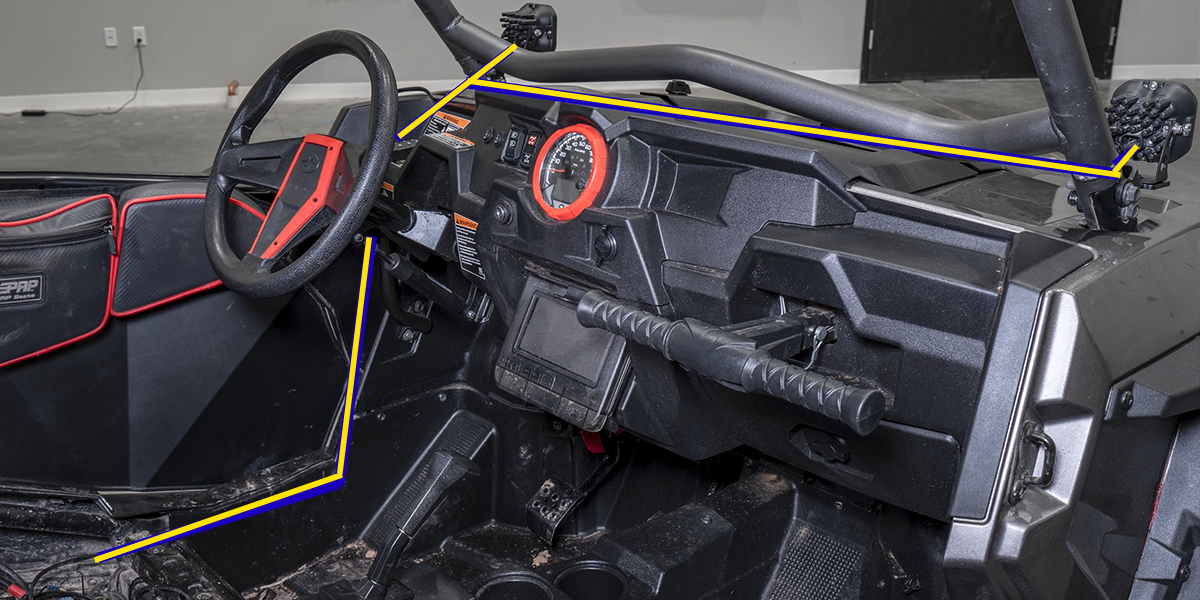
Run the two 4-pin output connectors toward the A-pillar pods. The diagram shows one example route. Secure the harness away from hot parts, sharp edges and moving components; keep it clear of the seat mechanism.
STEP 12 OF 15
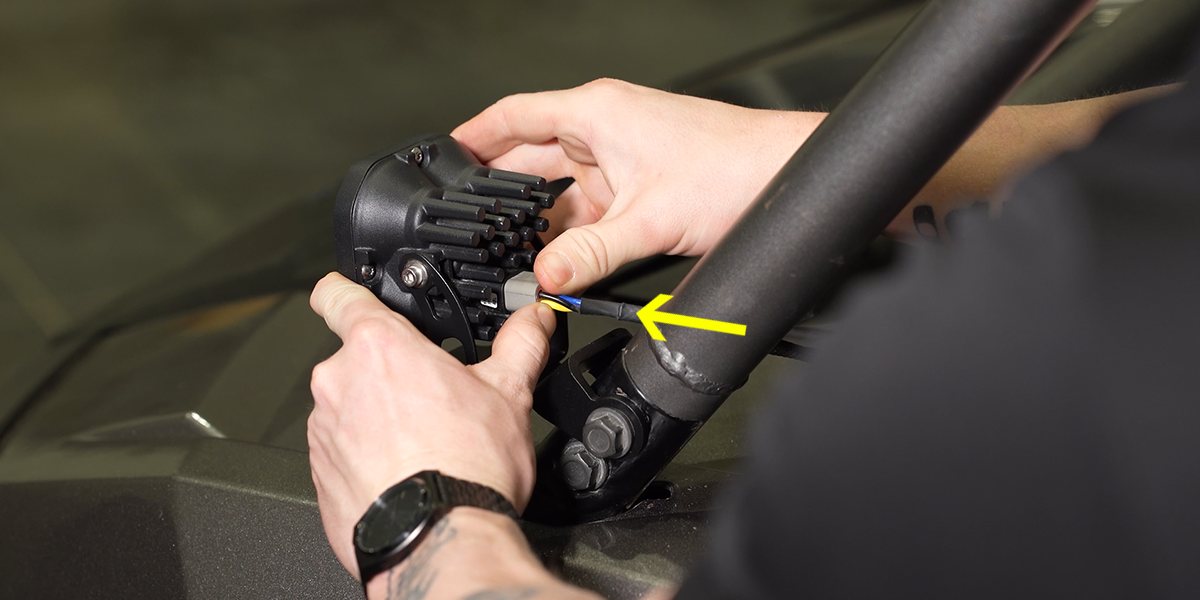
Connect both pods
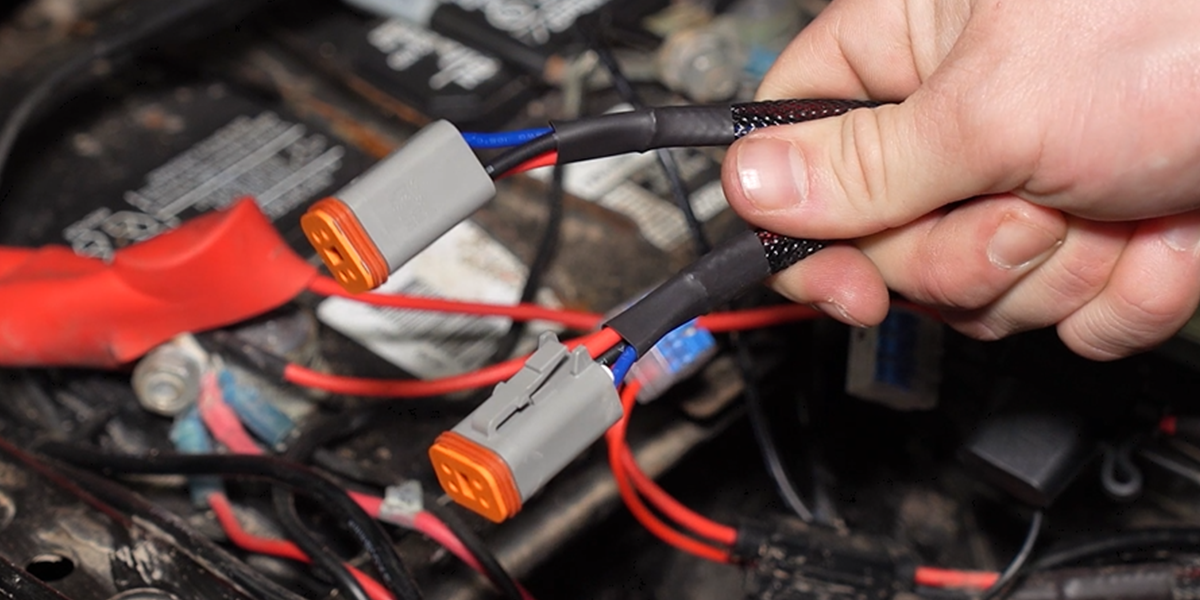
Plug one harness output into each pod and make sure the connector is seated securely.
STEP 13 OF 15
Choose the switch position
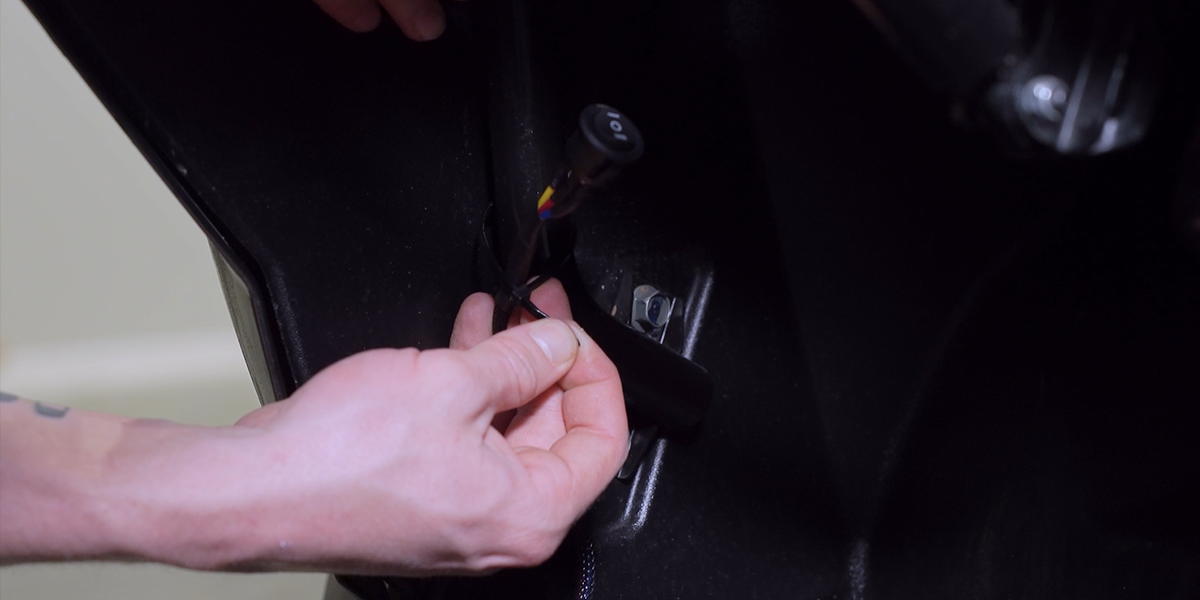
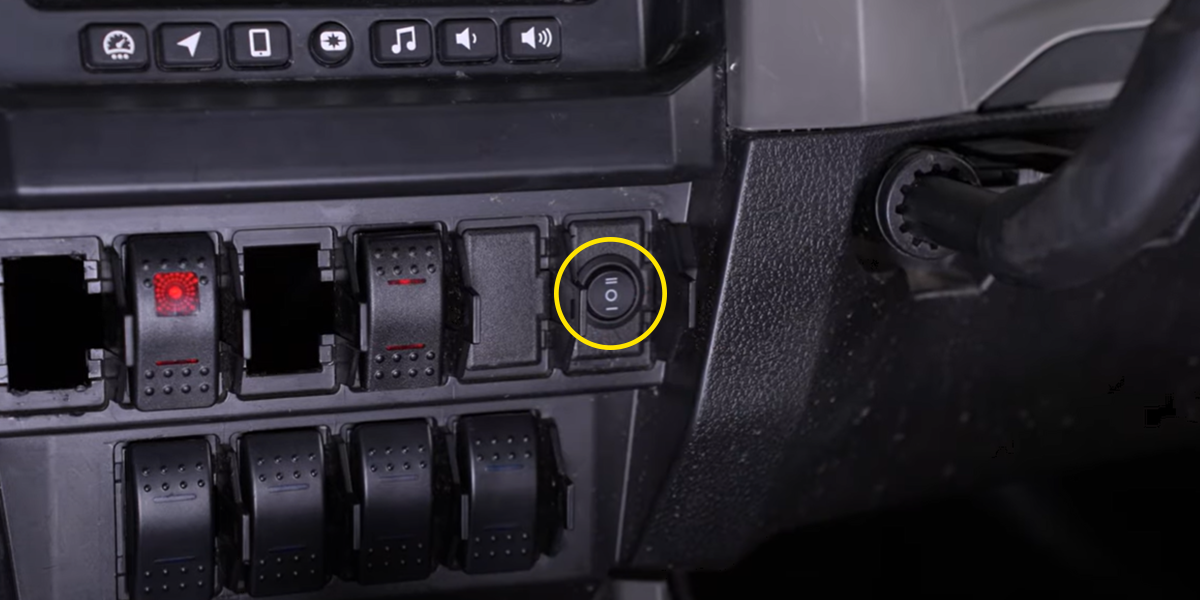
Place the included toggle switch where it can be reached safely. Mounting it through the dash can require drilling; check behind the panel first. An appropriate existing switch bank is another option. The photographs show examples, not a required mounting location.
Optional rectangular rocker switch
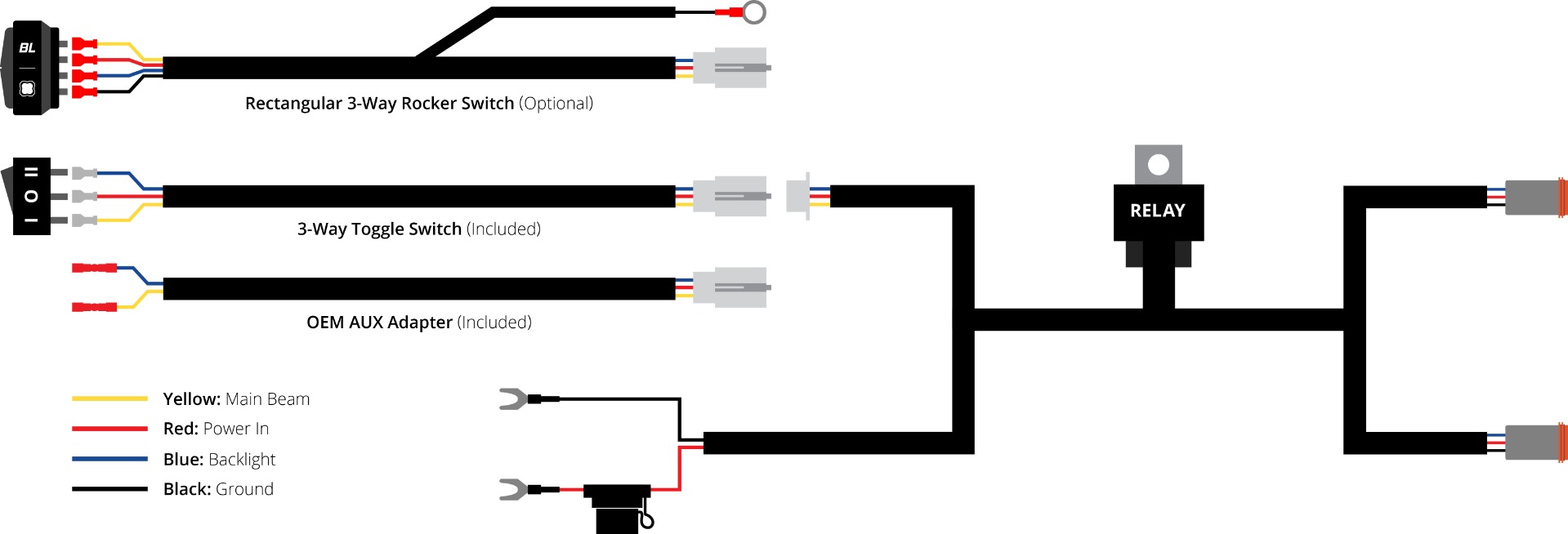
If using the optional rectangular three-way rocker, disconnect the white connector on the included toggle lead and connect the rocker. Fit it to a suitable switch blank. Its black ground ring powers switch illumination when connected to a suitable ground. This diagram is the switch/harness reference, not a pod-connector pinout.
STEP 14 OF 15
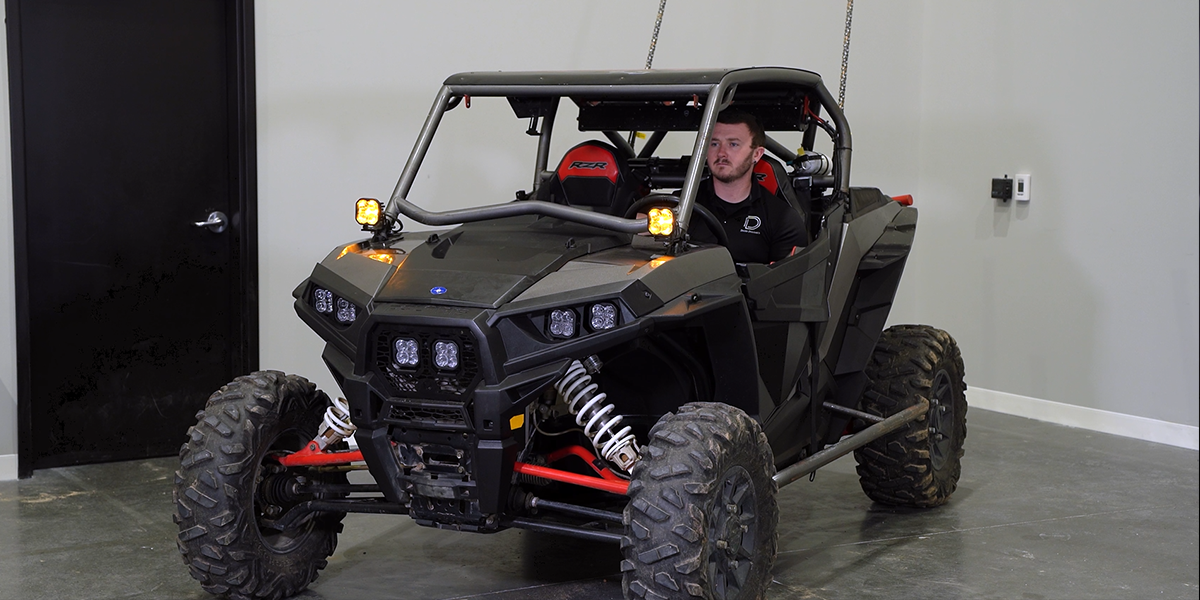
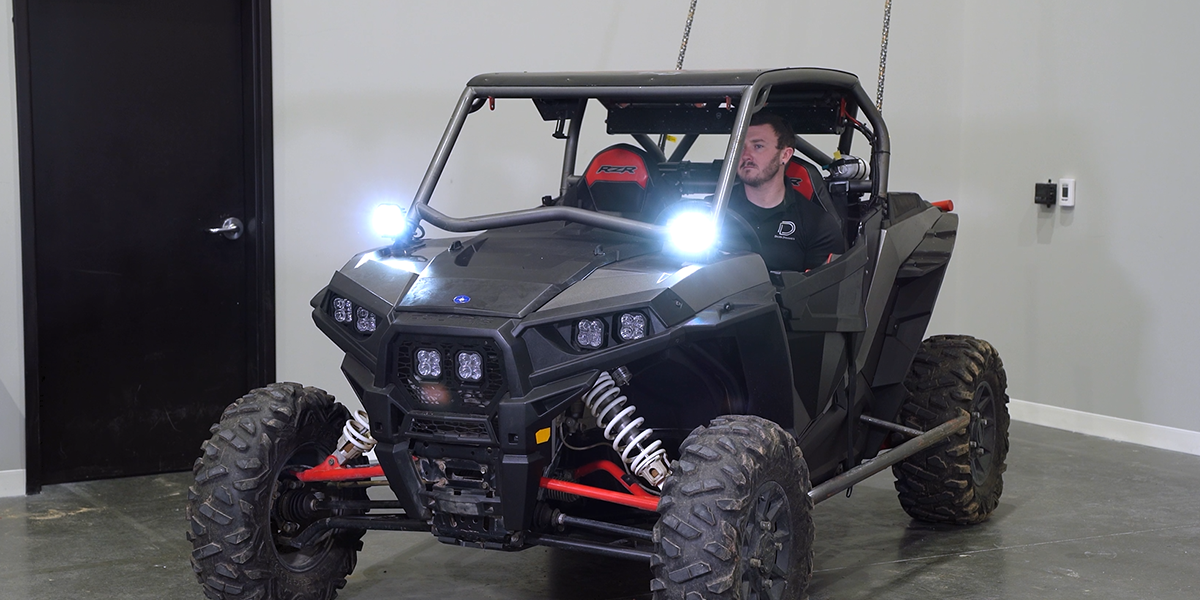
Test the main and accent lights
Test the backlight and the main beam separately. White and Yellow are fixed main-beam choices. White-lens SS5 pods have eight selectable accent colours; Yellow-lens SS5 pods use amber accents only.
STEP 15 OF 15
Finish aiming and securing
Use the 13 mm mounting nut to adjust horizontal direction and the 5/32-inch side fasteners to adjust vertical tilt. Tighten the hardware after aiming, secure the remaining harness and reinstall the seat. Confirm the wiring cannot be pinched by the seat. Use these auxiliary lamps only where permitted.
Set the White-lens SS5 accent colour
These steps control the accent backlight, not the main beam. Yellow-lens pods remain amber only.
- Start with the backlight off. Toggle it on and off three times within three seconds, about one second per cycle, to enter programming mode.
- Continue toggling to move through the available colours.
- Leave the chosen colour on for five seconds to save it, then turn it off.
Reset the accent colour
Enter programming mode in the same way, then toggle through all colours twice—at least 16 total cycles. Once the backlight returns to White, leave it on for five seconds to save. Repeat the programming steps to choose a different colour.
Watch the manufacturer installation
The video covers both SS3 and SS5 equipment. Follow the SS5 assembly and backlight sections on this page.
Clearance and original references
Original vehicle installation article · Original SS5 assembly and programming article
The general SS5 article also illustrates a different three-pin electrical reference. This vehicle kit includes the DD4093 four-pin harness: use its matching connectors and the vehicle-specific route above.
Return to the SS5 A-pillar kit · Installing the smaller SS3 kit?