

Jeep Wrangler JK (07-18): Super7 Headlights
Check the exact lamp, equipment notes and supplied parts before starting.
BTS INSTALLATION GUIDE · JEEP JK
Replace the JK lamps with the correct Super7 driver and anti-flicker connections.
This guide follows the original Morimoto 2007–2018 JK installation manual for this lamp. Match your vehicle and factory equipment to the current product listing; the manual cover is not a separate fitment approval.
Tools: ratchet, T15 Torx bit, and a flat screwdriver or plastic trim tool. Keep the original fasteners for reassembly. If the connectors or mounting parts differ, stop and confirm the kit before modifying anything.
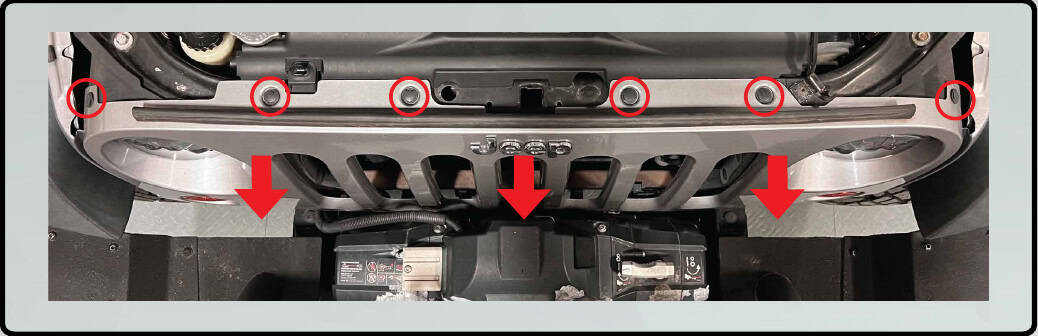
Lift out the six retainers across the top. Pull the grille forward to release its lower clips.
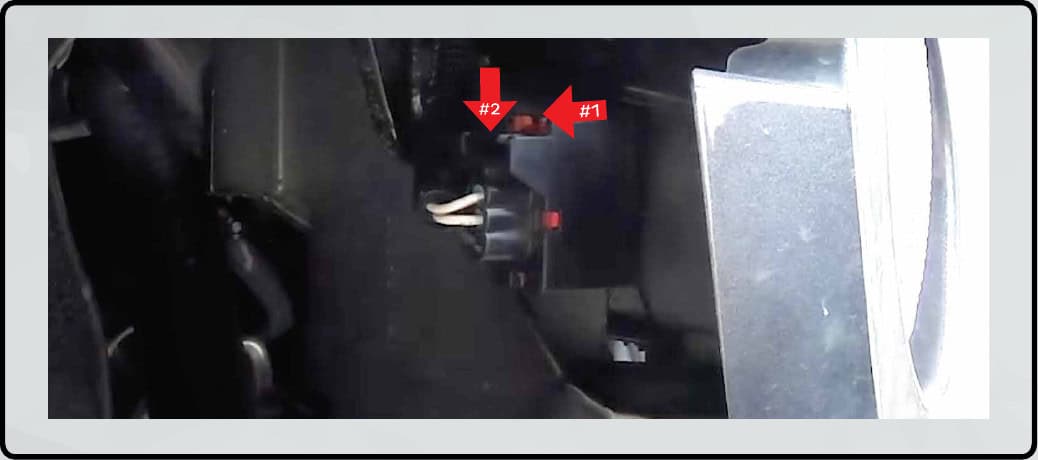
Slide each red lock back, press the black release and separate the connector. Repeat on the other side before setting the grille aside.
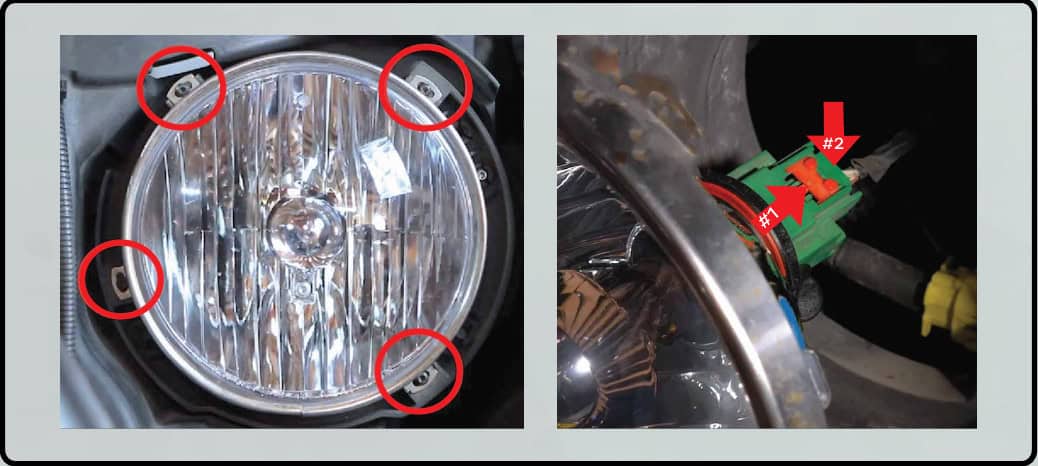
Remove the four T15 trim-ring screws. Support the headlight as it comes out, release its red/black connector lock and unplug it. Repeat on the passenger side.
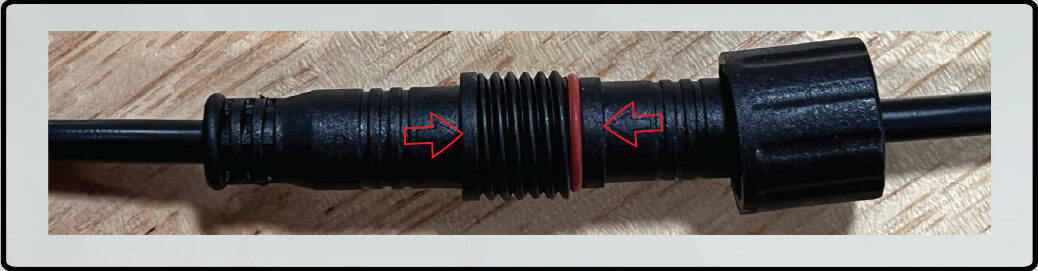
Match the arrows on the headlight and driver plugs. Push the plugs together fully, then thread the locking collar into place.
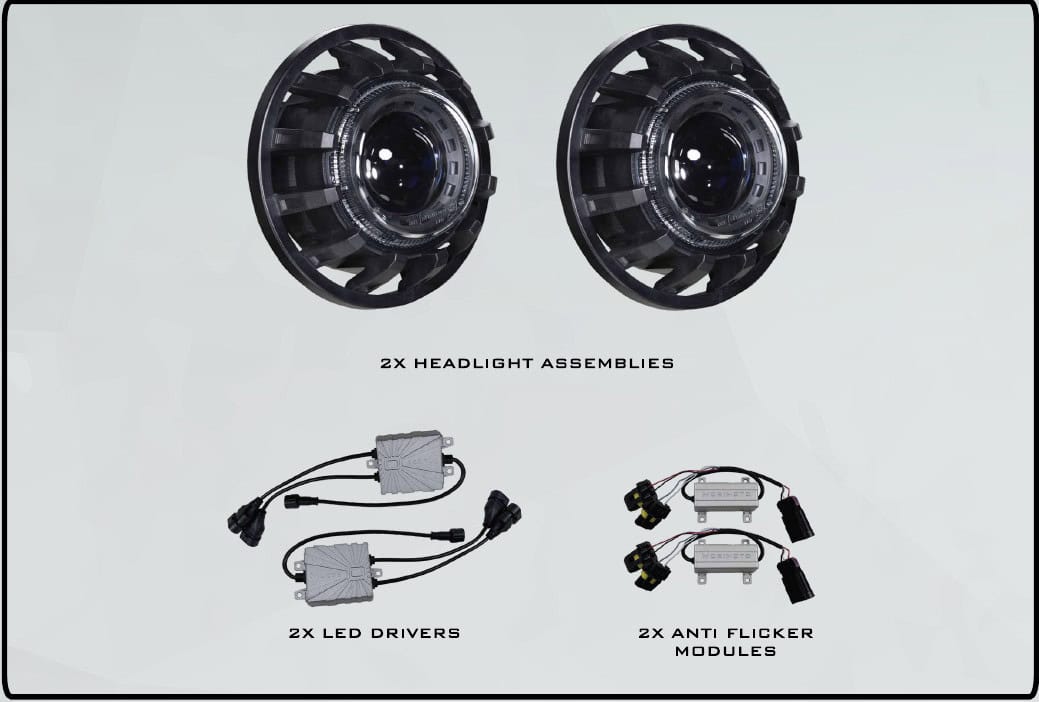
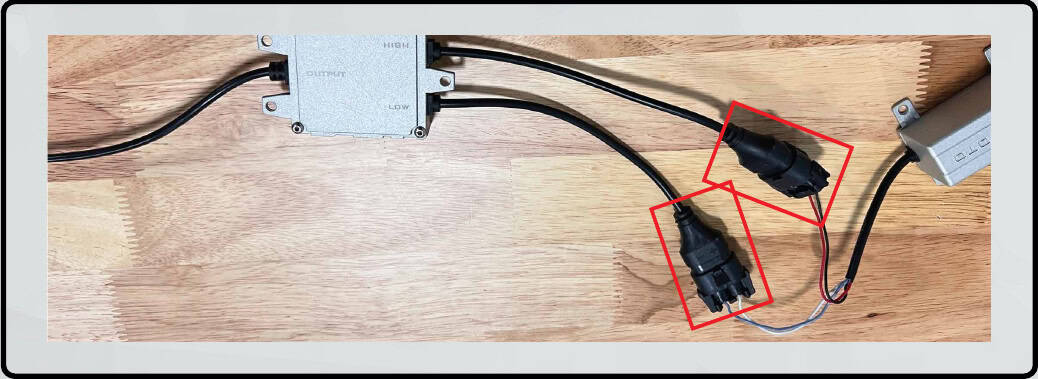
Connect the supplied anti-flicker module to the driver. Keep this separate component in the wiring chain.
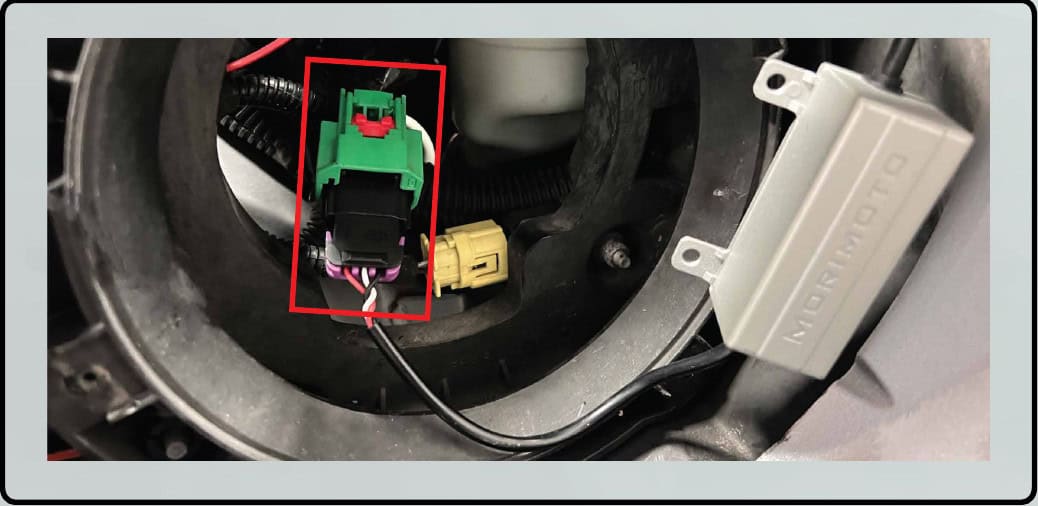
Plug the anti-flicker module into the original vehicle headlight connector.
Seat the headlight in its original bucket and reinstall the retaining ring and its screws.
Repeat the driver, anti-flicker and mounting sequence on the passenger side.
Check low and high beam operation before final reassembly.
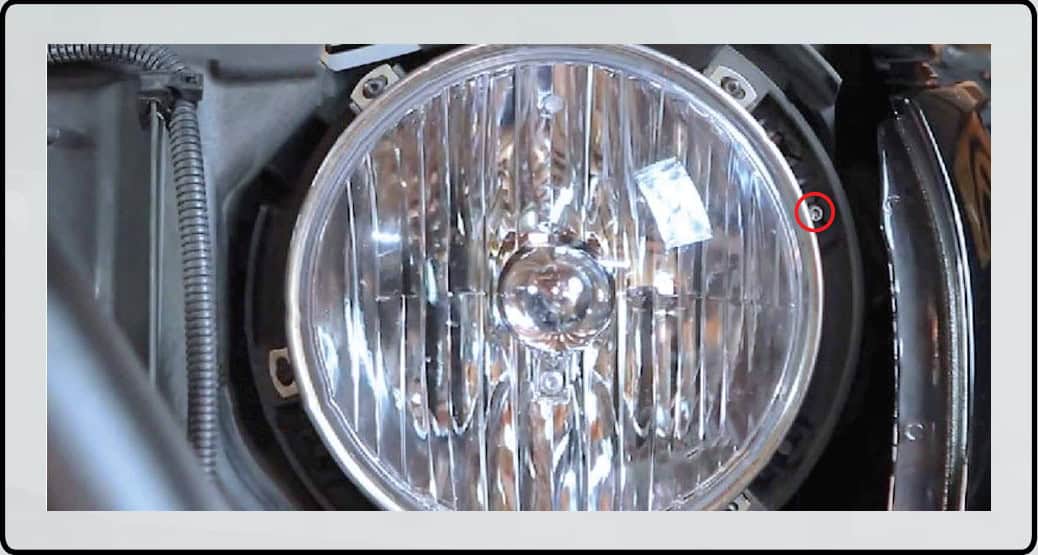
Use the T15 adjuster shown below. Make small adjustments while watching the beam on a level reference wall. Use the original 25-foot (7.6 m) aiming diagram for alignment.
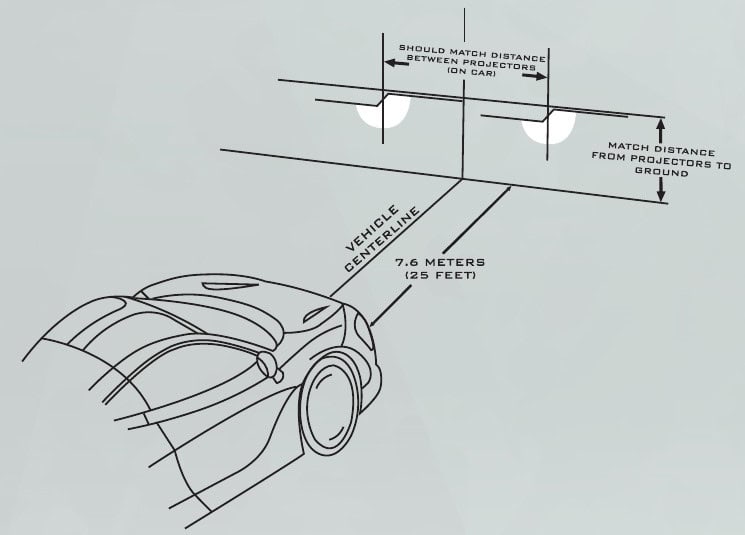
Reconnect the grille signals, engage the lower clips and reinstall the six top retainers.
Original Morimoto PDF, unchanged and linked below. Its technical illustrations are reproduced here with their original markings.
Open original manufacturer instructions
Open the original 5-page PDF hosted by BTS
Morimoto Super7 JK manufacturer overview
Check the exact lamp, equipment notes and supplied parts before starting.
Planning a Wrangler installation? Compare the matching lighting products and the checks that matter for JK and JL builds.
Compare Jeep Wrangler JK and JL lighting · Read the Wrangler lighting upgrade guide