

BTS installation guide · Jeep Wrangler
Jeep JL / JT SS30 Bumper Light Bar Installation
Fit the bumper brackets, choose the correct mounting height and wire the matching Diode Dynamics light-bar harness.
Match the light bar and mounting hardware
This procedure covers the Diode Dynamics bumper bracket arrangement for 2018–2026 Jeep Wrangler JL and 2020–2026 Gladiator JT. Match the exact product’s fitment and supplied parts before starting. Older Classic single/dual kits and current SS30 Sport/Pro kits use different lamps and harnesses; bracket-only purchases do not include a light bar or wiring.
Check the factory mounting points and clearance around any winch or other bumper equipment. The plastic bumper cover removed below is not reinstalled. Use the wiring supplied for the actual lamp revision.
Have a plastic trim tool, 5/8-inch wrench and socket, 10 mm socket and appropriate wire tools ready. Safely isolate the vehicle’s electrical supply before wiring. Keep cables clear of heat, sharp edges and moving parts.
1. Remove the upper bumper cover
Take out the two plastic rivets on top of the bumper bar, then the six forward-facing rivets holding the plastic cover. Lift off the cover. Keep the first two rivets; the cover is not reused.
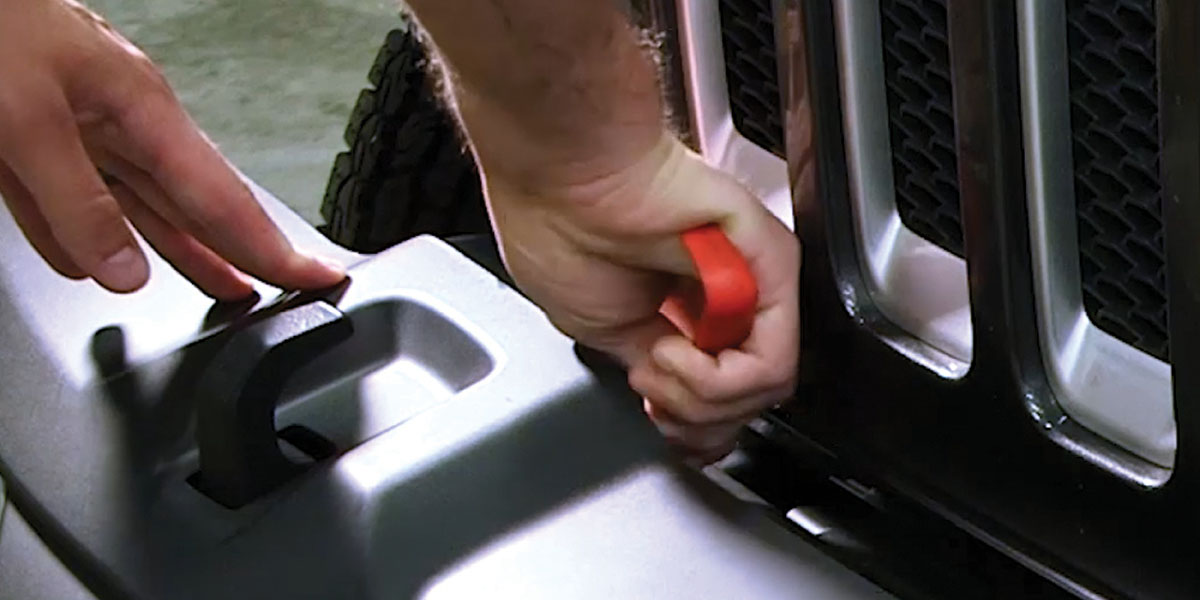
2. Remove the bumper-support bolts
Remove the 5/8-inch bolt on each side of the bumper support. The manufacturer starts with an open-ended wrench, then uses a socket once there is room.
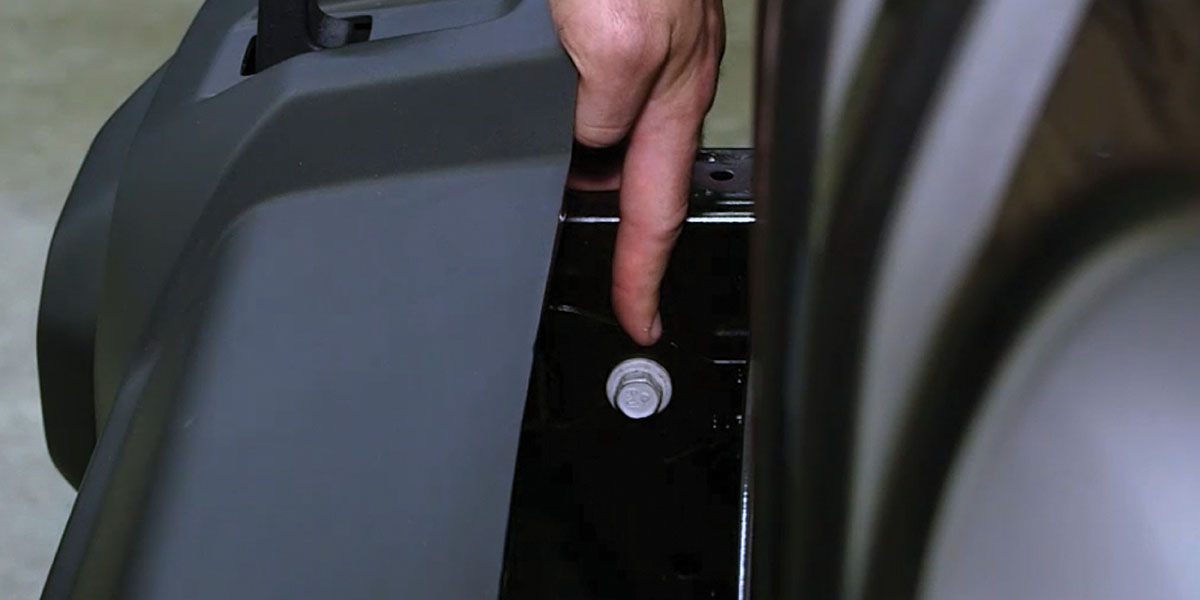
3. Fit the lower brackets
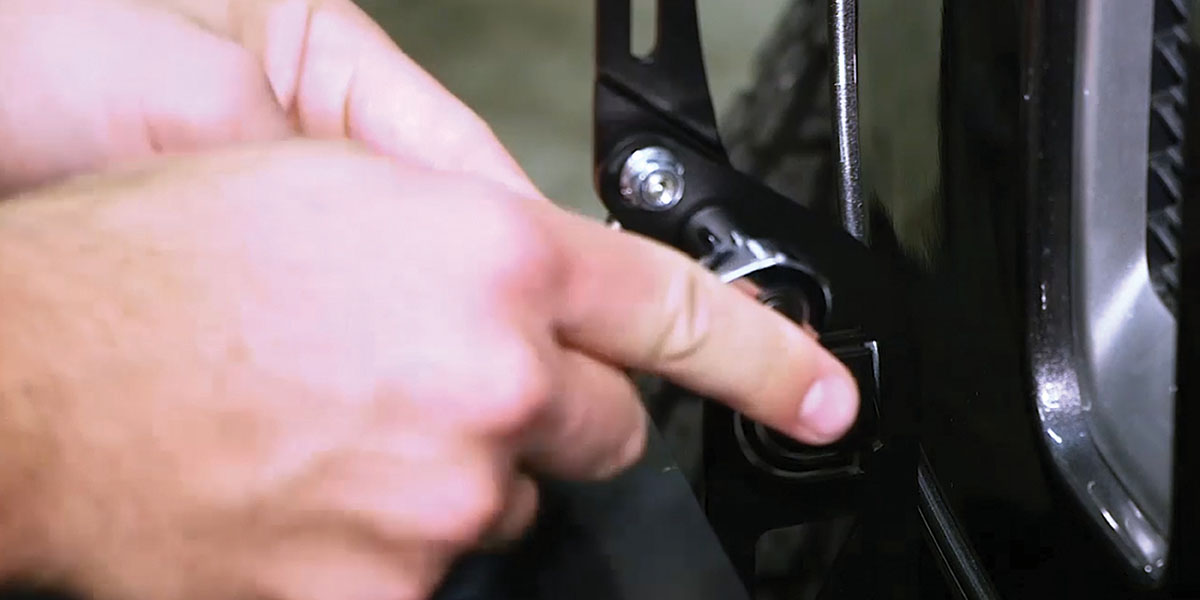
Position each bracket and reinstall its factory 5/8-inch bolt. Fit the included plastic washer to each of the two retained rivets and use the rivets to secure the upper bracket positions.
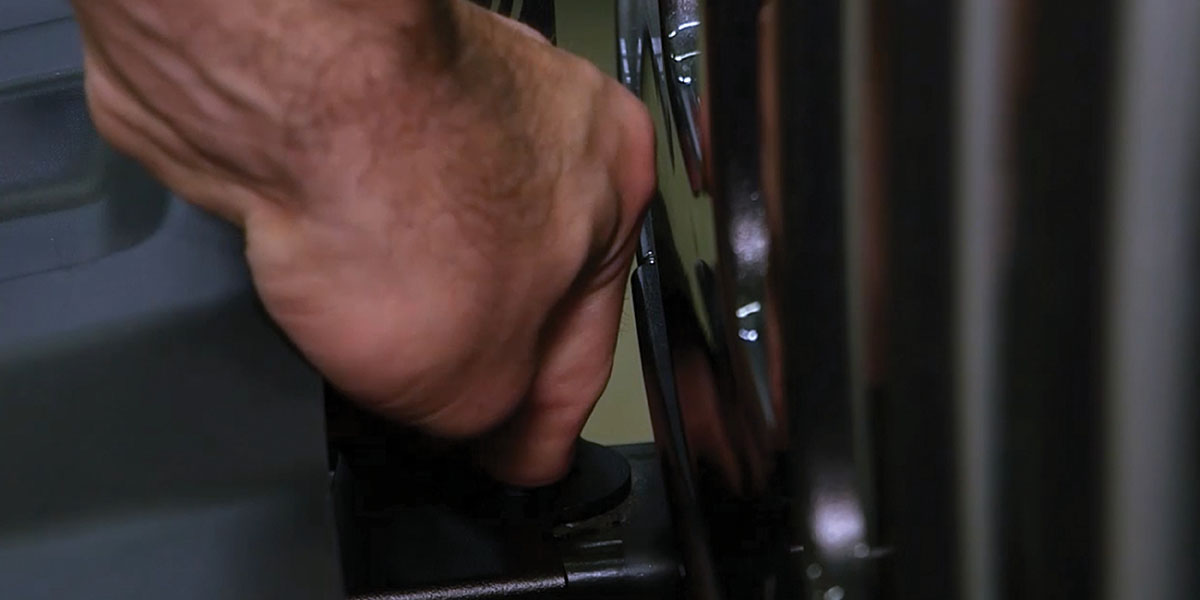
4. Add extension brackets when required
For the raised mounting arrangement, align the extension bracket’s grooves with the lower bracket and secure the supplied hardware using a 10 mm socket. Skip the extension when your selected arrangement does not use it.
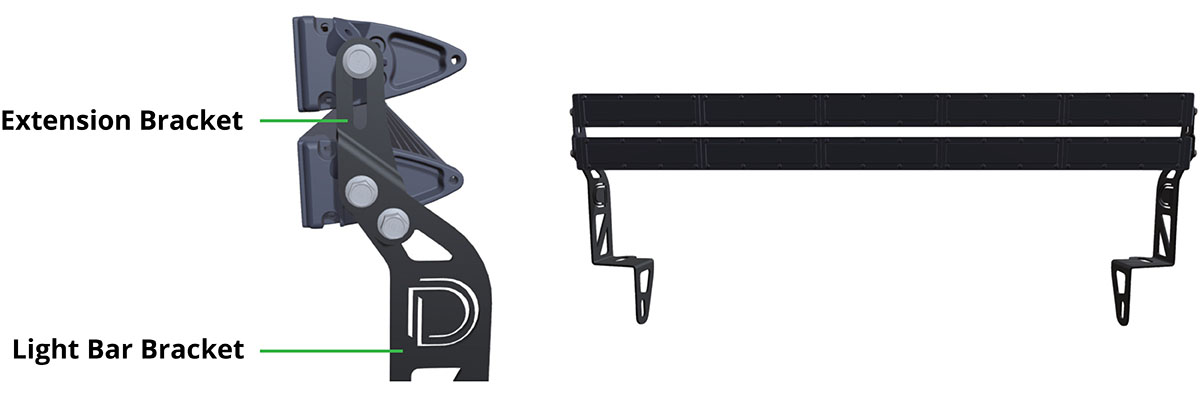
Older and current lamp versions
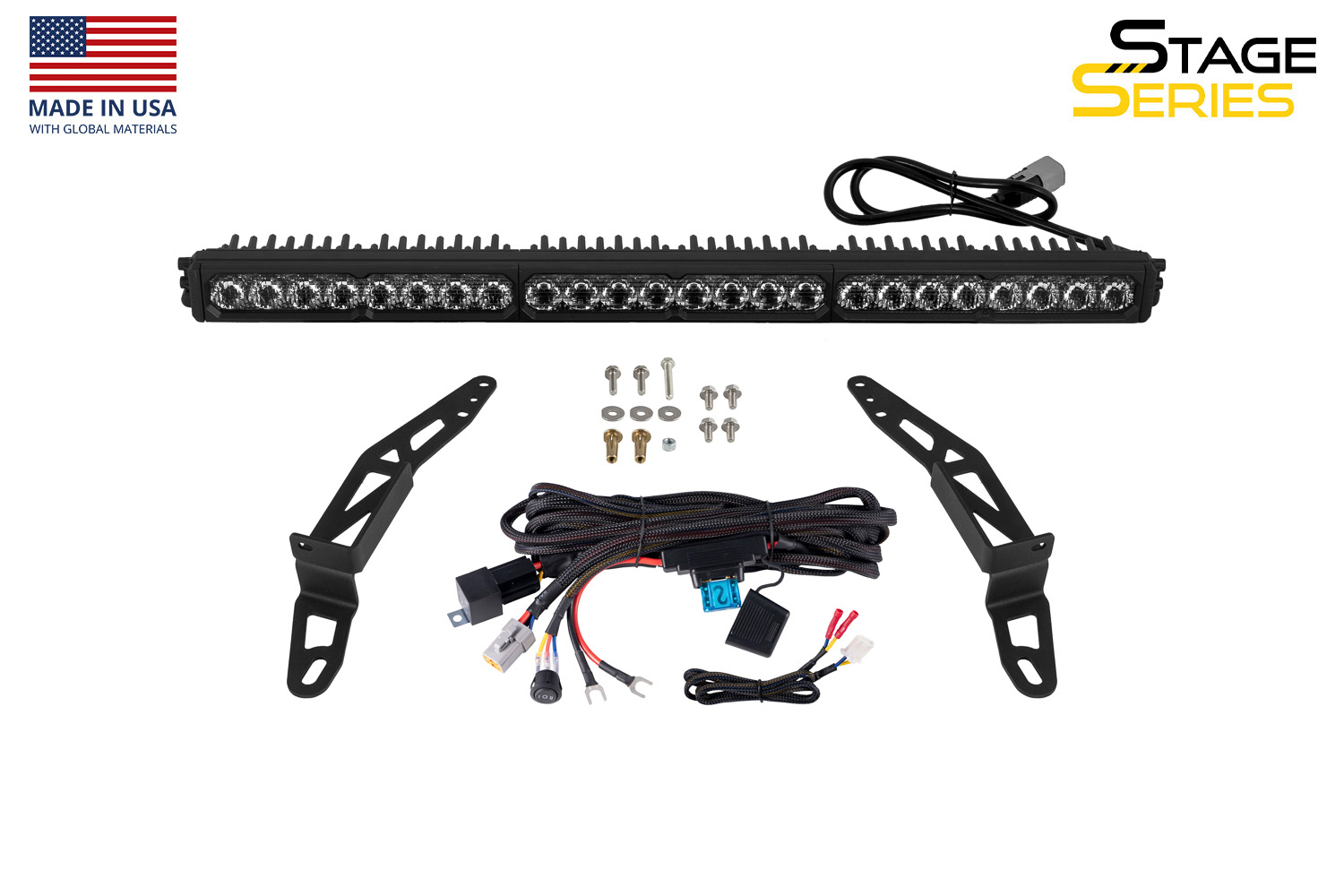
The manufacturer confirms that the current Stage Series bar follows this bracket installation process. The photograph below shows a current SS30 kit; it does not change the parts included with an older single/dual Classic kit or a bracket-only purchase.
5. Attach and align the light bar
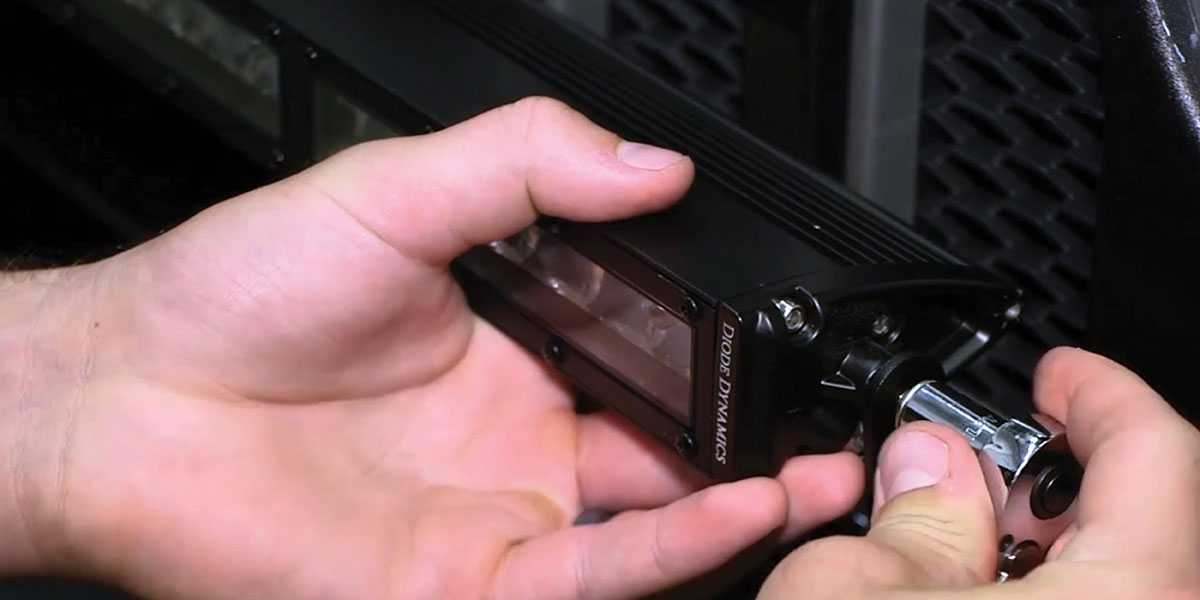
Secure the light bar or bars to the brackets with the supplied hardware and a 10 mm socket. Check clearance and position before final tightening.
Choose the correct switch connection
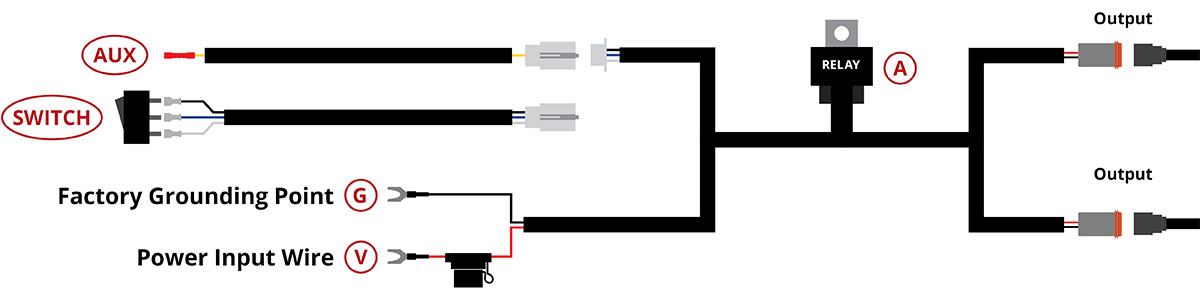
With a factory auxiliary switch bank, the auxiliary wire controls the relay in the supplied harness. The main lamp power still comes from the fused battery feed. Without the factory switch bank, use the harness’s supplied standalone toggle-switch arrangement.
6. Position the relay harness
Place the relay near the battery and main power connections, following the diagram and your supplied harness. Secure it away from heat and movement.
7. Connect the main power and ground
Connect the harness’s red power input (V) to battery positive and its black ground (G) to battery negative or the suitable factory ground shown in the instructions. Maintain the harness fuse protection and follow the vehicle service procedure.
8. Connect the auxiliary-switch trigger
For the factory auxiliary-switch branch, unplug the harness’s white switch connector and connect the supplied adapter pigtail. Crimp the yellow trigger wire to the chosen OEM auxiliary-switch lead using an appropriate butt connector. Do not route the lamp’s main load through this trigger lead.
9. Route and connect the lamp leads
Route the harness outputs to the lamp or lamps, leaving clearance from sharp edges, hot components and moving parts. Connect the matching plugs without forcing them and secure excess cable.
10. Check operation and aim
Check every connection and fastener, restore power safely and test the selected switch. Aim the lamps for their intended use and verify that the bar, wiring and bumper accessories do not interfere. Use auxiliary lighting only where permitted.
Watch the manufacturer installation
The video includes an earlier lamp revision. Follow the written steps and the harness supplied with your exact kit.
Matching products
- Jeep JL Wrangler 2018-2025 | Bumper LED Lightbar Kit
- Diode Dynamics SS30 Bumper Bracket Kit for 2018-2026 Jeep JL Wrangler/Gladiator White Driving Single
- Diode Dynamics SS30 Bumper Bracket Kit for 2018-2025 Jeep JL Wrangler/Gladiator White Driving Dual
- Diode Dynamics Jeep 2018 SS30 Bumper LED Kit
- Diode Dynamics SS30 Bumper Light Bar Bracket Kit for Jeep Wrangler JL / Gladiator
Original instructions
Original photographs and technical illustrations: Diode Dynamics. This BTS guide explains the installation using the manufacturer’s current procedure.
Read the original manufacturer article · Manufacturer article dated February 9, 2026; checked October 24, 2026.