BTS Lighting · Installation

Jeep JL Morimoto Roof Light-Bar Installation Guide

Fitment and preparation

BAF081 fits the supported 2018–2026 Wrangler JL windscreen/cowl mounting points. It excludes 4xe, 392, Mojave, and 2026 Rubicon/Rubicon X. The brackets place the bar between mounting points 50 inches apart. This installation requires a drilled cable opening in the passenger-side cowl panel. A supplied push-button installation may also require a ¾-inch mounting hole.

The bracket-only package contains no bar or relay harness. Complete systems use twelve 2Banger pods, twelve 4Banger pods, or seven BigBanger pods. Follow the matching assembly and wiring sections; do not interchange their hardware.

Vehicle mount, harness route and support legs

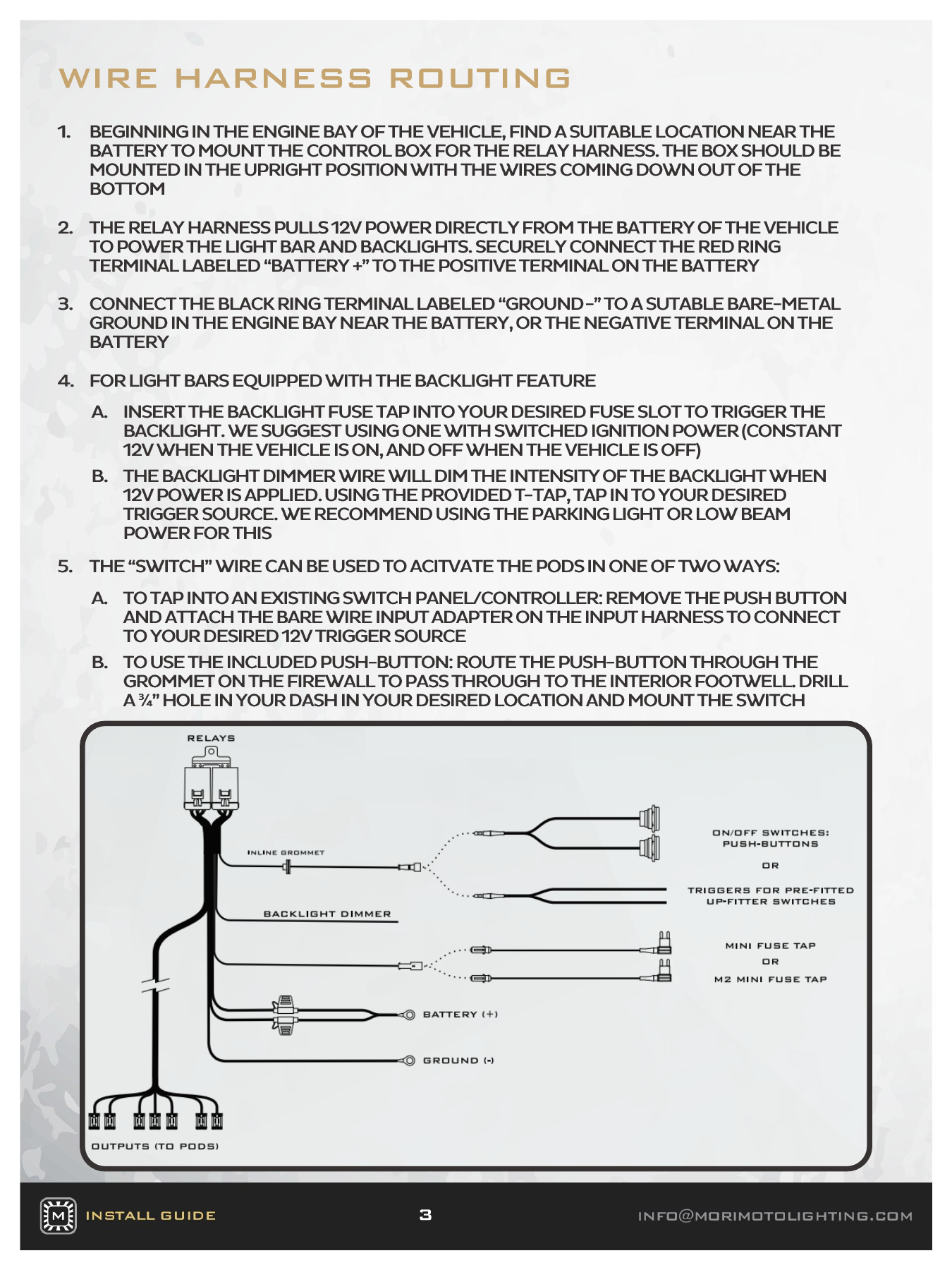
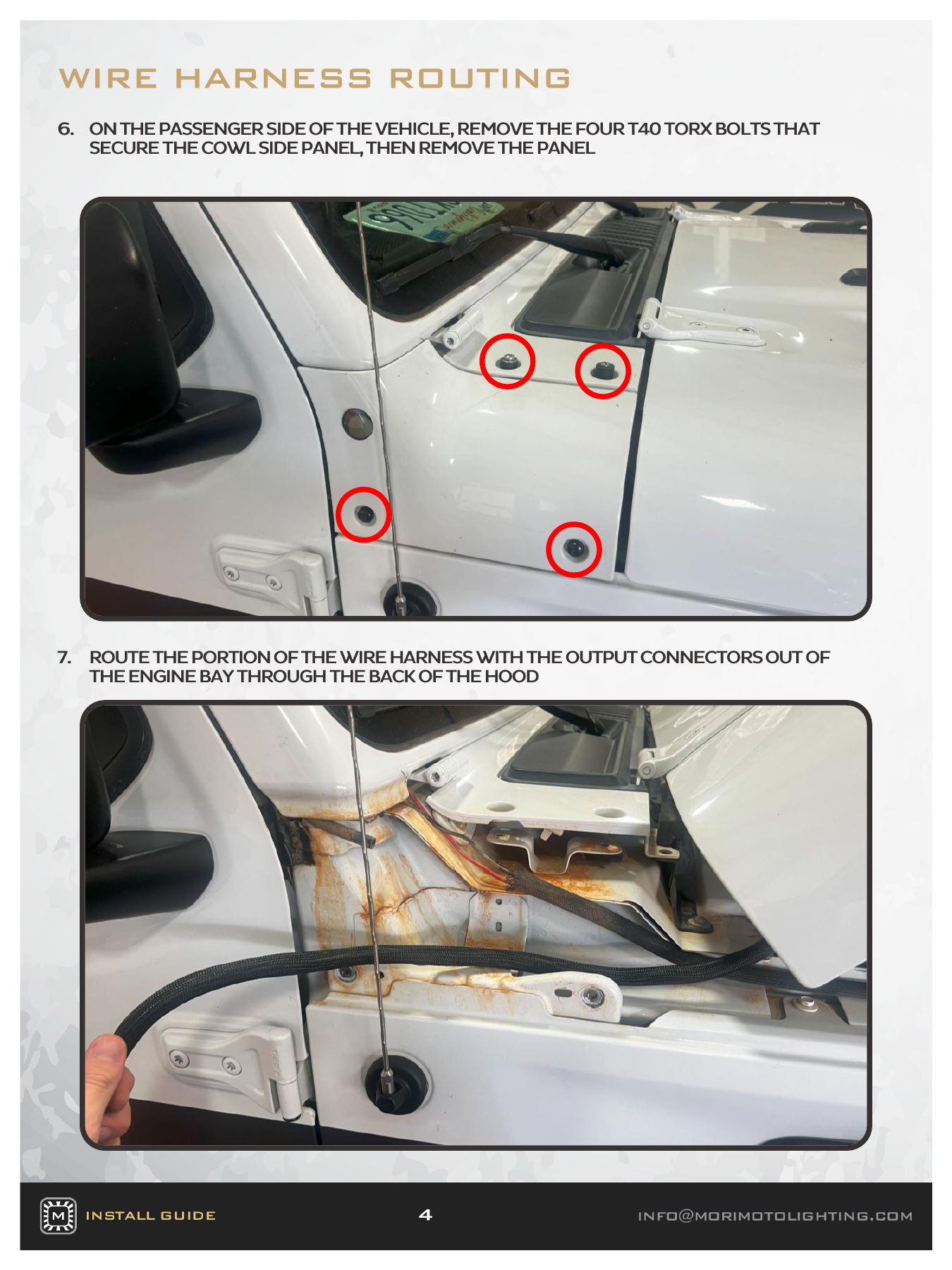
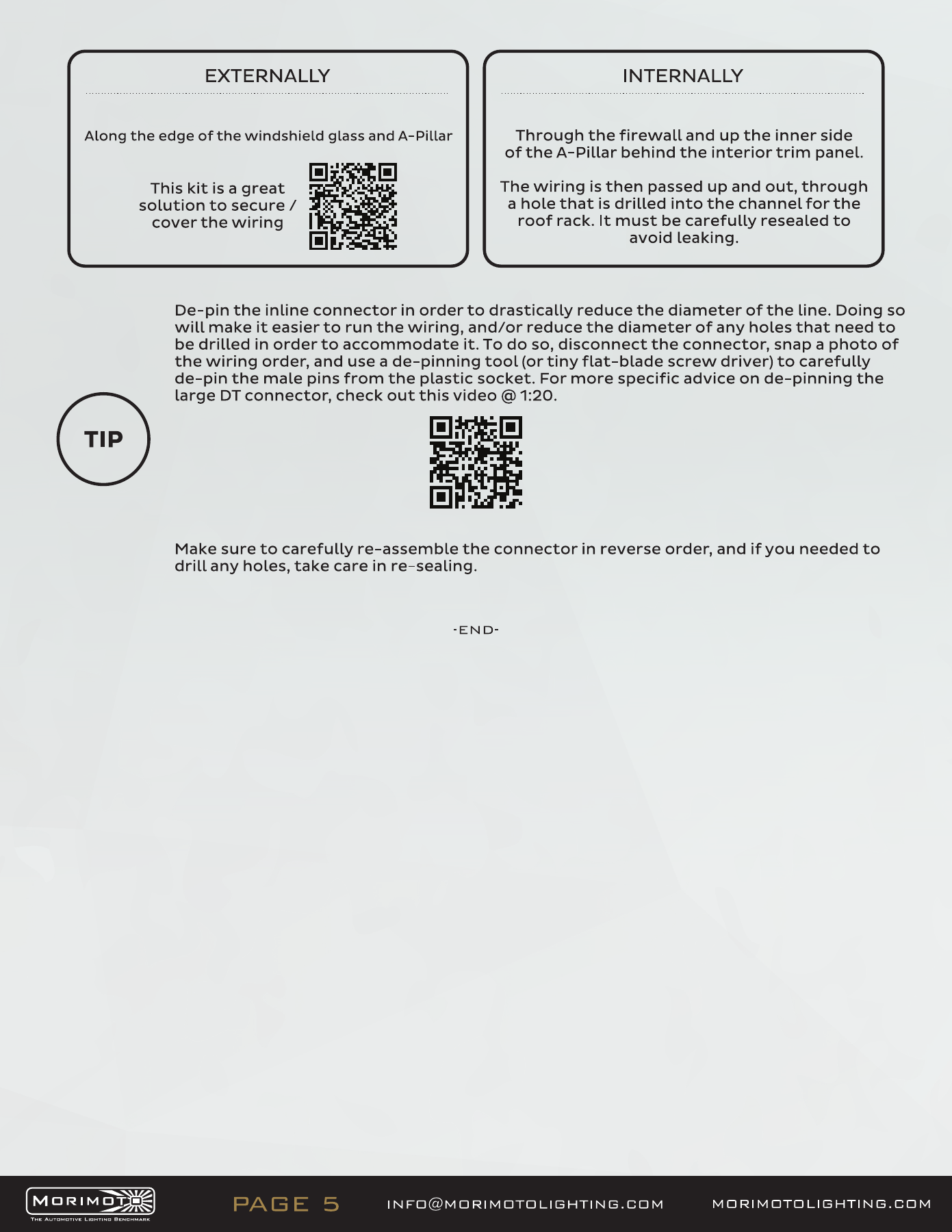
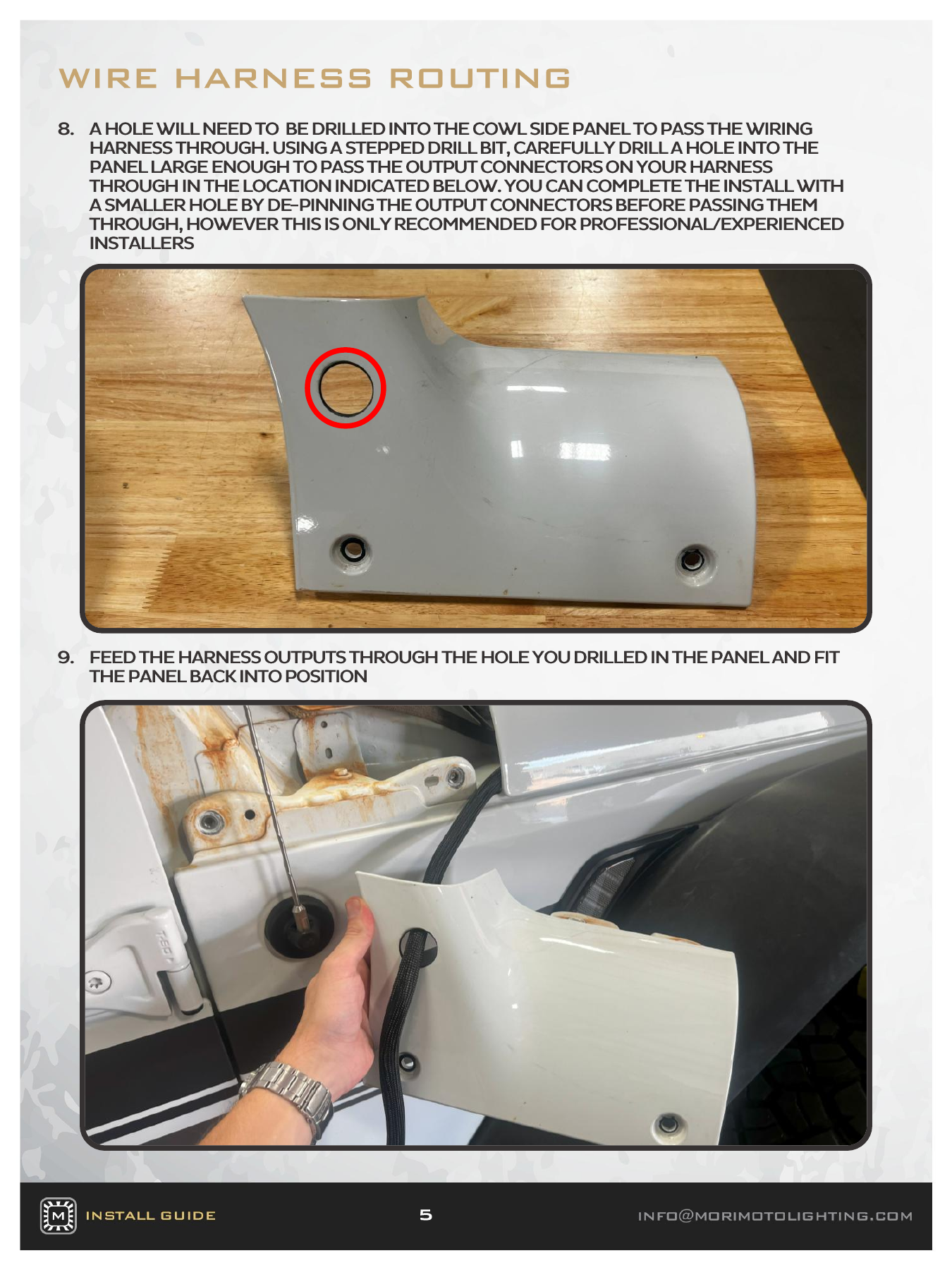
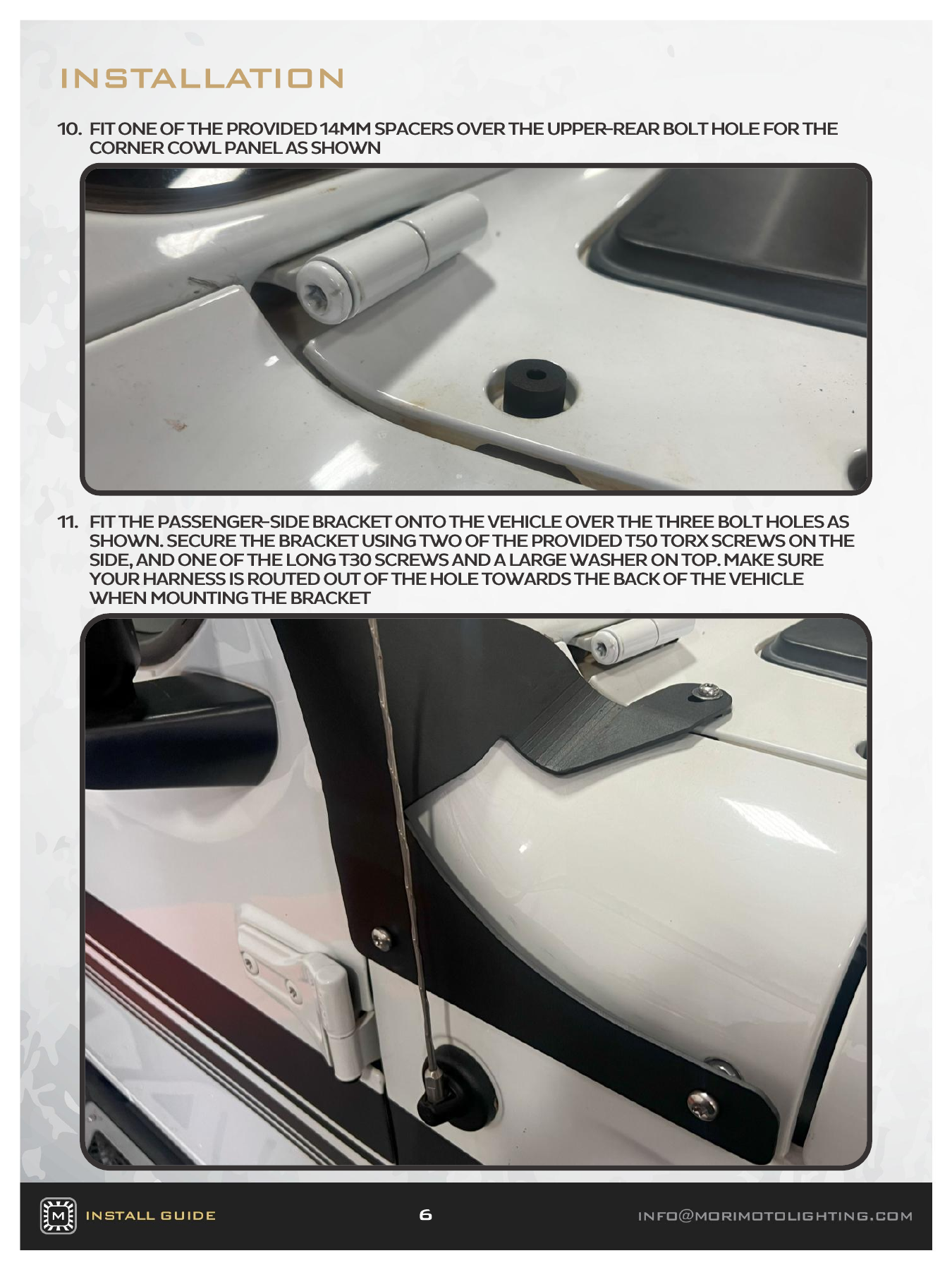
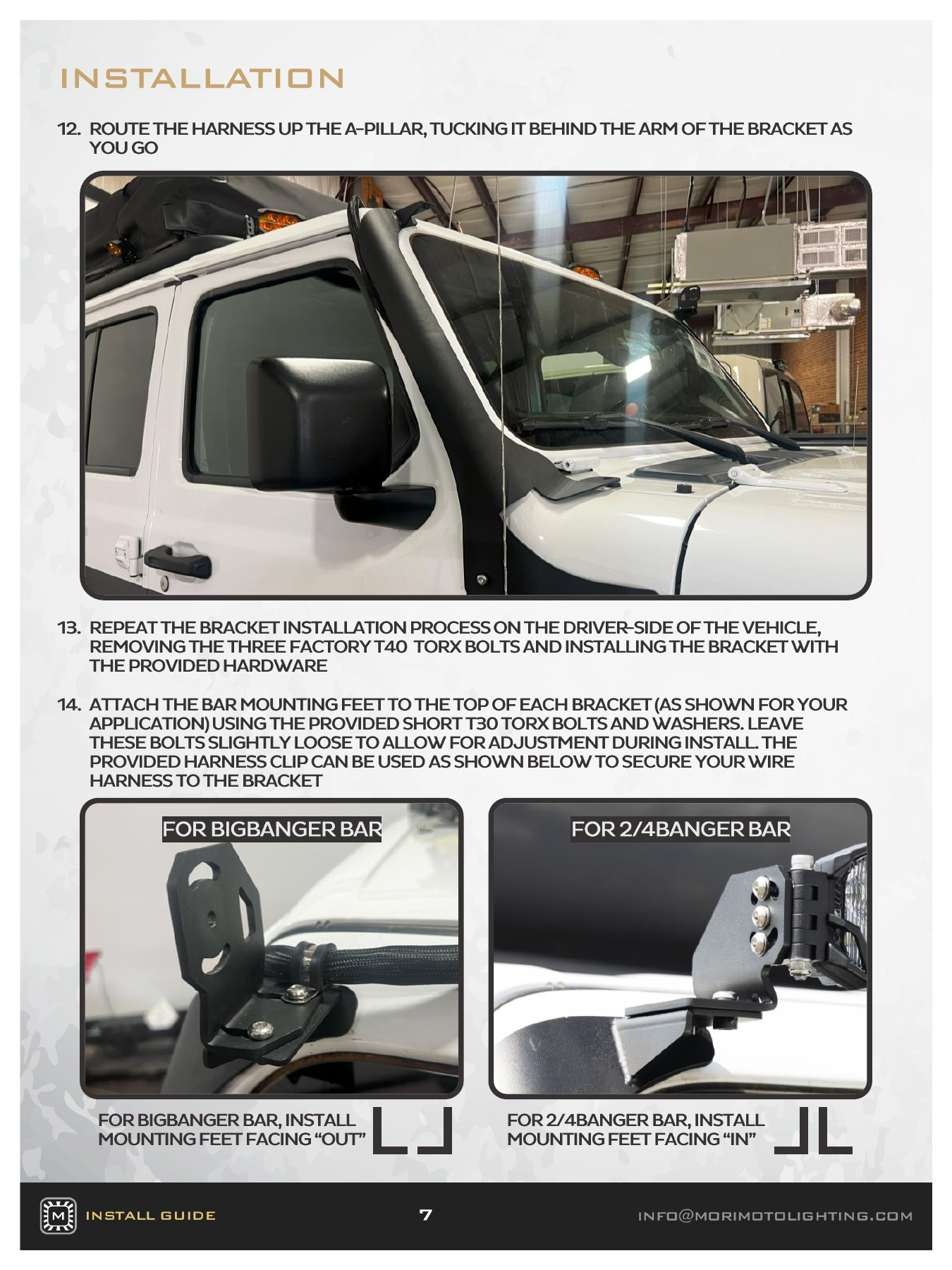
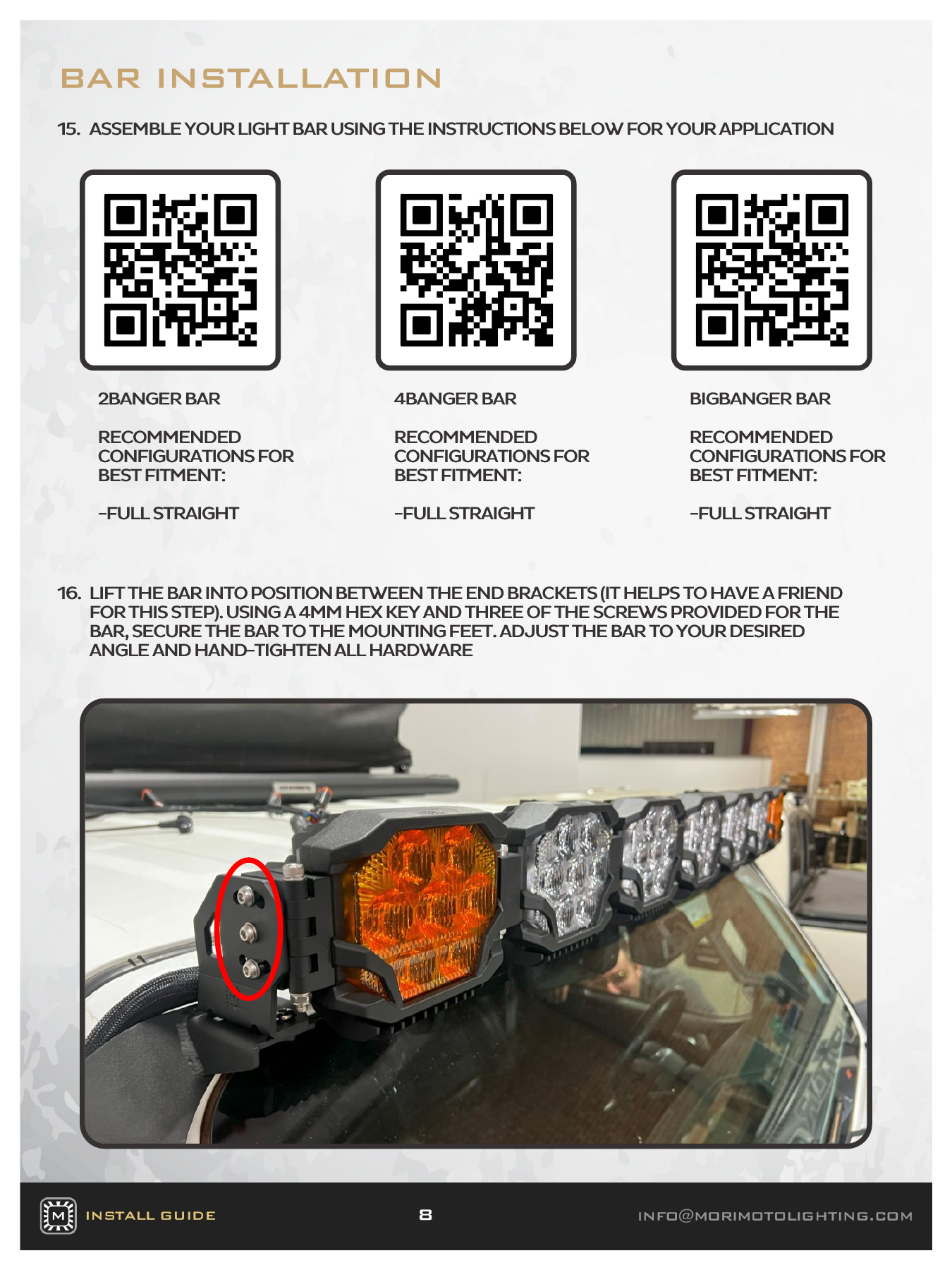
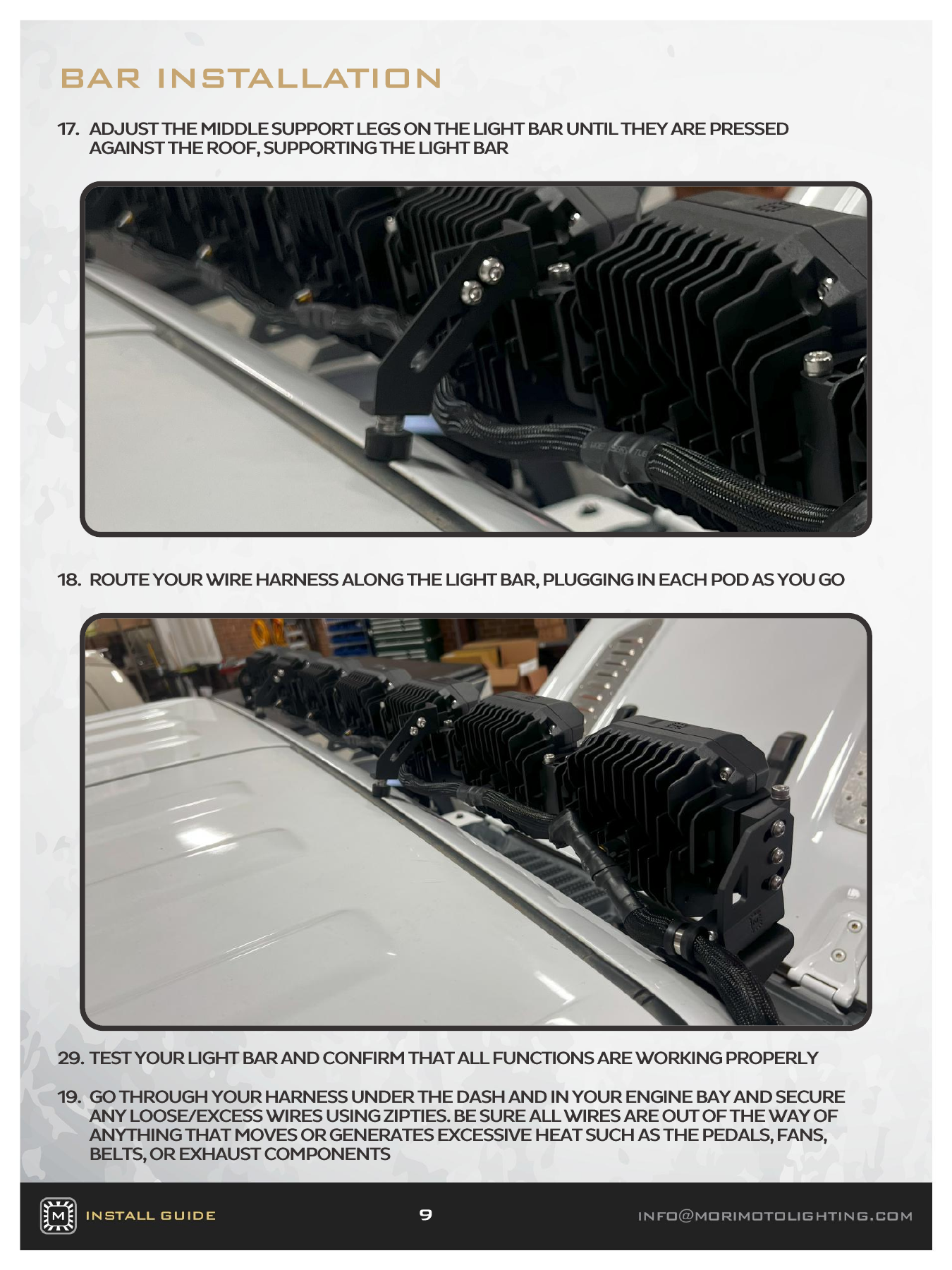
Mount the relay box upright, connect the fused red battery lead and black ground as directed, and route the output loom through the rear of the hood. Remove the passenger cowl’s four T40 fasteners, drill the cable opening at the illustrated location, and refit the panel. Use the specified spacers and supplied T50/T30 hardware for the windscreen brackets. The BigBanger mounting feet face outward; the 2Banger/4Banger feet face inward. Assemble the bar straight, support it during lifting, and adjust the middle legs against the roof before final tightening.

Open the original manufacturer PDF
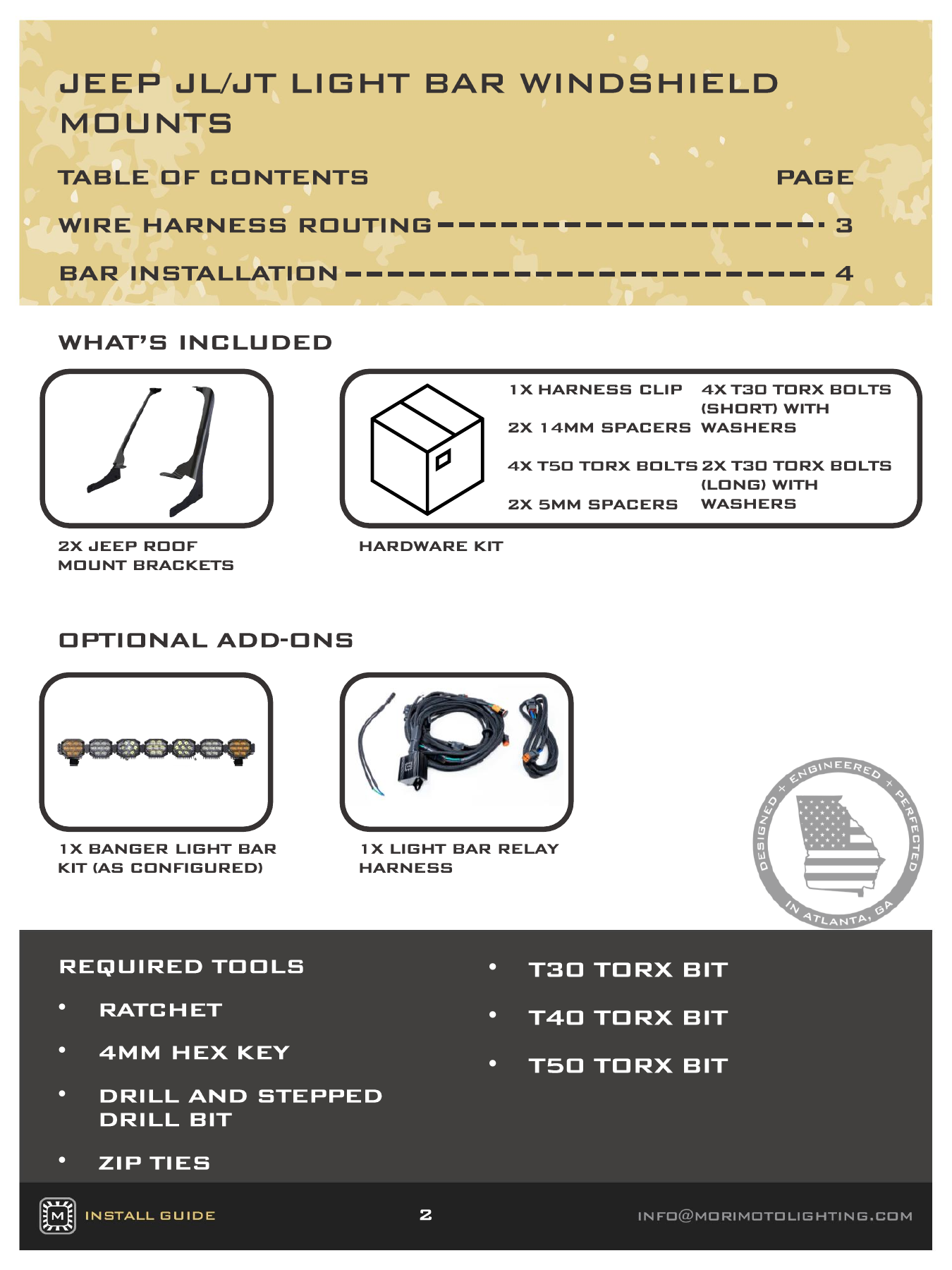
BAF081 vehicle installation — manufacturer page 2. Open the image at full size to read every label.
BAF081 vehicle installation — manufacturer page 3. Open the image at full size to read every label.
BAF081 vehicle installation — manufacturer page 4. Open the image at full size to read every label.
BAF081 vehicle installation — manufacturer page 5. Open the image at full size to read every label.
BAF081 vehicle installation — manufacturer page 6. Open the image at full size to read every label.
BAF081 vehicle installation — manufacturer page 7. Open the image at full size to read every label.
BAF081 vehicle installation — manufacturer page 8. Open the image at full size to read every label.
BAF081 vehicle installation — manufacturer page 9. Open the image at full size to read every label.

2Banger bar assembly

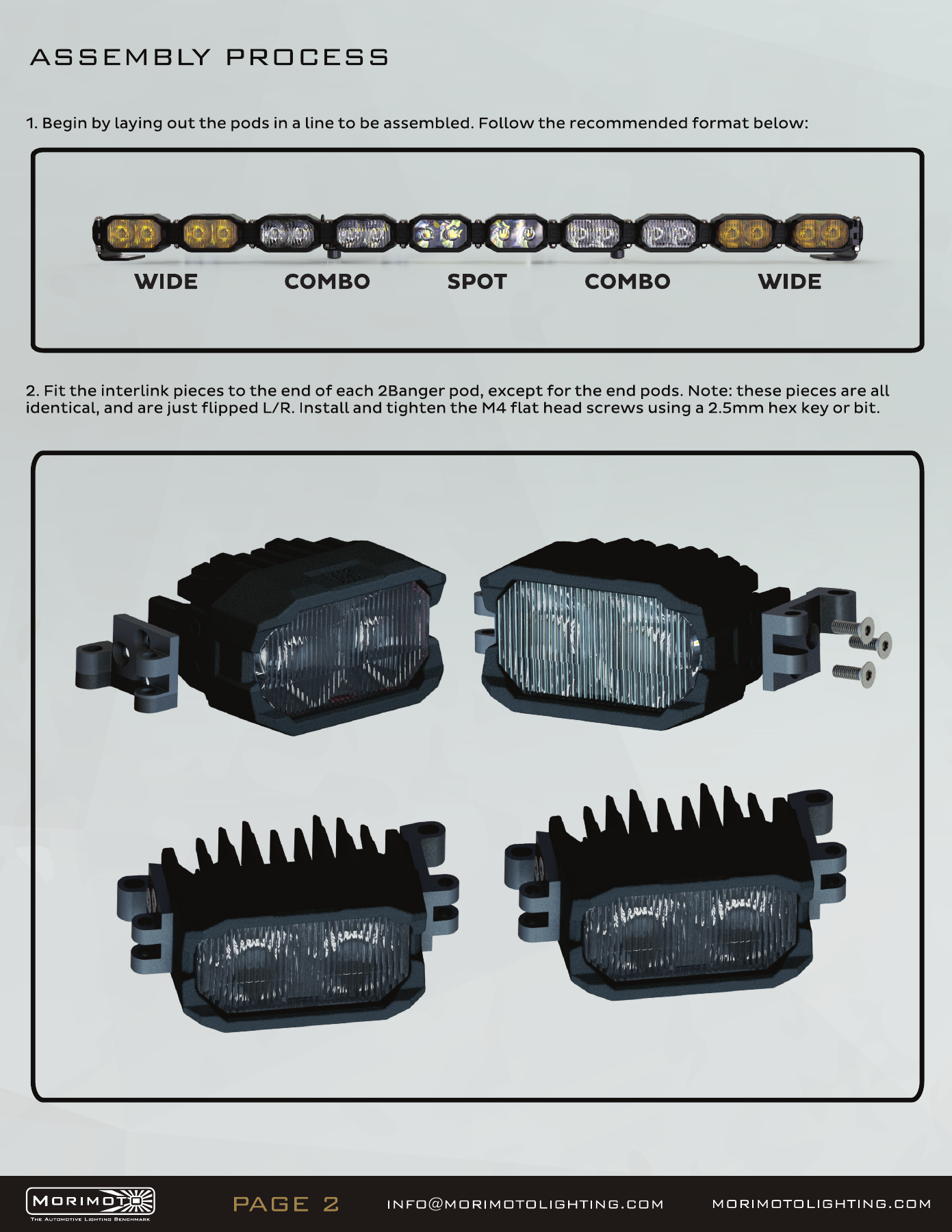
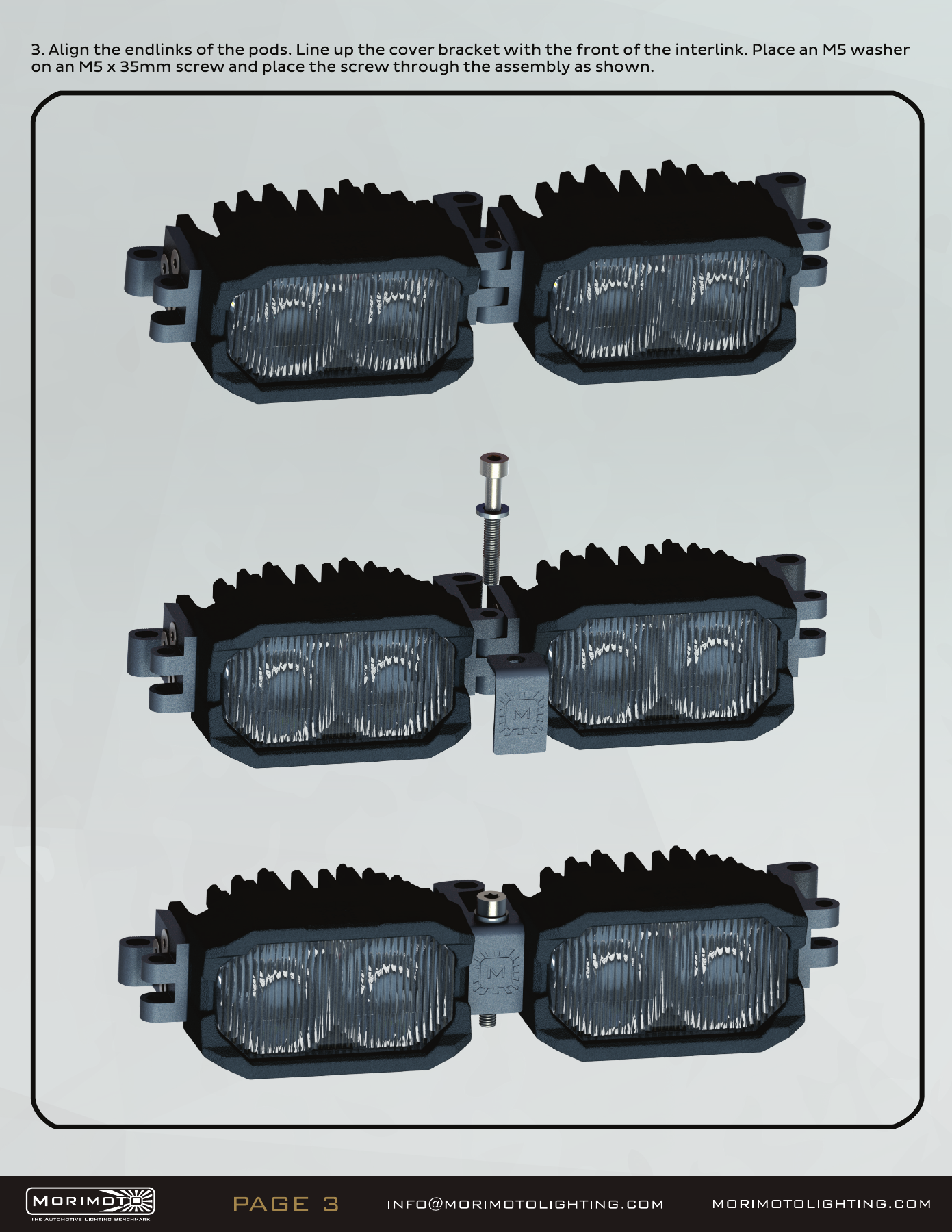
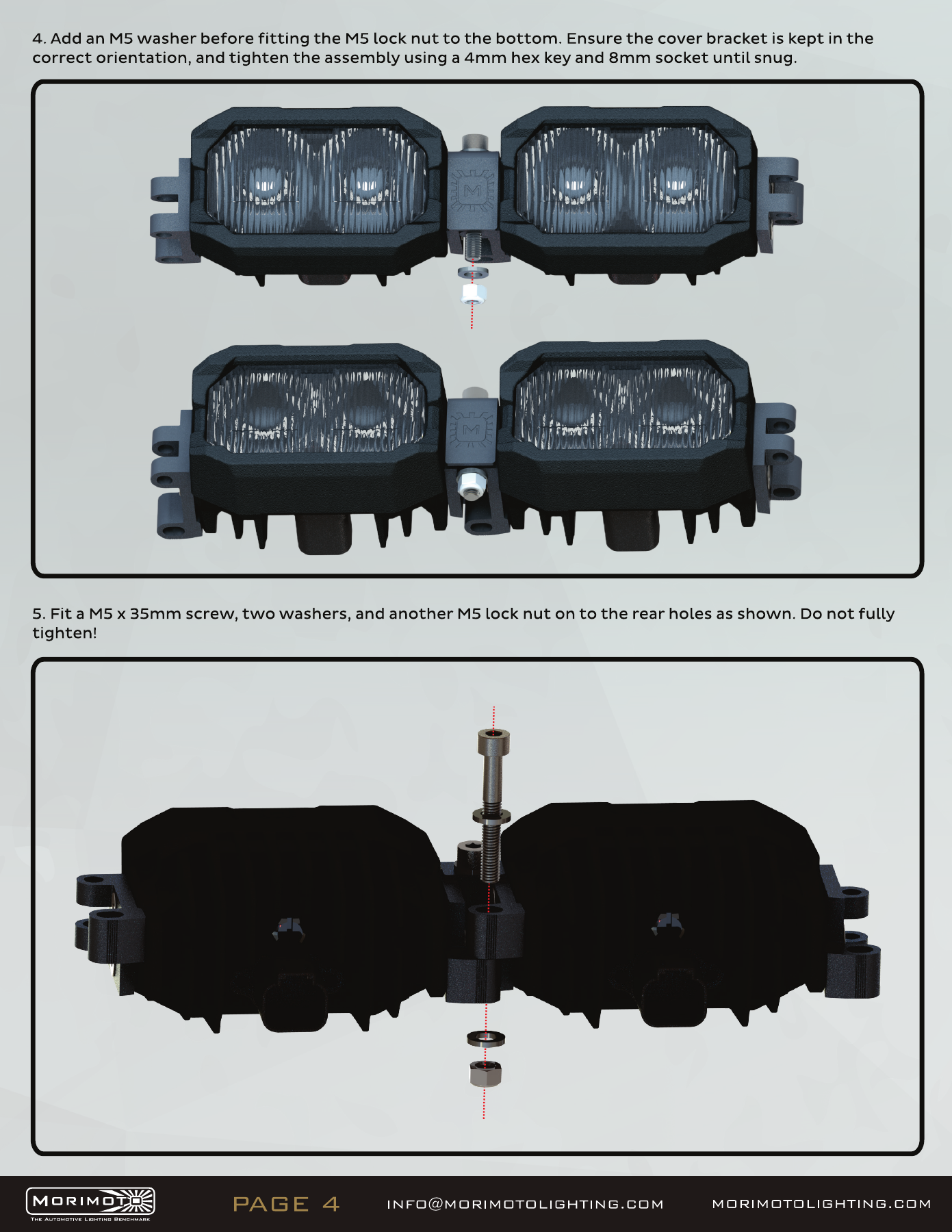
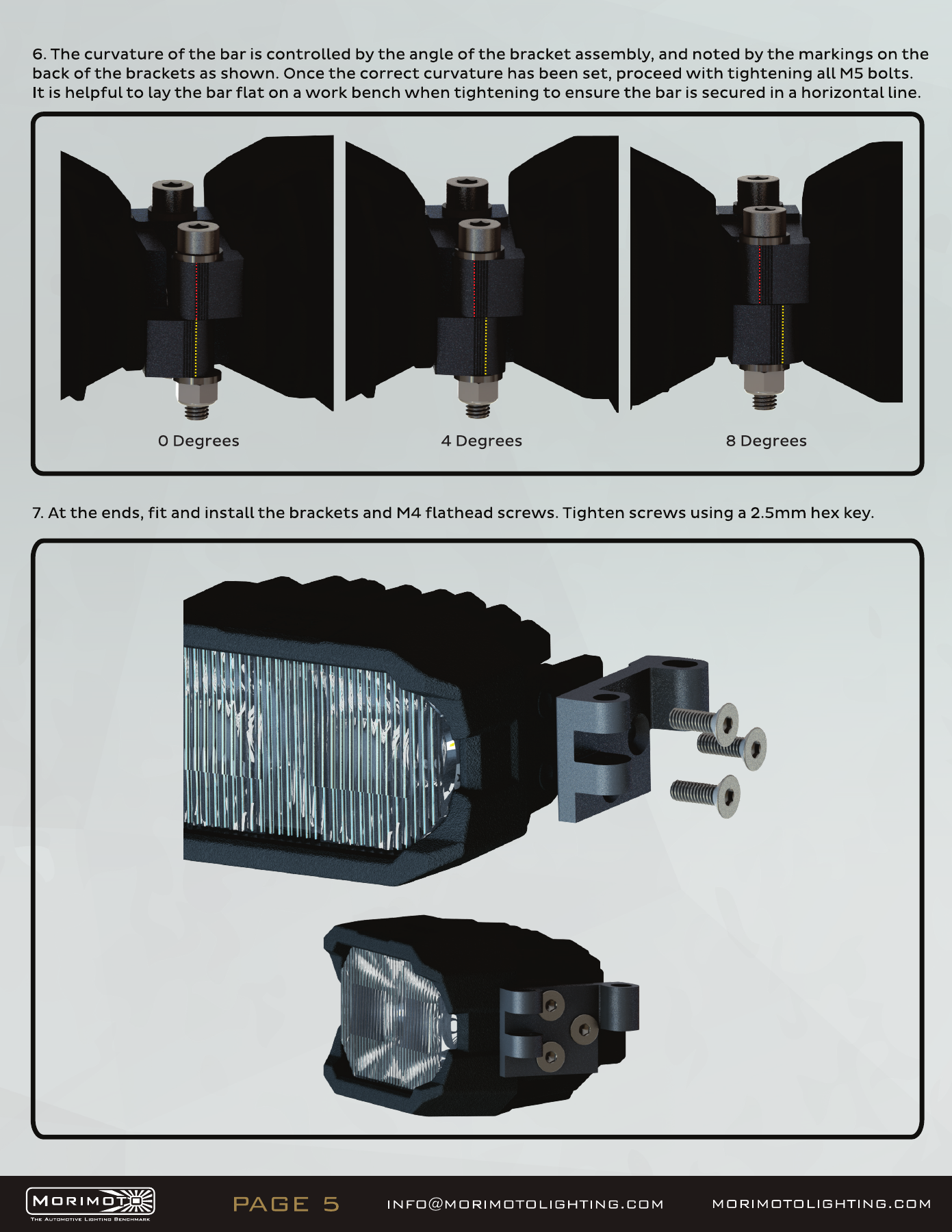
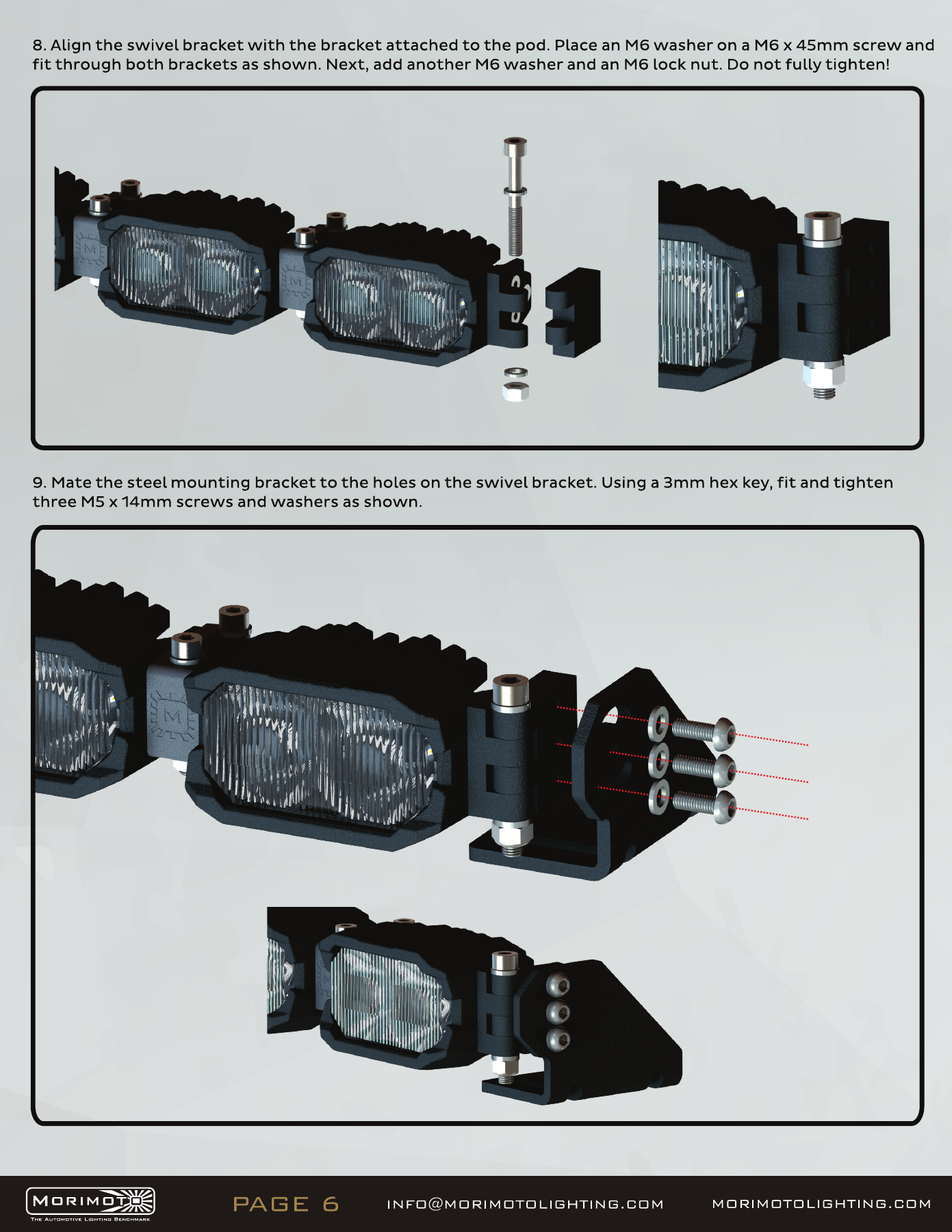
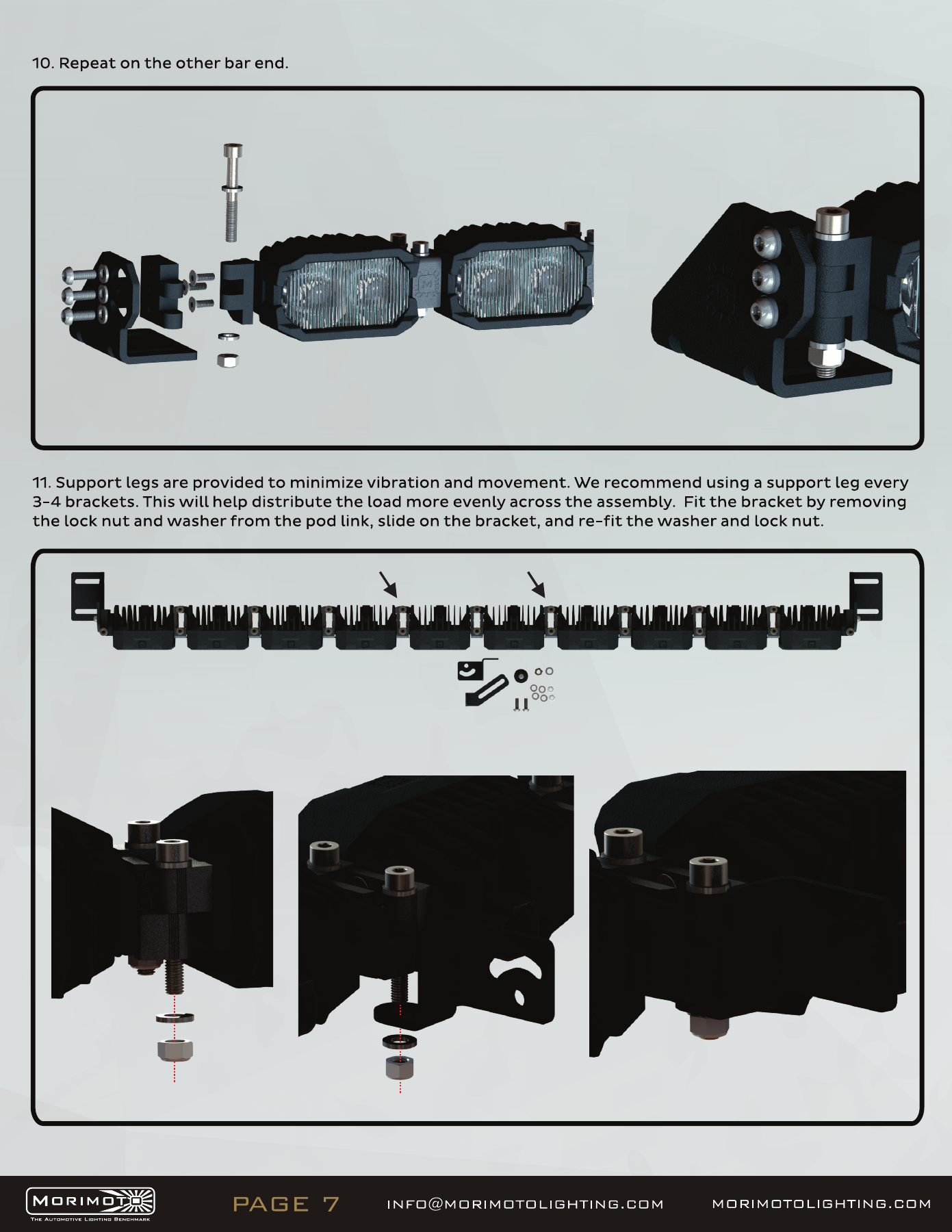
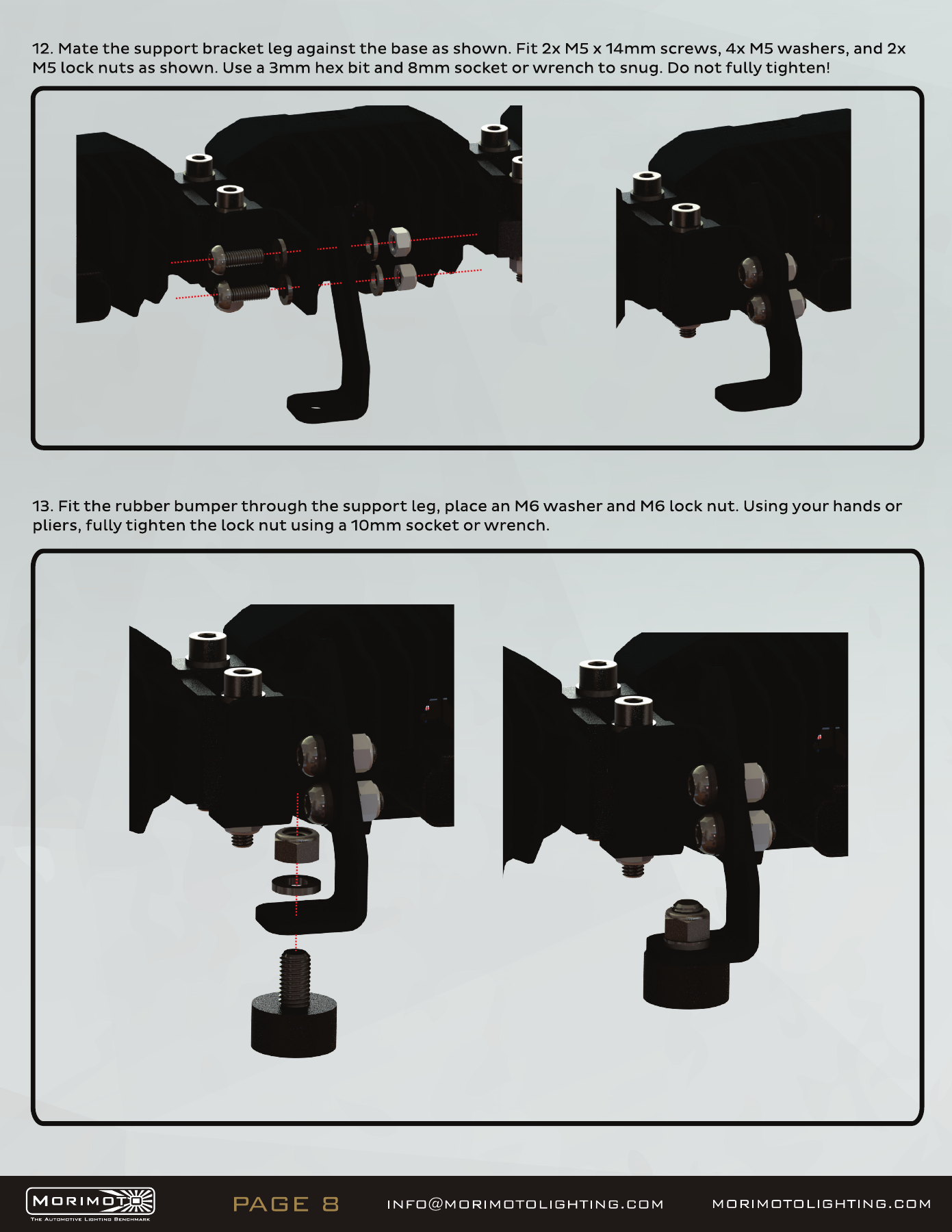
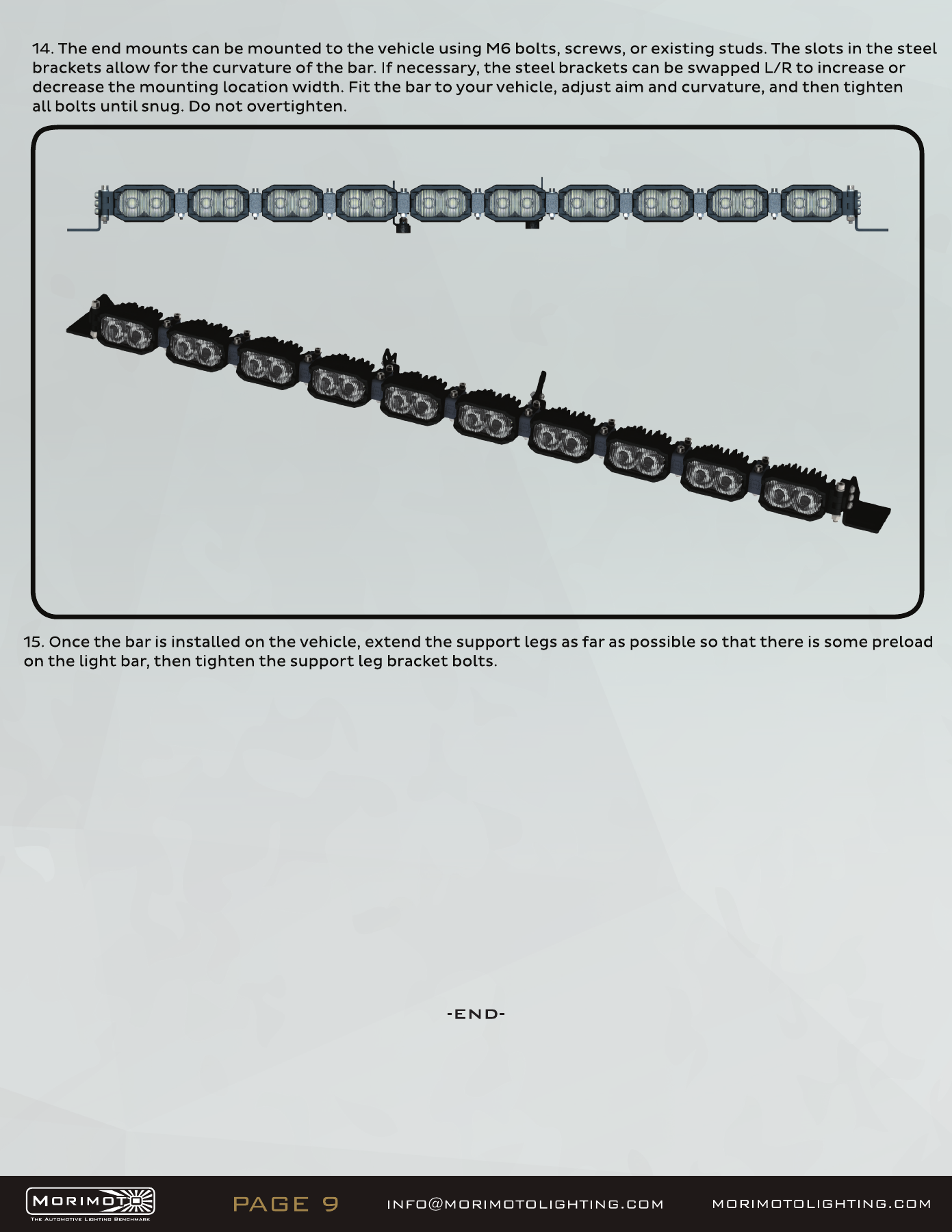
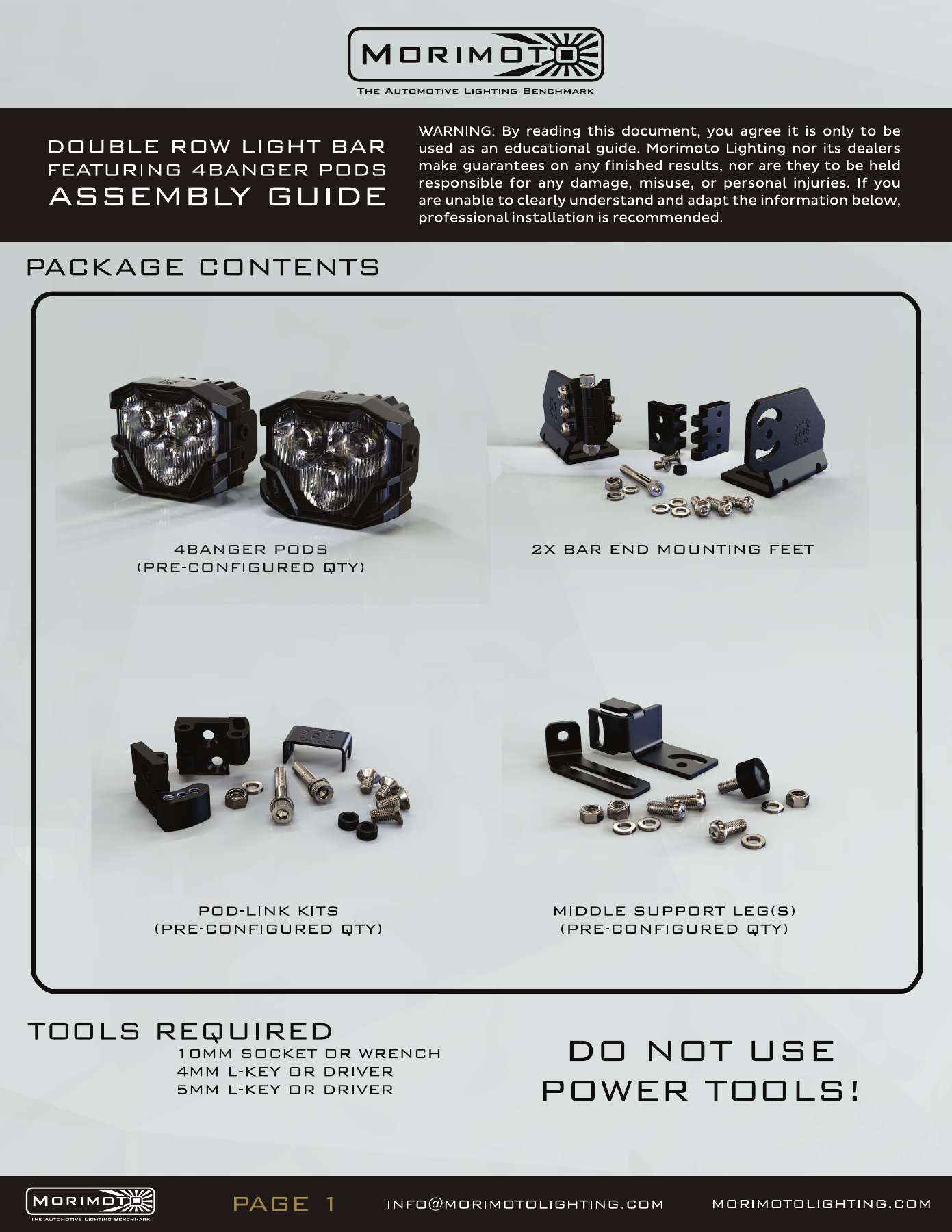
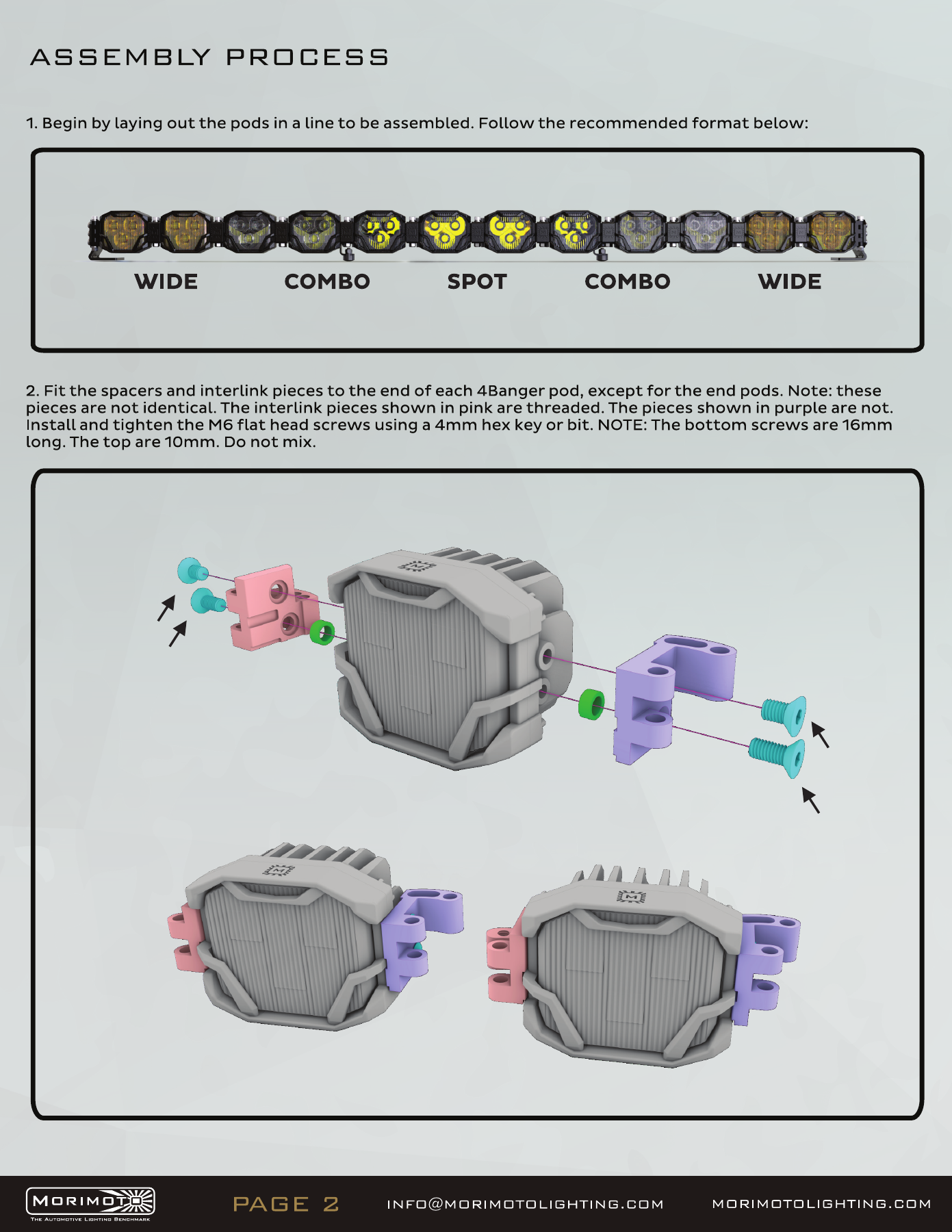
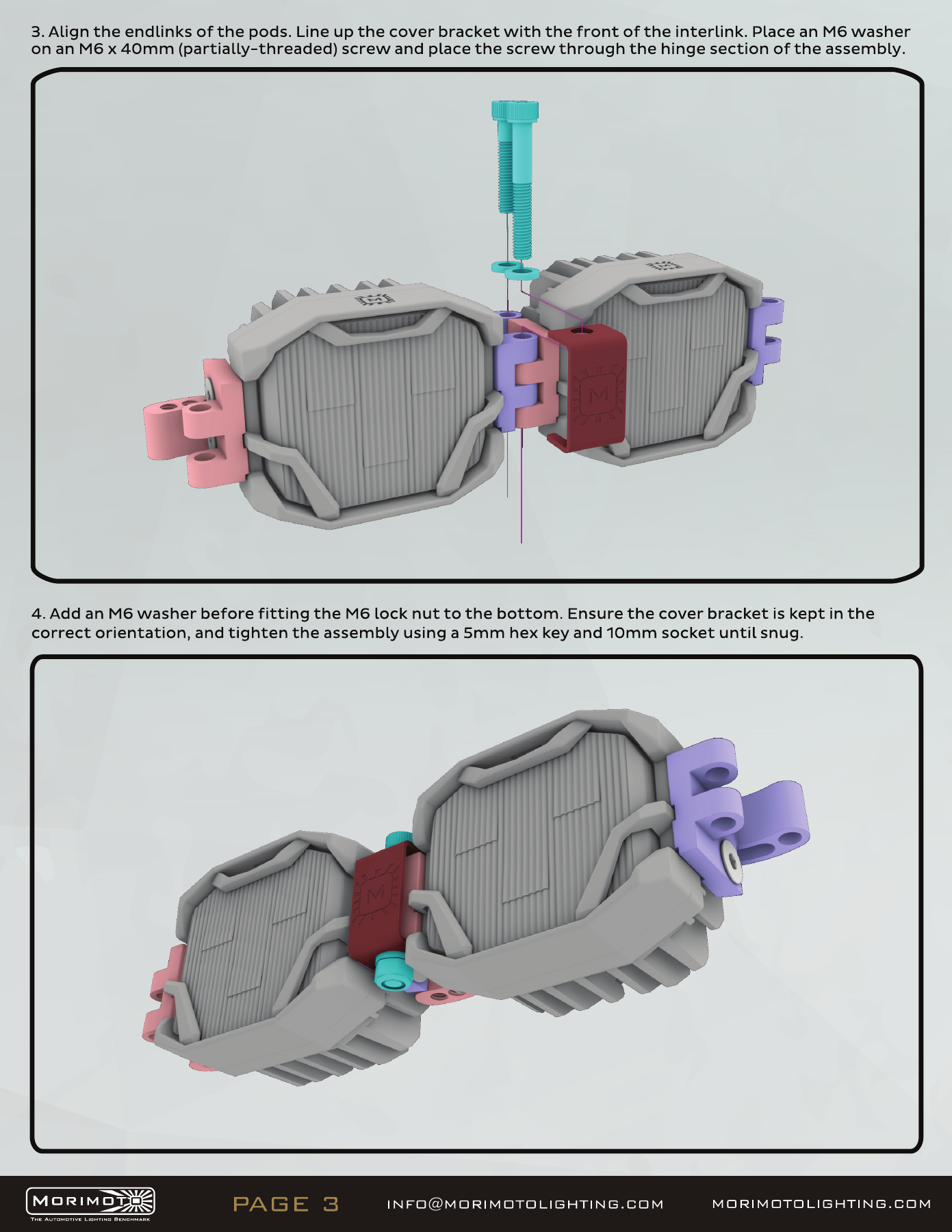
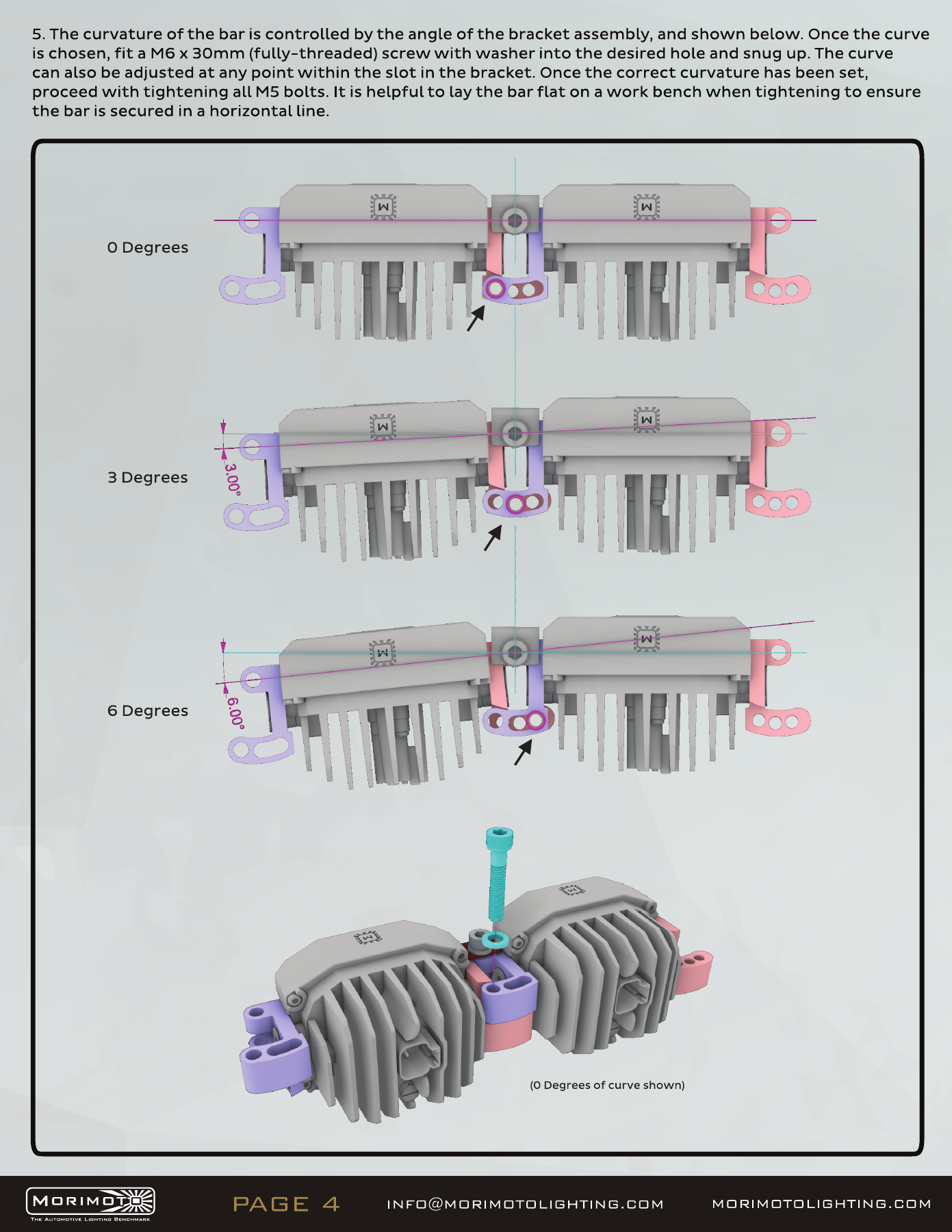
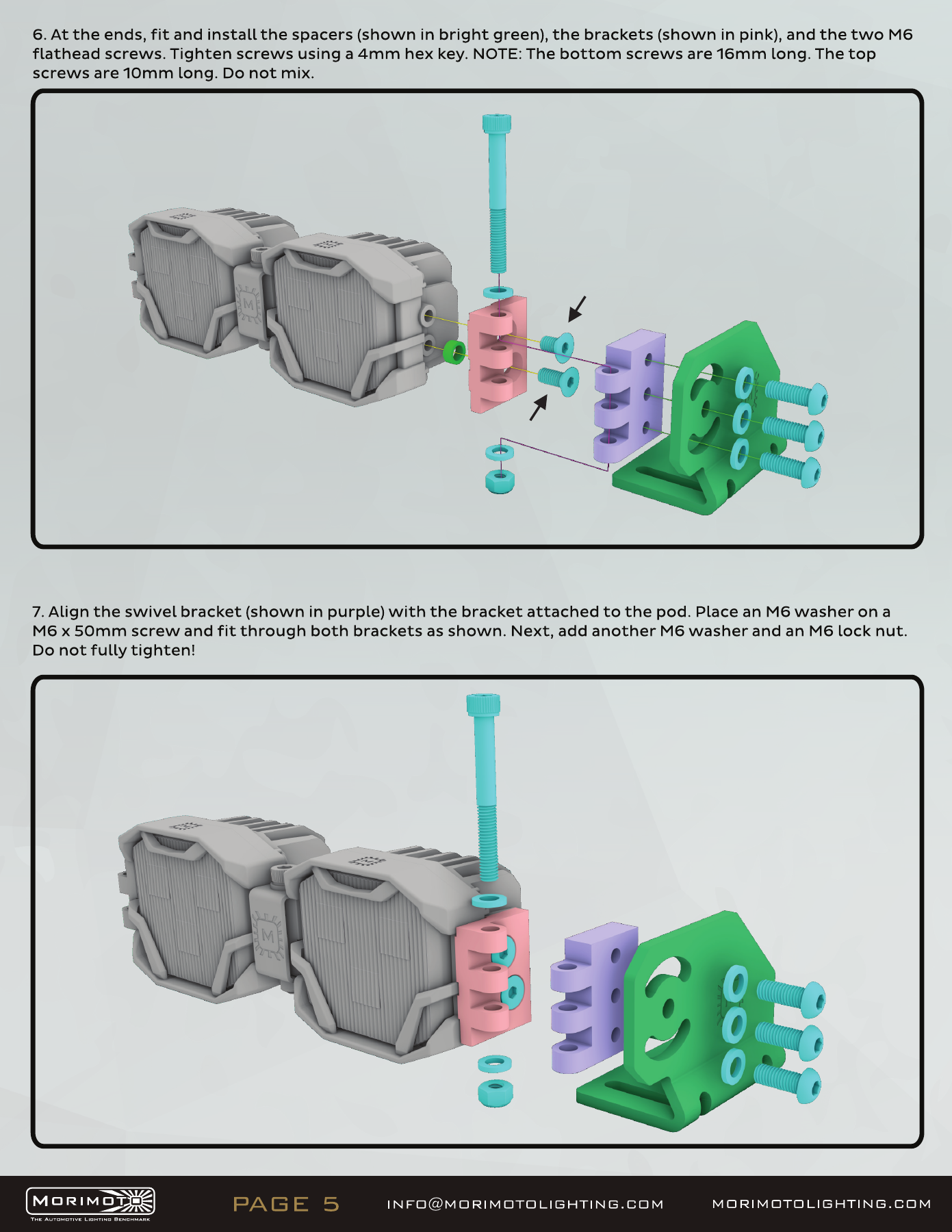
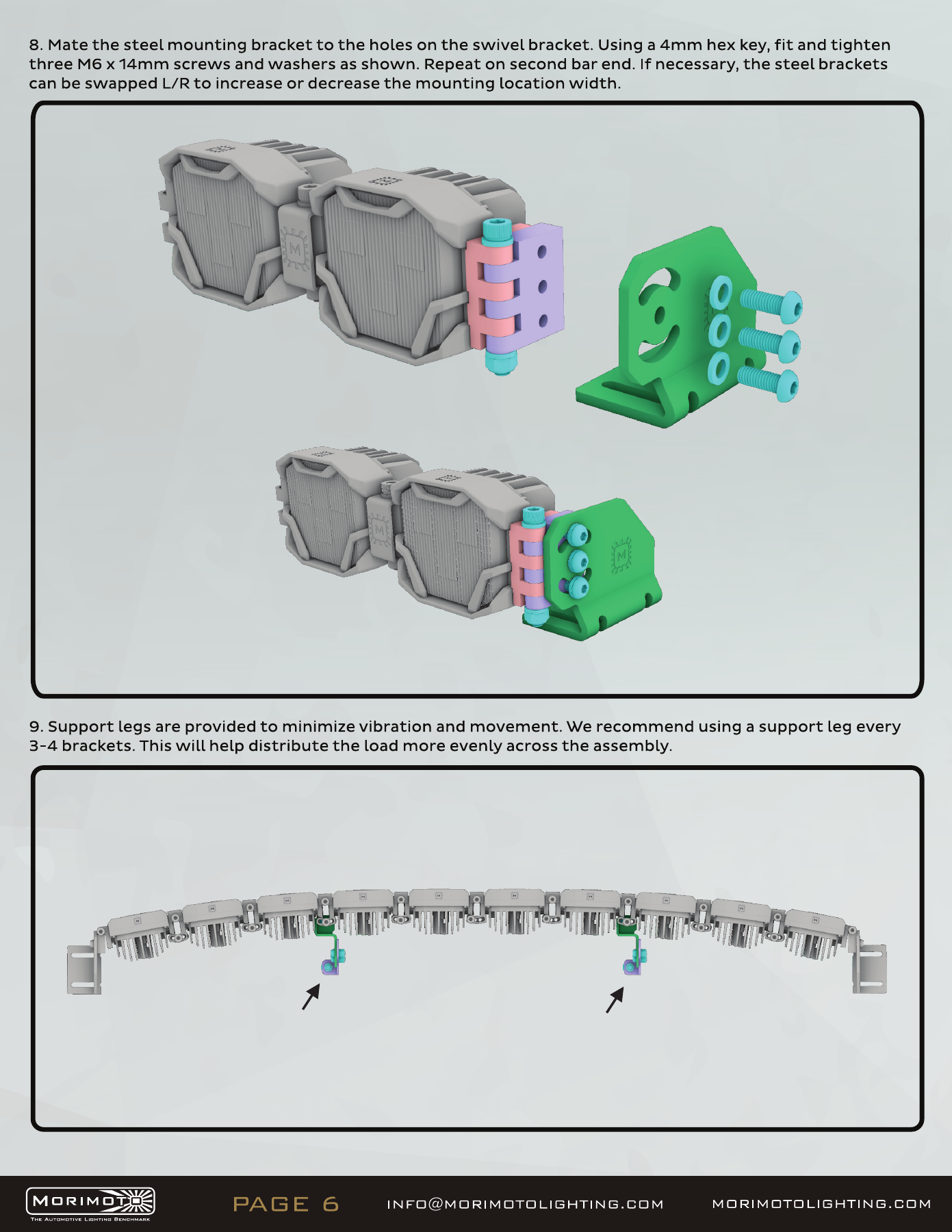
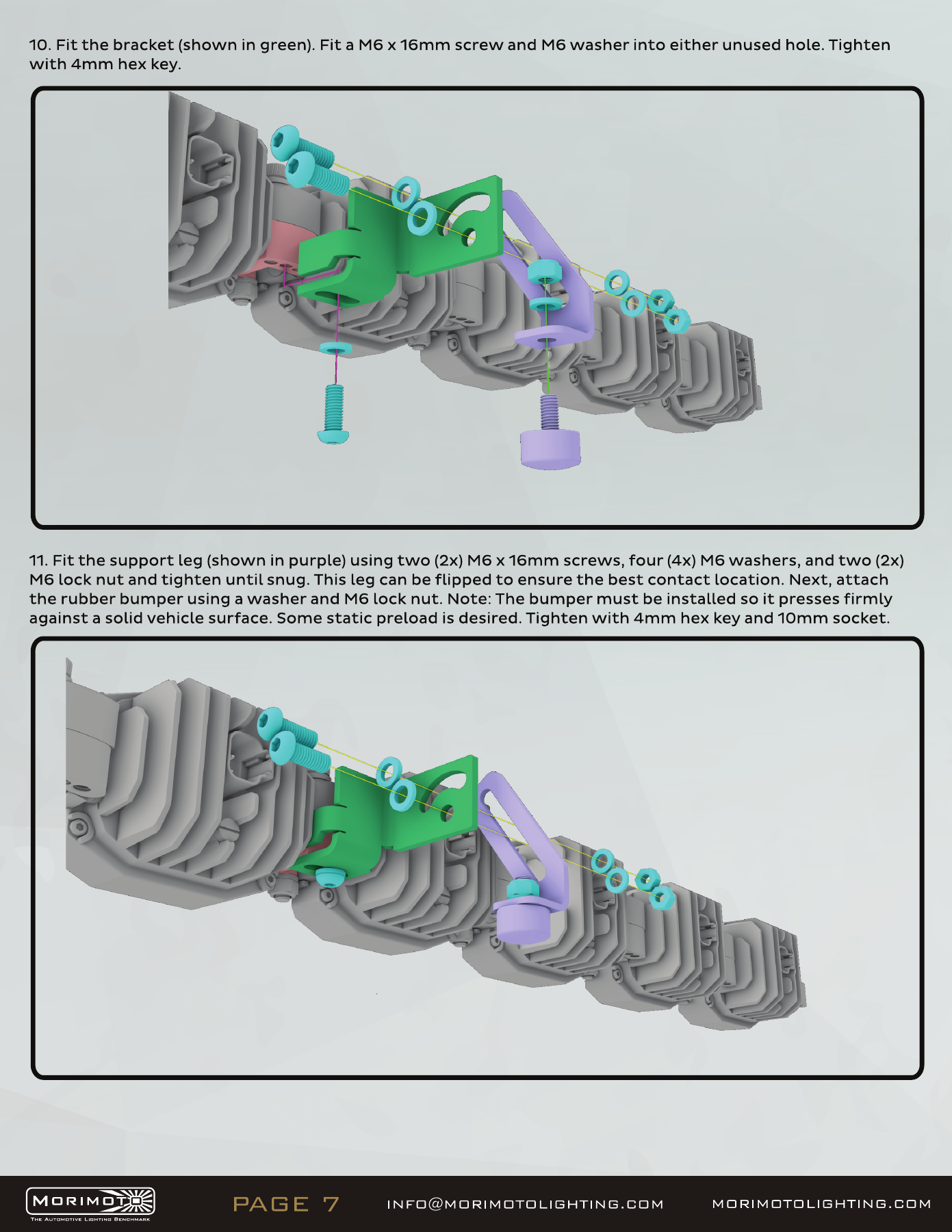
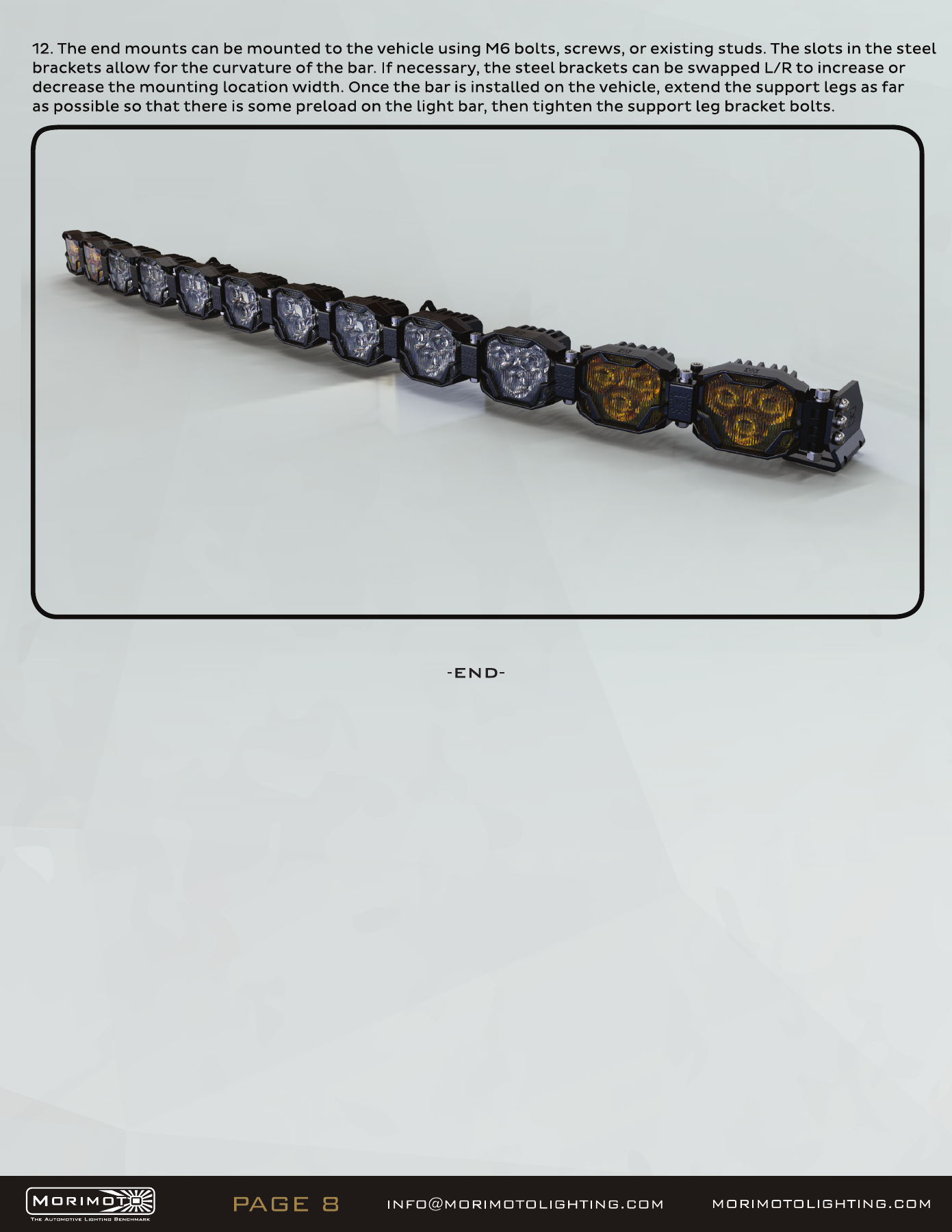
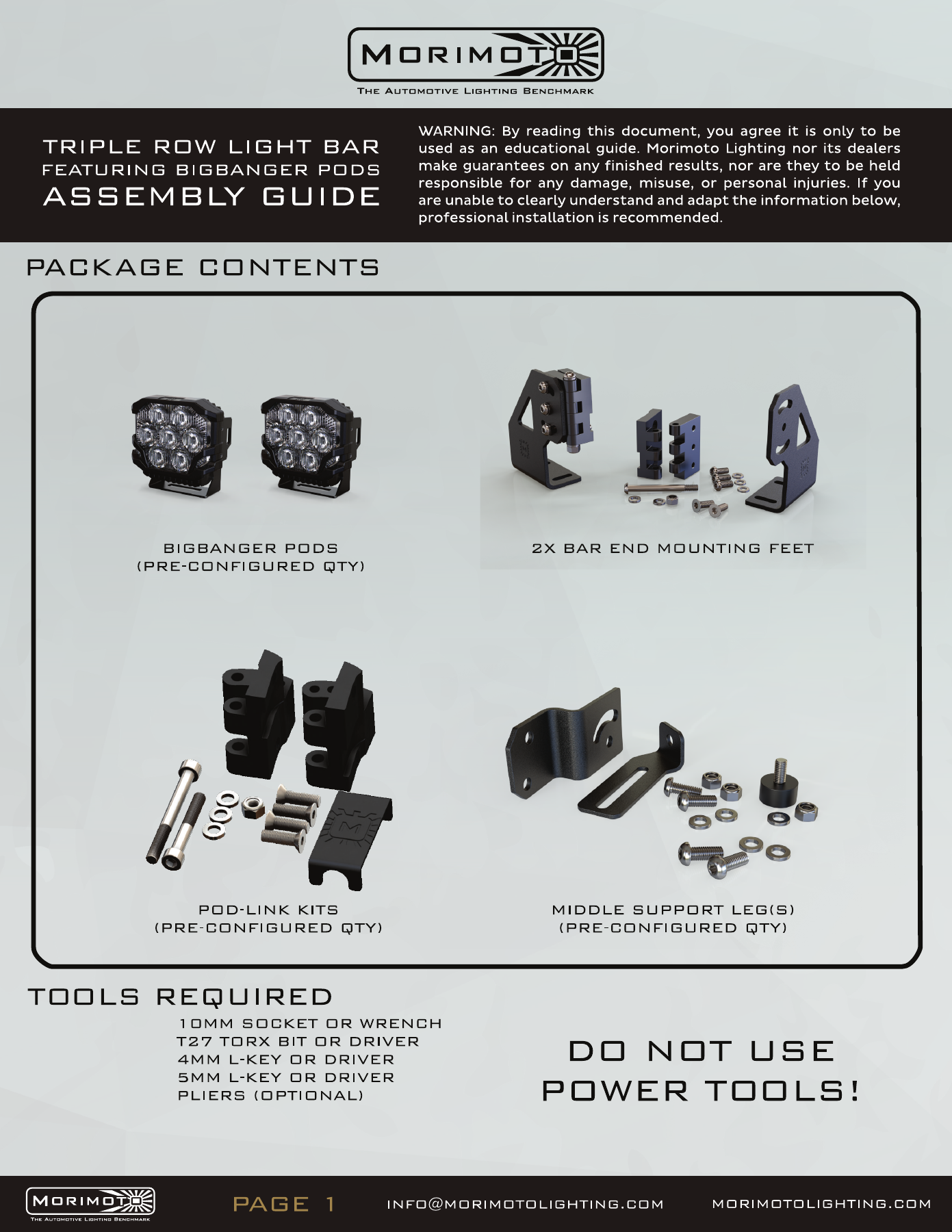
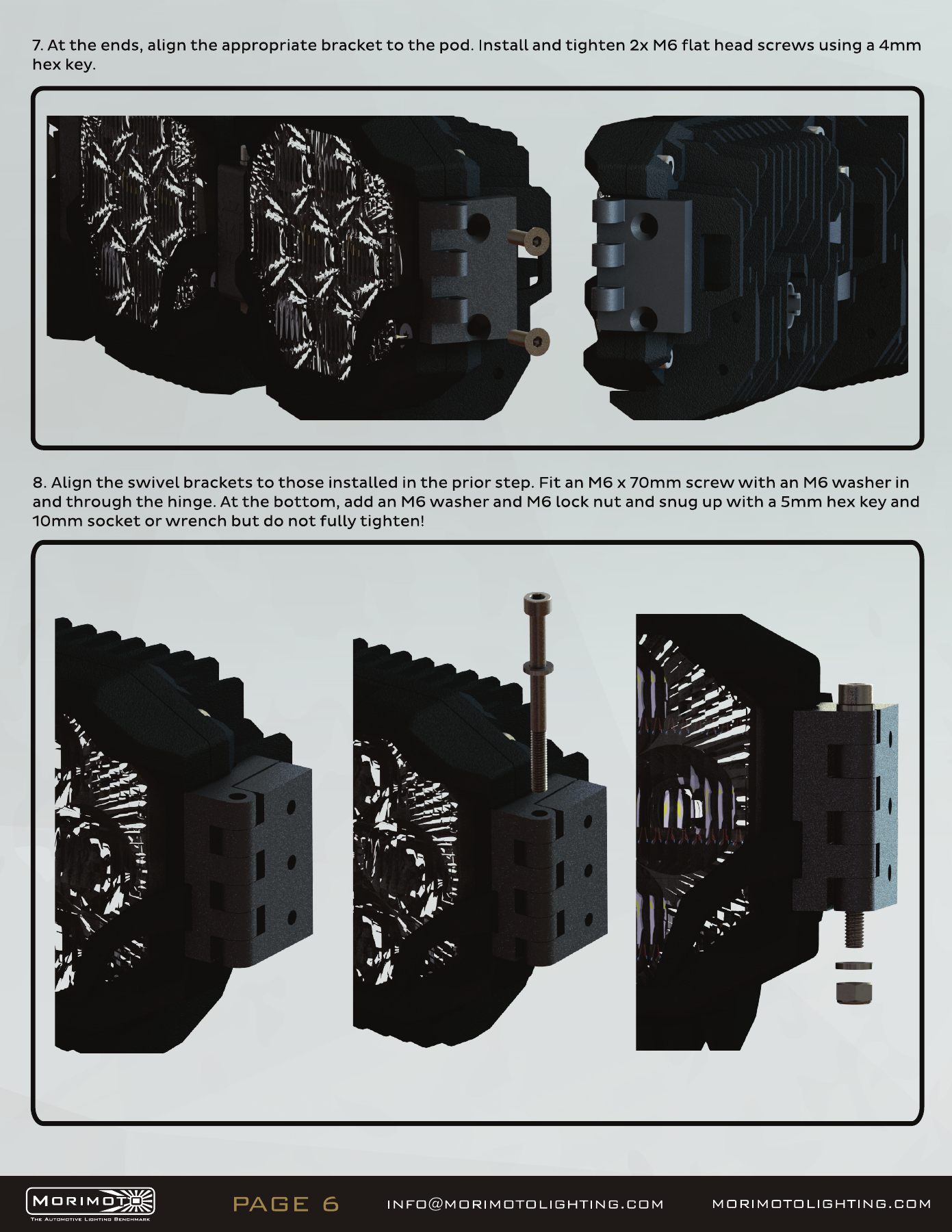
The following original diagrams show the pod links, end mounts and supports for this bar family. Use hand tools, preserve the specified washer/nut orientation, and use the full-straight arrangement required by the JL mount. Mixed-colour drawings illustrate assembly; the selected kit SKU determines the supplied colour.

Open the original manufacturer PDF
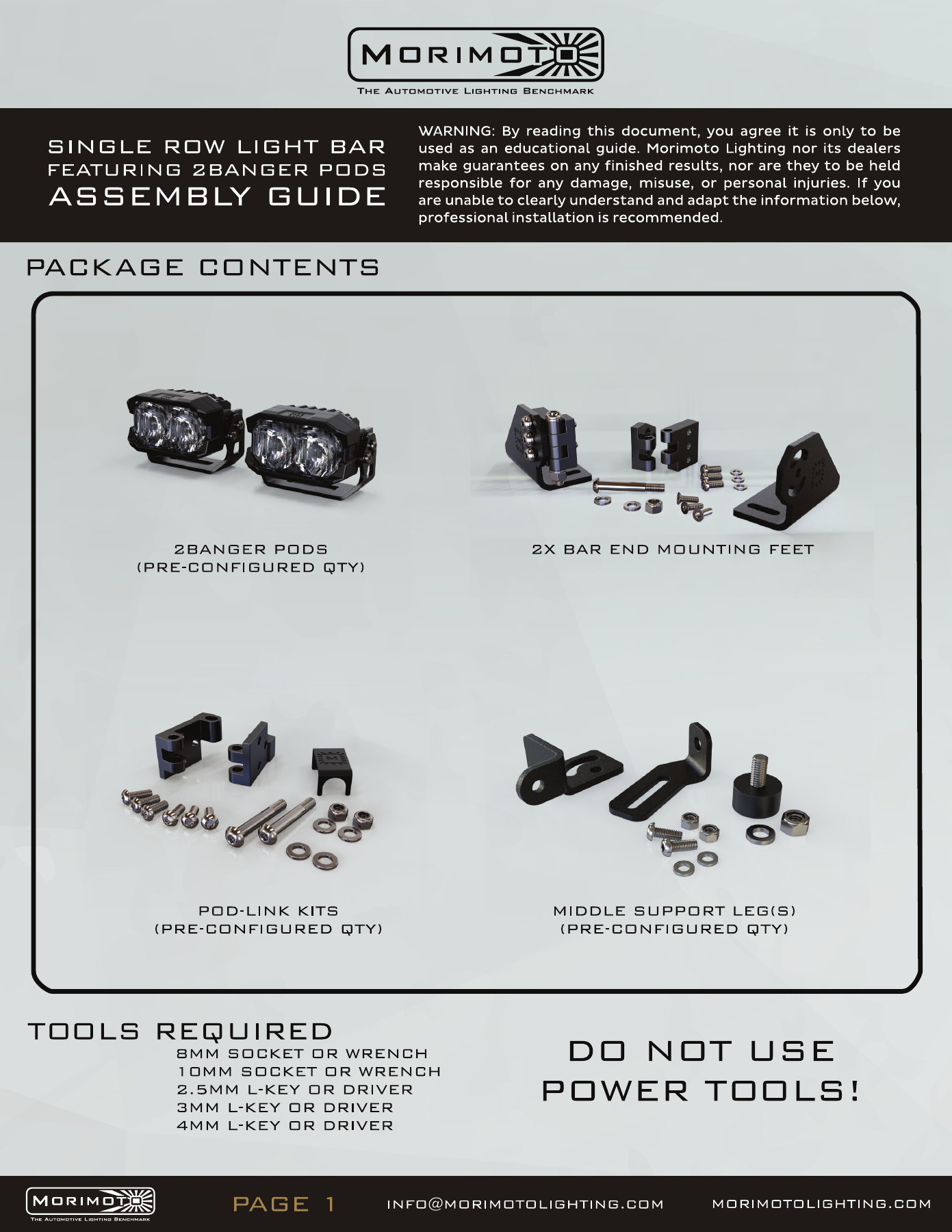
2Banger bar assembly — manufacturer page 1. Open the image at full size to read every label.
2Banger bar assembly — manufacturer page 2. Open the image at full size to read every label.
2Banger bar assembly — manufacturer page 3. Open the image at full size to read every label.
2Banger bar assembly — manufacturer page 4. Open the image at full size to read every label.
2Banger bar assembly — manufacturer page 5. Open the image at full size to read every label.
2Banger bar assembly — manufacturer page 6. Open the image at full size to read every label.
2Banger bar assembly — manufacturer page 7. Open the image at full size to read every label.
2Banger bar assembly — manufacturer page 8. Open the image at full size to read every label.
2Banger bar assembly — manufacturer page 9. Open the image at full size to read every label.

4Banger bar assembly

The following original diagrams show the pod links, end mounts and supports for this bar family. Use hand tools, preserve the specified washer/nut orientation, and use the full-straight arrangement required by the JL mount. Mixed-colour drawings illustrate assembly; the selected kit SKU determines the supplied colour.

Open the original manufacturer PDF
4Banger bar assembly — manufacturer page 1. Open the image at full size to read every label.
4Banger bar assembly — manufacturer page 2. Open the image at full size to read every label.
4Banger bar assembly — manufacturer page 3. Open the image at full size to read every label.
4Banger bar assembly — manufacturer page 4. Open the image at full size to read every label.
4Banger bar assembly — manufacturer page 5. Open the image at full size to read every label.
4Banger bar assembly — manufacturer page 6. Open the image at full size to read every label.
4Banger bar assembly — manufacturer page 7. Open the image at full size to read every label.
4Banger bar assembly — manufacturer page 8. Open the image at full size to read every label.

BigBanger bar assembly

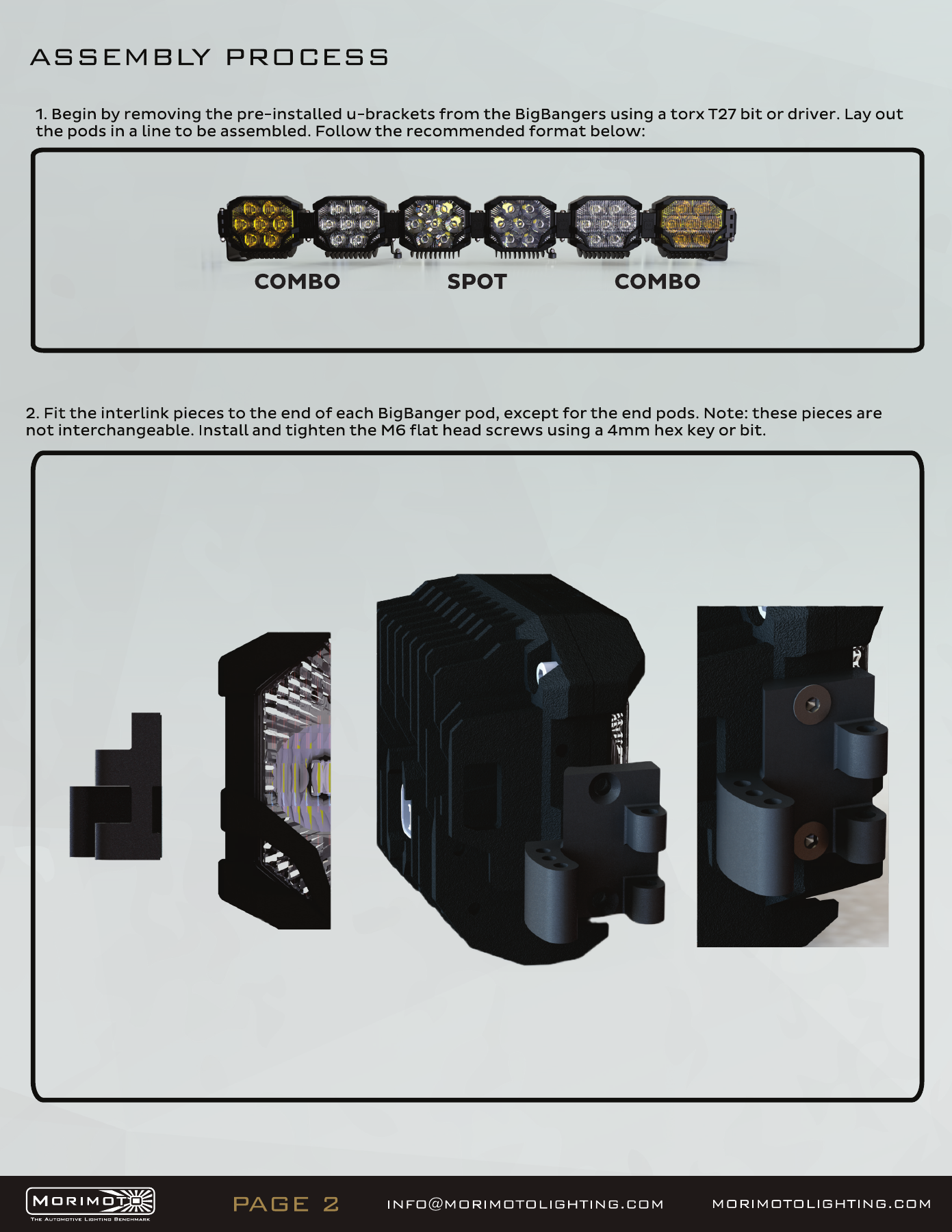
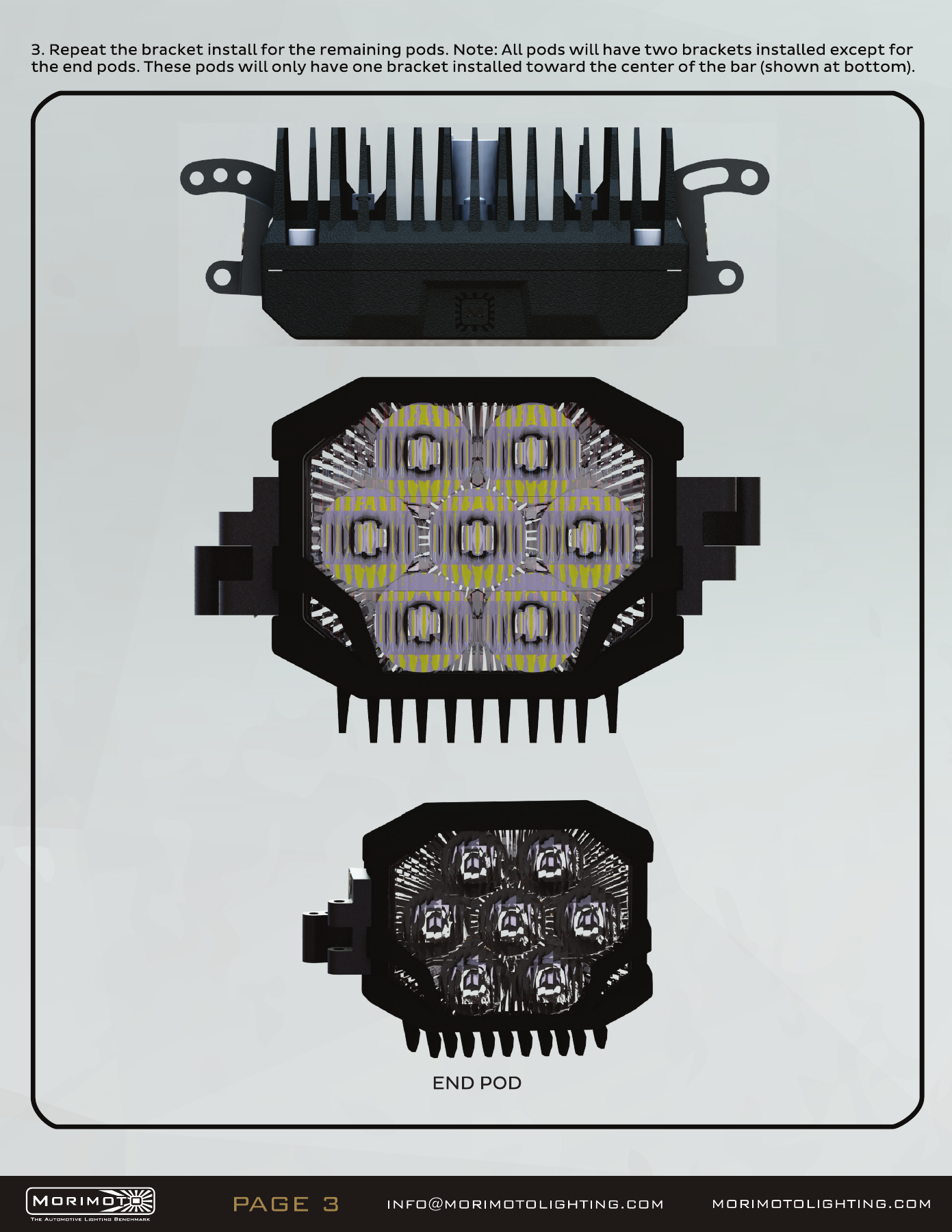
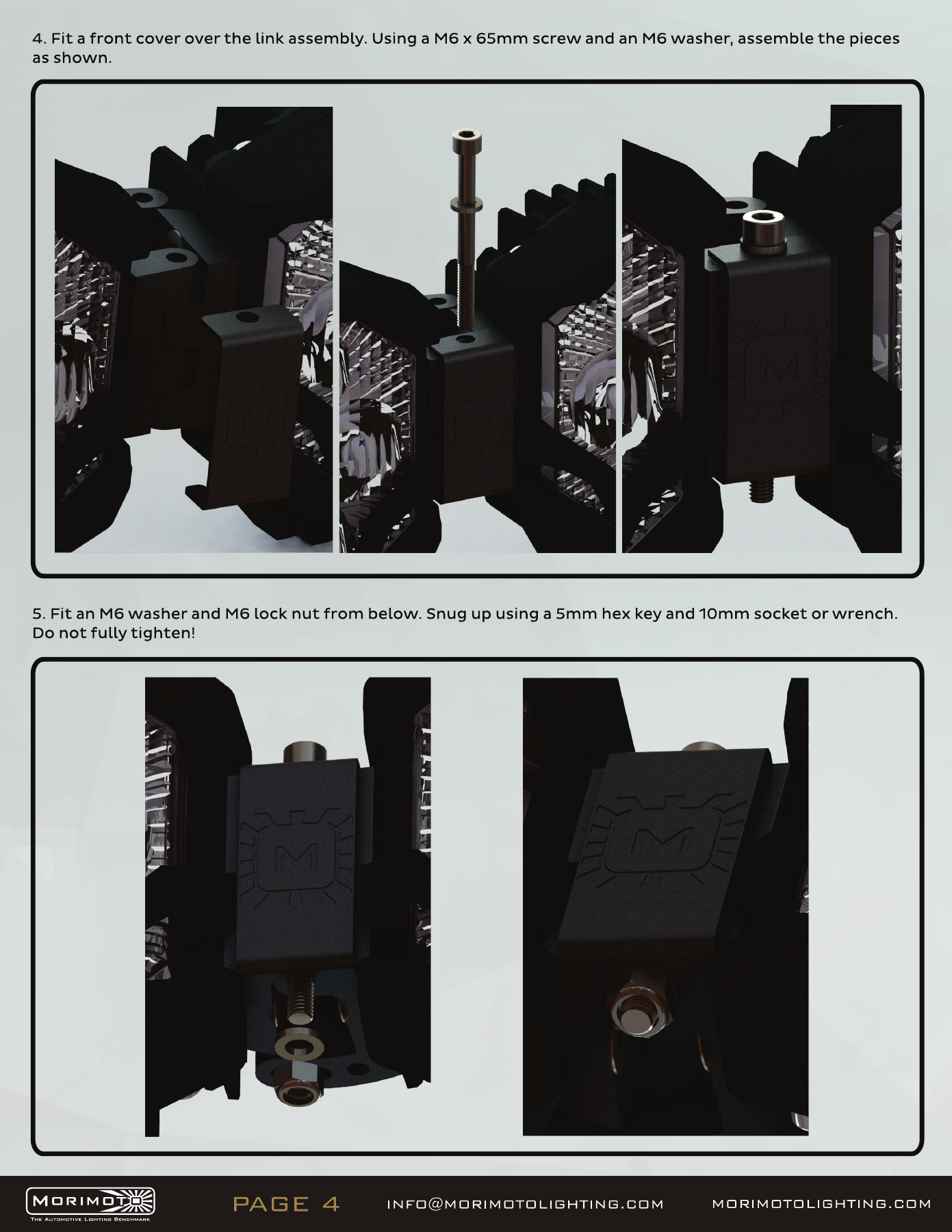
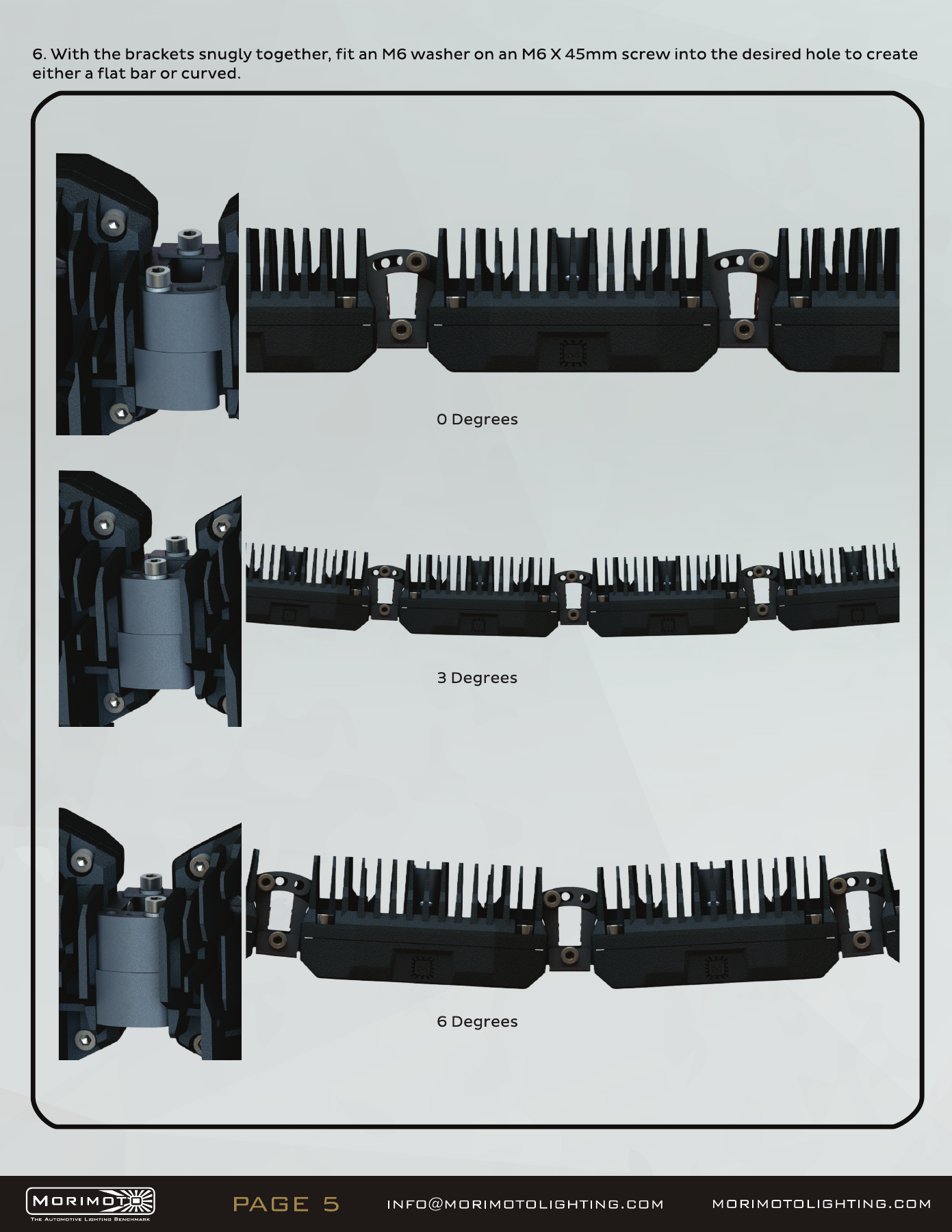
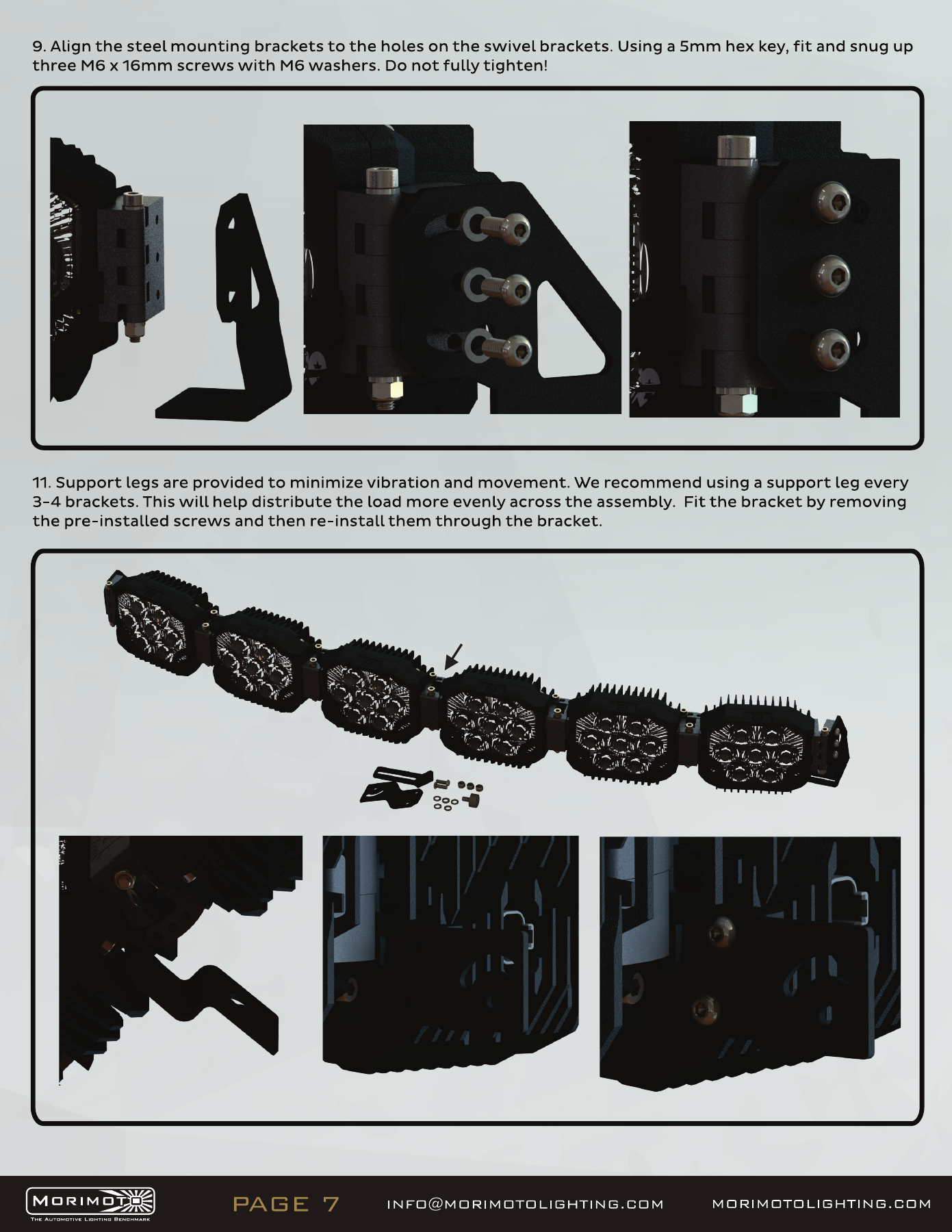
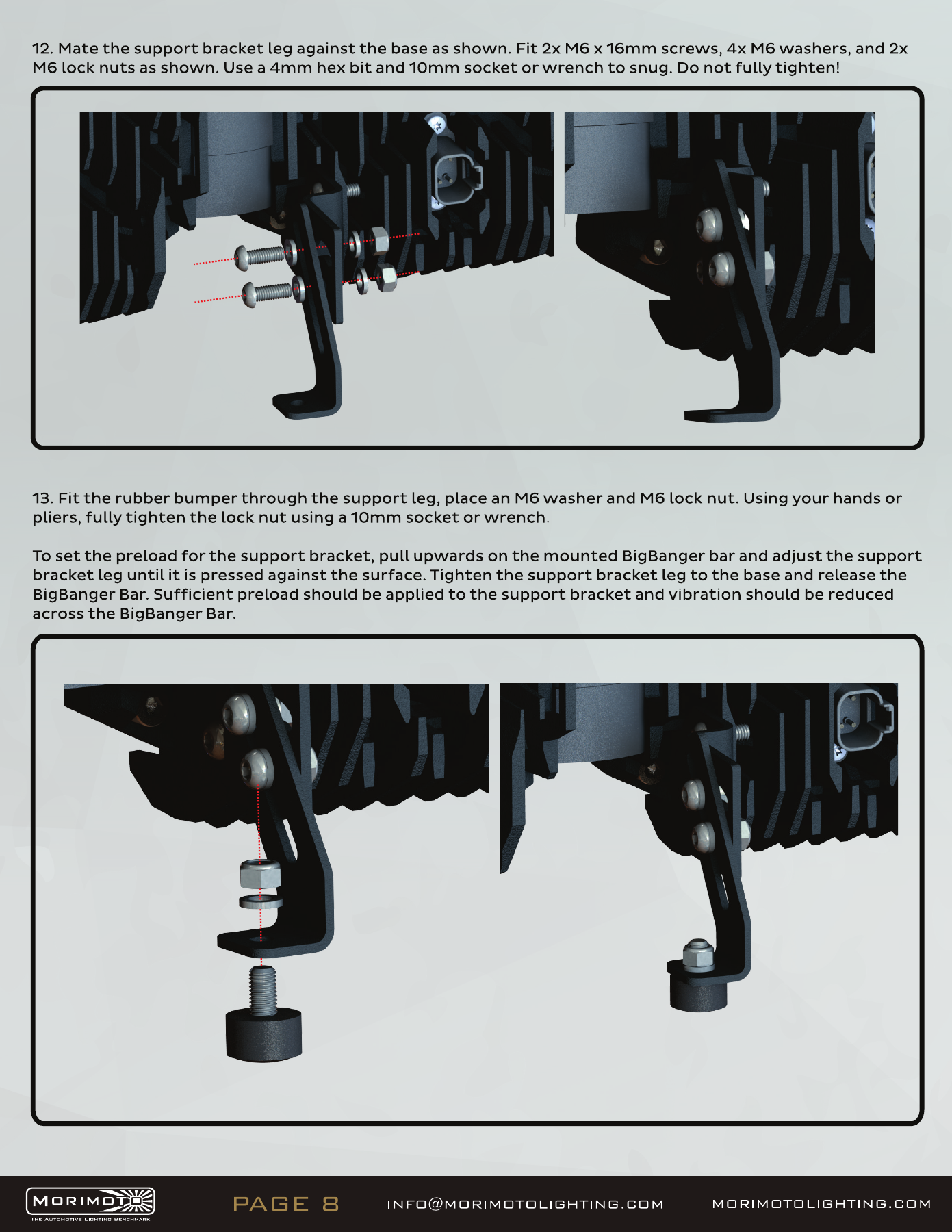
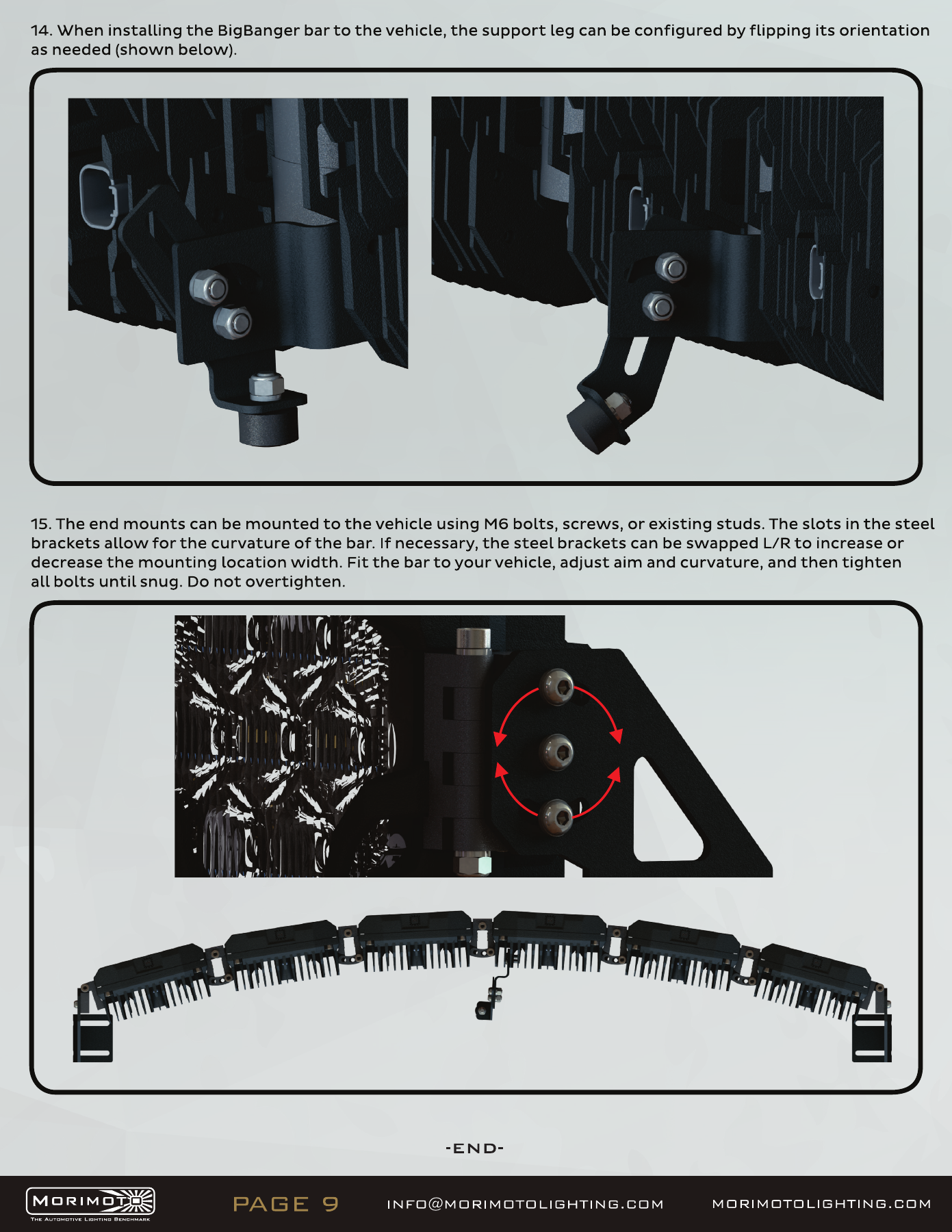
The following original diagrams show the pod links, end mounts and supports for this bar family. Use hand tools, preserve the specified washer/nut orientation, and use the full-straight arrangement required by the JL mount. Mixed-colour drawings illustrate assembly; the selected kit SKU determines the supplied colour.

Open the original manufacturer PDF
BigBanger bar assembly — manufacturer page 1. Open the image at full size to read every label.
BigBanger bar assembly — manufacturer page 2. Open the image at full size to read every label.
BigBanger bar assembly — manufacturer page 3. Open the image at full size to read every label.
BigBanger bar assembly — manufacturer page 4. Open the image at full size to read every label.
BigBanger bar assembly — manufacturer page 5. Open the image at full size to read every label.
BigBanger bar assembly — manufacturer page 6. Open the image at full size to read every label.
BigBanger bar assembly — manufacturer page 7. Open the image at full size to read every label.
BigBanger bar assembly — manufacturer page 8. Open the image at full size to read every label.
BigBanger bar assembly — manufacturer page 9. Open the image at full size to read every label.

2Banger/4Banger bar wiring

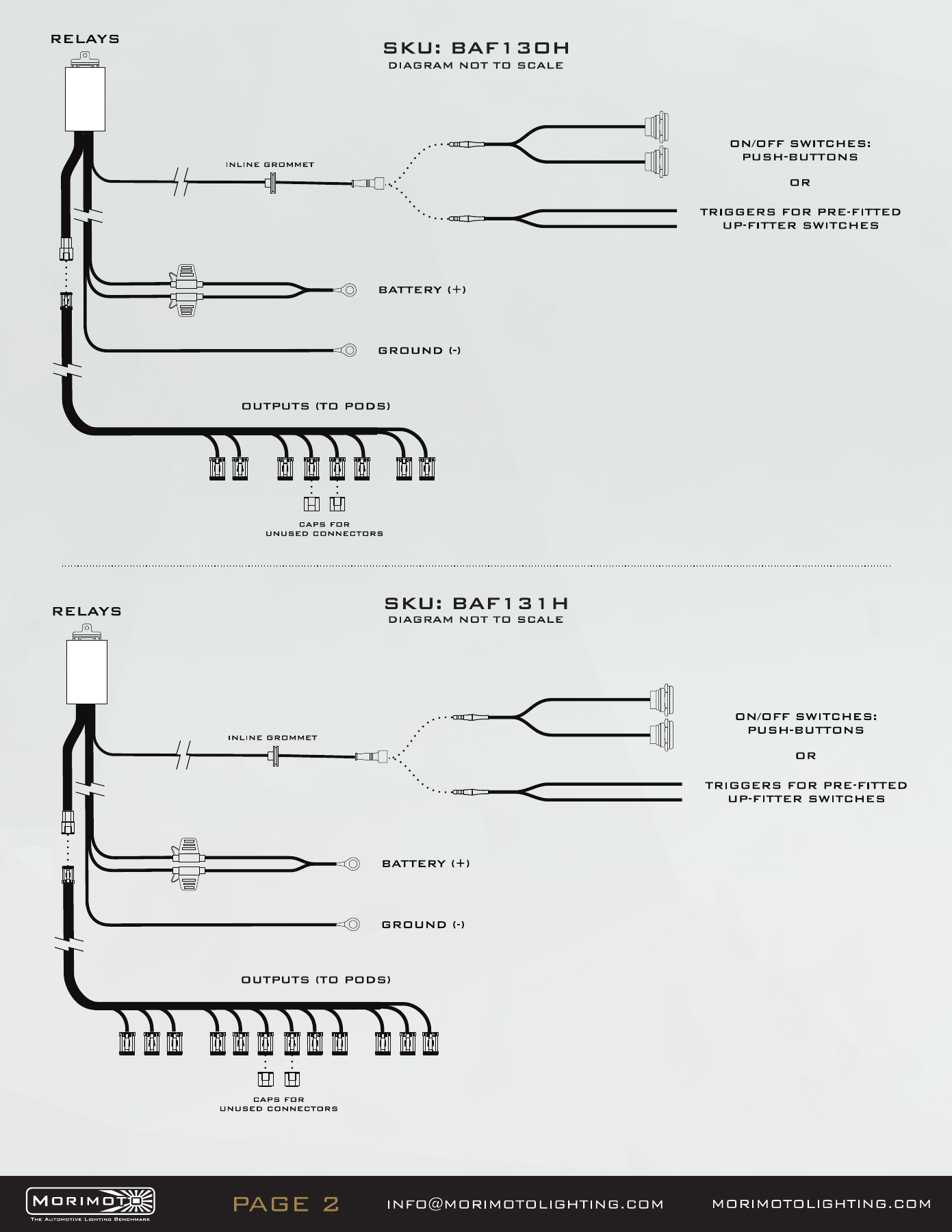
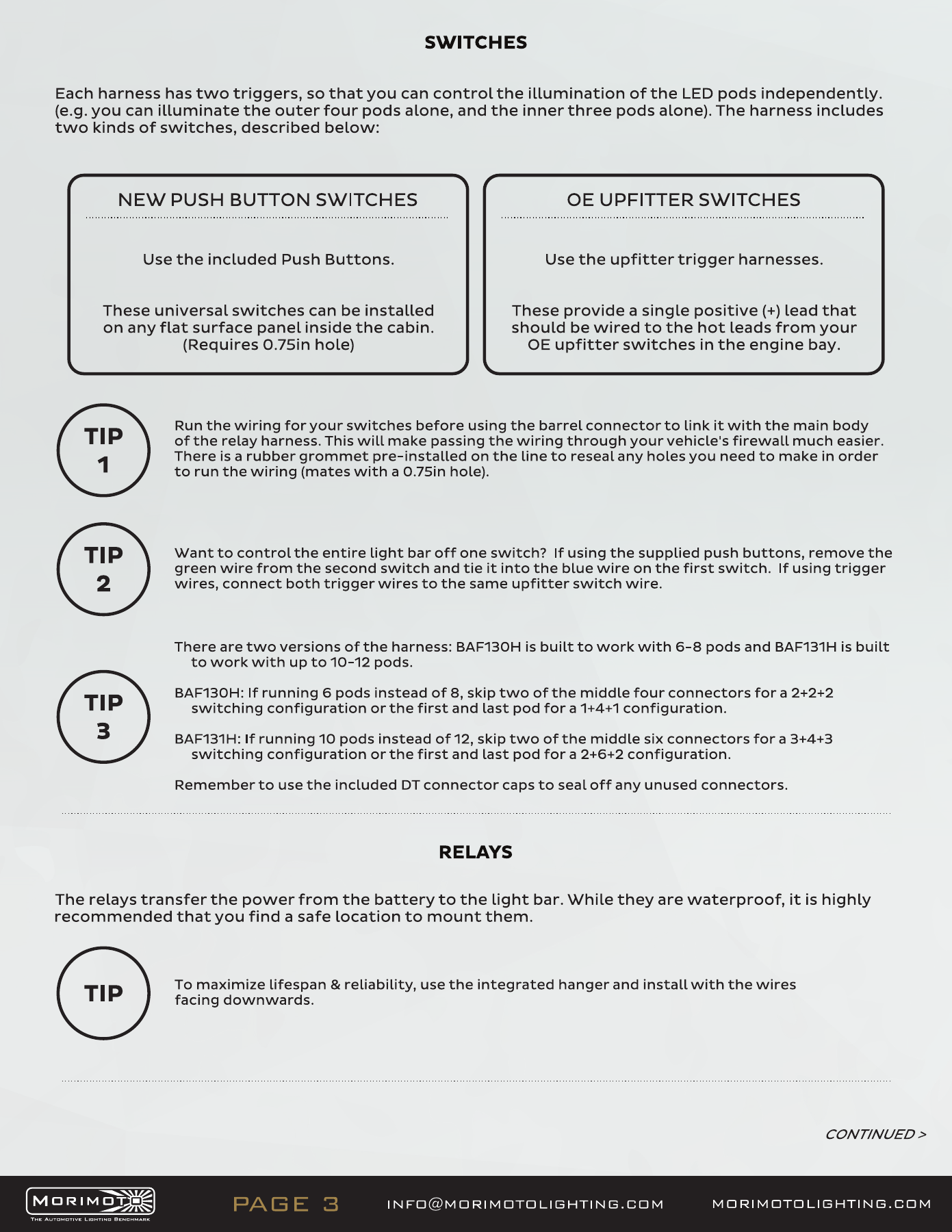
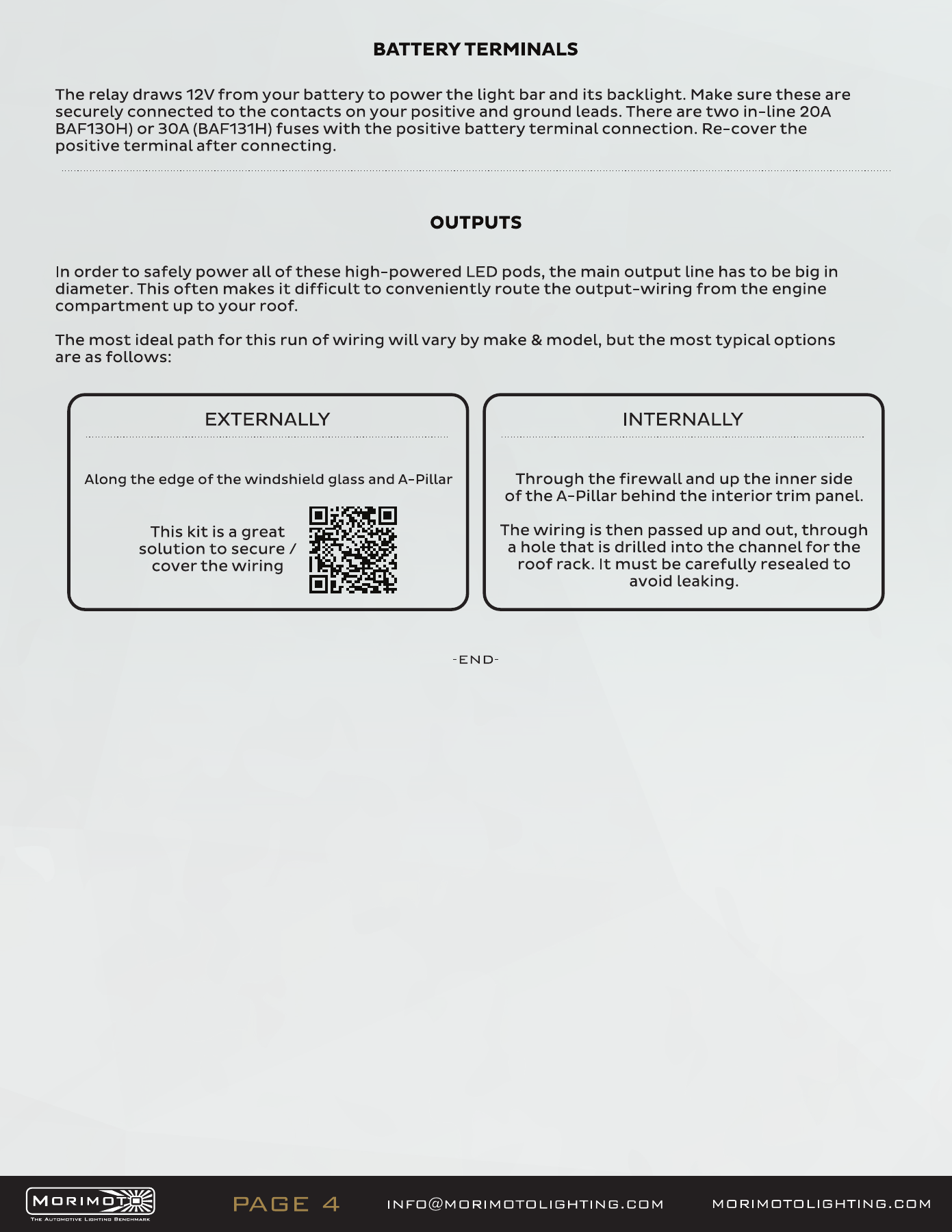
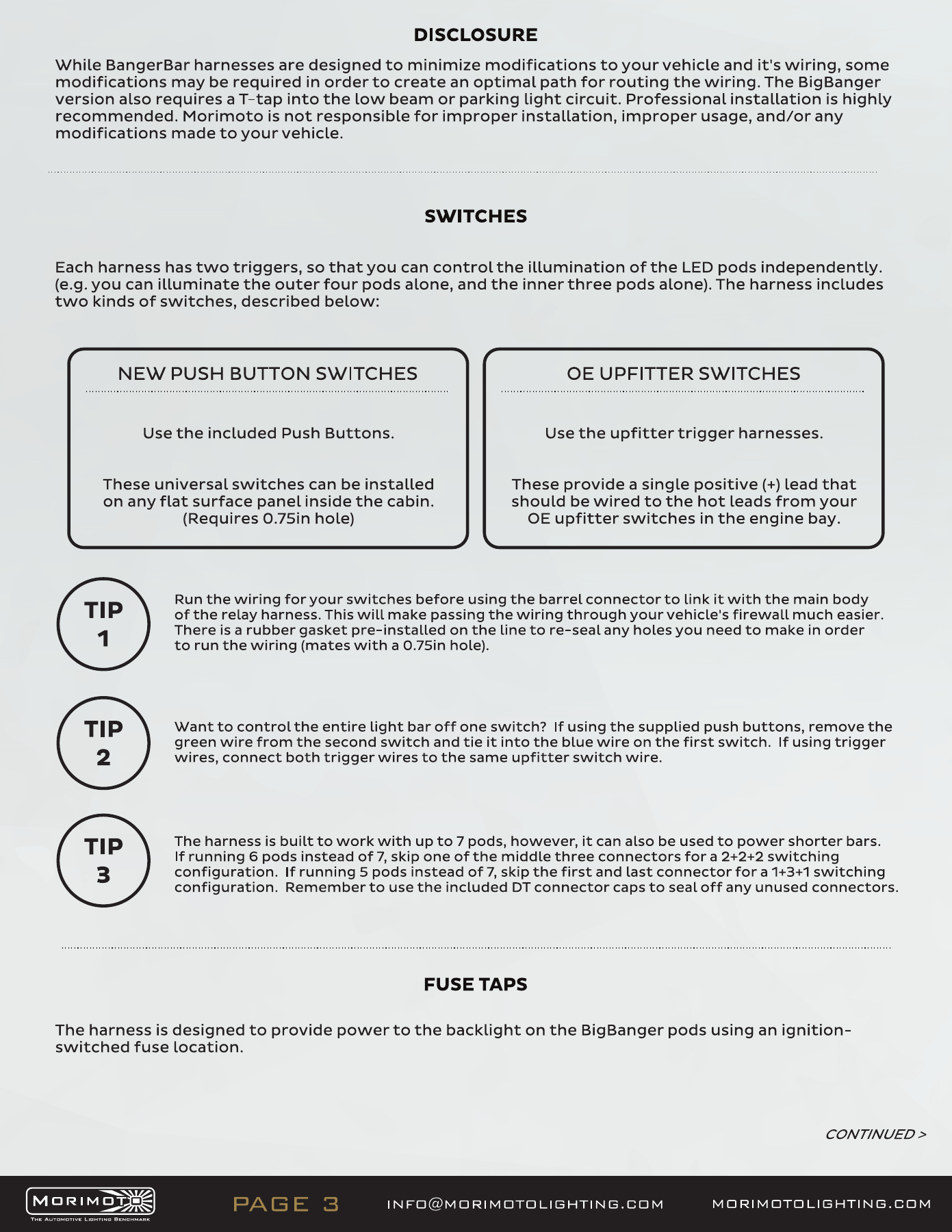
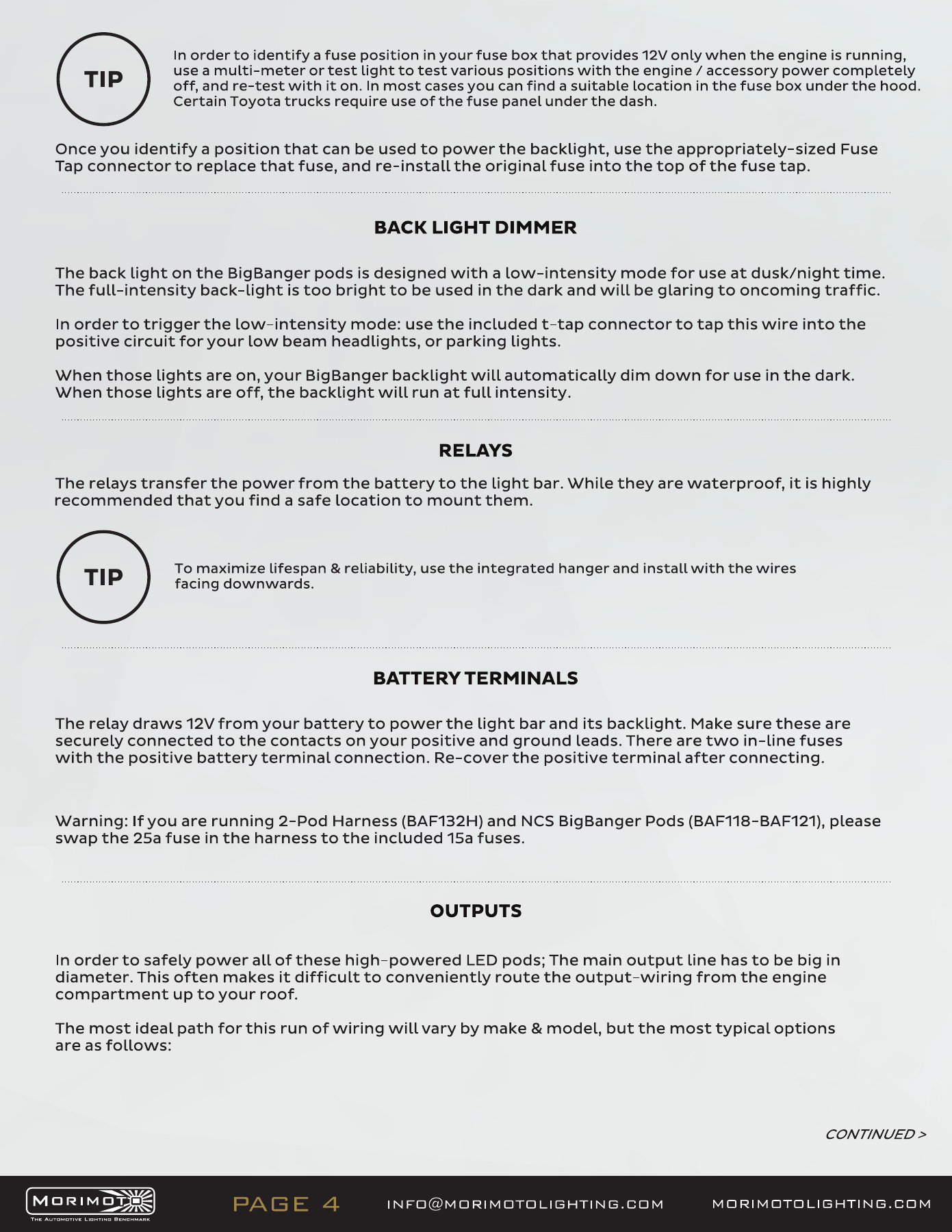
The twelve-pod systems use BAF131H. The manual also shows the shorter BAF130H harness; follow the BAF131H diagram for this kit. Keep the two switch-trigger circuits distinct, install the relay with wires downward, and route the outputs away from heat and moving parts.

Open the original manufacturer PDF
BAF131H bar-harness wiring — manufacturer page 2. Open the image at full size to read every label.
BAF131H bar-harness wiring — manufacturer page 3. Open the image at full size to read every label.
BAF131H bar-harness wiring — manufacturer page 4. Open the image at full size to read every label.

BigBanger bar wiring

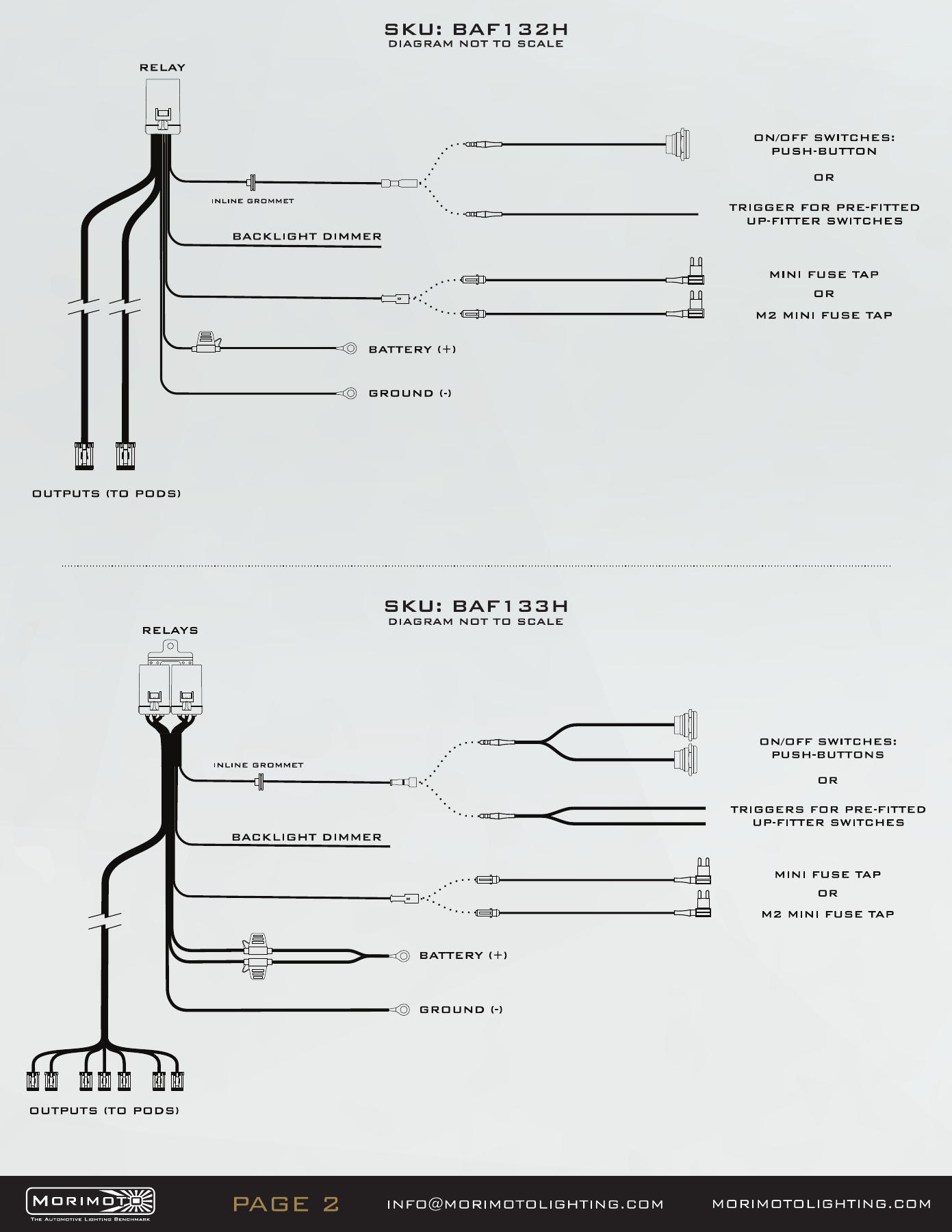
The seven-pod system uses BAF133H. Follow its seven-output diagram, not the BAF132H two-pod diagram. Where fitted, connect the backlight trigger to a suitable ignition-switched circuit and the dimmer trigger to the selected parking/low-beam circuit. Test the main outputs and backlight separately before securing the loom.

Open the original manufacturer PDF
BAF133H bar-harness wiring — manufacturer page 2. Open the image at full size to read every label.
BAF133H bar-harness wiring — manufacturer page 3. Open the image at full size to read every label.
BAF133H bar-harness wiring — manufacturer page 4. Open the image at full size to read every label.
BAF133H bar-harness wiring — manufacturer page 5. Open the image at full size to read every label.

Final check

Check the bar angle and every bracket, support and cable. Confirm that the installation clears the bonnet, windscreen, wipers and doors. Secure unused outputs as specified by the harness manual, test each function, and retain the original instructions with the vehicle.

Compare compatible upgrades

Browse Jeep Wrangler lighting. Check JK/JL generation and the factory-equipment requirement on each product.

Choose the matching kit or mount

Confirm the generation, factory equipment and included components before ordering.

Plan your Wrangler lighting

Planning a Wrangler installation? Compare the matching lighting products and the checks that matter for JK and JL builds.

Compare Jeep Wrangler JK and JL lighting · Read the Wrangler lighting upgrade guide