

BTS LIGHTING · INSTALLATION GUIDE
Morimoto RGB Rock Light Installation and Control Guide
Connect and mount the four- or six-pod RGB kit, then pair the supplied XBT controller and organise the lighting zones.
Match the supplied controller
The current kits list the XBT V2 controller. Morimoto still links the illustrated manual below, whose controller and app screens show an earlier appearance. Use the physical port labels and current pairing prompts on the controller supplied with your kit; the older app pictures explain the controls without promising an identical screen.
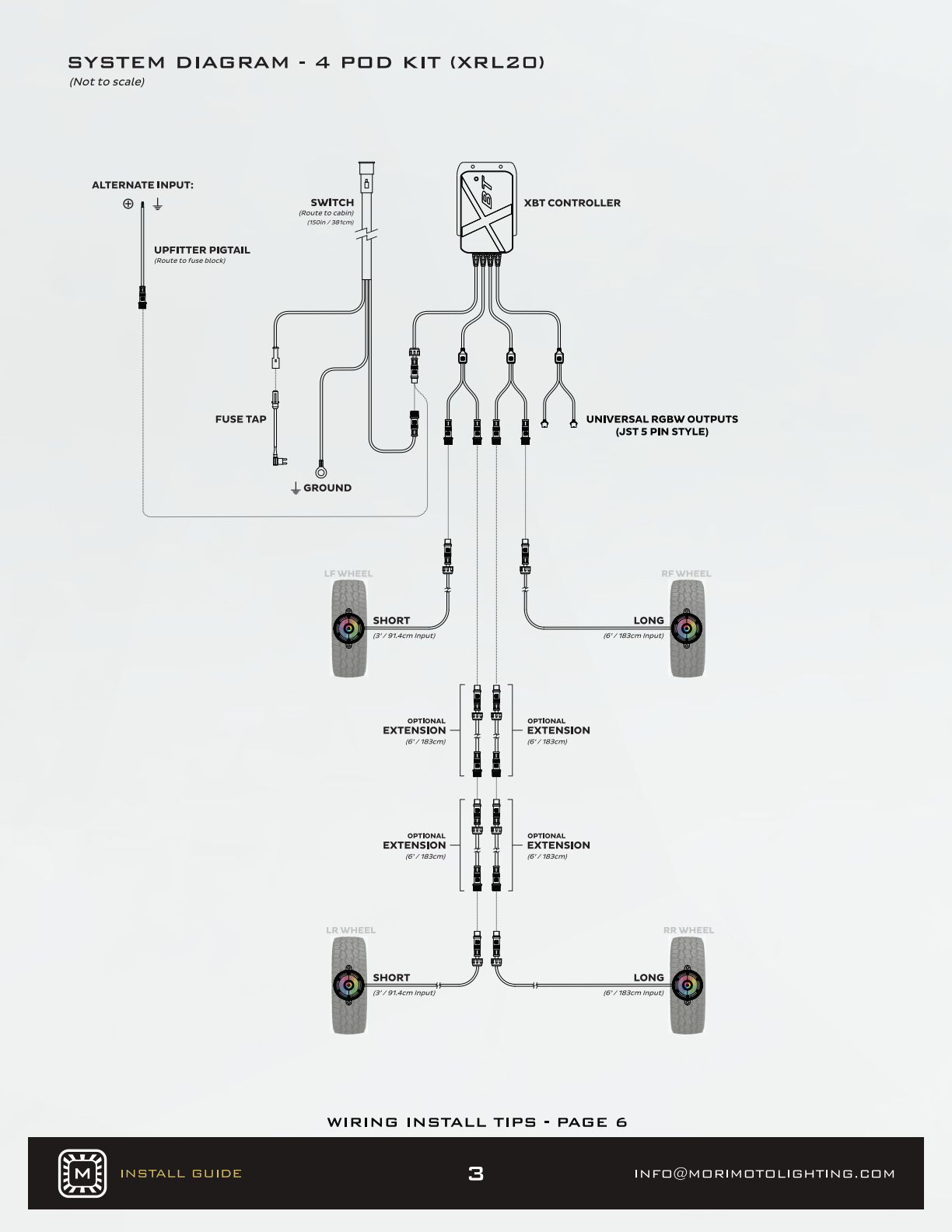
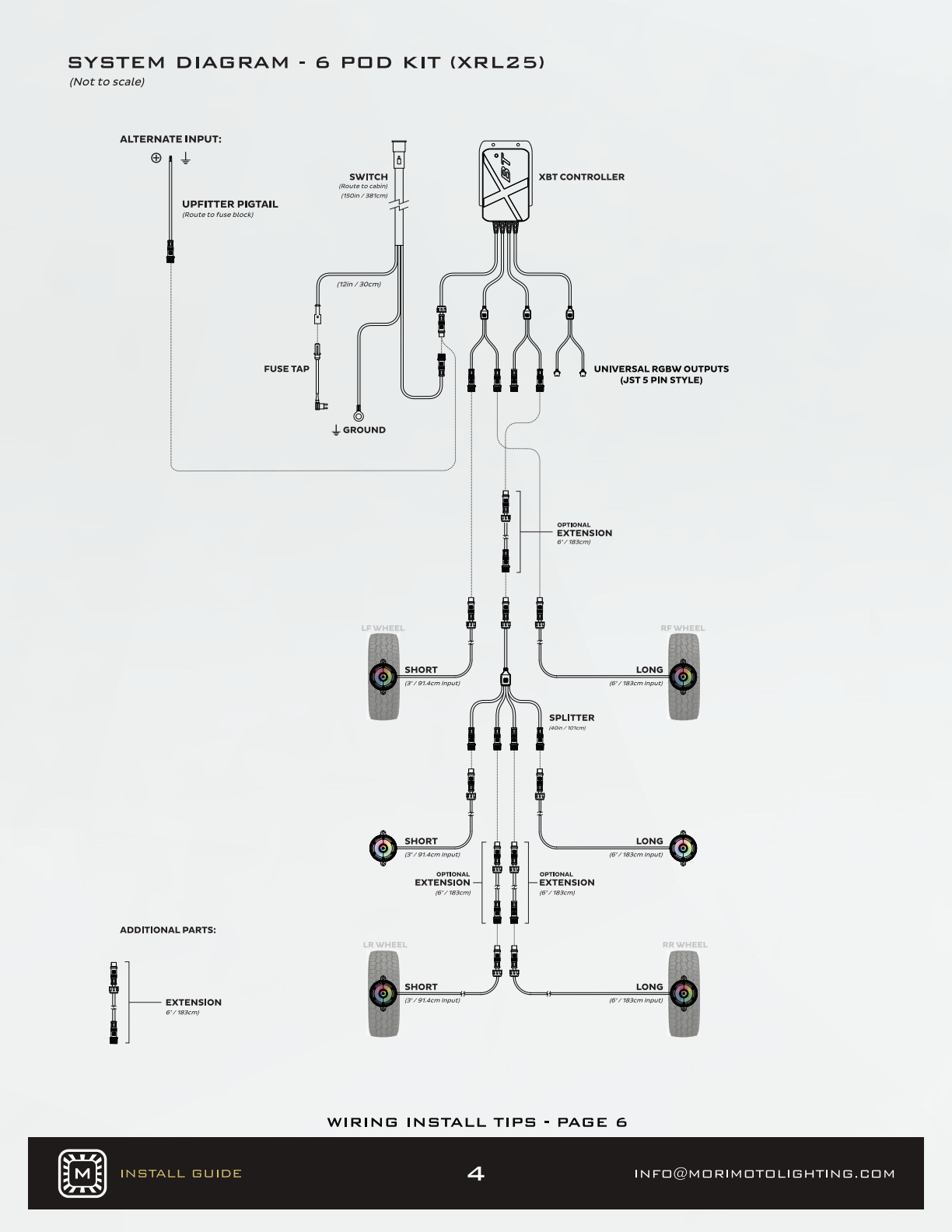
Lay out the correct four- or six-pod wiring path before mounting. Check cable reach and movement clearances. A 3 mm hex key or bit and a 12 V meter or test light are listed tools.
Four-pod layout
Six-pod layout
STEP 1
Mount and identify the controller
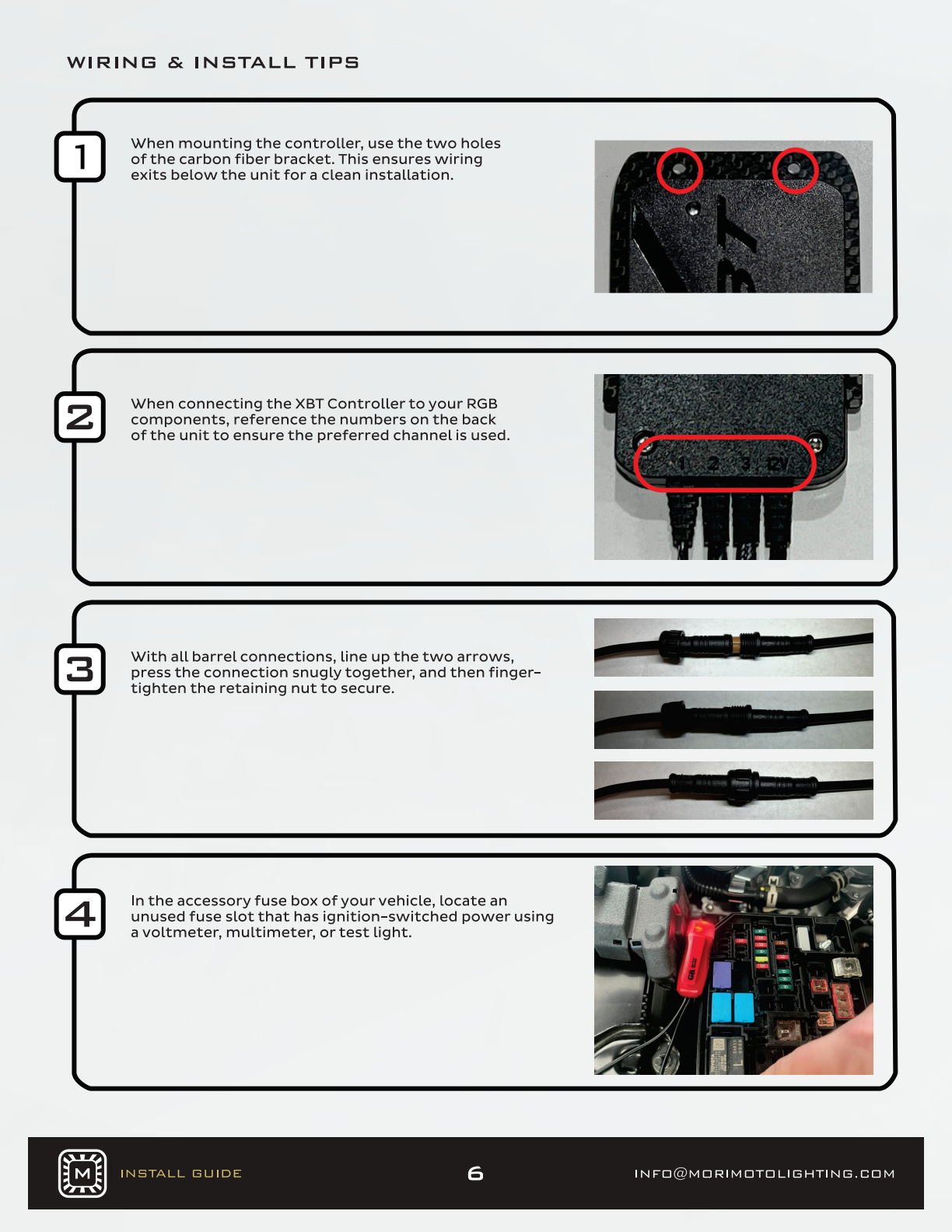
Use the mounting bracket’s holes to secure the controller. Identify the labelled outputs before connecting the pods. On the current XBT V2, zones 1 and 2 use the rock-light barrel connections; the separate JST channel is for compatible RGB/RGBW accessories.
STEP 2
Seat each connection and locate power
Align the arrows on barrel connectors, press them together, then finger-tighten the retaining nuts. Find a suitable unused ignition-switched fuse position with a meter; use the appropriate supplied fuse adapter.
STEP 3
Fit the supply lead and cabin switch
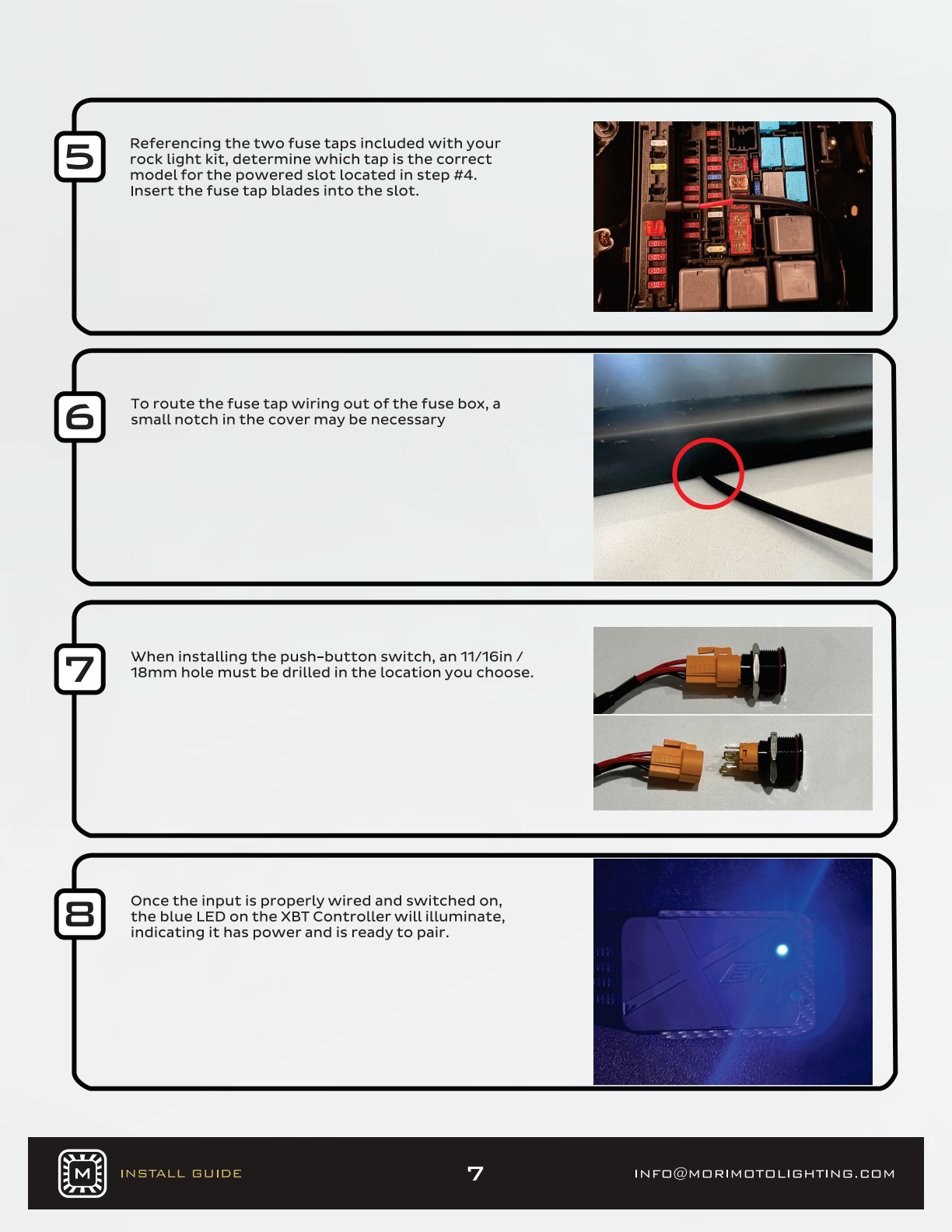
A small fuse-box-cover notch may be needed to let the cable leave without pinching. The push-button switch requires an 18 mm / 11⁄16-inch opening. Once connected and switched on, check the controller’s power indicator.
STEP 4
Mount the pods
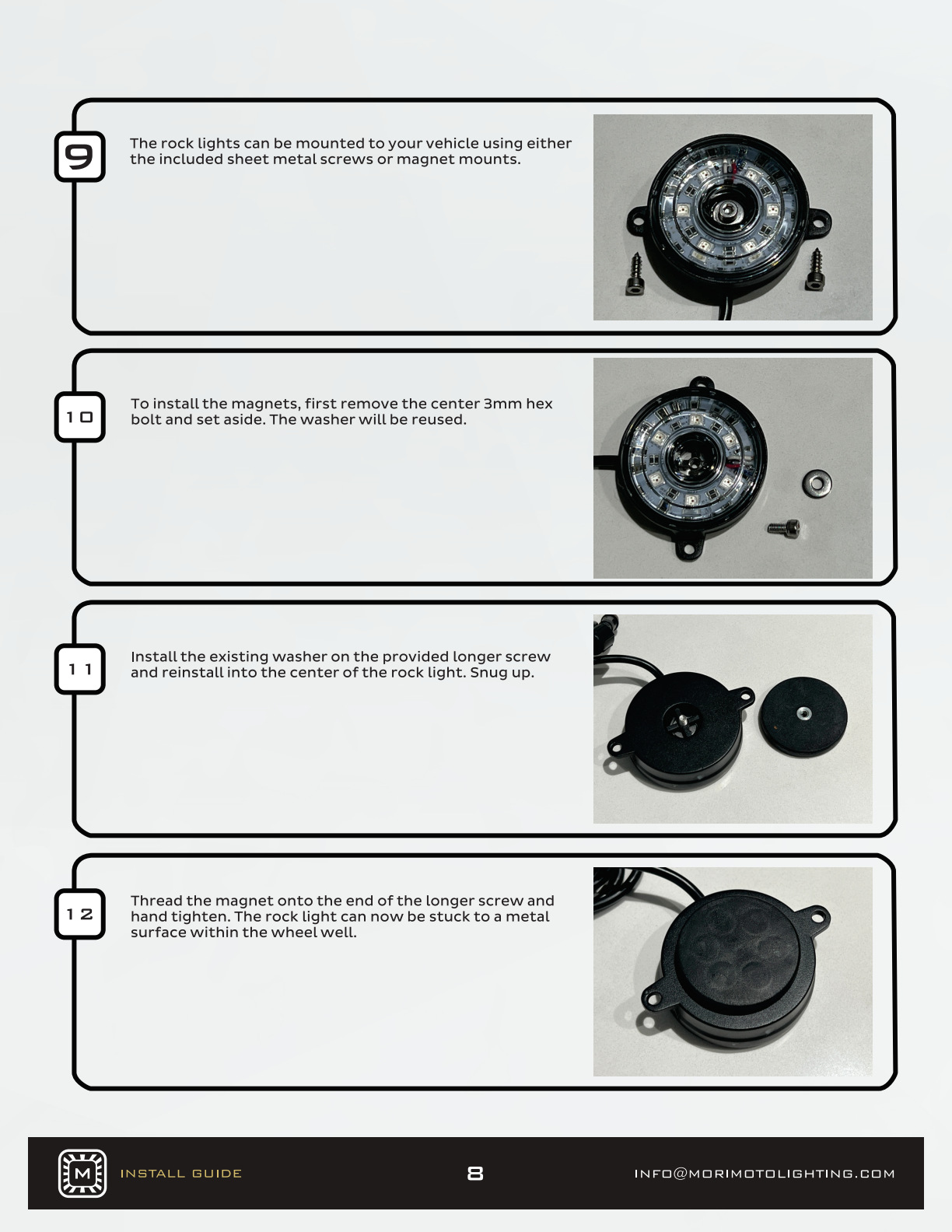
Use the pod’s screw mounting points or the supplied magnets. To fit a magnet, remove the centre screw, retain the washer, place it on the longer supplied screw and reinstall snugly. Thread the magnet onto that screw and hand-tighten. Secure the wiring clear of heat, abrasion and moving parts.
STEP 5
Pair the Morimoto app
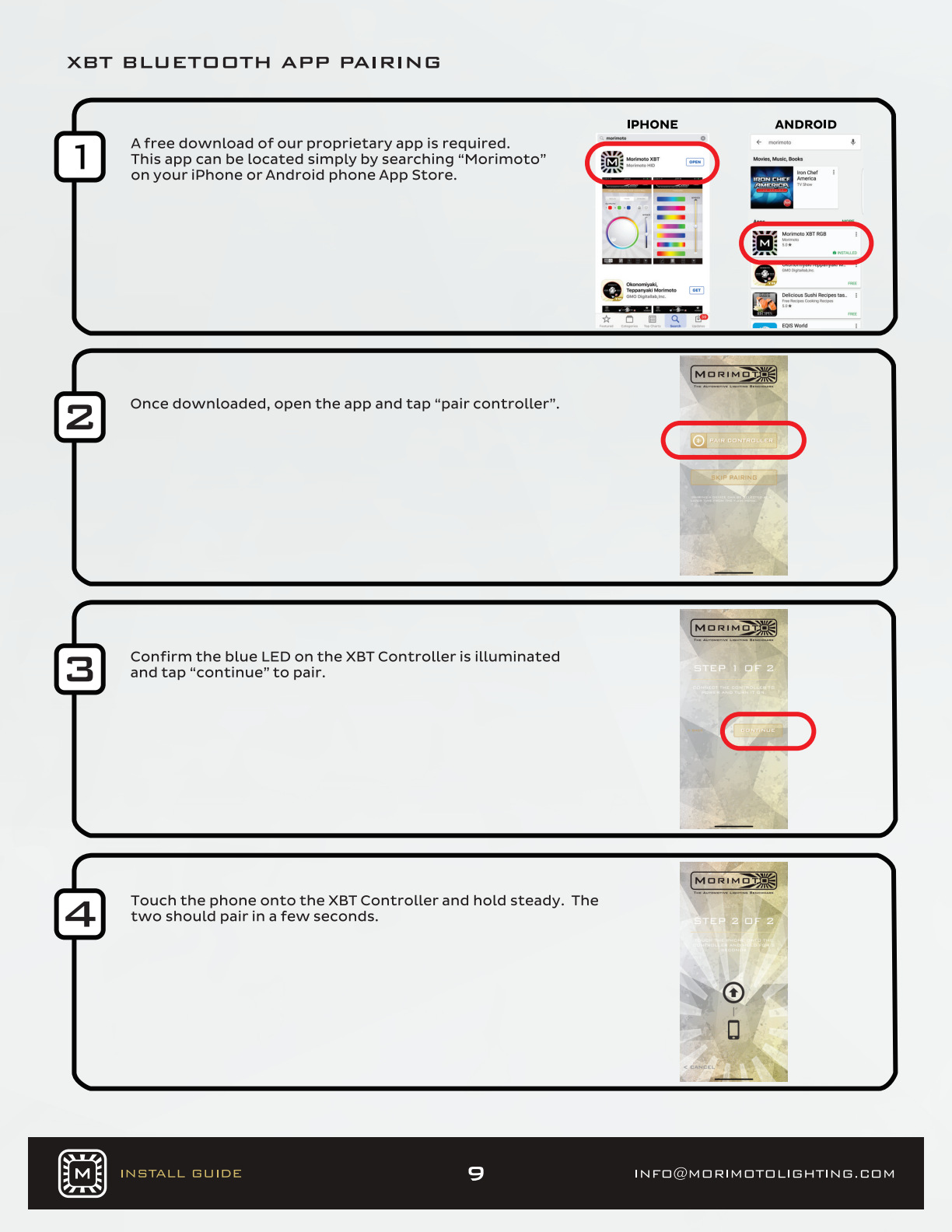
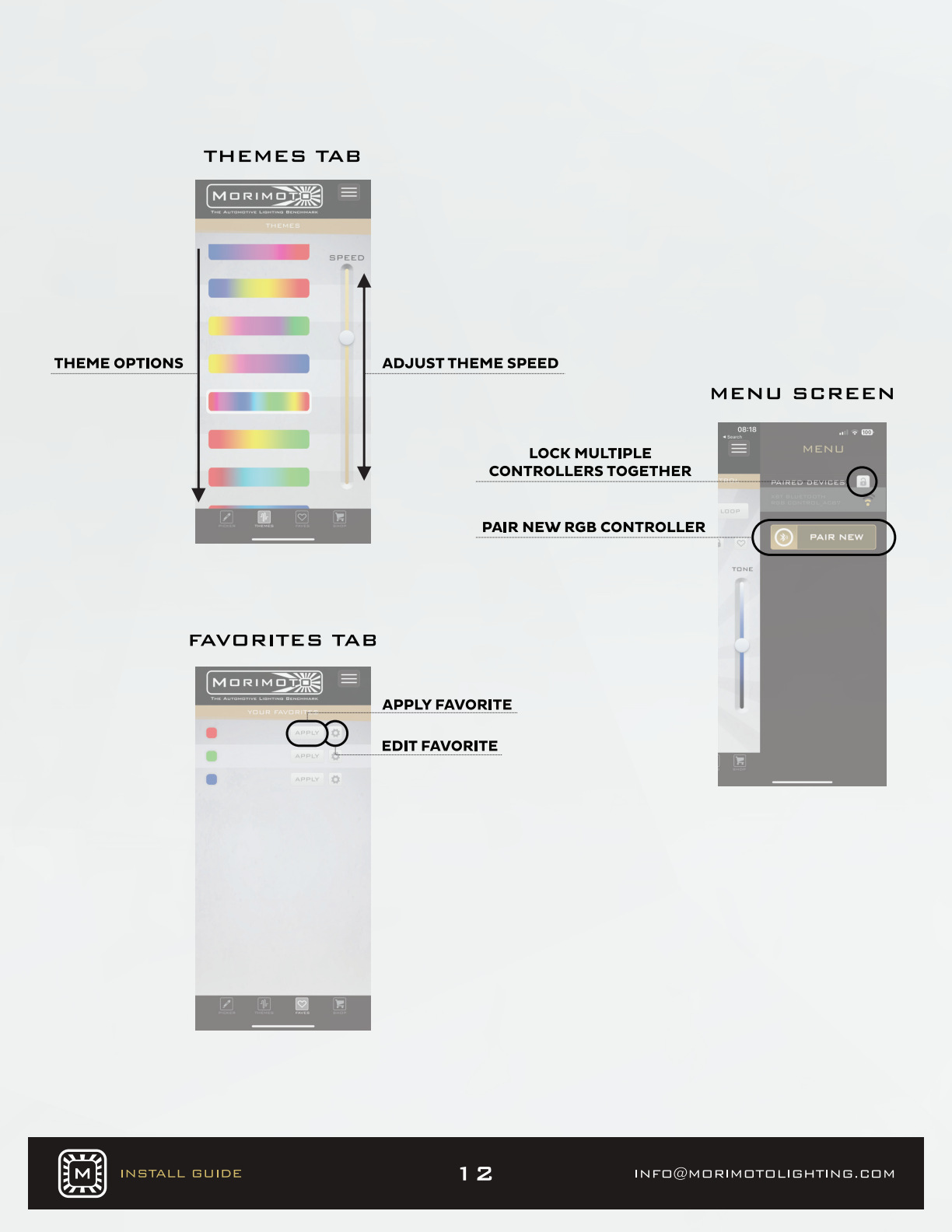
Install the Morimoto XBT Color Control app for the supplied controller and enable Bluetooth. With the controller powered, follow the app’s pairing prompts. The original sequence below shows the earlier interface; button labels and operating-system permission screens can differ.
If pairing does not finish
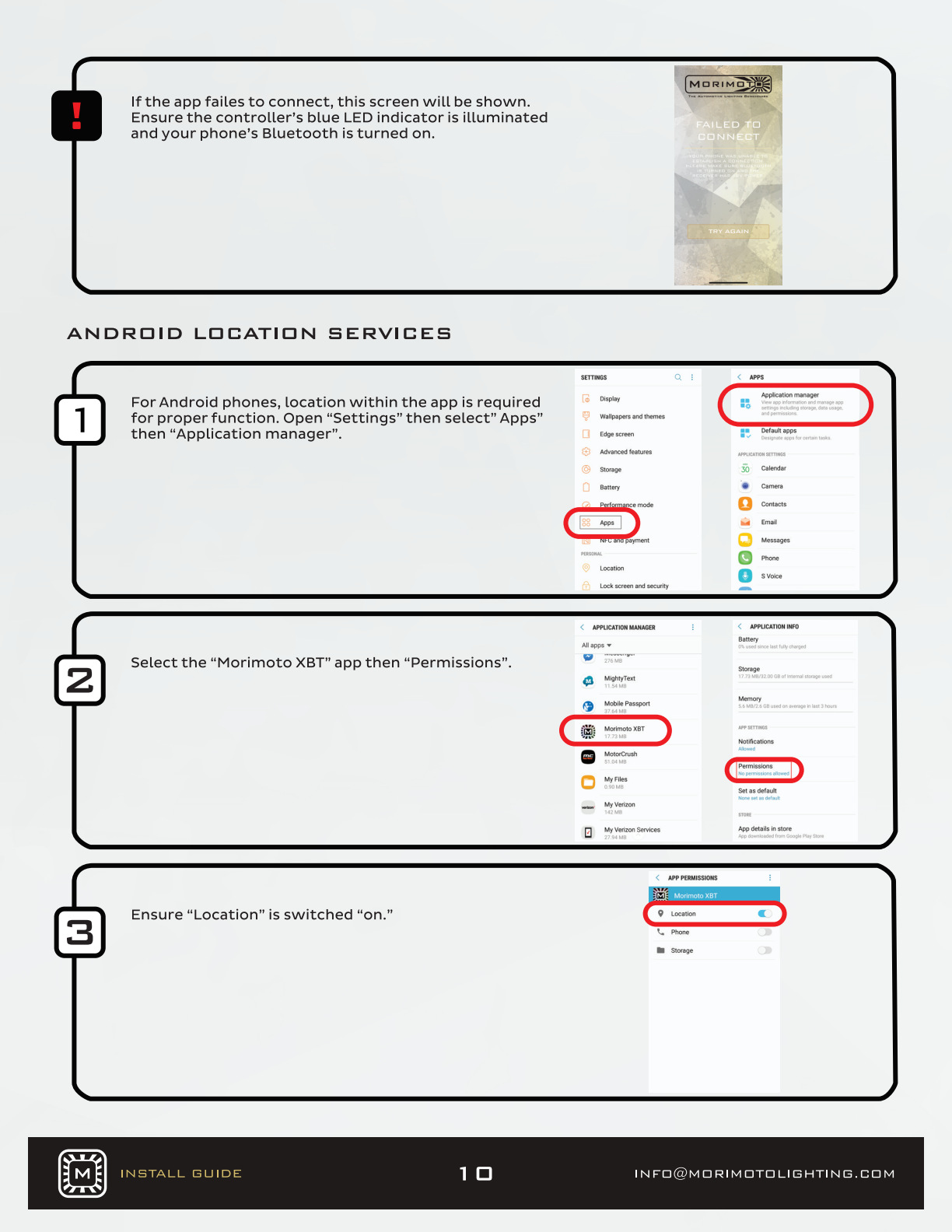
Confirm that the controller has power and that Bluetooth and the app’s requested device permissions are enabled. The older Android instructions refer to location permissions; current operating systems may use different permission names.
Set colours and zones
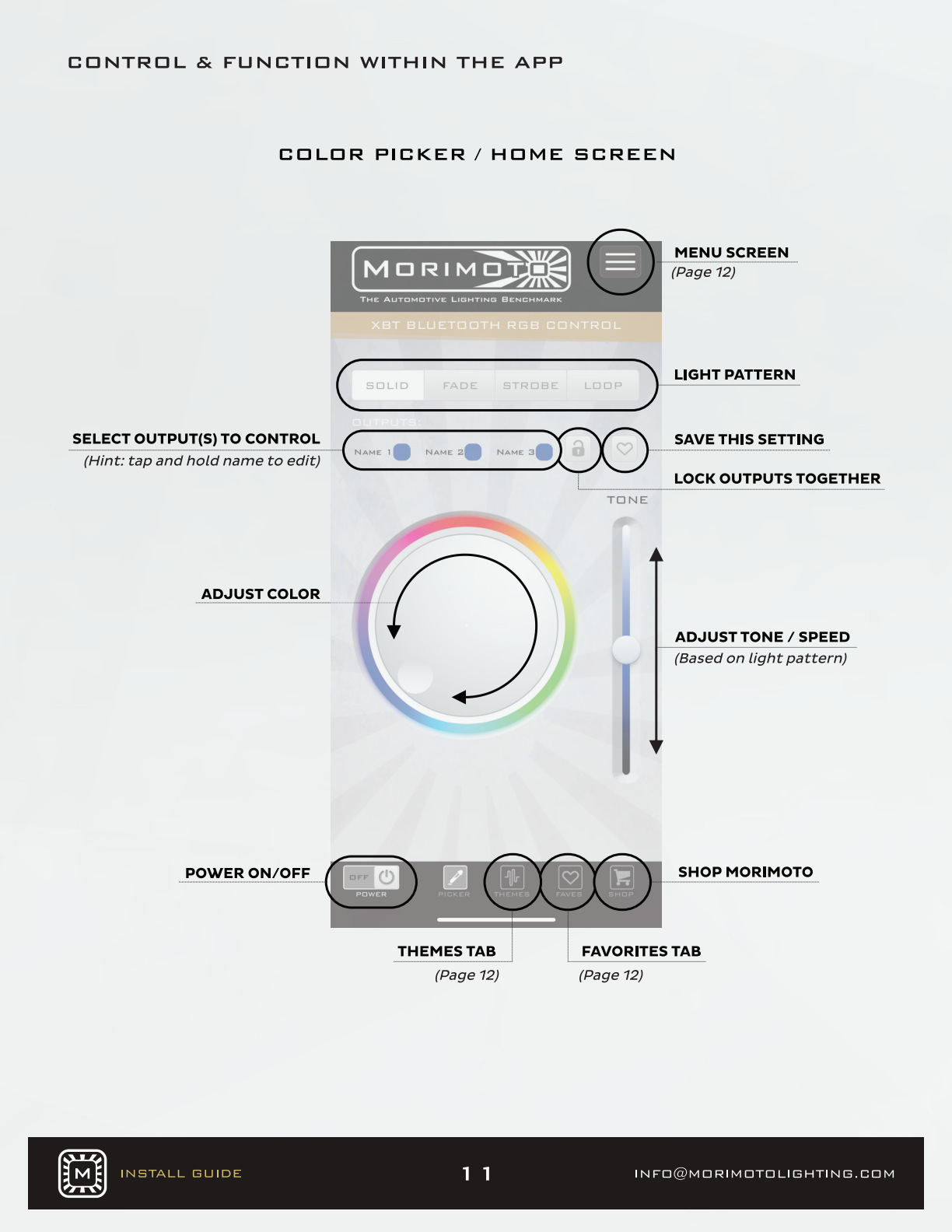
Select the output zones you want to control, choose a colour or effect, and save useful settings as favourites. The current controller supports an additional compatible RGB/RGBW accessory channel; those accessories are not included in the rock-light kit.
Finish with a full-system check
Confirm every pod responds to its intended zone and that the cabin switch controls power. Recheck cable routing and mounting security before using the vehicle. Use coloured accent lighting only where permitted.
Return to the matching products
4-pod RGB rock-light kit
6-pod RGB rock-light kit
Manufacturer reference
Original diagrams and photographs: Morimoto. This BTS guide explains the supplied installation sequence in original wording. Reference checked 24 October 2026; the manufacturer PDF does not display a revision date.
Plan your Tacoma lighting
Explore the Tacoma lighting hub or use the Tacoma buying guide to compare the next upgrade.