

SS5 CrossLink · Universal light bar
Assemble, wire and set up an SS5 CrossLink bar
Universal installation guidance for five- and six-pod Sport and Pro bars. Match the mounting system and electrical supply to the complete bar.
Plan the mounts and electrical supply
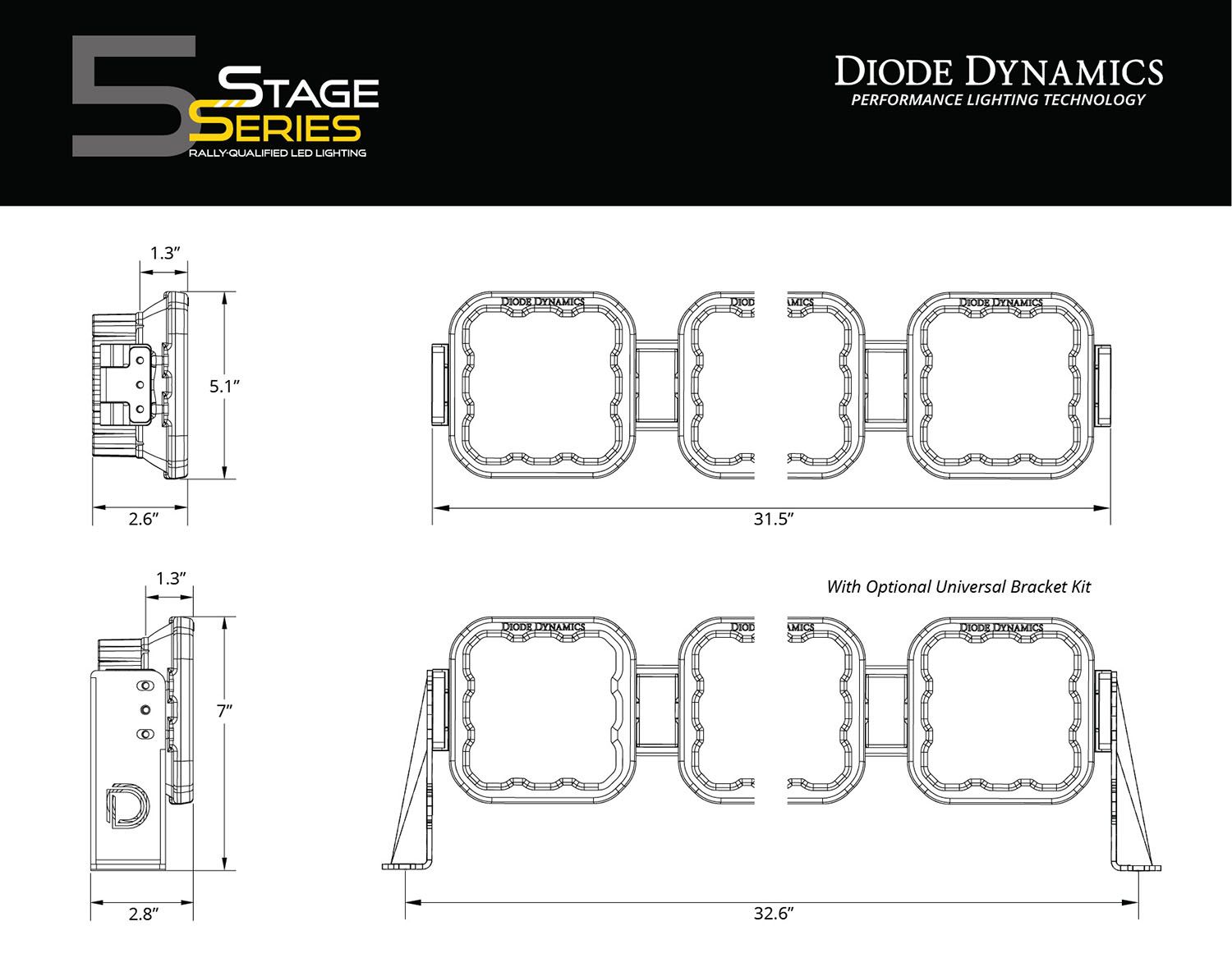
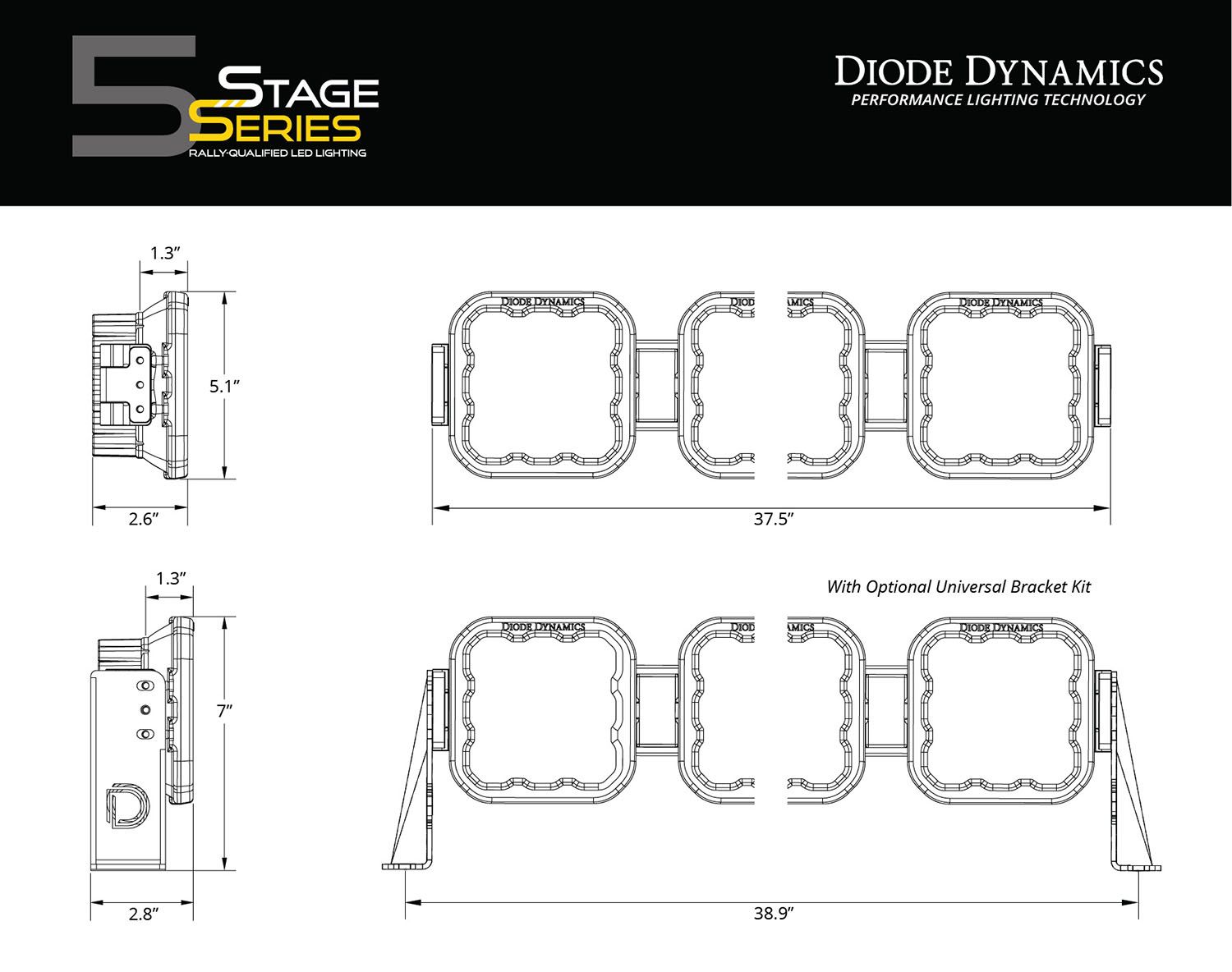
This is a universal linked light bar, not a Tacoma-specific bumper or roof-rack kit. Match the overall dimensions, end-mount positions, support and clearance to your chosen mounting system. Vehicle-specific brackets, an optional universal bracket kit and the vehicle-side power/relay harness are separate unless supplied by your mounting package.
Have the manufacturer’s listed 1/2-inch and 3/8-inch wrenches, 2.5mm and 5/32-inch Allen keys, and any tools required by the chosen mount ready. Isolate power before wiring. Confirm the supplied support and end-mount hardware against the exact kit before assembly.
1. Align the pods and links
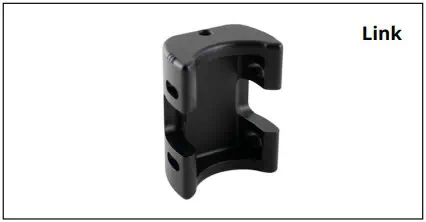
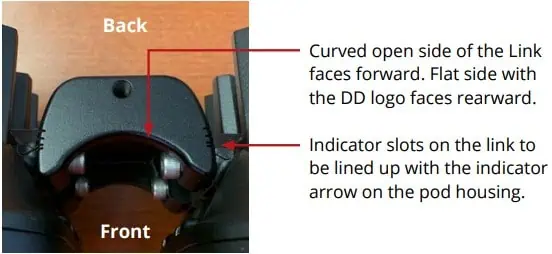
Link the pods using the supplied CrossLink hardware. The link’s curved open side faces forward; the flat side with the DD logo faces rearward. Align the link’s indicator slots with the arrow on the pod housing. Set the intended straight or curved arrangement before final tightening.
2. Fit the end mounts and support
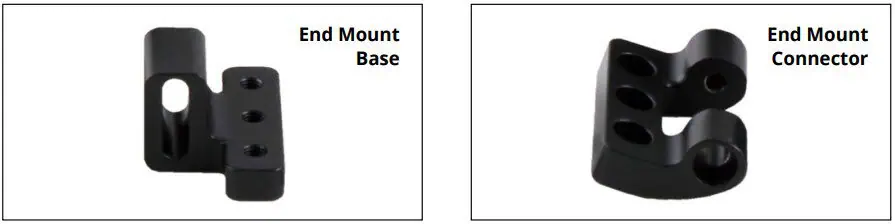
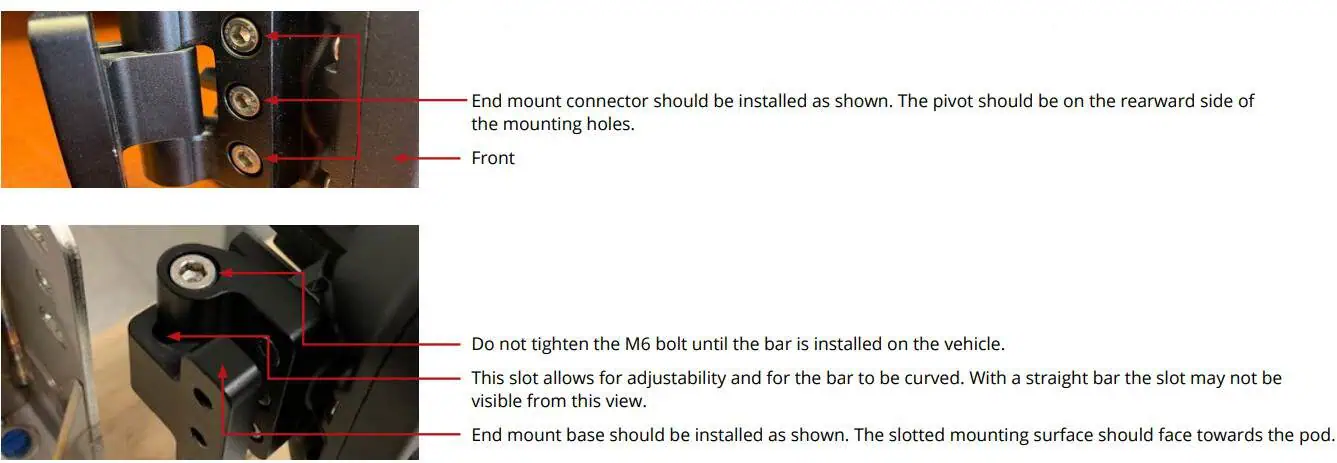
Attach the end-mount base and connector in the orientation shown. The connector pivot sits behind the mounting holes and the slotted mounting surface faces the pod. Leave the M6 adjustment bolt loose until the bar is installed and aimed. Use the supplied CrossLink support with the mounting system; do not omit it.
3. Attach the bar to a suitable mount
Choose a secure mounting system with the required clearance and airflow. Use its specified brackets and fasteners, and check the complete bar dimensions before drilling or tightening. The optional universal bracket kit shown in the dimension drawings is separate from the basic CrossLink end-mount kit.
4. Aim and tighten
Aim the bar for the intended auxiliary/off-road use, then secure the mounting and adjustment hardware. The manufacturer recommends 5 ft-lb on the long end bolts with threadlocker. Do not apply that value to unrelated rack, bumper, support or vehicle fasteners; use the mounting system’s specifications.
5. Connect the complete bar safely
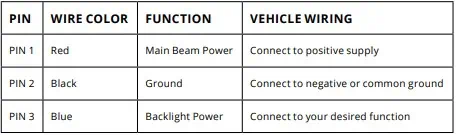
The supplied connecting harness joins the pods and terminates at the pigtail. It is not the vehicle battery/relay/switch harness. Select a fused power/control harness for the complete load and cable length. The generic SS5 instruction’s 16 AWG minimum does not establish a sufficient wire size or fuse for every multi-pod bar.
| SS5 pigtail | Function |
|---|---|
| Red / pin 1 | Main-beam positive supply through suitable fuse/control. |
| Black / pin 2 | Ground. |
| Blue / pin 3 | Separate backlight positive input. |
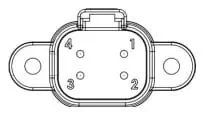
These labels identify the manufacturer’s light connector, not Toyota factory wire colours. Follow the exact mating connector orientation; do not infer a function for the unlabelled fourth position. Route and secure wiring away from sharp edges, heat and moving parts.
Restore power safely, test the main beam and backlight separately, then recheck aim and every mount. White and Yellow main-beam outputs are fixed by the installed lenses.
Program the White-lens backlight
White-lens bars only: Yellow-lens bars have Amber backlighting only.
- Start with backlight power off.
- Cycle backlight power on and off three times within three seconds, spacing each on press about one second apart.
- Continue cycling at the same pace to move through the available colours.
- Leave the desired colour on for five seconds to save and exit.
- Turn off. Normal backlight activation recalls the saved colour.
To resynchronise White-lens pods, enter programming mode, then cycle through all colours twice (at least sixteen power cycles). The lights reset to White. Leave on for five seconds to save, then choose a different colour if required. Keep main-beam power separate from this backlight procedure.
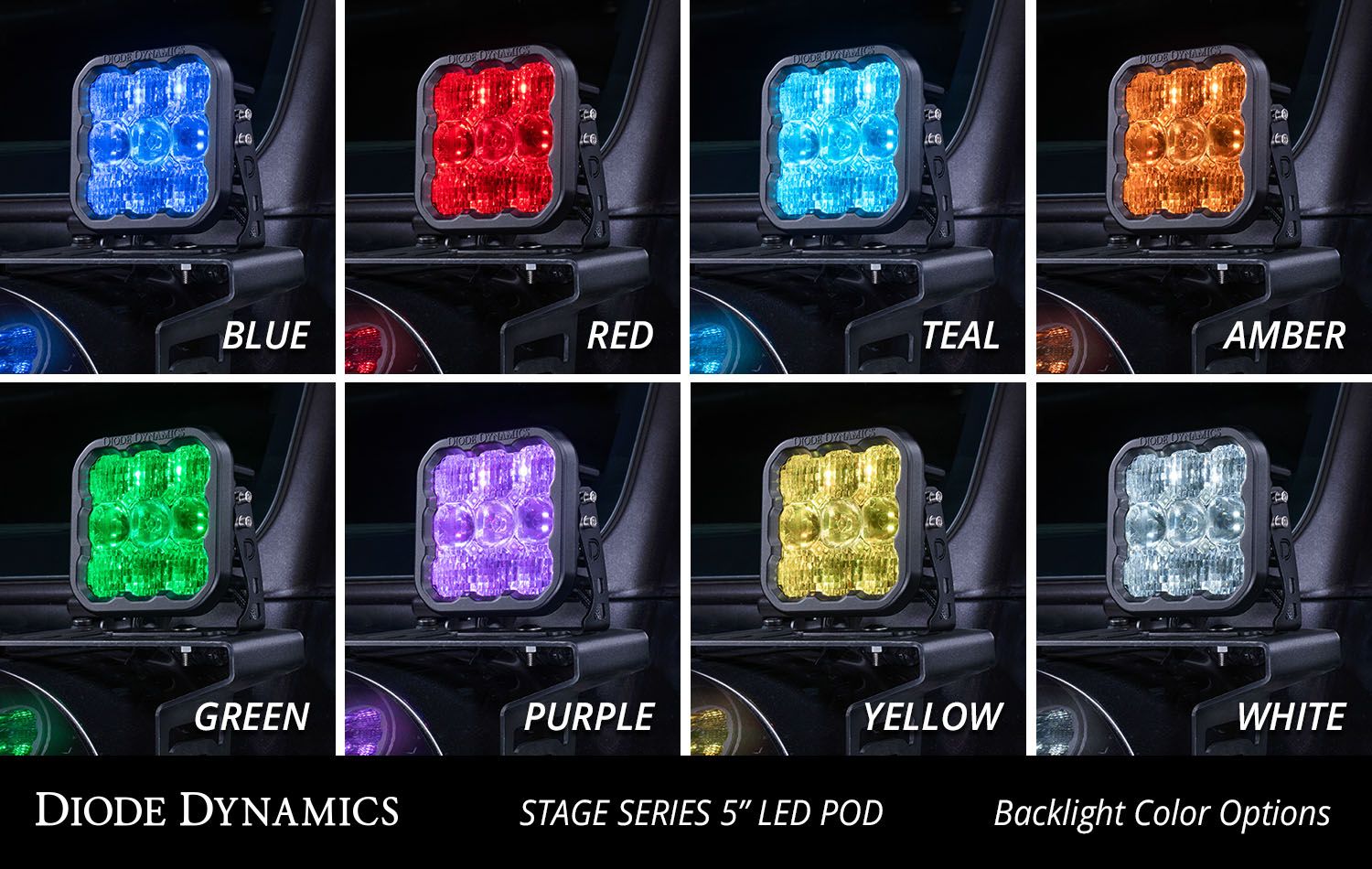
Individual-pod reference
Original SS5 pod figures and specifications
These figures describe an individual SS5 pod and its separate U-bracket installation. The universal CrossLink kits use linked pods and end mounts; do not assume the individual U-bracket hardware shown here is included. Spot and Flood references do not add those options to the Combo/Driving products.

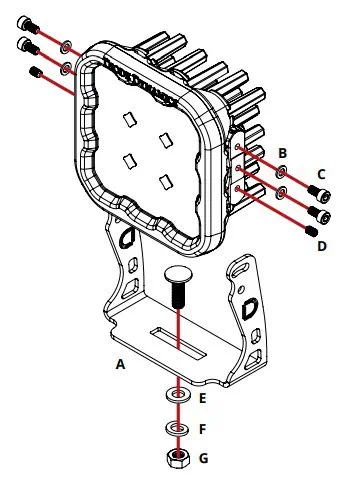
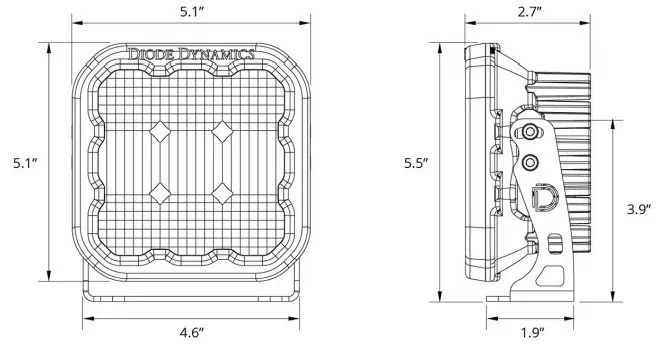
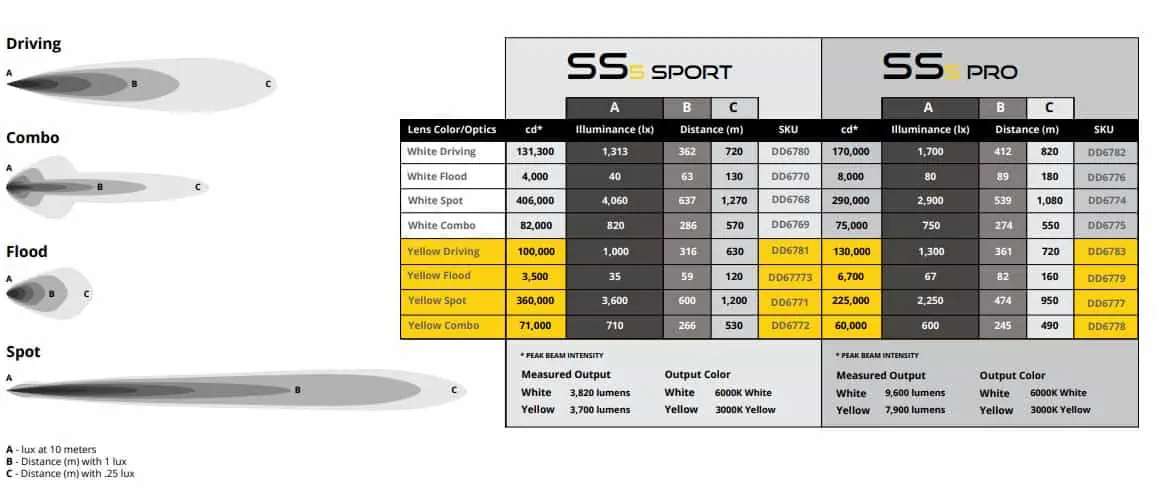
Original instructions and matching bars
Manufacturer CrossLink instructions · Manufacturer SS5 pod instructions