

Install 90mm HD halos in a 2014–2021 4Runner retrofit
Plan the mounting, use the correct drivers and test every function before resealing the headlights.
Before opening the lamps
Confirm the 90mm rings fit the actual housing and that you have the matching driver for each ring. Opening and resealing a headlight requires care; professional installation is recommended. Follow the housing’s appropriate opening and sealing procedure rather than using a universal heating temperature.
White DD2074 uses AC0044, Red DD2050 uses AC0057 and Switchback DD2062 uses AC0029. The diagrams explain the connection method; they are not a 4Runner factory wire-colour or fuse-location chart.
1. Mount the rings inside the open lamp
Use the mounting tabs with beading wire, or an appropriate mounting adhesive such as the JB Weld shown in the manufacturer’s instructions. Keep the ring away from the lamp’s heat source and confirm the lens will close without contact.
2. Route and seal the wiring
Route the ring leads through the shroud or bezel to the back of the housing. Protect the wires from pinching and seal any holes you make.
3. Connect each ring through its driver
Connect the ring to its supplied driver, then connect the driver to the input pigtail. Never connect the ring directly to the pigtail or 12V power. The driver controls the current supplied to the LEDs.
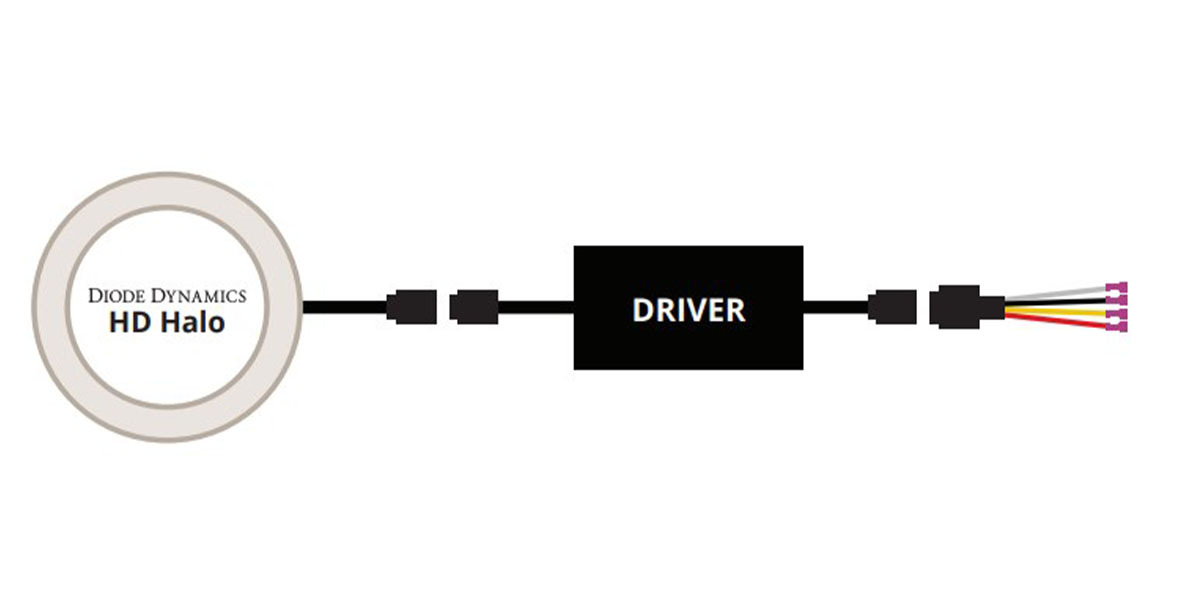
4. Choose the vehicle input signals
Identify the appropriate 12V signals and ground for the functions you want. Connect the pigtail inputs using the supplied connections and insulate unused inputs. The colours below refer to the accessory pigtail, not the vehicle harness.
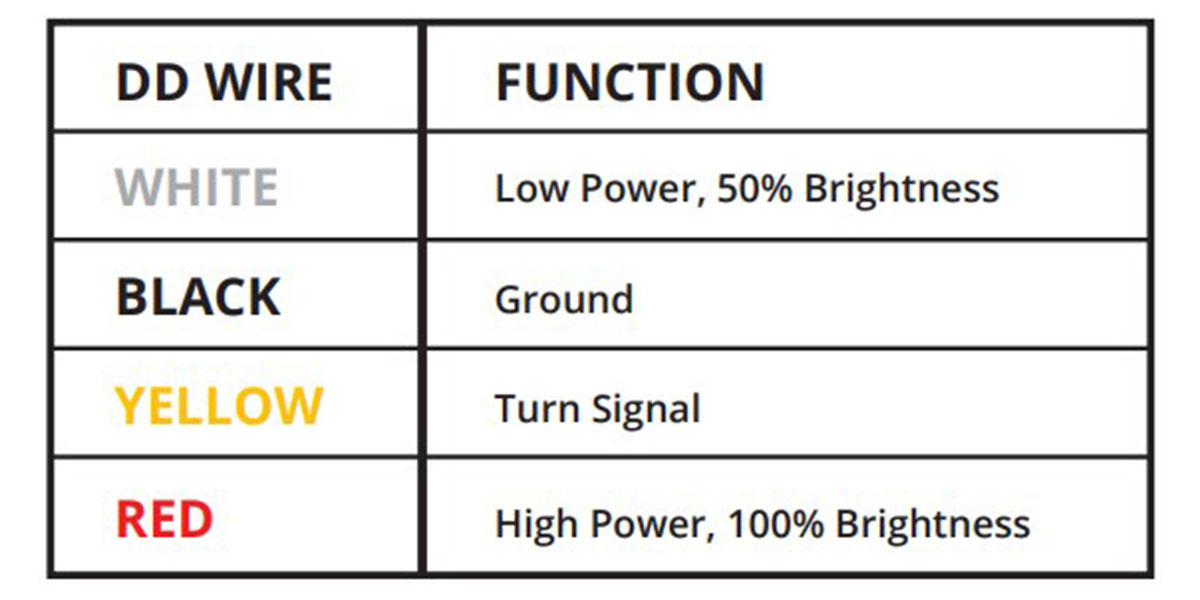
| Input wire | Function |
|---|---|
| Black | Ground |
| White | Low-power input, 50% output |
| Red | High-power input, 100% output |
| Yellow | Signal input; emits Amber only on the Switchback version |
For Switchback, low white output wins if its white and red inputs are both powered. The yellow input overrides white with amber; sustained power on yellow dims the amber output after two seconds. The fixed-colour White or Red rings retain their chosen light colour.
For the fixed-colour White AC0044 driver, low output takes priority when both power inputs are active. For the Red AC0057 driver, high output takes priority. Check the supplied driver label before connecting signals.
5. Mount the drivers and test before sealing
Mount the drivers outside the headlight where they remain serviceable and away from engine heat. Secure the wiring, test every connected function and confirm clearance. Only then reseal the lamps, reinstall them and check operation on the vehicle.
Parts and original instructions
Choose the 90mm 4Runner halo pair