

Install a Diode Dynamics LED bulb kit in your 4Runner
For DD0499 Stage 1 and DD0500 Stage 2 kits on 2010–2024 4Runners with matching replaceable incandescent bulbs.
Before you start
Switch the lights off, let hot bulbs cool and use the included non-marring trim tools. Compare each original bulb with the replacement before fitting it. Do not force a mismatched bulb or a lens that is still fastened.
The original manufacturer photographs below demonstrate general bulb-handling methods on other vehicle fixtures; clip locations can differ on your 4Runner.
| Location | Bulb format | Included quantity |
|---|---|---|
| License plate | 194 | 2 |
| Front map lights | 194 | 2 |
| Dome light | 29mm festoon | 1 |
| Trunk/cargo lights | 31mm festoon | 2 |
| Vanity lights | 194 | 2 |
| Door lights | 194 | 4 |
| Puddle lights | 194 | 2 |
1. Release press-to-switch lenses
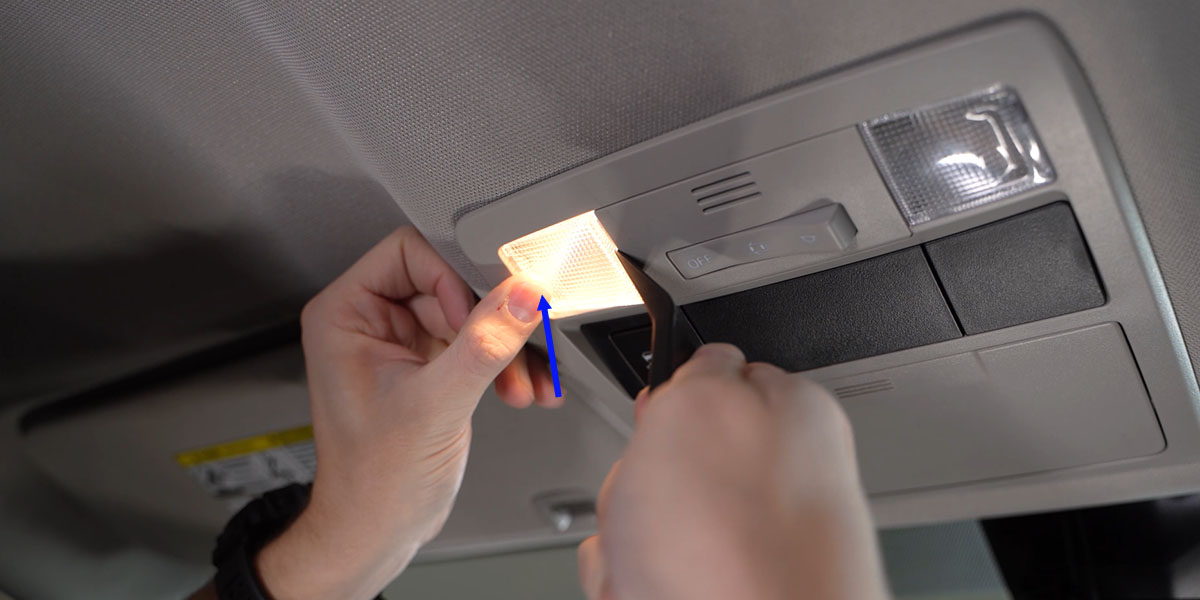
For a lens that presses inward to switch the light, press the switch side and slide the thin trim-tool edge between the opposite edge and its housing. Release the lens slowly without levering against fragile trim.
2. Use the lens access tabs
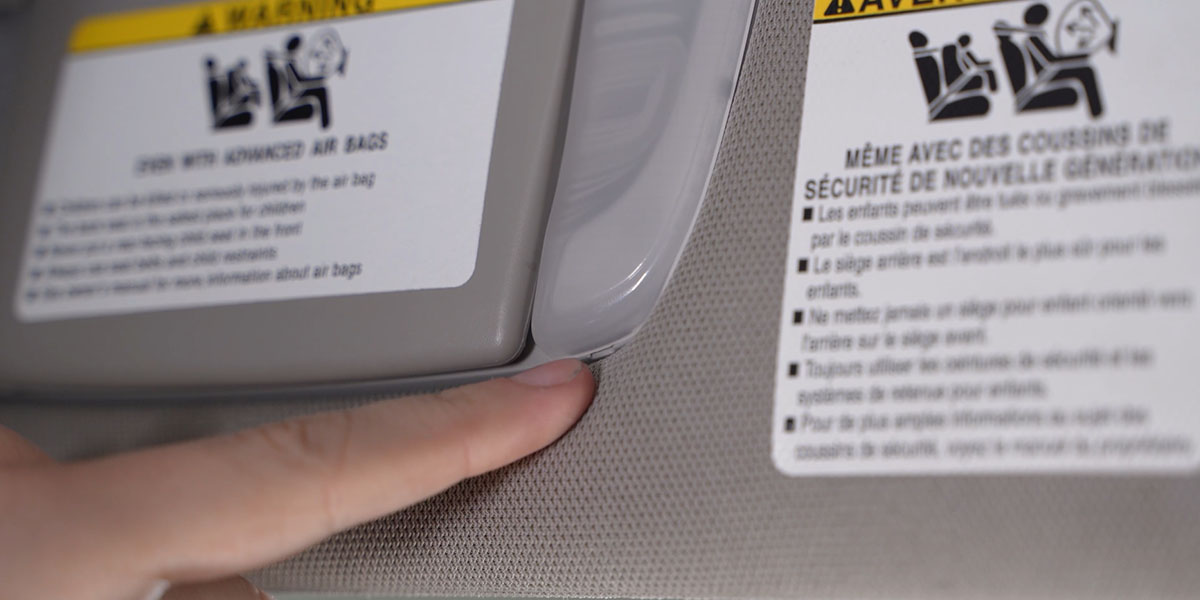
Look for the small indentation intended for a trim tool. Work steadily around the retaining points; stop if a screw or another fastener is still holding the cover.
3. Remove recessed 194 bulbs
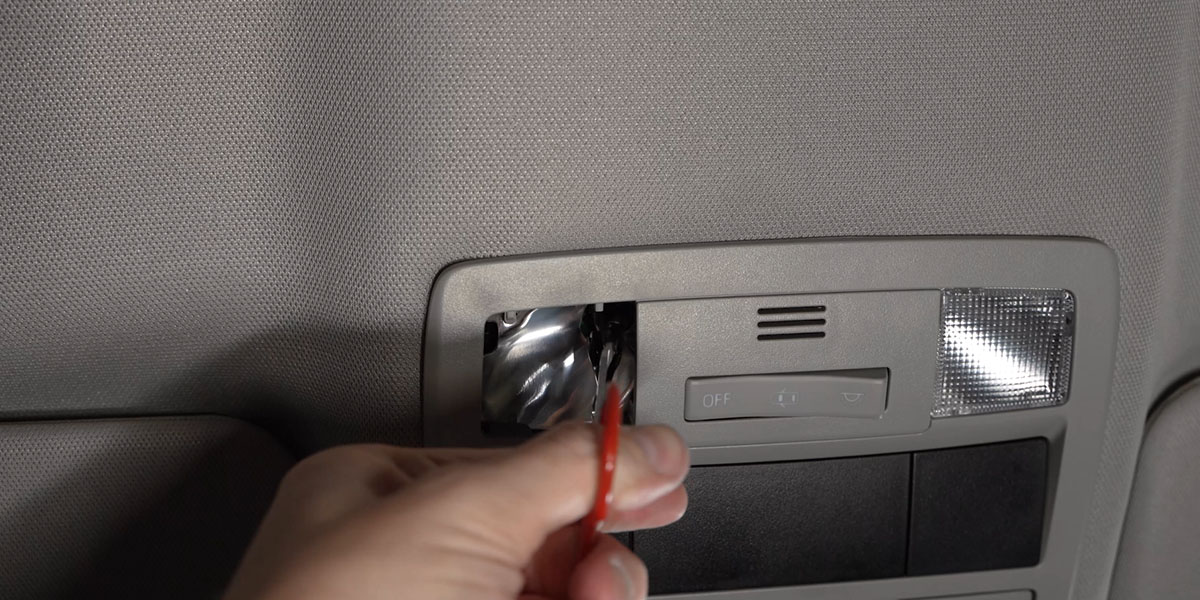
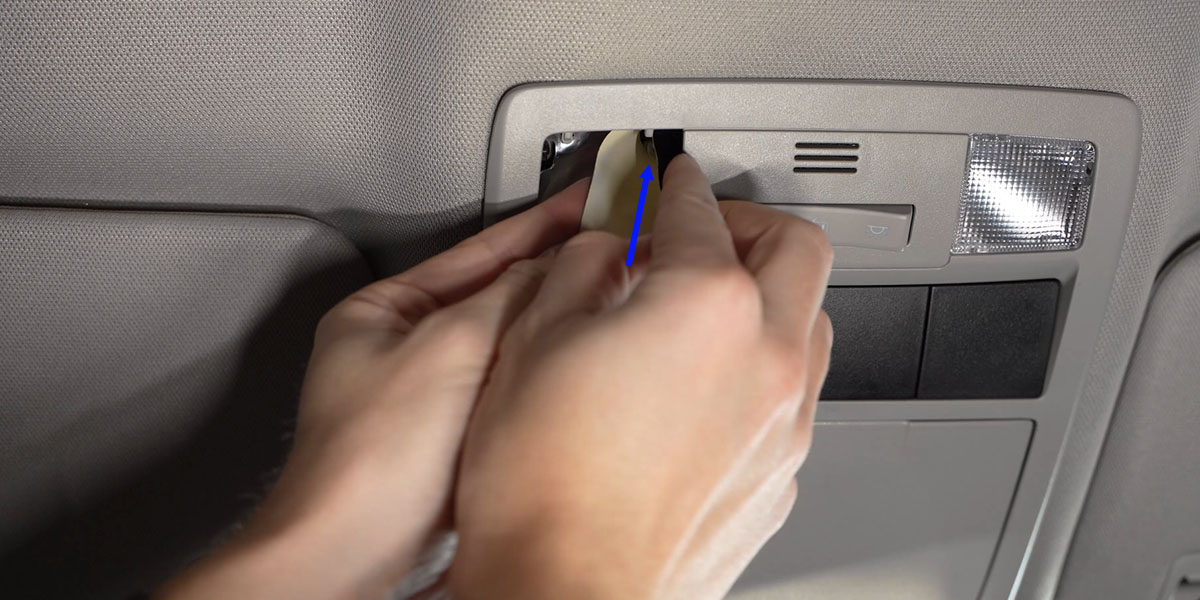
Pull the bulb straight out using bulb-removal pliers. The manufacturer also demonstrates wrapping tape around a difficult-to-grip bulb. Do not pull the socket wiring or work on a hot bulb.
4. Test the polarity before refitting
Seat the correct replacement and test it. If a polarity-sensitive LED does not illuminate, switch off, remove it, rotate it 180 degrees and refit. Recheck before replacing the lens.
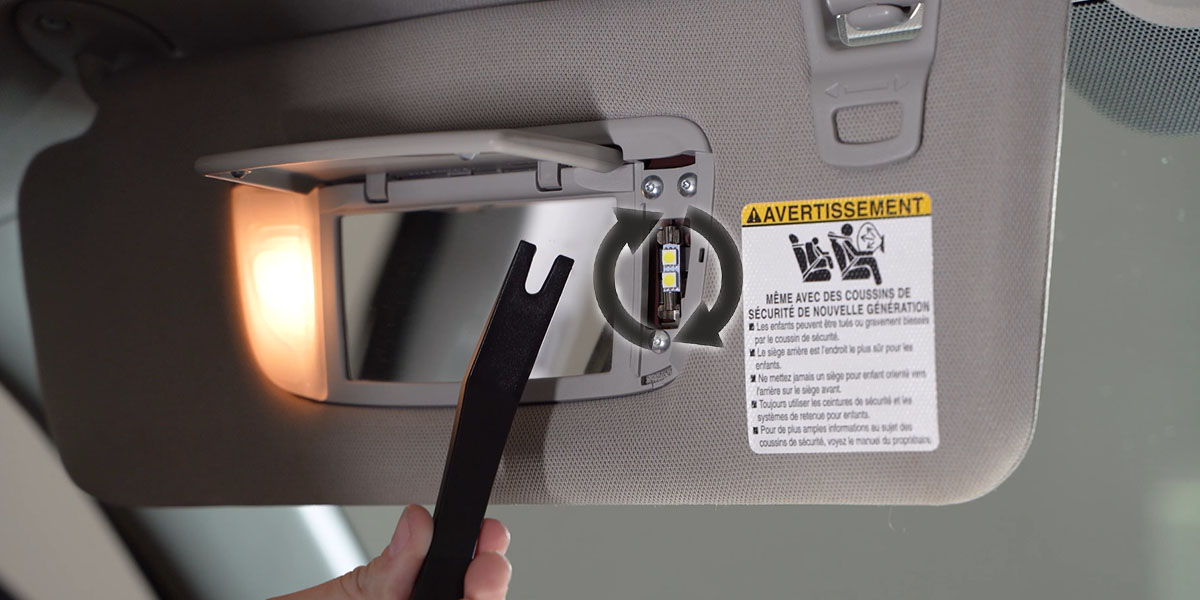
5. Seat festoon bulbs securely
The dome position uses 29mm; the trunk positions use 31mm. If a correctly sized bulb is slightly loose, the manufacturer permits a small adjustment of the metal socket contact. Avoid repeated bending, which weakens the terminal. If the bulb still does not fit securely, stop and confirm its size.
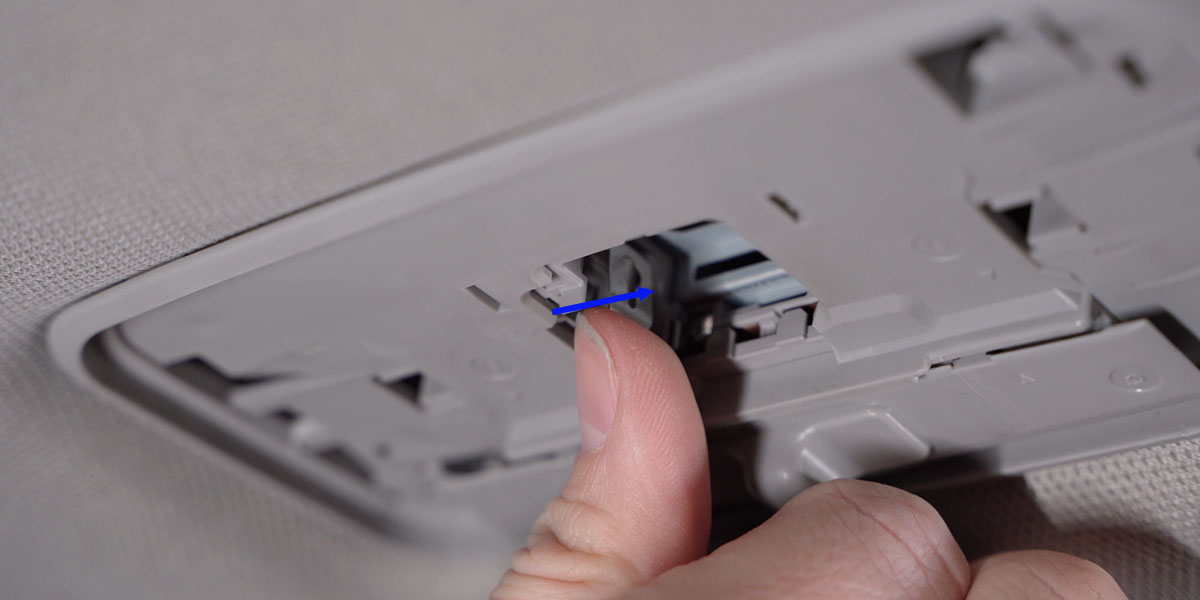
6. Remove cargo bulbs straight out
A trim tool can gently ease a difficult cargo bulb out of its holder. Support the housing and move the bulb directly away from the socket.
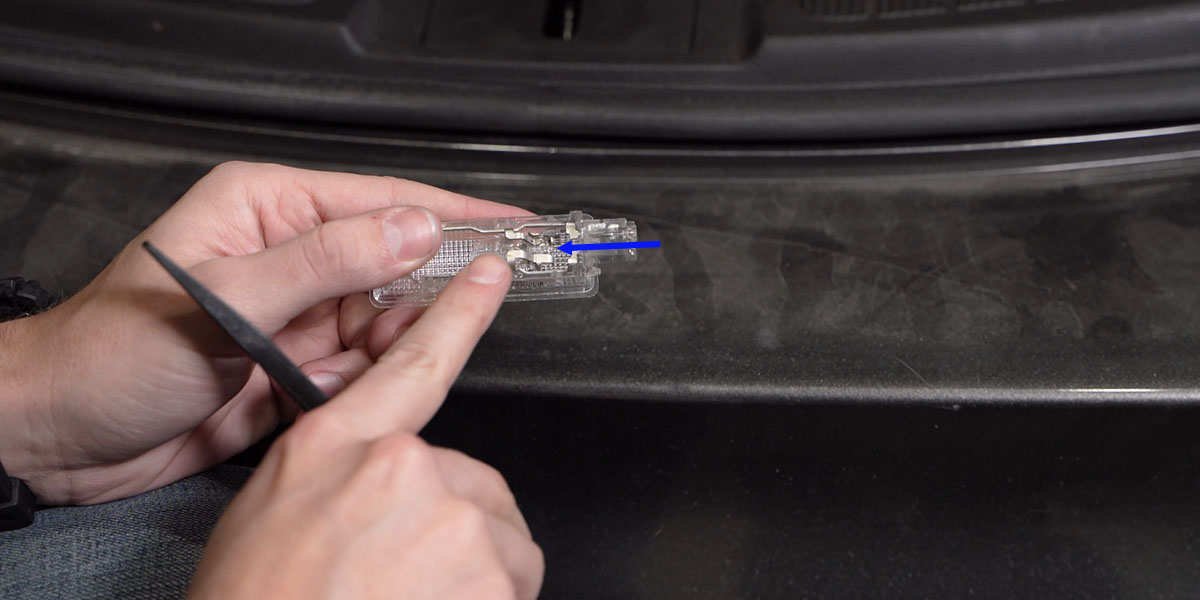
7. Correct a loose 194 contact
For a loose or flickering 194 LED, switch off and remove it. Diode’s method gently moves the bulb’s exposed contact pins outward to about 45 degrees for a firmer connection. Refit and retest; do not short the contacts together.
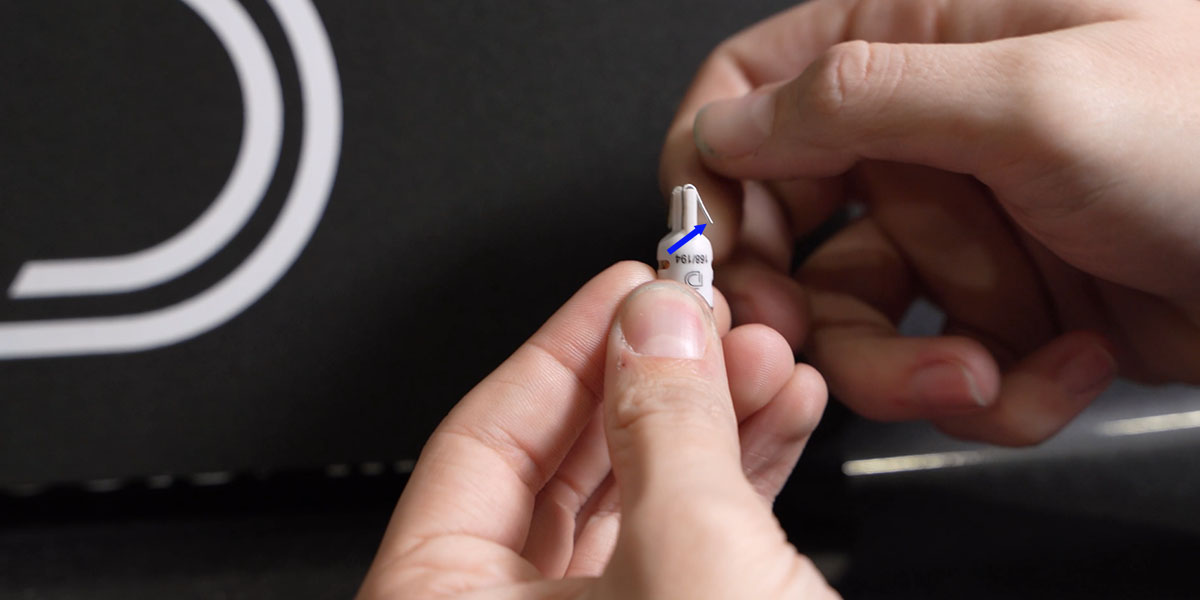
8. Check all positions and refit
Confirm operation at every fitted location, then reinstall the lenses and verify their switches. Check the mirror equipment before using the two included puddle bulbs; a sealed LED mirror lamp does not accept a replacement 194 bulb.
Watch the original installation tips
Kit and original instructions
Choose the 4Runner Stage 1 or Stage 2 LED kit
Read the manufacturer’s illustrated bulb-installation article