

Diode Dynamics × Kuat DEK
Install a Tacoma DEK rack and its Diode lighting
Match the rack to your Double Cab and the lighting steps to your SS5 or SS40 package. Assemble and mount the rack before fitting the lights.
Confirm the truck, hardware and work area
Fits 2005–2023 Toyota Tacoma Double Cab, including the 2016–2023 third generation. This direct-mount system uses the factory roof mounting points; it is not an Access Cab application. Check the cab, roof hardware and rack part numbers before ordering. The adjustable load bars must clear roof antennas, a sunroof and other accessories.
Use a stable work area, protect the paint and arrange a two- or three-person lift. Identify every position-specific mount and the supplied fastener size before assembly. Do not substitute torque values between rack bolts, roof bolts and lighting screws. If a hardware size differs from the current instructions, confirm it with Kuat before tightening.
Use the lower of the vehicle’s roof limit and the rack’s limit, including the rack, lights and cargo as required by the vehicle manufacturer. Kuat’s installation manual limits the load to 300 lb, evenly distributed; do not treat a higher static rack rating as approval for your vehicle. The nose and tail are not load-bearing.
Kuat excludes rock crawling, jumping, bogging, high-speed off-road driving and terrain requiring upgraded 4WD suspension. Reduce load and speed on rough roads. Follow the manual’s load-securing restrictions, check fasteners regularly and avoid automatic car washes.
Complete the rack installation
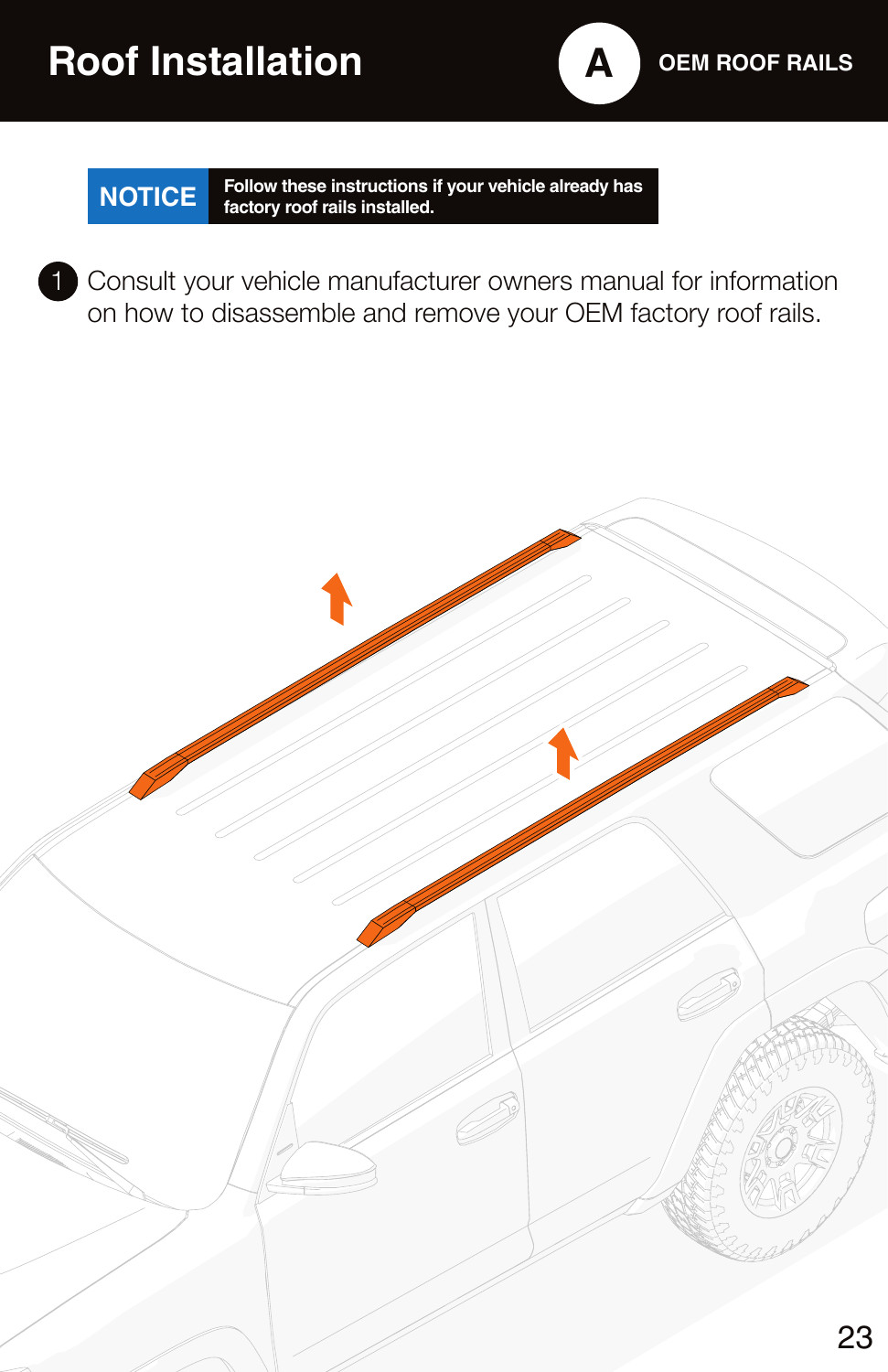
Open the complete Kuat direct-mount installation PDF. Select the 2005–2023 Tacoma parts chart and the roof-rail branch matching the truck. The manual uses another vehicle to demonstrate shared assembly steps; vehicle-specific parts and quantities must come from the Tacoma chart.
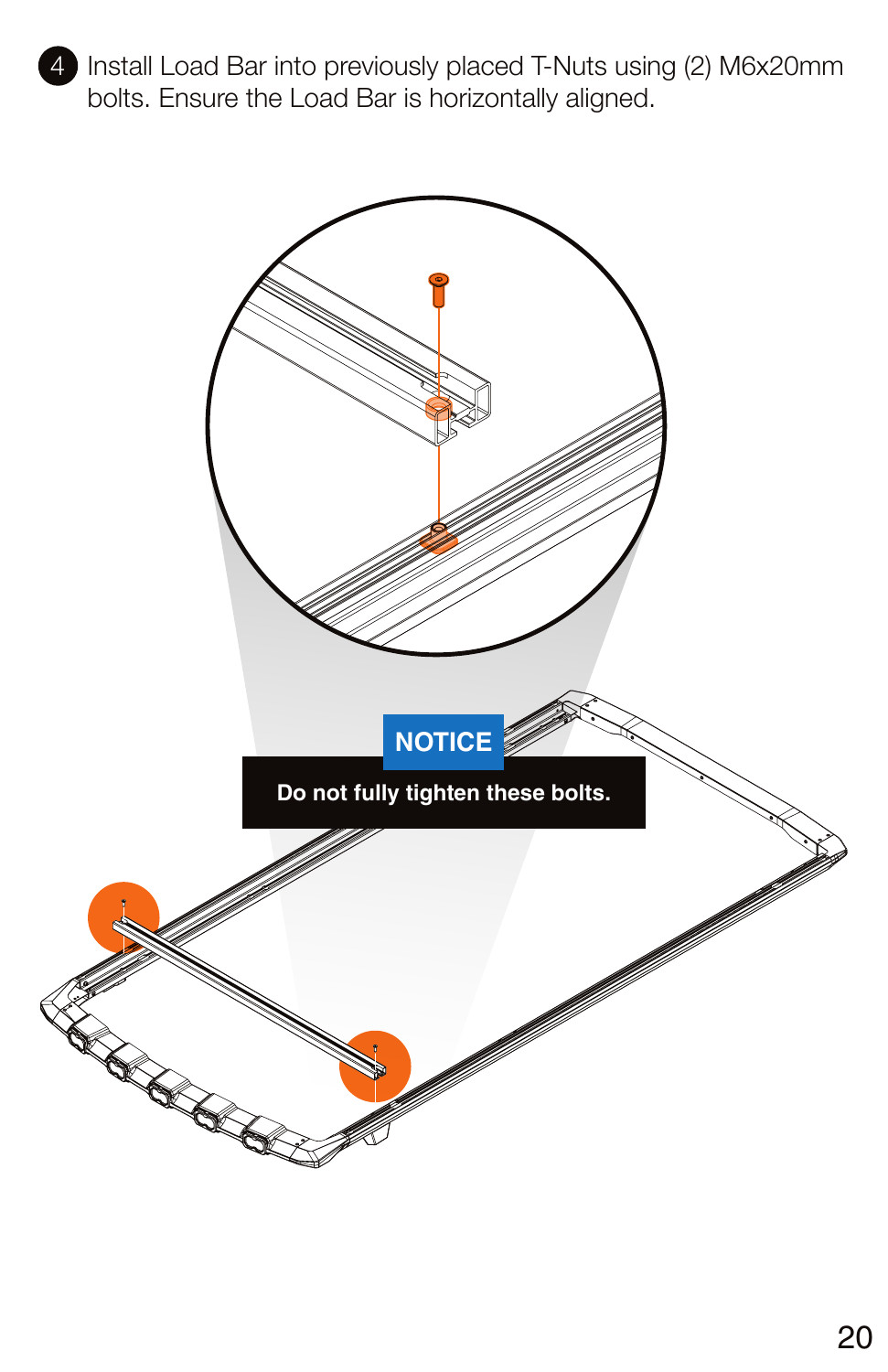
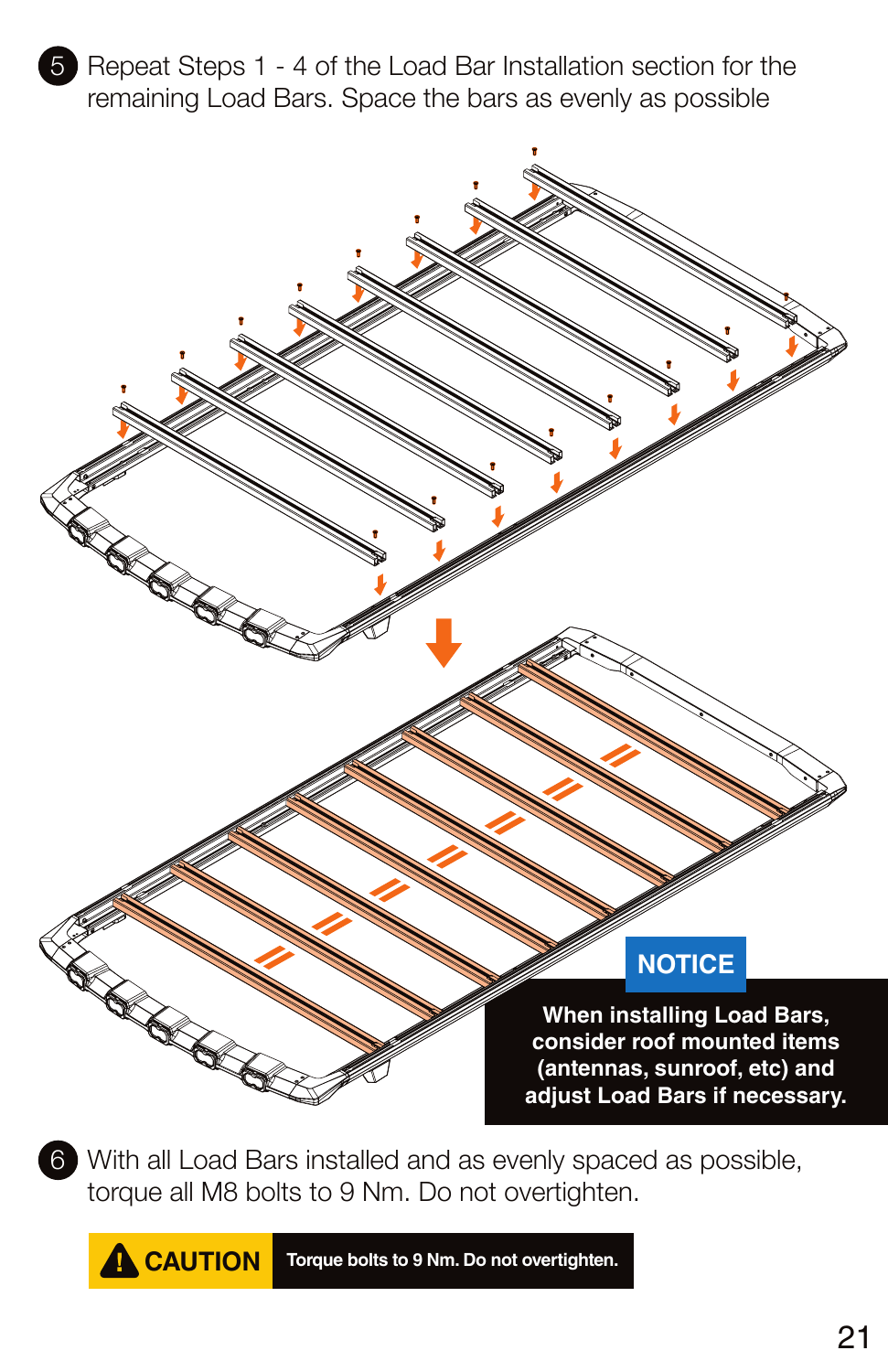
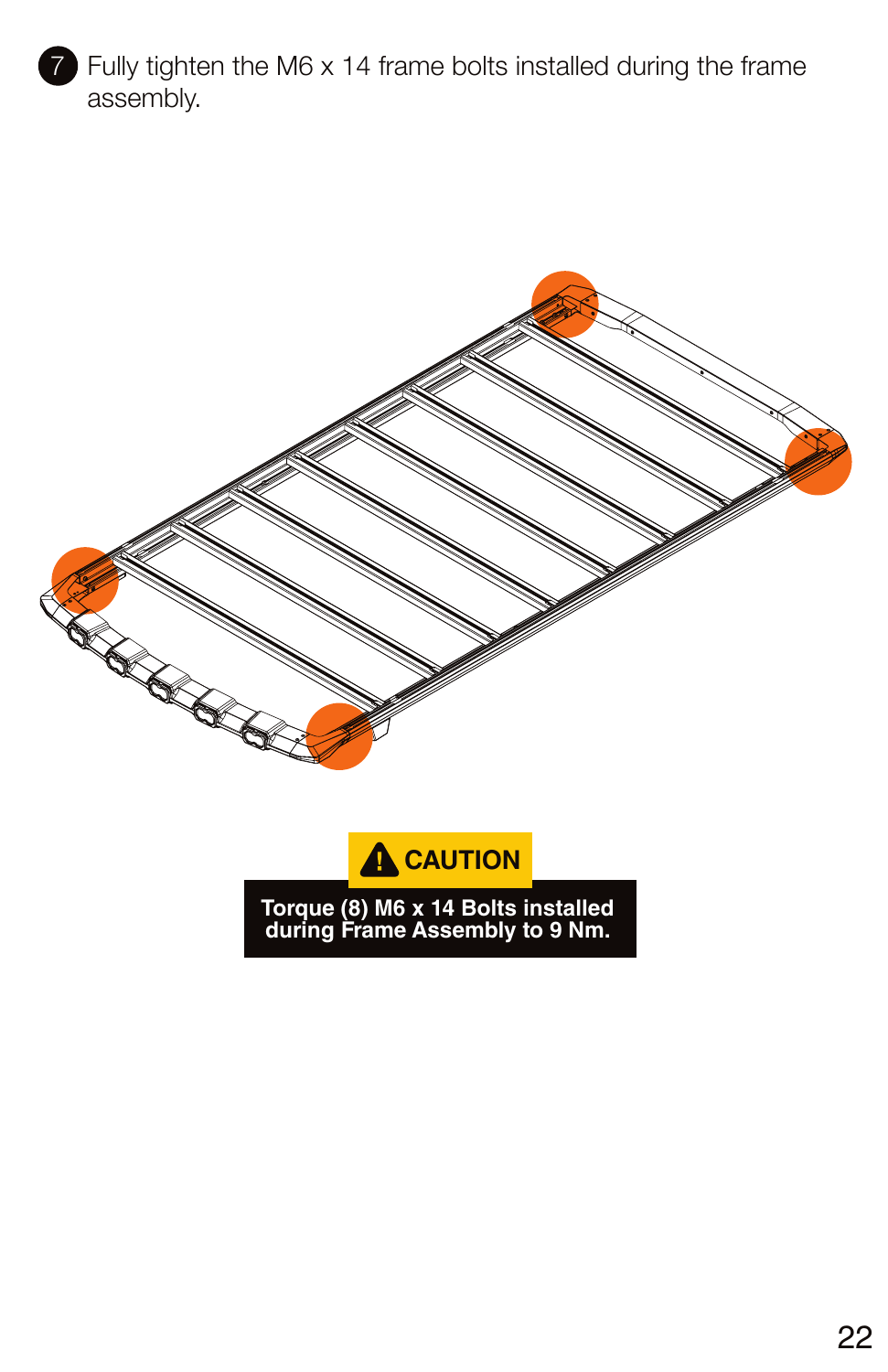
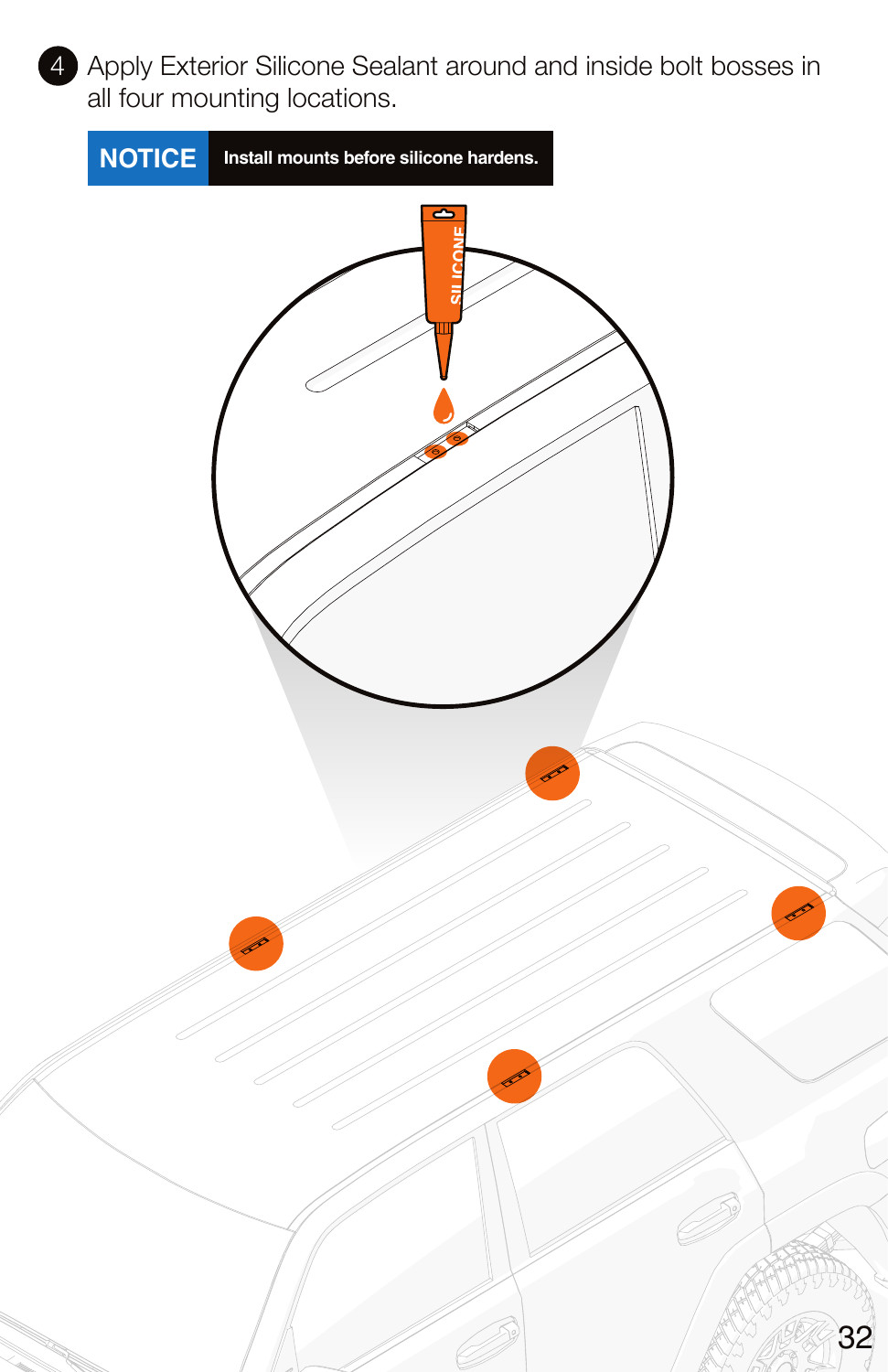
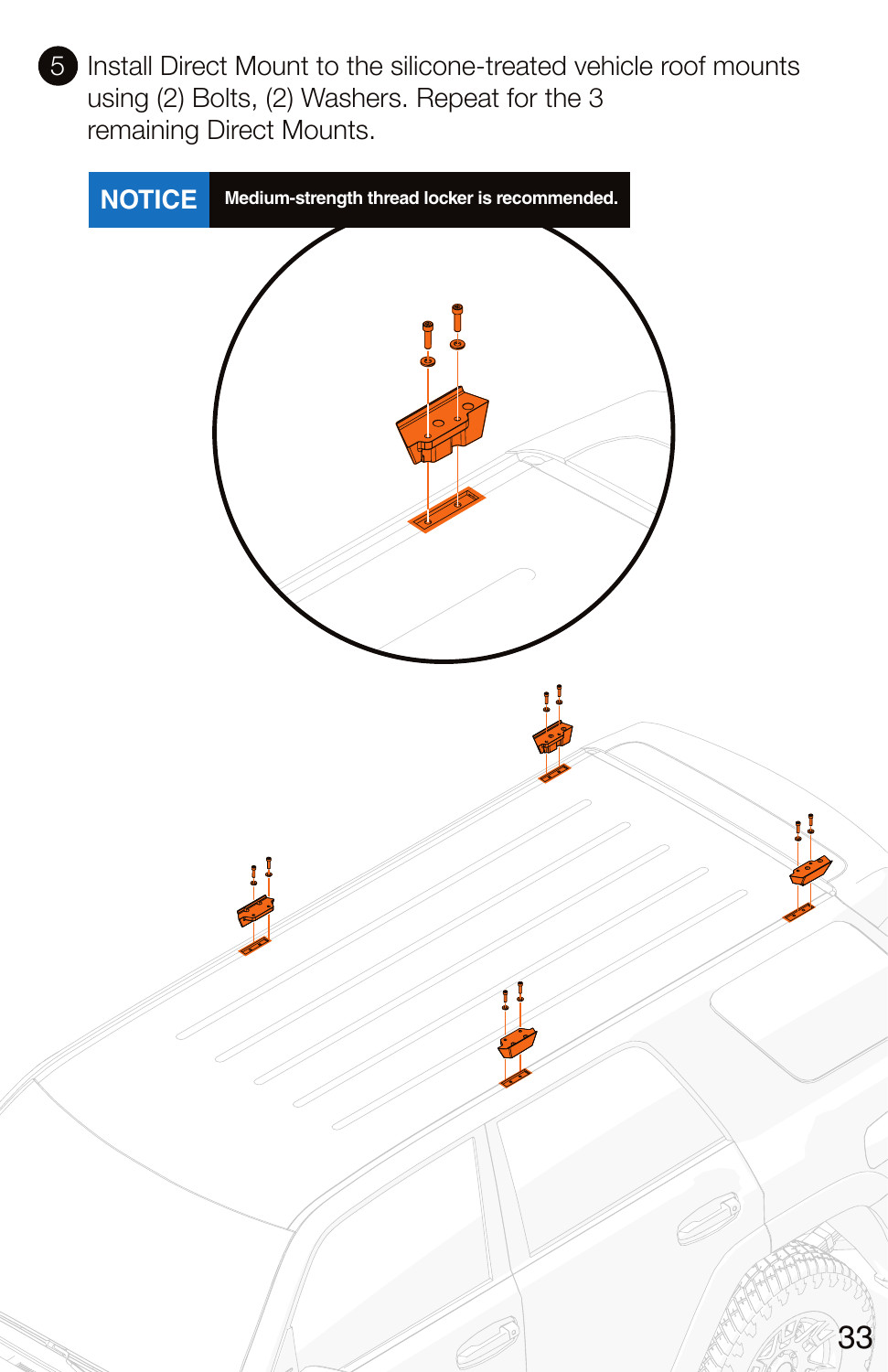
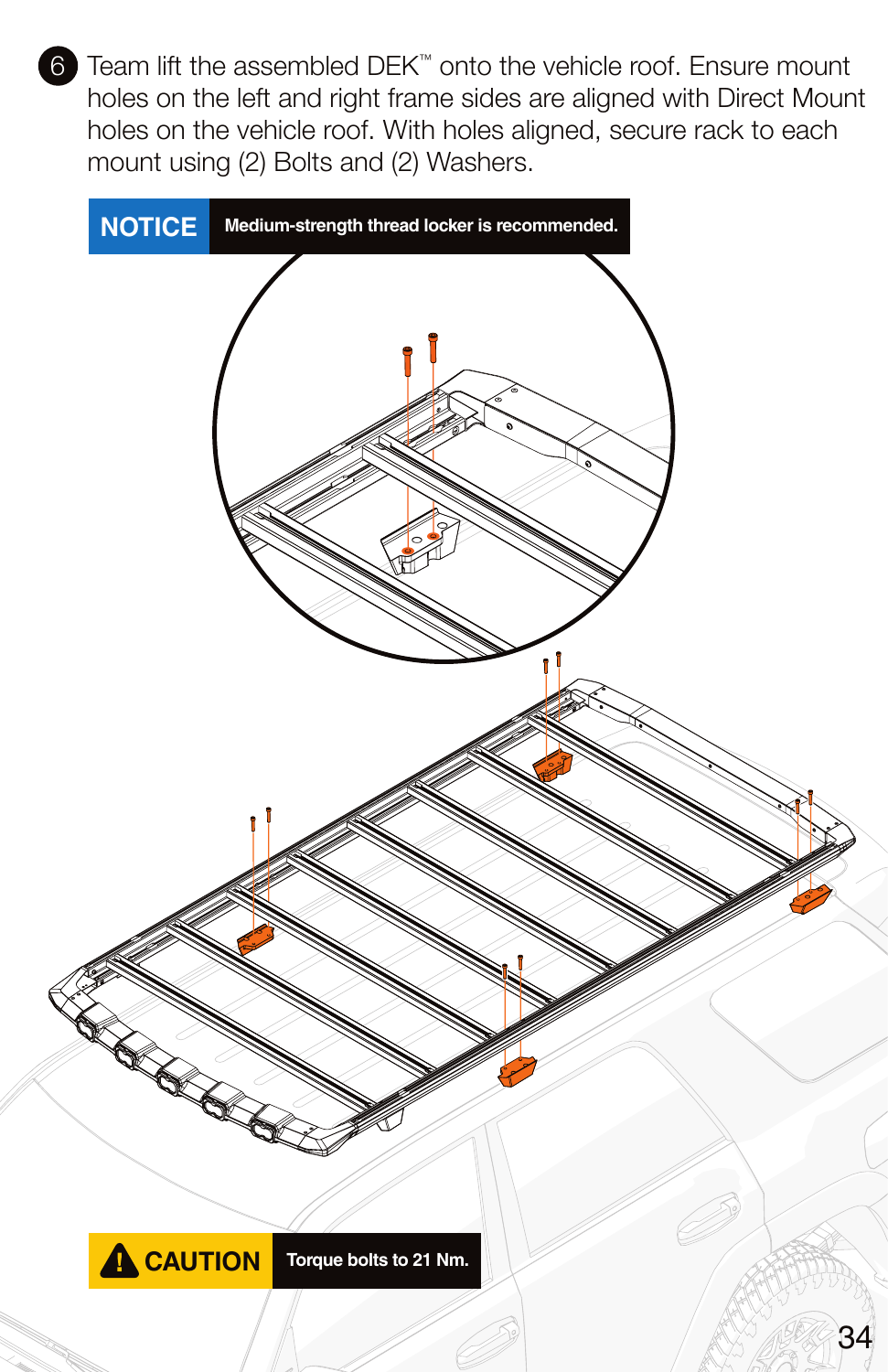
The frame and load bars assemble before the rack is lifted onto the truck. Roof mounting points need the specified sealant and correct Tacoma mounts. The manual identifies eight M6 × 55 roof-mount bolts for 2005–2023 Tacoma; do not substitute the later-generation hardware. Keep the factory-rail and bare-roof procedures separate.
Rack parts, load and use — original Kuat pages
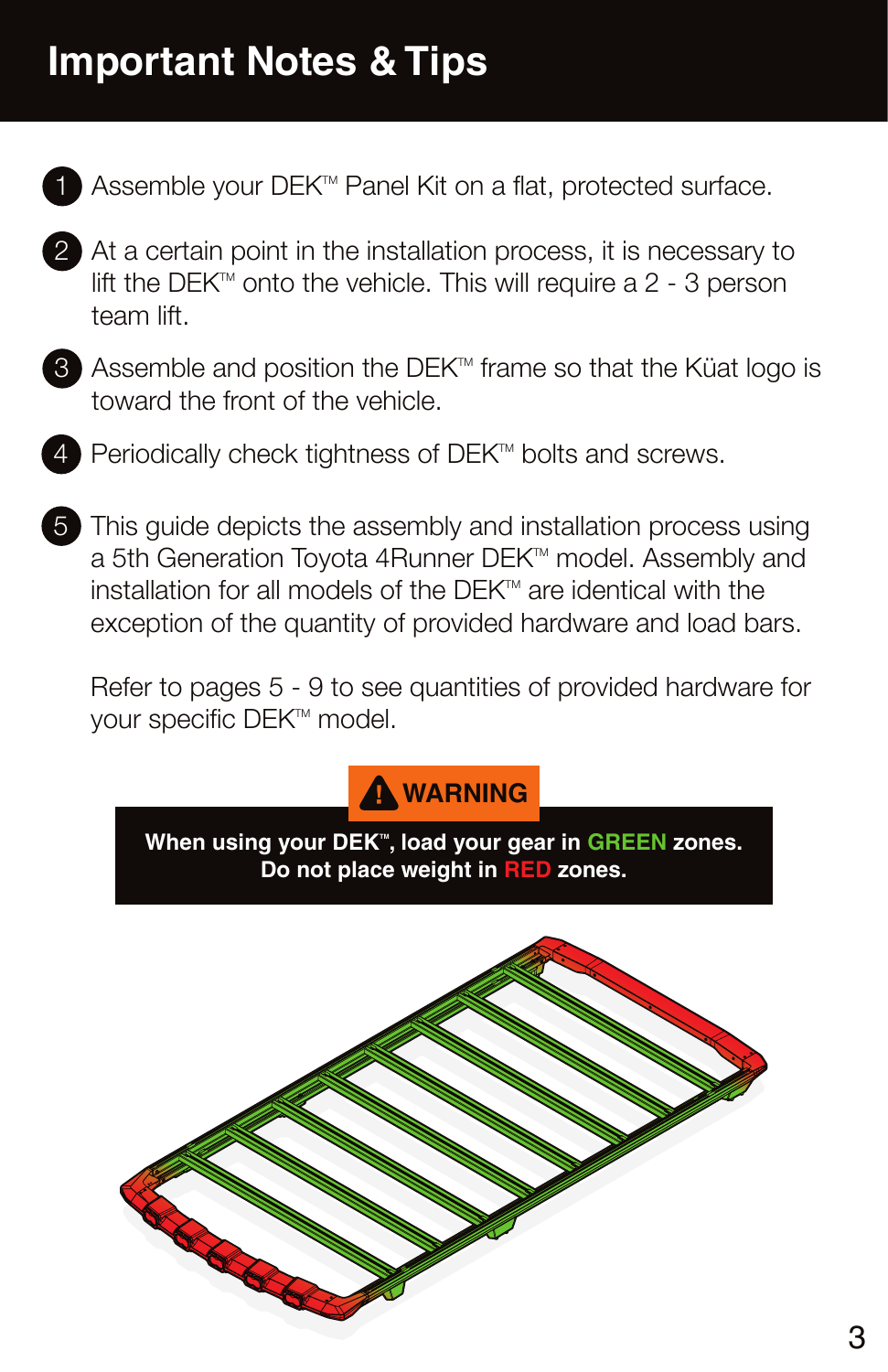
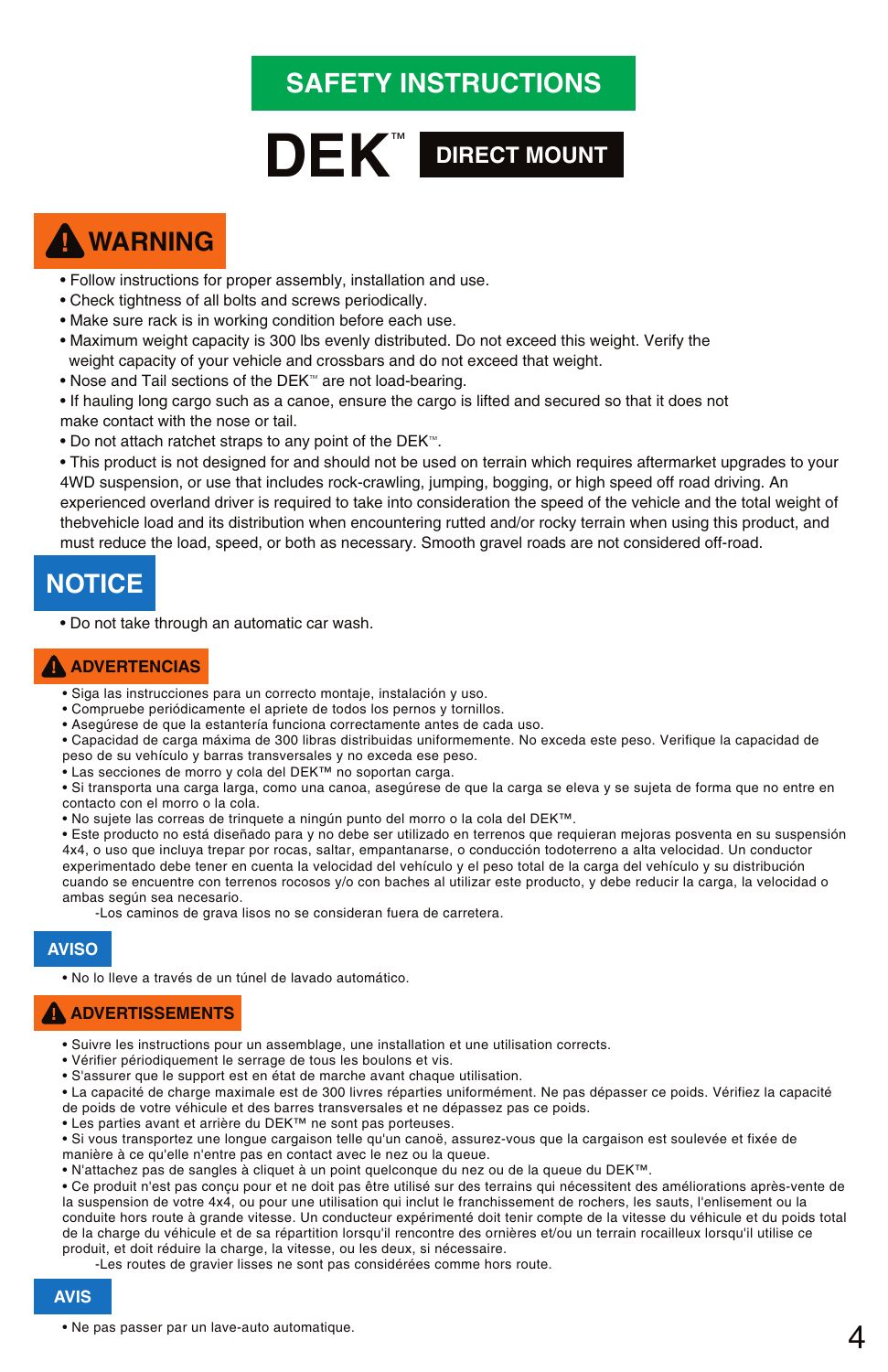
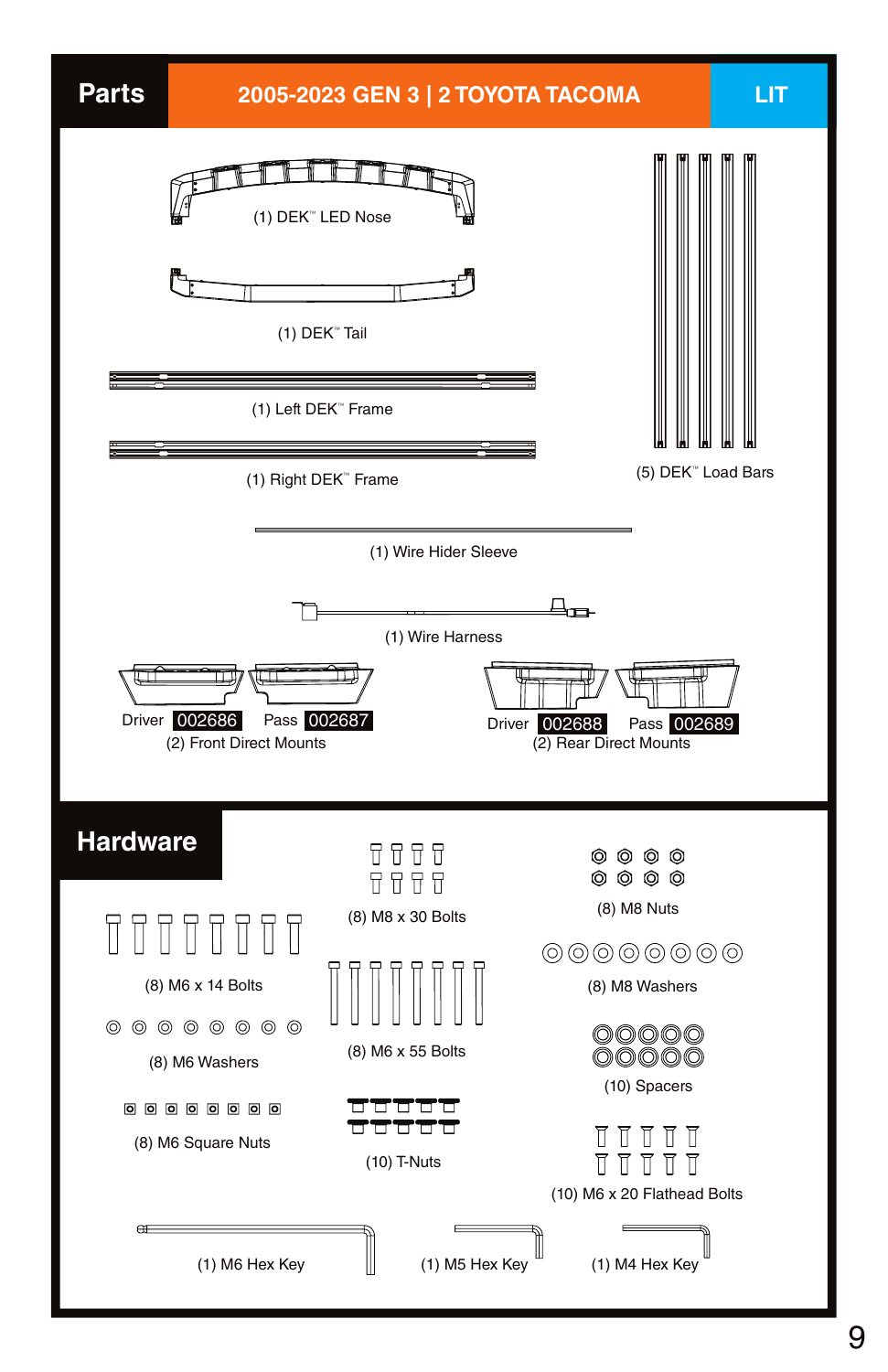
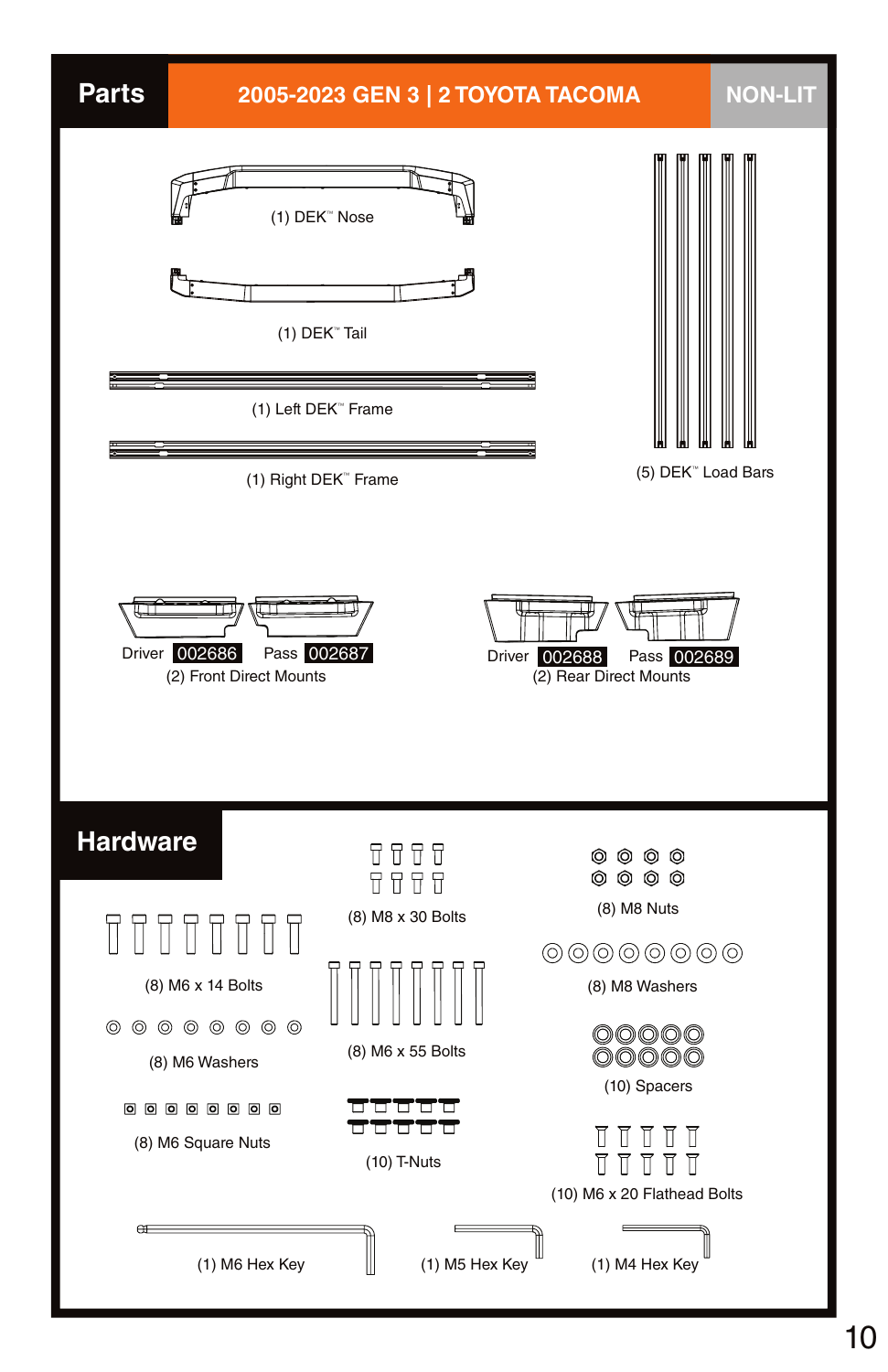
Frame assembly — original Kuat pages
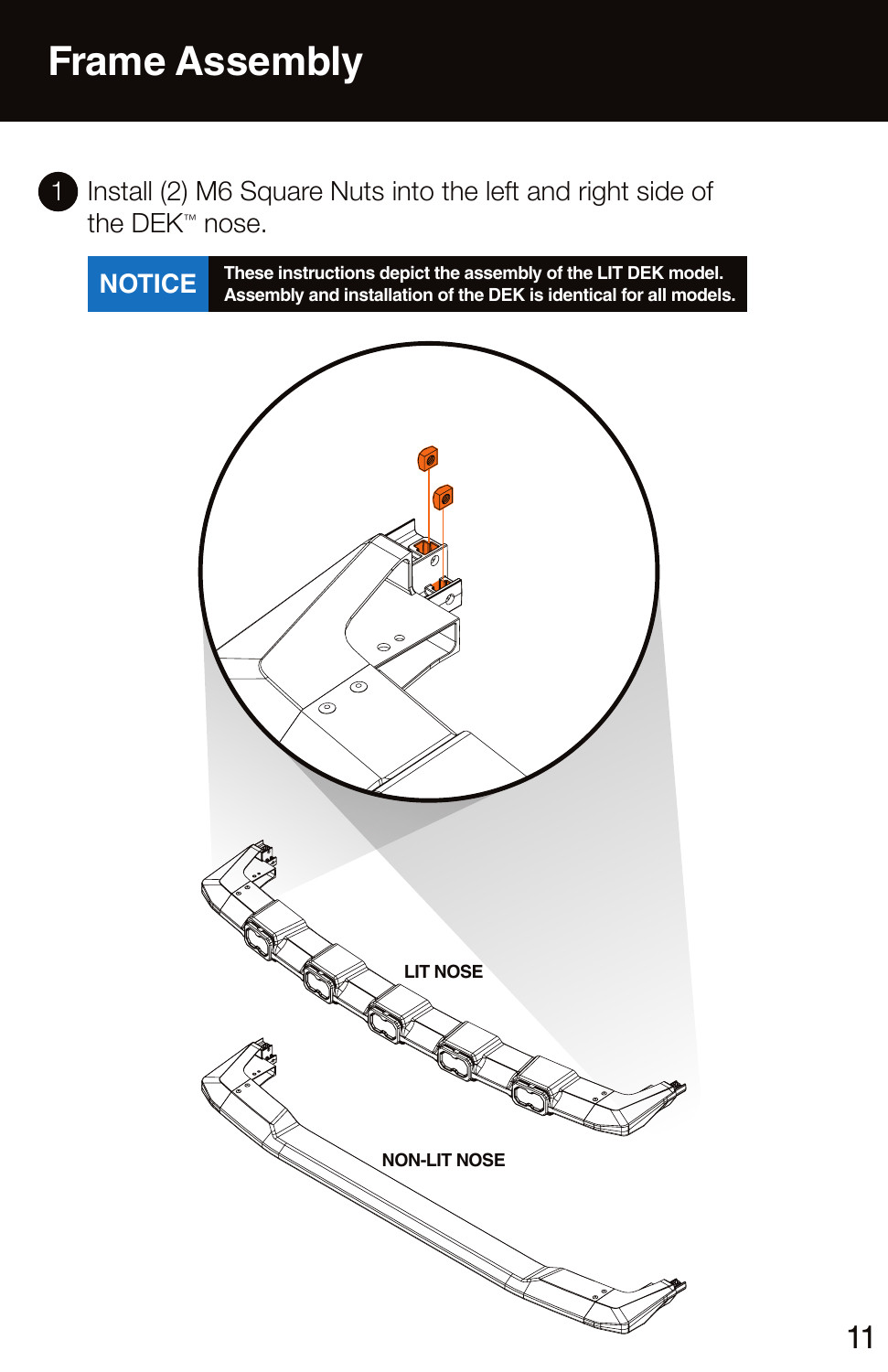
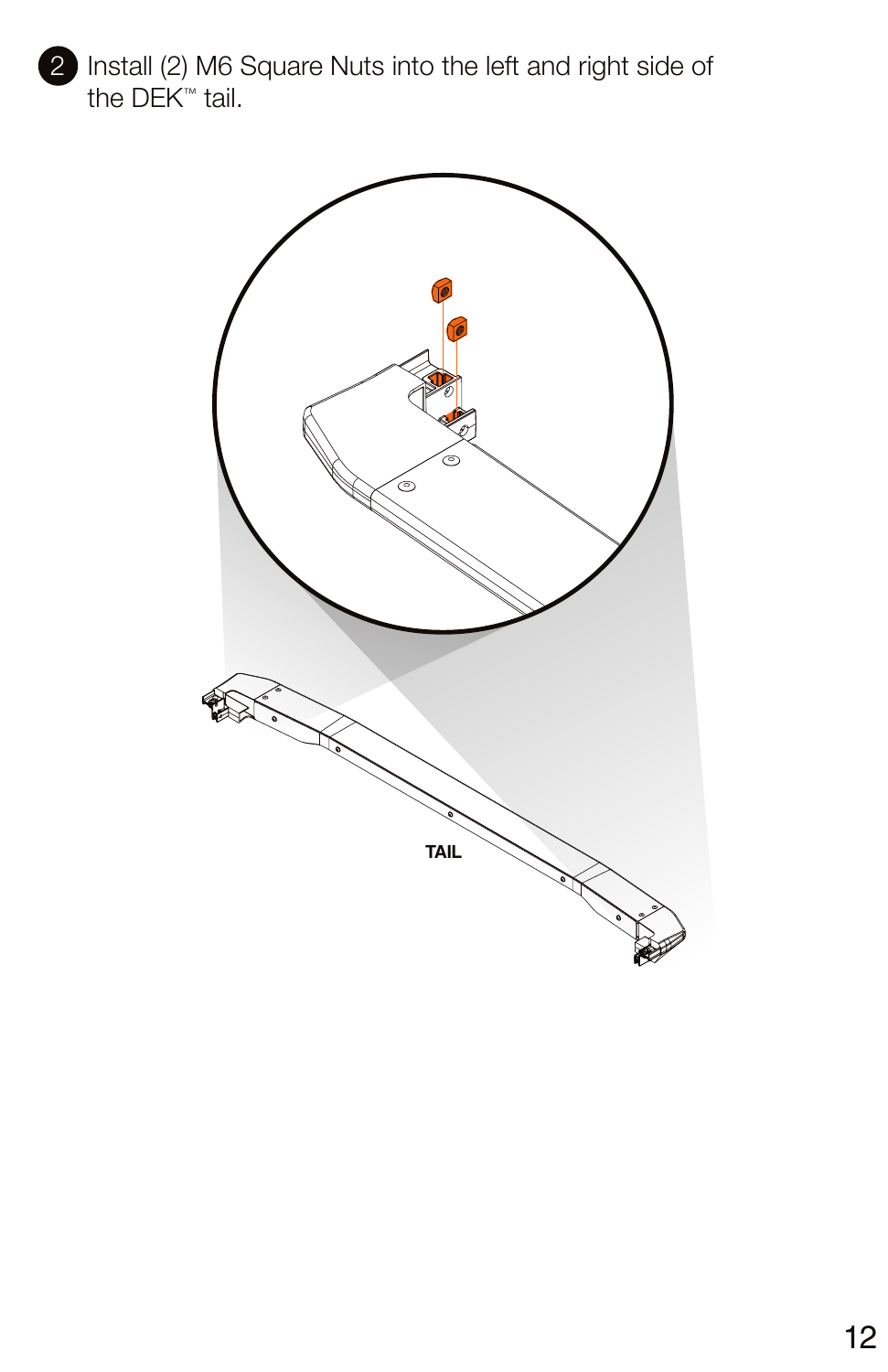
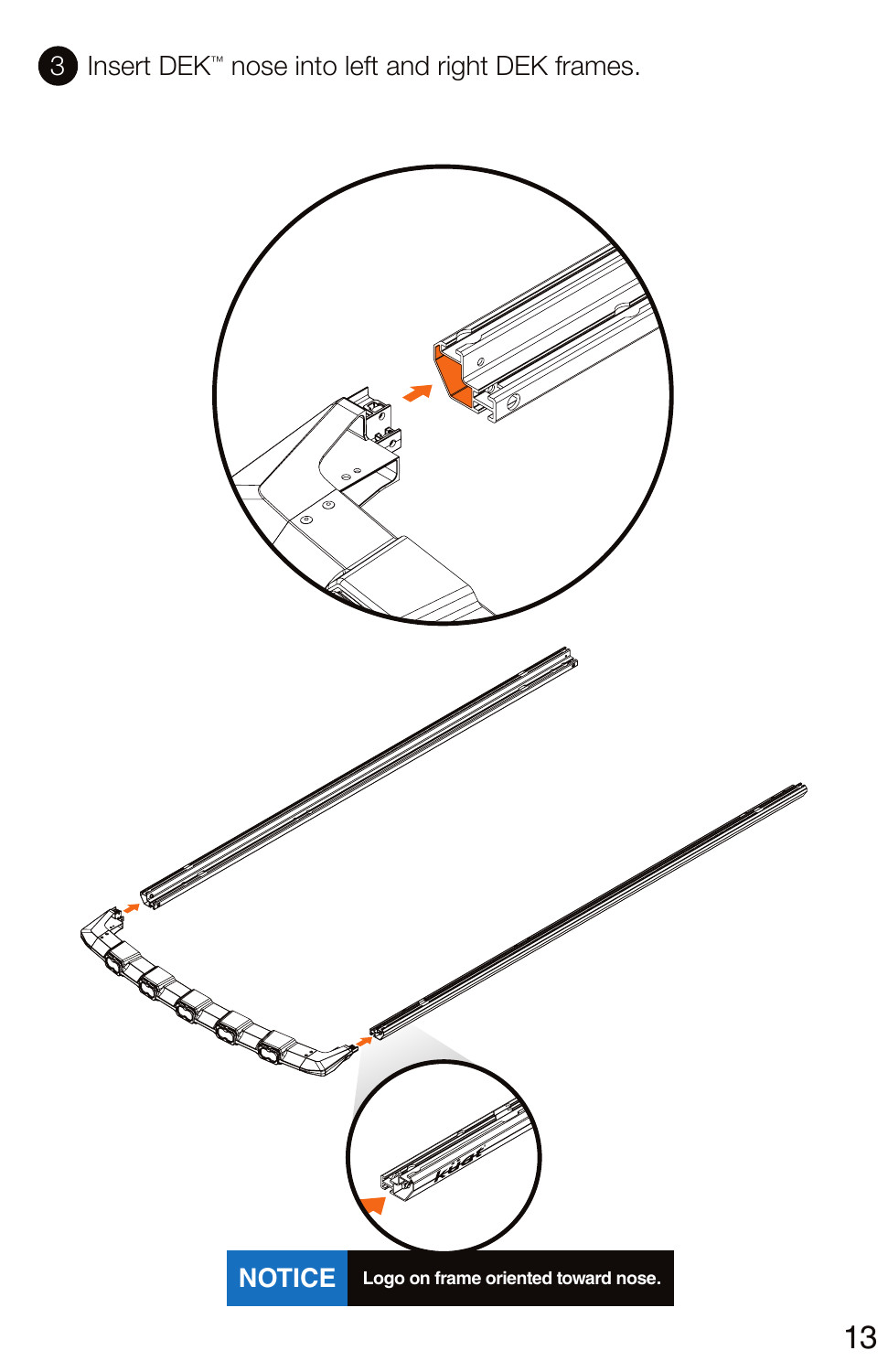
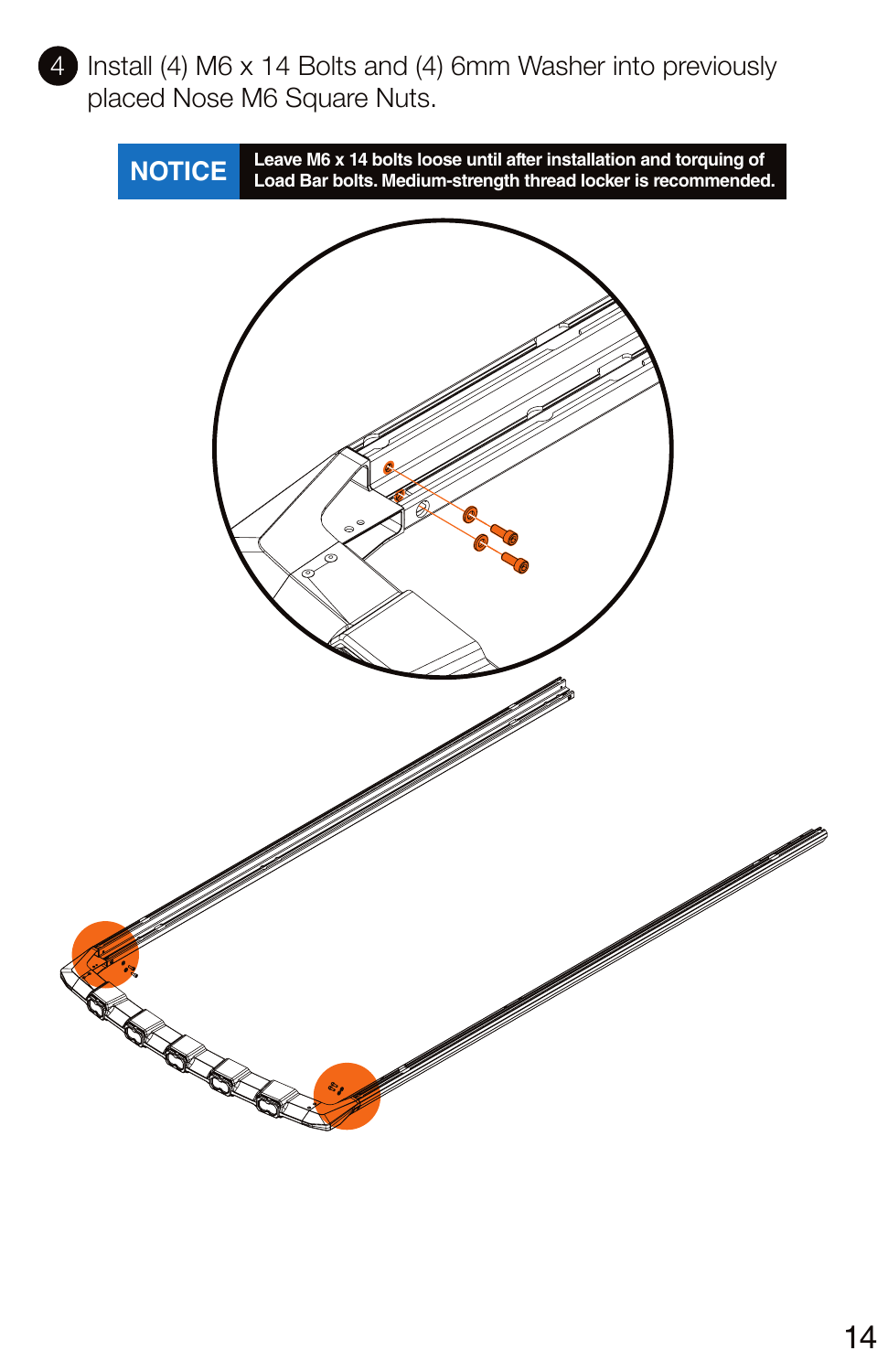
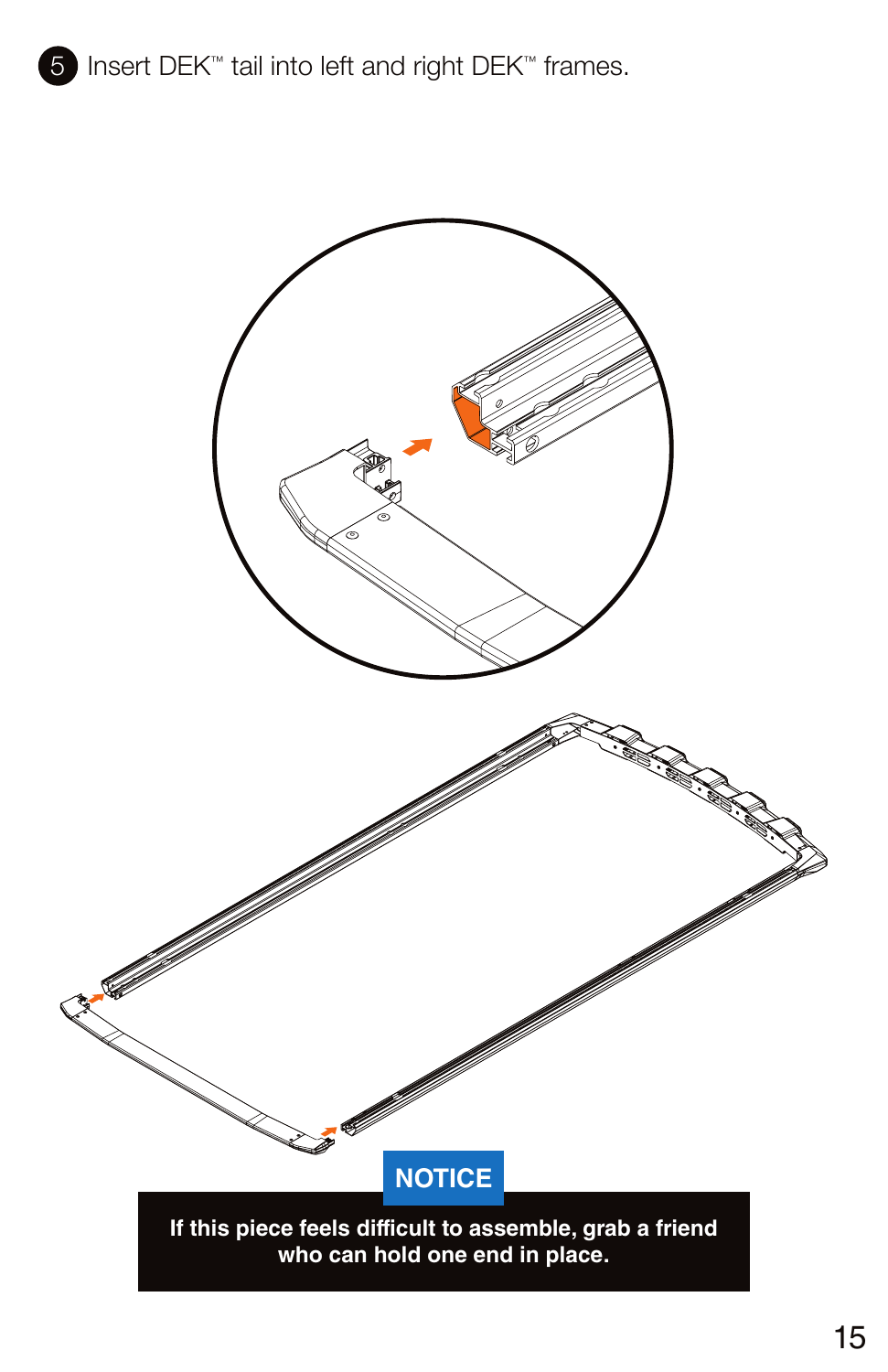
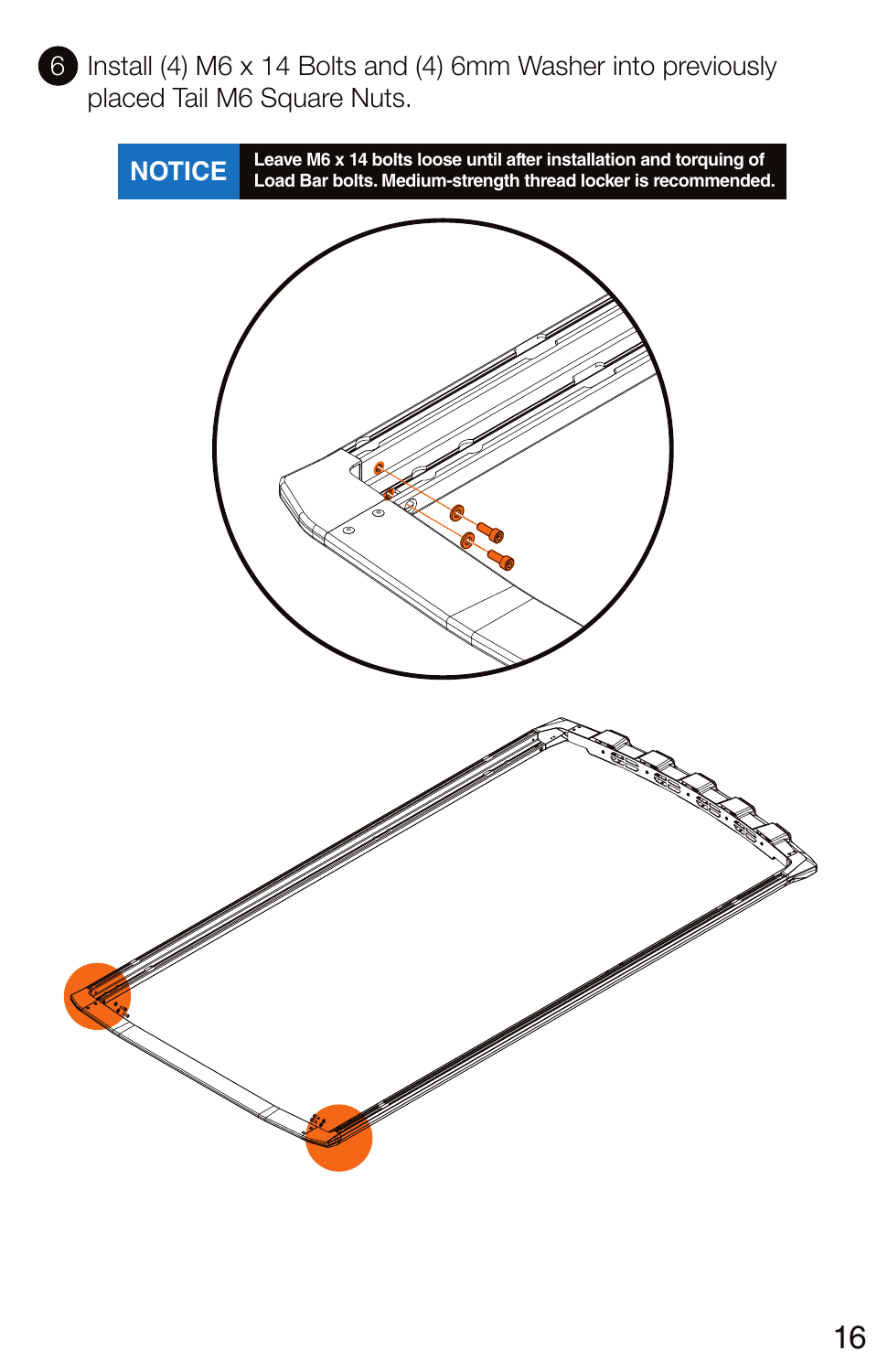
Load bars — original Kuat pages
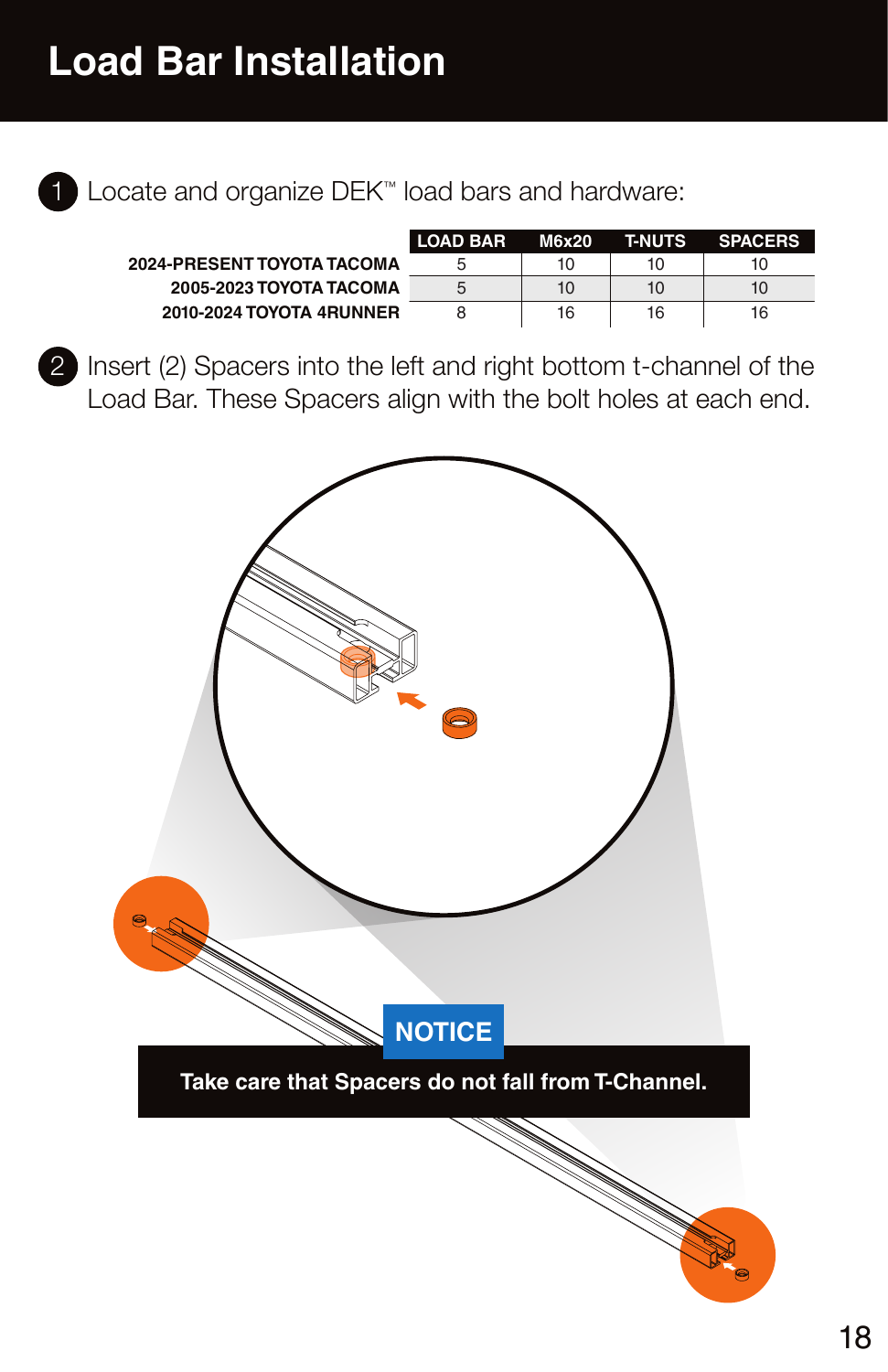
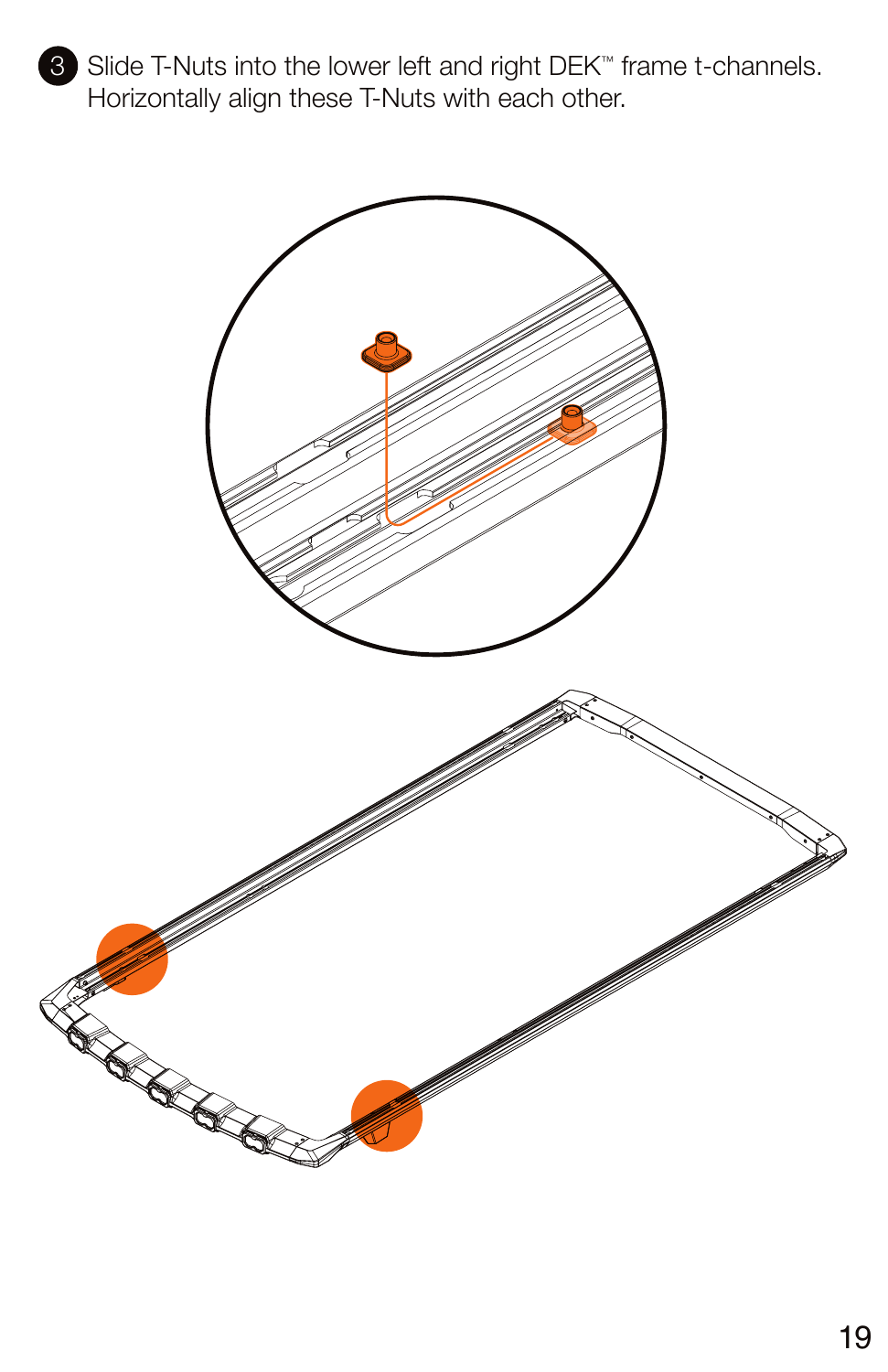
Roof with existing factory rails — original Kuat pages
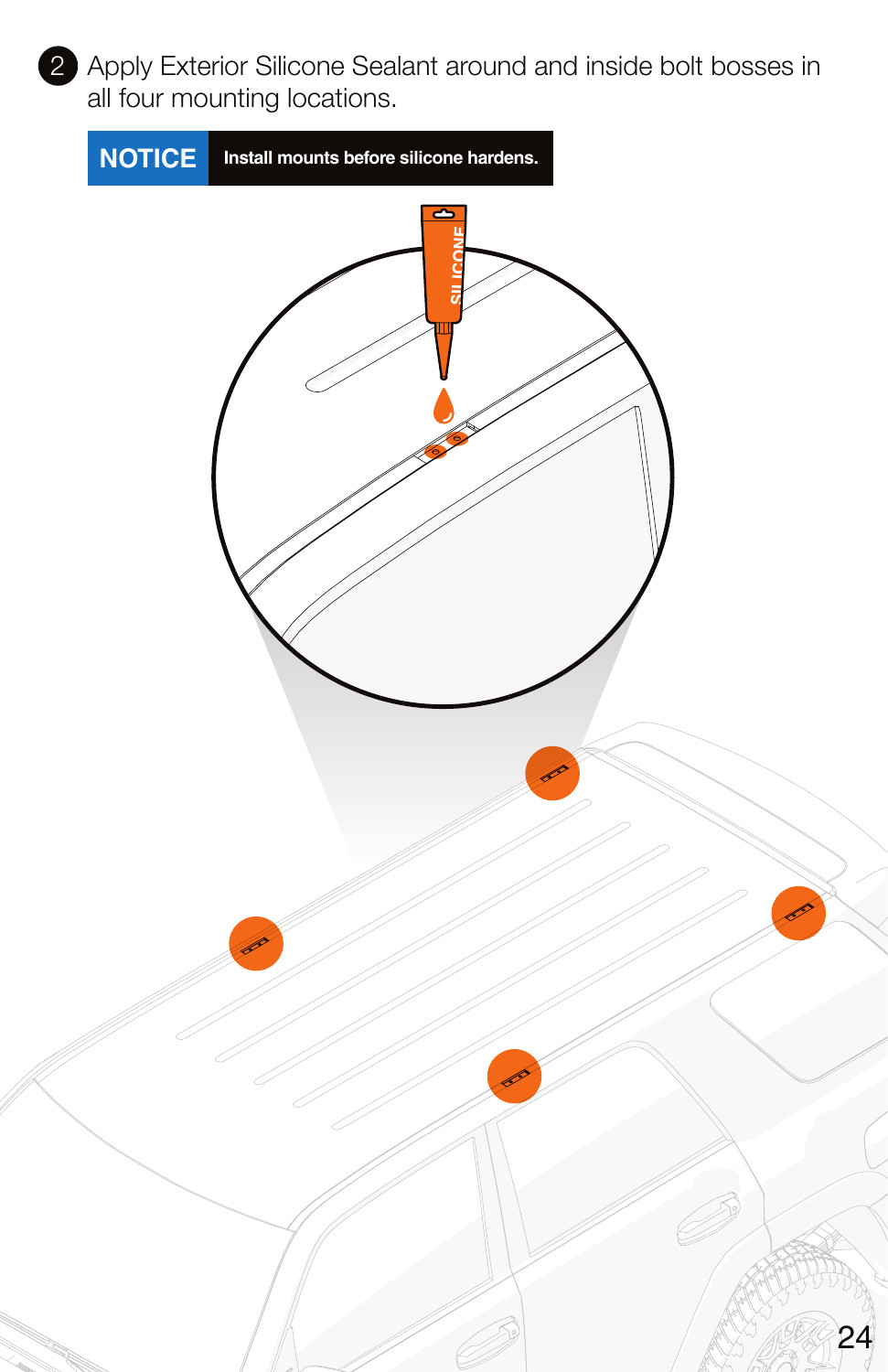
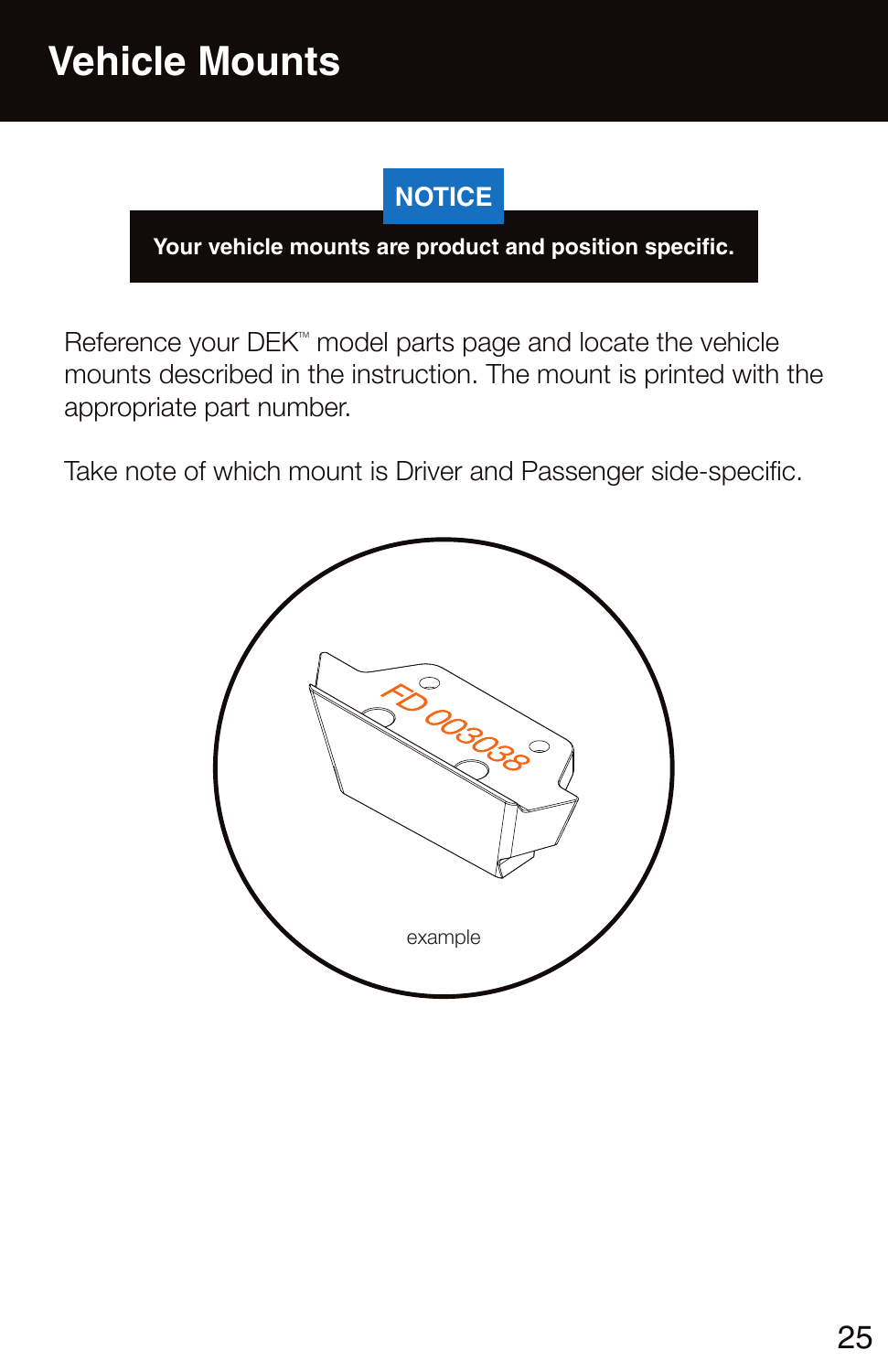
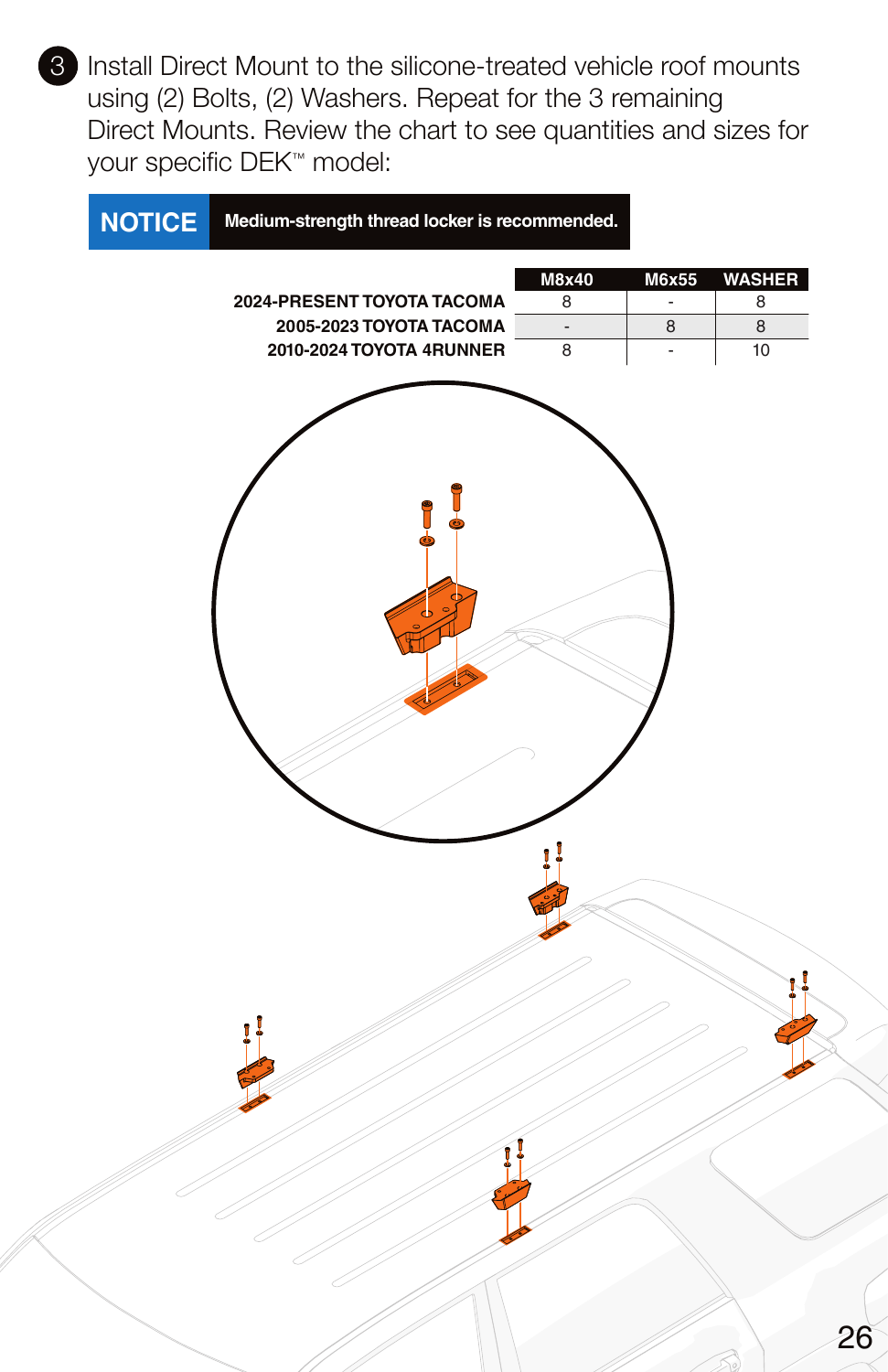
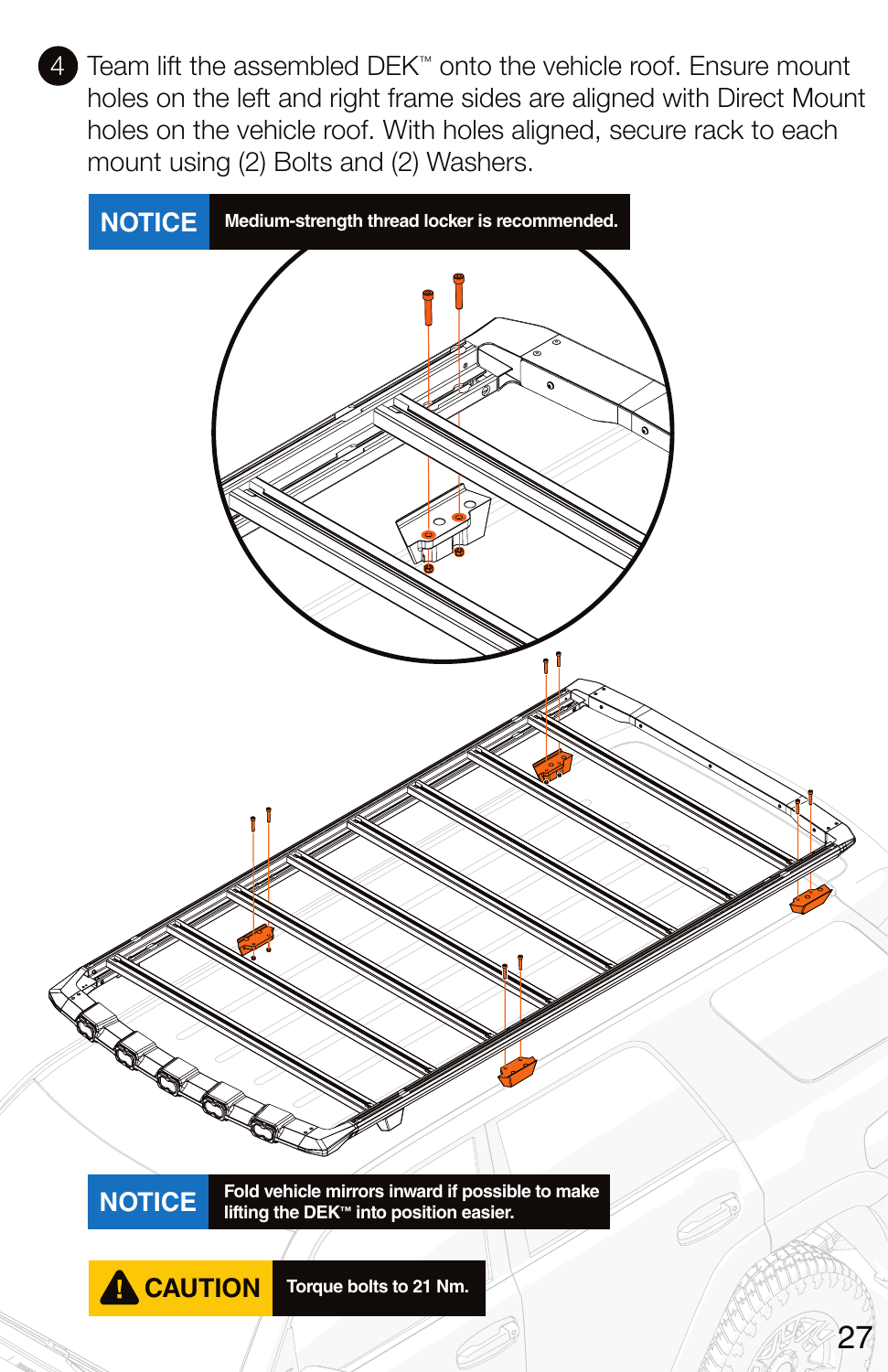
Roof without factory rails — original Kuat pages
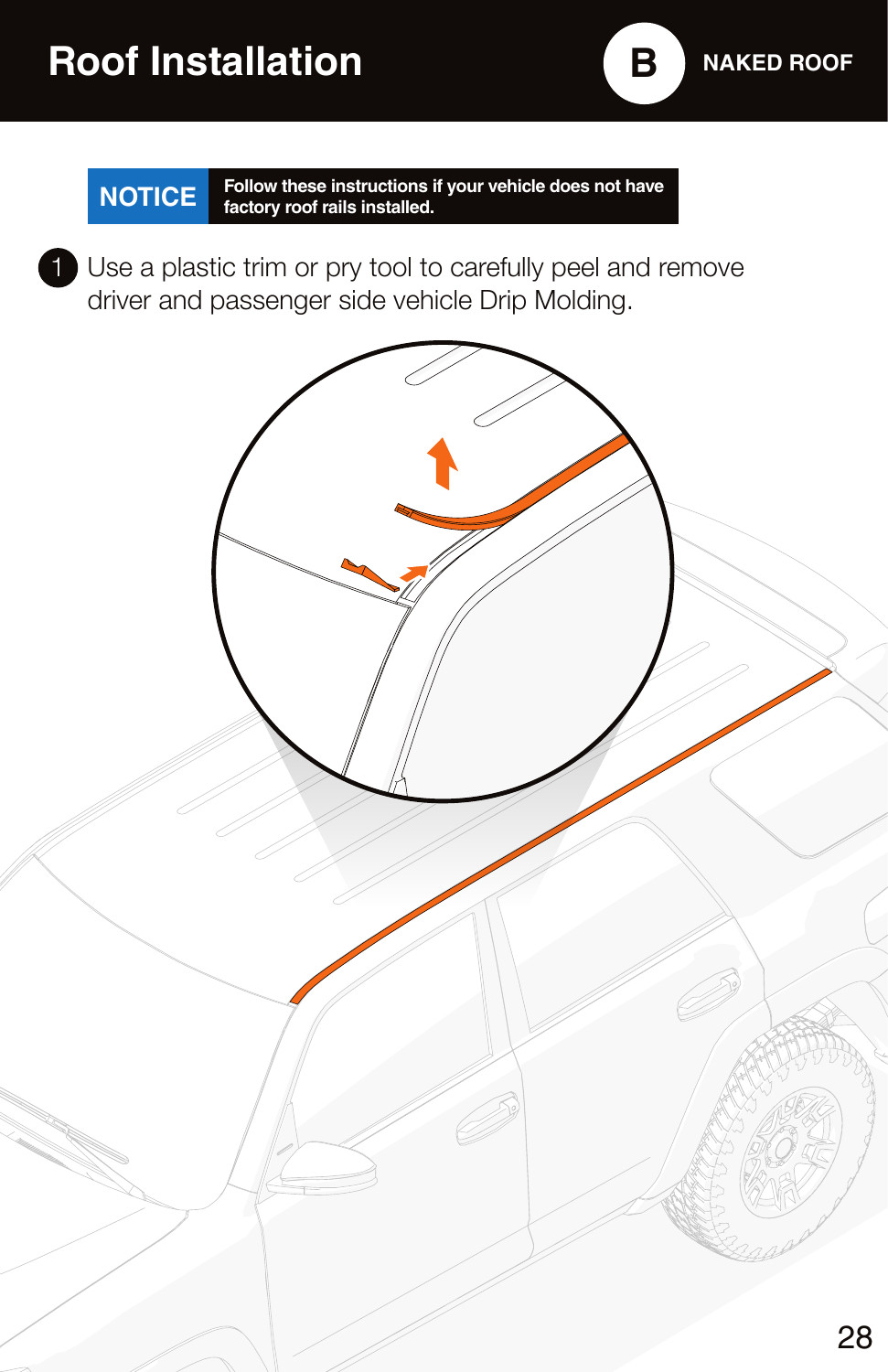
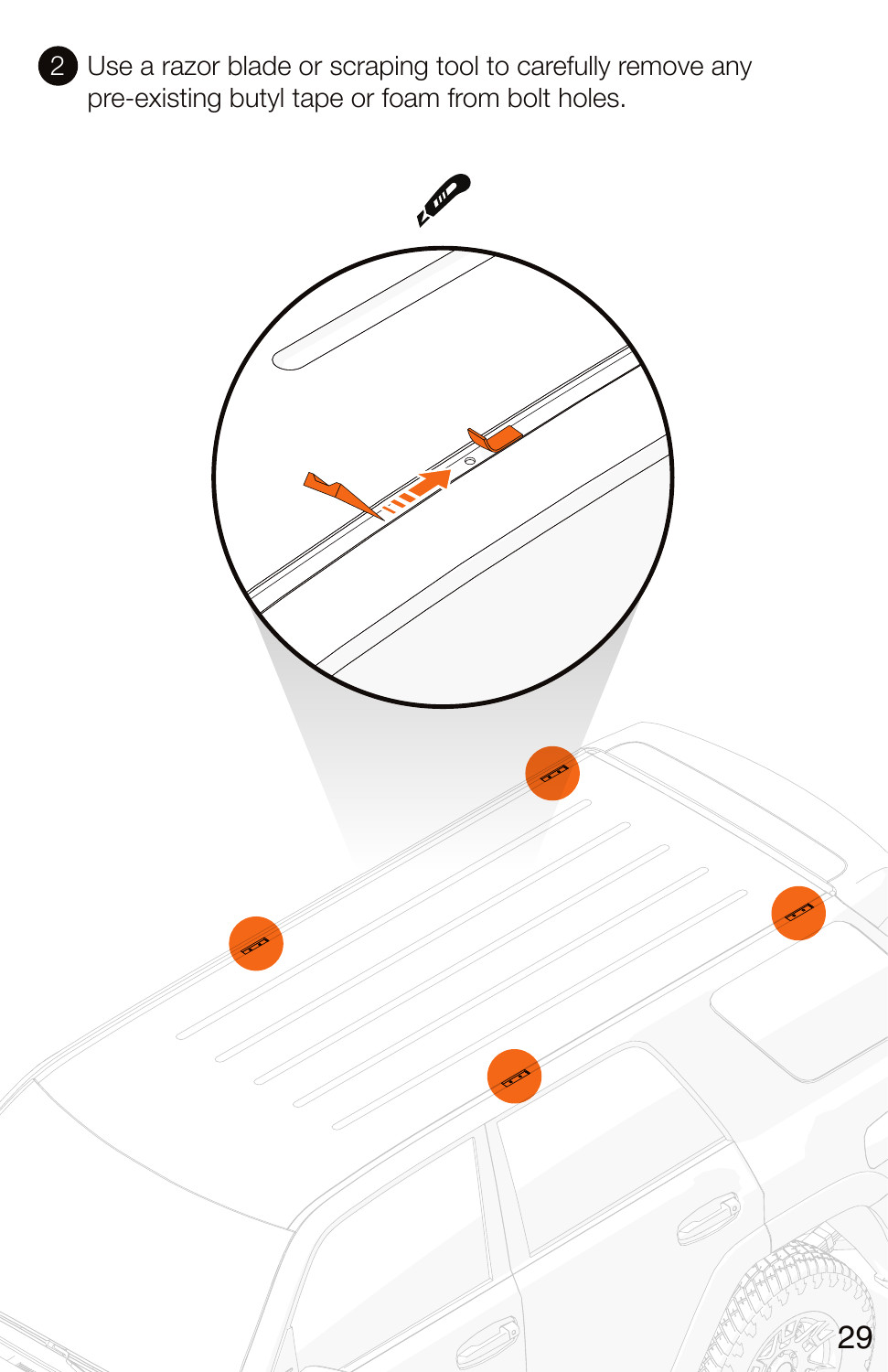
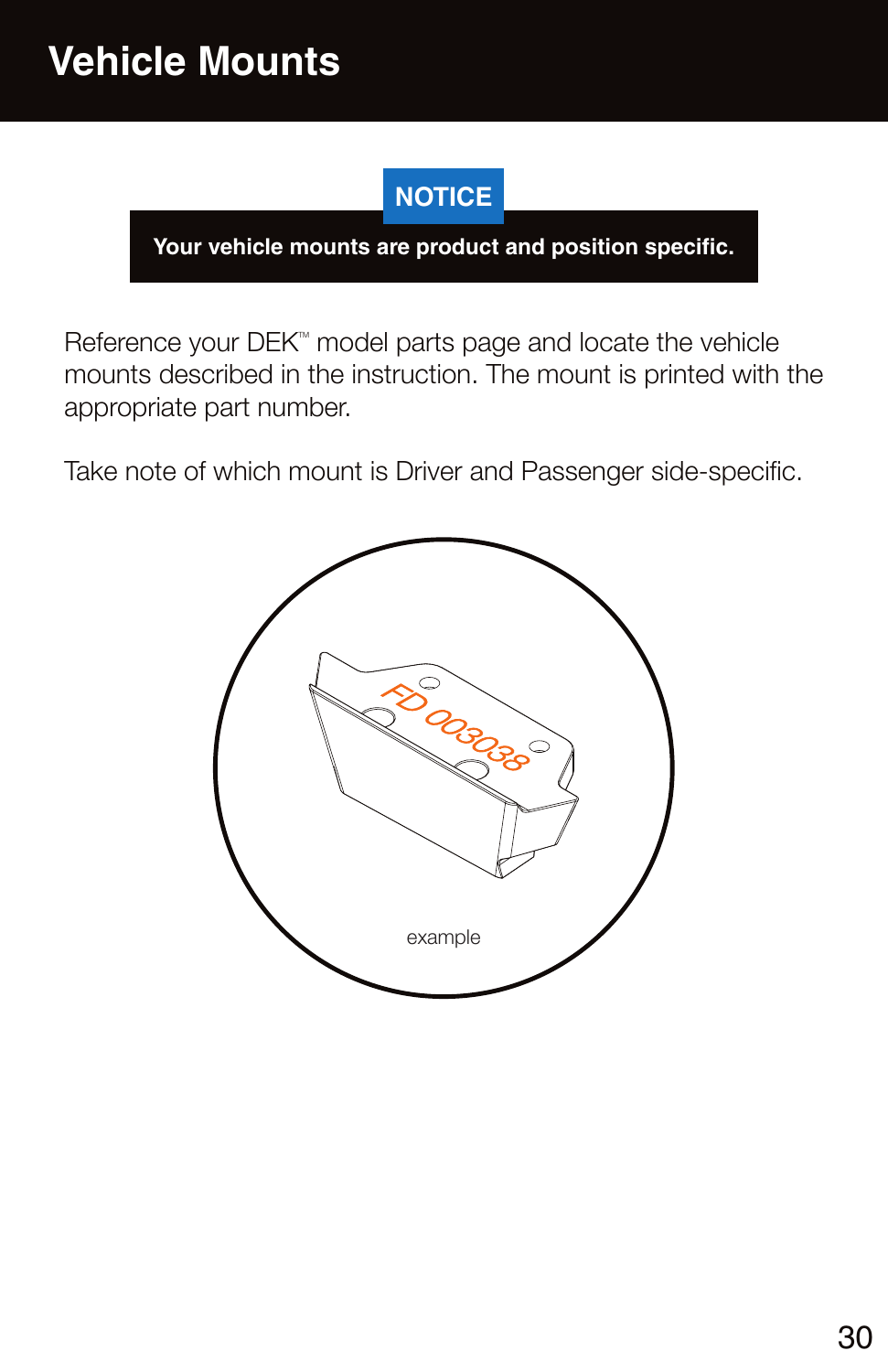
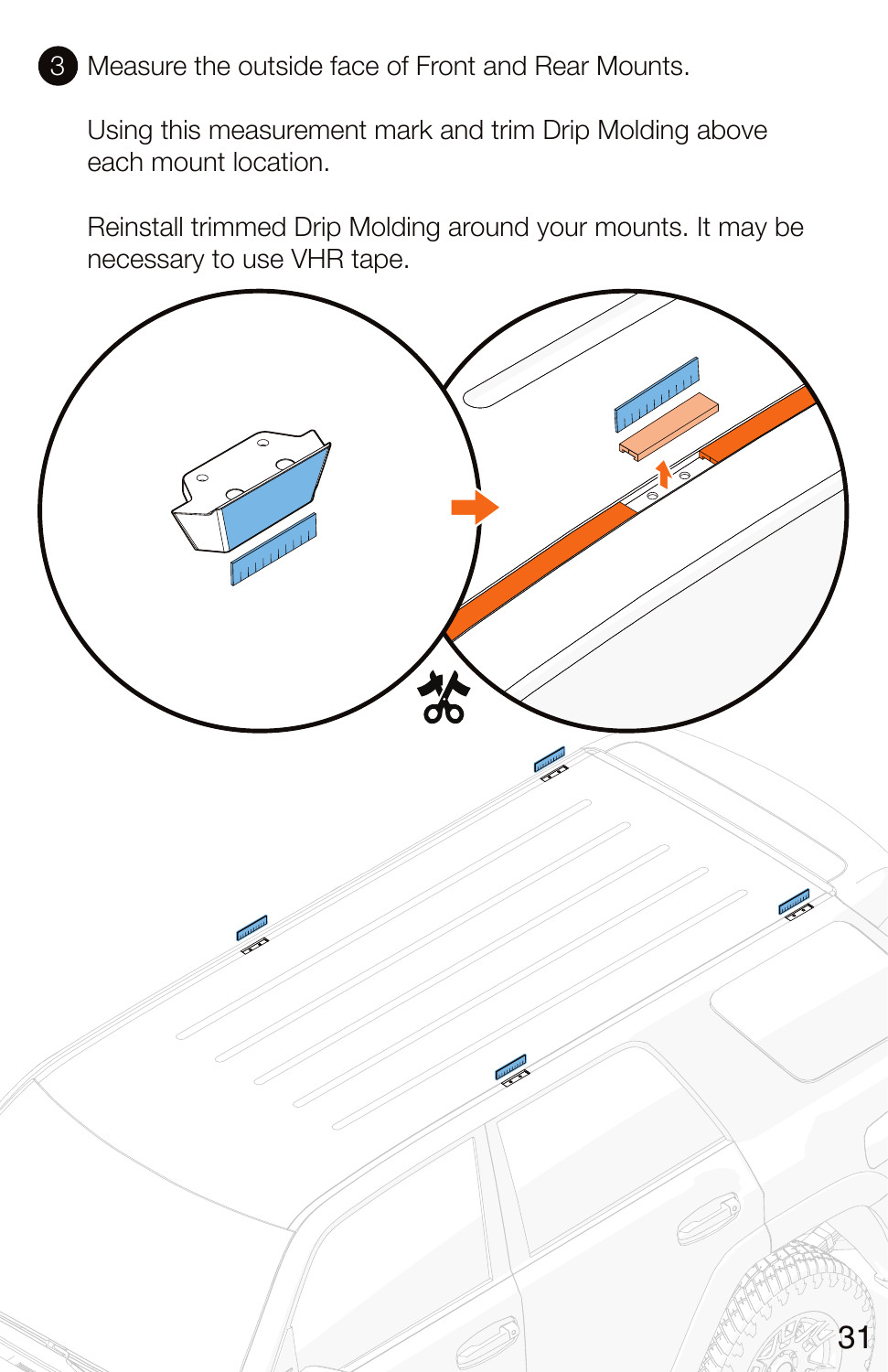
Rack warranty — original Kuat pages

Tools and lighting hardware
Have a 4mm Allen key, 5mm Allen key and 10mm wrench ready; SS40 wind deflectors also require a T20 Torx driver. Keep the tools and sealant required by the Kuat rack manual available.
- SS5: matching left/right brackets and standard corner caps, M6 split washers and M6 × 14 screws, two 2-inch paint-protection pads and a fir-tree connector clip.
- SS40: matching brackets, longer 40-inch corner caps, M6 split washers and M6 × 14 screws, 10-inch wind deflectors and longer M4 × 35 Torx screws with nylon patch.
- Both: the matching harness, zip ties and one-metre adhesive wire hider.
1. Fit the matching corner caps
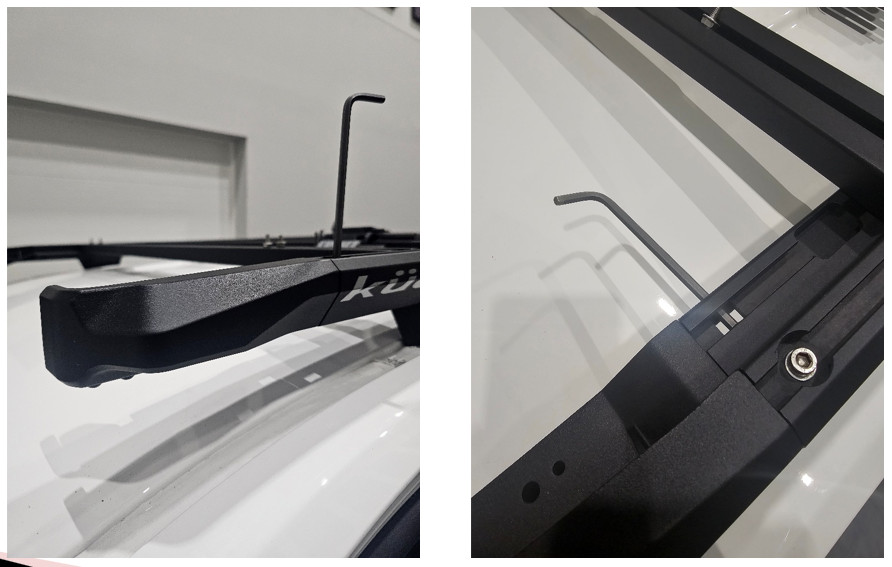
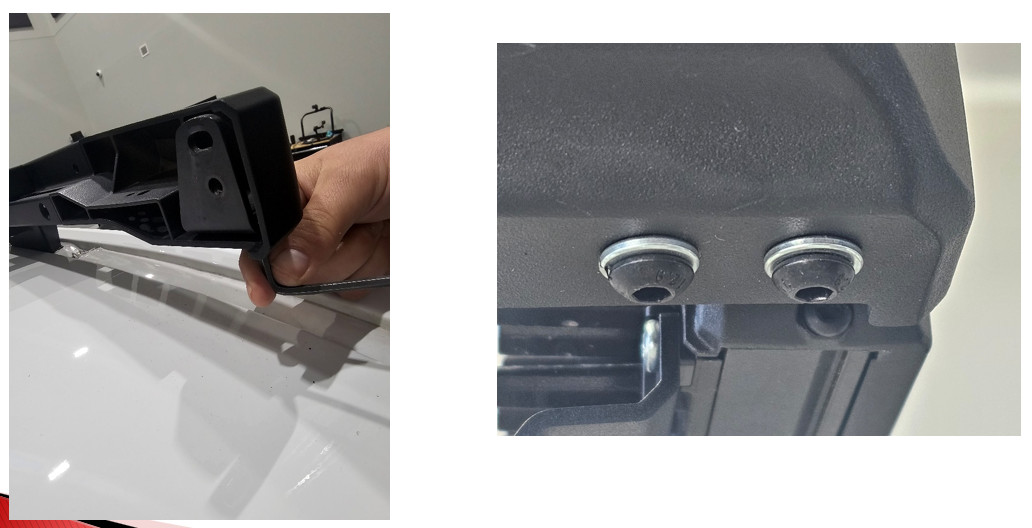
Use the 5mm Allen key to fit the left and right corner caps as directed by Kuat. SS5 uses the standard caps; SS40 uses the longer 40-inch lightbar caps. Seat the caps fully on the side rails.
2. Loosely attach the light brackets
Fit each matching bracket using the M6 split lock washers and M6 × 14 button-head screws with a 4mm Allen key. Leave the screws loose for alignment.
3. Assemble the seven-pod SS5 bar, if selected
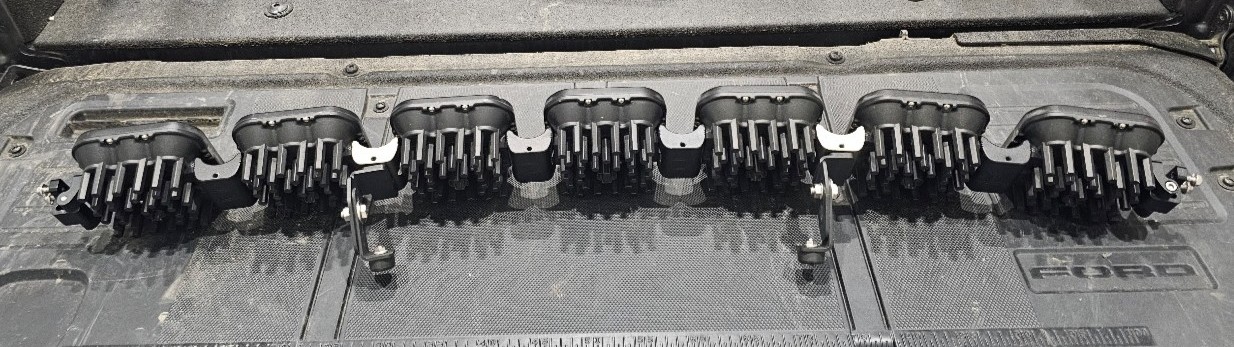
Skip this step for SS40. Position the SS5 links in the first or second notch for a straight or slightly curved arrangement. Daisy-chain the seven pods using one fewer linking connection than pods. Use the terminating splitter at the far end, opposite the main power-harness connection, to join the final two pods. Leave the main power connector accessible.
4. Mount and align the lights
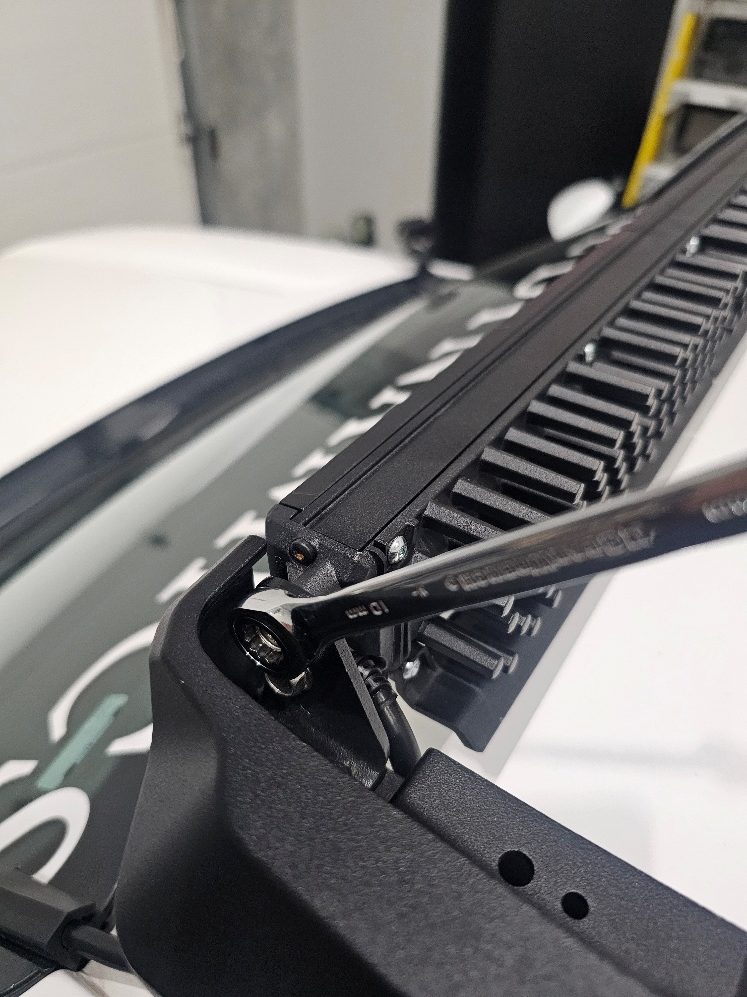
Use the lights’ supplied mounting hardware and a 10mm wrench to attach the SS5 assembly or SS40 bar to the brackets. Centre it in the rack opening and adjust the aim. Tighten the previously loose M6 × 14 bracket screws and verify that the lights and brackets are secure.
5. Fit SS40 wind deflectors
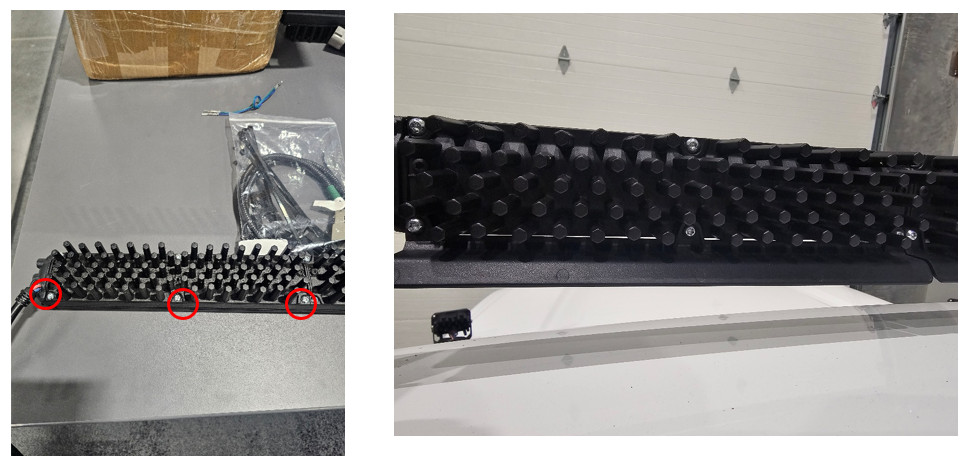
For SS40 only, remove the bottom three screws on the back of each 10-inch segment with the T20 driver. Fit the wind deflector and replace those screws with the supplied longer M4 × 35 screws with nylon patch. Tighten these screws to 10–15 in-lb—inch-pounds, not foot-pounds. Do not apply this value to rack or roof fasteners.
6. Protect the paint and support the SS5 connector
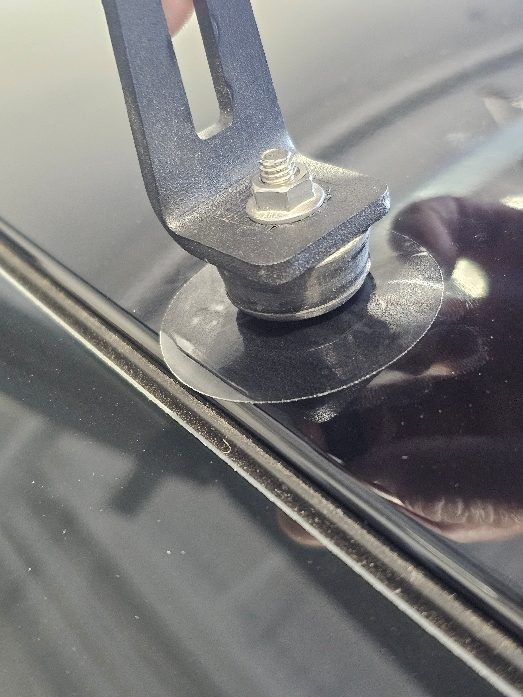
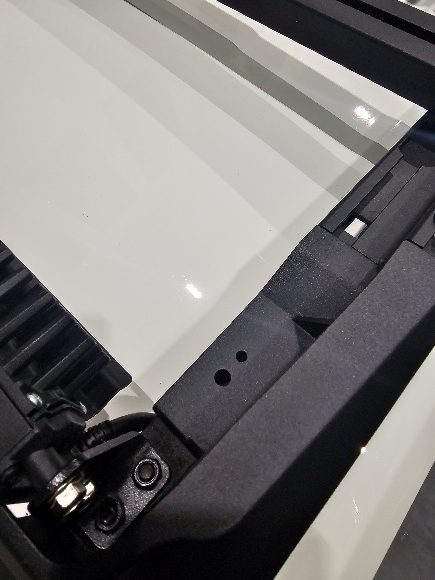
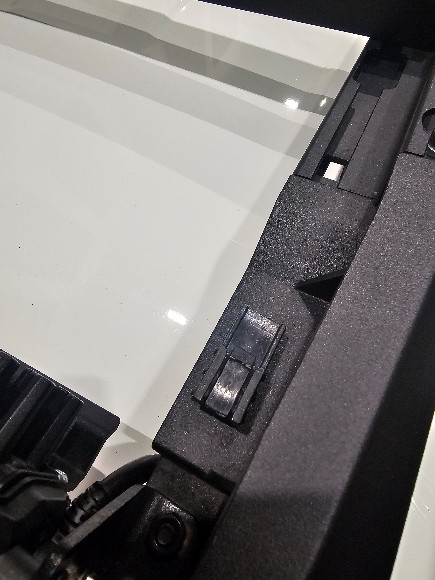
For SS5 only, clean the roof where the support bumpers touch. Apply the two clear 2-inch protection pads at those contact points. Fit the black fir-tree clip into a corner cap, then secure the CrossLink connector to the clip.
7. Route the harness without trapping it
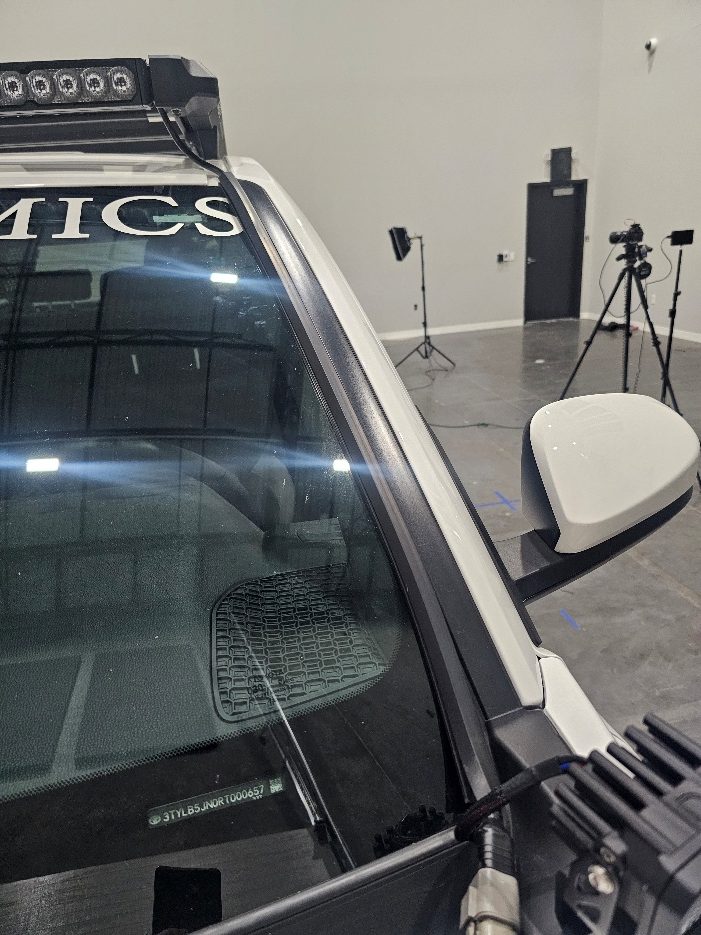
With power isolated, connect the matching harness to the light assembly. Choose the driver- or passenger-side windshield route, clean the glass edge and fit the adhesive wire hider. Secure the remaining wiring with zip ties, clear of sharp edges, hot parts and moving components.
8. Complete power and switch connections
Follow the instructions supplied with the included harness. The DEK lighting guide identifies Black as the ground connection to battery negative and Red as the positive supply. Preserve the harness fuse and relay arrangements; do not substitute factory wire colours or bypass protection.
Use the vehicle manufacturer’s wiring path where possible. Choose a safe switch position and protect any firewall pass-through. A switch mounting hole may be required even though the rack uses existing roof mounts. Restore power safely, test all modes, check aim and secure the relay, fuse holder and surplus wiring away from heat or movement.
Operate the selected light package
White SS40: White main beam and Amber-only backlight, without a startup sequence.
Dual Color SS40: SmartSelect cycles the main beam between White inner segments, Selective Yellow outer segments and the full bar. Its backlight combines Amber outer segments with selectable-colour inner segments and a startup sequence.
SS5: all seven pods have a White Driving main beam and selectable accent backlighting. Main-beam operation and backlight selection are separate functions. Follow the control instructions supplied with the exact lights; do not use a fog-light programming sequence for this roof package.