

BTS installation guide
Mount the universal Stand-Off D-Switch bracket
For DD8576 bracket-only and DD8840 complete kits. Select a suitable flat surface and check behind it before drilling.
Choose the location and gather tools
Use an 8 mm socket, T25 Torx driver, 7/32-inch drill bit and marking tool. Check both sides of the mounting surface for wiring, hoses and components. Allow access to the hub terminals and service items. This is a universal mounting procedure, not a confirmed factory location for every truck.
1. Mark four mounting holes
Hold the bracket against the selected surface, choose four suitable mounting holes and mark their centres. Use the actual bracket as the template.
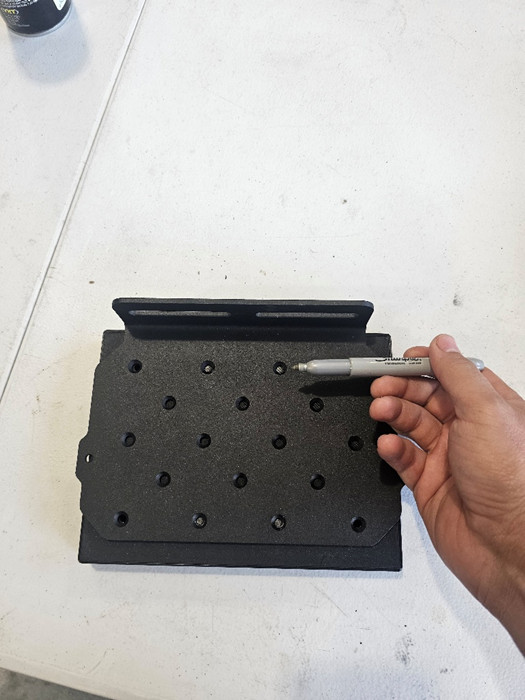
2. Drill the marked surface
After verifying the area behind the surface is clear, drill the four marked holes with the 7/32-inch bit.
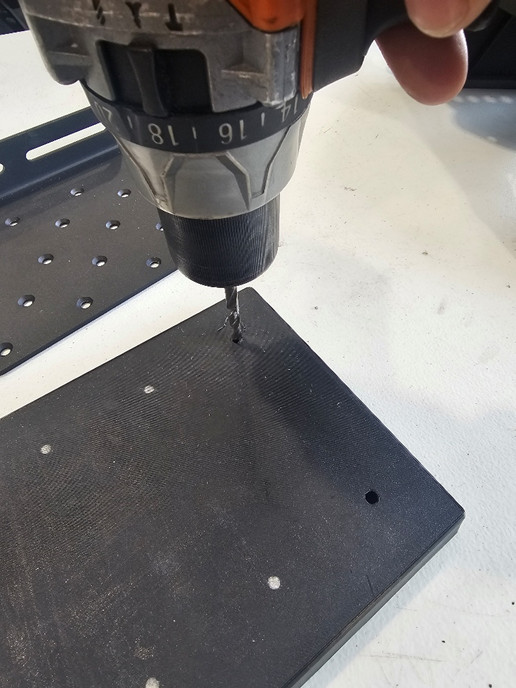
3. Fit the bracket and spacers
Insert the screws through the chosen bracket holes and the surface. Place the supplied 15 mm spacers between the bracket and surface. Secure the nuts with the T25 driver and 8 mm socket.
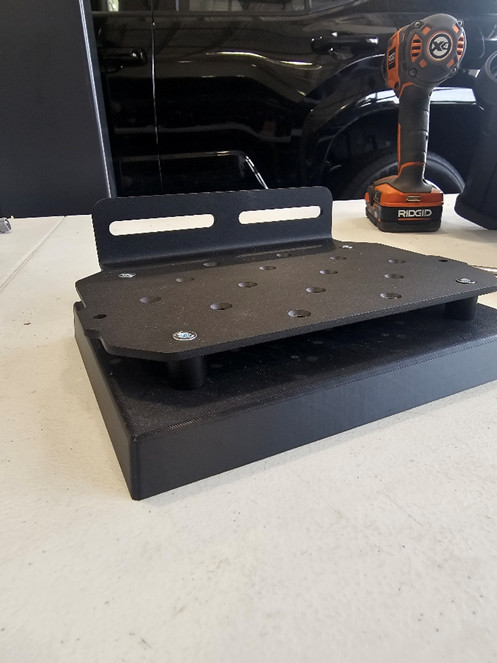
4. Attach the electrical hub
Use the fasteners supplied with the D-Switch kit to attach the hub to the designated plate holes. The bracket-only package does not contain a hub. Check clearance, secure mounting and access before connecting any wiring.
5. Optional side mounting
The outer flange provides another mounting method. Position the bracket, mark the side surface and use suitable hardware up to M8. Side-mounting fasteners are not included. Recheck access and clearance with the hub fitted.
Use the original wiring and programming manual
Mechanical mounting is only the first part of the installation. The complete D-Switch is a 9–16 VDC system with a 125 A total maximum, separate 15 A / 30 A channels and a 15 A combined backlight bus. Follow the manual’s fused supply, wire sizing, grounding, trigger and programming instructions; do not add the channel ratings together as a permissible continuous system load.
Open the original D-Switch electrical and programming PDF
Manufacturer system overview. Accessories and lamps are separate.
Parts and original mounting guide
More Tacoma lighting help
Shop the Tacoma lighting range · Read the lighting buying guide