

BTS installation guide · SS10 Chase
Wire and program an SS10 Chase light
Mount the universal bar, connect verified function signals and select the brake and chase patterns with SmartTap.
Plan the mounting and signal sources
This is a universal procedure, not a Tacoma-specific connector diagram. Choose a suitable rear-facing mount and identify the correct brake, reverse/work and switched chase circuits using vehicle service information and a multimeter. Keep all factory lamps operational. Use appropriate tools and sealed electrical connections.
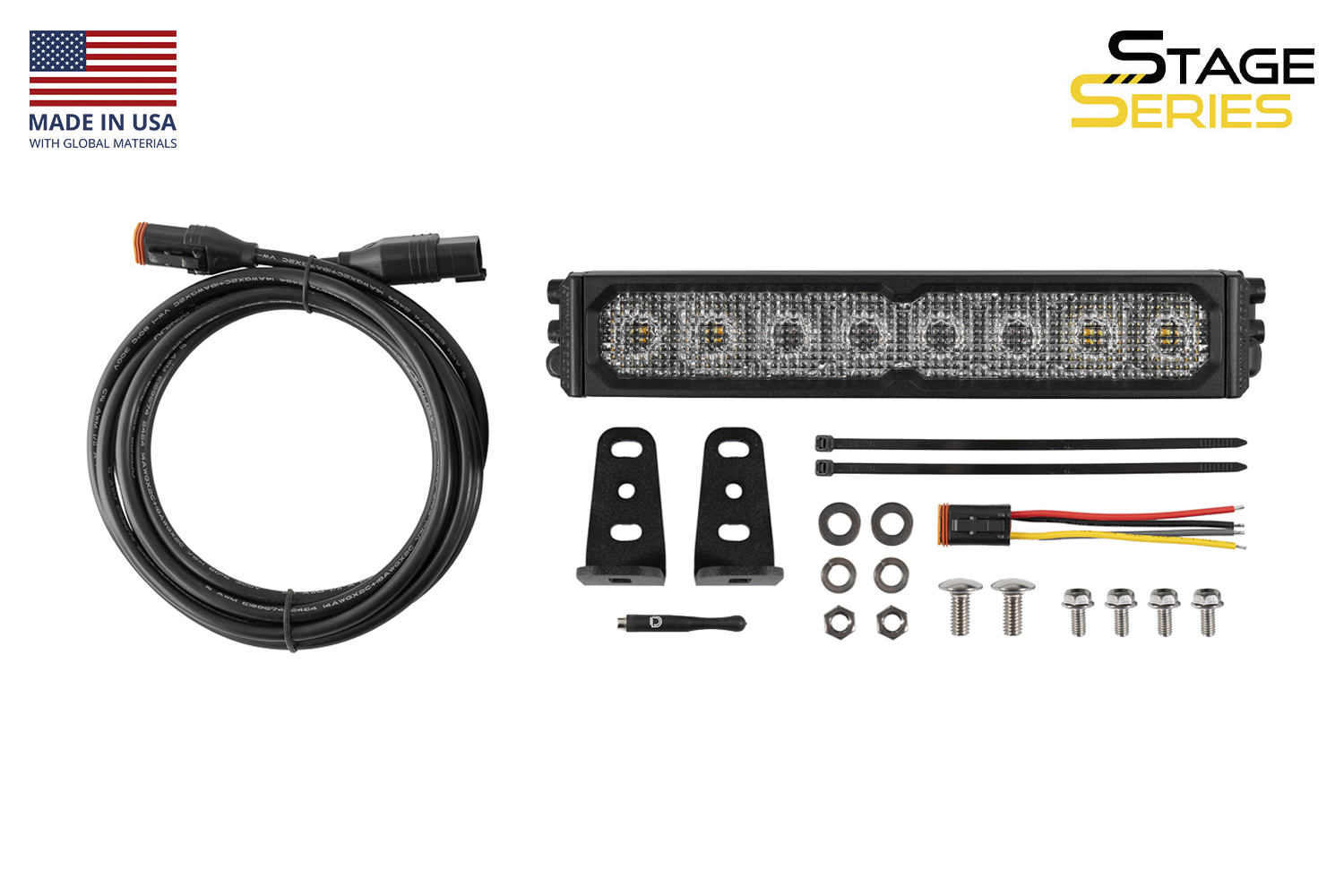
1. Identify the supplied parts
Check the light, brackets, hardware, 3m extension, pigtail and magnet before beginning.
2. Choose the mounting location
Allow clearance for the brackets, hardware and wiring. Rear bumpers, racks and suitable flat mounting surfaces may be used; additional vehicle-specific mounts are separate.
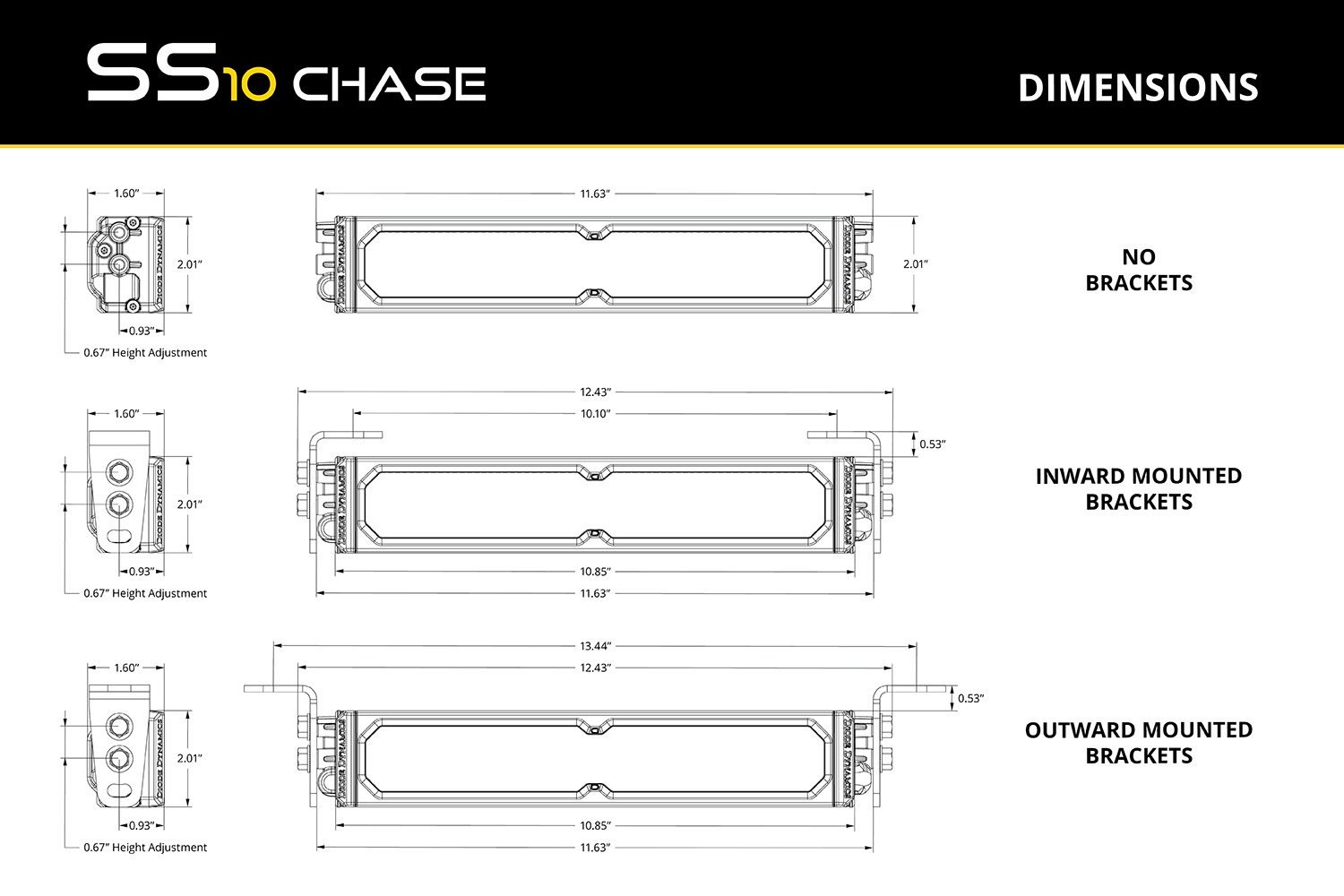
3. Attach the L-brackets
Install the supplied brackets loosely so you can adjust the light’s angle and final position.
4. Secure the light and route the cable
Use hardware appropriate for the selected mounting surface. Route the extension away from heat, sharp edges and moving components, and secure it with cable ties. Additional cable or DT extensions may be required. Diode Dynamics recommends 14-gauge wire to match the supplied harness when extending these circuits.
5. Connect the brake and reverse/work inputs
Connect Red to the verified brake signal, Blue to the verified reverse or work-light control, and Black to ground. The functions are powered when 12V is applied to their corresponding inputs; use circuits and controls suitable for the light’s load.
6. Connect the chase control
Connect Yellow to a suitable independent switch, switch panel or auxiliary controller. Applying 12V activates Chase. Keep it independently controlled from the factory brake and reverse signals.
7. Choose automatic or manual operation
Brake and reverse may follow the verified factory signals, or a suitable control may operate a function independently. Chase overrides White reverse output when both are active; the Red brake section is separate.
8. Qualify any trailer-connector connection
Only use a trailer connector after verifying the actual signals and connector arrangement on the vehicle. A combined stop/turn circuit is not automatically a clean brake-only input. Do not repin based on a generic pin number or wire colour.
9. Test and finish
Test Brake, Reverse/Work and Chase independently and together, including the Chase-over-Reverse priority. Set the aim and secure the brackets and wiring. Confirm the factory rear lamps still work normally.
SS10 wire functions
| Wire | Function |
|---|---|
| Red | Brake input |
| Blue | Reverse or work/cargo input |
| Yellow | Independently switched Chase input |
| Black | Ground |
These are the SS10 pigtail colours, not the truck’s factory wire colours. The manufacturer’s installation uses the function inputs without a separate constant-battery lead or traditional relay harness; do not assume this establishes the capacity of an existing truck circuit.
Select a SmartTap pattern
- Power only the function you want to configure.
- Find the sensor between the first and second optic from the centre, as shown.
- Pass the supplied magnet over that position. Each pass advances to the next pattern.
- Observe the light output and stop at the desired pattern. There is no separate programming indicator.
- Remove power. The selected pattern is retained.
There are 20 Yellow chase patterns and three Red brake patterns: solid, triple-flash SafetyStrobe and a slower off-road pulse.
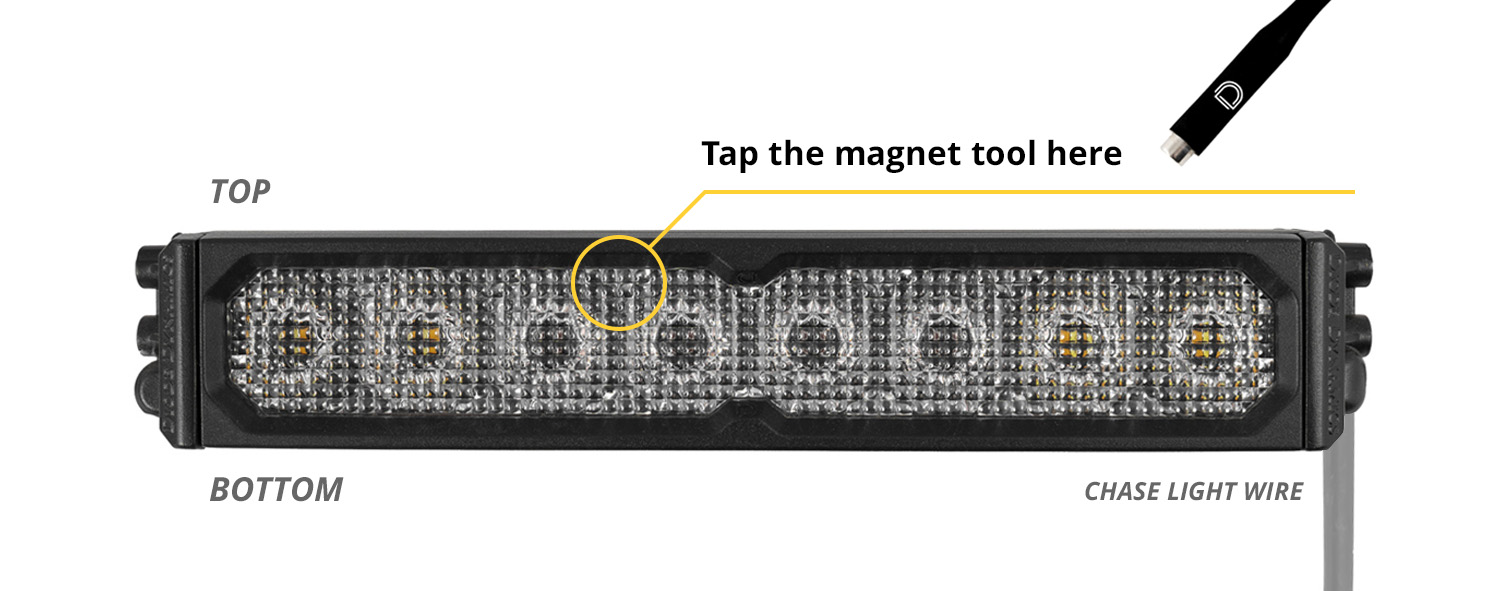
Original instructions and matching light
Manufacturer SS10 Chase instructions · SS10 Chase light and included parts