

BTS installation guide · Jeep lighting
Jeep JL/JT Morimoto XRGB Fender Chop Installation
Separate the two-piece fenders, fit LF480/LF481 and connect the factory-lighting branch and XBT controller.
Match the kit to the original fender: the Standard fender top sits about 38 mm (1.5 inches) below the hood line; the High Line fender meets the hood line. Base one-piece fenders are excluded. This installation removes the lower fender section and includes permanent trimming.
RGB colour operation is for off-road use in the US and Canada. The kit’s white DRL and amber turn-signal functions remain separate from colour effects.
Tools: trim tool, ratchet, 8 mm and 10 mm sockets, 7 mm box-end wrench, 13 mm wrench, 3 mm Allen key, T30 bit, razor and drill with a 3/16-inch bit. Switch the vehicle and lighting off for connector work.
Check the kit
1. Identify the two harnesses
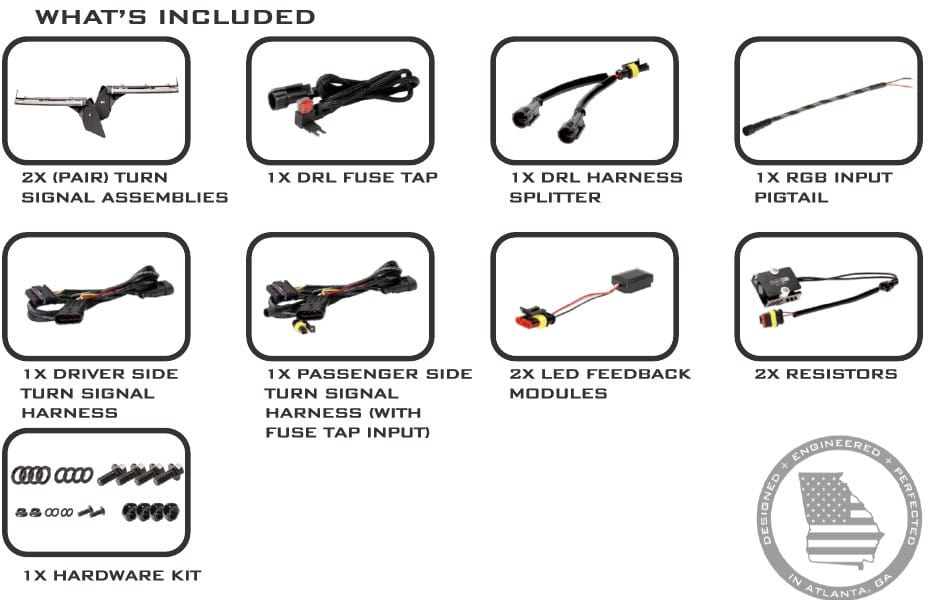
Lay out both signal assemblies, DRL fuse tap and splitter, RGB input pigtail, driver and passenger harnesses, feedback modules, resistors and hardware. The passenger harness has the additional power connections.
Remove the original fender lights
2. Open the liner and disconnect the harness
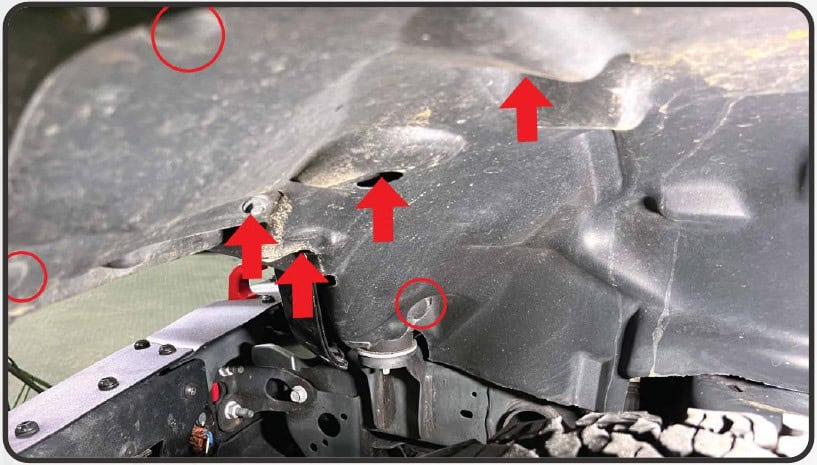
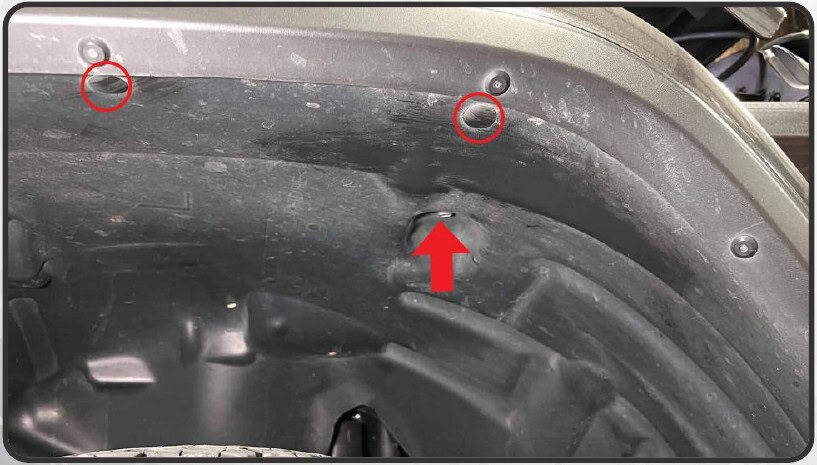
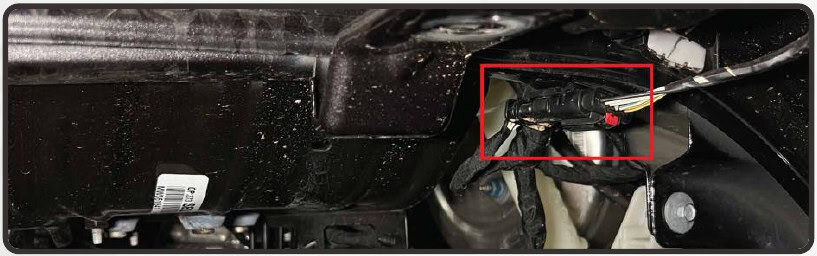
Remove the front three push clips and four 10 mm bolts, then the rear 10 mm bolt and two clips. Lower the liner and release the red lock on the middle fender connector before unplugging it.
3. Release the fender
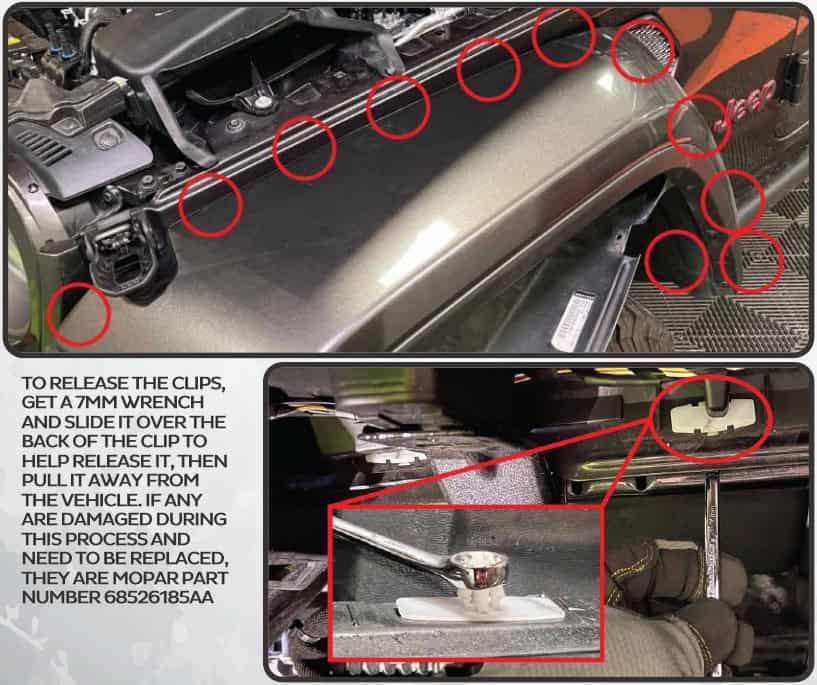
Compress each of the eleven body clips with the 7 mm wrench and release it while holding the fender away from the body. Replace damaged clips. Place the removed fender on a soft, padded surface.
4. Remove the factory lighting
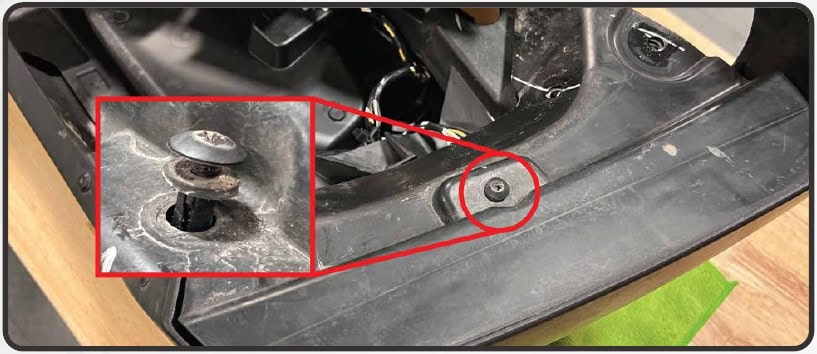
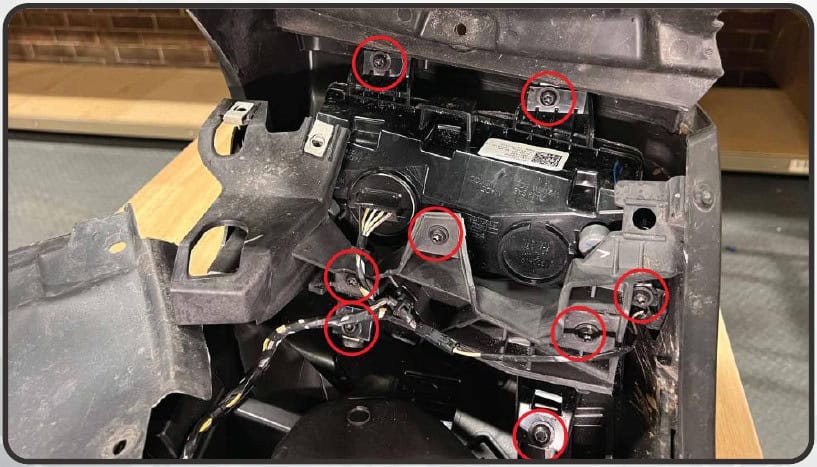
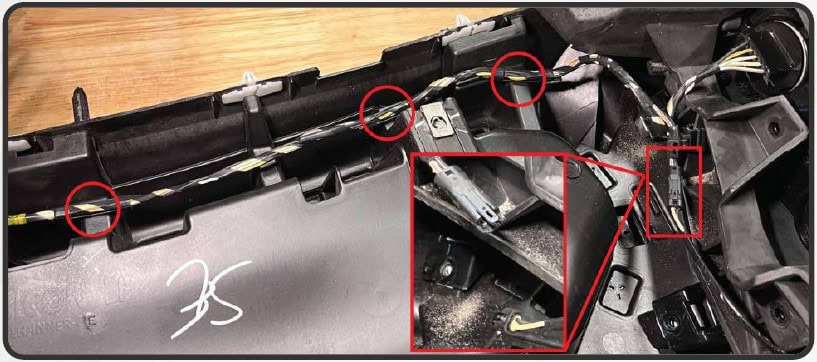
Release the Phillips push clip and raise the flap. Remove the eight T30 screws, keeping their positions organized. Free the wiring clips, unplug and remove the side marker, then swing the bracket aside and release the turn-signal housing from its adhesive strip.
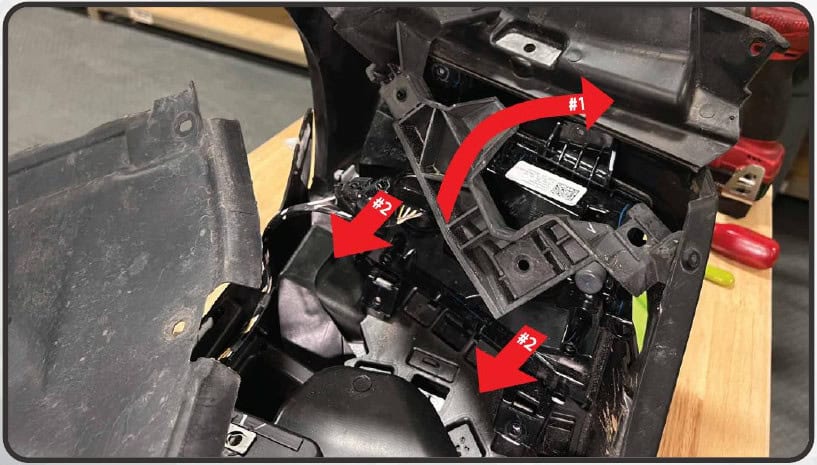
Separate and trim the fender
5. Separate the upper and lower sections
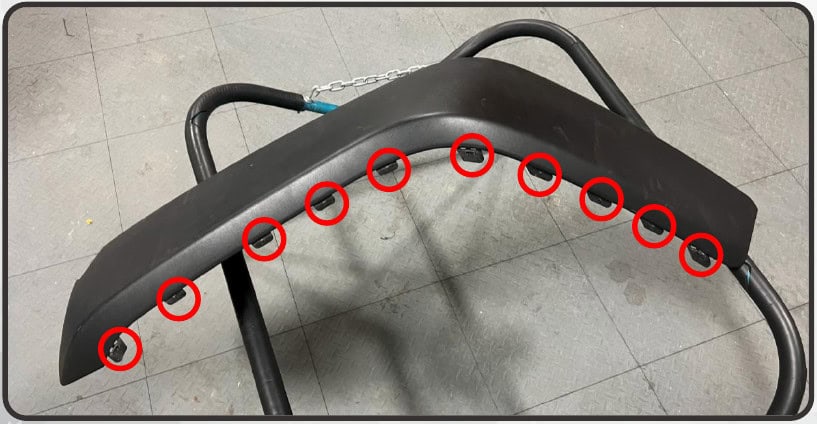
Remove the white plastic clip in the signal cavity. Start separating the two halves at that cavity and work back, releasing the blue clips along the outside edge and the small centre tabs.
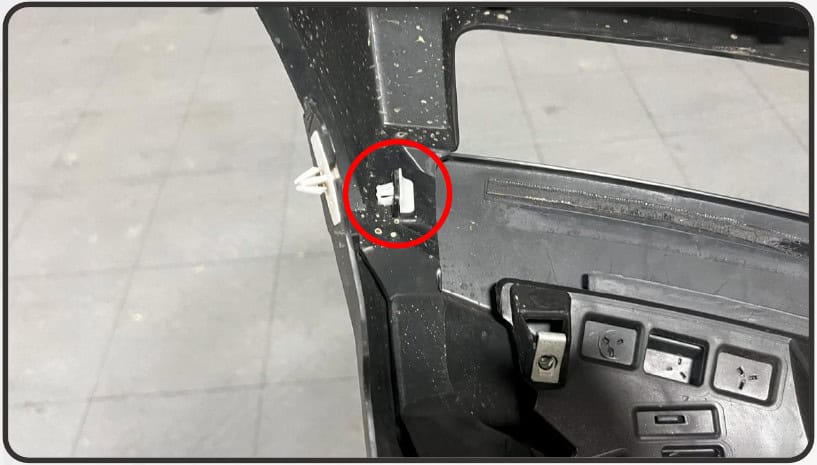
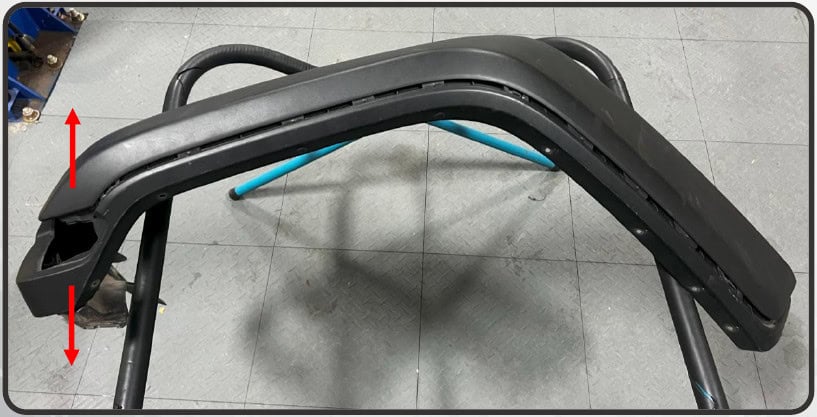
6. Remove the brace rivets and remaining tabs
At the lower rear brace, push the centres of the two plastic rivets through with a pick or small screwdriver; the manual also permits drilling or cutting them off. With the lower section removed, carefully trim the remaining outer tabs from the upper fender with a razor, cutting away from your body. Repeat removal and trimming on the other side.
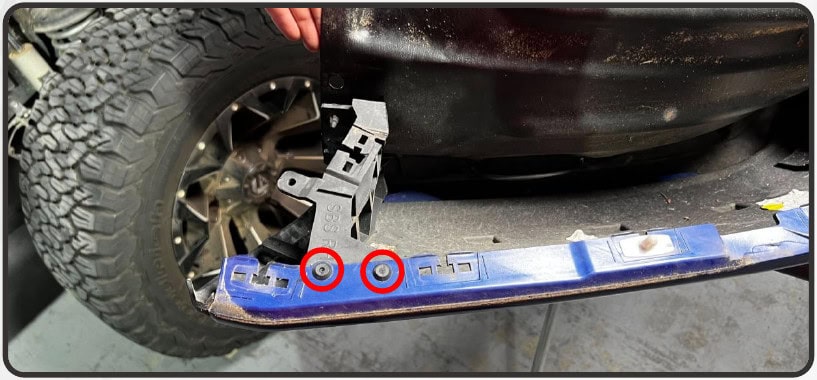
Install and wire the XRGB kit
7. Fit the assemblies and side-specific harnesses
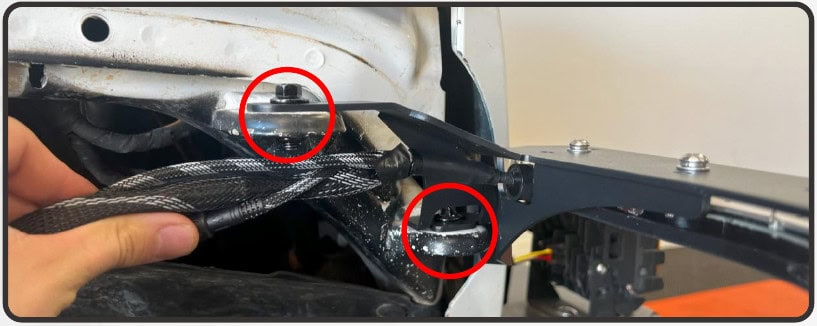
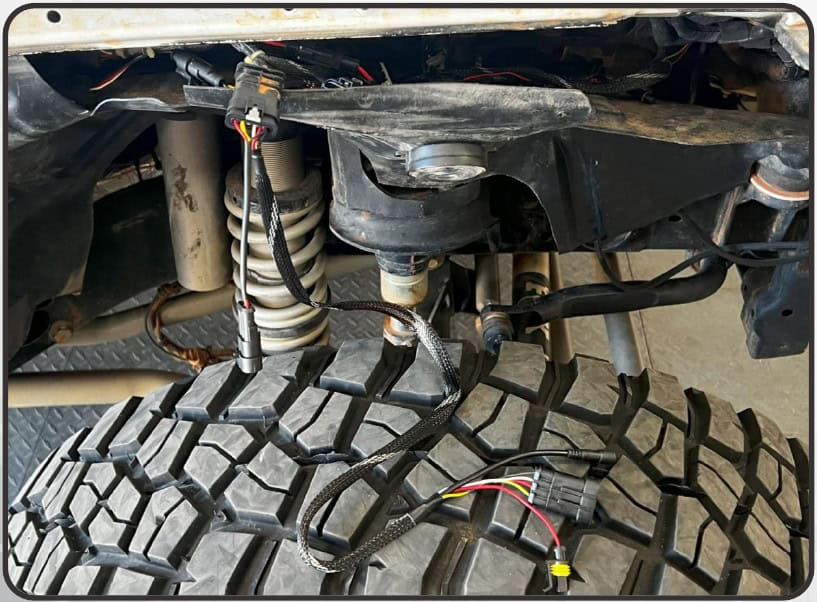
Mount the new turn-signal assembly at the original fender position with the provided 10 mm bolts and 13 mm nuts. Connect the side-specific harness to the factory signal connector. Use the harness with the extra power connections on the passenger side.
8. Select the correct feedback connection
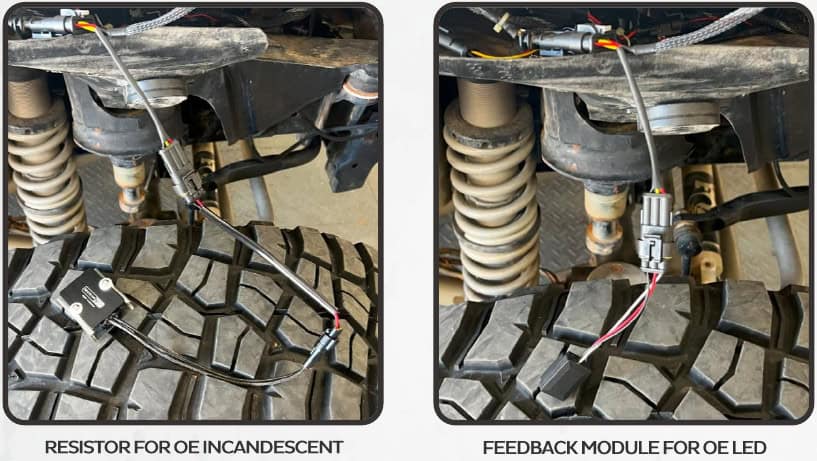
At the three-pin connector, use the included resistor for factory incandescent DRLs/turn signals or the LED feedback module for factory LED equipment.
9. Connect the DRL fuse tap
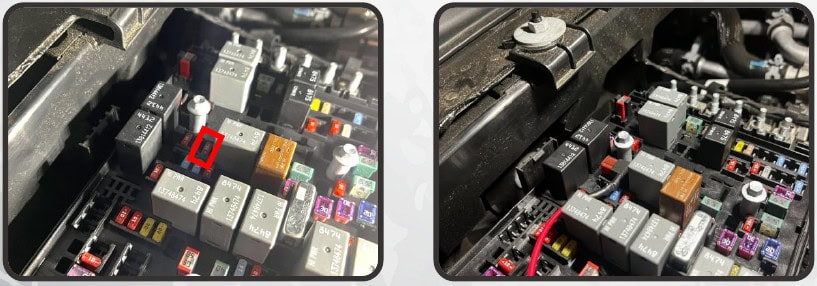
Locate the 10 A fuse in position F34 and install the supplied fuse-tap harness in that slot as shown. Route the lead forward from the fuse box to the matching signal-harness connector. If the Super7 halo kit is also fitted, the manual specifies sharing this tap with the included splitter.
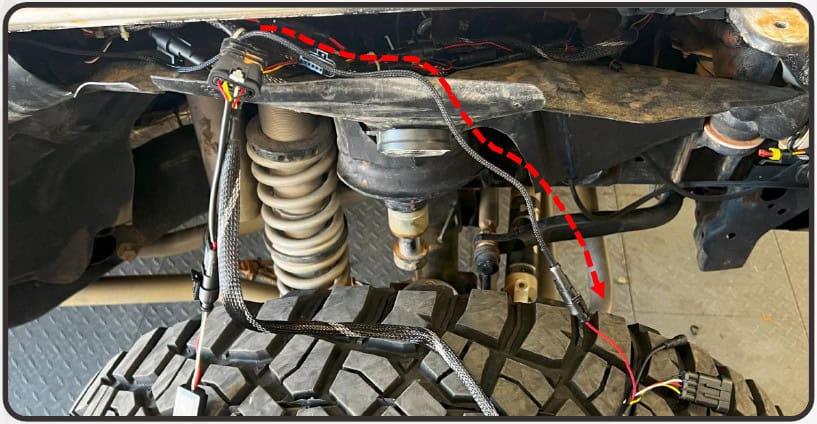
10. Connect the assembly and RGB power
Connect the four-pin assembly plug to its matching signal-harness connector. On the passenger side, joining the two-pin barrel connectors powers the RGB controller with ignition on. For operation when the ignition is off, the manual instead uses the supplied RGB input pigtail connected to a suitable switched power and ground source; this alternate feed must be correctly specified for the installation.
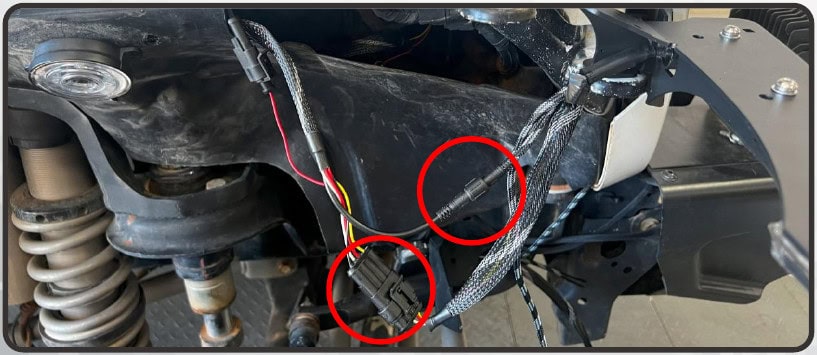
11. Join the crossover and test
Route the crossover along the upper radiator support and connect it at the centre. Check the lighting functions, then secure the wiring so it cannot rub or catch as the fenders are refitted.
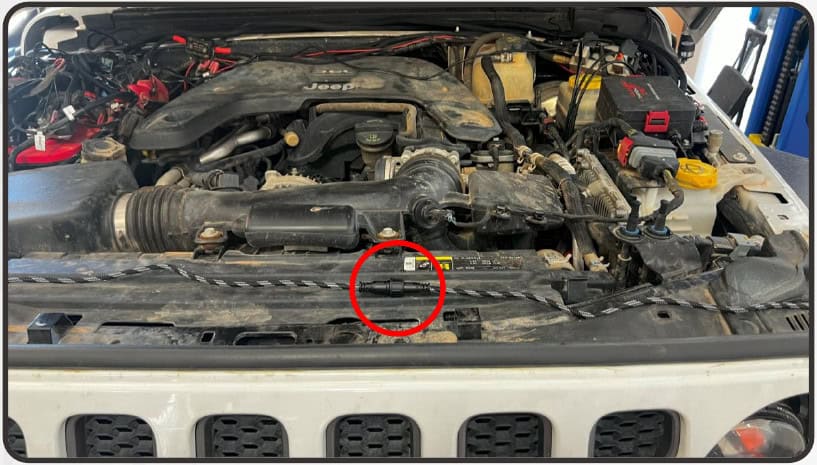
12. Secure the fender to the new support
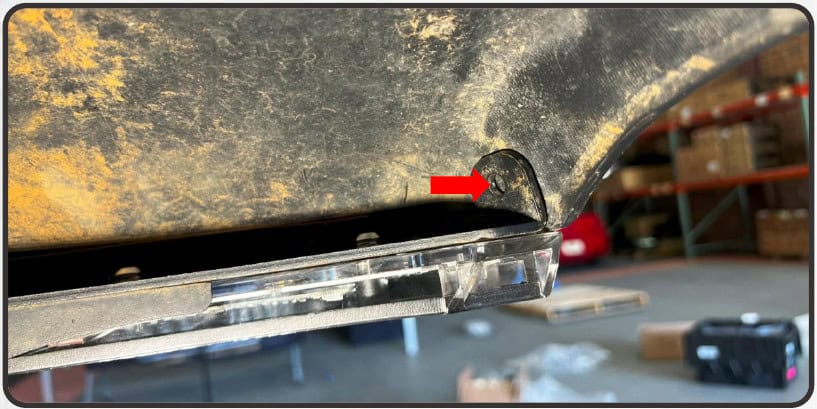
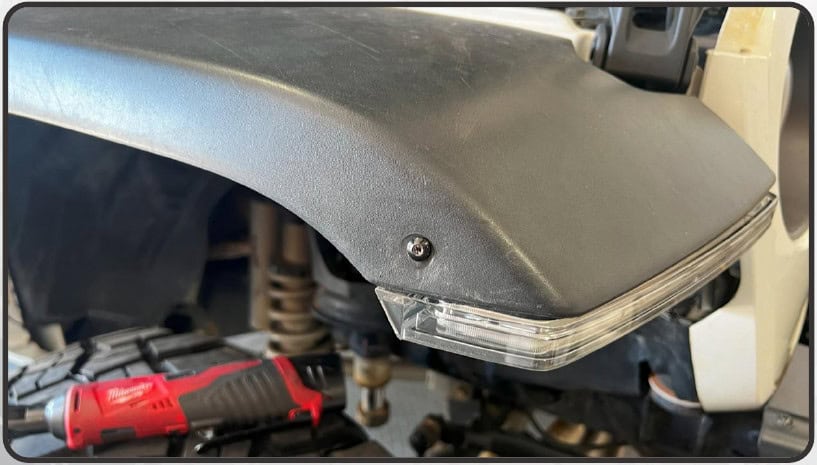
Position the fender and mark the liner above the new bracket. Check behind the marked position, drill a 3/16-inch hole, then secure it with the supplied pan-head screw using a 3 mm Allen key and the 8 mm nut. The manual notes tape as an alternative but identifies the fastener as the more secure attachment.
Set up the XBT controller
13. Pair the app
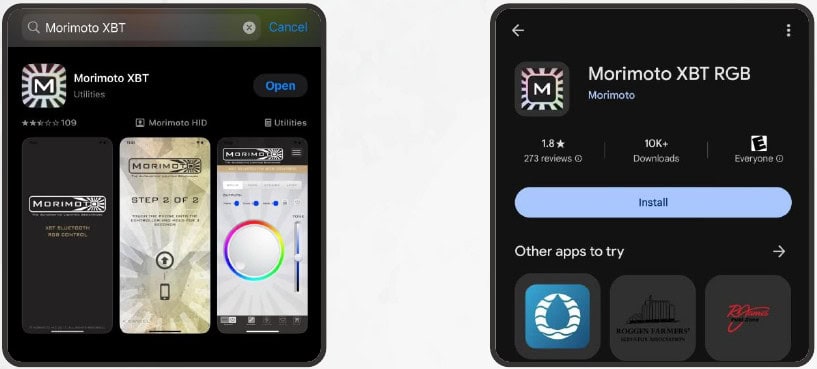
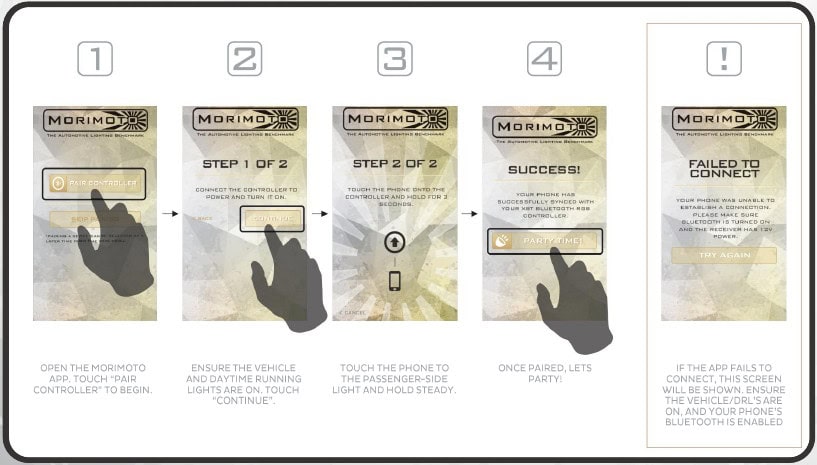
Install the Morimoto XBT app for iOS or Android. Follow the app’s connection process with the vehicle and daytime running lights on. The original pairing panel shows the phone held near the passenger-side light during connection. If connection fails, check permissions and Bluetooth as directed by the app.
14. Select white DRL operation
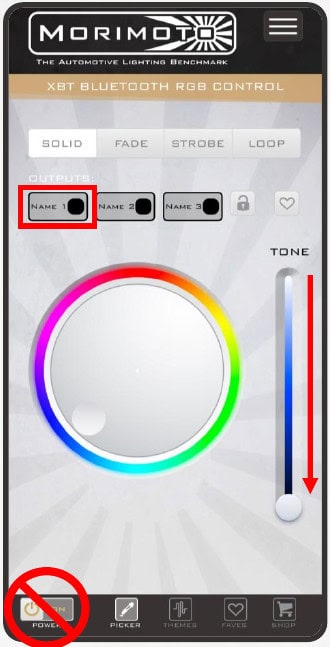
Choose Output 1. Move the Tone control on the right fully down to select the dedicated white DRL. The lower-left power toggle shuts the controller off; the manual says ignition must then be cycled off and back on to restart it. The controller defaults back to white when the vehicle starts.
Watch the manufacturer video
Manufacturer video linked from the exact product or installation page. Follow the written equipment branch for your vehicle.
Instructions and matching products
Open the original Morimoto PDF (16 pages)
Original technical photographs and diagrams: Morimoto. BTS explanatory text prepared from the linked instructions and current product information, checked October 24, 2026. No revision number is printed on the retained manual unless shown in the original file.
Morimoto XRGB fender chop kit
Fitting the matching halos too? Use the Super7 halo guide for its harness and driver connections.