

BTS installation guide · Jeep lighting
Jeep JL/JT Morimoto Super7 Halo Installation
Fit the LF479 halos to Super7 projectors and connect their drivers, XBT controller and vehicle harness.
LF479 is the Super7 halo accessory for the JL/JT installation shown here. It is not a universal ring for unrelated 7-inch headlights. Keep the original headlight’s orientation and use the separate Super7 guide for removal, refitting and aim. Use colour-changing effects only where permitted.
Prepare a Phillips screwdriver, T10 driver, 10 mm socket, ratchet and trim tool. Work with the lighting off and protect the projector on a soft towel.
Parts and projector assembly
1. Lay out the halo components
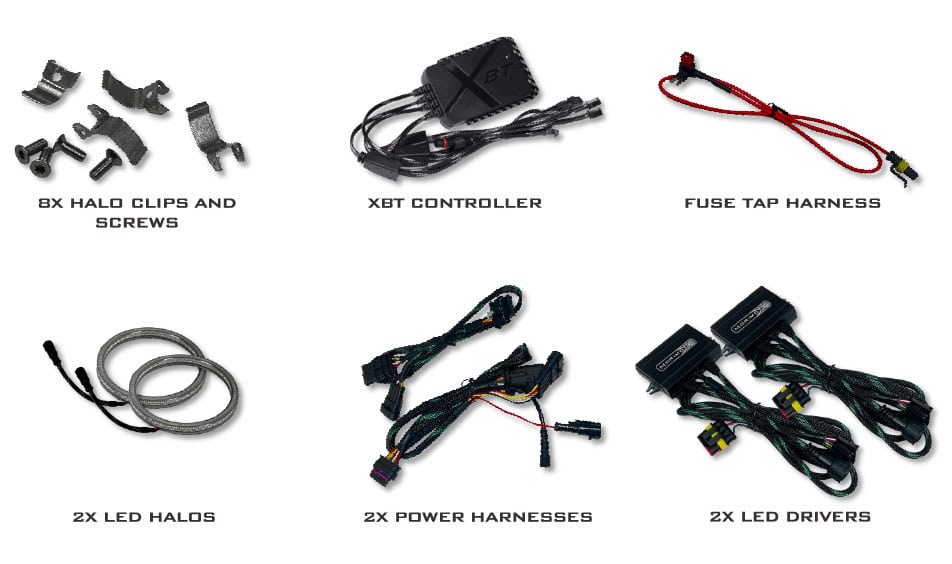
The manual shows eight halo clips and screws, two halos, two power harnesses, two LED drivers, the XBT controller and a fuse-tap harness.
2. Remove the projector from its bucket
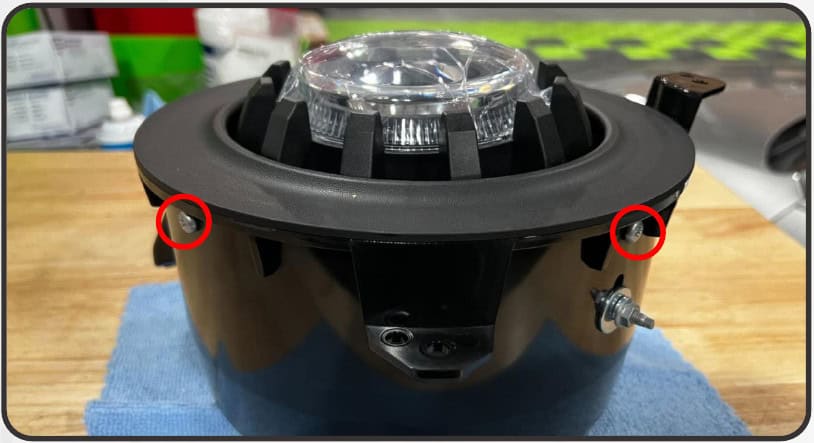
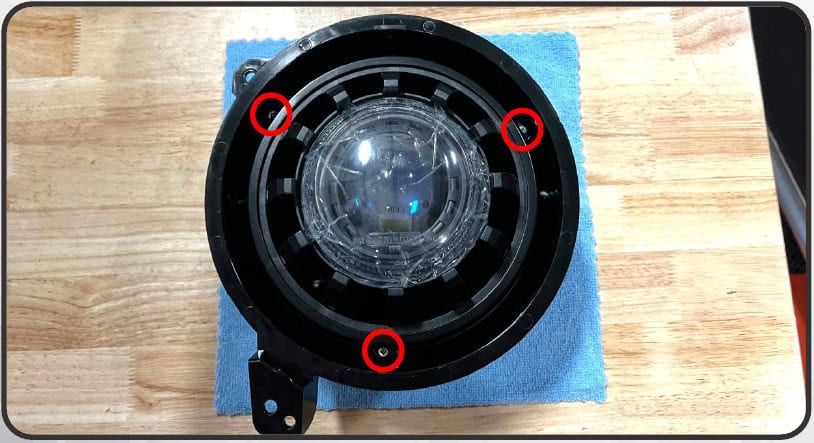
Remove the four Phillips screws around the outer bezel and lift the bezel away. Remove the three Phillips screws holding the projector mounting ring, then lift out the ring and projector.
3. Fit the halo clips
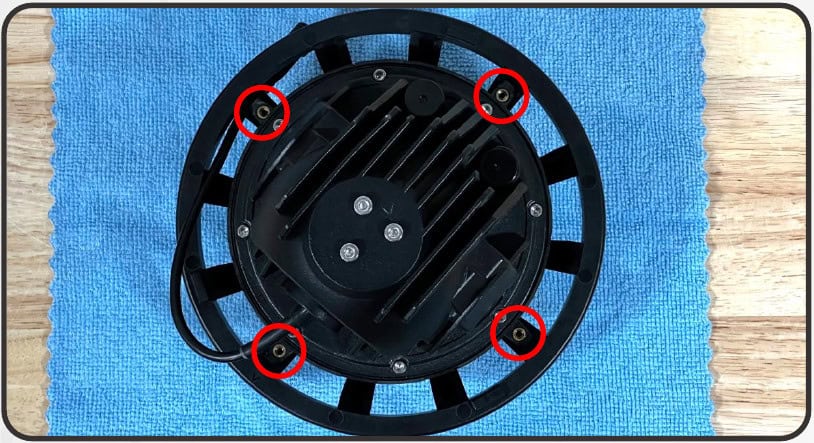
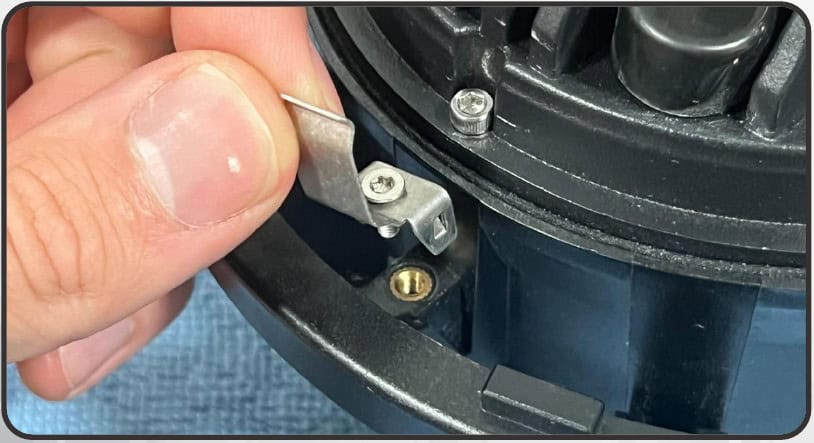
Place the projector face-down on a soft towel. Locate the four threaded inserts on the back and secure one supplied halo clip at each insert using the T10 screws.
4. Snap in the halo and reassemble
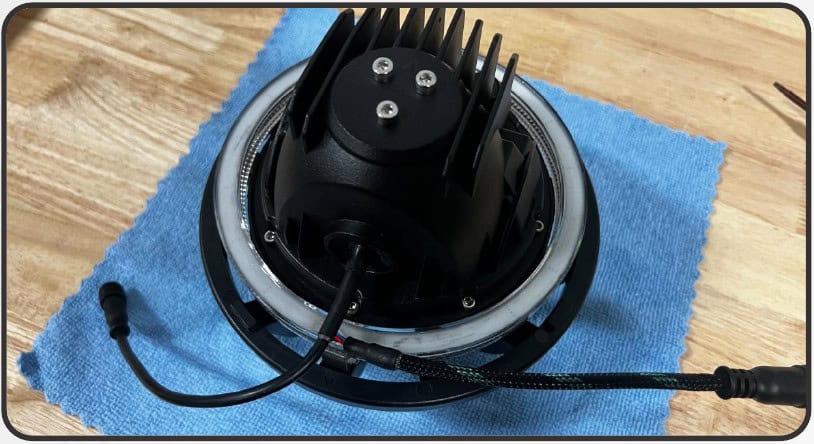
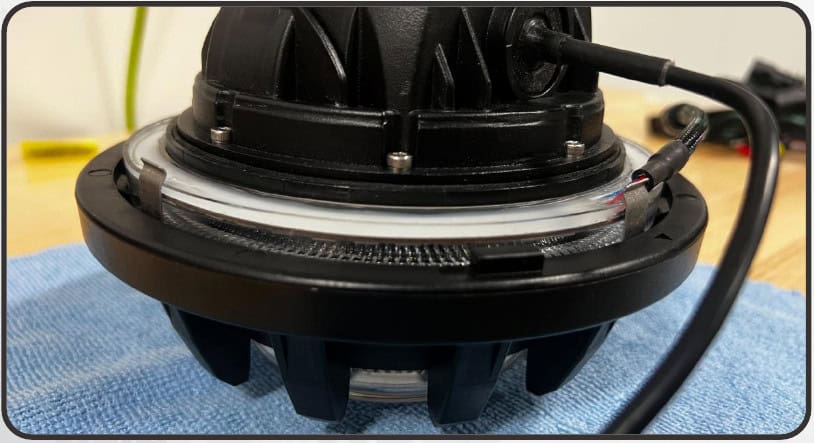
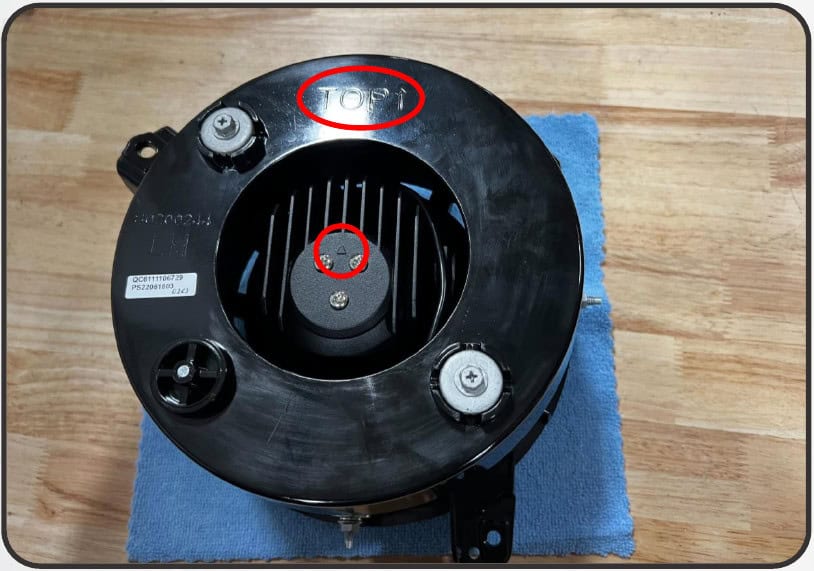
Seat the halo on the rear of the projector until it snaps into the clips. Reinstall the projector and ring, aligning the UP arrows on the projector and headlight assembly. Refit the bezel, then repeat on the other headlight.
Install the vehicle harness
5. Access the passenger-side fender connector
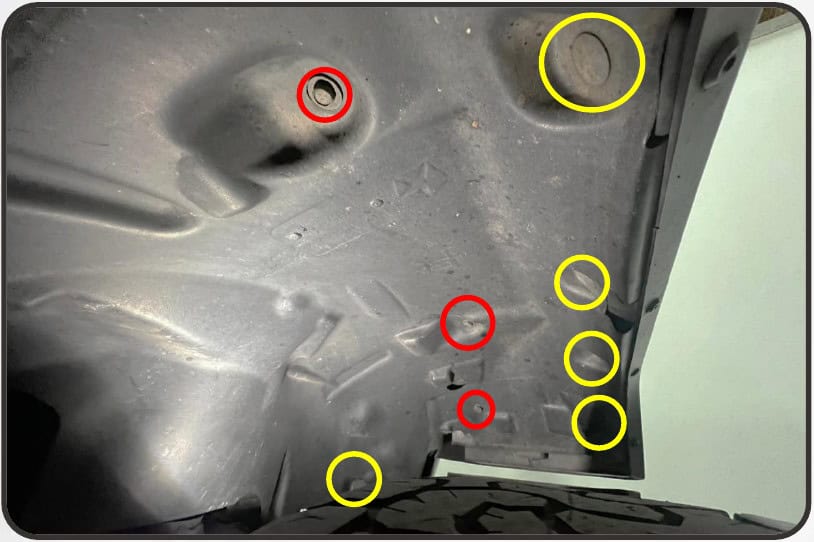
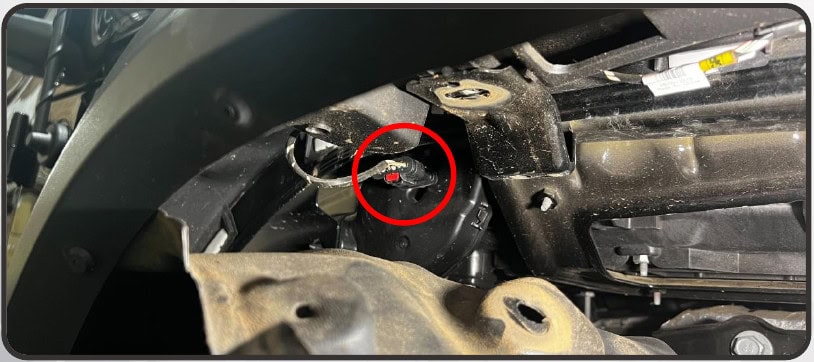
Remove the three 10 mm bolts and five push clips identified at the passenger liner. Lower the liner and disconnect the main fender-light connector behind it.
6. Fit the passenger harness
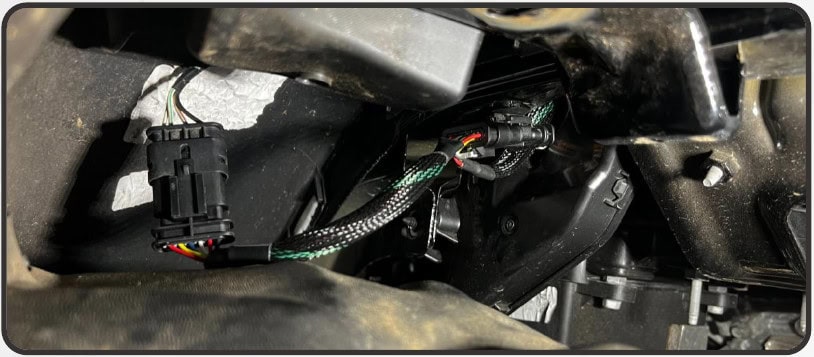
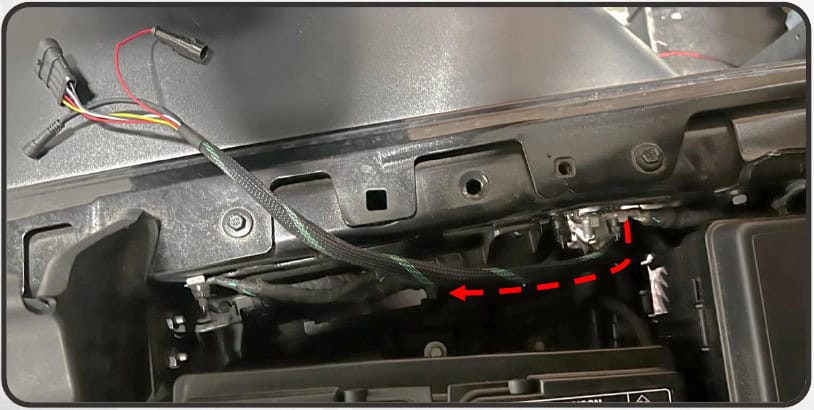
Use the power harness with the red fuse-tap input. Insert its short section inline with the disconnected fender-light harness. Route the longer section through the adjacent opening into the engine bay near the battery, then refit the liner.
7. Connect the driver and controller leads
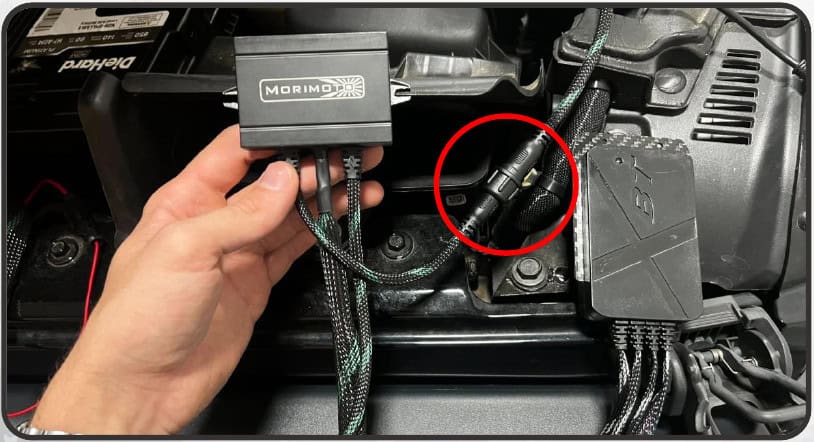
Connect the large four-pin LED-driver connector to the matching power-harness plug. Connect the small five-pin XBT-controller output to the matching driver connector.
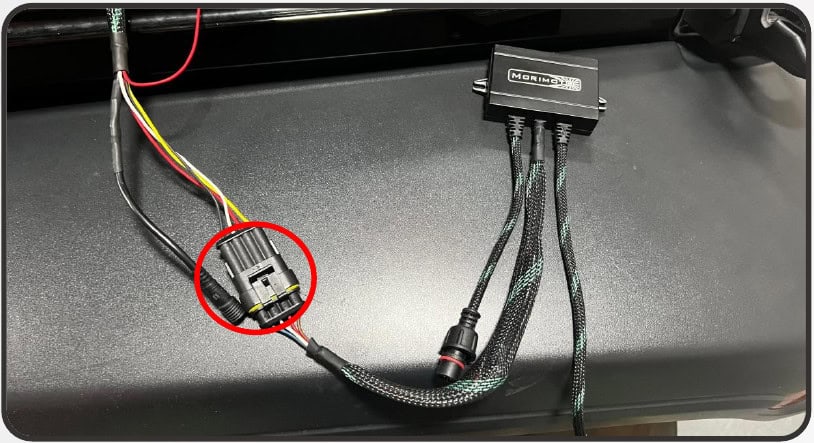
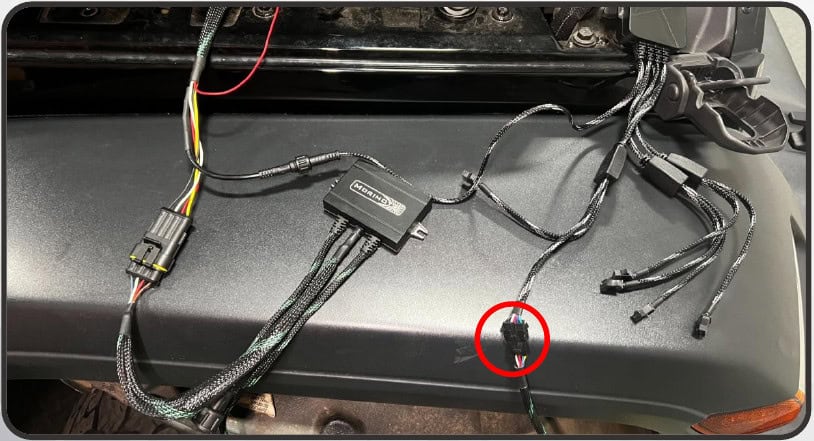
8. Repeat on the driver side and connect F34
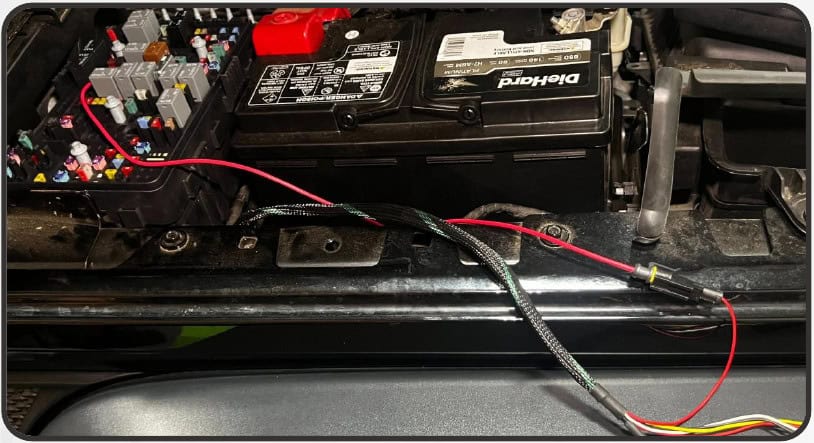
Repeat the liner, inline-harness and driver connections using the harness without the red power input. Route the XBT wiring across the upper radiator support. In the fuse box, replace the 10 A fuse at F34 with the supplied fuse-tap harness as shown.
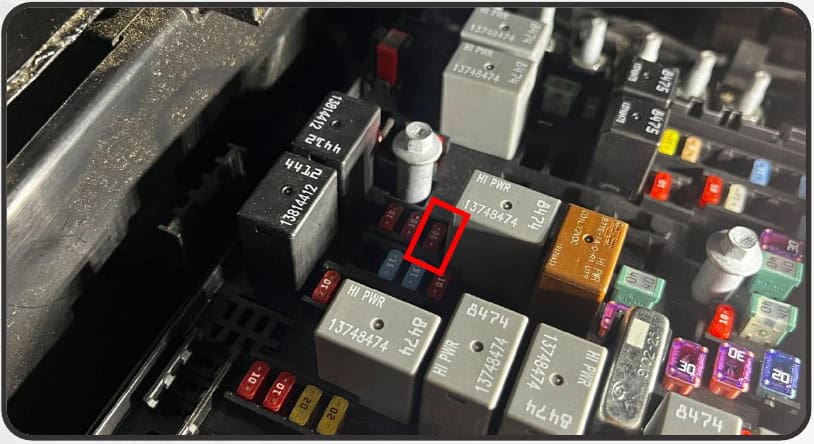
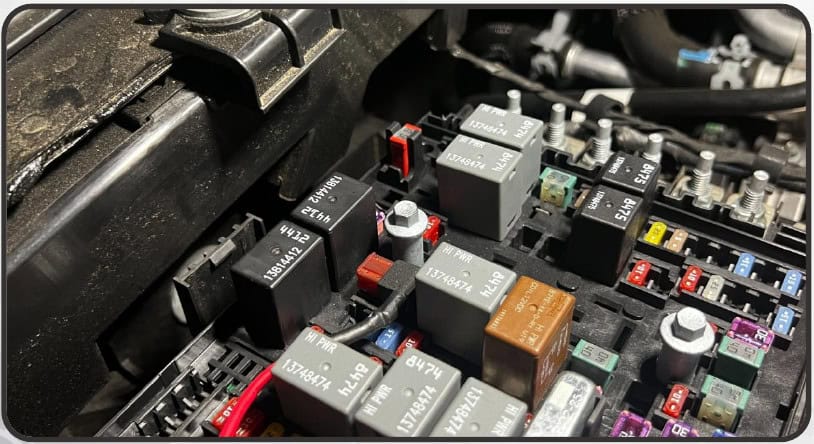
9. Complete the controller power connection
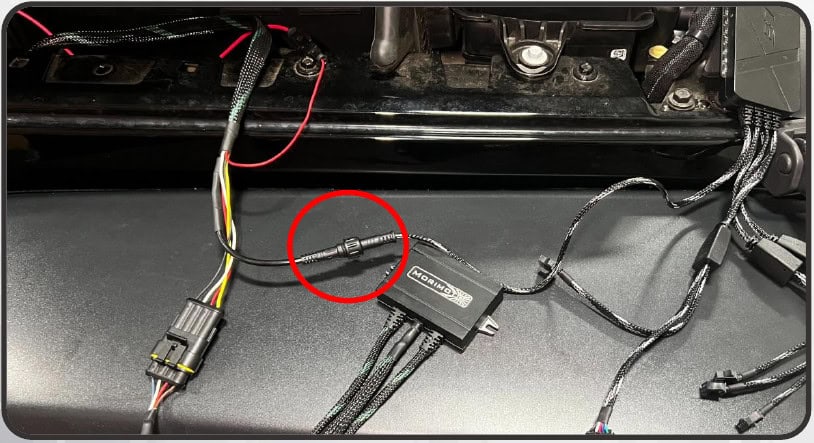
Route the fuse-tap lead out of the closed fuse box to the red passenger-harness input. At the XBT barrel connection, align the arrows, push the connectors together and thread the collar to secure them.
Refit and test
10. Connect the halos and refit the headlights
Install the Super7 assemblies using the matching headlight guide, then connect each halo to its LED driver. Check the lighting functions with the vehicle on. Secure the drivers, controller and wiring in the engine bay clear of hot and moving parts.
Watch the manufacturer video
Manufacturer video linked from the exact product or installation page. Follow the written equipment branch for your vehicle.
Instructions and matching products
Open the original Morimoto PDF (13 pages)
Original technical photographs and diagrams: Morimoto. BTS explanatory text prepared from the linked instructions and current product information, checked October 24, 2026. No revision number is printed on the retained manual unless shown in the original file.
Morimoto Super7 RGBW halo system
Open the Jeep JL/JT Super7 headlight installation guide. If also installing the XRGB fender chop kit, its guide explains the shared F34 fuse tap and splitter.