

BTS LIGHTING · TOYOTA TACOMA
Install Morimoto Tacoma ditch-light brackets
Preserve the hood alignment, fit the BAF028 mounts and route the wiring for your 2Banger or 4Banger kit.
Check the kit and prepare the truck
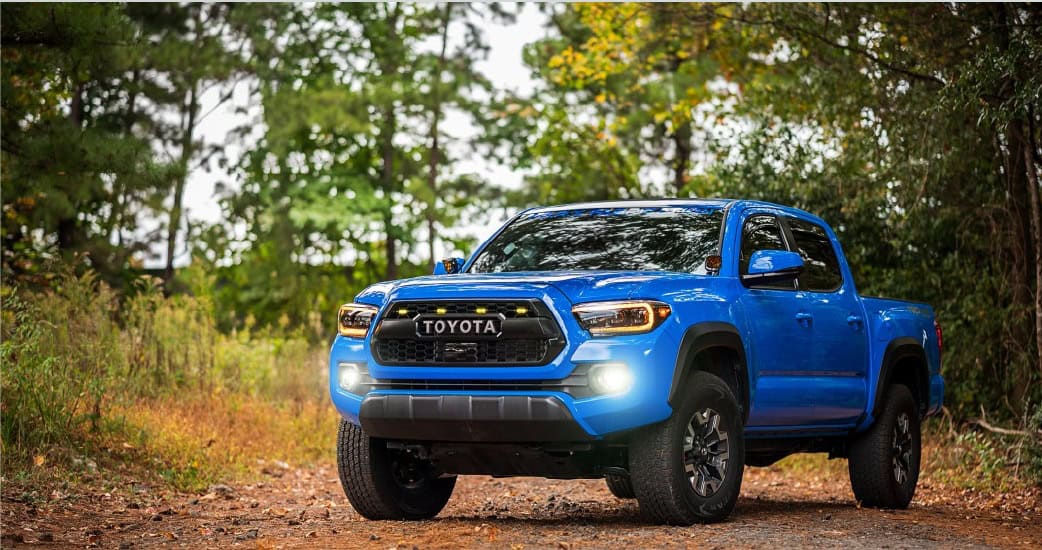
This walkthrough covers the shared BAF028 A-pillar brackets listed for the 2016–2023 Tacoma. The manufacturer’s illustrated bracket manual shows 4Banger pods; 2Banger uses the same vehicle bracket with its own lower pod mount.
Have a ratchet or suitable wrench, a 12mm socket, paint-safe tape and a permanent marker ready. Park securely and support the hood properly. If you are not comfortable supporting and realigning the hood, have an installer perform this work.
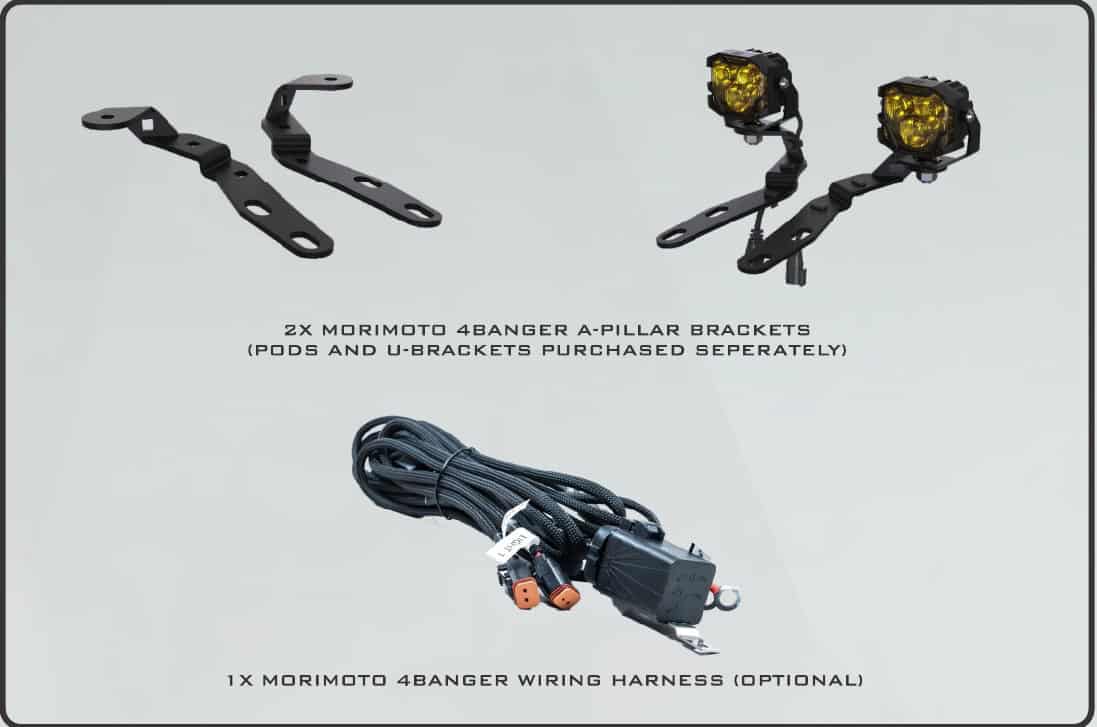
The standalone BAF028 product is a bracket pair. The complete kits sold on the linked product pages include their specified pod pair and switched relay harness. Check your selected kit’s contents before starting.
1. Fit the clips and mark hood alignment
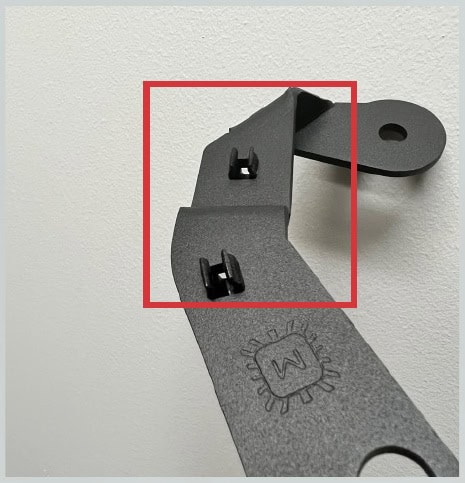
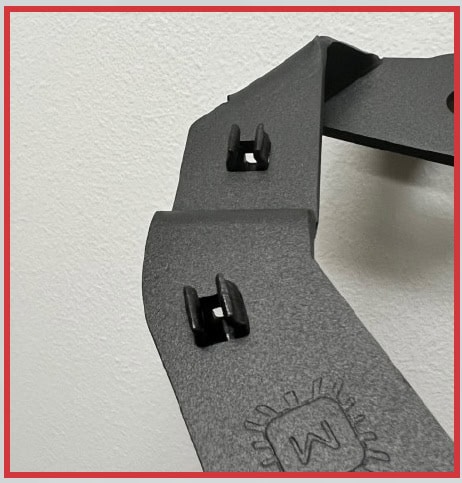
Push the wire-management clips into the square holes in the brackets.
Apply paint-safe tape across the joint between the hood and hinge. Draw one or two straight reference lines across the joint, then carefully separate the tape at the joint as the manufacturer illustrates. These marks let you return the hood to its original position after fitting the bracket.
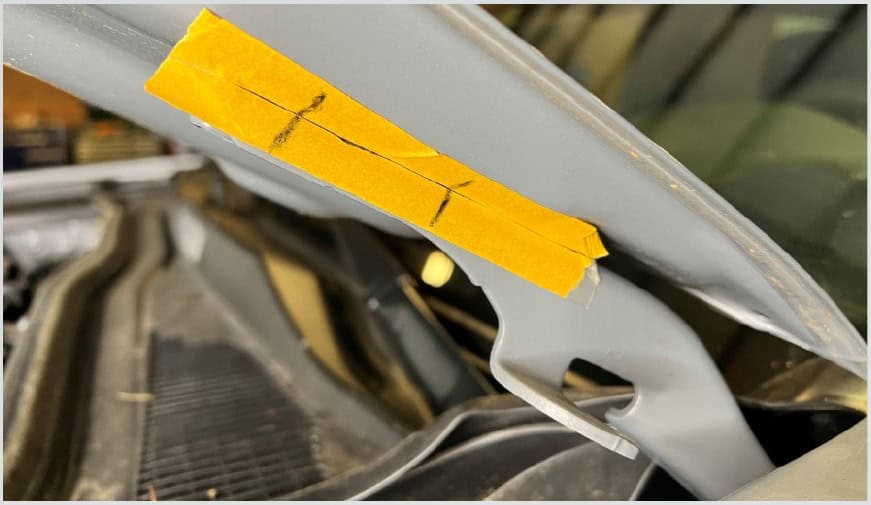
2. Support the hood and fit one bracket
Support the hood before removing the two hinge bolts on the working side. Use the 12mm tool to remove them.
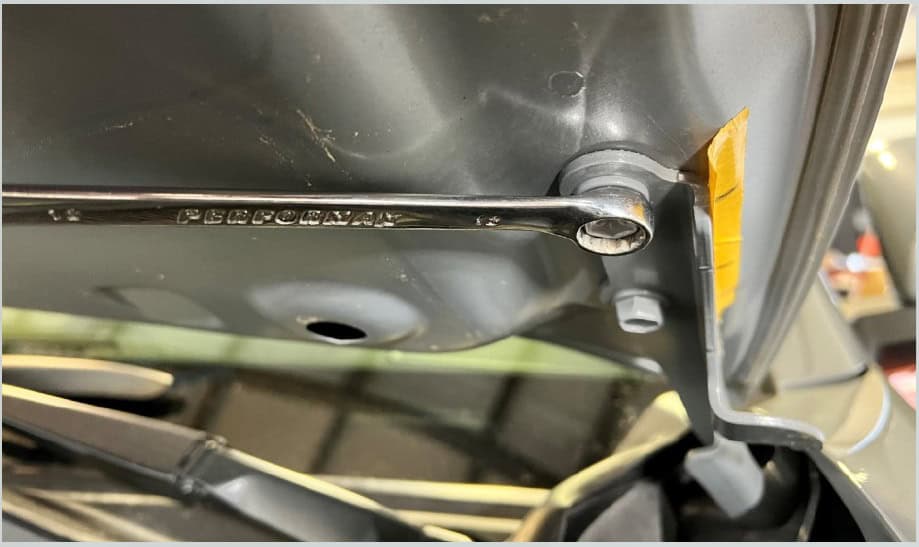
Place the A-pillar bracket directly beneath the bolt heads. Do not sandwich it between the hinge and the hood. Reinstall the bolts, adjust the bracket for clearance, and realign the tape marks before tightening.
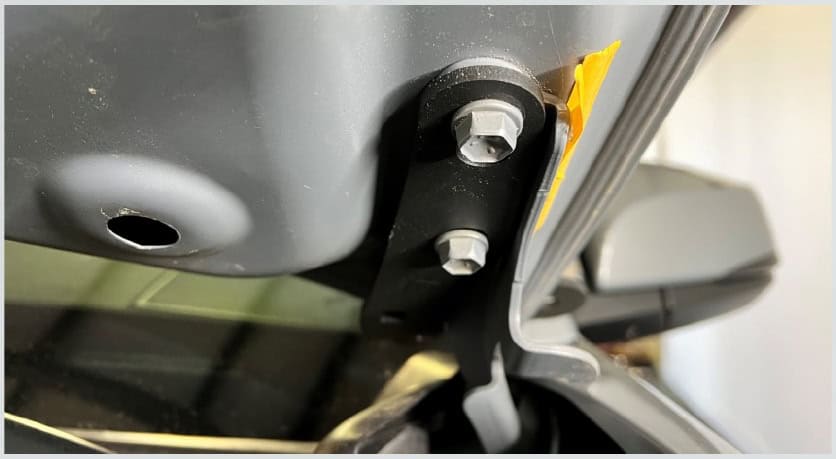
Tighten the hinge bolts to the applicable Toyota service specification.
3. Prepare a 2Banger pod mount
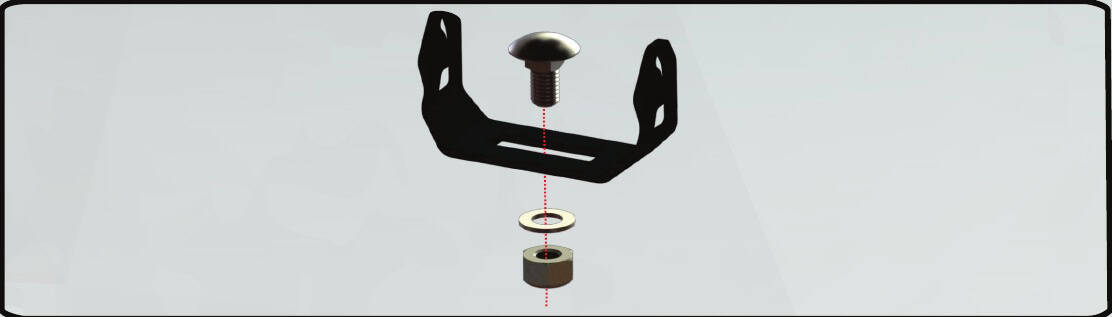
For a 2Banger kit, retrieve the two U-brackets from underneath the moulded packaging before throwing it away.
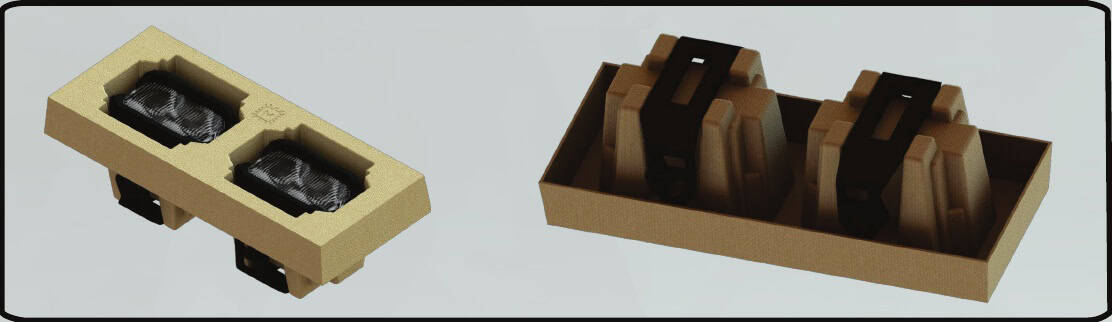
Pass the carriage bolt through the U-bracket. Use the included washer and locking nut when fastening it to the vehicle bracket.
Remove the four M4 pod screws with a Torx T20 bit. Fit the U-bracket, reinstall all four screws and avoid overtightening.
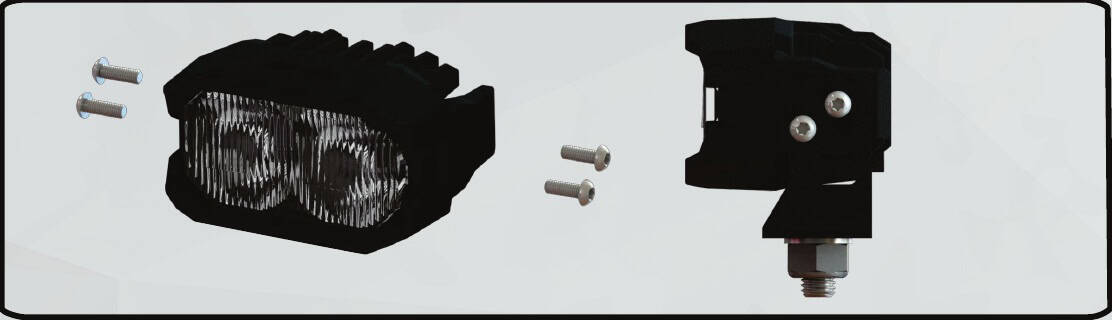
4. Attach the pods, route wiring and test
Attach each selected pod to the A-pillar bracket using the correct lower mount supplied for that pod. The photos below show the 4Banger mounting arrangement; use the 2Banger mount for a 2Banger kit.
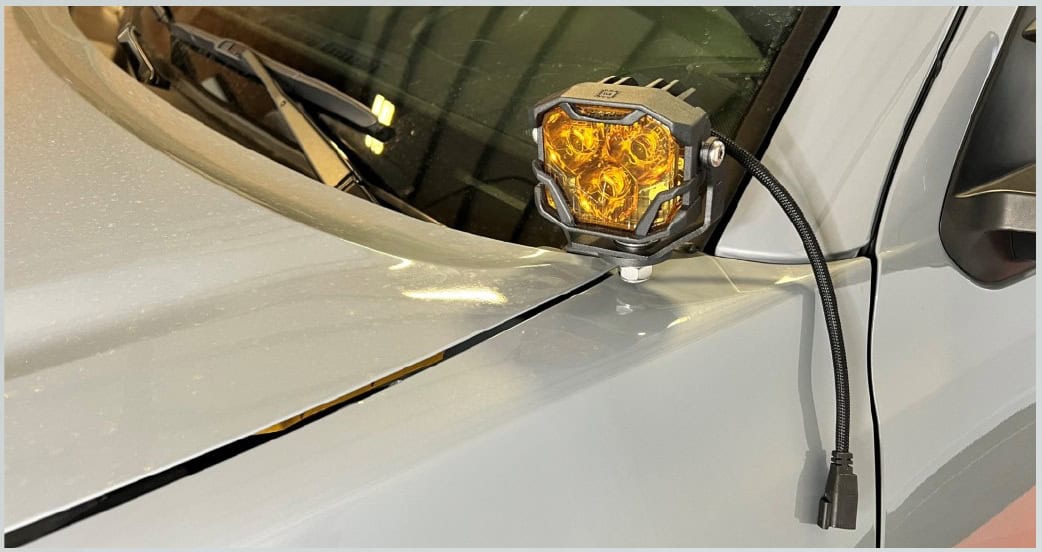
Route the cable beneath the hood using the installed management clips. Keep it clear of the hood hinge’s travel, sharp edges and hot parts.
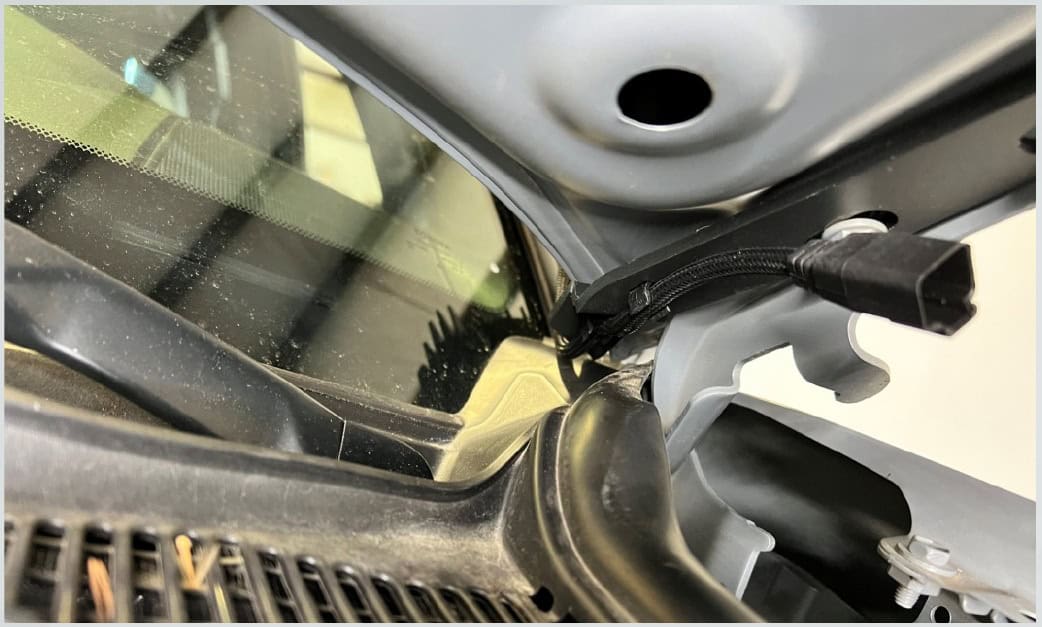
Connect an appropriate power harness. The complete-kit specifications list Morimoto’s BAF000H switched relay harness; follow its supplied wiring instructions for power, ground and the switch.
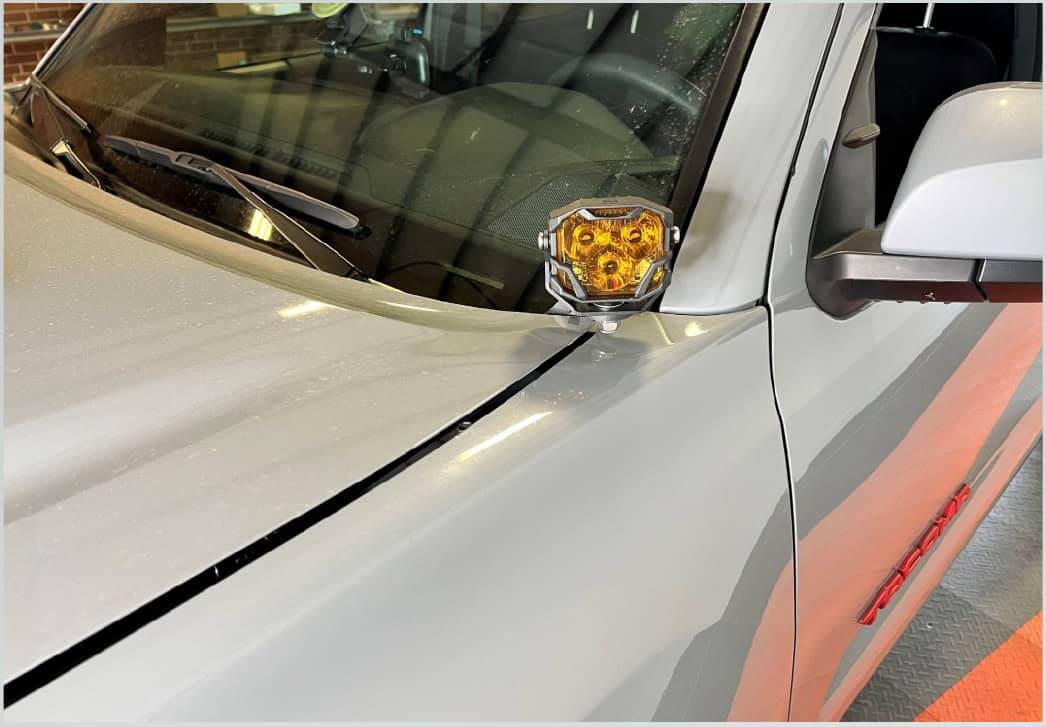
Aim the pod for the intended off-road task, test it, and repeat the bracket installation on the other side. Check hood alignment, clearance and secure wiring before closing the hood fully. A Wide optic’s fog-light photometric rating does not make an A-pillar installation an approved road fog light.
This overview demonstrates 4Banger wiring. Follow the instructions supplied with the shared BAF000H harness and your selected pods.
Choose your complete kit
Explore the Tacoma lighting hub
Original BTS walkthrough based on Morimoto’s six-page BAF028 bracket guide, retrieved October 24, 2026. Its cover says 2016–2020; Morimoto’s current linked Tacoma listing confirms 2016–2023. All relevant original bracket photographs and the three 2Banger assembly diagrams are retained. Manufacturer bracket guide.