

BTS LIGHTING · MORIMOTO TYPE T
Install and aim Morimoto Type T Evo fog lights
An illustrated walkthrough for LF092 white Evo and LF093 white/yellow Evo+, including connector polarity, aiming and colour switching.
Check your lights and prepare
This guide covers the Type T replacement pair used on compatible Toyota applications, including the 2012–2023 Tacoma. Match the original fog-light mounting points and connector before starting. It is a replacement for existing fog lights, not a complete conversion for a vehicle without them.
The manufacturer’s photographs show the shared Type T procedure; access behind the bumper varies by vehicle. Use the vehicle service manual for removing trim or access panels and work with the truck safely parked and the lights off.
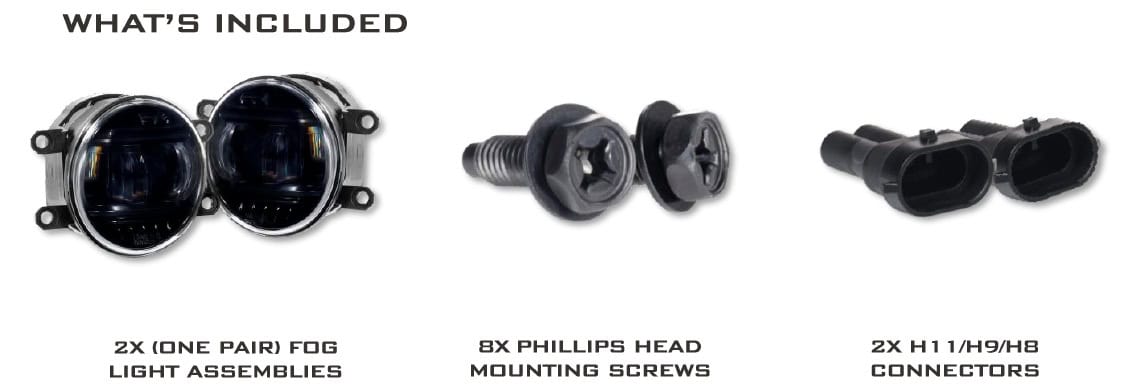
Have a #2 Phillips screwdriver ready. The box contains two lamps, eight Phillips-head mounting screws and two H11/H9/H8 connector housings. Any protective film is optional.
Optional: fit protective film before the lamps
If you ordered the optional Lamin-X film, install it on the removed, clean lamp first:
- Clean and dry the lens. Peel the film backing, avoid touching the adhesive unnecessarily, and lightly mist the adhesive side with filtered water.
- Centre the film on the lens. Lift and reposition it gently if needed, then mist its outer surface.
- Use your thumb to work water and air from the middle toward the edges.
- Use a hair dryer or heat gun on low, moving it around the film so no area overheats. Do not hold it close or in one spot. Smooth it as it conforms to the lens.
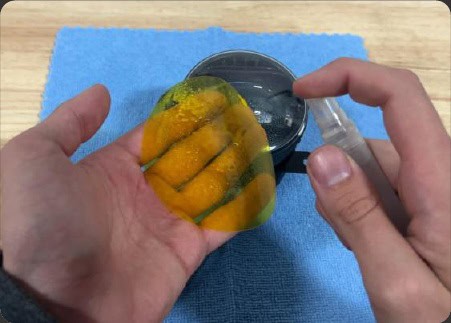
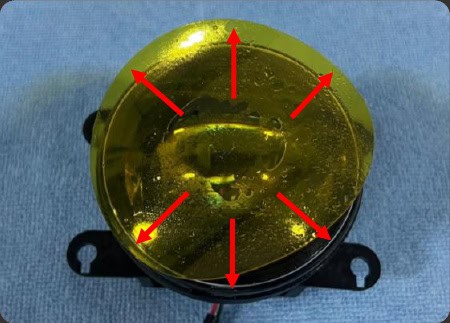
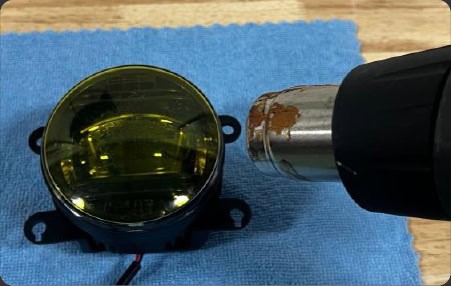
Allow at least 12 hours to cure before exposing the film to the elements. Check the edges during the first 24 hours and press down any lifted area. Small bubbles, cloudiness or light surface marks can clear over a few days to a couple of weeks as the adhesive settles. Wash with the same suitable car soap used for the vehicle.
1. Replace the original lamp
Access the back of the original fog light and disconnect its wiring. Remove the hardware holding the lamp to its bracket, then lift out the lamp.
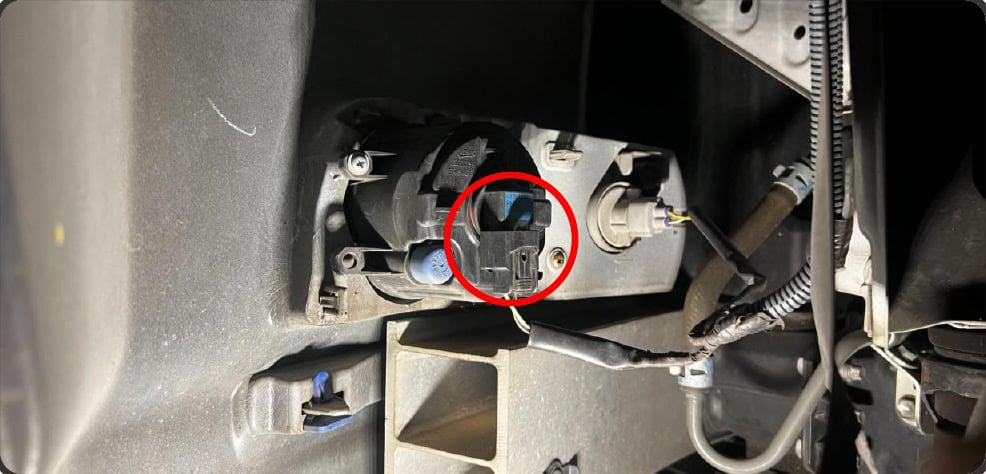
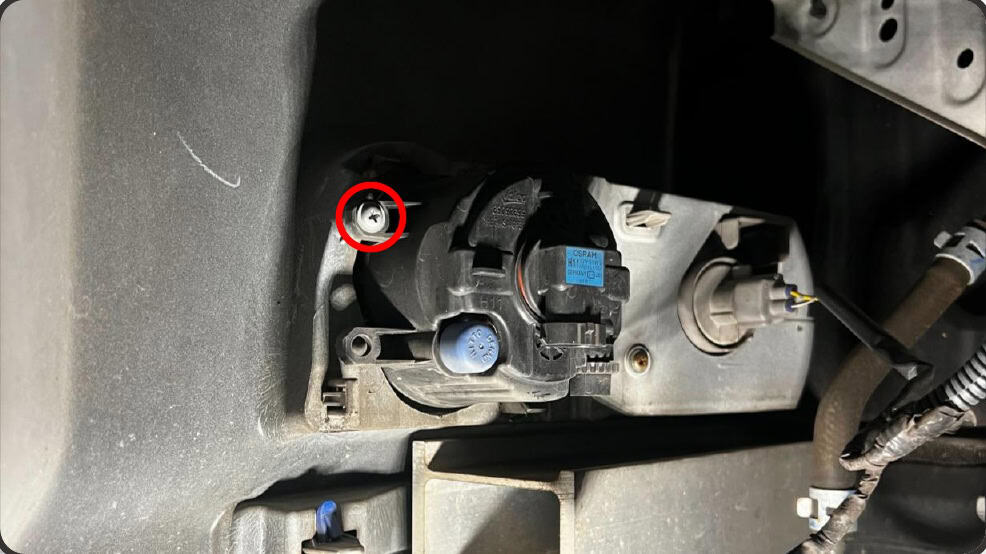
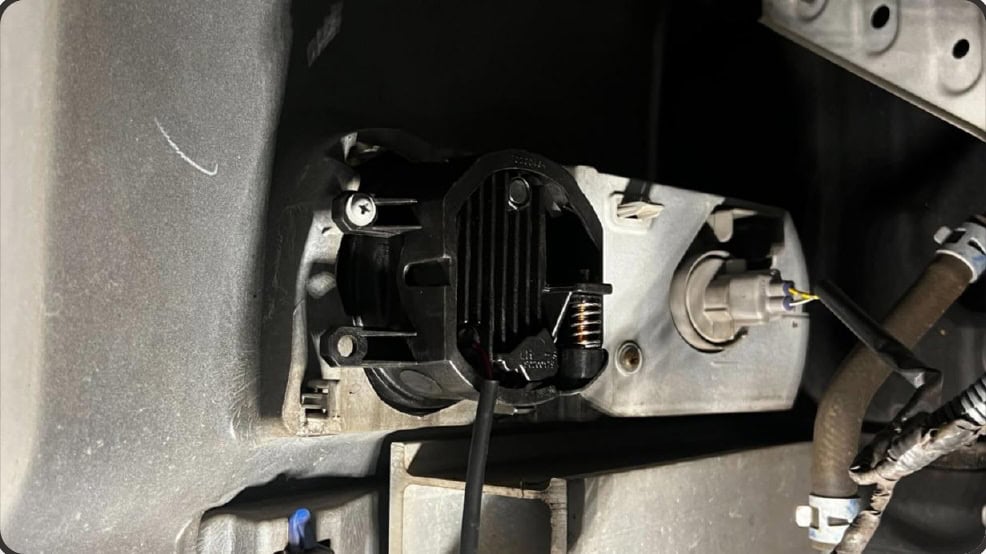
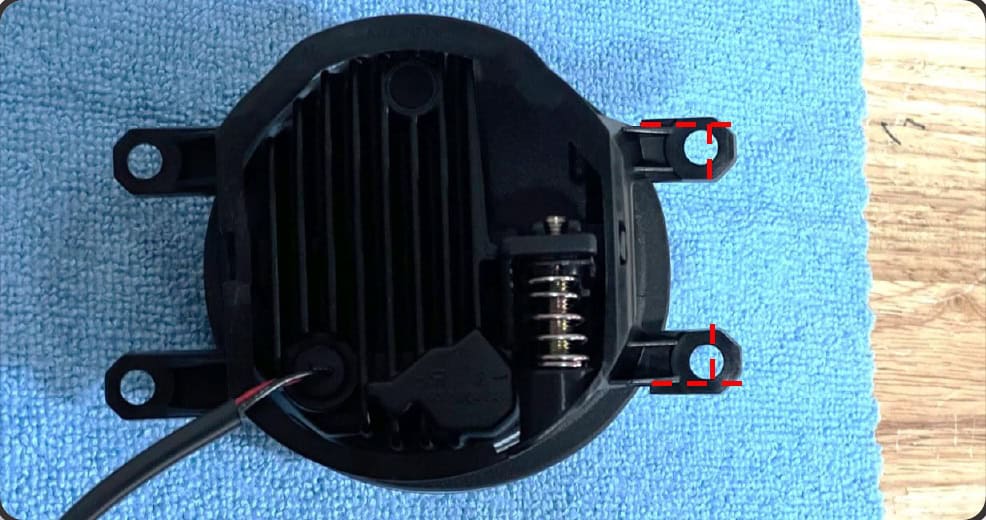
Set the Evo replacement in the bracket and reinstall the mounting hardware. Check the fit before tightening. Some applications require minor trimming of the inner/forward bracket legs at the locations marked in the driver-side illustration below; this is not a universal modification for every vehicle.
2. Test polarity, then lock the connector
Before fitting the connector housing, insert the two lamp pins into the original fog-light connector as shown. Keep the bare pins from touching each other. Switch the fog lights on briefly to test. If the lamp does not illuminate, switch the power off, swap the pin positions and test again.
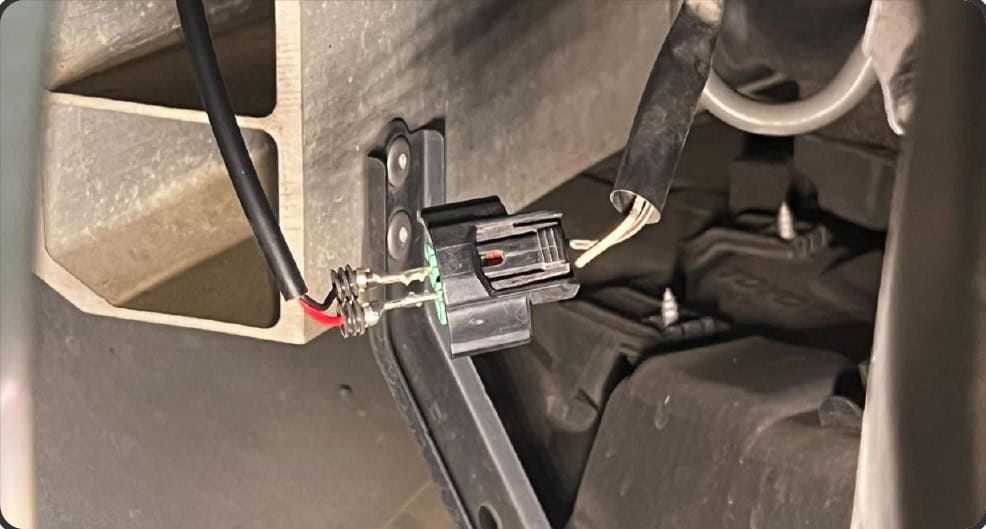
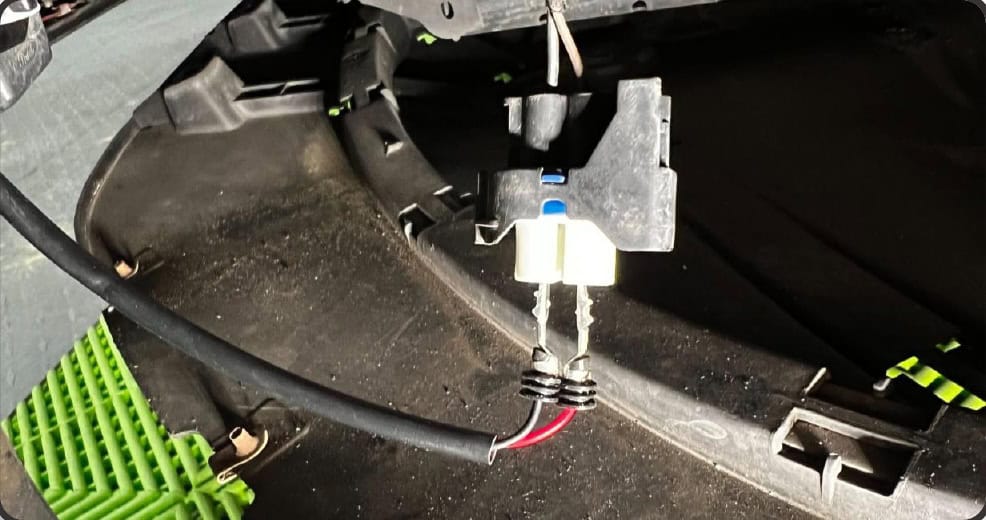
Switch the power off. Keeping the polarity that worked, insert the pins into the supplied H11/H9/H8 housing until secure, then plug the finished connector into the factory connector.
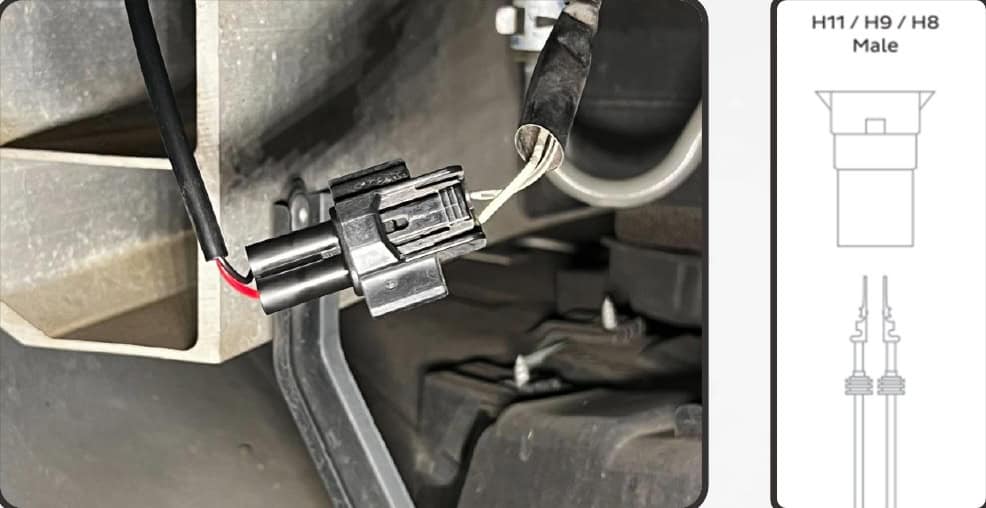
Repeat on the other side, confirm both lights work, and reinstall any trim removed for access. Keep the wiring clear of moving parts and hot surfaces.
3. Aim the fog beams
Park on level ground facing a wall 25 feet away. Measure the height of the fog-light centres and mark a reference on the wall. Set the top of each fog beam four inches below that centre-height reference, using the built-in adjuster and a #2 Phillips screwdriver.
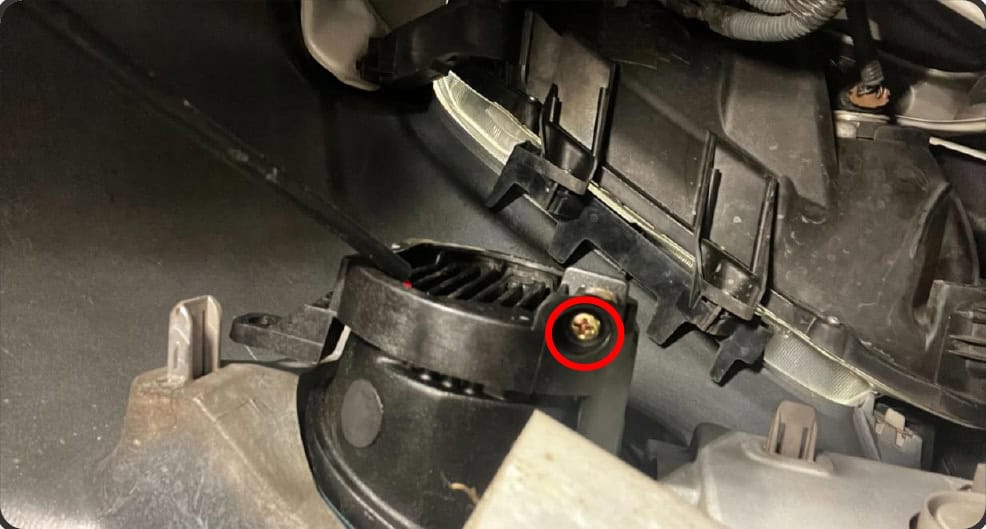
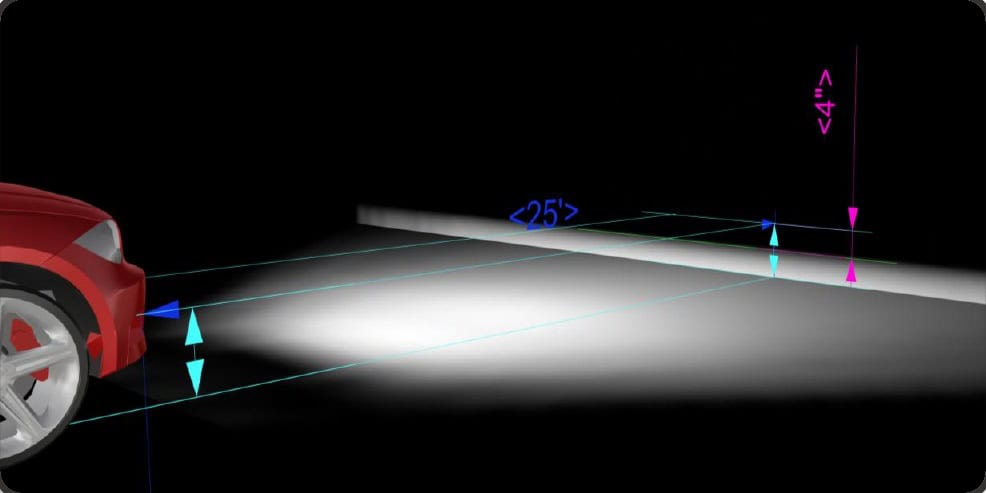
Recheck both sides after adjustment. The guide’s four-inch drop is the Type T Evo instruction; do not substitute a headlight aiming rule.
4. Evo+ only: switch white and yellow
With the LF093 Evo+ fog lights illuminated, switch them off and back on within three seconds to change the output colour. Use the vehicle’s fog-light control. The illustration shows a general factory control, not a Tacoma-specific switch layout.
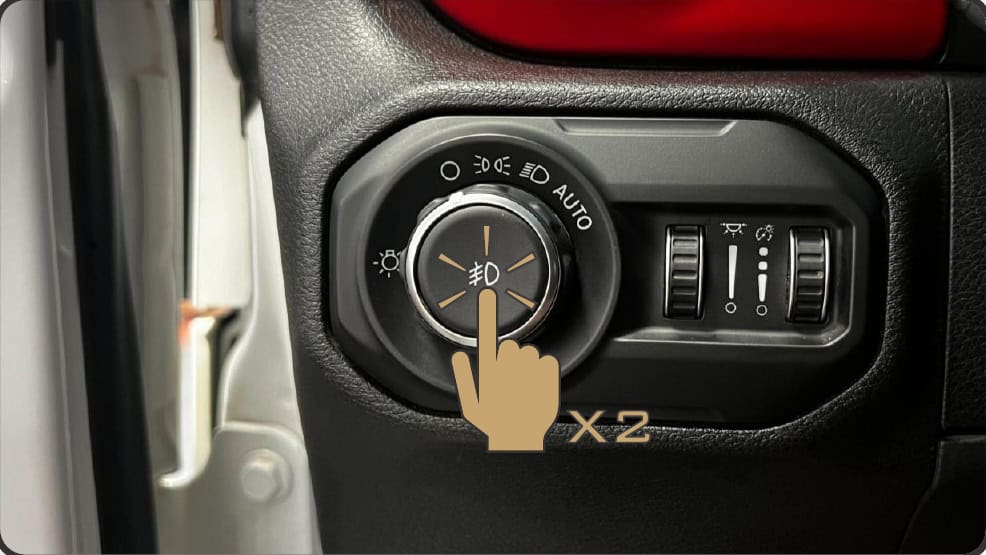
LF092 Evo is white-only and does not have this switching function.
Choose your lights or plan the next upgrade
XB Evo+ — white and yellow
LF093 changes colour from the fog-light control.
Explore the 2016–2023 Tacoma lighting hub
Original BTS walkthrough based on Morimoto’s LF092/LF093 installation manual, retrieved October 24, 2026. All relevant instruction illustrations are retained with their annotations. No revision date is printed. Read the manufacturer manual.