

BTS installation guide · Prinsu / Sherpa
Install a roof-rack SS5 CrossLink lightbar
Fit the wind-deflector mounts, support the six- or seven-pod bar, route the matching harness and set the backlight.
Confirm the rack and prepare the parts
This is a rack-specific kit. A 2016–2023 Tacoma needs a compatible Prinsu or Sherpa rack already fitted; the truck model alone does not establish compatibility.
| Rack / lightbar | Required fit |
|---|---|
| Prinsu rack | Wind deflector with a 40-inch lightbar cutout. |
| Sherpa rack | Half-height wind deflector. |
| Six pods | Rack width at least 41⅝ inches. |
| Seven pods | Rack width at least 47⅞ inches. |
Check the rack model, deflector and clearances before ordering. The supplied mounts keep the deflector in place after installation; it is temporarily removed and refitted during the mounting procedure.
The photos demonstrate the installation on a 4Runner roof rack; the bracket procedure applies to the compatible rack, including one fitted to a Tacoma. Use a T30 Torx driver for the Prinsu fasteners, 10mm and 13mm sockets, a 13mm wrench, a 5/32-inch Allen key and a tape measure. Have a second person help lift and centre the bar.
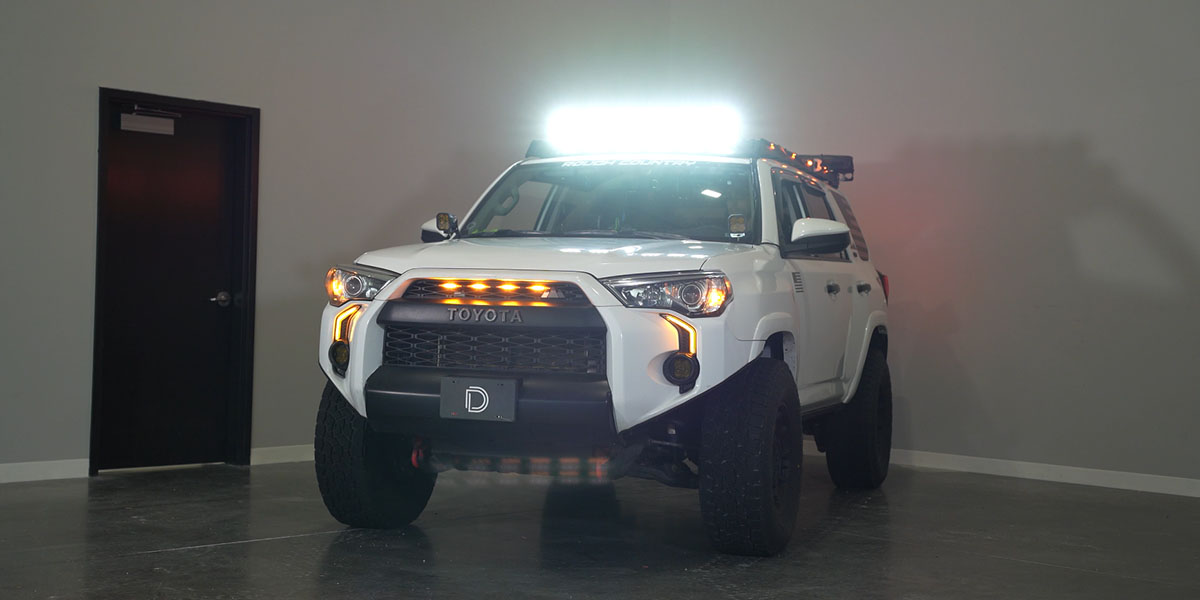
Manufacturer installation on a roof rack fitted to a 4Runner. Match the rack and wind deflector, not the demonstration vehicle.
1. Remove the wind deflector
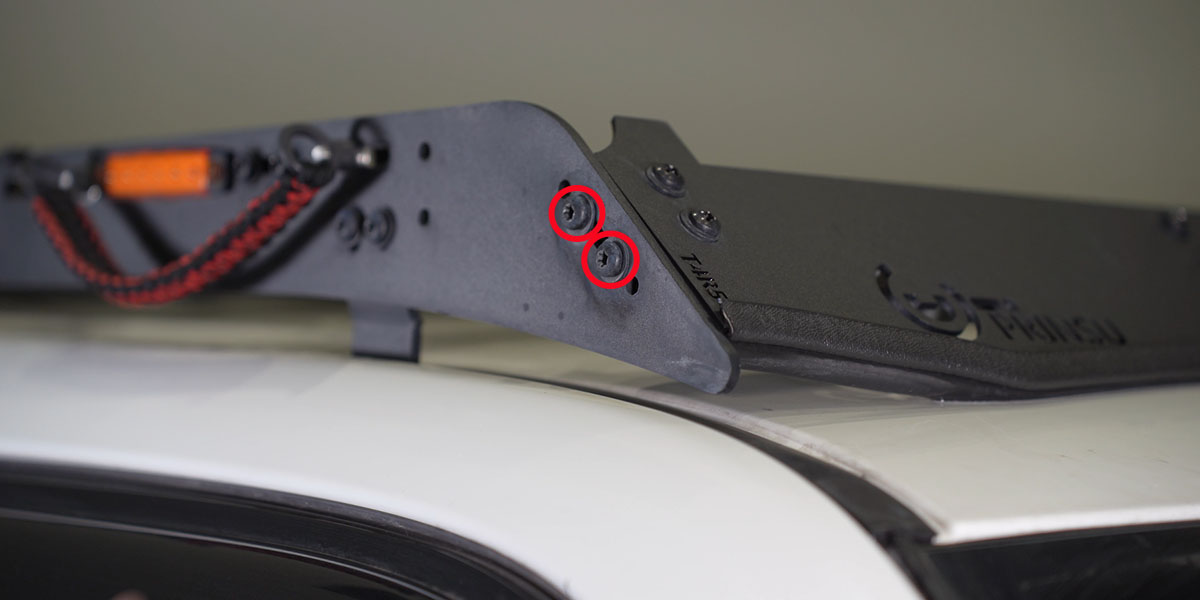
Remove two T30 Torx bolts from each side of the wind deflector—four bolts in total. Keep them for reinstallation.
2. Insert the double T-nuts
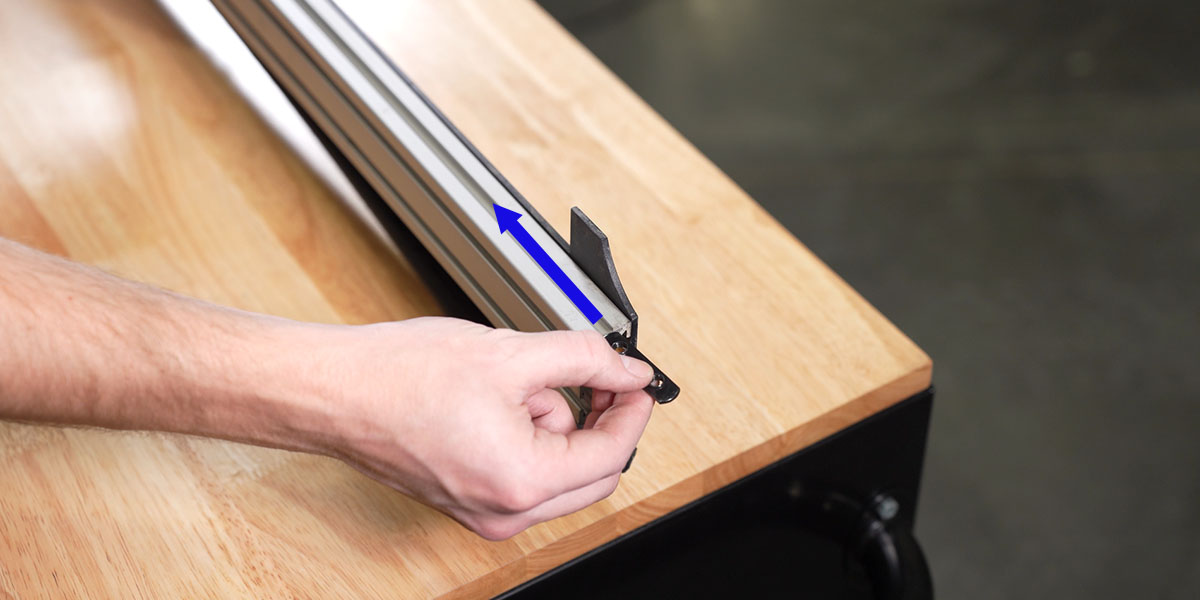
Slide two double T-nuts into the top-facing channel of the wind deflector.
3. Start the lightbar brackets
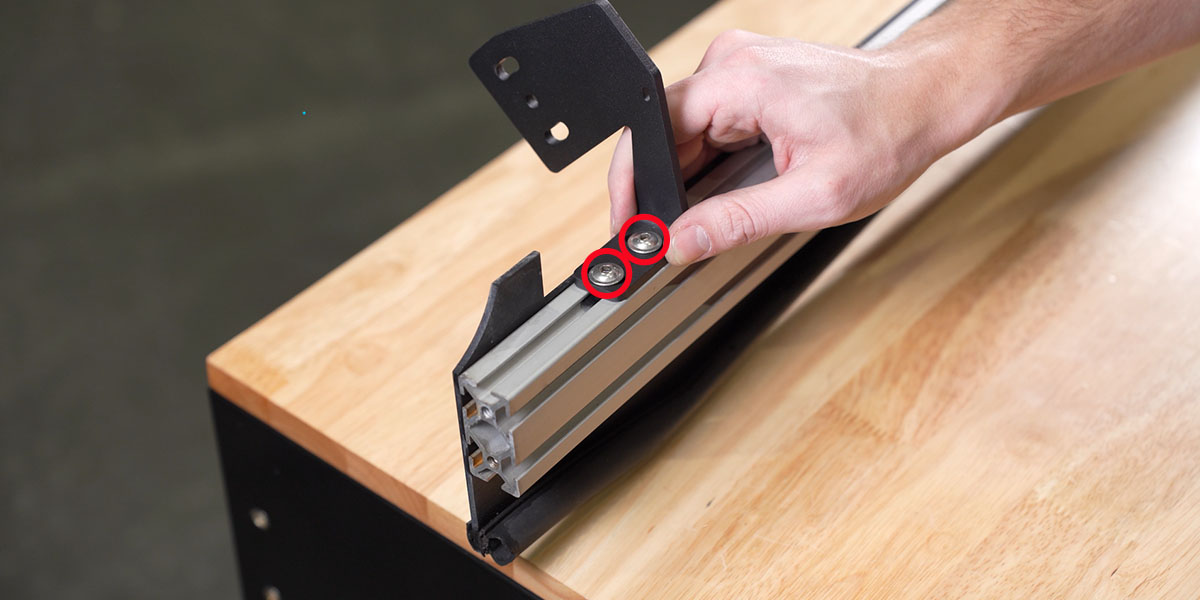
Fit each bracket to the double T-nuts using two flanged screws. Leave them hand-tight for adjustment.
4. Refit the wind deflector
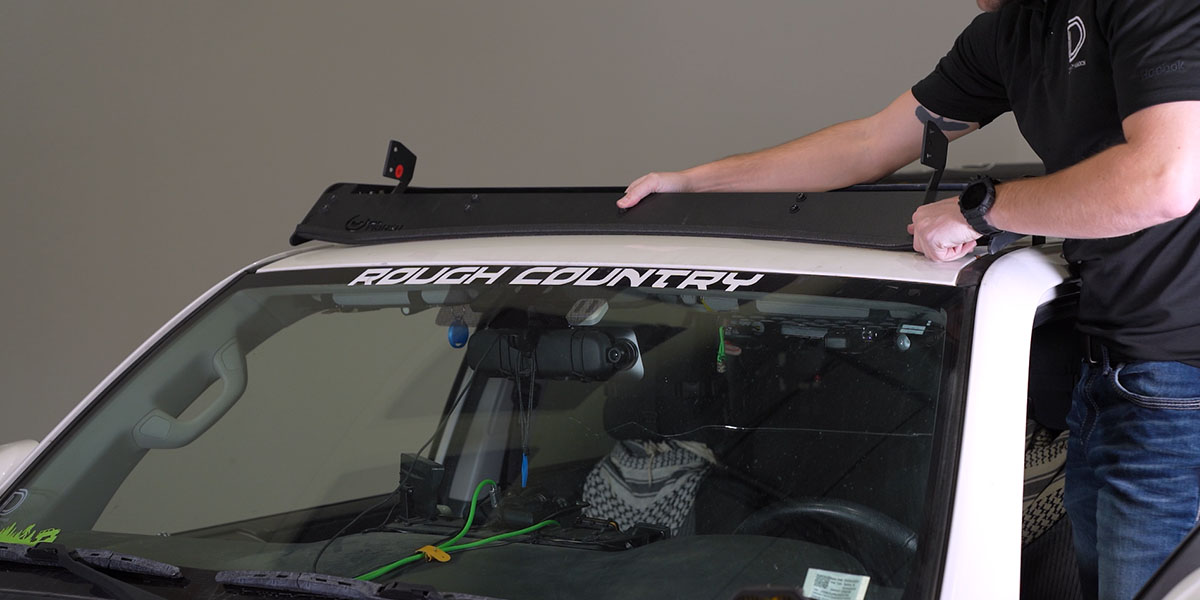
Return the deflector to the rack and reinstall the four T30 bolts removed in step 1.
5. Assemble the CrossLink bar
Join the correct number of pods using the supplied CrossLinks and end mounts. Follow the instructions included with your bar and the linked CrossLink reference. The product specifies 5 ft-lb for the long-end bolts, with threadlocker; this value is not a torque specification for the rack fasteners.
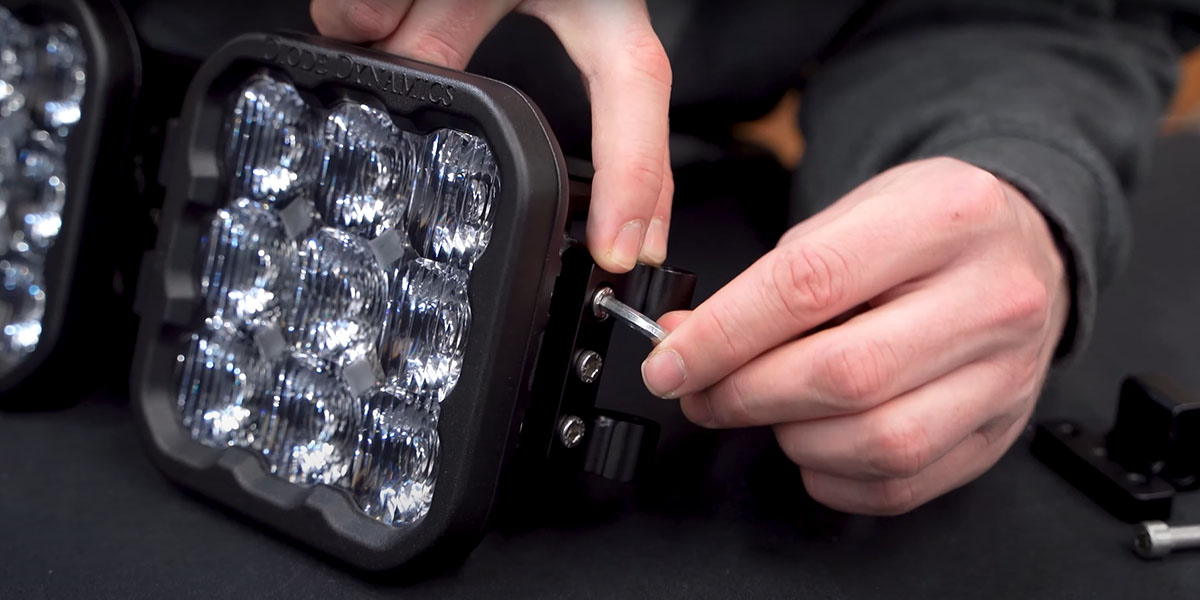
6. Fit the support link mounts
For six pods, install one support-link mount on the centre CrossLink support. For seven pods, fit two mounts on the second and fifth CrossLink supports.
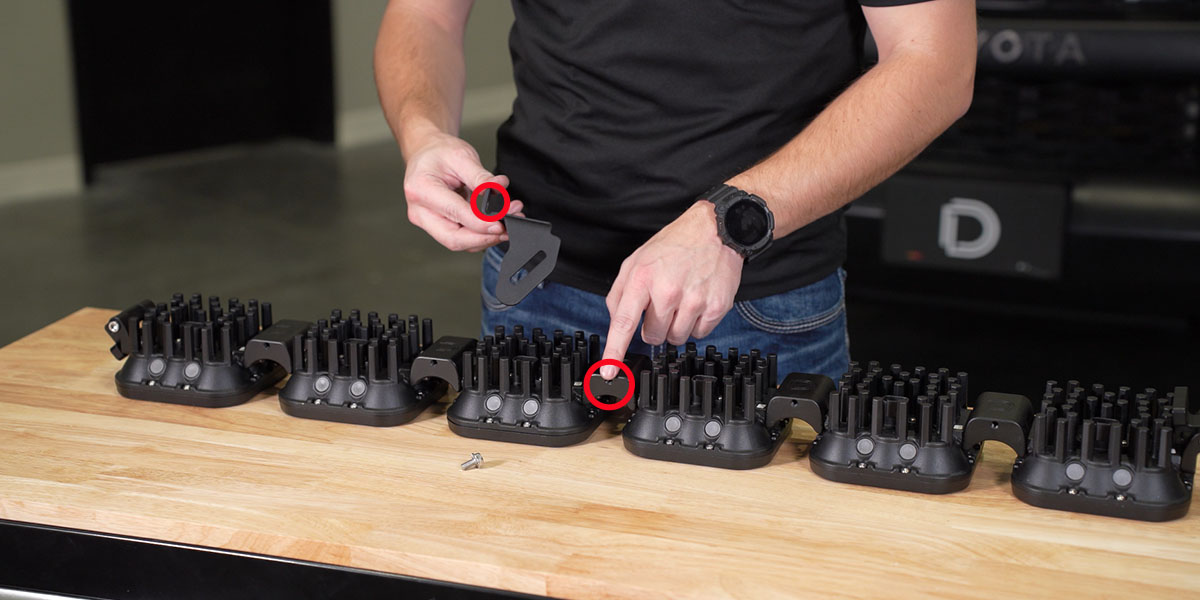
7. Lift the bar onto the rack
With a second person supporting the other end, loosely attach the bar to the roof-rack brackets.
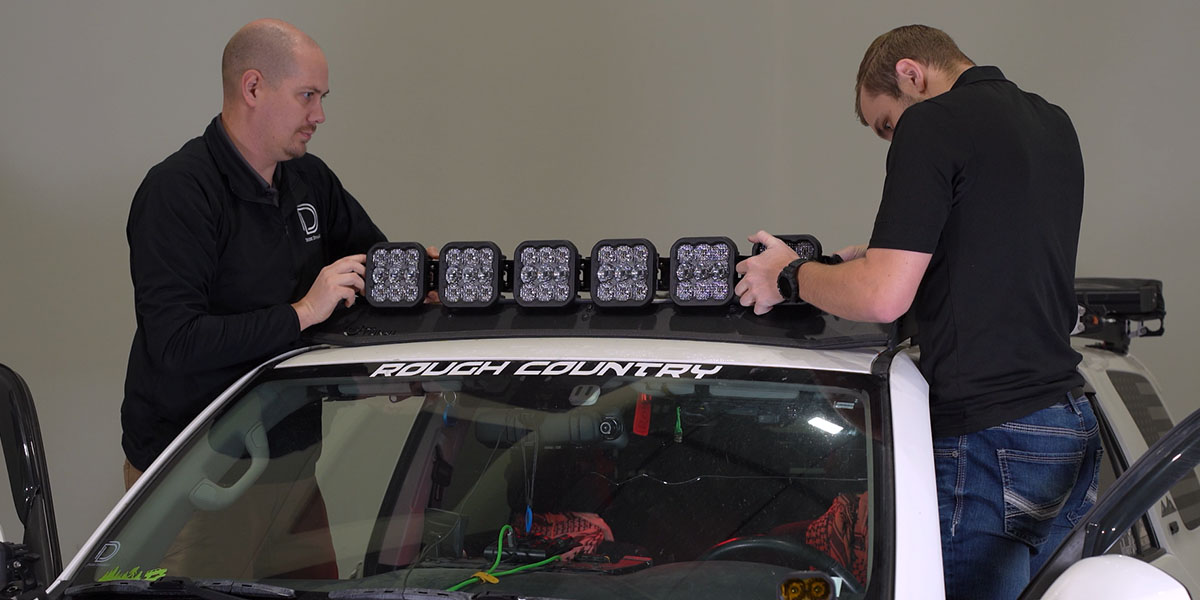
8. Centre and secure the bar
Centre the bar, then tighten the flange bolts with a 5/32-inch Allen key. Apply upward pressure so the CrossLink bracket sits against the wind-deflector panel before securing it.
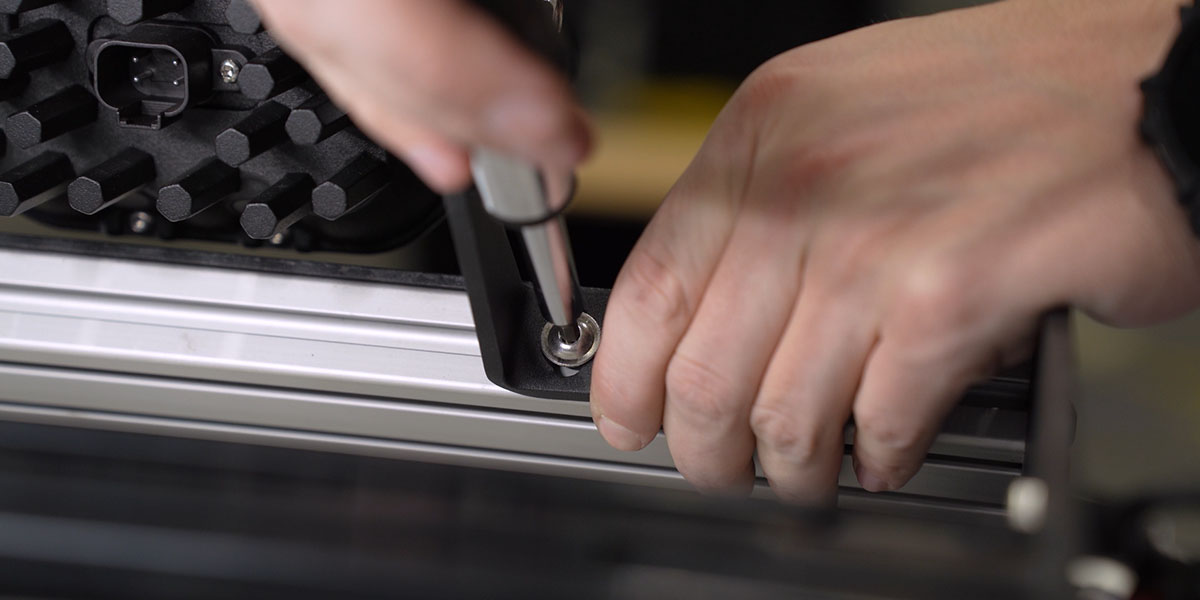
9. Attach the support bracket
Slide the single T-nut into the top-forward channel of the rack’s first support crossbar. Attach the support bracket to the T-nut as shown. Repeat the required support arrangement for your bar.
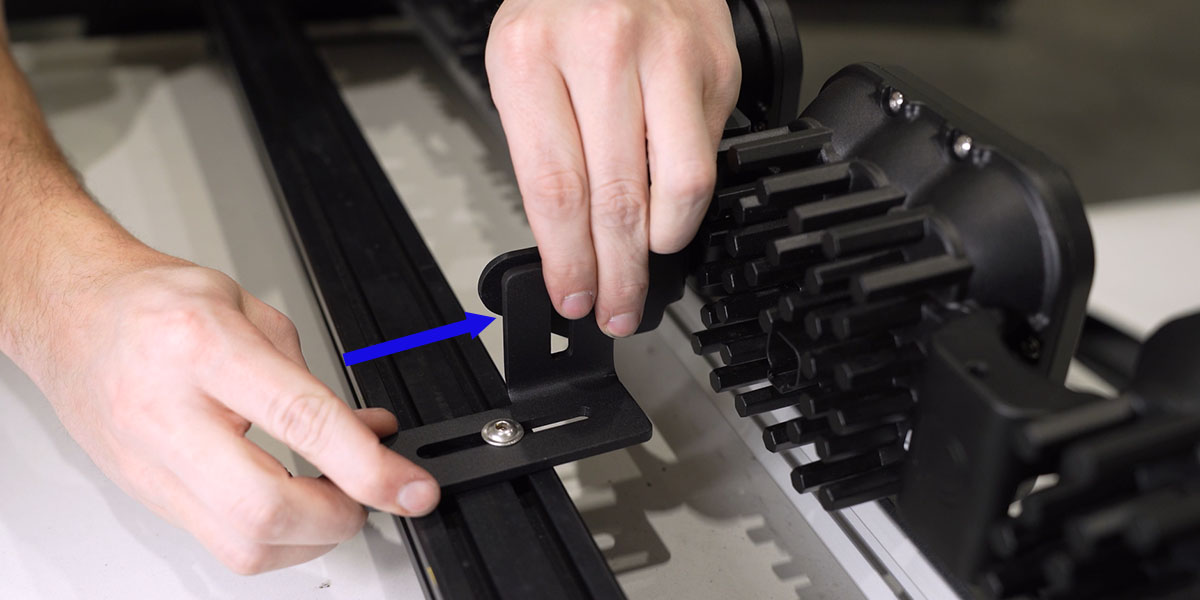
10. Aim and secure the assembly
Set the desired beam angle, then secure all mounting and support hardware. Confirm the bar is supported without interference.
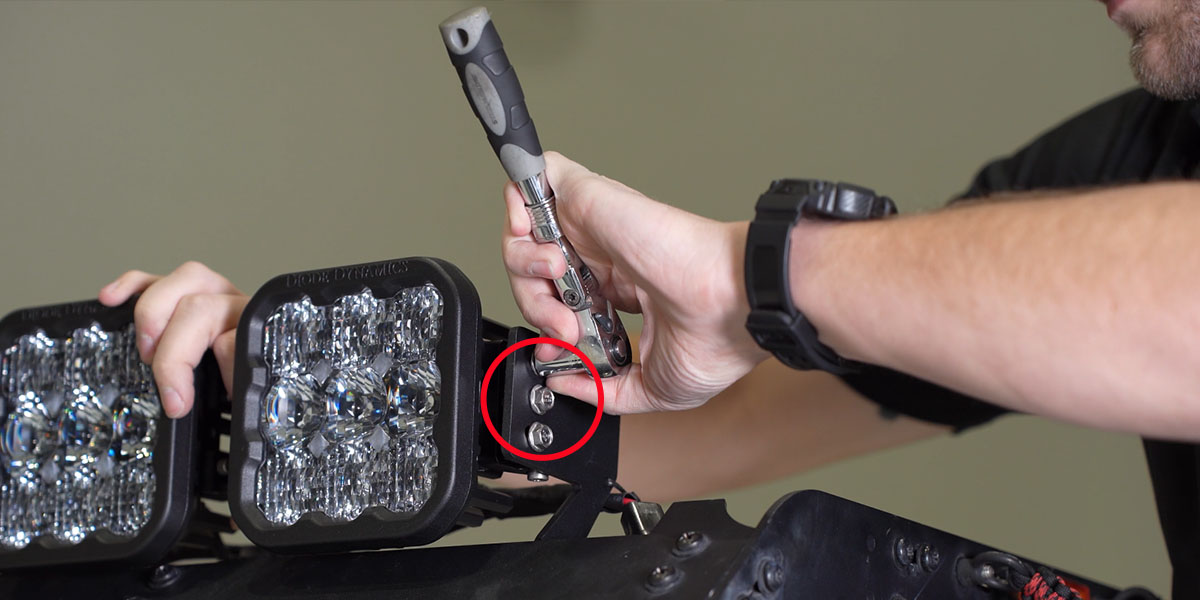
11. Connect the pod harness
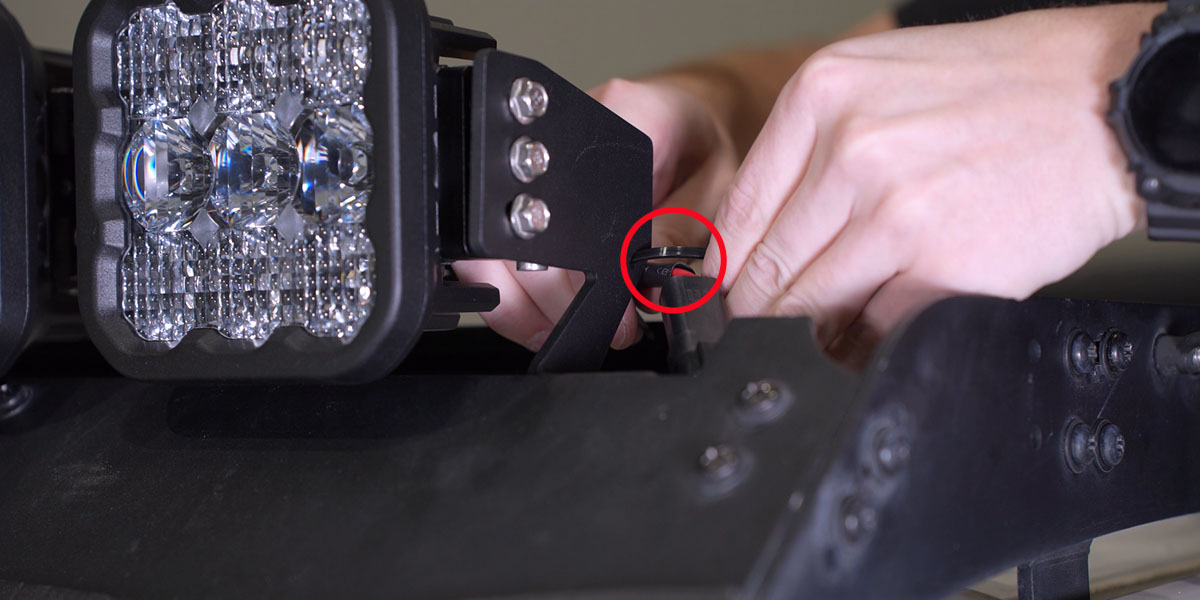
Plug the matching CrossLink DT harness into every SS5 pod. Keep the Sport or Pro harness matched to the exact kit.
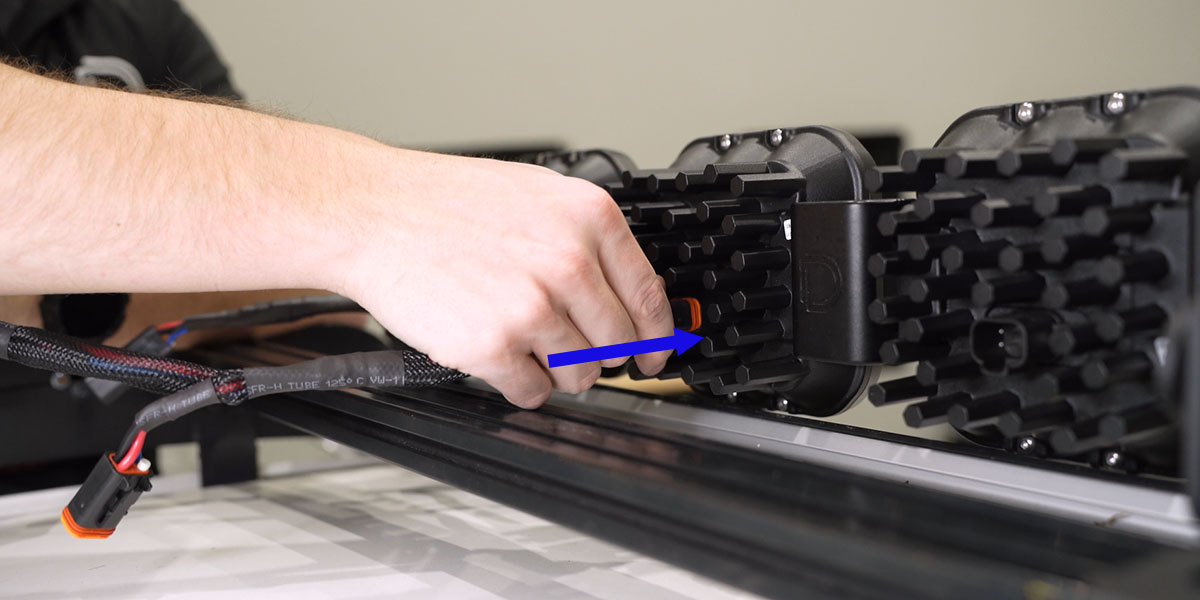
12. Connect the power leads
With power safely isolated following the vehicle service procedure, attach the positive and negative harness leads to the corresponding battery terminals. Keep the supplied fusing and relay arrangement in place.
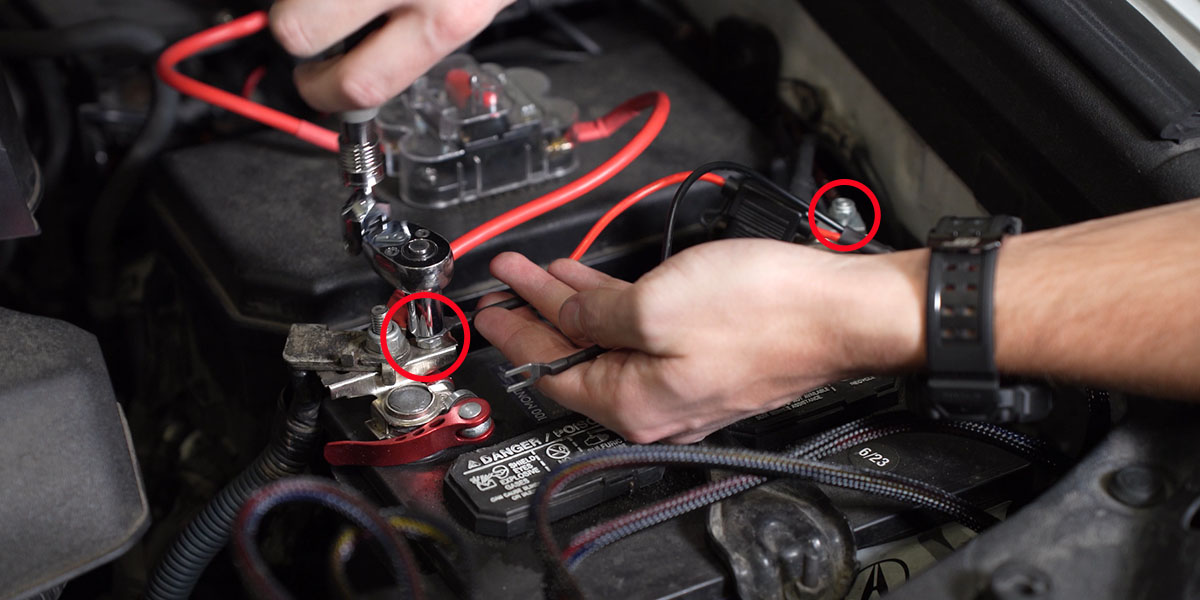
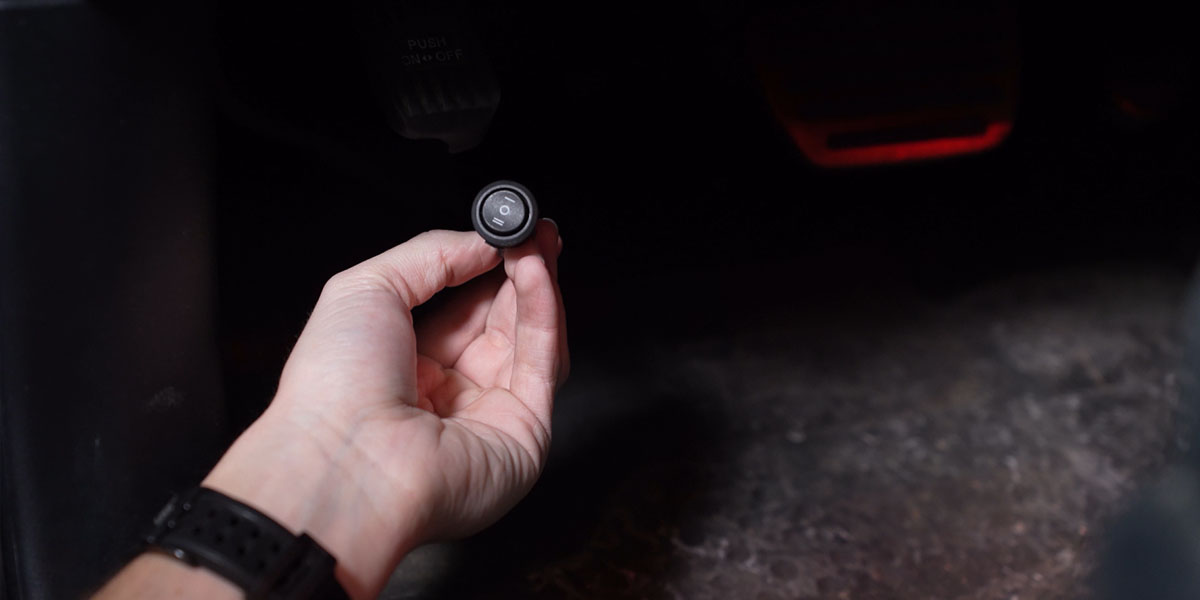
13. Place the toggle switch
Route the switch harness through a suitable protected firewall passage and position the switch in the cab. Keep wiring clear of pedals, steering, airbags, sharp edges and moving parts.
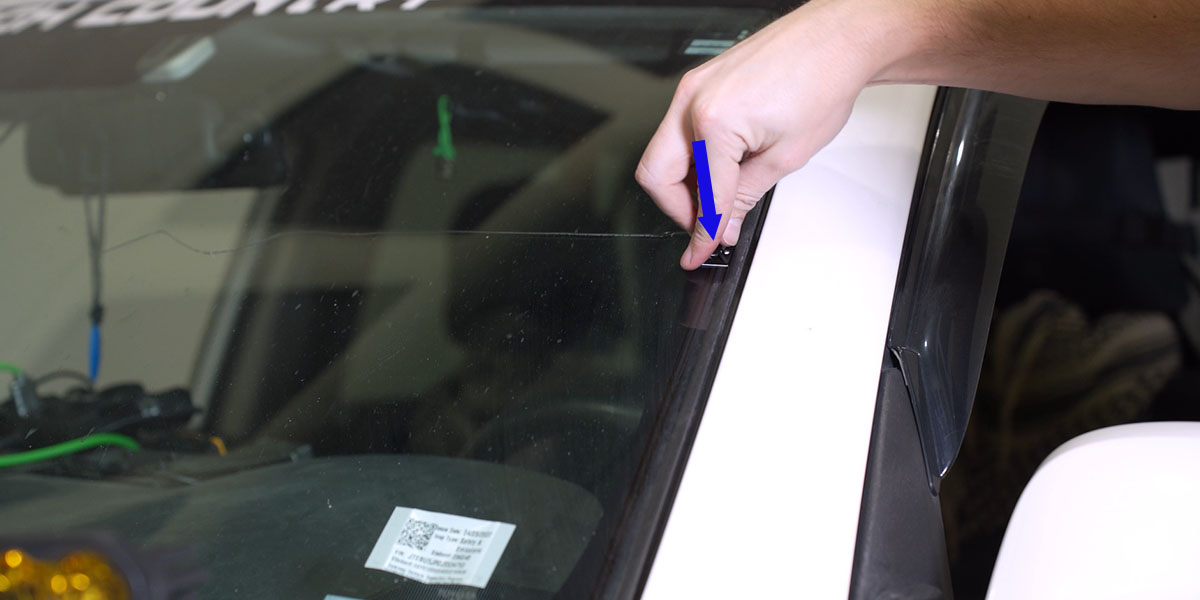
14. Position the routing tabs
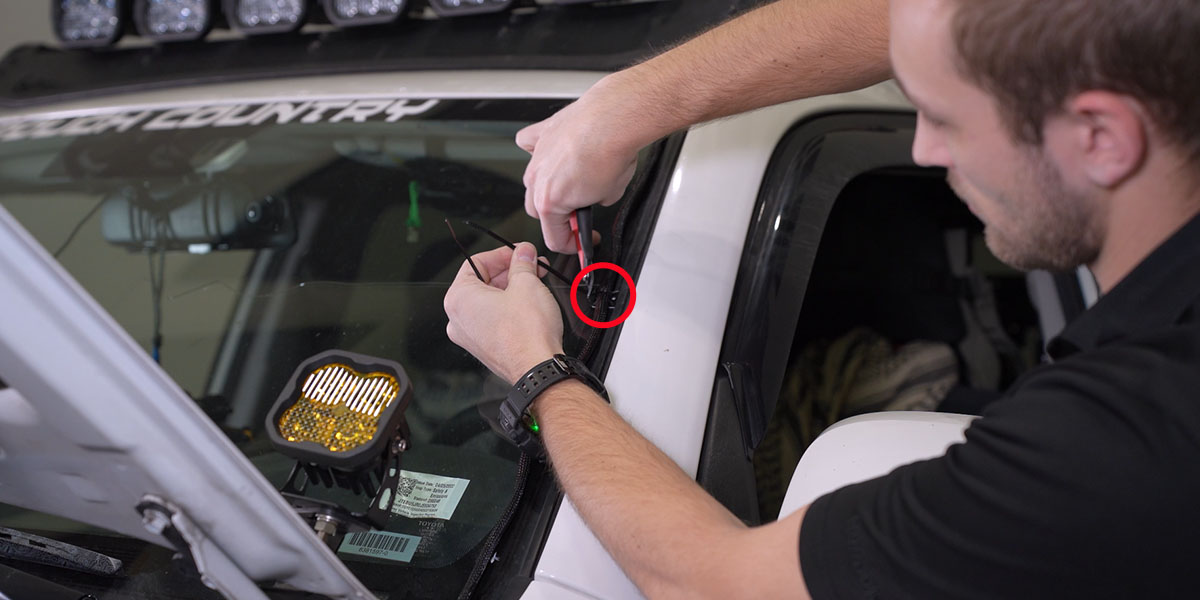
Fit the three adhesive routing tabs along the top, middle and bottom of the windshield edge as shown.
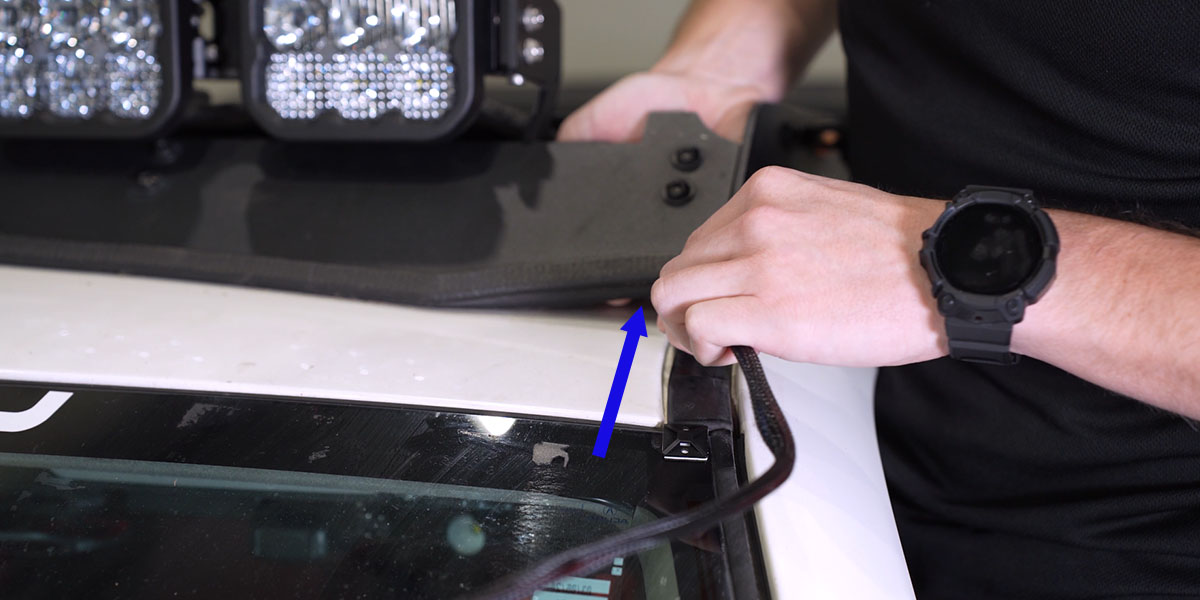
15. Route the DT lead
Route the DT lead up the windshield and under the deflector, then connect it to the CrossLink harness. Avoid pinching or stretching the cable.
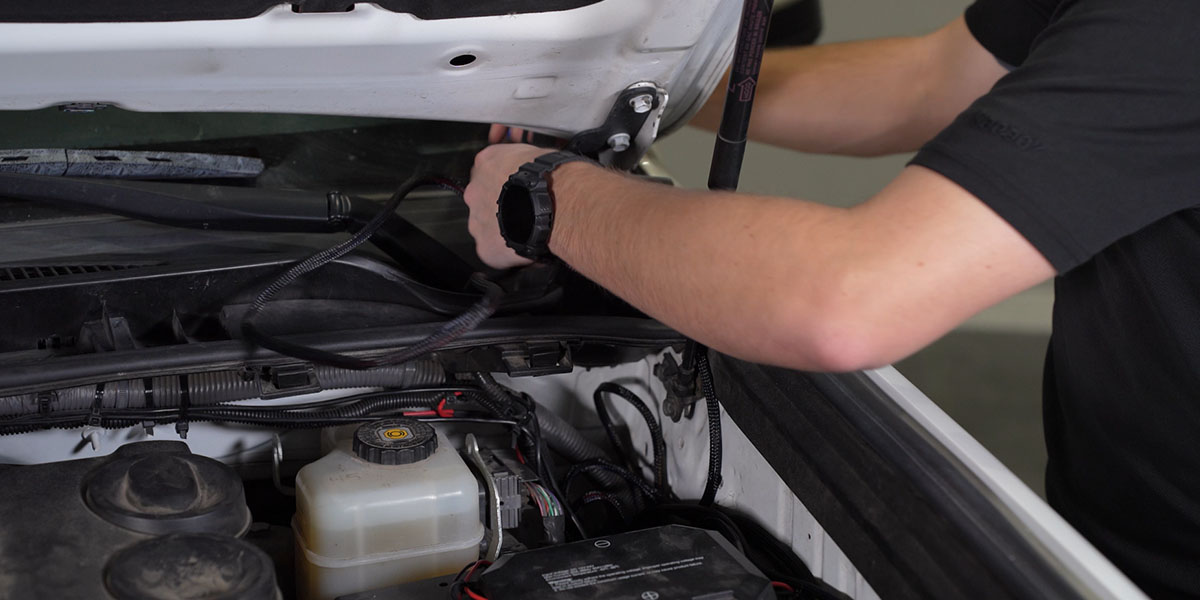
16. Test and secure the wiring
Restore power as appropriate, check main-beam and backlight operation, then secure the wiring with the included zip ties. Recheck the mount, cable clearance and aim.
Lamp pins and whole-bar power are different concerns
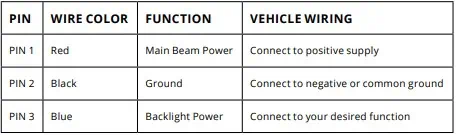
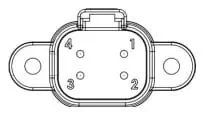
The SS5 lamp connector uses red for main-beam power, black for ground and blue for backlight power. Use the complete kit’s matching fused relay and pod-connecting harnesses. Do not size a multi-pod bar circuit from a single-pod wire recommendation.
Choose a White-lens backlight colour
This procedure is for White-lens pods only. Yellow-lens pods have an Amber-only backlight. The setting never changes the main-beam colour.
- Start with backlight power off.
- Cycle the backlight on and off three times within three seconds, with each on action about one second apart.
- After the third cycle, continue at the same pace to scroll through White, Red, Blue, Green, Purple, Yellow, Amber and Teal.
- When the desired colour appears, leave the backlight on for five seconds to save it.
- Turn it off. The saved colour returns the next time backlight power is applied.
Synchronise White-lens backlights
- Enter programming with three on/off cycles at the same one-second pace.
- Continue through every colour twice—at least sixteen total power cycles.
- Once all colours have displayed twice, the connected lights reset to White.
- Leave the backlights on for five seconds to save, then select another colour if desired.
Original instructions and matching products
Original Prinsu/Sherpa guide · CrossLink assembly reference · SS5 pod reference