BTS installation guide · 2016–2023 Tacoma
Install Tacoma ditch lights: brackets, pods and wiring
A complete illustrated walkthrough for DD6371 brackets and the DD6372–DD6379 two-pod kits. Use the assembly diagram for the actual SS3, original SSC2 or C2 2.0 housing.
Protect the hood and identify the kit
For 2016–2023 Toyota Tacoma. Gather masking tape and a 12 mm socket; pod assembly tools depend on the lamp. Keep the hood supported while its hinge bolts are removed. Mark each hinge position before loosening it. Do not transfer this procedure to 2024+ trucks.
The SS3 demonstration shows the shared Tacoma hinge brackets. C2 2.0 uses its own pod hardware diagram below.
1. Mark and protect the hinge area
Mark the original hinge position with masking tape and cover the nearby hood edges to protect the paint.
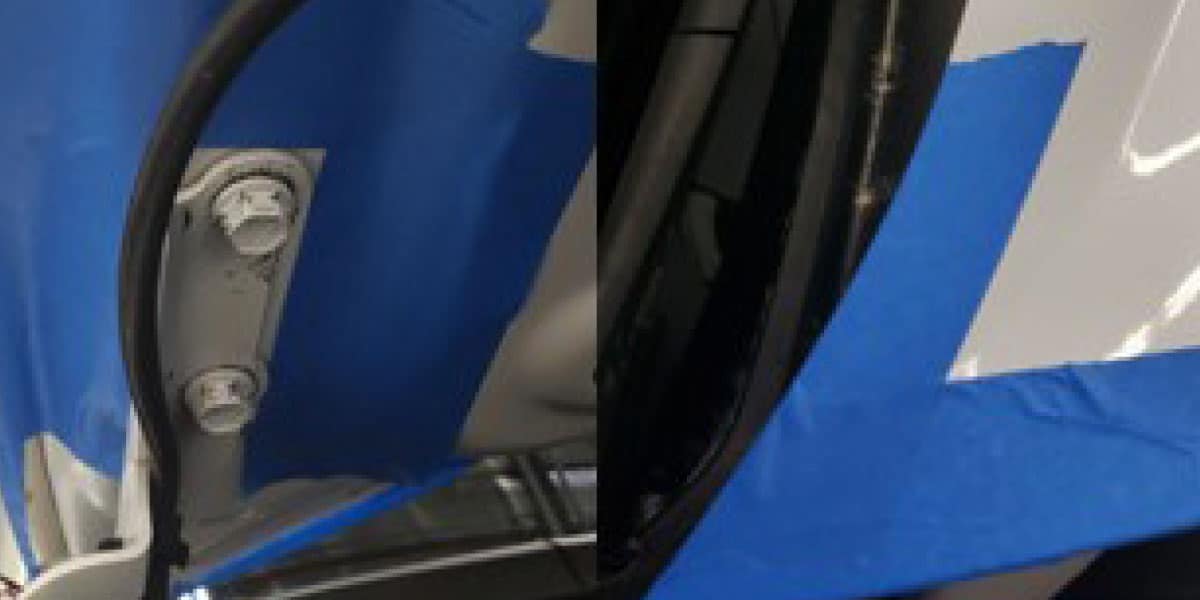
2. Support the hood and remove the bolts
Hold the back of the hood securely while removing the two 12 mm hinge bolts on that side.
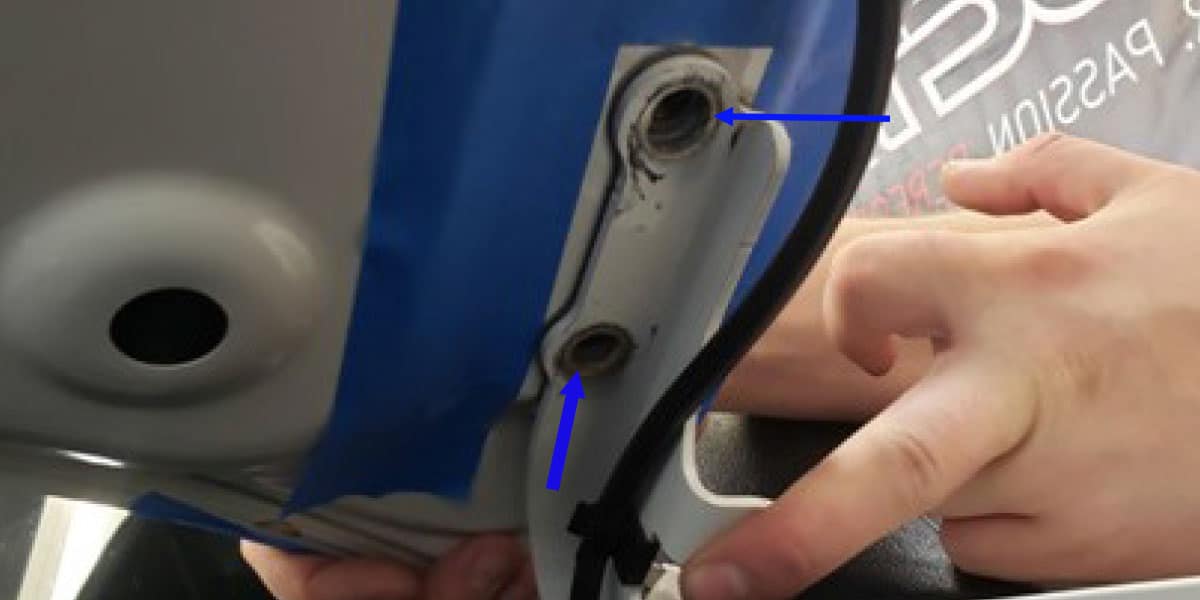
3. Place the vehicle bracket under the hinge
Slide the ditch-light bracket under the hinge and align the holes. Leave the small clearance gap at the rear of the hood shown in the manufacturer example.
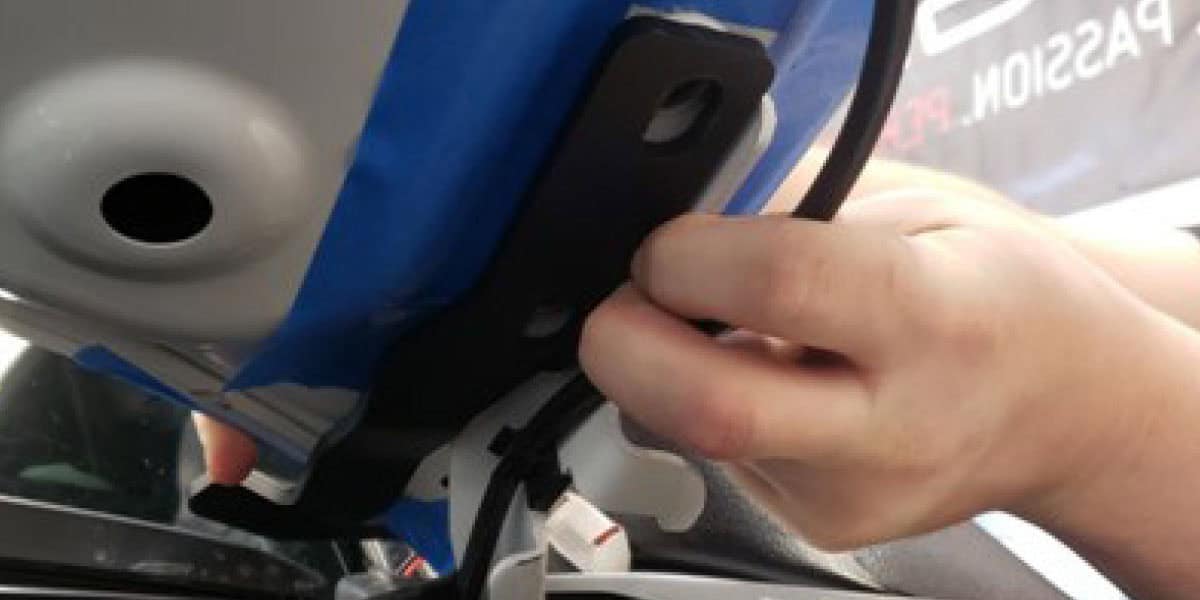
4. Restore the marked hinge alignment
Refit the original bolts. Align the hinge with the tape marks before tightening the hardware using the applicable vehicle service information.
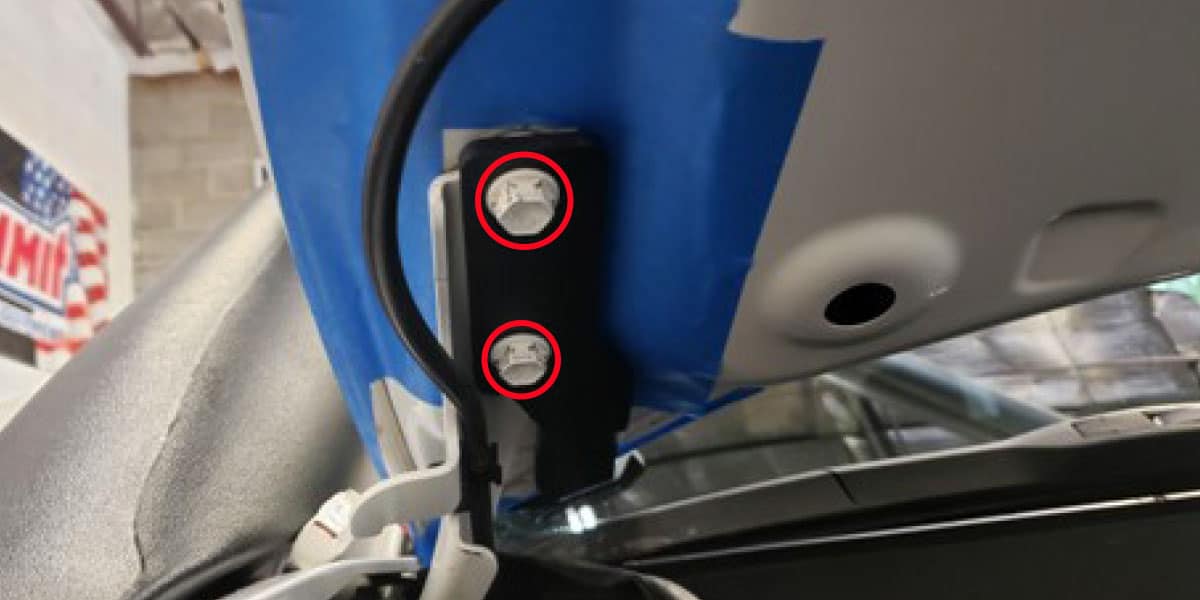
5. Repeat on the other side
Remove the tape, then repeat the marking, support and bracket procedure on the opposite hinge. Check that the hood opens and closes freely.
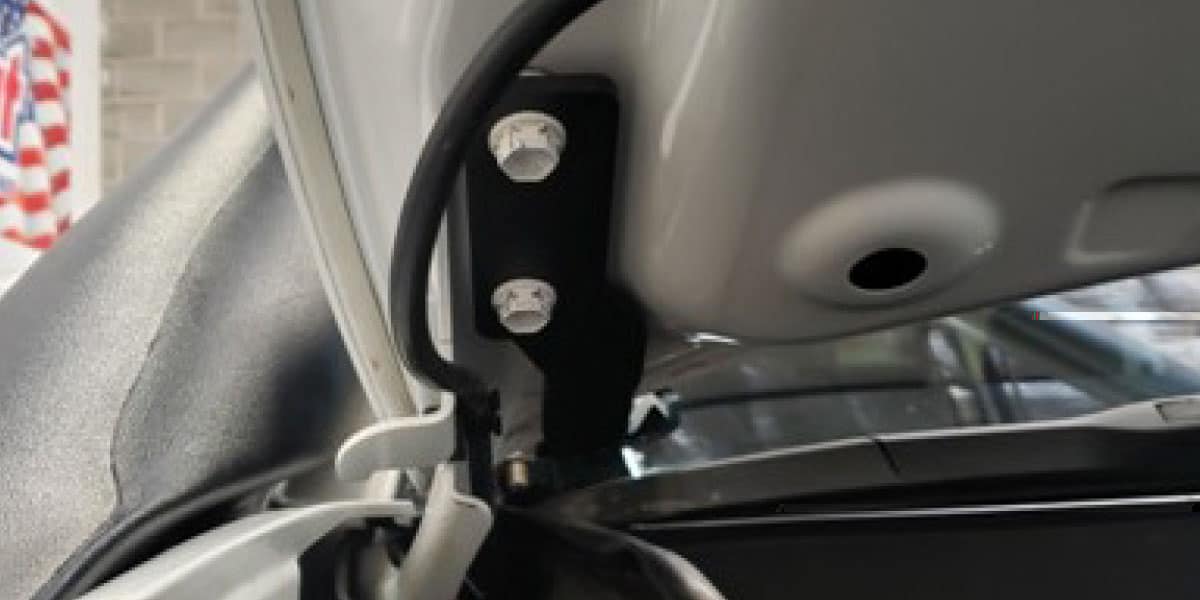
6. Assemble the correct pod bracket
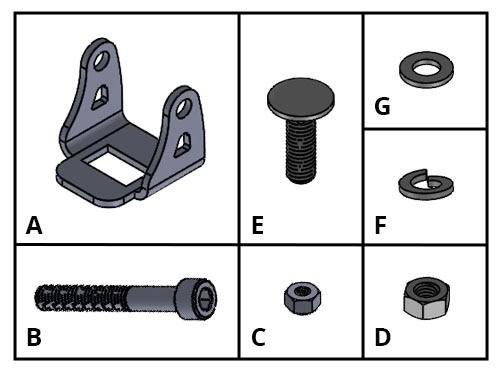
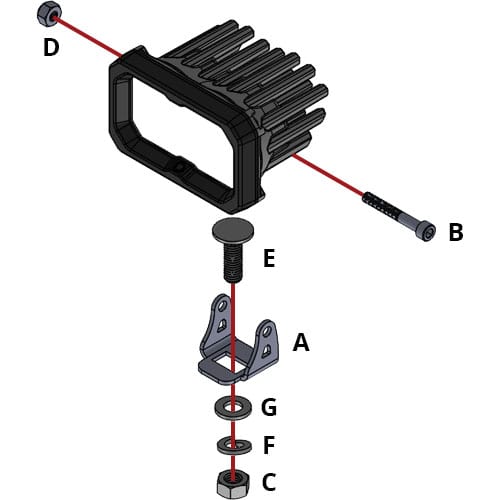
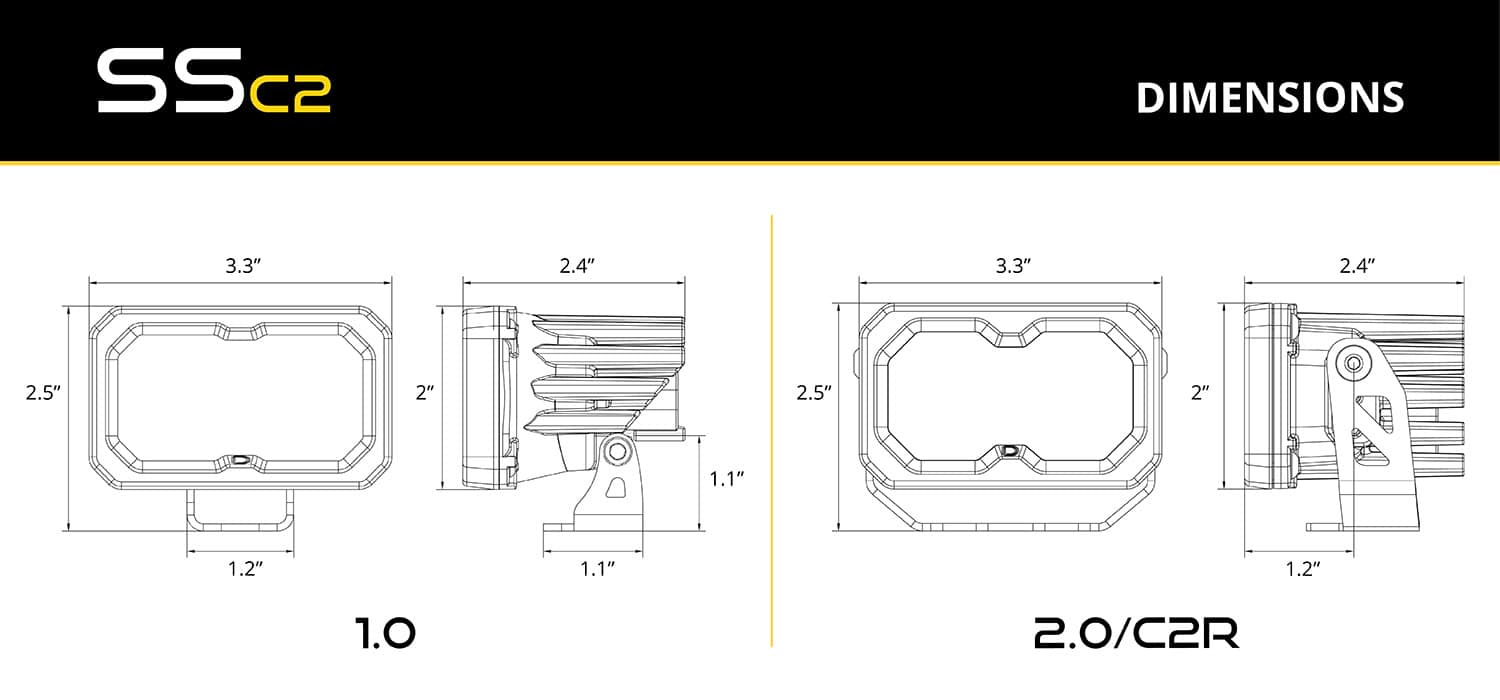
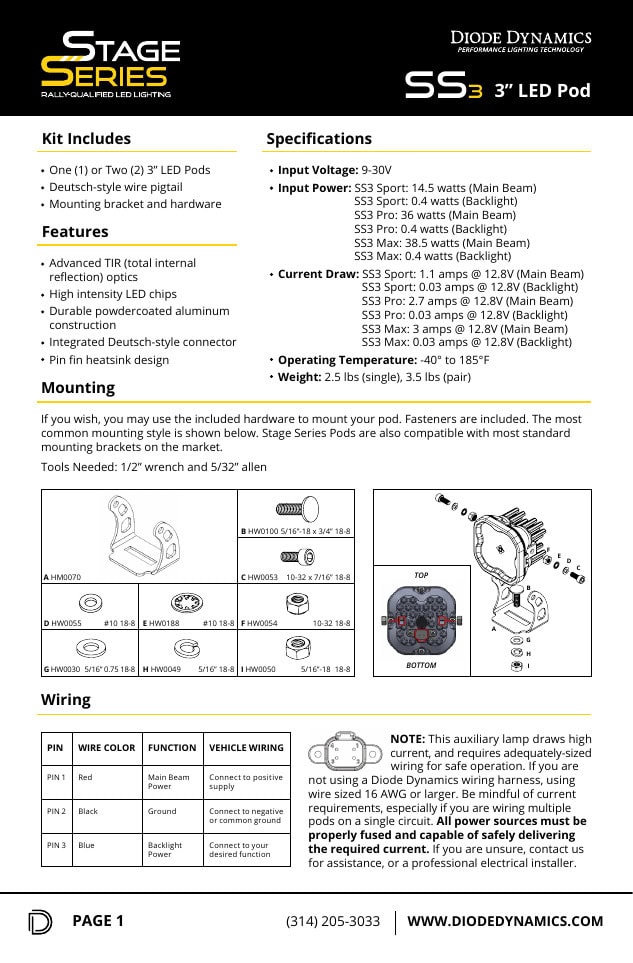
The vehicle brackets are shared, but the lamp hardware differs. Match the housing and the supplied instructions. The older Tacoma article shows original SSC2 hardware; the current C2 2.0 arrangement is shown separately.
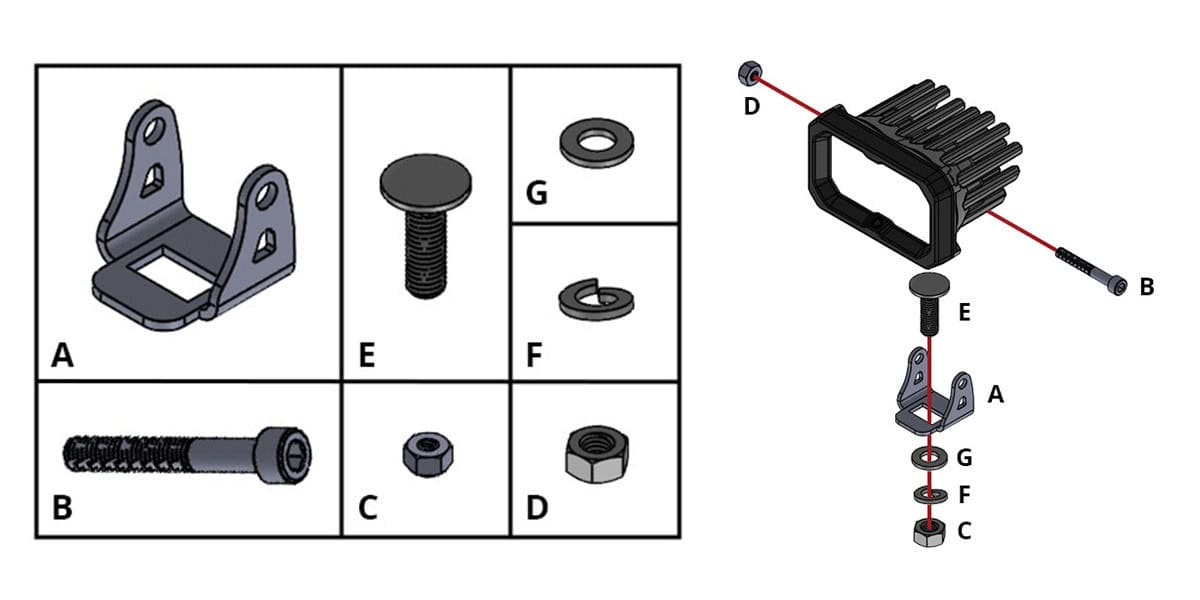
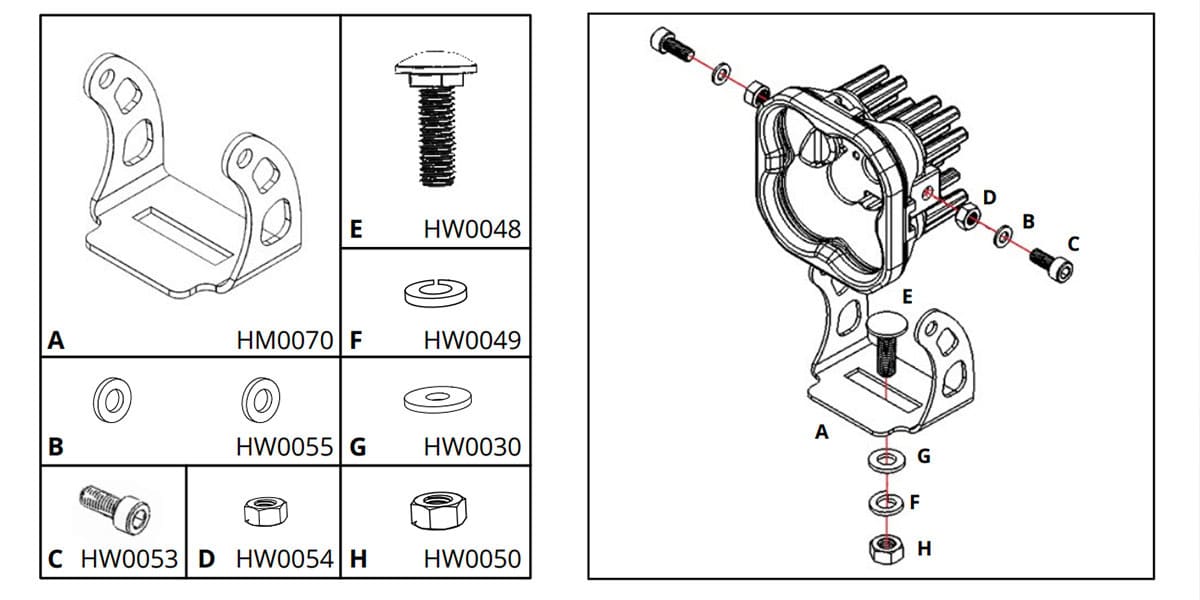
C2 2.0 hardware
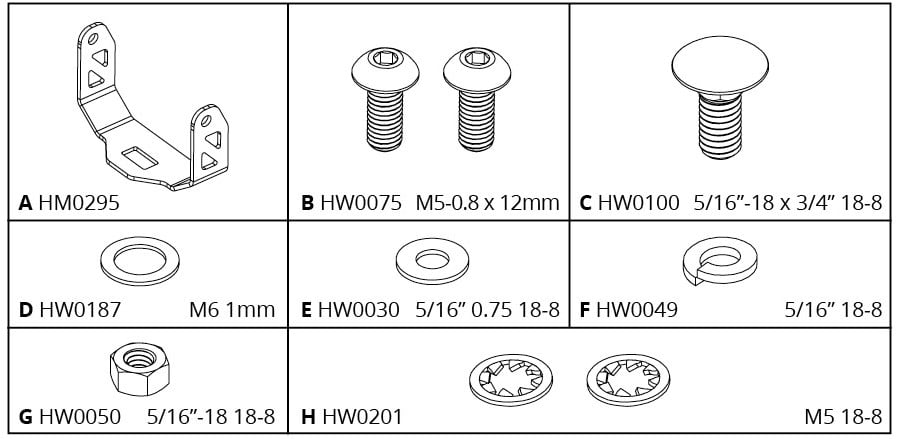
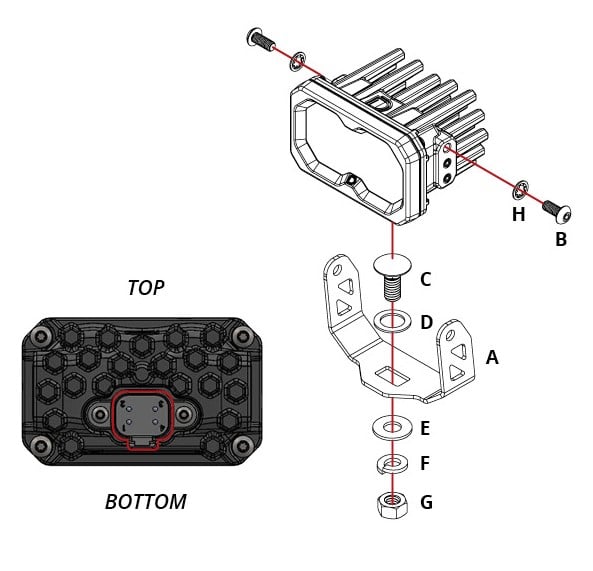
Original SSC2 reference and pod dimensions
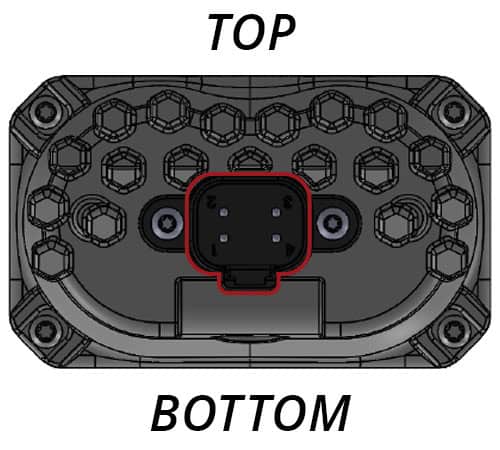
Original SS3 assembly and wiring sheets
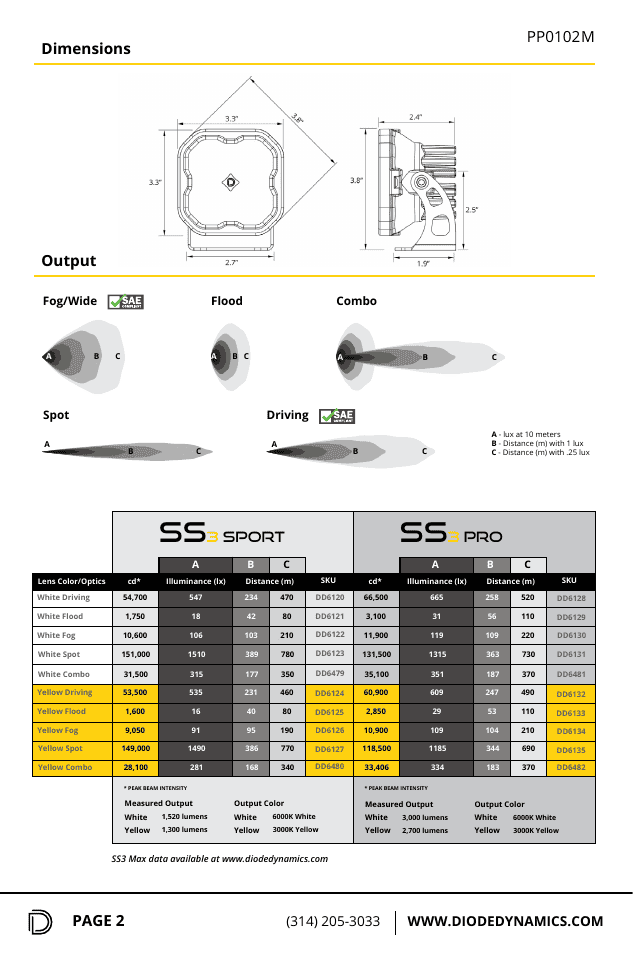
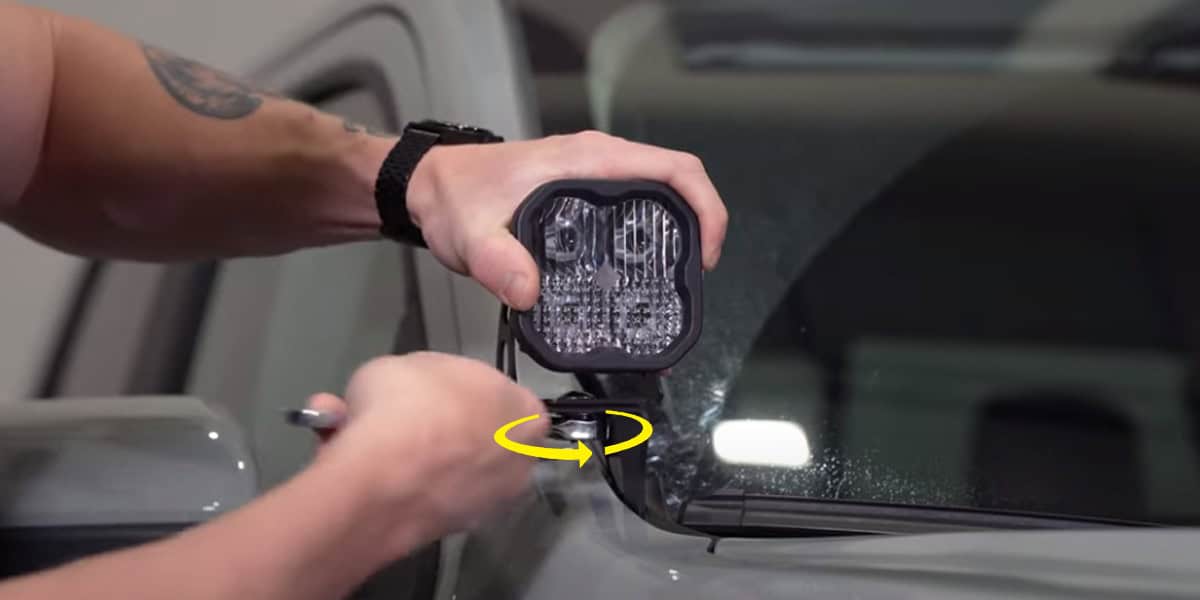
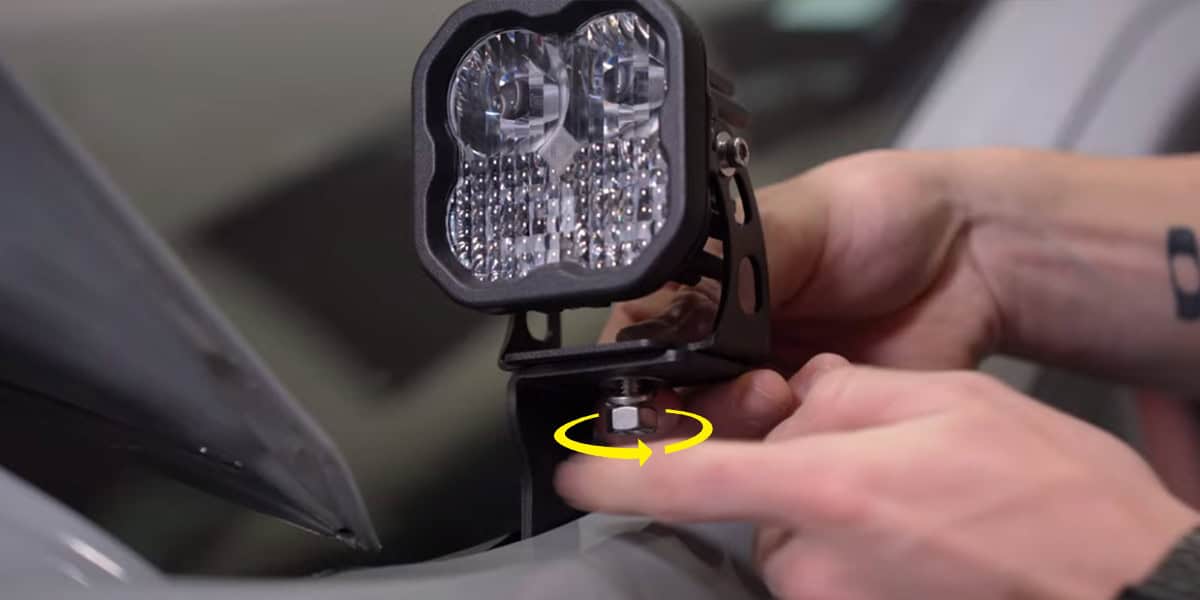
7. Attach the pod to the Tacoma bracket
Place the assembled pod on the vehicle bracket. Pass the carriage bolt through the universal pod bracket and the Tacoma bracket, then fit the washer, lock washer and nut below. Leave it hand-tight until the beam is aimed.
Connect the included DD4093 harness
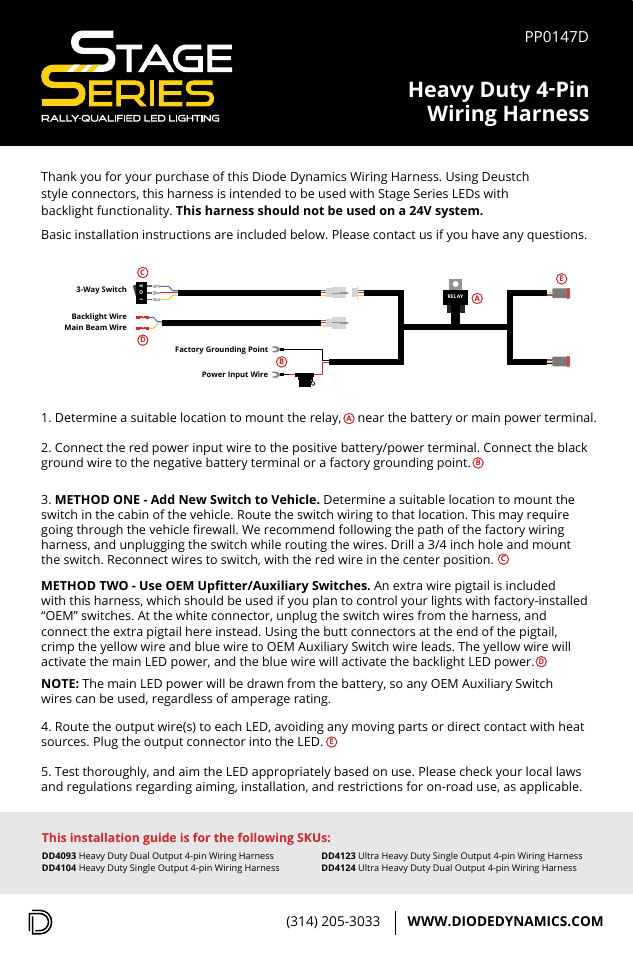
Complete DD6372–DD6379 kits include the heavy-duty dual-output four-pin harness. DD6371 brackets alone do not. This harness is for a 12V system and must not be used on a 24V system.
- Mount the relay near the battery or main power point.
- Connect the red power input to battery positive. Connect black to battery negative or an appropriate factory ground.
- Choose one control method below.
- Route both output leads clear of hot, sharp and moving parts, then connect them to the pods.
- Test the main beam and separate backlight, then secure the wiring.
Use the supplied switch
Route the switch loom to the chosen cabin location, following a protected factory route through the firewall where appropriate. Unplug the switch while passing the loom through. A new switch mounting position needs a 3/4-inch hole. Reconnect the switch with its red wire at the centre terminal.
Use a compatible auxiliary switch system
At the white connector, unplug the supplied switch loom and fit the included auxiliary-control pigtail. Its yellow lead triggers the main beam; its blue lead triggers the backlight. The relay harness still draws lamp power from its battery connection. Verify the switch system’s output function before connecting it.
Do not confuse the control pigtail with the lamp pigtail: the pod’s red wire is main-beam power, black is ground and blue is backlight power. For custom pod wiring, the manufacturer specifies at least 16 AWG main power/ground, and the current C2 guide specifies at least 18 AWG for its backlight. Use properly fused circuits sized for the complete load.
Aim, secure and test
Make the final directional adjustments, then secure the mounting hardware. Confirm hood clearance and retest both main beams and backlights. These are auxiliary off-road lights; aim and use them appropriately for the location. Do not use an automatic car wash with the Tacoma ditch-light brackets installed.