

BTS LIGHTING · MORIMOTO
Install a Tacoma Morimoto X3B third brake light
Choose the correct cab procedure, protect the seal and check every lighting function before finishing.
The cab style determines the lamp and procedure
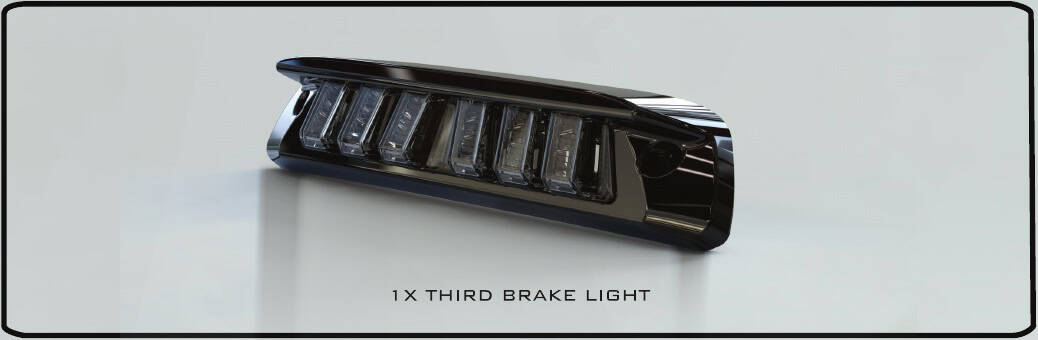
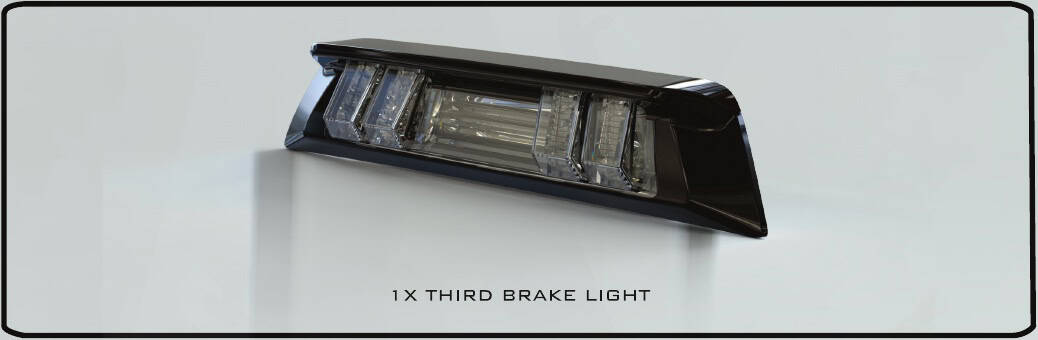
X3B05: the listed 2005–2015 Tacoma applications and 2005–2023 Access Cab. X3B10: 2016–2023 Double Cab. The two lamps and removal procedures are different.
Morimoto’s published testing is for US-spec vehicles. Match the existing lamp, connector and cab style before removal; ask BTS if your original equipment differs.
For Access Cab, have a trim tool and the driver that matches the installed outside screws. For Double Cab, the illustrated process uses a thin trim tool, small flathead screwdriver and 10mm socket/wrench.
Access Cab · external screw mounting
1. Release the original lamp
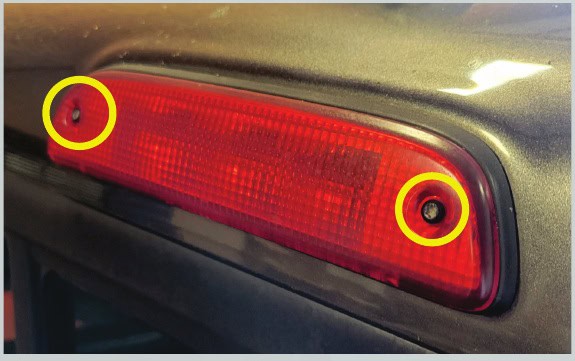
Remove the two outside screws and gently draw the lamp away from the cab.
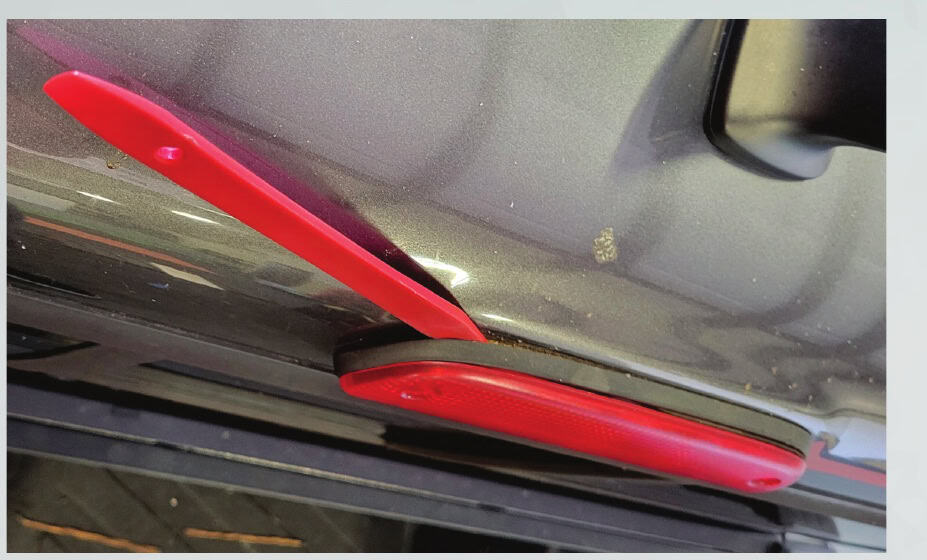
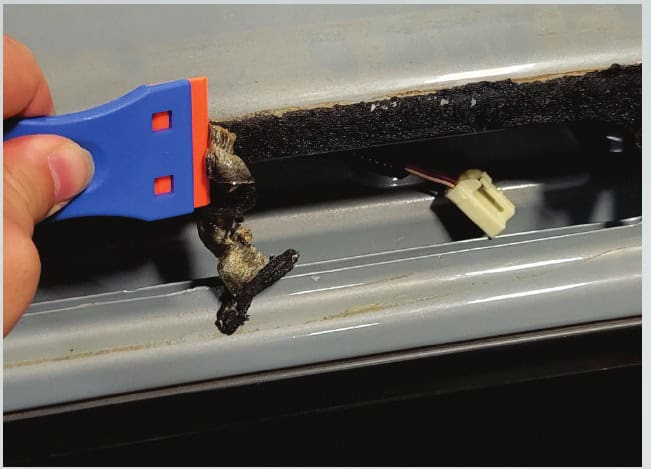
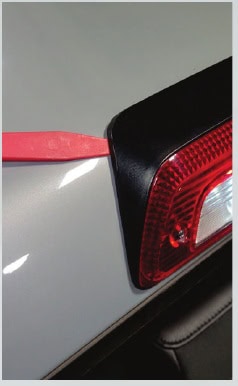
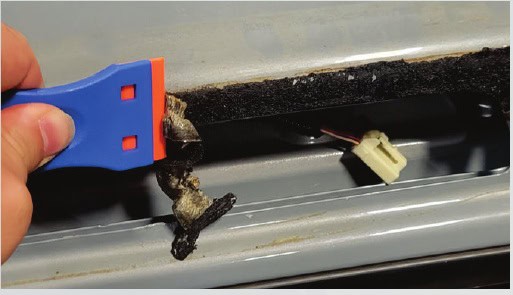
Use a trim tool carefully around the lamp to free the foam seal without damaging the paint.
2. Disconnect and clean
Once the seal releases, disconnect the original lamp.
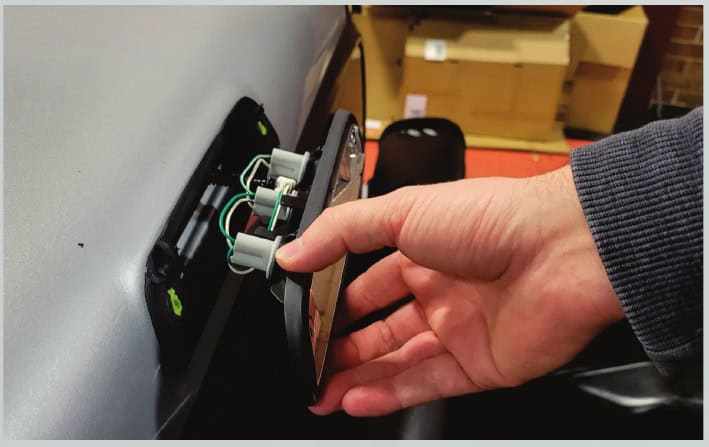
Gently remove the remaining old foam so the replacement can seat evenly.
3. Fit the replacement
Connect the X3B05, or install the separately purchased X3B01 module using the section below. Refit the lamp in the reverse order. Tighten the outside screws only snug by hand; do not overtighten.
Double Cab · reach the nuts behind the headliner
1. Release the two rear hangers
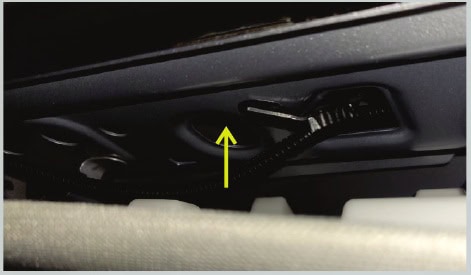
Inside the cab, find the two hangers near the rear window.
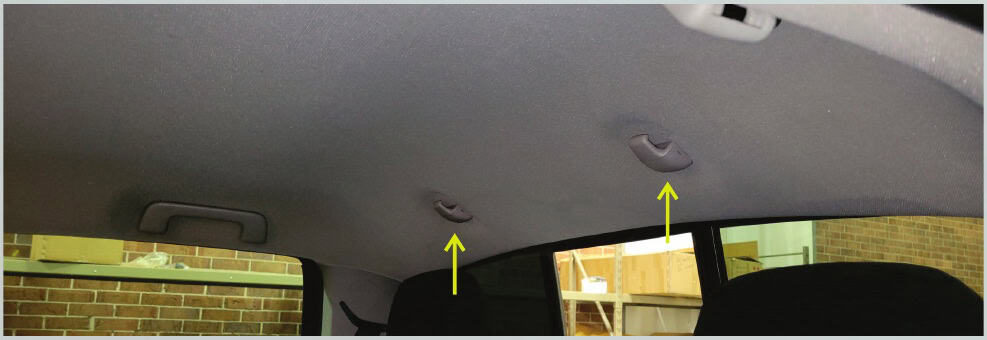
Open their access covers with a thin trim tool.
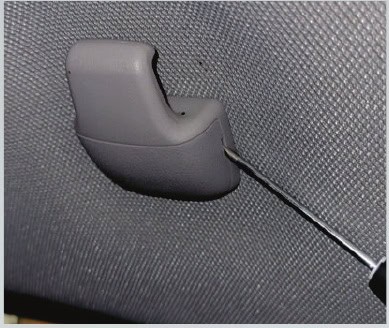
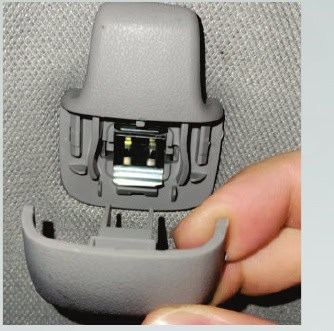
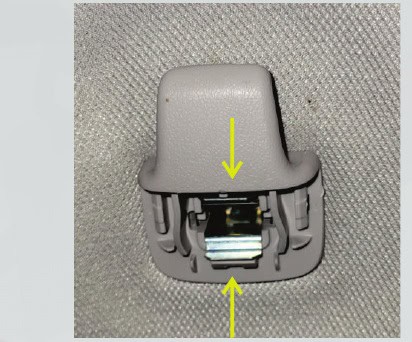
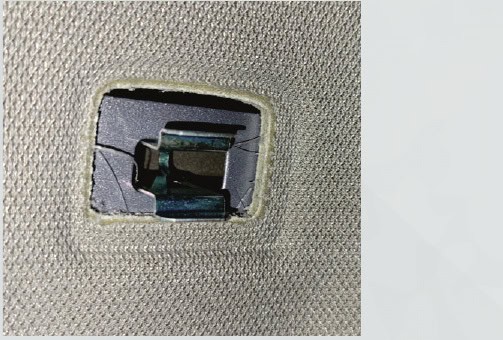
Depress each inner metal retaining clip, then remove the plastic hanger.
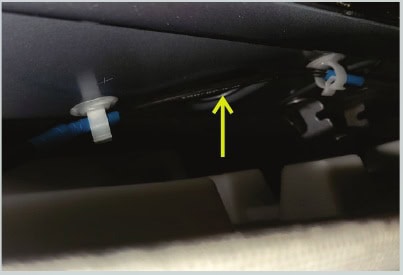
2. Reach the lamp nuts
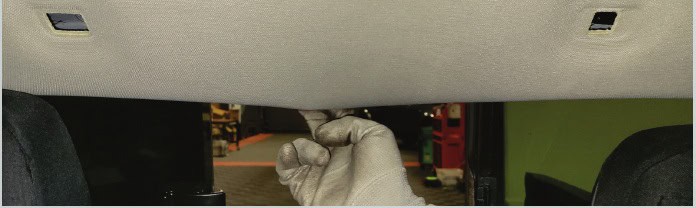
Carefully lower the rear headliner edge just enough to access the two openings. Remove the two 10mm nuts retaining the lamp.
3. Release, unplug and clean
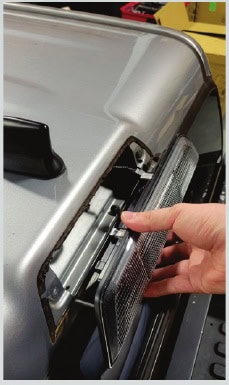
From outside, carefully free the foam seal with a trim tool, remove the lamp and disconnect it. Clean the old foam from the sealing surface.
4. Fit and reassemble
Connect the X3B10, or fit the optional module below, then reinstall the lamp and interior parts in the reverse order. Keep the wiring clear of the sealing surface.
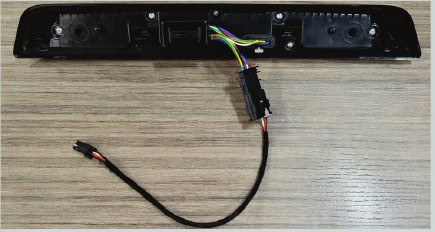
Optional X3B01 rapid-flash module
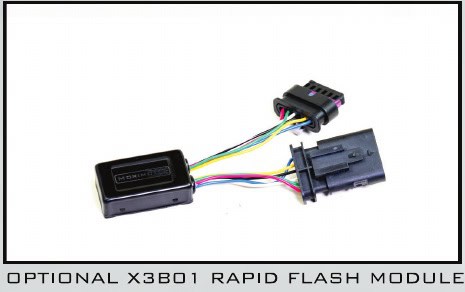
This module is separate from the standard lamp. The standard installation can connect directly without it.
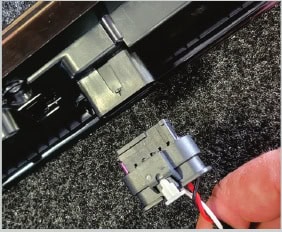
- Unclip the harness from the back of the X3B lamp.
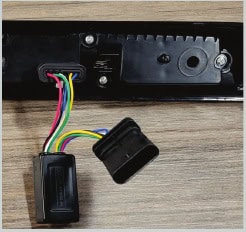
- Connect the module’s female plug to the lamp.
- Connect the lamp harness to the module’s male plug.
- Peel the backing from the module’s mounting tape and secure it to the rear of the lamp or inside the lamp cavity.
Check the seal and every function
Make sure the lamp sits evenly against its seal and all removed trim is secure. Turn the truck on and test the brake light and every available cargo/bed-light mode before finishing.
Access Cab · X3B05
Double Cab · X3B10
Original BTS walkthrough based on both four-page Morimoto X3B05/X3B10 manuals, retrieved October 24, 2026. All relevant original photos are included; the common optional-module instructions appear once. The X3B05 cover names 2005–2015, while Morimoto’s current X3B10 page directs 2016–2023 Access Cab owners to X3B05. Use the section matching the actual lamp mounting. X3B05 manual · X3B10 manual.