

BTS installation guide
Install SS3 Type B fog lights on a 2016–2023 Tacoma
Assemble the pod and bracket, reuse the original fog mounts, connect the lamp, then aim each beam. Fixed-colour and DD8935 Dual Color kits use the Type B mounting procedure.
Before you start
This guide covers the listed Tacoma factory-fog application. It excludes Tacoma TRD Pro. Match the original mounts and connectors before removing anything. Keep the factory hardware organised, protect the surrounding trim, and use the correct vehicle service information for access and fastener torque.
Trucks without factory fog lamps require additional wiring and mounting assessment before installation.
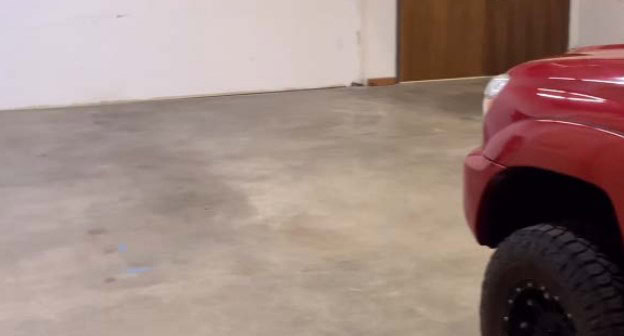
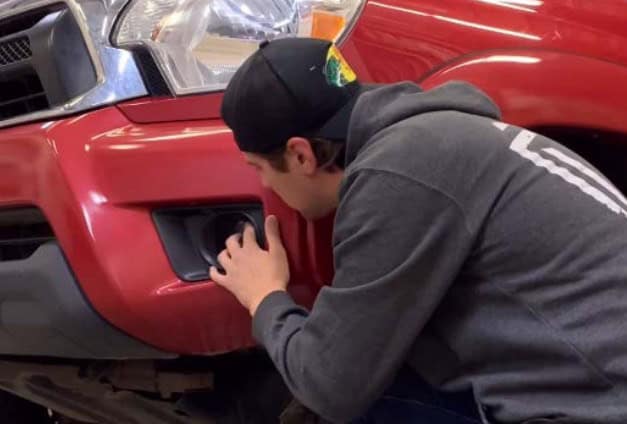
The original aiming photographs below show the manufacturer’s demonstration on an older Tacoma. They illustrate the wall-measurement procedure, not the exact trim or access details of every 2016–2023 truck.
Step 1
Seat the bracket nuts
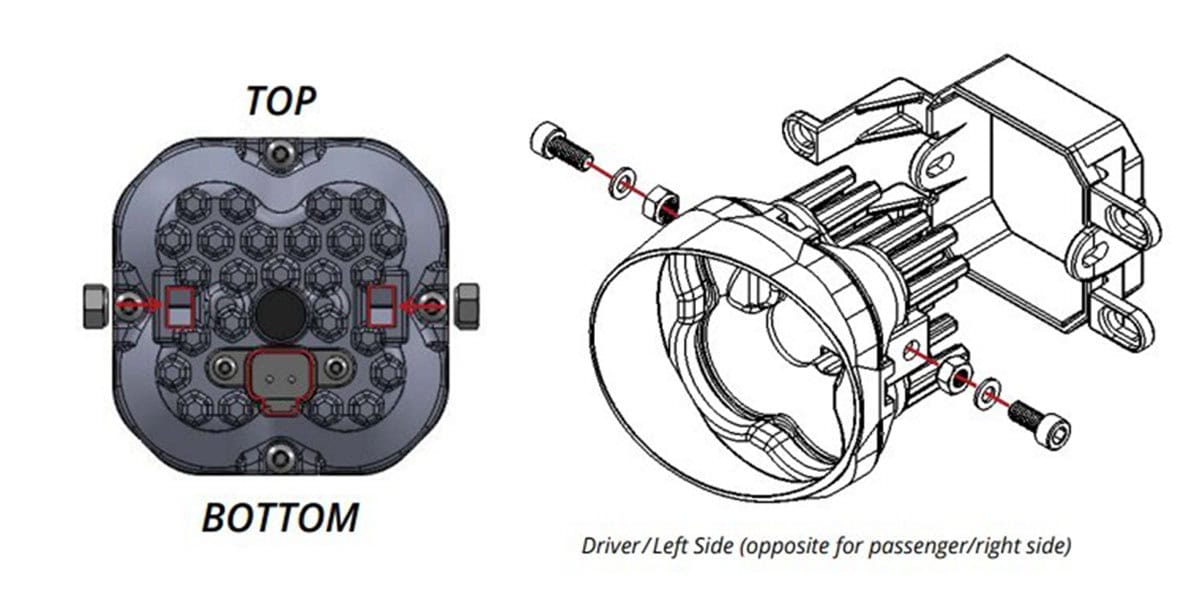
Place the supplied nuts in the pod with their nylon locking inserts facing inward, as shown in the original diagram.
Step 2
Assemble the correct bracket
Match the bracket side and angle. Fit its screws and washers so the pod is held by friction but can still pivot for aiming.
Step 3
Access the passenger-side lamp
Reach the original fog assembly from above or through the wheel-liner access, as appropriate for the truck.
Step 4
Remove the original fog assembly
Disconnect the factory fog connector and remove the lamp. Retain its hardware.
Step 5
Mount the SS3 bracket and pod
Align the Type B bracket with the original mounting points and secure it using the factory hardware.
Step 6
Connect and test the main beam
Connect the supplied DT adapter to the pod and vehicle connector. If the lamp does not illuminate, turn power off and check the connector polarity; the manufacturer directs reversing the vehicle connector 180 degrees when necessary.
Step 7
Wire the optional amber backlight
Connect the optional amber backlight to a suitable fused 12V source, such as the manufacturer-specified parking or marker circuit. Do not connect directly to the battery. Confirm the circuit and connector position on the actual vehicle, then secure the wiring away from heat, edges and moving parts.
Optional Tacoma backlight harness: DD4134 can provide an inline connection on compatible 2016–2023 Tacoma headlight connectors. It does not fit factory OEM LED headlights, and some halogen headlight assemblies also lack the required connector. Compare the original connector before adding it. The main fog beam and the amber accent backlight are separate circuits.
Step 8
Finish the other side
Repeat the bracket, mounting and connection steps for the other lamp. Check that wiring is secure and cannot contact hot, sharp or moving parts.
Aim both fog beams
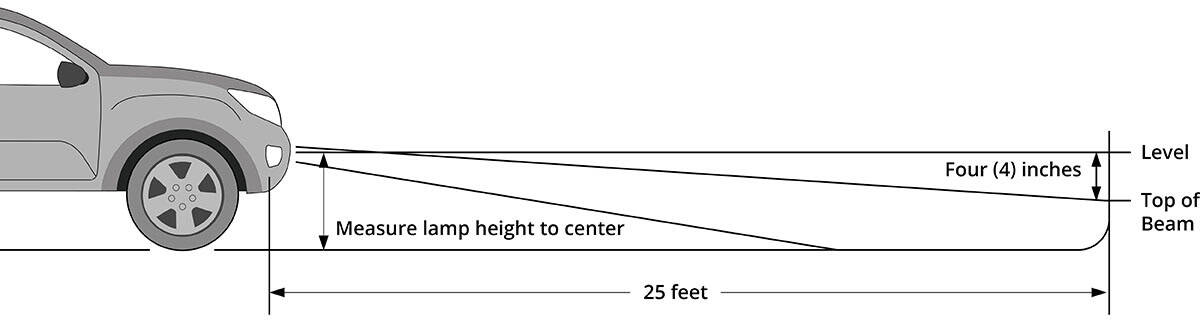
Use a 5/32-inch Allen tool for the SS3 pivot bolts. The following original photographs demonstrate the aiming process.
Step 9
Park on level ground
Position the truck 25 feet from the wall.
Step 10
Loosen the pod pivot bolts
Loosen the 5/32-inch Allen bolts enough to adjust the pod angle.
Step 11
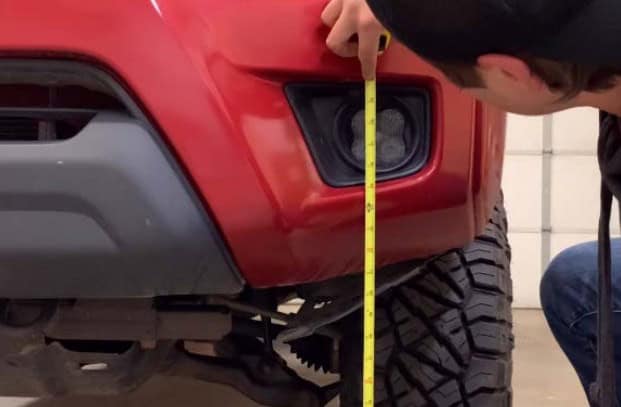
Measure the lamp centre
Measure from the ground to the centre of the fog lamp.
Step 12
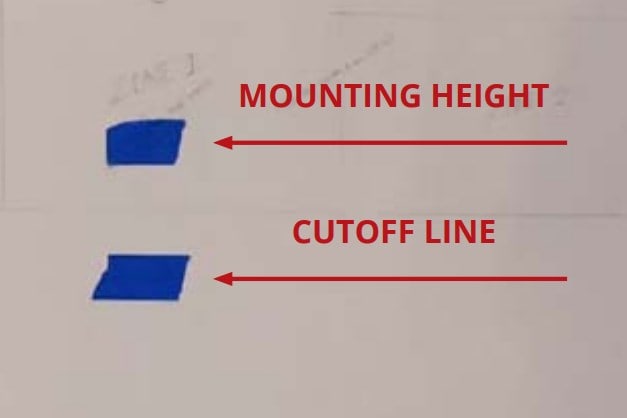
Mark the two reference lines
Mark the lamp-centre height on the wall, then make another line four inches below it.
Step 13
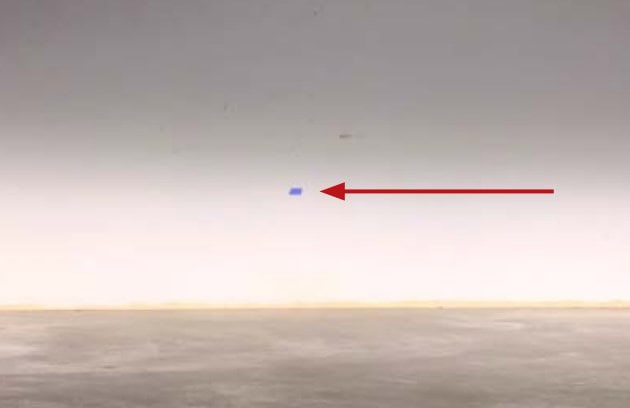
Set the cutoff and secure the pod
Tilt the pod until the upper beam cutoff meets the lower line. Tighten its mounting bolts without overtightening; do not use power tools. Repeat for the other lamp and restore the wheel-liner access.
Dual Color programming
Only DD8935 uses SmartSelect. Fixed White and Yellow Sport, Pro and Max kits skip this step.
SmartSelect programming and reset
General manufacturer aiming video; use the SS3 bracket adjustment procedure described above.
Choose the kit and check the original guide
Fixed-colour Toyota SS3 kits · DD8935 Dual Color kit · Original manufacturer installation article